How to self-host AFFiNE on your own VPS without Docker
Run AFFiNE v0.27.4 on your own Ubuntu server with ox: Postgres with pgvector, Redis, a Rust and Node build, and an admin made from two variables.

To self-host AFFiNE you need an Ubuntu server, a fork of the AFFiNE repo with an ox.toml and three helper files added, and ten variables, of which only the first admin's email and password are required. In our run the first deploy took about 29 minutes, most of it the build, and ox set up Postgres with pgvector and Redis for it.
How we tested On Oct 17, 2026, ox deployed AFFiNE v0.27.4 from commit b4c8548c on a fresh DigitalOcean server with 8 vCPUs and 16 GB of memory. The run then redeployed it, backed it up and rebooted the server. Then a separate test agent, one that did not write the config, signed in, created a workspace and a doc, and saw the doc in All docs after a reload, and checked the app's services and its backup.
AFFiNE is an open-source workspace for docs, whiteboards and tables, and its README presents it as an alternative to Notion and Miro. It is local-first: a workspace can stay in one browser or sync to a server like this one. The server is a NestJS app on Node.js with a native module in Rust. It keeps accounts and docs in Postgres, uses Redis, and serves its web, admin and mobile front ends from one static folder.
ox deployed AFFiNE v0.27.4 (commit b4c8548c) on Oct 17, 2026 on a fresh DigitalOcean server with 8 vCPUs and 16 GB of memory; the first deploy took 29 minutes and a redeploy took 27 minutes.
- First deploy: 29 minutes, from adding the project until the app passed the run's first checks.
- Redeploy of the same commit: 27 minutes, until the app passed the checks again.
- Server: DigitalOcean, 8 vCPUs and 16 GB of memory (
s-8vcpu-16gb), with this app alone on it. Every one of the 85 apps we deployed ran on this one size, so it was not picked for this app. - Memory in use after the reboot: 917 MB of 15986 MB, for the whole server: Ubuntu, the app, its services, Caddy and the ox agent. On a server with no apps, ox's tests on real servers hold the agent to 40 MB or less and Caddy to 50 MB or less.
- Services ox runs for it:
postgres,redis. - Source: github.com/toeverything/AFFiNE at v0.27.4, commit
b4c8548c.
What you need
An Ubuntu LTS server. The run used the size in the facts above, with AFFiNE alone on it. ox installs the compiler and the Rust version the build needs.
A GitHub account to fork
toeverything/AFFiNE, and an ox account, which you open by signing in with GitHub.An email address and a password for the first admin. AFFiNE accepts 8 to 32 characters by default. It sends invitations and sign-in links by email, and the run pointed its mail at a test mail catcher, so real email was not tested.
The steps
In the ox dashboard, press Add a server and run the command it prints, as root, on your VPS. The command holds a fresh token and installs the ox agent and Caddy, nothing else.
Fork the AFFiNE repo and branch from the tag v0.27.4, the release the run deployed. Add the ox.toml and the three files shown below at the paths shown, then commit and push. On your laptop, write affine.env with one KEY=value line for every key in the variables list below. With the ox CLI signed in, run:
ox new <you>/AFFiNE
ox review affine --from-file affine.env --wait
The project takes its name from the repo, in lower case. The review stores your values and starts the first deploy, and --wait follows the run until it ends.
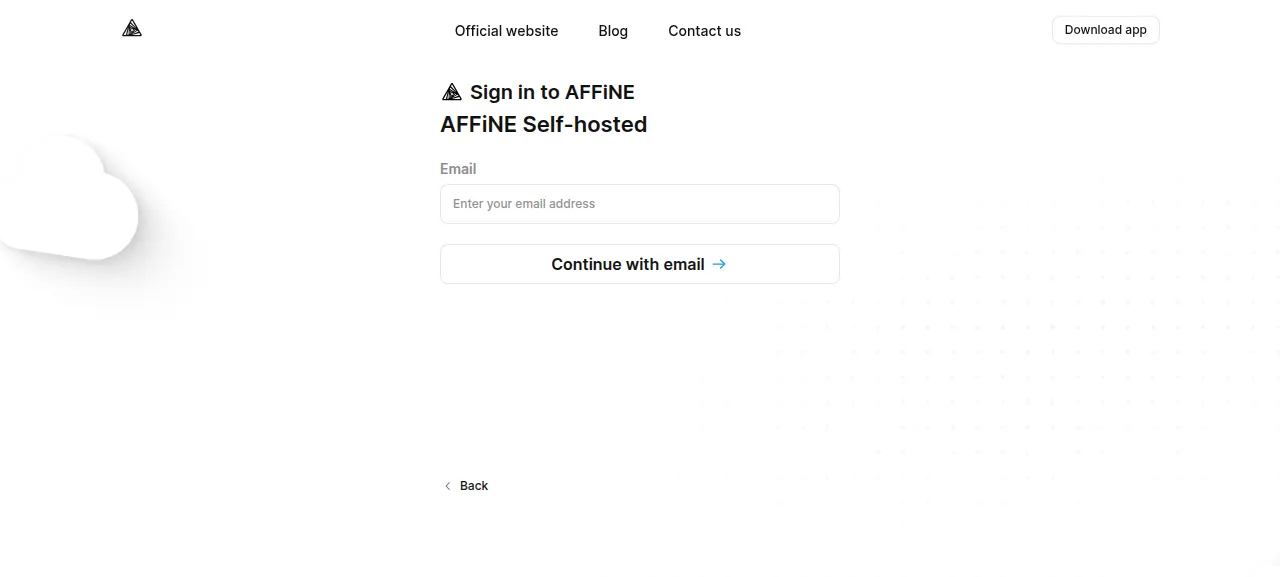
When the run is green, open the project's address. The web app is large, so the first load takes a few seconds. Go to /sign-in, type the admin's email, click "Continue with email", and give the password. Then make a place for your docs on the server:
Open the workspace menu at the top of the left sidebar and choose "Create workspace".
Type a name, keep "Workspace type" on "AFFiNE Self-hosted", and click Create.
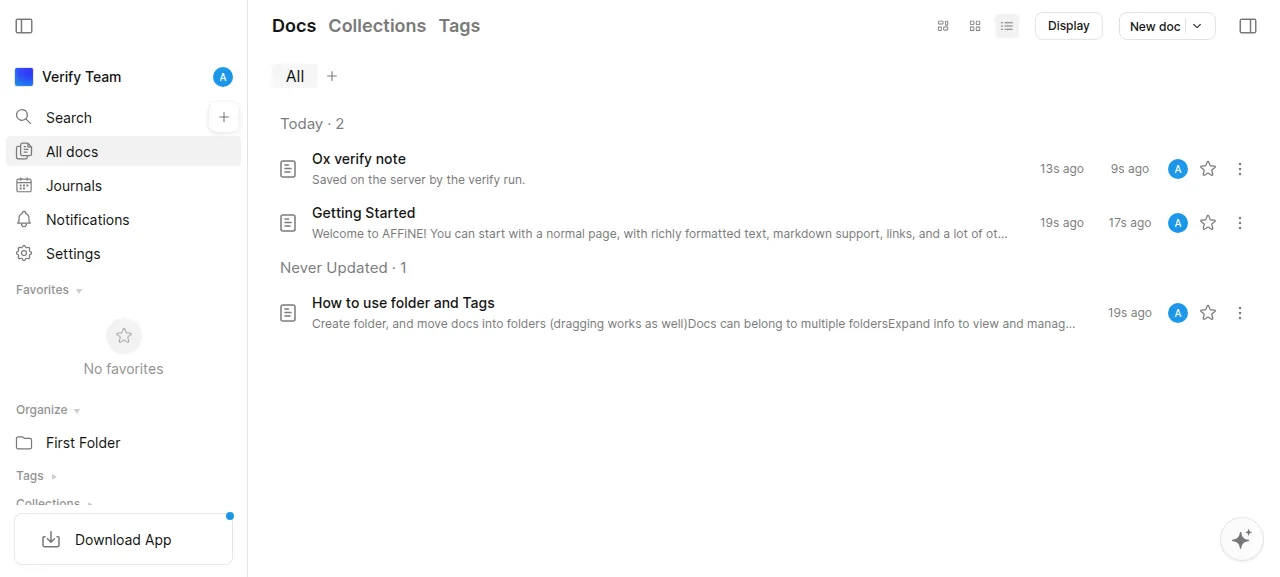
Click "New doc" in the sidebar, type a title and a line of text, and reload. The doc is listed under "All docs". The test agent did this, then fetched the doc from the server's own API to see its title and text.
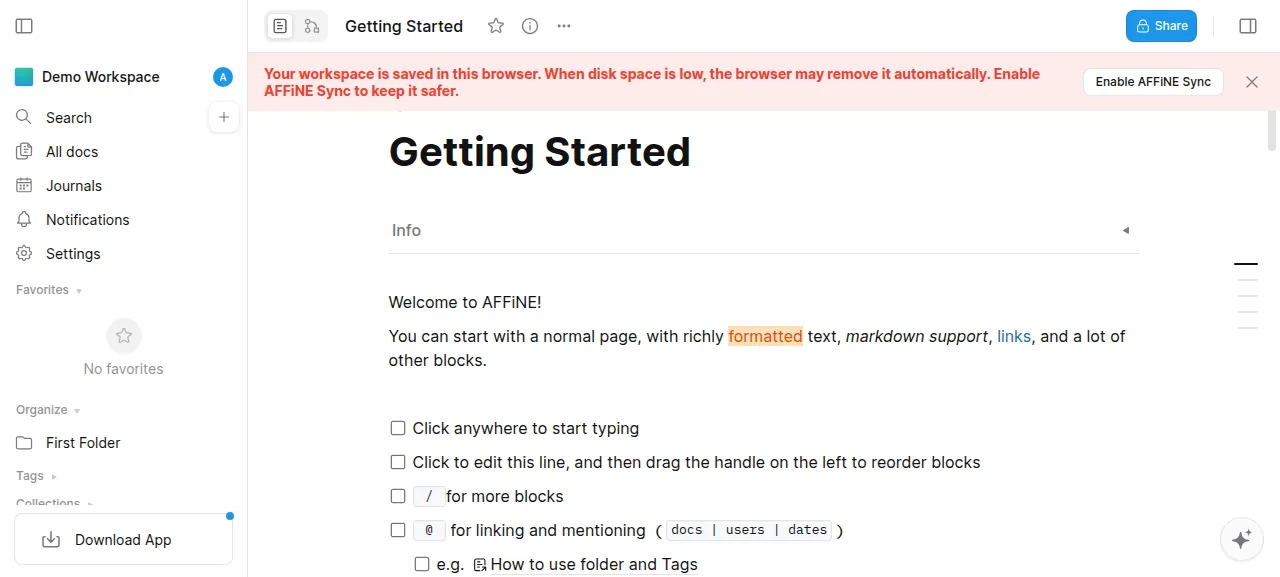
If you open the site before you sign in, AFFiNE offers a "Demo Workspace" that lives only in that browser, under "Local storage". Docs written there never reach the server.
The run used AFFiNE on its preview address, so a domain of your own was not part of it. The domains page describes how ox adds one.
The ox.toml, line by line
# AFFiNE built the way its self-host image is (.github/workflows/build-images.yml
# and .github/deployment/node/Dockerfile): the Rust server-native module, the
# NestJS server bundle, and the web, admin and mobile apps the server serves
# from its static folder. migrate is the compose file's migration job
# (.docker/selfhost/compose.yml) plus the first administrator; the start is
# the image's `node ./dist/main.js`. Both run packages/backend/server/scripts/ox.sh.
# clang builds the native module (CI's build-rust sets CC="clang
# -D_BSD_SOURCE"), beside the C toolchain ox's rust tool brings; openssl and
# libjemalloc2 are the image's packages.
packages = ["clang", "libclang-dev", "cmake", "pkg-config", "openssl", "libjemalloc2"]
# The first administrator: AFFiNE has no command that makes a user, and until
# one exists every page goes to a setup page open to the first visitor.
required_variables = ["AFFINE_ADMIN_EMAIL", "AFFINE_ADMIN_PASSWORD"]

[app]
start = "exec bash packages/backend/server/scripts/ox.sh start"
health = "/info"

[build]
# The setup-node action's install, with the downloads it skips.
install = "HUSKY=0 PLAYWRIGHT_SKIP_BROWSER_DOWNLOAD=1 ELECTRON_SKIP_BINARY_DOWNLOAD=1 SENTRYCLI_SKIP_DOWNLOAD=1 yarn install --immutable --inline-builds"
commands = [
  # build-server-native: one build per target, renamed to the target's file;
  # the server bundle resolves all three names, and without them it writes
  # no dist/main.js and still exits 0, so the copies and the test.
  "CC='clang -D_BSD_SOURCE' TARGET_CC='clang -D_BSD_SOURCE' yarn workspace @affine/server-native build",
  "cd packages/backend/native && for f in x64 arm64 armv7; do cp server-native.node server-native.$f.node; done",
  "yarn workspace @affine/server prisma generate",
  "yarn workspace @affine/server build",
  "test -f packages/backend/server/dist/main.js",
  # build-web, build-admin, build-mobile, then the Dockerfile's copies. A
  # stable build's asset path is AFFiNE's CDN, where CI uploads its files
  # (tools/cli getPublicPath); PUBLIC_PATH=/ keeps every asset on this
  # server, as the selfhost.html it serves already does. The build reads its
  # version hash from GITHUB_SHA, else from .git, which a release has not.
  "BUILD_TYPE=stable PUBLIC_PATH=/ GITHUB_SHA=$OX_RELEASE yarn affine @affine/web build",
  "BUILD_TYPE=stable PUBLIC_PATH=/ GITHUB_SHA=$OX_RELEASE yarn affine @affine/admin build",
  "BUILD_TYPE=stable PUBLIC_PATH=/ GITHUB_SHA=$OX_RELEASE yarn affine @affine/mobile build",
  "rm -rf packages/backend/server/static && cp -r packages/frontend/apps/web/dist packages/backend/server/static && cp -r packages/frontend/admin/dist packages/backend/server/static/admin && cp -r packages/frontend/apps/mobile/dist packages/backend/server/static/mobile",
]
migrate = "bash packages/backend/server/scripts/ox.sh migrate"

[services]
postgres = { extensions = ["vector"] }
redis = {}

[tools]
rust = "1.97.1"

[storage]
# The server's private key and its uploads (config.json points the blob,
# avatar and copilot storage here instead of ~/.affine/storage).
keep = ["packages/backend/server/data"]packagesadds the compiler and tools the Rust module needs (AFFiNE's CI builds it with clang), plus the image's runtime packagesopensslandlibjemalloc2.required_variablesnames the admin's two values. AFFiNE has no command that makes a user, and until one exists every page redirects to a setup page open to the first visitor, so ox asks for both before the build.startrunsox.sh start, which ends in the image's ownnode ./dist/main.js.healthis AFFiNE's public/inforoute.installis a frozen Yarn install that skips git hooks and the downloads of a Playwright browser, the Electron binary and the Sentry CLI.The first build commands make the server: the Rust module, copies of it under the three file names the bundler looks for (x64, arm64 and armv7), Prisma's client and the NestJS bundle. A
test -fstops the deploy ifdist/main.jsis missing.The next three build the web, admin and mobile apps.
PUBLIC_PATH=/keeps their assets on your server instead of AFFiNE's CDN, where astablebuild points by default.GITHUB_SHA=$OX_RELEASEgives the build a version hash, which it would read from.git. The last command copies the builds into the server'sstaticfolder.migraterunsox.sh migratebefore the health check, and a failure stops the deploy before ox switches releases.[services]asks for Postgres with thevectorextension, which AFFiNE's migrations create, and for Redis.[tools]pins Rust at 1.97.1, as AFFiNE'srust-toolchain.tomldoes.[storage]keeps the server'sdatafolder, with its private key and uploads.
There are no workers or cron jobs: AFFiNE runs its background work inside the app process.
packages/backend/server/config.json
{
  "$schema": "../../../.docker/selfhost/schema.json",
  "storages": {
    "avatar.storage": {
      "provider": "fs",
      "bucket": "avatars",
      "config": { "path": "data/storage" }
    },
    "blob.storage": {
      "provider": "fs",
      "bucket": "blobs",
      "config": { "path": "data/storage" }
    }
  },
  "copilot": {
    "storage": {
      "provider": "fs",
      "bucket": "copilot",
      "config": { "path": "data/storage" }
    }
  }
}
packages/backend/server/scripts/ox-admin.js
// AFFiNE's first user, its administrator, from AFFINE_ADMIN_EMAIL and
// AFFINE_ADMIN_PASSWORD. AFFiNE has no command that makes a user: its setup
// page posts to /api/setup/create-admin-user, which only the running server
// answers, and only while no user exists (src/core/selfhost/controller.ts).
// So when the database holds no user, this starts the release's server on a
// free local port, posts there, and stops it. Run from packages/backend/server.
import { spawn } from 'node:child_process';
import { once } from 'node:events';
import { createServer } from 'node:net';
import { setTimeout as sleep } from 'node:timers/promises';

import prisma from '@prisma/client';

const email = process.env.AFFINE_ADMIN_EMAIL;
const password = process.env.AFFINE_ADMIN_PASSWORD;
if (!email || !password) {
  console.error(
    'AFFINE_ADMIN_EMAIL and AFFINE_ADMIN_PASSWORD must be set: they make the first administrator'
  );
  process.exit(1);
}

// The setup page's own test (ServerService.initialized): any user at all.
const db = new prisma.PrismaClient();
const users = await db.user.count();
await db.$disconnect();
if (users > 0) {
  console.log(
    `AFFiNE has ${users} user(s), so its first administrator exists; AFFINE_ADMIN_EMAIL and AFFINE_ADMIN_PASSWORD are not read again`
  );
  process.exit(0);
}

const probe = createServer().listen(0, '127.0.0.1');
await once(probe, 'listening');
const port = probe.address().port;
probe.close();
await once(probe, 'close');

const base = `http://127.0.0.1:${port}`;
console.log(`no user yet: starting the server on ${base} to make the administrator`);
const server = spawn(process.execPath, ['./dist/main.js'], {
  env: {
    ...process.env,
    AFFINE_SERVER_PORT: String(port),
    LISTEN_ADDR: '127.0.0.1',
  },
  stdio: ['ignore', 'inherit', 'inherit'],
});
let exited = null;
const exit = once(server, 'exit').then(([code, signal]) => {
  exited = signal ?? `exit ${code}`;
});

try {
  const deadline = Date.now() + 300_000;
  for (;;) {
    if (exited !== null) {
      throw new Error(`the server stopped (${exited}) before it answered ${base}/info`);
    }
    const ok = await fetch(`${base}/info`).then(
      res => res.ok,
      () => false
    );
    if (ok) break;
    if (Date.now() > deadline) {
      throw new Error(`the server did not answer ${base}/info within 300 seconds`);
    }
    await sleep(1000);
  }

  const res = await fetch(`${base}/api/setup/create-admin-user`, {
    method: 'POST',
    headers: { 'content-type': 'application/json' },
    body: JSON.stringify({ email, password }),
  });
  const body = await res.text();
  if (res.ok) {
    console.log(`made the administrator ${email}`);
  } else if (body.includes('First user already created')) {
    console.log('a first user was made while the server started; no administrator made');
  } else {
    throw new Error(`making the administrator answered ${res.status}: ${body.slice(0, 500)}`);
  }
} finally {
  if (exited === null) {
    server.kill('SIGTERM');
    // migrate has no time limit, so a server that does not stop must not
    // hold the deploy.
    const stuck = setTimeout(() => server.kill('SIGKILL'), 60_000);
    await exit;
    clearTimeout(stuck);
  }
}
packages/backend/server/scripts/ox.sh
#!/usr/bin/env bash
# AFFiNE on ox, from packages/backend/server as in its image's WORKDIR.
#   migrate: the self-host compose file's migration job
#            (scripts/self-host-predeploy.js), then the first administrator.
#   start:   the image's CMD, node ./dist/main.js, on ox's port.
set -euo pipefail
cd "$(dirname "$0")/.."

# The key the server signs and encrypts with. The predeploy script writes it
# to ~/.affine/config, which ox does not back up; data/ is the [storage] keep
# folder, so the key goes with the backups. AFFINE_PRIVATE_KEY wins over the
# file in the home (src/prelude.ts). The same sec1 EC key the script makes.
if [ ! -s data/config/private.key ]; then
  mkdir -p data/config
  (
    umask 077
    node -e 'process.stdout.write(require("crypto").generateKeyPairSync("ec", {namedCurve: "prime256v1"}).privateKey.export({type: "sec1", format: "pem"}))' >data/config/private.key.tmp
  )
  mv data/config/private.key.tmp data/config/private.key
fi
AFFINE_PRIVATE_KEY=$(cat data/config/private.key)
export AFFINE_PRIVATE_KEY

# The image's allocator (Dockerfile ENV LD_PRELOAD).
export LD_PRELOAD=libjemalloc.so.2

case "${1:-}" in
migrate)
  node ./scripts/self-host-predeploy.js
  node ./scripts/ox-admin.js
  ;;
start)
  export AFFINE_SERVER_PORT="$PORT" LISTEN_ADDR=127.0.0.1
  exec node ./dist/main.js
  ;;
*)
  echo "usage: ox.sh migrate|start" >&2
  exit 2
  ;;
esacconfig.jsonpoints avatar, blob and copilot storage atdata/storage, because AFFiNE's default,~/.affine/storage, is not backed up.ox.shmakes the server's private key once, indata/config/private.key, and hands it to AFFiNE asAFFINE_PRIVATE_KEY, which wins over the key file in the home directory. Formigrateit runs AFFiNE's predeploy script and thenox-admin.js. Forstartit runs the server on ox's port.ox-admin.jsmakes the first admin. AFFiNE's setup page posts to/api/setup/create-admin-user, which a running server answers only while no user exists. So with no user in the database, the script starts the release on a free local port, posts the email and password, and stops it. Any other answer from AFFiNE fails the migrate step.
AFFINE_ADMIN_EMAIL
AFFINE_ADMIN_PASSWORD
AFFINE_SERVER_EXTERNAL_URL
AFFINE_SERVER_HOST
REDIS_SERVER_HOST
REDIS_SERVER_PORT
REDIS_SERVER_PASSWORD
AFFINE_INDEXER_ENABLED
MAILER_HOST
MAILER_PORTAFFINE_ADMIN_EMAILandAFFINE_ADMIN_PASSWORDare read only while there is no user.AFFINE_SERVER_EXTERNAL_URLis${PUBLIC_URL}andAFFINE_SERVER_HOSTis${PUBLIC_HOST}, references ox fills with the project's address. Variables explains them.REDIS_SERVER_HOST,REDIS_SERVER_PORTandREDIS_SERVER_PASSWORDare${redis.host},${redis.port}and${redis.password}, since AFFiNE reads those names and not oneREDIS_URL.DATABASE_URLis absent because ox provides it from the Postgres service.AFFINE_INDEXER_ENABLEDisfalse, which keeps the optional search indexer off, as AFFiNE's compose file does.MAILER_HOSTandMAILER_PORTname the SMTP server. The run pointed both at a test mail catcher.
Postgres and Redis
Postgres is the server's shared one, with a database of its own for AFFiNE. Redis runs only for this project, as a unit named ox-affine-svc-redis. The test agent found both units active, with no restarts.
AFFiNE allows new registrations by default, and the run left that setting as it is. Mobile and desktop apps were not tested.
Updates and backups
For a newer release, merge its tag into your fork and push, or run ox deploy affine --wait. ox builds the new release beside the running one and switches once /info answers. The run redeployed the same commit and built everything again, so it took nearly as long as the first deploy. A newer AFFiNE version was not tested, so read the release notes first.
Backups need no setup. The run's backups held a Postgres dump and the kept data folder. One set came from Back up now, and ox dumped Postgres once more before the redeploy's migrate step. List them with ox backups affine. A restore was not tested. The backups page covers the daily schedule and your own S3 bucket.
Frequently asked questions
Do I need Docker to self-host AFFiNE?
No. AFFiNE's README and its self-host compose file start from Docker images, but the server is a Node.js app with a Rust module. ox builds it from your fork on the server and runs it as a system service, with Postgres and Redis beside it. There is no image to pull.
How do I create the first AFFiNE admin?
Set AFFINE_ADMIN_EMAIL and AFFINE_ADMIN_PASSWORD before the first deploy. The migrate step makes that user, so no visitor can claim the setup page first. Then open /sign-in, click Continue with email, and type the password. AFFiNE wants a password of 8 to 32 characters, and it allows new registrations by default.
How much memory does self-hosted AFFiNE use?
After the reboot, the whole server used the memory the facts above show, counting AFFiNE, its Redis, Postgres, Caddy and the ox agent. The build runs on the server too, compiling Rust and three front ends. ox takes any server from 1 GB up and says so when memory is why an app stopped.
Is AFFiNE free to self-host?
AFFiNE's README says Community Edition is free to self-host under the MIT license, and that an Enterprise Edition is not yet published. The repo's LICENSE file adds that the backend folders have a license file of their own, so read both before you use AFFiNE for a company. More in self-hosting.
New to running apps on your own server? How ox self-hosts your apps shows what ox sets up on your server.