How to self-host Apache Answer on your own Ubuntu VPS
Run Apache Answer v2.0.3, an open-source question and answer platform, on your own Ubuntu server with ox and no Docker: Go and Postgres, as it ran.

To self-host Apache Answer you need an Ubuntu server, a fork of the Answer repo with one ox.toml file added, and 14 variables, several of them references that ox fills in from its Postgres. In our run the first deploy took about 6 minutes, and the first admin account came from the variables, so nobody opened Answer's install page.
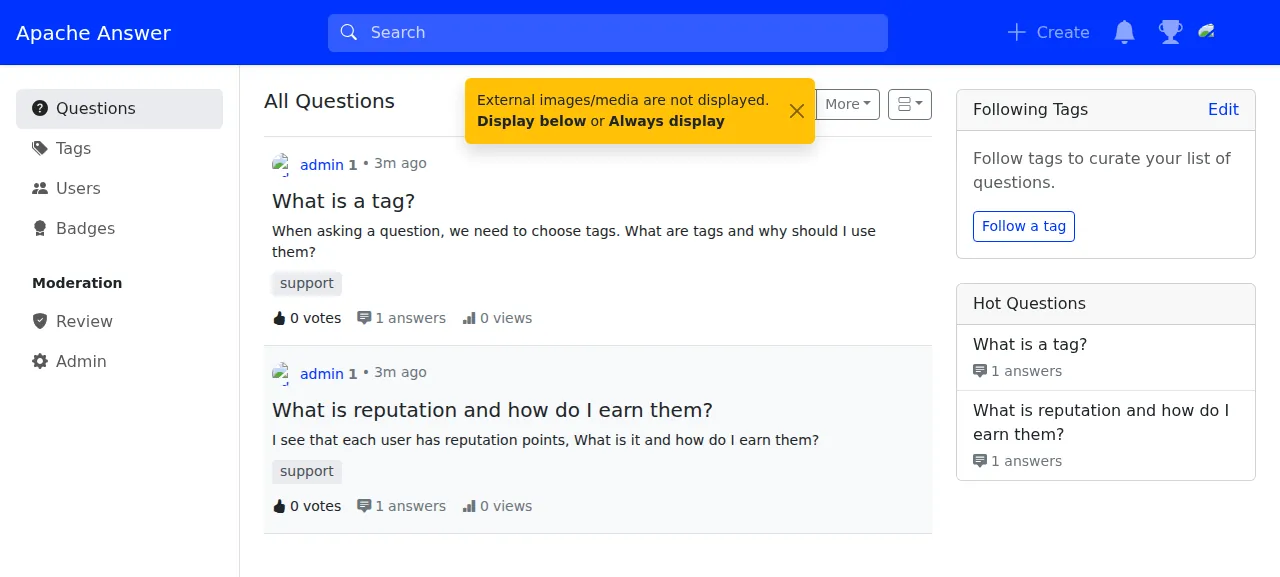
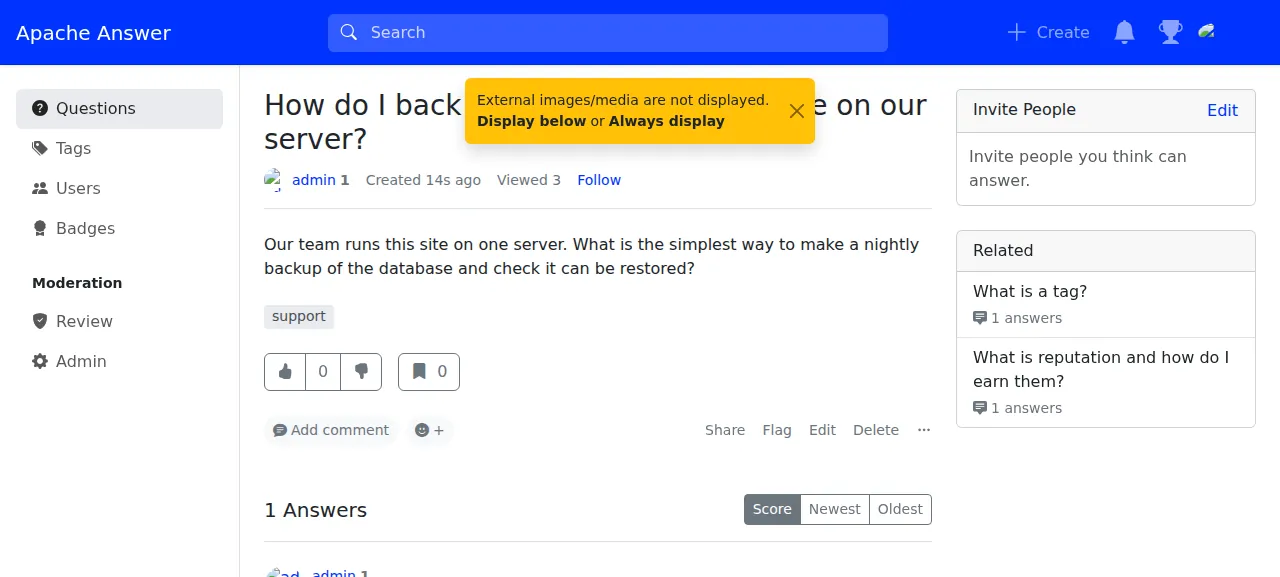
How we tested On Oct 17, 2026, ox deployed Apache Answer v2.0.3 from commit 6744295f on a fresh DigitalOcean server with 8 vCPUs and 16 GB of memory. The run then redeployed it, backed it up and rebooted the server. Then a separate test agent, one that did not write the config, signed in, asked a question, posted an answer to it, and saw both after a reload, and checked the app's services and its backup.
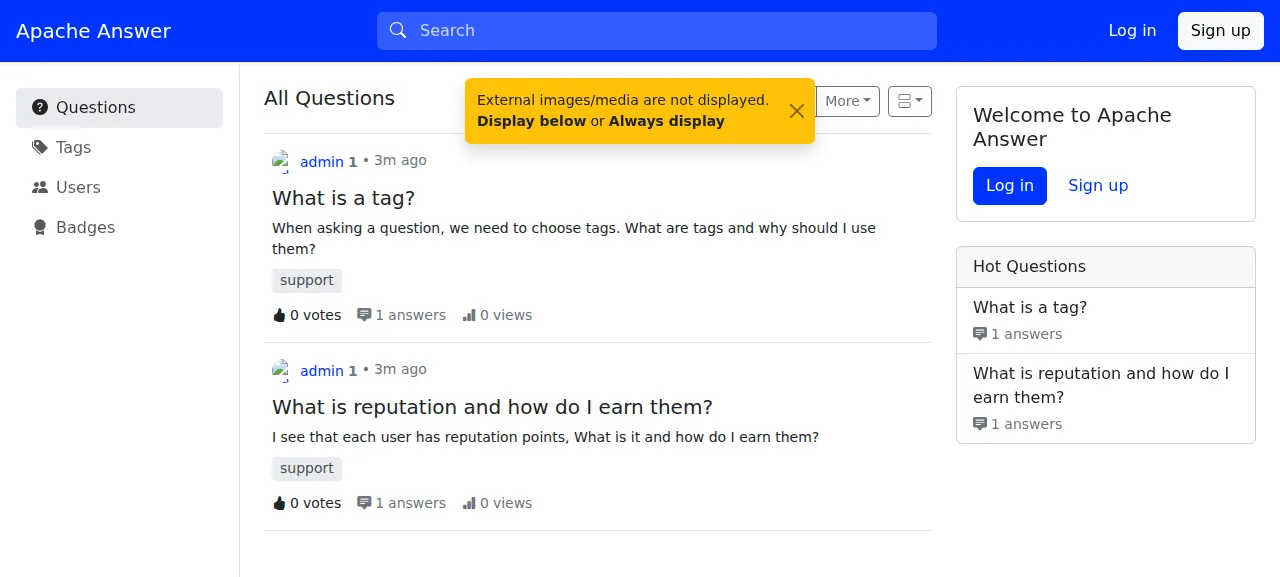
Apache Answer runs a question and answer site: a community forum, a help center or a team's knowledge base. People ask questions, post answers, vote and tag, and admins manage the site from an admin area. The code is under the Apache 2.0 license. Answer is a Go server with a React interface built into the binary, and it stores its data in PostgreSQL, MySQL or SQLite. This setup uses Postgres, and the build adds four plugins from the project's answer-plugins repo.
ox deployed Apache Answer v2.0.3 (commit 6744295f) on Oct 17, 2026 on a fresh DigitalOcean server with 8 vCPUs and 16 GB of memory; the first deploy took 6 minutes and a redeploy took 3 minutes.
- First deploy: 6 minutes, from adding the project until the app passed the run's first checks.
- Redeploy of the same commit: 3 minutes, until the app passed the checks again.
- Server: DigitalOcean, 8 vCPUs and 16 GB of memory (
s-8vcpu-16gb), with this app alone on it. Every one of the 85 apps we deployed ran on this one size, so it was not picked for this app. - Memory in use after the reboot: 785 MB of 15986 MB, for the whole server: Ubuntu, the app, its services, Caddy and the ox agent. On a server with no apps, ox's tests on real servers hold the agent to 40 MB or less and Caddy to 50 MB or less.
- Services ox runs for it:
postgres. - Source: github.com/apache/answer at v2.0.3, commit
6744295f.
What you need
An Ubuntu LTS server. The run used the size in the facts above and measured the memory there. You install no Go, Node or pnpm yourself, because ox installs them from the config.
A GitHub account to fork
apache/answer, and an ox account, which you open by signing in with GitHub.A name, an email address and a password for the first admin. The run set up no mail server, so email was not tested.
The steps
In the ox dashboard, press Add a server and run the command it prints on your Ubuntu machine with sudo. It puts the ox agent and Caddy on the machine.
Fork apache/answer on GitHub and check out the tag v2.0.3, the release the run deployed. Add the ox.toml shown below at the root of the repo, then commit and push. The deploy added no other file. Next write a file named answer.env on your laptop with a line for each of the 14 keys in the variables section. With the ox CLI signed in, run:
ox new <you>/answer
ox review answer --from-file answer.env --wait
The review saves your values and starts the first deploy, and --wait prints the run until it ends. In the browser the same two steps are New project and the review screen, which the quickstart walks through.
When the deploy is green, open the address ox shows for the project. A signed-out visitor can read the questions. Sign in at /users/login with ADMIN_EMAIL and ADMIN_PASSWORD, and Review and Admin appear in the sidebar. To post, press Create in the top bar, type a title, a body of a few words and at least one tag, then press Post your question. Write an answer under it and press Post your answer. The test agent did that, and after a reload the question and its answer were still there. A wrong password at sign-in was refused.
The run served Answer on ox's preview address only. A domain of your own was not part of it, and the domains page covers how ox adds one.
The ox.toml, line by line
# Apache Answer v2.0.3 (Go, a React UI embedded at build time, postgres),
# as its Dockerfile builds it: `make clean build` makes the server, then
# script/build_plugin.sh runs `./answer build`, which adds the plugins in
# script/plugin_list, builds the UI with pnpm and embeds it (the plain
# `make build` embeds an empty UI). The data folder (/data in the image)
# holds conf/config.yaml, uploads, i18n and the cache.
packages = ["make"]
[app]
start  = "SITE_ADDR=127.0.0.1:$PORT exec ./answer run -C data/"
health = "/healthz"
[build]
commands = [
  # generate runs swag, wire and mockgen, which it installs with go install
  "export GOBIN=\"$PWD/.ox/gobin\" PATH=\"$PWD/.ox/gobin:$PATH\" && make clean build",
  "chmod 755 answer && ANSWER_MODULE=\"$PWD\" CGO_ENABLED=0 bash script/build_plugin.sh",
]
# The image's entrypoint runs init, then upgrade. With AUTO_INSTALL set,
# init installs from the variables, makes the admin and exits; on a later
# deploy it finds the config and the tables and does nothing. When the
# auto-install fails, init goes on serving its install page, so `timeout`
# turns that into a failed migrate. upgrade exits 0 even when it fails, so
# its "upgrade done" line is the check.
migrate = """
INSTALL_PORT=0 timeout 300 ./answer init -C data/
out=$(./answer upgrade -C data/)
echo "$out"
grep -q 'upgrade done' <<<"$out"
"""
[services]
postgres = {}
[storage]
keep = ["data"]
[tools]
node = "22"
pnpm = "9.7.0"packagesasks ox formakefrom Ubuntu. Answer builds its server through its Makefile.startruns./answer run -C data/. The-Cflag names Answer's data folder (config file, uploads, language files, cache).SITE_ADDRoverrides the listen address in that config (port 80 on every address by default) with the loopback address and ox's$PORT, so only Caddy reaches the app.exechands ox's stop signal to Answer itself.healthis/healthz, which Answer answers with OK. ox switches traffic once it responds.The two build commands follow Answer's Dockerfile. The first runs
make clean build. Its generate step installs swag, wire and mockgen withgo install, so the line pointsGOBINat a folder under.oxand adds it toPATH. The server it compiles has an empty web interface.The second runs
script/build_plugin.sh. It calls./answer buildwith the four plugins inscript/plugin_list, builds the interface with pnpm, embeds it, and replaces the first binary.chmod 755andANSWER_MODULEcome from the Dockerfile,CGO_ENABLED=0from the Makefile.migratestands in for the image's entrypoint.answer initinstalls the site on the first deploy: withAUTO_INSTALLset, it connects to Postgres, writesdata/conf/config.yaml, creates the tables and makes the admin from your variables. Later deploys find both and init does nothing. Thenanswer upgradeapplies the database migrations. Its exit code does not say whether the migrations worked, so the config prints its output and searches it forupgrade done.INSTALL_PORT=0is there because init starts an install web server after an auto-install, on port 80 unless told otherwise, and port 0 picks a free one.timeout 300ends the step after five minutes if the install cannot finish, because init would otherwise keep serving its install page forever.[services]asks ox for a Postgres database and user for this project, and[storage]keeps thedatafolder across deploys.[tools]installs Node 22 and pnpm 9.7.0, the pnpm the Dockerfile installs. ox reads Go fromgo.mod, which says 1.25.0.
There are no workers or scheduled jobs: the test agent found one unit for the app on the server and no timers.
AUTO_INSTALL
DB_TYPE
DB_HOST
DB_NAME
DB_USERNAME
DB_PASSWORD
LANGUAGE
SITE_NAME
SITE_URL
CONTACT_EMAIL
ADMIN_NAME
ADMIN_EMAIL
ADMIN_PASSWORD
EXTERNAL_CONTENT_DISPLAY
AUTO_INSTALL only has to be non-empty. Answer checks the value's length, so even false turns the auto-install on, and its own .env.example ships AUTO_INSTALL=false. The run set true. DB_TYPE is postgres; the installer also takes mysql and sqlite3.
DB_HOST, DB_NAME, DB_USERNAME and DB_PASSWORD are references to the Postgres service: ${postgres.host}:${postgres.port}, ${postgres.database}, ${postgres.user} and ${postgres.password}. ox fills them in when it writes the env files, so nobody types a database password. Variables explains references.
LANGUAGE and SITE_NAME (up to 30 characters) set the site's language and title. SITE_URL is its own address, and the run set it to ${PUBLIC_URL}. CONTACT_EMAIL is the site's contact. ADMIN_NAME takes 2 to 30 characters, ADMIN_EMAIL is the admin's sign-in, and ADMIN_PASSWORD takes 8 to 32. EXTERNAL_CONTENT_DISPLAY is always_display or ask_before_display: media from other sites shows at once, or after a question.
Postgres, sign-up and plugins
Answer gets its own database and user on the server's Postgres, which you can browse in the Services tab or with ox explore answer postgres.
A fresh Answer lets anyone register at /users/register and asks each new user to confirm their email, which needs the SMTP setting described in the FAQ. Registration was not tested.
The four plugins in script/plugin_list end in @latest, so every build fetches their newest releases, not the ones from your first deploy.
Updates and backups
To move to a newer release, merge its tag into your fork and push, or run ox deploy answer --wait. ox builds the new release and runs migrate, where upgrade applies the new version's database changes. ox dumps Postgres first, and the run's redeploy left that dump. A rollback was not tested.
The run's backups held a Postgres dump and an archive of the data folder, from Back up now and from the daily schedule. Run ox backups answer to list them. A restore was not tested. The backups page covers copies in an S3 bucket, and self-hosting with ox lists more apps.
Frequently asked questions
Do I need Docker to self-host Apache Answer?
No. Answer's README shows a docker run command first, but the project is a Go server with a React interface built into it. ox follows the Dockerfile's build steps on the server, runs the binary as a system service and sets up Postgres beside it. An update is a push to your fork or one deploy command.
Which database does Apache Answer use?
Answer's installer accepts PostgreSQL, MySQL and SQLite3. This setup uses the Postgres that ox creates for the project, reached through the DB_ variables as references, so you type no database password. ox dumps that database before each migrate and whenever you press Back up now.
How do I create the first Apache Answer admin account?
Set AUTO_INSTALL, ADMIN_NAME, ADMIN_EMAIL and ADMIN_PASSWORD, along with the database and site variables, before the first deploy. The migrate step installs the site and makes that admin, and you sign in at /users/login. The password needs 8 to 32 characters and the name 2 to 30.
How much memory does Apache Answer use?
The whole server used the memory the facts show, measured after the run's reboot. That counts Answer, Postgres, Caddy and the ox agent, not the earlier Go and pnpm build. ox takes any server from 1 GB up and says so when memory is why an app stopped.
Does Apache Answer send email?
Only after you set an SMTP server in its admin settings. Answer reads no environment variable for mail, and by default it asks new users to confirm their email, so sign-ups wait for a message until SMTP is set. The run set no mail server, so email was not tested.
New to running apps on your own server? How ox self-hosts your apps shows what ox sets up on your server.