How to self-host Akaunting on your own VPS without Docker
Run Akaunting 3.2.4 on your own Ubuntu server with ox: PHP, MariaDB, a scheduler and the first company and admin made on deploy, from the config that ran.

To self-host Akaunting you need an Ubuntu server, a fork of its repo with one ox.toml added, and 22 variables, five of them references to the database ox sets up. In our run the first deploy took about 6 minutes, and ox set up MariaDB and a scheduler that runs every minute.
How we tested On Oct 17, 2026, ox deployed Akaunting 3.2.4 from commit 3940b76b on a fresh DigitalOcean server with 8 vCPUs and 16 GB of memory. The run then redeployed it, backed it up and rebooted the server. Then a separate test agent, one that did not write the config, signed in, finished the setup wizard, added the euro as a currency, and saw it under Settings after a reload, and checked the app's services and its backup.
Akaunting is online accounting software for small businesses and freelancers, with customers, invoices, bills, bank accounts and reports. It is a PHP app on Laravel and Vue. Its source is under the Business Source License 1.1, whose limits the FAQ lists.
ox deployed Akaunting 3.2.4 (commit 3940b76b) on Oct 17, 2026 on a fresh DigitalOcean server with 8 vCPUs and 16 GB of memory; the first deploy took 6 minutes and a redeploy took 4 minutes.
- First deploy: 6 minutes, from adding the project until the app passed the run's first checks.
- Redeploy of the same commit: 4 minutes, until the app passed the checks again.
- Server: DigitalOcean, 8 vCPUs and 16 GB of memory (
s-8vcpu-16gb), with this app alone on it. Every one of the 85 apps we deployed ran on this one size, so it was not picked for this app. - Memory in use after the reboot: 935 MB of 15986 MB, for the whole server: Ubuntu, the app, its services, Caddy and the ox agent. On a server with no apps, ox's tests on real servers hold the agent to 40 MB or less and Caddy to 50 MB or less.
- Services ox runs for it:
mysql. - Scheduled jobs:
schedule. - Source: github.com/akaunting/akaunting at 3.2.4, commit
3940b76b.
What you need
An Ubuntu LTS server. The facts above give the size the run used. Akaunting's README asks for PHP 8.1 or newer and Node.js 18 or 20, since its asset build does not work on 21 or newer. ox runs PHP 8.5 and took Node 20 from
package.json.A GitHub account for the fork, which also opens your ox account.
A company name, an email address such as
[email protected]and a password for its admin. The run used no outside account and no Akaunting API key. Real email was not tested.
The steps
In the ox dashboard press Add a server and run the install command it shows, as root, on your server. It installs the ox agent and Caddy only.
Fork akaunting/akaunting and check out the tag 3.2.4, commit 3940b76b, the release the run deployed. Add the ox.toml shown below at the root, then commit and push. The deploy added no other file.
Write akaunting.env with one KEY=value line for each key in the variables list, plus unset DATABASE_URL. The mysql service provides DATABASE_URL, and Laravel would use it in place of the separate DB_ settings the installer takes, so the run marked it Not needed. Make APP_KEY the way the installer does, base64: and 32 random bytes in base64: echo "base64:$(openssl rand -base64 32)" prints one. With the ox CLI signed in, run:
ox new <you>/akaunting
ox review akaunting --from-file akaunting.env --wait
Saving the review starts the first deploy, and --wait prints the log until the run ends. The browser does the same with New project and a review screen, as the quickstart shows.
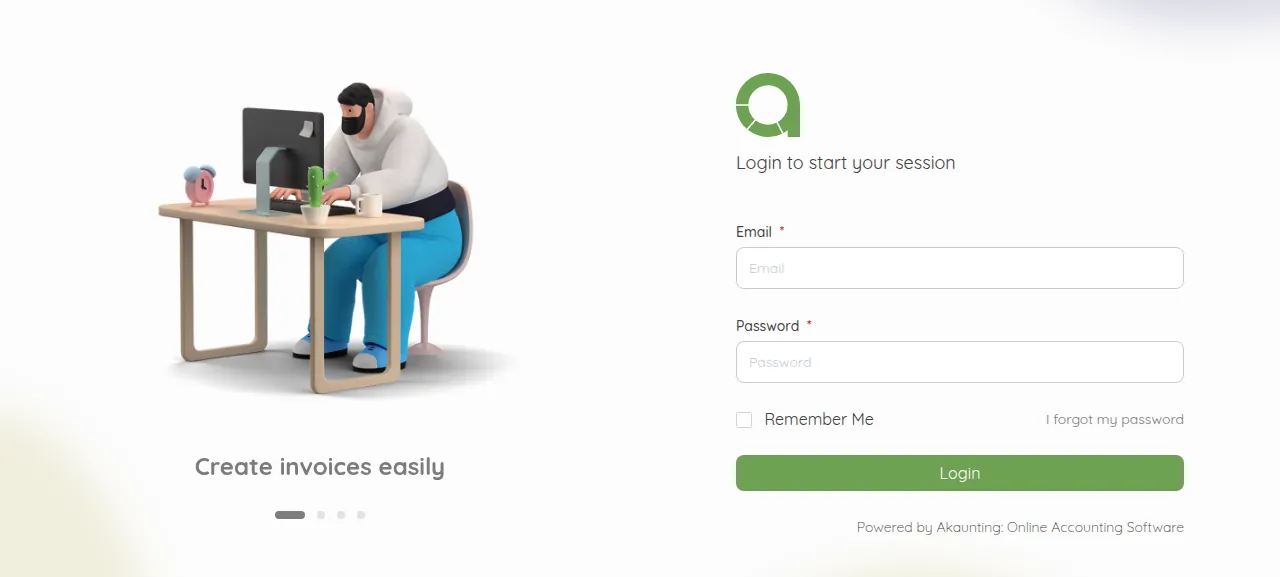
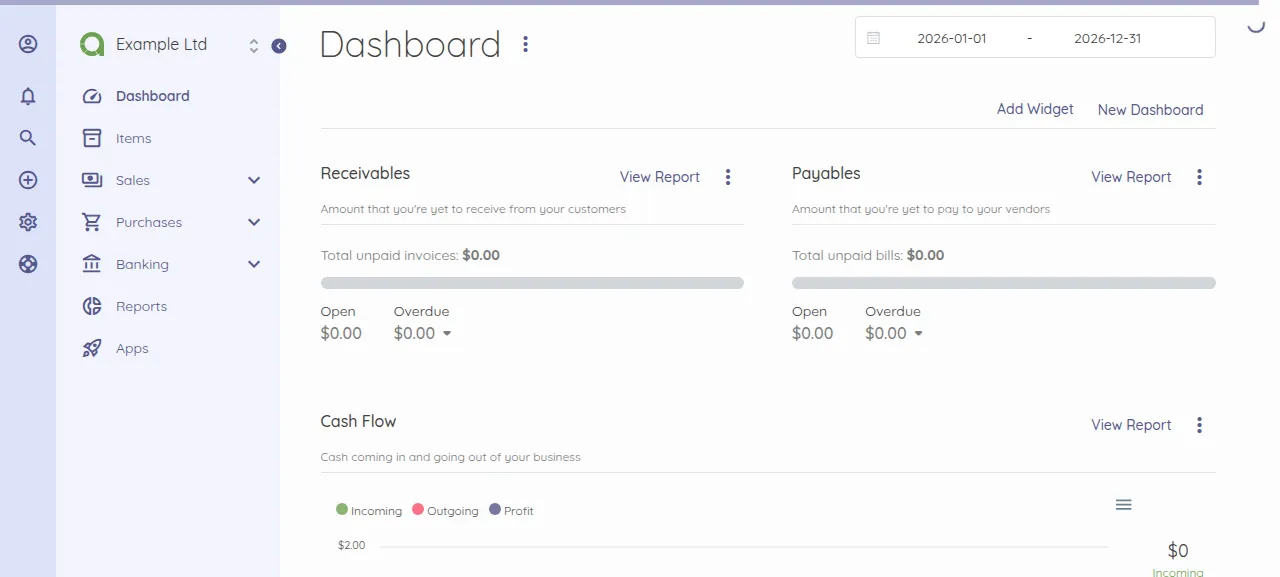
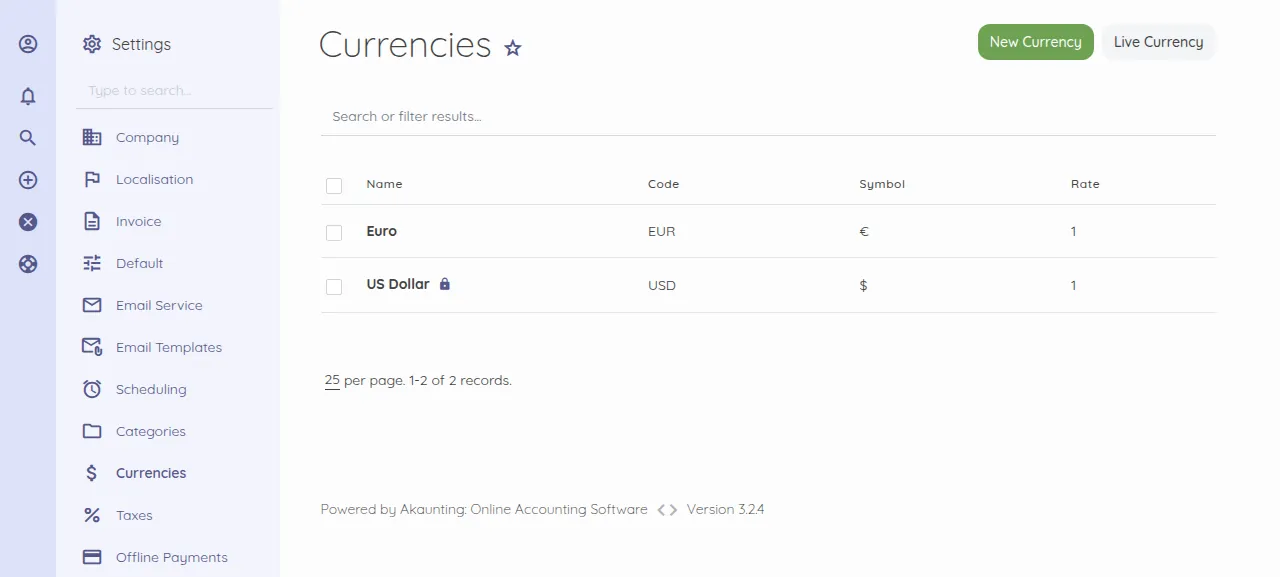
When the deploy is green, open the project's address and go to /auth/login. Sign in with ADMIN_EMAIL and ADMIN_PASSWORD. A setup wizard opens with Company, Currencies and Ready. The test agent typed a tax number and an address, picked a country, pressed New Currency, added the euro and finished the wizard. After a reload, Settings, Currencies listed Euro beside US Dollar, and Settings, Company still held the tax number and address.
The run used the project's preview address, so a domain of your own was not tested. The domains page covers one.
The ox.toml, line by line
# Akaunting 3.2 (Laravel 10, MySQL) on ox: FrankenPHP serves public/
# (detected), MariaDB holds the data, the Laravel scheduler runs from cron.

# The first company and its admin, made by Akaunting's own installer in
# [build] migrate.
required_variables = ["COMPANY_NAME", "ADMIN_EMAIL", "ADMIN_PASSWORD"]

[build]
# The repo's `composer prod` recipe. --no-scripts skips the ide-helper
# post-install steps, which read the database. --ignore-platform-req=php:
# ox serves PHP 8.5, and the locked phpoffice/phpspreadsheet and
# sabberworm/php-css-parser cap PHP below it (also in the platform check
# that dump-autoload writes).
install = "composer install --prefer-dist --no-interaction --no-scripts --no-progress --no-ansi --no-dev --ignore-platform-req=php && composer dump-autoload --ignore-platform-req=php"
commands = [
  # public/js and mix-manifest.json are git-ignored: the CI builds them so.
  "npm install",
  "npm run production",
  # What artisan storage:link makes: uploads served at /storage.
  "ln -sfn ../storage/app/public public/storage",
  # Akaunting's own recipes serve the repo root, so its pages ask for
  # /public/..., /manifest.json, /serviceworker.js and each module's
  # /modules/<Name>/Resources/assets.
  # ox serves public/, so only code-free asset paths are linked into it;
  # vendor/, modules/ code, config/ and storage/ stay unreachable.
  "ln -sfn . public/public",
  "ln -sfn ../manifest.json public/manifest.json",
  "ln -sfn ../serviceworker.js public/serviceworker.js",
  "for d in modules/*/Resources/assets; do [ -d \"$d\" ] || continue; m=${d#modules/}; m=${m%%/*}; mkdir -p \"public/modules/$m/Resources\"; ln -sfn ../../../../modules/$m/Resources/assets \"public/modules/$m/Resources/assets\"; done",
]
# First deploy: Akaunting's installer (tables, permissions, the first company
# and admin). It refuses to create a user when APP_INSTALLED is on (it then
# asks api.akaunting.com for plan limits), so it runs with it off; the
# variables turn it on for everything else, as the installer's own final
# step does in .env. The installer writes a .env into the release; ox's
# variables are the config, so it is removed. Later deploys: migrations.
migrate = '''
state=$(php -r '
$p = new PDO("mysql:host=".getenv("DB_HOST").";port=".getenv("DB_PORT").";dbname=".getenv("DB_DATABASE"), getenv("DB_USERNAME"), getenv("DB_PASSWORD"));
$t = getenv("DB_PREFIX")."users";
$has = $p->query("SHOW TABLES LIKE ".$p->quote($t))->fetchColumn();
echo ($has && $p->query("SELECT COUNT(*) FROM `$t`")->fetchColumn() > 0) ? "installed" : "empty";
')
case "$state" in
  empty)
    APP_INSTALLED=false php artisan install --no-interaction \
      --db-host="$DB_HOST" --db-port="$DB_PORT" --db-name="$DB_DATABASE" \
      --db-username="$DB_USERNAME" --db-password="$DB_PASSWORD" --db-prefix="$DB_PREFIX" \
      --company-name="$COMPANY_NAME" --company-email="$ADMIN_EMAIL" \
      --admin-email="$ADMIN_EMAIL" --admin-password="$ADMIN_PASSWORD" \
      --locale="${APP_LOCALE:-en-GB}"
    rm -f .env
    ;;
  installed)
    php artisan migrate --force
    ;;
  *)
    echo "could not tell whether Akaunting is installed: $state" >&2
    exit 1
    ;;
esac
'''

[cron]
# Laravel's scheduler (app/Console/Kernel.php): invoice and bill reminders,
# recurring documents, temp file cleanup.
schedule = { schedule = "* * * * *", run = "php artisan schedule:run" }

[services]
mysql = {}

[storage]
# Laravel writes storage/: uploads, sessions, file cache, compiled views.
keep = ["storage"]
There is no [app] section: ox detects artisan and serves public with FrankenPHP. Akaunting's README serves the project root, so the config links into public only the asset paths the pages ask for, and vendor and module code stay unserved.
required_variableslists the three keys the first install needs. Akaunting's example file names none, so ox asks for them first.installis the repo'scomposer prodrecipe without scripts, whoseide-helpersteps read the database, plus--ignore-platform-req=php: the lock file caps two libraries below PHP 8.5, the only PHP ox runs.The build
commandsmakepublic/jsandmix-manifest.json, which.gitignoreleaves out, then the linkartisan storage:linkwould, so uploads are served at/storage. The rest link intopublicwhat the pages request outside it:/public/...,/manifest.json,/serviceworker.jsand each module'sResources/assets.migrateasks the database whether the users table holds a row. If not, it runs Akaunting's installer,php artisan install, with the database settings, company name and admin login, then deletes the.envthe installer writes, since ox's variables are the config. It runs withAPP_INSTALLED=false, because with it on Akaunting asks its maker's server about plan limits before it creates the first user. Later deploys find a user and runphp artisan migrate --force.[cron]runsphp artisan schedule:runevery minute, and Laravel starts the jobs that are due: reminders and the recurring check at 09:00 by default, cleanup at 17:00. Akaunting schedules nothing untilAPP_INSTALLEDis true.mysql = {}asks for a database service for this project alone.keep = ["storage"]names the folder Laravel writes (uploads, sessions, cache, compiled views). A PHP release is read-only while it runs, so ox links the folder to the project's writable data directory.
COMPANY_NAME
ADMIN_EMAIL
ADMIN_PASSWORD
APP_KEY
APP_URL
APP_INSTALLED
APP_DEBUG
FIREWALL_ENABLED
MODEL_CACHE_ENABLED
APP_ENV
DB_HOST
DB_PORT
DB_DATABASE
DB_USERNAME
DB_PASSWORD
DB_PREFIX
LOG_CHANNEL
MAIL_HOST
MAIL_PORT
MAIL_ENCRYPTION
MAIL_FROM_ADDRESS
MAIL_FROM_NAME
COMPANY_NAME names the first company. ADMIN_EMAIL is the admin's login and the company's email, and ADMIN_PASSWORD is the admin's password. APP_KEY is Laravel's encryption key. APP_URL is ${PUBLIC_URL}, a reference ox fills with the project's address (see variables). APP_ENV is production and APP_DEBUG is false.
APP_INSTALLED, FIREWALL_ENABLED and MODEL_CACHE_ENABLED are true, the values the installer writes into the .env the config deletes. The last two switch on the firewall package and the model cache Akaunting bundles.
DB_HOST, DB_PORT, DB_DATABASE, DB_USERNAME and DB_PASSWORD are references to the mysql service, such as ${mysql.host} (configuration page). DB_PREFIX is ak_. Left empty, the installer invents a random prefix and writes it only to the deleted .env, so the app would look for its tables under another name.
LOG_CHANNEL is errorlog, which writes errors to PHP's error log instead of storage/logs. MAIL_HOST and MAIL_PORT pointed at a test mail catcher, so the run sent no real mail, and the other MAIL_ keys set no encryption and name the sender. Once a company is open, Akaunting takes its mail method from Settings, Email Service.
The database and the scheduler
The database is MariaDB 11.8, which ox calls mysql, and it serves this project alone. The test agent checked twice, two minutes apart, and found the app and the database active with no restarts. The scheduler's log showed the firewall package's unblock job finishing every minute, before and after the reboot.
The API key and the plan limits
Akaunting 3 asks its maker's server for the plan's limits before it opens a page ending in /create (a new customer, invoice or bill) and before it creates a user, company or invoice. It sends the API key you enter under Apps, API Key. When the check gets no answer, the page opens the Users page instead. The run entered no key, and its New pages did that, with "You have not entered your API Key!" on the Users page. Customers, invoices, bills and transactions were not tested.
Updates and backups
To move to a new release, merge its tag into your fork and push, or run ox deploy akaunting --wait. ox builds the release beside the running one, runs migrate, then switches traffic. The run redeployed the same commit, and a newer release was not tested.
Backups need no setup. The run's Back up now backup held a MariaDB archive and an archive of storage, and ox backups akaunting lists them. They hold no variables, so keep akaunting.env. A restore was not tested. The backups page covers an S3 bucket, and self-hosting lists other apps.
Frequently asked questions
Do I need Docker to self-host Akaunting?
No. Akaunting's README lists PHP, Node.js, a database and a web server. ox runs the Composer and npm steps from your fork on the server, serves the app with FrankenPHP and installs MariaDB beside it. There is no image to pull, and an update is a push.
Is Akaunting free to self-host?
Akaunting is under the Business Source License 1.1, and its LICENSE.txt allows production use with exceptions. The first names more than two users or one company or one thousand invoices. Removing its branding and offering it to others as an accounting service are barred too. Each version turns GPLv3 after four years.
How do I create the first Akaunting admin?
Set COMPANY_NAME, ADMIN_EMAIL and ADMIN_PASSWORD before the first deploy. The migrate step runs Akaunting's own php artisan install, which creates the company and its admin from them, and you sign in at /auth/login. There is no sign-up page. Adding more users was not tested.
Why does Akaunting say I have not entered my API Key?
Akaunting 3 asks its maker's server for plan limits before it opens a page that creates a customer, invoice or bill. When the check gets no answer, Akaunting opens the Users page, which says the key is missing. The Apps menu opens the form for it. The run entered no key, so those pages were not tested.
How much memory does self-hosted Akaunting use?
The facts above show the memory used on the whole server after the reboot: Akaunting, MariaDB, Caddy and the ox agent together. The build runs Composer and npm there too. ox works on any server from 1 GB up and tells you when memory is why an app stopped.
New to running apps on your own server? How ox self-hosts your apps shows what ox sets up on your server.