How to self-host authentik without Docker on your own VPS
Run authentik 2026.8.4, the open-source SSO server, on your own Ubuntu server with ox: Postgres, a server and a worker, from the config that ran.

To self-host authentik you need an Ubuntu server, a fork of the authentik repo with one ox.toml file added, and 19 variables, of which you pick the values of only three. In our run the first deploy took about 24 minutes, which includes building the Python packages, the web interface and a Rust binary, and ox set up the Postgres database it needs.
How we tested On Oct 17, 2026, ox deployed authentik 2026.8.4 from commit 410f46e5 on a fresh DigitalOcean server with 8 vCPUs and 16 GB of memory. The run then redeployed it, backed it up and rebooted the server. Then a separate test agent, one that did not write the config, signed in, created a user with a password, then signed in as that user, and checked the app's services and its backup.
authentik is an identity provider. Your other apps send their sign-ins to it over OAuth2 and OpenID Connect, SAML, LDAP or RADIUS, and it keeps the users, groups and applications that decide who gets in. Most of the code is MIT licensed, and the authentik/enterprise folder has a license of its own.
It has three parts: a server, a worker for background tasks such as email, and PostgreSQL. Here they are built on the server and run as system services.
ox deployed authentik 2026.8.4 (commit 410f46e5) on Oct 17, 2026 on a fresh DigitalOcean server with 8 vCPUs and 16 GB of memory; the first deploy took 24 minutes and a redeploy took 13 minutes.
- First deploy: 24 minutes, from adding the project until the app passed the run's first checks.
- Redeploy of the same commit: 13 minutes, until the app passed the checks again.
- Server: DigitalOcean, 8 vCPUs and 16 GB of memory (
s-8vcpu-16gb), with this app alone on it. Every one of the 85 apps we deployed ran on this one size, so it was not picked for this app. - Memory in use after the reboot: 1460 MB of 15986 MB, for the whole server: Ubuntu, the app, its services, Caddy and the ox agent. On a server with no apps, ox's tests on real servers hold the agent to 40 MB or less and Caddy to 50 MB or less.
- Services ox runs for it:
postgres. - Background processes:
worker, each its own systemd unit beside the web process. - Source: github.com/goauthentik/authentik at 2026.8.4, commit
410f46e5.
What you need
An Ubuntu LTS server where you can run one command as root. The run used the size in the facts above, with authentik alone on it. ox works on any server from 1 GB up and tells you when memory is why an app stopped.
A GitHub account to fork
goauthentik/authentik, and an ox account, which you open by signing in with GitHub.A password and an address for the first admin. authentik sends mail through an SMTP server you name. The run pointed it at a test mail catcher, so email was not tested.
The steps
In the ox dashboard, press Add a server and run the install command it shows, as root on the server. It installs the ox agent and Caddy.
Fork goauthentik/authentik and check out the release commit from the facts above. Add the ox.toml below at the repo's root, then commit and push. The run added no other file. Next write authentik.env on your laptop with the 19 keys listed under the config. You choose the secret key, the admin password and the admin email. authentik's Compose guide makes the secret key with openssl rand -base64 60, and the run used a random value. With the ox CLI signed in, run:
ox new <you>/authentik
ox review authentik --from-file authentik.env --wait
The project takes the repo's name. The review stores the values and begins the first deploy, and --wait streams the run's log until it ends. The quickstart shows the same two steps in the browser.
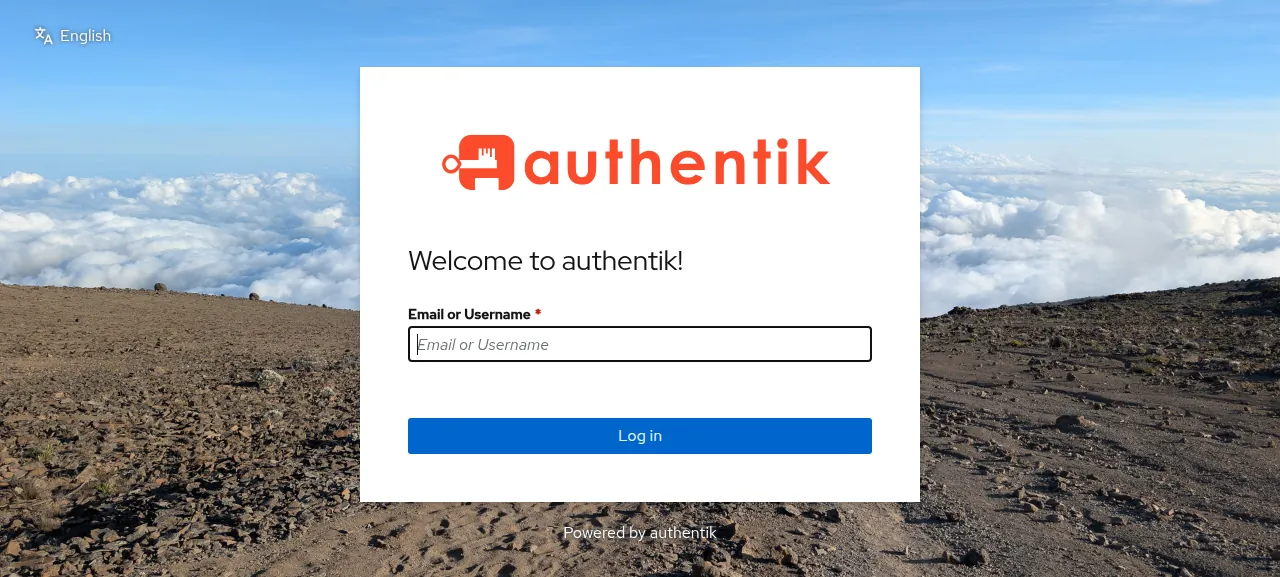
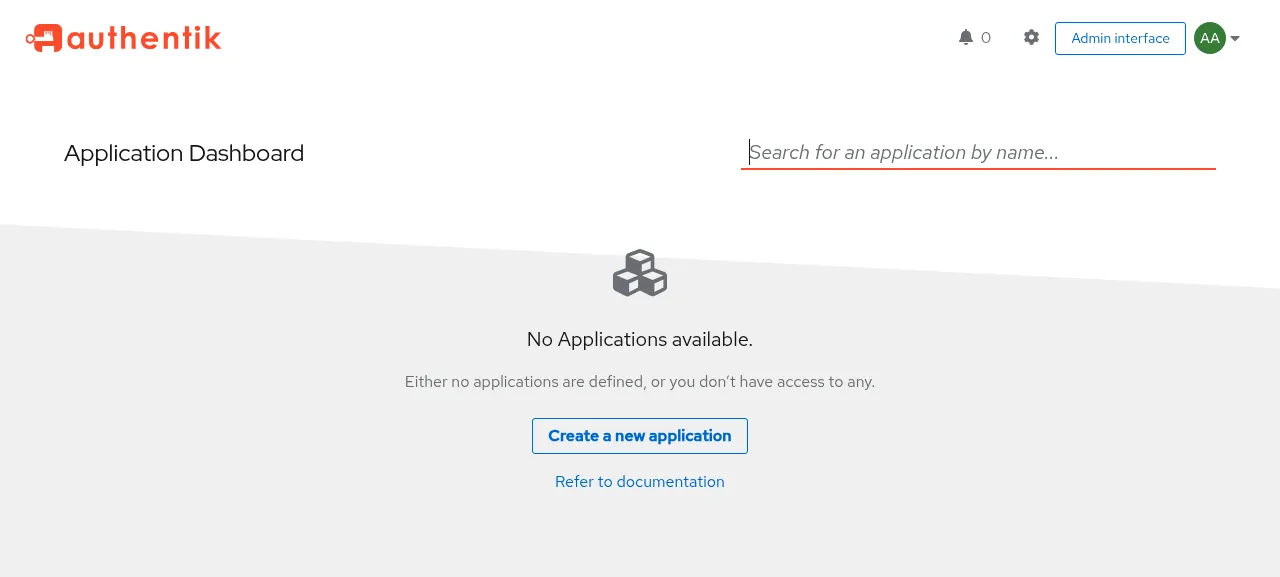
When the deploy is green, open the address ox shows. Sign-in has two steps: type akadmin and press Log in, then give the password. The Admin interface button on the Application Dashboard opens the admin area.
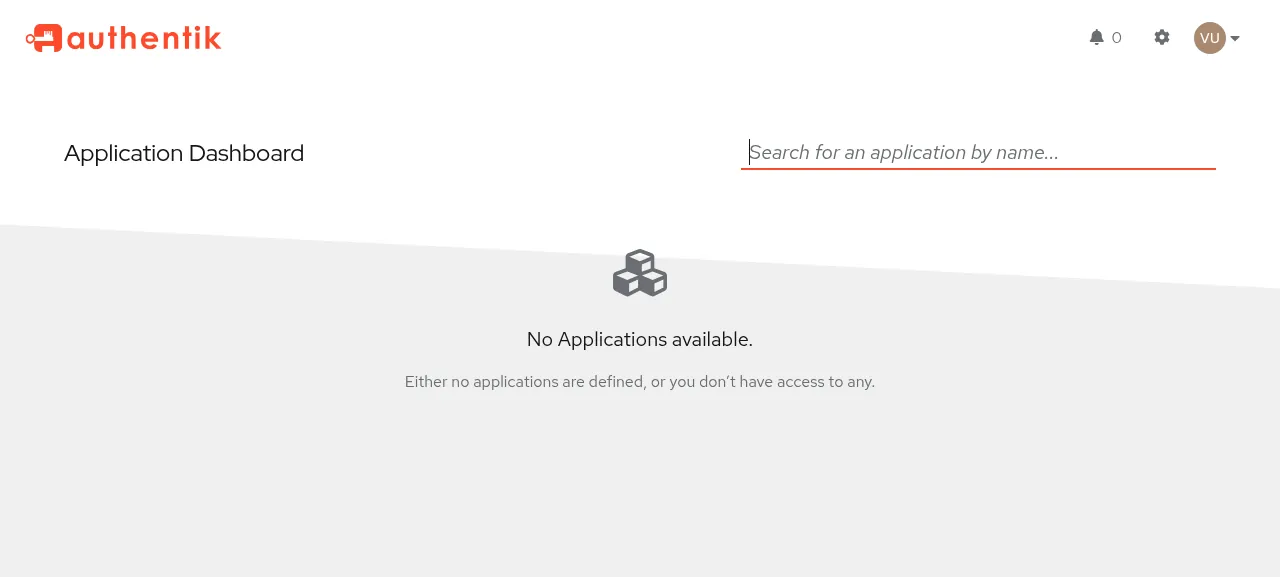
The test agent then made a user in the Admin interface, through Directory, Users, New User and Internal User, with a username and a display name. It opened the user and pressed Set password. The user was still listed after a reload, and signing in as that user worked. Connecting another app to authentik as a provider was not tested.
The run served authentik on its preview address only. A domain of your own was not part of it, and the domains page covers how ox adds one.
The ox.toml, line by line
# ox deploy manifest for authentik (https://deploywithox.com).
# Mirrors lifecycle/container/Dockerfile: the web UI (node-builder stage), the
# Rust `authentik` binary (rust-builder stage), the Python venv (python-deps
# stage), and compose.yml's two processes, `ak server` and `ak worker`.

# AUTHENTIK_BOOTSTRAP_PASSWORD is the first admin's (user `akadmin`), applied
# by blueprints/system/bootstrap.yaml at the first start: the only way in.
required_variables = ["AUTHENTIK_SECRET_KEY", "AUTHENTIK_BOOTSTRAP_PASSWORD"]

# The Dockerfile's apt lines, Debian names mapped to Ubuntu's: build headers
# for the Python deps built from source (lxml and xmlsec link the system
# libxml2, python-kadmin-rs links MIT and Heimdal kadm5, psycopg-c links
# libpq), aws-lc-fips-sys for the Rust binary (cmake, clang), and the
# runtime's libmaxminddb0 for GeoIP.
packages = [
  "pkg-config", "libffi-dev", "zlib1g-dev", "libxslt1-dev", "libpq-dev",
  "krb5-multidev", "libkrb5-dev", "heimdal-multidev", "libclang-dev", "libltdl-dev",
  "cmake", "clang", "libmaxminddb0",
]

[tools]
node = "26"        # the Dockerfile's node:26 image (.nvmrc says 24.20; engines allow >=24)
rust = "1.97.1"    # rust-toolchain.toml

[app]
# lifecycle/ak is the image's entrypoint: it waits for postgres, makes the
# Prometheus multiprocess dir gunicorn needs, and execs `authentik server`
# (the binary the build puts on PATH). The HTTP listener takes $PORT; the
# HTTPS and metrics listeners default to fixed ports (9443, 9300) that would
# clash with the worker and with the second copy during a deploy, so they are
# off. Each unit has its own /tmp, where the binary keeps its sockets.
start = 'AUTHENTIK_LISTEN__HTTP="127.0.0.1:$PORT" AUTHENTIK_LISTEN__HTTPS="" AUTHENTIK_LISTEN__METRICS="" exec lifecycle/ak server'
health = "/-/health/live/"

[build]
# The python-deps stage (the locked dependencies, without the project
# itself) and node-builder's install: web/ is its own pnpm workspace with its
# own lockfile, and the root workspace (lint tools) is not part of the image.
install = "uv sync --locked --no-install-project --no-dev && pnpm --dir web install --frozen-lockfile"
commands = [
  # node-builder's build.
  "cd web && NODE_ENV=production pnpm run build && NODE_ENV=production pnpm run build:sfe",
  # rust-builder: the binary embeds web/dist/standalone/loading/startup.html,
  # so it builds after the UI. It goes into the venv's bin, where lifecycle/ak
  # finds it on PATH and the embedded Python finds the venv's pyvenv.cfg.
  # target/ (several GB) is a cache mount in the image, so it goes too.
  "AWS_LC_FIPS_SYS_CC=clang cargo build --package authentik --no-default-features --features core --locked --release && install -D target/release/authentik .venv/bin/authentik && rm -rf target",
]
# The server and worker run lifecycle/migrate.py as they start; run it first
# so a first deploy's 360+ migrations do not count against the health wait.
migrate = "python -m lifecycle.migrate"

[workers]
# compose.yml's worker: background tasks, blueprints, outposts. It serves
# /-/health/live/ on its own HTTP listener.
worker = { run = 'AUTHENTIK_LISTEN__HTTP="127.0.0.1:$PORT" AUTHENTIK_LISTEN__HTTPS="" AUTHENTIK_LISTEN__METRICS="" exec lifecycle/ak worker', port = true, health = "/-/health/live/", stop_timeout = "10m" }

[services]
postgres = {}

[storage]
# compose.yml's volumes: ./data (media and files), ./certs, ./custom-templates
keep = ["data", "certs", "custom-templates"]
The config repeats the stages of authentik's Dockerfile on the server: the web interface, a Rust binary and a Python environment.
required_variablesnames the two keys authentik cannot do without here: the secret key and the bootstrap password. ox asks for both before the first deploy.packagesholds the build libraries for the Python packages that compile from source, such aslxmlandxmlsec, pluscmakeandclangfor the Rust binary andlibmaxminddb0for GeoIP.[tools]pins Node 26, as the Dockerfile's builder image does, and Rust 1.97.1 fromrust-toolchain.toml.startrunslifecycle/ak server, authentik's entrypoint script, which waits for Postgres and starts theauthentikbinary. HTTP listens on loopback at the$PORTox gives each copy. The HTTPS and metrics listeners are off, because their fixed ports, 9443 and 9300, would clash with the worker and with the second copy ox runs during a deploy.healthis authentik's liveness path, and ox switches traffic only once it answers.installrunsuv sync --locked --no-install-project --no-devfor the Python packages, asuv.lockpins them, then installs the web interface's packages with pnpm.The build
commandsbuild the web interface, then the Rust binary, which embeds a page from the web build. The binary goes into the Python environment'sbinfolder, wherelifecycle/akfinds it, and the several-GBtarget/folder is deleted.migrateruns authentik's migration handler before traffic switches. The server and worker also run it as they start, so the hundreds of migrations of a first deploy stay out of the health wait.[workers]has authentik's worker. It serves HTTP on a port of its own, which ox checks before the app switches. Itsstop_timeoutof ten minutes matches how long authentik's worker waits for running tasks when stopped. The test agent saw tasks finish in its journal.[services]asks for Postgres.[storage]keepsdata,certsandcustom-templatesacross deploys, so uploaded icons and custom email templates survive the next release.
AUTHENTIK_SECRET_KEY
AUTHENTIK_BOOTSTRAP_PASSWORD
AUTHENTIK_BOOTSTRAP_EMAIL
AUTHENTIK_POSTGRESQL__HOST
AUTHENTIK_POSTGRESQL__PORT
AUTHENTIK_POSTGRESQL__USER
AUTHENTIK_POSTGRESQL__PASSWORD
AUTHENTIK_POSTGRESQL__NAME
AUTHENTIK_WEB__BASE_URL
AUTHENTIK_BLUEPRINTS_DIR
AUTHENTIK_CERT_DISCOVERY_DIR
AUTHENTIK_EMAIL__TEMPLATE_DIR
KRB5_CONFIG
AUTHENTIK_EMAIL__HOST
AUTHENTIK_EMAIL__PORT
AUTHENTIK_EMAIL__USE_TLS
AUTHENTIK_EMAIL__FROM
PYTHONDONTWRITEBYTECODE
RUST_BACKTRACE
Three keys are yours. AUTHENTIK_SECRET_KEY signs cookies, and changing it later ends active sessions. AUTHENTIK_BOOTSTRAP_PASSWORD and AUTHENTIK_BOOTSTRAP_EMAIL belong to the first admin, akadmin, which a bootstrap blueprint creates at the first start only. authentik's automated install page prefers the hashed form, AUTHENTIK_BOOTSTRAP_PASSWORD_HASH. The run used the plain password, and the hash was not tested.
Each AUTHENTIK_POSTGRESQL__* key is a reference to a field of ox's Postgres service, such as ${postgres.host}. AUTHENTIK_WEB__BASE_URL is ${PUBLIC_URL}, because authentik 2026.8 warns in the Admin interface until its base URL is set. See variables for how references work.
AUTHENTIK_BLUEPRINTS_DIR, AUTHENTIK_CERT_DISCOVERY_DIR and AUTHENTIK_EMAIL__TEMPLATE_DIR point at folders inside the release, where the image keeps /blueprints, /certs and /templates. KRB5_CONFIG points at the repo's Kerberos file, which the image copies to /etc/krb5.conf. PYTHONDONTWRITEBYTECODE and RUST_BACKTRACE copy the image's own environment lines.
The other four AUTHENTIK_EMAIL__* keys are the mail host, port, STARTTLS switch and sender. The run pointed host and port at a test mail catcher, so no real mail went out.
Postgres and what to expect
authentik needs PostgreSQL and no other service. ox gives the project its own database and role in the server's shared Postgres. Look inside from the Services tab or with ox explore authentik postgres.
For up to about 30 seconds after a deploy or restart, the site shows "Server is starting up. Refreshing in a few seconds..." while its Python workers boot, then reloads by itself. The journal warns that the GeoIP database did not load, because authentik's image build fetches it with a MaxMind account and a build from the repo has none. There is no Forgot password link, since no recovery flow is set up by default. An admin resets passwords under Directory, then Users.
Updates and backups
To update, merge a new release commit into your fork and push, or run ox deploy authentik --wait. ox starts the new release beside the running one and switches when its health path answers. The run redeployed the same commit, and a move to a newer release was not tested. authentik's upgrade page says it does not support downgrading.
Backups need no setup. The run's were Postgres dumps: one from Back up now, one before the redeploy's migrate, and the daily one. ox backups authentik lists them. A restore was not tested. The backups page covers copies in an S3 bucket.
Frequently asked questions
Do I need Docker to self-host authentik?
No. authentik's docs lead with Docker Compose and Helm, but the code is a Python app with a Rust server and a web build. ox builds it from your fork on the server and runs the server and the worker as system services beside Postgres. An update is a push or one deploy command.
What is the first admin login for authentik?
The user is akadmin, with the password from AUTHENTIK_BOOTSTRAP_PASSWORD. A bootstrap blueprint creates it at the first start, and because the password is set, the browser's initial setup step is skipped. There is no sign-up page. Changing the variable later does not change the password, so reset it under Directory, then Users.
How much memory does self-hosted authentik use?
On the run's server, the whole machine used the memory the facts show after a reboot, counting authentik's server and worker, Postgres, Caddy and the ox agent. The build also compiles a Rust binary there. ox takes any server from 1 GB up and says so when memory is why an app stopped.
Which database does authentik need?
PostgreSQL, and nothing else. authentik's architecture page lists three parts, the server, the worker and PostgreSQL, which holds users, flows, policies and settings. With ox, one line, postgres = {} under [services], gives the project a database and a role, and five variables pass the details on.
New to running apps on your own server? How ox self-hosts your apps shows what ox sets up on your server.