How to self-host Mautic on your own VPS without Docker
Run Mautic 7.2.1 on your own Ubuntu server with ox: PHP, a MariaDB database, 12 cron jobs and the first admin made on deploy, from the config that ran.

To self-host Mautic you need an Ubuntu server, a fork of the Mautic repo with an ox.toml and three small files added, and eight variables. In our run the first deploy took about 6 minutes, and ox set up a MariaDB database and 12 scheduled jobs for it.
How we tested On Oct 17, 2026, ox deployed Mautic 7.2.1 from commit 8cbb7ef8 on a fresh DigitalOcean server with 8 vCPUs and 16 GB of memory. The run then redeployed it, backed it up and rebooted the server. Then a separate test agent, one that did not write the config, signed in, created a contact, saw it after a reload, and sent a test e-mail that arrived, and checked the app's services and its backup.
Mautic is open source marketing automation. It keeps a contact database, groups contacts into segments, sends them email, collects them through forms and landing pages, and runs campaigns that act on contacts by themselves. It is a PHP app on Symfony under the GNU GPL version 3 or later, with its data in MySQL or MariaDB. Its README points production installs at the release package or Composer, so this guide builds from the repo the way that package is built.
ox deployed Mautic 7.2.1 (commit 8cbb7ef8) on Oct 17, 2026 on a fresh DigitalOcean server with 8 vCPUs and 16 GB of memory; the first deploy took 6 minutes and a redeploy took 3 minutes.
- First deploy: 6 minutes, from adding the project until the app passed the run's first checks.
- Redeploy of the same commit: 3 minutes, until the app passed the checks again.
- Server: DigitalOcean, 8 vCPUs and 16 GB of memory (
s-8vcpu-16gb), with this app alone on it. Every one of the 85 apps we deployed ran on this one size, so it was not picked for this app. - Memory in use after the reboot: 849 MB of 15986 MB, for the whole server: Ubuntu, the app, its services, Caddy and the ox agent. On a server with no apps, ox's tests on real servers hold the agent to 40 MB or less and Caddy to 50 MB or less.
- Services ox runs for it:
mysql. - Scheduled jobs:
broadcasts,campaign-events,campaigns,cleanup,exports,imports,iplookup,messages,reports,segments,unused-ips,webhooks. - Source: github.com/mautic/mautic at 7.2.1, commit
8cbb7ef8.
What you need
An Ubuntu LTS server. The facts above give the size the run used and the memory it measured. ox serves PHP 8.5, which Mautic 7.2.1 supports (its
app/release_metadata.jsonlists PHP 8.2 to 8.5).A GitHub account for the fork, which also opens your ox account.
A username, an email address such as
[email protected]and a password for the first admin.A mail server, only if you want Mautic to send real email. Its default is
smtp://localhost:1025, where the run's server had a test mail catcher. Mail through a real provider was not tested.
The steps
Start with Add a server in the ox dashboard. It shows a one-line command with a token in it, which you run as root on your server. It adds the ox agent and Caddy only.
Fork mautic/mautic on GitHub and check out commit 8cbb7ef8, which is Mautic 7.2.1, the run's version. Add the ox.toml at the repo root and the three files shown below in a new ox folder, then commit and push.
On your laptop, write mautic.env with the eight keys from the variables list below. You choose the three MAUTIC_ADMIN_ values, and the five MAUTIC_DB_ keys are references to the database ox sets up. With the ox CLI signed in, run:
ox new <you>/mautic
ox review mautic --from-file mautic.env --wait
The project takes the repo's name, so it is mautic. Saving the review starts the first deploy, and --wait prints the log until the run ends. In the browser it is New project and the review screen, as the quickstart shows.
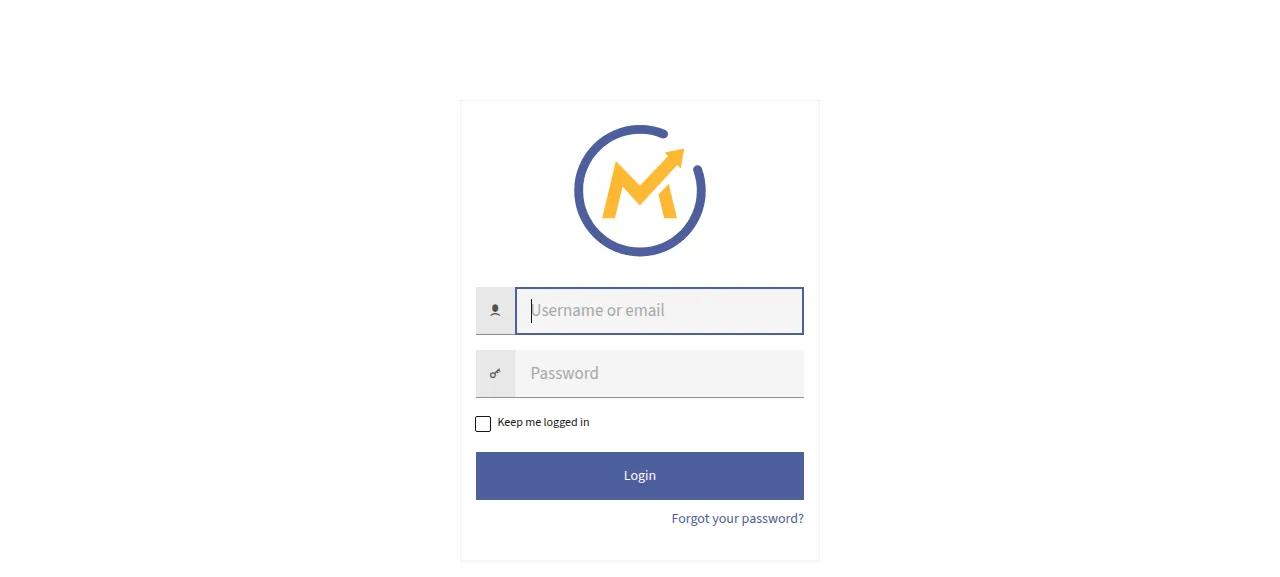
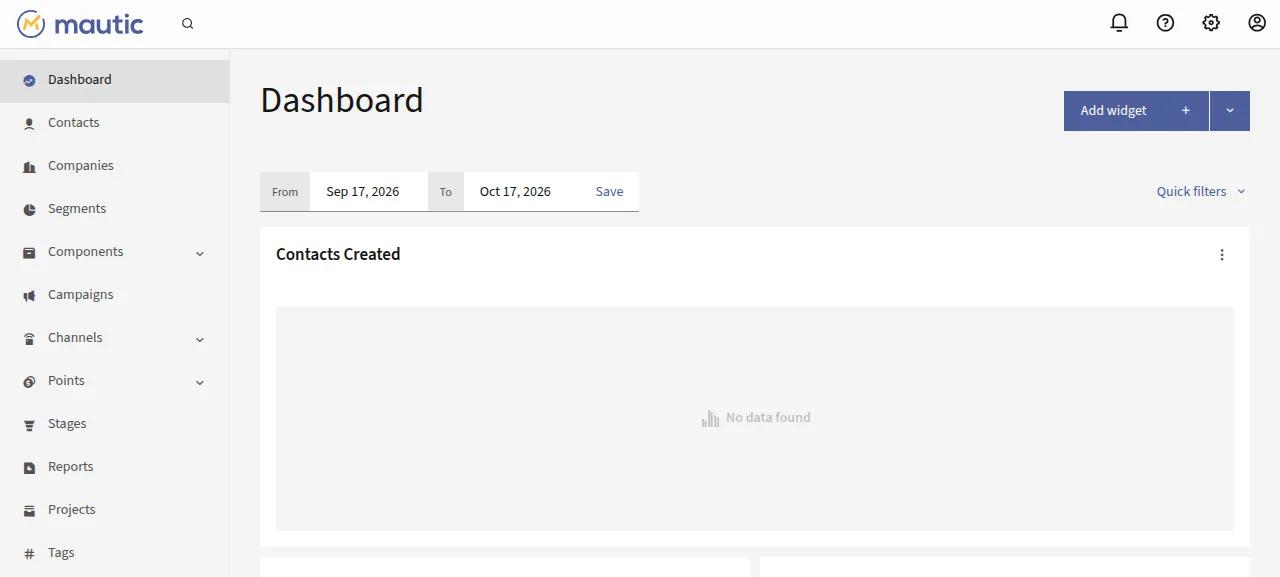
When the deploy is green, open the project's address and sign in at /s/login with MAUTIC_ADMIN_USERNAME and your password. There is no installer page.
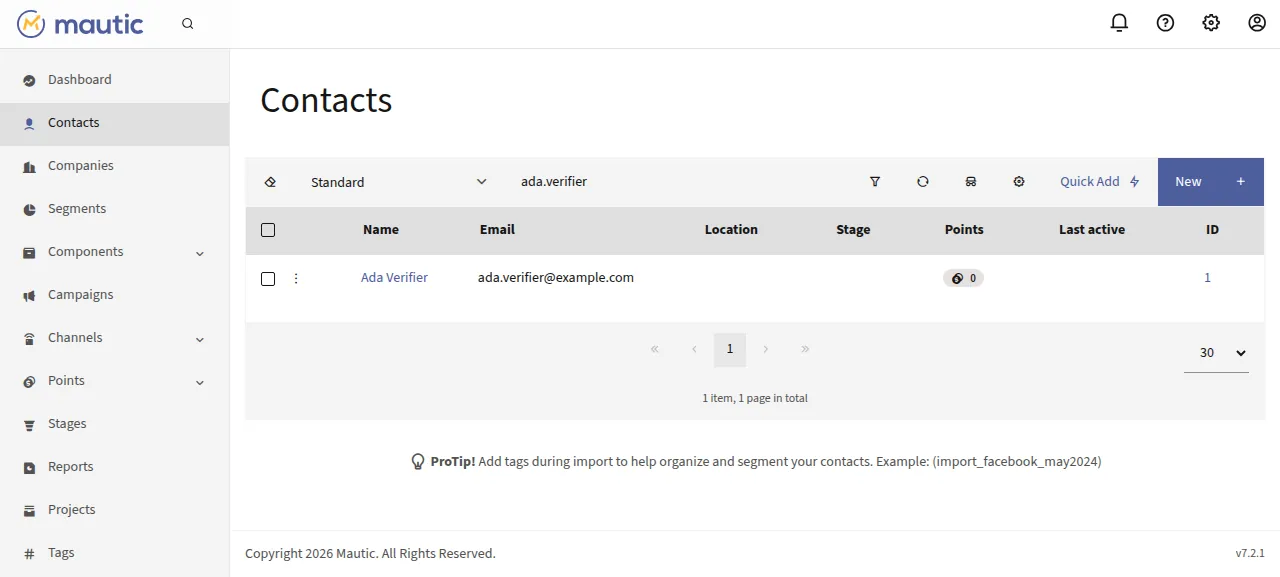
The test agent then opened Contacts, pressed New, typed a name and an email address, and pressed Save & Close. After a reload the Contacts list showed the contact. Under the cog, Configuration, Email Settings, Send test email answered "Success!".
The run used the project's preview address. A domain of your own was not part of it, and the domains page shows how ox adds one.
The ox.toml, line by line
# Mautic 7 (Symfony, MySQL) on ox, built the way its release package is
# (build/package_release.php). Every PHP command sources ox/env.sh, which
# points Mautic's cache, logs and tmp folders at $OX_DATA_DIR: the release
# is read-only for PHP while it runs.

# Ubuntu has no php-imap for PHP 8.5, so fetching bounces and replies from a
# mailbox (mautic:email:fetch) is unavailable; everything else runs.
packages = ["php-mysql", "php-intl", "php-bcmath"]

# The first admin, made by mautic:install in [build] migrate, and the
# database it installs into.
required_variables = [
  "MAUTIC_ADMIN_USERNAME", "MAUTIC_ADMIN_PASSWORD", "MAUTIC_ADMIN_EMAIL",
  "MAUTIC_DB_HOST", "MAUTIC_DB_PORT", "MAUTIC_DB_DATABASE", "MAUTIC_DB_USER", "MAUTIC_DB_PASSWORD",
]

[app]
# ox/Caddyfile mirrors the repo's .htaccess files (FrankenPHP reads none)
# and sends everything that is not a public file to index.php.
start = '''. ox/env.sh && XDG_CONFIG_HOME=/tmp XDG_DATA_HOME=/tmp exec frankenphp run --config ox/Caddyfile --adapter caddyfile'''
health = "/s/login"

[build]
# The release package's steps. --no-scripts: composer's post-install chain
# repeats them, but its GrapesJS step swallows a failed build.
install = "composer install --no-dev --no-scripts --no-interaction --prefer-dist --optimize-autoloader --ignore-platform-req=ext-imap"
commands = [
  "npm ci --include=dev --no-audit",
  "npx patch-package",
  "php bin/console mautic:assets:generate -e prod --no-interaction",
  "npm ci --include=dev --no-audit --prefix plugins/GrapesJsBuilderBundle && npm run build --prefix plugins/GrapesJsBuilderBundle",
  # The checks release.yml makes on a built package, plus the email builder.
  '''test -s assets/build/manifest.json && test -s var/sass/app.output.css && test -n "$(ls -A plugins/GrapesJsBuilderBundle/Assets/library/js/dist)"''',
  # The package ships none of these: build-only modules and the build's
  # cache. var/cache itself stays, empty, as in the package: the installer's
  # requirements check (CheckStep) wants it writable whatever cache_path says.
  "rm -rf node_modules plugins/GrapesJsBuilderBundle/node_modules plugins/GrapesJsBuilderBundle/.parcel-cache var/cache/*",
]
# 1. Trust ox's proxy: Mautic reads trusted_proxies only from its config
#    files (app/middlewares/TrustMiddleware.php), never from the environment.
# 2. Install once (ox/install.php), then apply new migrations and register
#    plugins on every deploy.
# 3. Drop the caches of releases ox has removed.
migrate = '''
. ox/env.sh
printf '%s\n' '<?php' '$parameters = ["trusted_proxies" => ["127.0.0.1", "::1"]];' > config/parameters_local.php
php ox/install.php
php bin/console doctrine:migrations:migrate --no-interaction --allow-no-migration
php bin/console mautic:plugins:reload --no-interaction
for d in "$OX_DATA_DIR"/cache/*/; do [ -d "../$(basename "$d")" ] || rm -rf "$d"; done
'''

# Mautic's documented cron jobs. Its commands lock themselves, so an overrun
# never runs twice at once.
[cron]
segments        = { schedule = "0,15,30,45 * * * *", run = ". ox/env.sh && exec php bin/console mautic:segments:update --no-interaction" }
campaigns       = { schedule = "5,20,35,50 * * * *", run = ". ox/env.sh && exec php bin/console mautic:campaigns:rebuild --no-interaction" }
campaign-events = { schedule = "10,25,40,55 * * * *", run = ". ox/env.sh && exec php bin/console mautic:campaigns:trigger --no-interaction" }
broadcasts      = { schedule = "*/5 * * * *", run = ". ox/env.sh && exec php bin/console mautic:broadcasts:send --no-interaction" }
messages        = { schedule = "*/5 * * * *", run = ". ox/env.sh && exec php bin/console mautic:messages:send --no-interaction" }
imports         = { schedule = "*/5 * * * *", run = ". ox/env.sh && exec php bin/console mautic:import --no-interaction" }
webhooks        = { schedule = "*/5 * * * *", run = ". ox/env.sh && exec php bin/console mautic:webhooks:process --no-interaction" }
reports         = { schedule = "*/5 * * * *", run = ". ox/env.sh && exec php bin/console mautic:reports:scheduler --no-interaction" }
exports         = { schedule = "*/15 * * * *", run = ". ox/env.sh && exec php bin/console mautic:contacts:scheduled_export --no-interaction" }
cleanup         = { schedule = "30 3 * * *", run = ". ox/env.sh && exec php bin/console mautic:maintenance:cleanup --no-interaction" }
unused-ips      = { schedule = "45 3 * * *", run = ". ox/env.sh && exec php bin/console mautic:unusedip:delete --no-interaction" }
iplookup        = { schedule = "0 4 1 * *", run = ". ox/env.sh && exec php bin/console mautic:iplookup:download --no-interaction" }

[services]
mysql = {}   # Mautic runs on MySQL or MariaDB only (it forces db_driver to pdo_mysql)

[storage]
# config: local.php (the installer and the Configuration page write it: the
# secret key and every setting) and parameters_local.php. media/*: uploaded
# assets, images and saved dashboards. translations: downloaded languages.
keep = ["config", "media/files", "media/images", "media/dashboards", "translations"]

[tools]
node = "24"   # release.yml builds with Node 24
The config follows Mautic's release script, build/package_release.php. Every PHP command sources ox/env.sh.
packagesadds three PHP extensions from Ubuntu:php-mysql, the database driver,php-intl, which Mautic's installer checks for, andphp-bcmath.required_variablesnames the eight keys the first install needs. A missing one stops the deploy before the long build.startruns FrankenPHP with the Caddyfile fromox/.healthis Mautic's login page, and ox moves traffic to a new release only once it answers.installis the script's Composer step without dev packages or scripts, since Composer's post-install chain repeats later build steps and passes over a broken GrapesJS build.--ignore-platform-req=ext-imapis there because Ubuntu has nophp-imapfor PHP 8.5, so fetching bounces and replies (mautic:email:fetch) is unavailable.The build
commandsinstall the npm packages, apply the repo's patches, generate the production assets and build the GrapesJS builder plugin. The last line removesnode_modulesand the build's caches, as the release package ships none, but leavesvar/cacheempty for the installer.migratewritesconfig/parameters_local.phpto trust ox's proxy, since Mautic readstrusted_proxiesonly from config files. It then installs once, applies new migrations, registers plugins and deletes the caches of removed releases.[cron]holds twelve jobs from Mautic's documentation. Each is onebin/consolecommand that locks itself, so an overrun never runs twice at once. Segments rebuild every 15 minutes, so a new segment fills minutes after you save it. The others run every 5 or 15 minutes, daily or monthly, in UTC.[services]asks formysql, since Mautic forcespdo_mysql.[storage]keeps what Mautic writes in its own folders:config(wherelocal.phpholds every setting), uploaded files and images, saved dashboards and downloadedtranslations.[tools]pins Node 24, as Mautic's release workflow does.
ox/Caddyfile
# Mautic on FrankenPHP behind ox's Caddy, which serves HTTPS and the domain:
# this server answers only on 127.0.0.1:$PORT. The rules mirror the repo's
# .htaccess files, which FrankenPHP does not read.
{
	admin off
	auto_https off
	persist_config off
	frankenphp {
		# Mautic asks for 512M (its installer warns below that).
		php_ini memory_limit 512M
		# Sign-ins survive restarts, deploys and reboots.
		php_ini session.save_path {$OX_DATA_DIR}/sessions
	}
}

http://:{$PORT} {
	bind 127.0.0.1
	root * .
	encode zstd gzip

	# Code, settings and dotfiles are never served: PHP other than the front
	# controller, bundle .yml files, composer's files.
	@code {
		path_regexp (?i)(/\.|\.(php|phtml|yml|yaml|twig|lock)$|^/composer\.json$)
		not path /index.php
	}
	# Folders the .htaccess files deny, and app/ apart from its public assets.
	@private {
		path_regexp (?i)^/(app|bin|config|node_modules|ox|translations|var|vendor|media/files)(/|$)
		not path /app/assets/* /app/bundles/*
	}
	@asset {
		file
		not path *.php
	}

	route {
		respond @code 404
		respond @private 404
		file_server @asset
		rewrite * /index.php
		php
	}
}
ox/env.sh
# Sourced by the web start, the migrate and every cron job. Mautic merges
# MAUTIC_CONFIG_PARAMETERS over config/local.php
# (app/bundles/CoreBundle/Loader/ParameterLoader.php), so ox's variables
# stay the source of the address and the database.
#
# The release is read-only for PHP, so the folders Mautic writes live in the
# data dir. The Symfony cache is keyed by the release (the side and current
# links resolve to it), so a new release never loads a container compiled
# for another one.
release=$(basename "$(pwd -P)")
mkdir -p "$OX_DATA_DIR/cache/$release" "$OX_DATA_DIR/logs" "$OX_DATA_DIR/tmp" \
  "$OX_DATA_DIR/import" "$OX_DATA_DIR/sessions" || return
MAUTIC_CONFIG_PARAMETERS=$(MAUTIC_RELEASE_CACHE="$OX_DATA_DIR/cache/$release" php -r '
$data = getenv("OX_DATA_DIR");
echo json_encode([
    "site_url"             => getenv("PUBLIC_URL"),
    "db_host"              => getenv("MAUTIC_DB_HOST"),
    "db_port"              => getenv("MAUTIC_DB_PORT"),
    "db_name"              => getenv("MAUTIC_DB_DATABASE"),
    "db_user"              => getenv("MAUTIC_DB_USER"),
    "db_password"          => getenv("MAUTIC_DB_PASSWORD"),
    "cache_path"           => getenv("MAUTIC_RELEASE_CACHE"),
    "log_path"             => "$data/logs",
    "tmp_path"             => "$data/tmp",
    "import_leads_dir"     => "$data/import",
    "import_campaigns_dir" => "$data/import",
], JSON_UNESCAPED_SLASHES | JSON_THROW_ON_ERROR);
') || return
export MAUTIC_CONFIG_PARAMETERS
ox/install.php
<?php

// Runs mautic:install once, with the database and the first admin taken
// from the environment so no password rides a command line. The command
// says "Mautic already installed" and exits 0 once config/local.php names
// the database and the site; it also exits 0 when its requirements check
// fails, so the result is checked here.

use Symfony\Component\Console\Input\ArrayInput;

$root = dirname(__DIR__);
require_once $root.'/vendor/autoload.php';

function need(string $key): string
{
    $value = getenv($key);
    if (false === $value || '' === $value) {
        fwrite(STDERR, "ox/install.php: $key is not set\n");
        exit(1);
    }

    return $value;
}

$application = include $root.'/app/console-application.php';
$application->setAutoExit(false);
$code = $application->run(new ArrayInput([
    'command'          => 'mautic:install',
    'site_url'         => need('PUBLIC_URL'),
    '--force'          => true,
    '--no-interaction' => true,
    '--db_host'        => need('MAUTIC_DB_HOST'),
    '--db_port'        => need('MAUTIC_DB_PORT'),
    '--db_name'        => need('MAUTIC_DB_DATABASE'),
    '--db_user'        => need('MAUTIC_DB_USER'),
    '--db_password'    => need('MAUTIC_DB_PASSWORD'),
    '--admin_username' => need('MAUTIC_ADMIN_USERNAME'),
    '--admin_password' => need('MAUTIC_ADMIN_PASSWORD'),
    '--admin_email'    => need('MAUTIC_ADMIN_EMAIL'),
]));
if (0 !== $code) {
    exit($code);
}

$parameters = [];
include $root.'/config/local.php';
foreach (['db_driver', 'site_url', 'secret_key'] as $key) {
    if (empty($parameters[$key])) {
        fwrite(STDERR, "ox/install.php: mautic:install did not finish: config/local.php has no $key\n");
        exit(1);
    }
}
ox/Caddyfile stands in for Mautic's .htaccess files, which FrankenPHP does not read. It listens only on the loopback address, since ox's Caddy serves HTTPS, sets PHP's memory_limit to 512M and keeps sessions in the data folder. It answers 404 for PHP files other than index.php, config and lock files, dotfiles and the folders the .htaccess files deny. Any other path that is not a file goes to index.php.
ox/env.sh builds MAUTIC_CONFIG_PARAMETERS, which Mautic merges over config/local.php, so the site address and the database come from ox's variables. It also points the cache, log, temp and import folders at the data folder, since the release is read-only.
ox/install.php runs mautic:install with the database and the first admin read from the environment, so no password sits on a command line. Once config/local.php names a database and a site, that command says Mautic is already installed, so later deploys skip it. It also exits 0 when its own requirements check does not pass, so the script checks that local.php holds db_driver, site_url and secret_key.
MAUTIC_ADMIN_USERNAME
MAUTIC_ADMIN_PASSWORD
MAUTIC_ADMIN_EMAIL
MAUTIC_DB_HOST
MAUTIC_DB_PORT
MAUTIC_DB_DATABASE
MAUTIC_DB_USER
MAUTIC_DB_PASSWORDMAUTIC_ADMIN_USERNAME, MAUTIC_ADMIN_PASSWORD and MAUTIC_ADMIN_EMAIL become the first admin. MAUTIC_DB_HOST is ${mysql.host}, and PORT, DATABASE, USER and PASSWORD follow with ${mysql.port}, ${mysql.database}, ${mysql.user} and ${mysql.password}, so you never type the database password (see variables). The site address comes from PUBLIC_URL, which ox provides. Because ox's variables win, the same settings on Mautic's Configuration page have no effect.
The database and what to know
The database is MariaDB, which ox calls mysql, and it serves this project alone. The test agent found it and the app active with no restarts. Eight of the twelve jobs had run and finished cleanly by then. Campaigns, cleanup, unused-ips and iplookup had not reached their time, so only their timers were seen.
Mautic sends from a placeholder address at
yoursite.comuntil you change the sender in Email Settings. The run did not change it.The release folder is read-only, so uploading a theme or installing a plugin from the admin will not work. The run did neither.
Mautic's API is off until you turn it on under Configuration. The run did not use it, the tracking script at
/mtc.js, forms, landing pages or campaigns.
Updates and backups
To move to a newer release, merge it into your fork and push, or run ox deploy mautic --wait. ox builds the release beside the running one, runs the migrations, and switches when the health page answers. The run redeployed the same commit. A newer release and Mautic's in-app updater were not tested.
Backups need no setup. Back up now gave the run a MariaDB archive plus one each for config, the uploaded files, the images and translations, and ox backups mautic lists them. They hold no variables, so keep mautic.env. A restore was not tested. The backups page covers an S3 bucket.
Frequently asked questions
Do I need Docker to self-host Mautic?
No. Mautic's README describes a Composer install and a zip install. ox runs the Composer and npm steps from your fork on the server, serves Mautic with FrankenPHP, installs MariaDB next to it and runs its cron jobs as systemd timers. No container is involved.
Which database does Mautic need?
MySQL or MariaDB only. Mautic 7.2.1 supports MySQL 8.4 or newer and MariaDB 10.11 or newer, and it forces the pdo_mysql driver. ox's mysql service is MariaDB 11.8, private to the project, and the five MAUTIC_DB_ variables point at it with references, so you never type its password.
How do I create the first Mautic admin?
Set MAUTIC_ADMIN_USERNAME, MAUTIC_ADMIN_PASSWORD and MAUTIC_ADMIN_EMAIL before the first deploy. The migrate step runs mautic:install through ox/install.php and makes that user, so there is no installer page. Sign in at /s/login. Adding more users under the cog, Users, was not tested.
How much memory does self-hosted Mautic use?
The facts above show the memory used on the whole server after the reboot: Mautic, MariaDB, Caddy and the ox agent. The build also runs Composer and npm on the server. ox takes any server from 1 GB up, and it tells you when memory is why an app stopped.
New to running apps on your own server? How ox self-hosts your apps shows what ox sets up on your server.