How to self-host Redmine without Docker on your own VPS
Run Redmine 7.0.2 on your own Ubuntu server with ox: a Rails app on Postgres, built from the ox.toml that ran, with no Docker image to pull.

To self-host Redmine you need an Ubuntu server, a fork of the Redmine repo with one ox.toml file added, and four variables, one of them required before the first deploy starts. In our run the first deploy took about 3 minutes, and ox installed Ruby 3.4 and set up Postgres for it.
How we tested On Oct 17, 2026, ox deployed Redmine 7.0.2 from commit c1be3264 on a fresh DigitalOcean server with 8 vCPUs and 16 GB of memory. The run then redeployed it, backed it up and rebooted the server. Then a separate test agent, one that did not write the config, signed in, created a project, filed a bug in it, and saw the bug listed after a reload, and checked the app's services and its backup.
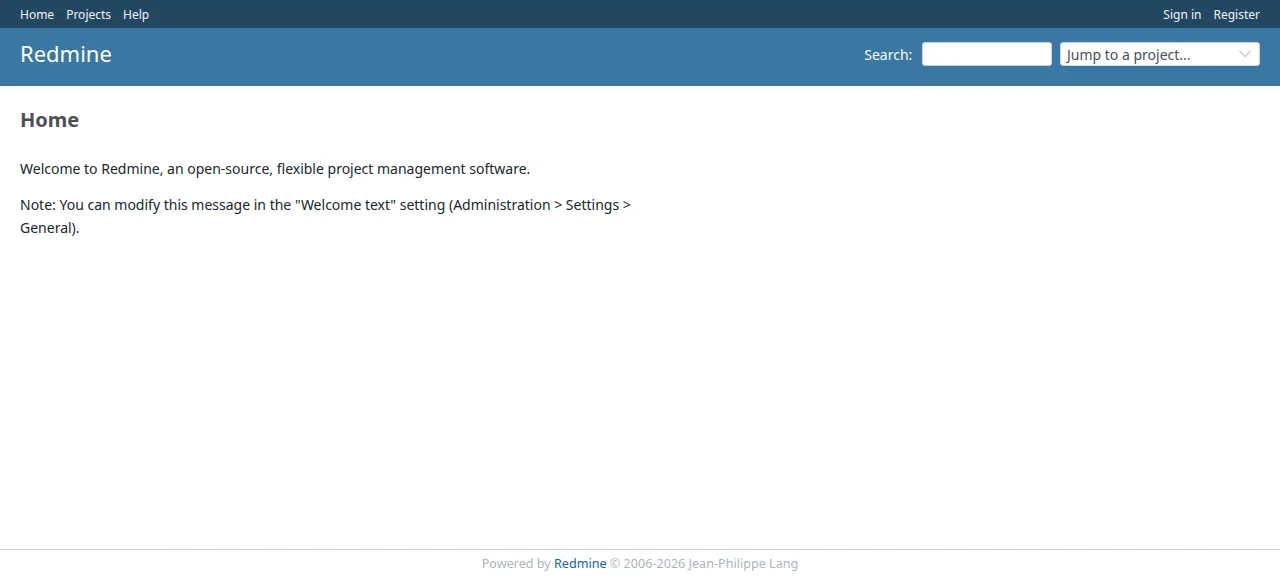
Redmine is a project management web application for teams. Work lives in projects, and a project can have issues, a wiki, news, documents, files, time tracking, a calendar and a Gantt chart. The source files carry the GNU General Public License, version 2 or later. It is a Ruby on Rails app, and its install guide lists MySQL, PostgreSQL, SQLite3 and SQL Server as databases. The run used PostgreSQL.
ox deployed Redmine 7.0.2 (commit c1be3264) on Oct 17, 2026 on a fresh DigitalOcean server with 8 vCPUs and 16 GB of memory; the first deploy took 3 minutes and a redeploy took 4 minutes.
- First deploy: 3 minutes, from adding the project until the app passed the run's first checks.
- Redeploy of the same commit: 4 minutes, until the app passed the checks again.
- Server: DigitalOcean, 8 vCPUs and 16 GB of memory (
s-8vcpu-16gb), with this app alone on it. Every one of the 85 apps we deployed ran on this one size, so it was not picked for this app. - Memory in use after the reboot: 1018 MB of 15986 MB, for the whole server: Ubuntu, the app and its staging copy, its services, Caddy and the ox agent. On a server with no apps, ox's tests on real servers hold the agent to 40 MB or less and Caddy to 50 MB or less.
- Services ox runs for it:
postgres. - Source: github.com/redmine/redmine at 7.0.2, commit
c1be3264.
What you need
An Ubuntu LTS server. The run used the size in the facts above and measured the memory there.
A GitHub account to fork
redmine/redmine. Signing in to ox with it opens your ox account.A password for the first admin, whose login is
admin.
Not tested: real email (the run used a test mail catcher, so bring a mail server's address and port if you want some), attachments and their thumbnails, repository browsing, plugins and themes, a second user, a custom domain and a restore.
The steps
In the ox dashboard press Add a server and run the one command it shows, as root, on your VPS. It puts the ox agent and Caddy on the machine.
Fork redmine/redmine on GitHub and start your branch at the commit the run deployed, Redmine 7.0.2, which the box above links. Add the ox.toml shown below at the repo root, then commit and push. The run added no other file. On your laptop, write redmine.env with one line for each of the four keys in the variables list. Make SECRET_KEY_BASE a long random value, such as the 80 hex characters of openssl rand -hex 40, which is what Redmine's own token task writes. Pick your own ADMIN_PASSWORD, and set the two SMTP keys to your mail server. With the ox CLI signed in, run:
ox new <you>/redmine
ox review redmine --from-file redmine.env --wait
The project takes the repo's name, redmine. ox review stores the values, which starts the first deploy, and --wait follows the log to its end. The quickstart shows the same two steps in the browser.
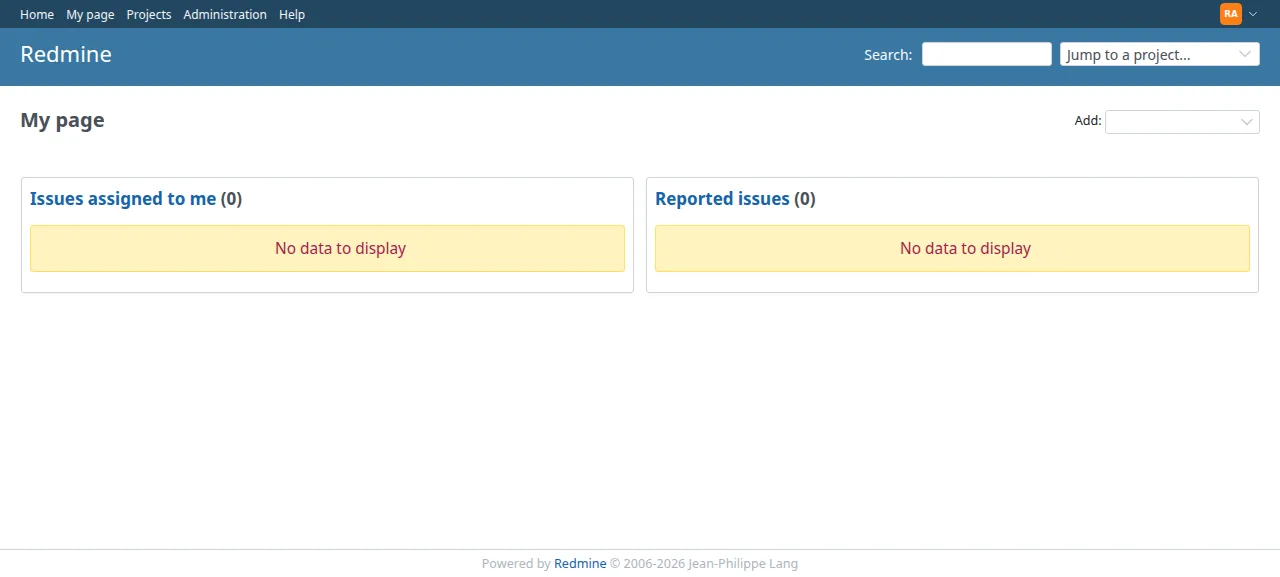
When the deploy is green, open the address ox shows for the project. Press Sign in at the top right and use admin and your ADMIN_PASSWORD. Redmine's own default, admin with the password admin, was refused. You land on My page, and the top menu now has Administration.
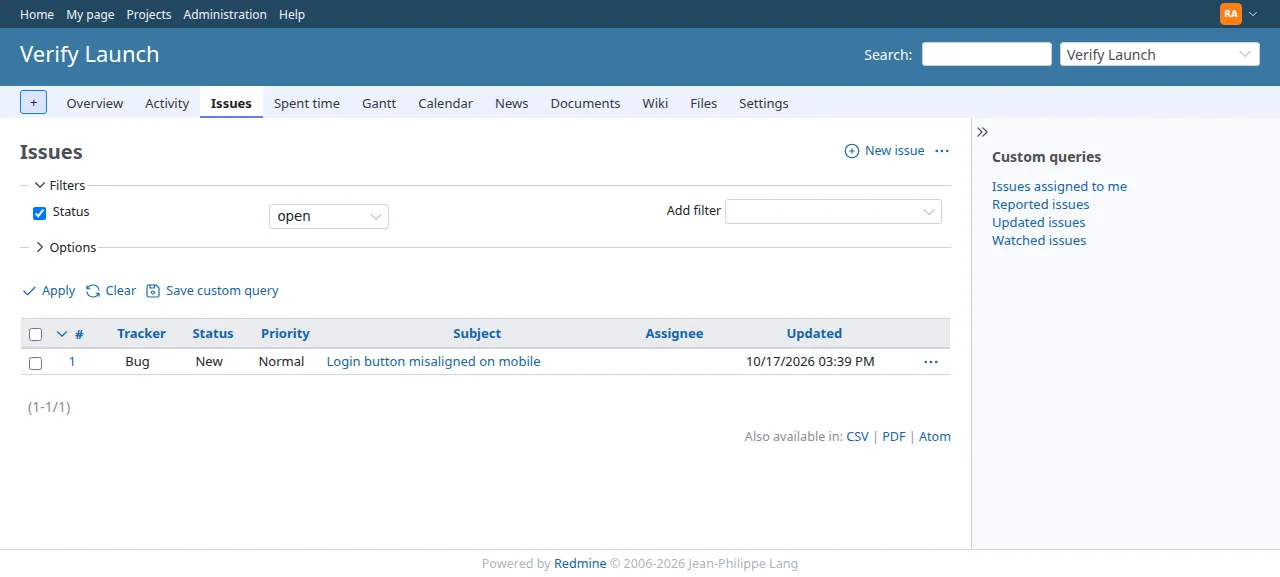
Then the test agent did Redmine's main job. It made a project from Projects, then used New issue in the project's Issues tab to file a bug. After a reload the Issues list still showed it as number 1, status New. The run served Redmine on its preview address only. A domain of your own was not part of it, and the domains page covers how ox adds one.
The ox.toml, line by line
# Redmine 7.0.2 (Rails 8.1, Propshaft) on PostgreSQL, set up the way its
# doc/INSTALL says. Redmine commits no Gemfile.lock, and its database.yml,
# configuration.yml and Gemfile.local are git-ignored, so the build writes
# them. The start, the health path (/up) and db:migrate are ox's detected
# ones.

# Thumbnails of images and PDFs and the Gantt PNG export (doc/INSTALL,
# Optional: ImageMagick, Ghostscript).
packages = ["imagemagick", "ghostscript"]

# Redmine's first migration makes the administrator "admin" with the
# password "admin"; migrate replaces that default with this one (below).
required_variables = ["ADMIN_PASSWORD"]

[tools]
# doc/INSTALL: Ruby 3.2 to 4.0, and 4.0.0 to 4.0.2 render wiki text slowly.
ruby = "3.4"

[build]
# The Gemfile picks the database gem from database.yml's adapter (pg for
# postgresql), so database.yml comes first. Puma is only in the Gemfile's
# test group, and Gemfile.local is the documented place for the operator's
# own gems (doc/INSTALL step 4). With no lock, bundler resolves the Gemfile
# as the install guide does. Mail goes out over SMTP when SMTP_ADDRESS is
# set (configuration.yml.example's email_delivery); without it Redmine
# sends none and says so under Administration > Settings > Email.
install = '''
cat > config/database.yml <<'YAML'
production:
  adapter: postgresql
  url: <%= ENV["DATABASE_URL"] %>
  encoding: unicode
YAML
cat > config/configuration.yml <<'YAML'
production:
<% if ENV["SMTP_ADDRESS"].to_s != "" %>
  email_delivery:
    delivery_method: :smtp
    smtp_settings:
      address: <%= ENV["SMTP_ADDRESS"].to_json %>
      port: <%= ENV.fetch("SMTP_PORT", "587").to_i %>
      domain: <%= ENV["PUBLIC_HOST"].to_s.to_json %>
<% if ENV["SMTP_USERNAME"].to_s != "" %>
      authentication: :login
      user_name: <%= ENV["SMTP_USERNAME"].to_json %>
      password: <%= ENV["SMTP_PASSWORD"].to_s.to_json %>
<% end %>
<% end %>
YAML
echo "gem 'puma'" > Gemfile.local
bundle config set --local without development:test
bundle install
'''
# doc/INSTALL step 6.
commands = ["RAILS_ENV=production bundle exec rails assets:precompile"]
# doc/INSTALL step 7, then step 10's default configuration (roles,
# trackers, statuses, workflow), which a new project needs before its first
# issue; the task skips itself once that data exists. Then the first
# administrator: while "admin" still has the default password "admin", it
# gets ADMIN_PASSWORD, so the site is never open with admin/admin; a
# password changed later in Redmine is kept. The links in Redmine's mails
# use its host name and protocol settings: they are set to this site's
# address only while nobody has saved them.
migrate = '''
RAILS_ENV=production bundle exec rails db:migrate
RAILS_ENV=production REDMINE_LANG="${REDMINE_LANG:-en}" bundle exec rails redmine:load_default_data
RAILS_ENV=production bundle exec rails runner '
admin = User.find_by(login: "admin") or abort("redmine: no user admin after db:migrate")
if admin.check_password?("admin")
  admin.password = admin.password_confirmation = ENV.fetch("ADMIN_PASSWORD")
  admin.must_change_passwd = false
  admin.save!
  puts "redmine: admin now signs in with ADMIN_PASSWORD"
else
  puts "redmine: admin already has a password of its own, kept"
end
{"host_name" => "PUBLIC_HOST", "protocol" => "PUBLIC_SCHEME"}.each do |name, key|
  Setting.create!(name: name, value: ENV.fetch(key)) unless Setting.where(name: name).exists?
end
'
'''

[services]
postgres = {}

[storage]
# Attachments (configuration.yml's attachments_storage_path, files/ by default).
keep = ["files"]
The file follows Redmine's doc/INSTALL step by step. The repo's .gitignore leaves out config/database.yml, config/configuration.yml, Gemfile.local and Gemfile.lock. The build writes the first three, and bundler picks gem versions from the Gemfile because the repo holds no lock.
packagesaddsimagemagickandghostscript, which the install guide lists as optional: thumbnails, PDF thumbnails and the Gantt chart's PNG export.required_variablesnamesADMIN_PASSWORD. Redmine's first migration makes an admin namedadminwith the passwordadmin, and the migrate step replaces that. ox waits for a value before it deploys, so the site never goes up with the default.[tools]asks for Ruby 3.4. Redmine supports 3.2 to 4.0, and its install guide warns that 4.0.0 to 4.0.2 render wiki text slowly.installwrites three files, then installs the gems.database.ymlnames the Postgres adapter and takes its address fromDATABASE_URL. It comes first because Redmine's Gemfile picks the database gem from it.configuration.ymlgets a mail block only whenSMTP_ADDRESSis set, with the port fromSMTP_PORT(587 when unset). Without one, Redmine says email delivery is not configured.Gemfile.localaddspuma, which the Gemfile lists only in its test group, and it is the file the install guide names for extra gems. The last two lines are step 4 of the guide.The build
commandsrunassets:precompile, step 6 of the guide. The guide calls it optional, since Redmine recompiles changed assets when it starts in production. Here the compiled files are in the release before it starts.migratehas three parts.db:migratecreates the tables and the default admin.redmine:load_default_dataloads the roles, trackers, statuses and workflow that a new project needs before its first issue, in the languageREDMINE_LANGnames (enwhen unset). A short Rails script then setsADMIN_PASSWORDwhileadminstill has the passwordadmin, and clears the must-change-password flag Redmine's setup puts on the admin. It also savesPUBLIC_HOSTandPUBLIC_SCHEMEas Redmine's host name and protocol settings, if nobody has saved them yet. Redmine builds the links in its mail from those two, and their defaults arelocalhost:3000andhttp.There is no
startorhealthline. ox starts Rails' own server on the port it gives the app. Before it moves traffic to a new release, it asks Rails' health route,/up, which Redmine's routes file defines.[services]asks for Postgres.[storage]keeps thefilesfolder across deploys. Redmine stores attachments there unlessattachments_storage_pathinconfiguration.ymlsays otherwise.
SECRET_KEY_BASE
ADMIN_PASSWORD
SMTP_ADDRESS
SMTP_PORT
SECRET_KEY_BASE is the secret Rails signs session cookies with. Redmine's install guide writes one into a file with bin/rails generate_secret_token, and the run kept it as a variable instead. ADMIN_PASSWORD is the first admin's password. SMTP_ADDRESS and SMTP_PORT point Redmine at a mail server. The config also reads SMTP_USERNAME and SMTP_PASSWORD for a server that wants a login, and the run set neither. ox supplies DATABASE_URL, PUBLIC_HOST and PUBLIC_SCHEME itself, as the variables page lists.
Postgres and one process
ox gives the project its own Postgres database and user. The run also deployed a staging copy beside production, and the memory figure above counts both. Redmine has no worker here, since it sends mail from the web process. The test agent read the three units twice, minutes apart, and found all running with no restarts.
The first admin's email is a placeholder at dummy.invalid until someone changes it under My account. Redmine's default is to send nobody mail about a change they made themselves, so filing an issue as the only member sends nothing.
Updates and backups
A push to your fork, or ox deploy redmine --wait, starts a new deploy. ox builds the release beside the running one, dumps Postgres, runs migrate and switches once /up answers. The run's redeploy left that dump. The run redeployed the same commit, so a move to a newer Redmine was not tested. Read Redmine's doc/UPGRADING first.
Backups need no setup. In the run, a backup on request made a Postgres dump and an archive of files, beside the dump from before the migrate. Nobody uploaded an attachment, so a backup of attachments was not tested, and neither was a restore. ox backups redmine lists what is there. The backups page covers copies in your own S3 bucket, and the self-hosting page lists the other apps ox has run.
Frequently asked questions
Do I need Docker to self-host Redmine?
No. Redmine's install guide is a plain one: a Ruby, a database, bundle install, then rails db:migrate. ox follows it on your server and runs Redmine as a system service beside Postgres, with no image to pull. An update is a push to your fork or one deploy command.
What is the default Redmine admin password?
Redmine's first migration makes the login admin with the password admin. Here the migrate step swaps in your ADMIN_PASSWORD while the password is still that default. The run showed admin with admin refused, and the test agent signed in with the new value.
How much memory does Redmine use?
The facts above show what the whole server used after the run's reboot. That counts Redmine in production and in its staging copy, Postgres, Caddy and the ox agent. ox works on any server from 1 GB up and tells you when memory is why an app stopped.
How do I set up email in self-hosted Redmine?
Redmine sends mail over SMTP. The config maps the four SMTP variables onto Redmine's email_delivery setting, and SMTP_USERNAME and SMTP_PASSWORD matter only when the server wants a login. The run pointed them at a test mail catcher, so delivery to a real inbox was not tested.
New to running apps on your own server? How ox self-hosts your apps shows what ox sets up on your server.