How to self-host Ghost on your own VPS without Docker
Run Ghost v6.71.0 on your own Ubuntu server with ox: MySQL, a pnpm and nx build, and an owner account made from two variables. The config that ran.

To self-host Ghost you need an Ubuntu server, a fork of the Ghost repo with an ox.toml and two helper files added, and 17 variables, of which only the owner's email and password are required. In our run the first deploy took about 3 minutes, and ox started a MySQL-compatible database for it.
How we tested On Oct 17, 2026, ox deployed Ghost v6.71.0 from commit 2b047c78 on a fresh DigitalOcean server with 8 vCPUs and 16 GB of memory. The run then redeployed it, backed it up and rebooted the server. Then a separate test agent, one that did not write the config, signed in, published a post and saw it on the public home page and in the admin after a reload, and checked the app's services and its backup.
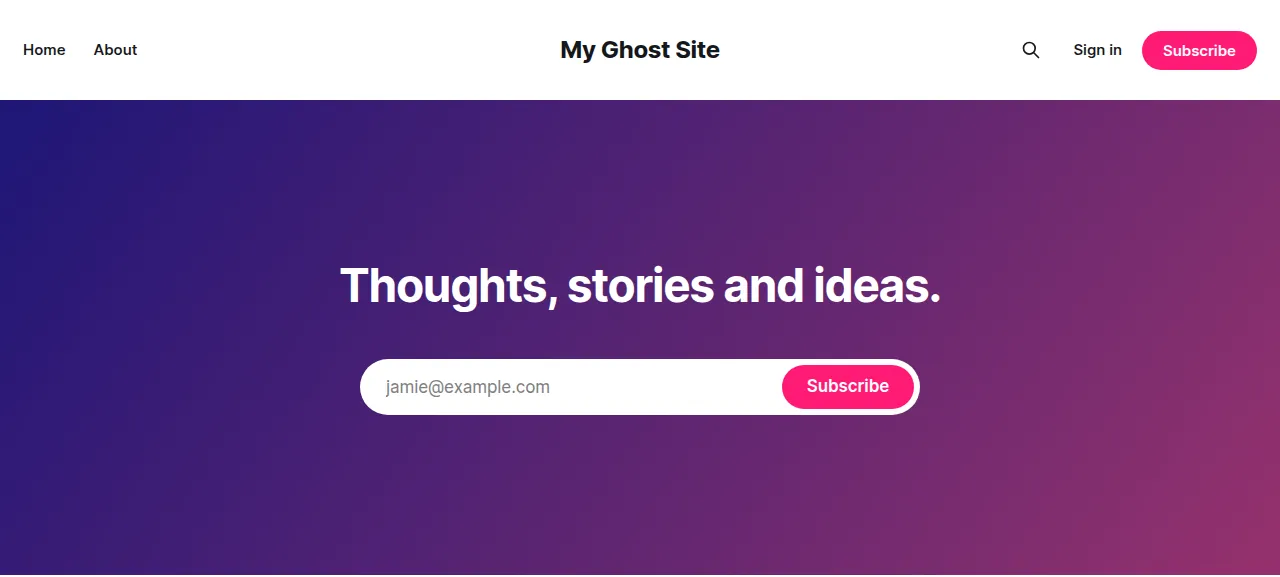
Ghost is a publishing platform for blogs, newsletters and membership sites. It is a Node.js app under the MIT license. Staff write in an admin panel at /ghost/, and readers see the public site at /. Posts and members live in MySQL, and images and themes live in a content folder on disk.
ox deployed Ghost v6.71.0 (commit 2b047c78) on Oct 17, 2026 on a fresh DigitalOcean server with 8 vCPUs and 16 GB of memory; the first deploy took 3 minutes and a redeploy took 54 seconds.
- First deploy: 3 minutes, from adding the project until the app passed the run's first checks.
- Redeploy of the same commit: 54 seconds, until the app passed the checks again.
- Server: DigitalOcean, 8 vCPUs and 16 GB of memory (
s-8vcpu-16gb), with this app alone on it. Every one of the 85 apps we deployed ran on this one size, so it was not picked for this app. - Memory in use after the reboot: 938 MB of 15986 MB, for the whole server: Ubuntu, the app, its services, Caddy and the ox agent. On a server with no apps, ox's tests on real servers hold the agent to 40 MB or less and Caddy to 50 MB or less.
- Services ox runs for it:
mysql. - Source: github.com/TryGhost/Ghost at v6.71.0, commit
2b047c78.
What you need
An Ubuntu LTS server. The run used the size in the facts above, with Ghost alone on it. Ghost 6 pins Node in
.nvmrcand pnpm inpackage.json, and ox reads those pins.A GitHub account to fork
TryGhost/Ghost, and an ox account, which you open by signing in with GitHub.An email address and a password for the site's owner. Ghost mails that address a six-digit code when the owner signs in from a new browser. The run sent its mail to a test mail catcher and read the code there. Real email was not tested.
The steps
Open the ox dashboard and press Add a server. It prints one install command that holds a fresh token. Run it as root on your server to join it to your account.
Fork TryGhost/Ghost on GitHub and check out the tag v6.71.0, the release the run deployed. Put the ox.toml and the two files shown below at the root of the fork, then commit and push. Next write ghost.env on your laptop, with one KEY=value line for each key in the variables list below, plus the two unset lines it describes. With the ox CLI signed in, run:
ox new <you>/Ghost
ox review ghost --from-file ghost.env --wait
ox names the project after the repo, so the commands call it ghost. The review saves the values and starts the first deploy, and --wait prints the run until it ends. The quickstart shows the console's version.
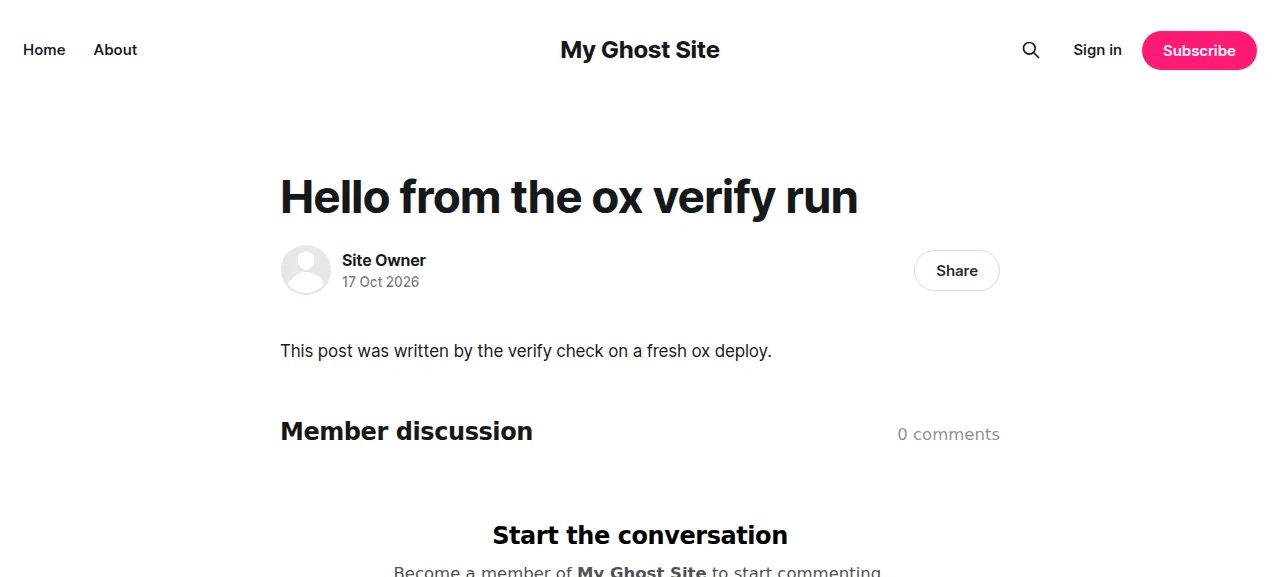
When the deploy is green, open the project's address and add /ghost/. Sign in with the owner's email and password, then type the mailed code. To publish, click Posts, then New post, write a title and a line of text, and click Publish, "Continue, final review" and "Publish post, right now". The test agent did this and saw the post on the public home page and, after a reload, listed as Published in the admin.
The run served Ghost on its preview address only. A domain of your own was not part of it, and the domains page says how ox adds one.
The ox.toml, line by line
# Ghost 6, as Dockerfile.production builds its server and CI builds its
# admin (job_build_admin), with MySQL (MariaDB) and the content folder kept
# (the image's VOLUME). Ghost reads its config from `__` variables: url,
# database__*, mail__* and logging are in ox.vars.
# fontconfig is the image's runtime package; jemalloc is preloaded in start.
packages = ["libjemalloc2", "fontconfig"]
# The owner is made at the first start from these, through the setup
# screen's own API call, so no first visitor can claim the site.
required_variables = ["GHOST_OWNER_EMAIL", "GHOST_OWNER_PASSWORD"]

[app]
start = "exec bash ox-ghost.sh start"
health = "/ghost/api/admin/site/"

[build]
# The whole workspace: admin's nx build fans out across the frontend graph.
# The workspace links node_modules into pnpm's global store, which the
# Dockerfile and CI turn off so the app is self-contained.
install = "pnpm_config_enable_global_virtual_store=false pnpm install --frozen-lockfile"
commands = [
  # The Dockerfile's server build: the workspace packages ghost runs, its
  # TypeScript (compiled in place) and its assets.
  "pnpm --filter-prod 'ghost^...' -r run build",
  "pnpm --filter ghost run build:tsc",
  "pnpm --filter ghost run build:assets",
  # CI's admin build: writes ghost/core/built/admin and embed-renderer.
  # CI's settings for nx, and no Nx Cloud.
  "NX_NATIVE_COMMAND_RUNNER=false NX_DAEMON=false NX_NO_CLOUD=true pnpm nx run @tryghost/admin:build",
]
# Ghost would also migrate as it boots; run it first, so a first deploy's
# schema is not made inside the start's health wait.
migrate = "bash ox-ghost.sh migrate"

[services]
mysql = {}

[storage]
# Ghost's contentPath: images, media, files, themes, settings (routes.yaml).
# The bundled Casper and Source themes are seeded into it.
keep = ["ghost/content"]
Ghost 6 is a pnpm and nx monorepo. Its Dockerfile builds the server and its CI builds the admin panel, and this config runs both builds.
packagesaddslibjemalloc2, the memory allocator Ghost's production image preloads, andfontconfig, that image's runtime package.required_variablesnames the owner's email and password, which ox asks for before the first deploy.[app]starts Ghost throughox-ghost.sh.healthis a path of Ghost's Admin API, and ox switches to a new release only once it answers.installputspnpm_config_enable_global_virtual_store=falsein front of the frozen-lockfile install. Ghost's workspace linksnode_modulesto a pnpm store outside the app folder. Its Dockerfile and CI turn that off, so the app folder holds all it runs on.The four build
commandsrun in order. Three are the Dockerfile's server build: the workspace packages the server runs, the TypeScript compile, and the assets. The fourth is CI's admin build, which writes the admin panel intoghost/core/builtwith CI's nx settings (no daemon, no Nx Cloud).migrateruns knex-migrator throughox-ghost.sh, as Ghost-CLI does before it starts Ghost. It creates the schema on a first deploy and migrates it on an update, ahead of the health check.[services]asks formysql.[storage]keepsghost/contentacross deploys: images, media, files, themes and settings. The bundled Casper and Source themes are seeded into it.
There are no workers or cron jobs, because Ghost runs its jobs in memory inside the web process.
ox-ghost-owner.mjs
// Ghost's owner account on ox, made from GHOST_OWNER_* the way the setup
// screen (/ghost/#/setup) makes it: one call to the Admin API's setup
// endpoint, which also names the site and seeds the default tier,
// newsletter and theme settings. Run from ghost/ by ox-ghost.sh.
//   state      prints "yes" when the site is set up, "no" when it is not:
//              Ghost's own test (User.isSetup), the owner's status, read
//              from the database Ghost's config names
//   setup PID PORT  waits for the Ghost started as PID to answer on PORT,
//              then posts the setup unless the site is set up already, and
//              turns the Network feature off (see networkOff)
import http from 'node:http';
import {createRequire} from 'node:module';
import path from 'node:path';

// Ghost's dependencies and config, resolved from ghost/ (the cwd)
const require = createRequire(path.join(process.cwd(), 'index.js'));
const setupPath = '/ghost/api/admin/authentication/setup/';
const sessionPath = '/ghost/api/admin/session/';
const settingsPath = '/ghost/api/admin/settings/';

async function state() {
    const config = require('./core/shared/config');
    const mysql = require('mysql2/promise');
    const {host, port, user, password, database} = config.get('database:connection');
    const conn = await mysql.createConnection({host, port, user, password, database});
    try {
        const [rows] = await conn.query(
            'SELECT u.status FROM users u JOIN roles_users ru ON ru.user_id = u.id JOIN roles r ON r.id = ru.role_id WHERE r.name = ?',
            ['Owner']
        );
        if (rows.length !== 1) {
            throw new Error(`expected one owner in the users table, found ${rows.length}`);
        }
        console.log(rows[0].status === 'inactive' ? 'no' : 'yes');
    } finally {
        await conn.end();
    }
}

function request(port, method, urlPath, body, cookie) {
    const {PUBLIC_HOST, PUBLIC_SCHEME, PUBLIC_URL} = process.env;
    const data = body ? JSON.stringify(body) : undefined;
    return new Promise((resolve, reject) => {
        const req = http.request({
            host: '127.0.0.1',
            port,
            method,
            path: urlPath,
            timeout: 30000,
            headers: {
                // As ox's proxy calls it, so Ghost serves the request instead of
                // redirecting it to the site's public URL
                Host: PUBLIC_HOST,
                'X-Forwarded-Proto': PUBLIC_SCHEME,
                'X-Forwarded-For': '127.0.0.1',
                Origin: PUBLIC_URL,
                Accept: 'application/json',
                ...(cookie ? {Cookie: cookie} : {}),
                ...(data ? {'Content-Type': 'application/json', 'Content-Length': Buffer.byteLength(data)} : {})
            }
        }, (res) => {
            let text = '';
            res.setEncoding('utf8');
            res.on('data', (chunk) => {
                text += chunk;
            });
            res.on('end', () => resolve({status: res.statusCode, headers: res.headers, text}));
        });
        req.on('timeout', () => req.destroy(new Error(`${method} ${urlPath} timed out`)));
        req.on('error', reject);
        req.end(data);
    });
}

function alive(pid) {
    try {
        process.kill(pid, 0);
        return true;
    } catch {
        return false;
    }
}

async function setup(pid, port) {
    const {GHOST_OWNER_EMAIL, GHOST_OWNER_PASSWORD, GHOST_OWNER_NAME, GHOST_SITE_TITLE} = process.env;
    if (!GHOST_OWNER_EMAIL || !GHOST_OWNER_PASSWORD) {
        throw new Error('GHOST_OWNER_EMAIL and GHOST_OWNER_PASSWORD must be set: they are the owner\'s sign-in');
    }
    const deadline = Date.now() + 5 * 60 * 1000;
    let last = 'no answer';
    for (;;) {
        if (!alive(pid)) {
            throw new Error(`Ghost stopped before it answered ${setupPath}, so no owner was made`);
        }
        try {
            const res = await request(port, 'GET', setupPath);
            if (res.status === 200) {
                if (JSON.parse(res.text).setup[0].status === true) {
                    console.log('ox-ghost: the site is set up already');
                    return;
                }
                break;
            }
            last = `${res.status} ${res.text.slice(0, 200)}`;
        } catch (err) {
            last = err.message;
        }
        if (Date.now() > deadline) {
            throw new Error(`Ghost did not answer ${setupPath} in 5 minutes (last: ${last}), so no owner was made`);
        }
        await new Promise((resolve) => {
            setTimeout(resolve, 1000);
        });
    }
    const res = await request(port, 'POST', setupPath, {
        setup: [{
            name: GHOST_OWNER_NAME || 'Owner',
            email: GHOST_OWNER_EMAIL,
            password: GHOST_OWNER_PASSWORD,
            blogTitle: GHOST_SITE_TITLE || 'Ghost'
        }]
    });
    if (res.status !== 201) {
        throw new Error(`the setup answered ${res.status}: ${res.text.slice(0, 500)}`);
    }
    console.log(`ox-ghost: made the owner ${GHOST_OWNER_EMAIL}`);
    await networkOff(port, GHOST_OWNER_EMAIL, GHOST_OWNER_PASSWORD);
}

// networkOff: Ghost's Network feature (social_web, on by default) needs
// Ghost's ActivityPub service, a separate app this deploy does not run. On,
// the admin calls /.ghost/activitypub/ on every page (404) and the boot
// logs a failed fetch, so the site starts with it off; the owner can turn it
// on in Settings, Network. An owner who never signed in gets a session
// without the mailed code, so this sign-in is the owner's first.
async function networkOff(port, email, password) {
    const signin = await request(port, 'POST', sessionPath, {username: email, password});
    if (signin.status !== 201) {
        throw new Error(`the owner's first sign-in answered ${signin.status}: ${signin.text.slice(0, 500)}`);
    }
    const cookie = (signin.headers['set-cookie'] || []).map((c) => c.split(';')[0]).join('; ');
    if (!cookie) {
        throw new Error('the owner\'s first sign-in set no session cookie');
    }
    const res = await request(port, 'PUT', settingsPath, {settings: [{key: 'social_web', value: false}]}, cookie);
    if (res.status !== 200) {
        throw new Error(`turning Network off answered ${res.status}: ${res.text.slice(0, 500)}`);
    }
    console.log('ox-ghost: turned Network (ActivityPub) off');
}

const [mode, pid, port] = process.argv.slice(2);
try {
    if (mode === 'state') {
        await state();
    } else if (mode === 'setup' && Number(pid) > 0 && Number(port) > 0) {
        await setup(Number(pid), Number(port));
    } else {
        throw new Error('usage: ox-ghost-owner.mjs state | setup PID PORT');
    }
} catch (err) {
    console.error(`ox-ghost: ${err.message}`);
    process.exit(1);
}
ox-ghost.sh
#!/usr/bin/env bash
# Ghost on ox, run as Ghost-CLI and the Docker image run it: the server in
# ghost/, configured by Ghost's own `__` variables (url, database__*,
# mail__*), with jemalloc in front.
#   migrate  knex-migrator, as Ghost-CLI runs it before a start: makes the
#            schema on the first deploy and migrates it on an upgrade
#   start    make the owner from GHOST_OWNER_* when the site is not set up
#            yet, then run Ghost
set -euo pipefail
cd ghost
export NODE_ENV=production

migrate() {
  exec pnpm exec knex-migrator-migrate --init --mgpath .
}

# make_owner: Ghost makes its owner only through its running server (the
# setup screen's API call), so run it in the background, complete the
# setup, and stop it again. It listens on a free port of its own, not on
# $PORT, where ox's health check would take it for the started release.
make_owner() {
  local pid port rc=0
  port=$(node -e 'const s = require("node:net").createServer(); s.listen(0, "127.0.0.1", () => { console.log(s.address().port); s.close(); });')
  server__port=$port node index.js &
  pid=$!
  if ! node ../ox-ghost-owner.mjs setup "$pid" "$port"; then
    kill "$pid" 2>/dev/null || true
    wait "$pid" || true
    exit 1
  fi
  kill "$pid"
  wait "$pid" || rc=$?
  # 143 is a stop by SIGTERM before Ghost's own handler took it.
  if [ "$rc" != 0 ] && [ "$rc" != 143 ]; then
    echo "ox-ghost: Ghost ended with status $rc after the owner was made" >&2
    exit 1
  fi
}

start() {
  local jemalloc state
  jemalloc=/usr/lib/$(uname -m)-linux-gnu/libjemalloc.so.2
  [ -f "$jemalloc" ] || { echo "ox-ghost: no $jemalloc (the libjemalloc2 package)" >&2; exit 1; }
  export server__host=127.0.0.1 server__port=$PORT
  state=$(node ../ox-ghost-owner.mjs state)
  case $state in
    yes) ;;
    no) make_owner ;;
    *) echo "ox-ghost: the setup check answered '$state'" >&2; exit 1 ;;
  esac
  # The Docker image preloads jemalloc for the server (ENV LD_PRELOAD).
  exec env LD_PRELOAD="$jemalloc" node index.js
}

case "${1:-}" in
  migrate) migrate ;;
  start) start ;;
  *) echo "usage: ox-ghost.sh migrate|start" >&2; exit 2 ;;
esac
Ghost makes its owner only through its running server: the setup screen at /ghost/#/setup posts to the Admin API, so the first visitor to a public address would own the site. These files make the owner at the first start instead, from your variables.
The start mode of ox-ghost.sh asks ox-ghost-owner.mjs state whether the owner exists, by reading Ghost's database. If not, it runs Ghost in the background on a free port of its own, not $PORT, so ox's health check cannot take it for the new release, and ox-ghost-owner.mjs setup posts the setup call to it. The script then stops that Ghost and starts the real one with jemalloc preloaded, as Ghost's Docker image does.
The setup also signs the owner in once and turns off Ghost's Network feature, which needs a separate ActivityPub service this deploy does not run. With it on, the admin gets a 404 from /.ghost/activitypub/ on every page. An owner who has never signed in gets a session without the mailed code, so that first sign-in needs no mail.
GHOST_OWNER_EMAIL
GHOST_OWNER_PASSWORD
GHOST_OWNER_NAME
GHOST_SITE_TITLE
url
database__client
database__connection__host
database__connection__port
database__connection__user
database__connection__password
database__connection__database
logging__transports
mail__transport
mail__from
mail__options__host
mail__options__port
mail__options__secure
In Ghost's variables a double underscore stands for nesting: database__connection__host is database.connection.host.
GHOST_OWNER_EMAILandGHOST_OWNER_PASSWORDare the owner's sign-in.GHOST_OWNER_NAMEandGHOST_SITE_TITLEset the owner's display name and the site's title.urlis${PUBLIC_URL}, a reference ox fills in with the project's address. Ghost builds its links from it and redirects a request that arrives on any other host to it. See variables for how references work.database__clientis mysql. The fivedatabase__connection__*keys are the references${mysql.host},${mysql.port},${mysql.user},${mysql.password}and${mysql.database}. They replace Ghost's production defaults of a local server, the root user and an empty password.logging__transportsis stdout alone, so Ghost's lines go to the service's journal, whichox logs ghostreads, instead of to files.mail__transportis SMTP, andmail__fromis the sender address (an example.com one in the run).mail__options__host,mail__options__portandmail__options__securedescribe the run's test mail catcher.mail__options__auth__userandmail__options__auth__passare the login of a mail server that wants one. The catcher needs none, so the run marked both not needed, with anunsetline each inghost.env. Real mail was not tested.
MySQL, and what is not set up
ox runs a MariaDB 11.8 server, which speaks MySQL, for this project alone, as a systemd unit beside the app's.
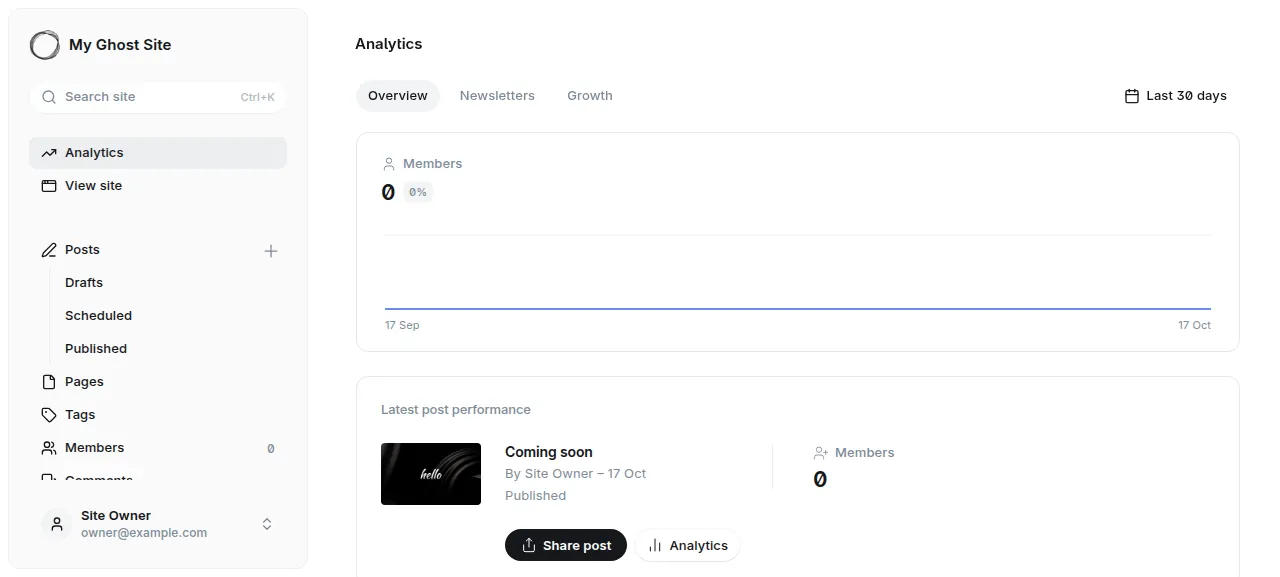
Ghost sends newsletters through Mailgun and draws the traffic charts of its Analytics page from Tinybird. The run configured neither, so that page stays mostly empty and no newsletter was sent. Publishing to the site works without them, and that is what the run did.
Updates and backups
To move to a new Ghost release, merge its tag into your fork and push, or run ox deploy ghost --wait. ox builds the new release beside the running one, runs the migrate step, and switches once the health path answers. The run redeployed the same commit, and a newer Ghost version was not tested. Read Ghost's update guide before a major version.
Backups need no setup. The run made two with Back up now, one of the MySQL data and one of the kept ghost/content folder, and ox backups ghost lists them. A restore was not tested. The backups page covers the daily schedule and keeping copies in an S3 bucket.
Frequently asked questions
Do I need Docker to self-host Ghost?
No. Ghost publishes a Docker image and its own CLI installer, but the app is a Node.js server. ox builds it from your fork on the server with pnpm and runs it as a system service, with MySQL beside it. An update is a push to your fork or one deploy command.
Which database does Ghost need?
Ghost's production settings use MySQL, and the run used it. ox starts a MariaDB 11.8 server that only this project uses, and Ghost reaches it through the database variables. The content folder, with images and themes, stays on disk across deploys. Other databases were not tested.
How do I sign in to Ghost the first time?
Set GHOST_OWNER_EMAIL and GHOST_OWNER_PASSWORD before the first deploy. The first start makes that owner, so no visitor can claim the site at the setup screen. Open /ghost/, sign in, then type the six-digit code Ghost mails to the owner. Real email was not tested.
How much memory does self-hosted Ghost use?
After the reboot, the whole server used the memory the facts above show. That counts Ghost, its MySQL server, Caddy and the ox agent. The build runs on the server too. ox takes any server from 1 GB up and says so when memory is why an app stopped.
New to running apps on your own server? How ox self-hosts your apps shows what ox sets up on your server.