How to self-host Logto on your own VPS without Docker
Run Logto v1.44.0 on your own Ubuntu server with ox: a pnpm build, a Postgres of its own and the Admin Console on its own address. The config that ran.

To self-host Logto you need an Ubuntu server, a fork of the Logto repo with one ox.toml file added, and five variables. In our run the first deploy took about 7 minutes, and ox set up a Postgres of its own for it.
How we tested On Oct 17, 2026, ox deployed Logto v1.44.0 from commit 79e9e3b0 on a fresh DigitalOcean server with 8 vCPUs and 16 GB of memory. The run then redeployed it, backed it up and rebooted the server. Then a separate test agent, one that did not write the config, signed in, created an application in the Admin Console and saw it listed after a reload, and checked the app's services and its backup.
Logto is an open-source sign-in service. Your apps send their users to Logto to register and sign in, and Logto hands back a token that says who the user is. It supports OpenID Connect, OAuth 2.1 and SAML, and has multi-tenancy, enterprise single sign-on, role-based access control and SDKs for more than 30 frameworks. In the Admin Console, a web app, you register your apps, choose how people sign in and see your users. Logto is a Node.js monorepo that keeps its data in Postgres, under the Mozilla Public License 2.0.
ox deployed Logto v1.44.0 (commit 79e9e3b0) on Oct 17, 2026 on a fresh DigitalOcean server with 8 vCPUs and 16 GB of memory; the first deploy took 7 minutes and a redeploy took 7 minutes.
- First deploy: 7 minutes, from adding the project until the app passed the run's first checks.
- Redeploy of the same commit: 7 minutes, until the app passed the checks again.
- Server: DigitalOcean, 8 vCPUs and 16 GB of memory (
s-8vcpu-16gb), with this app alone on it. Every one of the 85 apps we deployed ran on this one size, so it was not picked for this app. - Memory in use after the reboot: 1266 MB of 15986 MB, for the whole server: Ubuntu, the app and its staging copy, its services, Caddy and the ox agent. On a server with no apps, ox's tests on real servers hold the agent to 40 MB or less and Caddy to 50 MB or less.
- Services ox runs for it:
postgres. - Source: github.com/logto-io/logto at v1.44.0, commit
79e9e3b0.
What you need
An Ubuntu LTS server. The facts above give the size the run used. Logto and a staging copy of it shared that server.
A GitHub account to fork
logto-io/logto. You open your ox account by signing in with it.A username and a password for the first administrator. Logto's email, SMS and social connectors each need an account elsewhere. The run set up none, so passwordless sign-in and "Forgot password" stayed off, and no connector was tested.
The steps
Press Add a server in the ox dashboard and run the install command it shows, as root, on your VPS. It adds the ox agent and Caddy and nothing else.
Fork logto-io/logto and check out the tag v1.44.0, the release the run deployed. Add the ox.toml shown below to the root of the fork, then commit and push. Logto needs no other added file. Next write logto.env with one KEY=value line for each of the five keys in the variables list. With the ox CLI signed in, run:
ox new <you>/logto
ox review logto --from-file logto.env --wait
ox names the project after the repo, so it is logto here. The review saves your values and starts the first deploy, and --wait prints the run until it ends. The quickstart shows the same steps in the console.
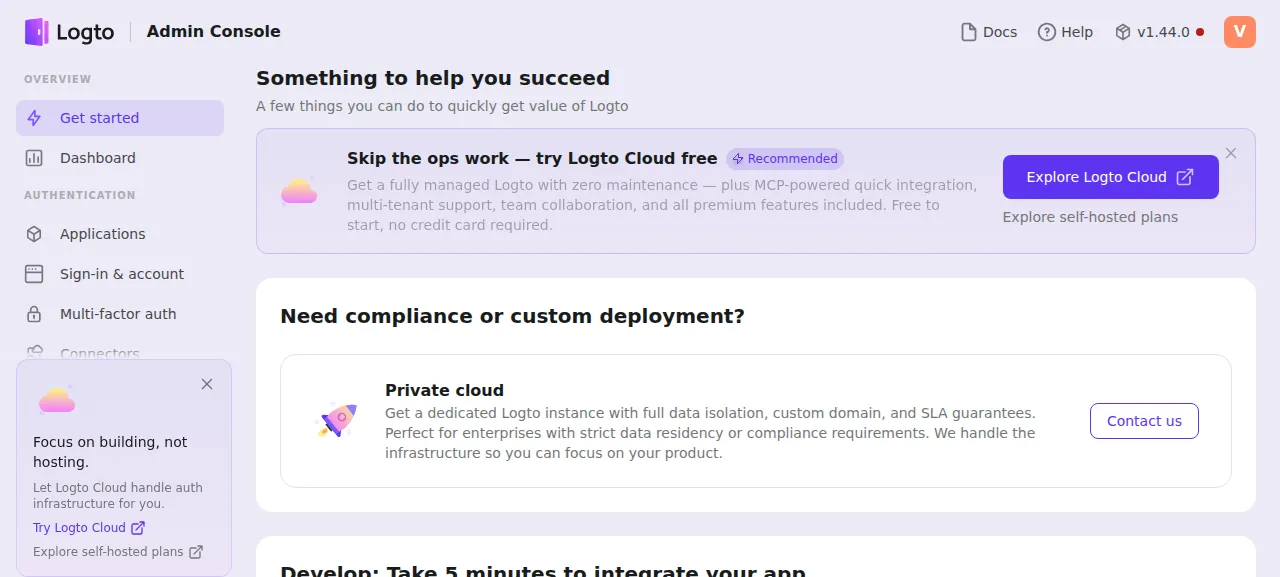
When the deploy is green, open the Admin Console. Its address is the project's address with admin. in front of the host name. The first visit shows Welcome to Admin Console. Press Create account and pick a username and a password. Logto wants at least 8 characters and refuses a password found in a public leak. That first account is the administrator, and the console takes no sign-up after it. Create it right after the deploy, because until it exists anyone who reaches that address can.
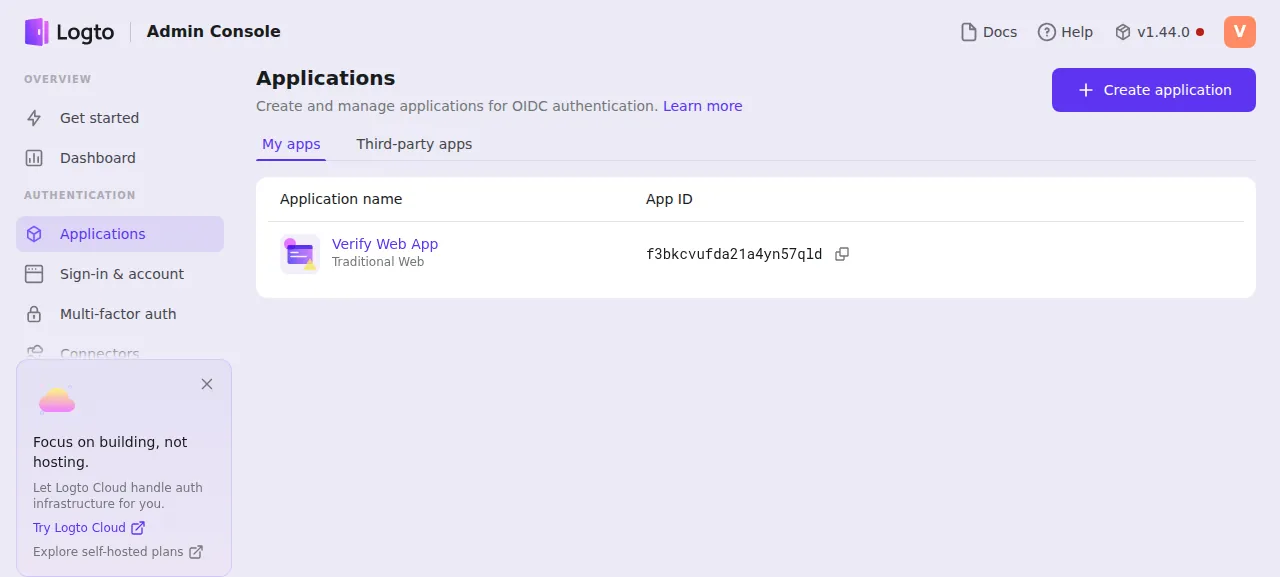
Logto then asks once for an email address, and the run gave it an example.com one. The test agent tried a wrong password, which Logto refused, then signed in and opened Applications. It pressed Create application, chose the Next.js (App Router) card, named the app and created it. After a reload, Applications still listed it, as a Traditional Web app with its App ID.
Logto ran on ox's preview address only, so a domain of your own was not part of the run. The domains page says how ox adds one.
The ox.toml, line by line
# Logto: an OIDC identity provider, a pnpm monorepo. The steps are its
# Dockerfile's: build every package, link the built-in connectors into
# packages/core/connectors, then seed the database and deploy its
# alterations before the start. The Admin Console has an address of its
# own (M-3d) served by the app's own process: Logto picks the admin tenant
# by the request's host (ADMIN_ENDPOINT), and ADMIN_DISABLE_LOCALHOST
# closes its fixed second listener on 3002.
[app]
# The root's start is `cd packages/core && npm start`; running node itself
# lets the stop signal reach Logto.
start = "cd packages/core && NODE_ENV=production exec node ."
health = "/api/status"

[build]
commands = ["pnpm -r build", "pnpm cli connector link -p ."]
# pnpm passes a `--` on to the script, where yargs reads what follows as a
# positional: the flag goes right after the command. --swe skips the seed
# when the database already has it (a redeploy). Without a TTY the
# alteration deploy needs its target named (`latest`).
migrate = "pnpm cli db seed --swe && pnpm cli db alteration deploy latest"

[services]
# db seed runs CREATE ROLE (a role per tenant), which only a superuser may:
# the shared postgres gives each project a plain login role, a private
# instance makes the project's role its superuser.
postgres = { only_for_this_project = true }

[workers]
# No run: the app's process serves the admin names, with the host kept.
admin = { public = true }
The steps follow Logto's own Dockerfile.
startruns the core package with node itself. Logto's own start script goes through npm, so the config usesexecto make node the process ox stops.healthis/api/status, a Logto route that answers 204 with no body. ox switches to a new release only once it answers.The build
commandsare two Dockerfile steps.pnpm -r buildbuilds every package in the workspace.pnpm cli connector link -p .links the built-in connectors, the plug-ins for email, SMS and social sign-in, into the core package. There is no install line: Logto'spackage.jsonasks for Node 22.14 or later in the 22 line and pnpm 9 or 10, and ox reads that andpnpm-lock.yaml.migrateruns two Logto commands.db seedcreates the tables and the default and admin tenants. Its--sweflag skips the seed when Logto's configs table exists, so a redeploy does not seed again. The flag goes right after the command because pnpm passes a--on to the script, and the Docker Compose file's npm drops it.db alteration deploy latestapplies Logto's pending database upgrades, and with no terminal it needs a target named.[services]asks for Postgres withonly_for_this_project. The seed creates a database role for each tenant, which only a superuser may do. A shared Postgres gives a project a plain login role. A private instance makes the project's role its superuser.[workers]holdsadminwithpublic = trueand no command. One Logto process serves the sign-in side and the Admin Console and tells them apart by the host of each request. The line gives the console its own address, and ox sends that address's requests to the app's process with the host kept. Nothing else runs.
Logto keeps its tenants, applications, users and signing keys in Postgres, so the config has no [storage] folder. The test agent found no timers or queue workers, and the config has no cron jobs.
DB_URL
ENDPOINT
ADMIN_ENDPOINT
ADMIN_DISABLE_LOCALHOST
TRUST_PROXY_HEADER
DB_URL is ${DATABASE_URL}, the address of the Postgres ox set up, and Logto will not start without it. ENDPOINT is ${PUBLIC_URL}, the project's address and the one your apps send people to. ADMIN_ENDPOINT is ${ADMIN_PUBLIC_URL}, the address ox gives the admin worker, and Logto picks its admin tenant when a request arrives with that host. See variables for how references work.
ADMIN_DISABLE_LOCALHOST and TRUST_PROXY_HEADER are on and off switches, and the run switched both on. Without the first, Logto also listens on a fixed second port, 3002, for the admin tenant. With it, only ADMIN_ENDPOINT answers for the console. The second makes Logto trust the forwarded headers its proxy sets, so it sees the address the visitor used.
Postgres, and no Redis
Postgres is the only service. The private instance is a unit of its own, and the staging copy the run deployed beside production has another. After the reboot the test agent found the four units active with no restarts: the app and Postgres, for production and for staging. They were still active about 20 seconds later.
The journal warns "No Redis client initialized, skipping". Logto reads REDIS_URL for an optional cache and carries on without it.
The sign-in address
Opening the project's own address, not the admin one, redirects to /unknown-session, Logto's page for a visit with no sign-in under way. That is expected, since your apps use this address as their sign-in endpoint. To see a real sign-in page there, open /demo-app, Logto's Live Preview.
Updates and backups
To move to a newer release, merge its tag into your fork and push, or run ox deploy logto --wait. ox builds the new release beside the running one, runs migrate, and switches when /api/status answers. Before each migrate it dumps Postgres. The run's redeploy used the same commit, so a move to a newer Logto version was not tested.
Backups need no setup. The run's backup folder held three Postgres dumps: the daily one, one from Back up now, and the one ox takes before a migrate. ox backups logto lists them, and the Backups tab shows the same list. Logto's signing keys live in Postgres, so each dump carries them. A restore was not tested. The backups page covers S3 copies.
Frequently asked questions
Do I need Docker to self-host Logto?
No. Logto's README offers Docker Compose, or Node.js with a PostgreSQL you provide. ox follows the Node.js route for you: it builds your fork on the server and runs Logto as a system service beside a Postgres of its own. No image is pulled, and an update is a push to your fork or one deploy command.
How do I make the first Logto admin account?
No variable makes it. Open the Admin Console address, press Create account and choose a username and password. Logto then closes sign-up on that console. Do it as soon as the deploy is green, because until the account exists the address is open to anyone. Adding more administrators was not tested.
Which database does Logto need?
Postgres, and nothing else. Redis is an optional cache that Logto skips when it is absent. ox starts a Postgres for the project alone, because Logto's seed creates a role per tenant, which needs a superuser. The run's backups held dumps of it.
How much memory does self-hosted Logto use?
The facts above give what the whole server used after the reboot. That figure counts production and the staging copy, two Postgres instances, Caddy and the ox agent. The monorepo's build also runs on the server. ox takes any server from 1 GB up, and says so when memory is why an app stopped.
New to running apps on your own server? How ox self-hosts your apps shows what ox sets up on your server.