How to self-host LobeHub (AI chat) on your own VPS
Run LobeHub v2.2.19, an AI chat workspace, on your own Ubuntu server with ox: Node.js, Postgres with pg_search, Redis and RustFS, from the real config.

To self-host LobeHub you need an Ubuntu server, a fork of the LobeHub repo with one ox.toml file and one small script added, and 17 variables. In our run the first deploy took about 12 minutes, and ox ran Postgres with the pg_search extension, Redis and a file store beside the app.
How we tested On Oct 17, 2026, ox deployed LobeHub v2.2.19 from commit 234e0fc7 on a fresh DigitalOcean server with 8 vCPUs and 16 GB of memory. The run then redeployed it, backed it up and rebooted the server. Then a separate test agent, one that did not write the config, signed in, sent a chat message and saw the chat kept after a reload (the server had no AI model key, so the reply was an error), and checked the app's services and its backup.
LobeHub is a browser workspace where you chat with language models, build agents, and upload files for them to read. It is a Next.js app. Postgres holds its data, Redis holds sessions and caches, and an S3-compatible store holds uploaded files. The code is under the LobeHub Community License, which is Apache License 2.0 with a commercial license required to distribute a derivative work.
ox deployed LobeHub v2.2.19 (commit 234e0fc7) on Oct 17, 2026 on a fresh DigitalOcean server with 8 vCPUs and 16 GB of memory; the first deploy took 12 minutes and a redeploy took 9 minutes.
- First deploy: 12 minutes, from adding the project until the app passed the run's first checks.
- Redeploy of the same commit: 9 minutes, until the app passed the checks again.
- Server: DigitalOcean, 8 vCPUs and 16 GB of memory (
s-8vcpu-16gb), with this app alone on it. Every one of the 85 apps we deployed ran on this one size, so it was not picked for this app. - Memory in use after the reboot: 1593 MB of 15986 MB, for the whole server: Ubuntu, the app, its services, Caddy and the ox agent. On a server with no apps, ox's tests on real servers hold the agent to 40 MB or less and Caddy to 50 MB or less.
- Services ox runs for it:
paradedb,redis. - Background processes:
rustfs, each its own systemd unit beside the web process. - Scheduled jobs:
bot-gateway. - Source: github.com/lobehub/lobehub at v2.2.19, commit
234e0fc7.
What you need
An Ubuntu LTS server. The run used the size in the facts above, with LobeHub alone on it.
A GitHub account to fork
lobehub/lobehub, and an ox account, which you open by signing in with GitHub.A key from an AI model provider, if you want answers in the chat. The run had none. Mail was not tested.
Install LobeHub on Ubuntu without Docker
In the ox dashboard, press Add a server and run the command it shows, as root, on the new machine. It installs only the ox agent and Caddy.
Fork lobehub/lobehub and put release v2.2.19, the commit the facts list, on your fork's default branch. Add the ox.toml shown below at the repo root and the script scripts/ox/s3-bucket.mjs at its path, then push.
Write lobehub.env with the 13 values from the variables section that are not secrets. LobeHub's sample file has one live key, OPENAI_API_KEY, so ox asks for it. The run gave it no value, and a line unset OPENAI_API_KEY marks it not needed. The other four values are secrets that ox makes for you. With the ox CLI signed in, run:
ox new <you>/lobehub
ox review lobehub --generate AUTH_SECRET --generate KEY_VAULTS_SECRET --generate JWKS_KEY --generate RUSTFS_SECRET_KEY --from-file lobehub.env --wait
The review saves the values, makes the four secrets and starts the first deploy, and --wait prints the run until it ends. The browser has the same two steps; see the quickstart.
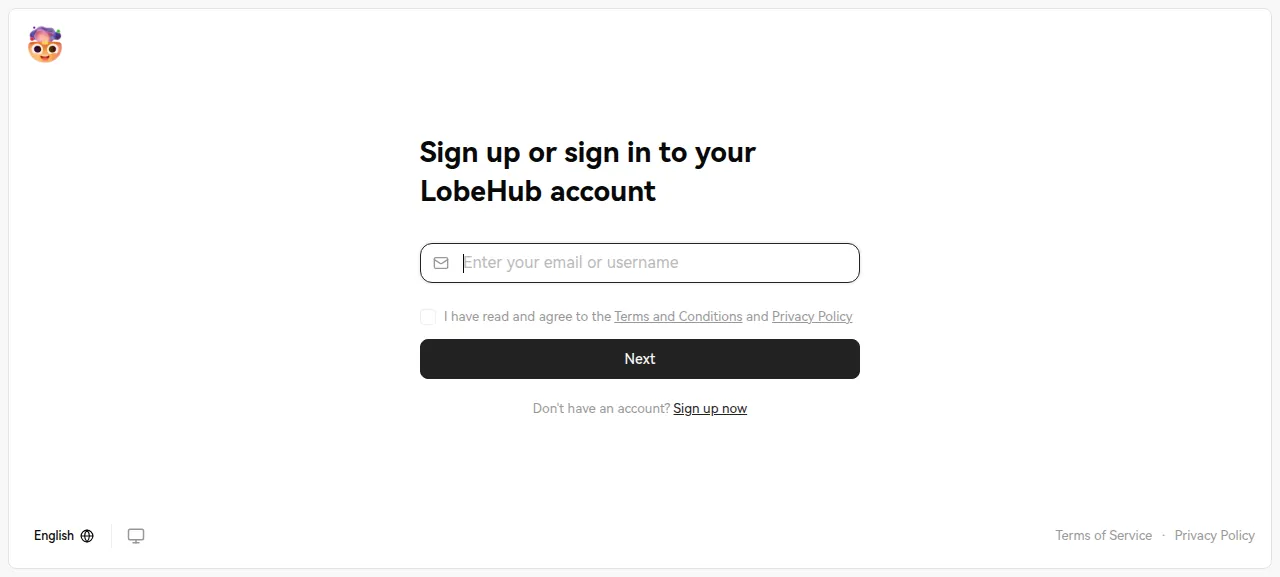
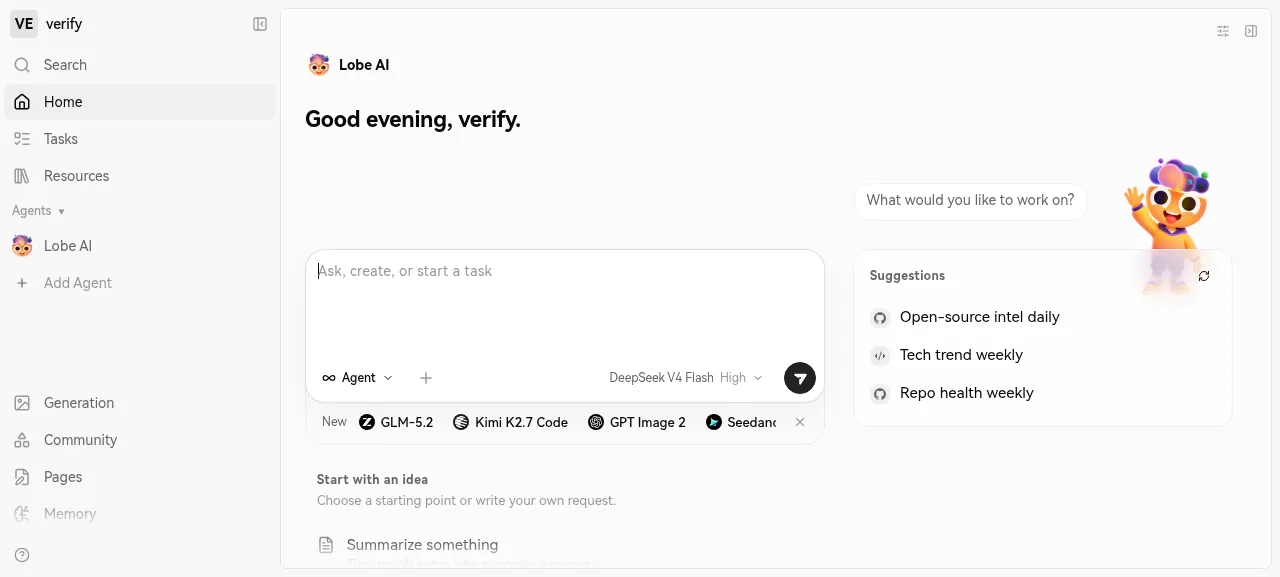
When the deploy is green, open the address ox shows. LobeHub opens its sign-in page. Follow Sign up now, register with a name, an email address and a password, and finish the short onboarding. The home page then offers the Lobe AI agent.
The test agent sent Lobe AI a message and got an error about the missing model key, as expected. After a reload the topic and the message were still listed. The run used the preview address, so a domain of your own was not tested; the domains page covers how ox adds one. Uploading a file was not tested either.
The ox.toml, line by line
# LobeHub (lobehub/lobehub), built and run the way its Dockerfile and
# docker-compose/deploy/docker-compose.yml do, without the containers:
# Next.js on node, ParadeDB's postgres (pg_search beside pgvector), redis,
# and RustFS for the files people upload.
packages = ["curl"]

[app]
# The Dockerfile's runtime ENV, and INTERNAL_APP_URL as compose sets it
# (the app calling itself without the round trip through the proxy).
# MIDDLEWARE_REWRITE_THROUGH_LOCAL makes the proxy rewrite /signin and the
# other SPA routes to http://127.0.0.1:$PORT; without it Next rewrites to
# https://localhost:<port>, which the plain http server cannot answer (500).
# NODE_ENV stays out of the variables: the build's pnpm install would then
# leave out the devDependencies the build needs.
start = 'export NODE_ENV=production MIDDLEWARE_REWRITE_THROUGH_LOCAL=1 INTERNAL_APP_URL="http://127.0.0.1:$PORT" && node scripts/ox/s3-bucket.mjs && exec next start -H 127.0.0.1 -p "$PORT"'

[build]
# The Dockerfile's build: `npm run build:docker` after dropping the desktop
# routes, less its DOCKER=true, which makes a standalone server that
# `next start` does not serve.
commands = [
  "rm -rf src/app/desktop 'src/app/(backend)/trpc/desktop'",
  "pnpm run build:spa",
  "pnpm run build:spa:mobile",
  "pnpm run build:spa:auth",
  "pnpm run build:spa:workbench",
  "pnpm run build:spa:share",
  "WORKBENCH_REQUIRED=1 SHARE_REQUIRED=1 pnpm run build:spa:copy",
  "next build",
]
# startServer.js runs scripts/migrateServerDB before the server starts.
migrate = "pnpm run db:migrate"

[workers]
# compose's rustfs. The browser uploads to a presigned URL and reads files
# through one, so it reaches the bucket on the app's own address (path
# style, S3_ENDPOINT=${PUBLIC_URL}); the server talks to it on RUSTFS_URL.
rustfs = { run = 'export RUSTFS_ADDRESS="127.0.0.1:$PORT" RUSTFS_CONSOLE_ENABLE=false RUSTFS_ACCESS_KEY="$S3_ACCESS_KEY_ID" RUSTFS_SECRET_KEY="$S3_SECRET_ACCESS_KEY" && exec rustfs server s3-data', port = true, paths = ["/lobe"], health = "/health" }

[cron]
# startServer.js starts the bot gateway once the server is up; the call is
# a no-op while it runs, and brings back the bots' connections after a
# restart. The secret goes in on stdin, never on the command line.
bot-gateway = { schedule = "*/5 * * * *", run = 'printf "Authorization: Bearer %s\n" "$KEY_VAULTS_SECRET" | curl -fsS -o /dev/null -H @- -X POST "$APP_URL/api/agent/gateway/start"' }

[tools]
"github:rustfs/rustfs" = "1.0.2"

[storage]
keep = ["s3-data"]

[services]
redis = {}

# compose's paradedb image: PostgreSQL with pg_search, which migration 0090
# creates and 0093's bm25 indexes use, and pgvector, which pg_search
# requires. pg_search must be preloaded, so the built-in postgres cannot
# carry it: this is Ubuntu's PostgreSQL 18 with ParadeDB's release build
# of pg_search unpacked into the data dir (the .deb's Depends are in
# packages) and found through PostgreSQL 18's extension_control_path.
[services.paradedb]
packages = ["postgresql-18", "postgresql-18-pgvector", "libopenblas0", "curl"]
memory = "1G"
provides = { DATABASE_URL = "postgresql://app:${password}@${host}:${port}/postgres" }
run = '''
v=0.26.2
case "$(dpkg --print-architecture)" in
  amd64) arch=amd64 sum=c11b0c53d70abfff3764369c6821bd09e6ffe7d711f97b3932e28999c1ceb29c ;;
  arm64) arch=arm64 sum=478710240fd34f1991e267696022e3bf9edfc461910814b4957b3c1a4c6e4bf8 ;;
  *) echo "ParadeDB builds pg_search for amd64 and arm64 only" >&2; exit 1 ;;
esac
ext="$SERVICE_DATA_DIR/pg_search-$v"
if [ ! -e "$ext/.ready" ]; then
  rm -rf "$ext" "$ext.deb"
  curl -fsSL -o "$ext.deb" "https://github.com/paradedb/paradedb/releases/download/v$v/postgresql-18-pg-search_$v-1PARADEDB-resolute_$arch.deb"
  echo "$sum  $ext.deb" | sha256sum -c --quiet
  dpkg-deb -x "$ext.deb" "$ext"
  rm "$ext.deb"
  # Load it by name, from dynamic_library_path, not from postgres's own lib dir.
  sed -i 's|\$libdir/pg_search|pg_search|' "$ext/usr/share/postgresql/18/extension/pg_search.control"
  touch "$ext/.ready"
fi
bin=/usr/lib/postgresql/18/bin
data="$SERVICE_DATA_DIR/pgdata"
if [ ! -d "$data" ]; then
  rm -rf "$data.new"
  "$bin/initdb" -D "$data.new" -U app -E UTF8 --locale=C.UTF-8 -A scram-sha-256 --pwfile=<(printf '%s\n' "$SERVICE_PASSWORD")
  mv "$data.new" "$data"
fi
exec "$bin/postgres" -D "$data" -p "$PORT" -c listen_addresses=127.0.0.1 -c unix_socket_directories= \
  -c shared_preload_libraries=pg_search \
  -c dynamic_library_path="\$libdir:$ext/usr/lib/postgresql/18/lib" \
  -c extension_control_path="\$system:$ext/usr/share/postgresql/18"
'''
The config follows LobeHub's Dockerfile and compose file, without the containers.
packagesadds curl for the cron job. ox runs pnpm at the versionpackage.jsonnames, and Node 24, which the Dockerfile pins, so there is noinstallline.startexports three settings.NODE_ENV=productionsits here, not in the variables, because a variable would reach the build, where pnpm would skip packages the build needs.MIDDLEWARE_REWRITE_THROUGH_LOCAL=1, from the Dockerfile, makes the app's proxy rewrite/signinand the other single-page routes to the app's own loopback address over plain HTTP, which the server can answer.INTERNAL_APP_URLlets the app call itself on loopback.The script makes the file bucket if it is missing, then
next startserves the app on loopback behind Caddy.The build
commandsfollow the Dockerfile'sbuild:dockerstep: drop the desktop app's routes, build the five single-page apps, copy them into place, runnext build. ItsDOCKER=trueis left out, since it makes a standalone server thatnext startdoes not serve.migrateruns LobeHub'sdb:migratebefore traffic switches, as its Docker start script does before the server.The
rustfsworker is the compose file's file store. It listens on loopback, takes its keys from the variables, keeps files ins3-data, and must pass itshealthcheck before the app switches.paths = ["/lobe"]sends/lobeon the app's address to it, because the browser uploads and reads files through presigned URLs. One address needs no CORS rules or public bucket policy.The
bot-gatewaycron job runs every 5 minutes. It posts to the route LobeHub's start script calls once, which starts the gateway that connects agents to chat apps, and it brings the connections back after a restart. The secret goes in on stdin, not on the command line. No chat app was connected in the run.[tools]installs RustFS 1.0.2,[storage]keepss3-dataacross deploys, andredis = {}is a private Redis.[services.paradedb]is a Postgres of the repo's own. LobeHub's migrations create the pgvector and pg_search extensions, and Postgres must preload pg_search, which ox's built-in Postgres cannot. So the entry runs Ubuntu's PostgreSQL 18 with pgvector and ParadeDB's pg_search 0.26.2 release package, caps its memory at 1G, and providesDATABASE_URL.The
runscript downloads that package once, checks its SHA-256, and unpacks it into the data folder. The first start runsinitdb, then Postgres starts on loopback with pg_search preloaded.
scripts/ox/s3-bucket.mjs
// Makes the bucket LobeHub keeps files in when it is missing, as compose's
// rustfs-init does (`rc mb lobe --ignore-existing`). On a deploy ox starts
// the rustfs worker, and waits for its health, before the app; after a
// reboot the app may start first, and then this fails and systemd starts
// the app again a few seconds later.
import { CreateBucketCommand, HeadBucketCommand, S3Client } from '@aws-sdk/client-s3';

const Bucket = process.env.S3_BUCKET;
const s3 = new S3Client({
  credentials: {
    accessKeyId: process.env.S3_ACCESS_KEY_ID,
    secretAccessKey: process.env.S3_SECRET_ACCESS_KEY,
  },
  endpoint: process.env.S3_INTERNAL_ENDPOINT,
  forcePathStyle: true,
  region: process.env.S3_REGION || 'us-east-1',
});

try {
  await s3.send(new HeadBucketCommand({ Bucket }));
} catch (err) {
  if (err?.$metadata?.httpStatusCode !== 404) throw err;
  await s3.send(new CreateBucketCommand({ Bucket }));
  console.log(`made the S3 bucket ${Bucket}`);
}
The script checks the bucket named in S3_BUCKET with LobeHub's own S3 client, and makes it only when the store says it is missing. After a reboot the app can start before RustFS. The script then fails, and systemd starts the app again a few seconds later.
APP_URL
AUTH_SECRET
KEY_VAULTS_SECRET
JWKS_KEY
RUSTFS_SECRET_KEY
DATABASE_DRIVER
LLM_VISION_IMAGE_USE_BASE64
REDIS_PREFIX
REDIS_TLS
S3_ACCESS_KEY
S3_ACCESS_KEY_ID
S3_SECRET_ACCESS_KEY
S3_BUCKET
S3_ENABLE_PATH_STYLE
S3_ENDPOINT
S3_INTERNAL_ENDPOINT
S3_SET_ACL
AUTH_SECRET is the session encryption key, and KEY_VAULTS_SECRET encrypts the provider keys people save. JWKS_KEY signs internal tokens and must be an RS256 key set. RUSTFS_SECRET_KEY is the file store's secret key. The --generate flags have ox make all four, each in the format it needs, so none of them passes through your terminal.
APP_URL and S3_ENDPOINT are ${PUBLIC_URL}, a reference ox fills in with the project's address; see variables. S3_INTERNAL_ENDPOINT is ${RUSTFS_URL}, the worker's own address. S3_ACCESS_KEY and S3_ACCESS_KEY_ID hold one access key name, and S3_SECRET_ACCESS_KEY refers to RUSTFS_SECRET_KEY. DATABASE_DRIVER=node picks the plain Postgres driver, since LobeHub's default is Neon's serverless one. The other six, such as S3_BUCKET and REDIS_PREFIX, take the compose file's settings.
Postgres, Redis and the file store
ox ran all three for this project alone. Postgres and Redis show on the Services tab. The first page load after a deploy can take several seconds while Next.js warms up. The compose file's gateway, SearXNG and Elasticsearch were not run.
Updates and backups
To move to a newer release, merge its tag into your fork and push, or run ox deploy lobehub --wait. ox builds the new release beside the running one, migrates, and switches once it answers. The run redeployed the same commit, and an upgrade to a later version was not tested.
Backups need no setup. After Back up now, the run's server held two: the paradedb data folder, about 89 MB, and a copy of s3-data, about 6 KB. ox backups lobehub lists them. ox's configuration docs say a service of this kind stops for the moment its folder is archived. A restore was not tested. The backups page covers copies in an S3 bucket.
Frequently asked questions
Do I need Docker to self-host LobeHub?
No. LobeHub's docs lead with Docker Compose, which starts the app, Postgres, Redis, RustFS and more as containers. ox builds the same app from your fork and runs the same pieces as system services. An update is a push to your fork or one deploy command.
Which database does LobeHub need?
A Postgres with the pg_search and pgvector extensions. LobeHub's migrations create pg_search and its search indexes, so a plain Postgres fails on a fresh database. LobeHub's docs name ParadeDB's image for this. The run used Ubuntu's PostgreSQL 18 with both, started by a service entry in the config.
How do I make the first LobeHub account?
There is no admin variable. Open the project's address, follow Sign up now, and register with a name, an email address and a password. Email verification is off by default, so the account works at once, and anyone who reaches the page can sign up. AUTH_ALLOWED_EMAILS limits sign-ups; the run left it unset.
How much memory does self-hosted LobeHub use?
The facts above show what the run's whole server used after a reboot, counting LobeHub, Postgres, Redis, RustFS, Caddy and the ox agent. Memory during a long chat or a file upload was not measured. ox takes any server from 1 GB up and says so when memory is why an app stopped.
Why does my first LobeHub chat message fail?
The server has no model provider key, and LobeHub's README says a key is required to chat. The run set none, so its reply was an API key error, though the message was saved. LobeHub reads a key from a variable such as OPENAI_API_KEY or from the app's provider settings. Adding one was not tested.
New to running apps on your own server? How ox self-hosts your apps shows what ox sets up on your server.