How to self-host Litestar Fullstack on your own VPS
Run the Litestar Fullstack reference app on your own Ubuntu server with ox: a Litestar API, a React app, Postgres and Redis, from the config that ran.

To self-host Litestar Fullstack you need an Ubuntu server, a fork of its repo with one ox.toml file added, and three variables. In our run the first deploy took about 2 minutes, and ox set up Postgres and Redis for it.
How we tested On Oct 17, 2026, ox deployed Litestar Fullstack from commit 90e074e1 on a fresh DigitalOcean server with 8 vCPUs and 16 GB of memory. The run then redeployed it, backed it up and rebooted the server. Then a separate test agent, one that did not write the config, signed in, created a team and saw it listed with its owner after a reload, and checked the app's services and its backup.
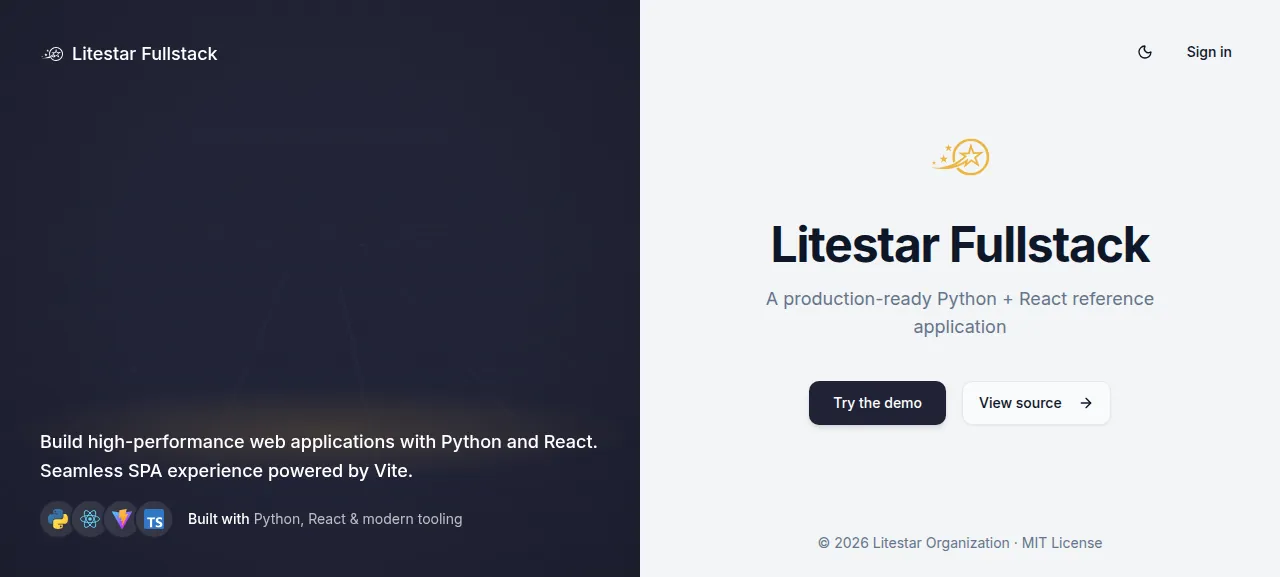
Litestar Fullstack is the reference application of the Litestar project: a web app with sign-up, teams and an admin area, plus the boilerplate a production app needs. Its README lists JWT sign-in with refresh tokens, two-factor codes, OAuth sign-in, team and role management, and background jobs, and says to take what you need and adapt it. The license is MIT.
The backend is Python: Litestar served by Granian, SQLAlchemy 2.0 over Postgres, and SAQ for background jobs on Redis. The front end is a React 19 single-page app built with Vite. The build writes it into the Python package's static folder, so one process answers every request.
ox deployed Litestar Fullstack (commit 90e074e1) on Oct 17, 2026 on a fresh DigitalOcean server with 8 vCPUs and 16 GB of memory; the first deploy took 2 minutes and a redeploy took 81 seconds.
- First deploy: 2 minutes, from adding the project until the app passed the run's first checks.
- Redeploy of the same commit: 81 seconds, until the app passed the checks again.
- Server: DigitalOcean, 8 vCPUs and 16 GB of memory (
s-8vcpu-16gb), with this app alone on it. Every one of the 85 apps we deployed ran on this one size, so it was not picked for this app. - Memory in use after the reboot: 1219 MB of 15986 MB, for the whole server: Ubuntu, the app and its staging copy, its services, Caddy and the ox agent. On a server with no apps, ox's tests on real servers hold the agent to 40 MB or less and Caddy to 50 MB or less.
- Services ox runs for it:
postgres,redis. - Source: github.com/litestar-org/litestar-fullstack, commit
90e074e1.
What you need
An Ubuntu LTS server that you can reach as root. The run used the size named in the facts above.
A GitHub account to fork
litestar-org/litestar-fullstack, and an ox account, which you open by signing in with GitHub.A long random string for
SECRET_KEY. The other two variables are references that ox fills in.A mail service, only if you want the app to send mail. The run set none up, so email was not tested, and neither were sign-in with Google or GitHub and the Admin area.
The steps
In the ox dashboard, press Add a server. It shows one install command with a fresh token in it. Run that as root on your server. It puts the ox agent and Caddy on the host and nothing else.
Fork litestar-org/litestar-fullstack on GitHub and clone your fork. The run deployed commit 90e074e1 from the repo's main branch. Check it out, put the ox.toml shown below at the root, then commit and push. No other file was added. Next write litestar-fullstack.env on your laptop with the three keys from the variables section. With the ox CLI signed in, run:
ox new <you>/litestar-fullstack
ox review litestar-fullstack --from-file litestar-fullstack.env --wait
ox names the project after the repo. The review saves your values and starts the first deploy, and --wait prints the log until it ends. The quickstart shows the same steps in the browser.
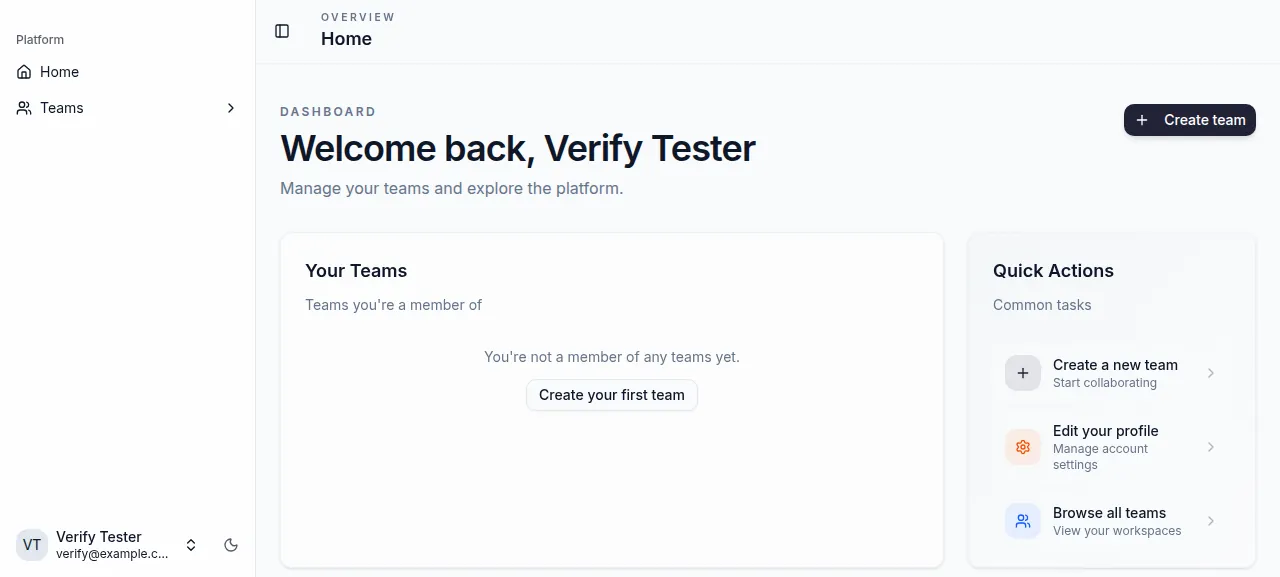
When the deploy is green, open the address ox shows for the project. The test agent opened /signup, entered a name, an email at example.com and a password, and the account was made. It then signed in at /login. A wrong password was refused, and the right one led to a home page that greeted it by name.
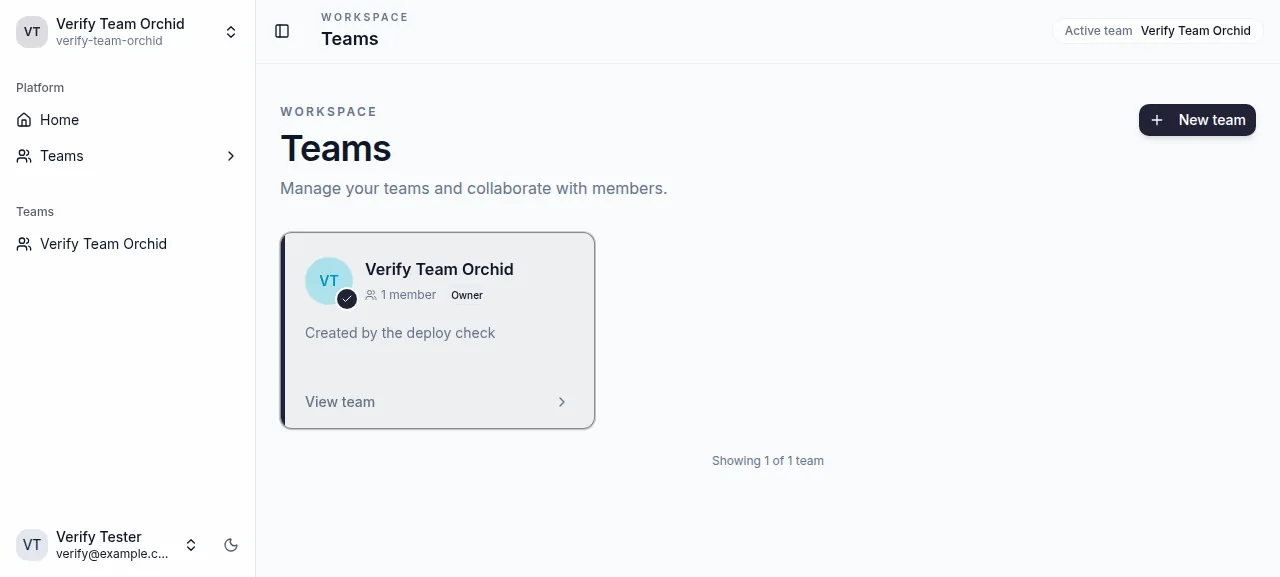
From the Teams page it pressed New team, named a team and pressed Create team. After a reload the Teams page still listed the team, with one member and the role Owner. The run served the app on its preview address only. A domain of your own was not part of it, and the domains page covers how ox adds one.
The ox.toml, line by line
# litestar-fullstack (Litestar on Granian + SQLAlchemy + postgres, SAQ jobs
# on redis, a Vue app built with bun), run the way tools/deploy/docker/
# Dockerfile builds and runs it: email templates and web assets built, then
# `litestar run`.
[app]
# app/utils/engine_factory.py turns ox's postgresql:// into SQLAlchemy's
# postgresql+psycopg:// itself, so DATABASE_URL goes in as it is.
start  = 'LITESTAR_APP=app.server.asgi:create_app exec uv run litestar run --host 127.0.0.1 --port $PORT'
health = "/health"
[build]
commands = [
  "cd src/js/templates && bun install --frozen-lockfile && bun run build",
  "cd src/js/web && bun install --frozen-lockfile",
  'uv run app assets build',
]
migrate = 'uv run app database upgrade --no-prompt'
[services]
postgres = {}
redis    = {}
[tools]
# The email templates and the web app are built with bun.
bun = "1.3"startsetsLITESTAR_APPto the app's factory function, as the Dockerfile does, and runslitestar runthroughuv run.execmakes the server replace the shell. It listens only on the server's loopback address, on the port in$PORT, and Caddy forwards the public address to it.healthis the app's own route. It runsselect 1against Postgres and answers 200, or 500 when the database is offline. ox switches to a new release only after a success status.There is no
installline. ox readsuv.lockand installs the Python packages withuv sync --frozen --no-dev, on Python 3.13, the version the app's Dockerfile uses too.The first build command goes into
src/js/templates, installs from the lockfile and runs the build, which turns the email templates, written with React Email, into static HTML.The second installs the web app's packages from its lockfile. The third,
uv run app assets build, is the app's own command, and it builds the web app with Vite intosrc/py/app/server/static/web.migraterunsuv run app database upgrade, which brings the Postgres schema up to date.--no-promptkeeps it from waiting for an answer. It runs on every deploy.[services]listspostgresandredisas empty tables, which takes ox's defaults for both.[tools]asks for Bun 1.3, which the front-end builds use. The Dockerfile copies Bun from its own image for the same reason.
There are no workers. SAQ starts inside the web process, because the app's SAQ_USE_SERVER_LIFESPAN is on unless you turn it off, and the run left it on. The test agent found the 15:15 run of the app's refresh_oauth_tokens job in its log.
SECRET_KEY
APP_URL
SAQ_REDIS_URL
SECRET_KEY signs the app's login tokens and encrypts the OAuth tokens it stores. When it is unset, the app invents a new random key at every start, so set it once and keep it. The app's docs make one with openssl rand -base64 32.
APP_URL is the address the app serves from. The value is ${PUBLIC_URL}, a reference ox fills in with the project's address, so it follows the address if that changes.
SAQ_REDIS_URL is where the job queue finds Redis. The app reads this name, not REDIS_URL, and its default is the port the repo's Compose file publishes. The value is ${REDIS_URL}, the address of the Redis ox set up. See variables for how references work.
ox also provides DATABASE_URL from the Postgres service, so you write no database settings. The app turns the postgresql:// address into the form its driver wants. The app's docs also call ALLOWED_CORS_ORIGINS important, and the run left it at its default.
Postgres and Redis
Postgres is shared with the other projects on the server. Redis runs only for this project. The run also deployed a staging copy beside production, with a Redis of its own, and the memory figure above counts both.
Updates and backups
To deploy new code, push to your fork or run ox deploy litestar-fullstack --wait. ox builds the release beside the running one, runs the migrate line, and switches when /health answers. The run's redeploy built the same commit again, and ox dumped Postgres just before its migration. A newer commit of the app was not tested.
Backups need no setup. The run's backups were two Postgres dumps, one from Back up now and one from before the redeploy's migration, and both held data. Run ox backups litestar-fullstack to list them, or open the Backups tab. A restore was not tested. The backups page has the rest.
Frequently asked questions
Do I need Docker to self-host Litestar Fullstack?
No. The repo ships Dockerfiles and a Compose file for people who want containers, but the app itself is Python plus a built React bundle. ox runs the build on your server with uv and Bun, starts the app as a system service, and installs Postgres and Redis next to it.
What does Litestar Fullstack need to run?
It needs PostgreSQL for its data and Redis for SAQ, its background job queue. In the run, ox set up both from two lines in the config, and the app ran with three variables: SECRET_KEY, APP_URL and SAQ_REDIS_URL. Nothing else from the repo's example settings file was set.
How do I create the first admin account?
No variable creates one. Anyone can sign up at /signup with a name, an email and a password, and sign in at /login. The Admin area needs a superuser, and the app's CLI has a create-user command with a --superuser flag for that. Making one on an ox server was not tested.
Does it send email?
Not unless you set it up. The email backend defaults to console, which prints messages instead of sending them, and the run set no email variables. After sign-up the app asks you to check your email, but sign-in did not wait for it. SMTP and Resend are options in its settings. Neither was tested.
How much memory does self-hosted Litestar Fullstack use?
On the run's server, the whole machine used the memory shown in the facts after a reboot. That counts the app and its staging copy, Postgres, two Redis instances, Caddy and the ox agent. ox takes any server from 1 GB up, and says so when memory is why the app stopped.
New to running apps on your own server? How ox self-hosts your apps shows what ox sets up on your server.