How to self-host Pixelfed without Docker on your own VPS
Run Pixelfed v0.14.4 on your own Ubuntu server with ox: FrankenPHP, MariaDB, Redis, Horizon and a scheduler, built from the config that ran.

To self-host Pixelfed you need an Ubuntu server, a fork of the Pixelfed repo with an ox.toml and one PHP setup file added, and 62 variables, three of them for the first admin. In our run the first deploy took about 4 minutes, and ox set up MariaDB, Redis, the Horizon queue worker and Laravel's scheduler beside the web app.
How we tested On Oct 17, 2026, ox deployed Pixelfed v0.14.4 from commit d90e7465 on a fresh DigitalOcean server with 8 vCPUs and 16 GB of memory. The run then redeployed it, backed it up and rebooted the server. Then a separate test agent, one that did not write the config, signed in, posted a photo with a caption and saw it on the profile after a reload, and checked the app's services and its backup.
Pixelfed is a photo sharing site that you run yourself. People post photos with a caption, follow each other, and like and comment. It is a Laravel app in PHP under the AGPL, and it can federate with other ActivityPub servers. Accounts and posts live in MySQL or MariaDB, queues and the cache in Redis, and uploads in the storage folder.
ox deployed Pixelfed v0.14.4 (commit d90e7465) on Oct 17, 2026 on a fresh DigitalOcean server with 8 vCPUs and 16 GB of memory; the first deploy took 4 minutes and a redeploy took 63 seconds.
- First deploy: 4 minutes, from adding the project until the app passed the run's first checks.
- Redeploy of the same commit: 63 seconds, until the app passed the checks again.
- Server: DigitalOcean, 8 vCPUs and 16 GB of memory (
s-8vcpu-16gb), with this app alone on it. Every one of the 85 apps we deployed ran on this one size, so it was not picked for this app. - Memory in use after the reboot: 3119 MB of 15986 MB, for the whole server: Ubuntu, the app and its staging copy, its services, Caddy and the ox agent. On a server with no apps, ox's tests on real servers hold the agent to 40 MB or less and Caddy to 50 MB or less.
- Services ox runs for it:
mysql,redis. - Background processes:
horizon,scheduler, each its own systemd unit beside the web process. - Source: github.com/pixelfed/pixelfed at v0.14.4, commit
d90e7465.
What you need
An Ubuntu LTS server. The run used the size in the facts above and measured the memory there. Pixelfed allows PHP 8.3 to 8.5, and ox serves 8.5.
A GitHub account to fork
pixelfed/pixelfed, and an ox account, which you open by signing in with GitHub.A username, an email address such as
[email protected]and a password of at least 8 characters for the first admin. The run pointed Pixelfed's mail at a test mail catcher, so real email was not tested.
The steps
In the ox dashboard, press Add a server and run the command it shows, as root, on your Ubuntu server.
Fork pixelfed/pixelfed on GitHub and check out commit d90e7465, the one the run deployed. Pixelfed's own config/pixelfed.php calls it version 0.14.4. Add the ox.toml and ox-setup.php files shown below at the repo's root, then commit and push.
Write pixelfed.env with one KEY=value line for each of the 62 keys in the variables section. Pixelfed's .env.example lists 58 of them, and its values are the ones to start from. For APP_KEY, Laravel wants base64: and 32 random bytes in base64, and echo "base64:$(openssl rand -base64 32)" prints one. With the ox CLI signed in, run:
ox new <you>/pixelfed
ox review pixelfed --from-file pixelfed.env --wait
The project takes the repo's name. The review saves your values and starts the first deploy, and --wait prints the run until it ends. The console has the same steps, in the quickstart.
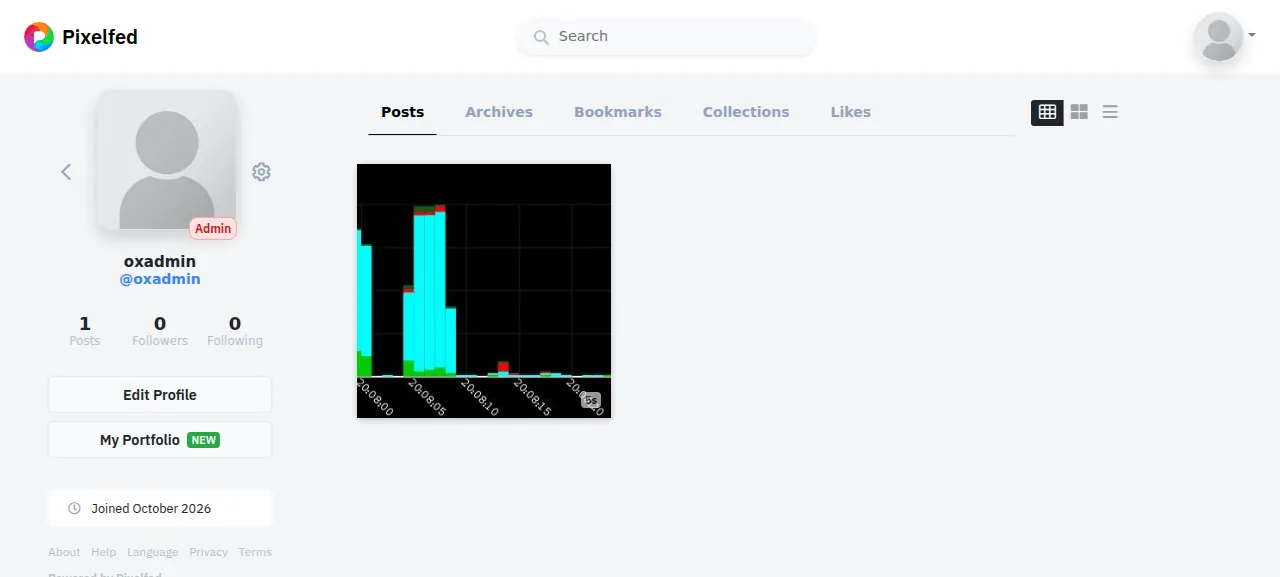
When the deploy is green, open the address ox shows and go to /login. The test agent signed in with ADMIN_EMAIL and ADMIN_PASSWORD, pressed Create New Post, chose New Post, picked a JPEG, pressed Next through the filter page, typed a caption and pressed Post. After a reload the profile showed the photo in its grid, with a count of one post.
The run served Pixelfed on the project's preview address only, so a domain of your own was not part of it. The domains page covers how ox adds one.
The ox.toml, line by line
# Pixelfed v0.14.4 (Laravel 13, MySQL, Redis, Horizon) as its operator
# would run it: ox detects the Composer install, FrankenPHP and PHP 8.5.
# The rest follows the project's own recipe: its Dockerfile (the image
# tools), docker-compose.yml (the app, Horizon and the scheduler, 500M
# uploads) and DOCKER_COMPOSE_SETUP.md (the one-time setup, steps 5 and 6).

# The first admin ox-setup.php makes (see migrate): OPEN_REGISTRATION is
# false in .env.example, so nobody can sign up, and the setup guide makes
# the admin with `php artisan user:create`.
required_variables = ["ADMIN_USERNAME", "ADMIN_EMAIL", "ADMIN_PASSWORD"]

# The Dockerfile's image tools. Horizon's media jobs (queue mmo) resize each
# upload and make its thumbnail with the image driver (IMAGE_DRIVER=gd,
# which FrankenPHP has built in and php-gd gives the workers' php-cli),
# shrink it with jpegoptim, optipng, pngquant and gifsicle
# (PF_OPTIMIZE_IMAGES), and take a video's thumbnail with ffmpeg.
packages = ["php-gd", "jpegoptim", "optipng", "pngquant", "gifsicle", "ffmpeg"]

[app]
# docker-compose.yml raises PHP's upload limits to 500M.
max_upload = "500M"

[build]
# The setup guide's one-time steps, then the first admin (ox-setup.php):
# each runs only while its result is missing, so every deploy runs them.
migrate = "php artisan migrate --force && php ox-setup.php"

[services]
# docker-compose.yml runs MySQL; .env.example names mysql.
mysql = {}
# Queues, the cache and Horizon's state live in Redis.
redis = {}

[workers]
# docker-compose.yml's horizon and scheduler containers. Horizon runs the
# queue workers (media, feeds, federation, mail); a stop waits out a job up
# to its 300 s timeout (config/horizon.php).
horizon = { run = "exec php artisan horizon", stop_timeout = "5m" }
# Laravel's scheduler: Horizon snapshots, story and media clean-up.
scheduler = "exec php artisan schedule:work"

[storage]
# docker-compose.yml's one volume: storage/ holds uploads, avatars, logs,
# cached views and the OAuth keys (sessions are in MySQL).
keep = ["storage"]
The file has no start command. ox sees artisan and composer.lock, serves public with FrankenPHP, runs composer install --no-dev, and links public/storage to storage/app/public, as php artisan storage:link would. Pixelfed commits its built JavaScript and CSS, so the plan runs no Node step.
required_variablesnames the first admin's three keys..env.examplesetsOPEN_REGISTRATIONto false, so nobody can sign up, and Pixelfed's setup guide makes the first admin withphp artisan user:create.ox-setup.phpdoes that from these keys.packagesadds the image tools from Pixelfed's Dockerfile:jpegoptim,optipng,pngquantandgifsicleshrink uploads, andffmpegtakes a video's thumbnail.php-gdgives the workers' PHP the GD image driver. The test photo was a JPEG, so videos and GIFs were not tested.max_upload = "500M"sets PHP's upload limit to the 500M in Pixelfed'sdocker-compose.yml. ox's default is 512M.migraterunsphp artisan migrate --forceand thenphp ox-setup.php, on every deploy, after the build and before traffic moves.mysql = {}andredis = {}ask for a MariaDB and a Redis that belong to this project alone. ox hands the app their addresses,MYSQL_URLandREDIS_URL, and the usualDB_andREDIS_names.The
horizonworker runsphp artisan horizon, Pixelfed's queue workers for photo resizing, feeds, mail and federation.stop_timeout = "5m"lets a stop wait for a running job, and a job's own limit is 300 seconds inconfig/horizon.php. Theschedulerworker runs Laravel's scheduler.keep = ["storage"]names the folder Pixelfed writes: uploads, avatars, logs, cached views and the OAuth keys. A PHP release is read-only while it runs, so ox links the folder to the project's writable data directory, which survives deploys.
ox-setup.php
<?php

// Pixelfed's one-time setup, as DOCKER_COMPOSE_SETUP.md gives it (steps 5
// and 6) and its installer runs it (app/Console/Commands/Install/
// Installer.php, setupPrep), for a deploy to run after every migrate: the
// cities the post composer's location search reads (import:cities), the
// instance actor federation signs with (instance:actor), the OAuth keys the
// web UI's own API calls need (passport:keys), the personal access client
// the mobile apps' sign-in needs (passport:client --personal), and the first
// admin (user:create) from ADMIN_USERNAME, ADMIN_EMAIL and ADMIN_PASSWORD.
// Each step runs only while its result is missing, and is checked after.
// The commands run in this process, so the password is on no command line.

declare(strict_types=1);

use App\Models\Place;
use App\Models\User;
use App\Rules\ValidUsername;
use Illuminate\Contracts\Console\Kernel;
use Illuminate\Support\Facades\Validator;
use Laravel\Passport\ClientRepository;
use Laravel\Passport\Passport;

require __DIR__.'/vendor/autoload.php';
$app = require __DIR__.'/bootstrap/app.php';
$kernel = $app->make(Kernel::class);
$kernel->bootstrap();

function say(string $line): void
{
    echo "ox-setup: $line\n";
}

function stop(string $line): never
{
    fwrite(STDERR, "ox-setup: $line\n");
    exit(1);
}

function artisan(Kernel $kernel, string $command, array $options = []): void
{
    $code = $kernel->call($command, $options + ['--no-interaction' => true]);
    if ($code !== 0) {
        stop("$command exited $code: ".trim($kernel->output()));
    }
}

// Cities: import:cities empties the table and loads the 128,769 cities of
// storage/app/cities.json (a seed file the kept storage/ takes from the
// release). A count short of the file's is a load that stopped half way.
ini_set('memory_limit', '512M');
$cities = count(json_decode((string) file_get_contents(storage_path('app/cities.json')), true, 4, JSON_THROW_ON_ERROR));
if (Place::count() !== $cities) {
    artisan($kernel, 'import:cities');
    $loaded = Place::count();
    if ($loaded !== $cities) {
        stop("import:cities loaded $loaded of the $cities cities: ".trim($kernel->output()));
    }
    say("imported $cities cities");
}

// The instance actor: the command makes it once and caches its keys.
artisan($kernel, 'instance:actor');

// The OAuth keys, in storage/ (Passport::keyPath).
$keys = [Passport::keyPath('oauth-private.key'), Passport::keyPath('oauth-public.key')];
if (! is_file($keys[0]) || ! is_file($keys[1])) {
    artisan($kernel, 'passport:keys', ['--force' => true]);
    if (! is_file($keys[0]) || ! is_file($keys[1])) {
        stop('passport:keys made no key in '.dirname($keys[0]));
    }
    say('made the OAuth keys');
}

// The personal access client, found the way Pixelfed looks for it when it
// issues a token (App\Passport\CachedPersonalAccessClientRepository).
$provider = (string) config('auth.guards.api.provider');
$personal = static function () use ($app, $provider): bool {
    try {
        $app->make(ClientRepository::class)->personalAccessClient($provider);

        return true;
    } catch (RuntimeException) {
        return false;
    }
};
if (! $personal()) {
    artisan($kernel, 'passport:client', [
        '--personal' => true,
        '--name' => config('app.name').' Personal Access Client',
        '--provider' => $provider,
    ]);
    if (! $personal()) {
        stop('passport:client --personal made no personal access client');
    }
    say('made the personal access client');
}

// The first admin. A user with the email already there is left as it is
// (a later change of ADMIN_PASSWORD does not change its password).
$admin = [
    'username' => (string) getenv('ADMIN_USERNAME'),
    'email' => (string) getenv('ADMIN_EMAIL'),
    'password' => (string) getenv('ADMIN_PASSWORD'),
];
if (User::where('email', $admin['email'])->exists()) {
    say("the admin {$admin['email']} exists");
    exit(0);
}
// Pixelfed's sign-up rules for these fields (RegisterController::validator),
// without the email's DNS lookup.
$check = Validator::make($admin, [
    'username' => ['required', 'min:2', 'max:30', 'unique:users', new ValidUsername],
    'email' => ['required', 'string', 'email:rfc', 'max:255'],
    'password' => ['required', 'string', 'min:'.config('pixelfed.min_password_length')],
]);
if ($check->fails()) {
    stop('ADMIN_USERNAME, ADMIN_EMAIL, ADMIN_PASSWORD: '.implode(' ', $check->errors()->all()));
}
artisan($kernel, 'user:create', [
    '--name' => $admin['username'],
    '--username' => $admin['username'],
    '--email' => $admin['email'],
    '--password' => $admin['password'],
    '--is_admin' => 'true',
    '--confirm_email' => '1',
]);
$user = User::where('email', $admin['email'])->first();
if (! $user || ! $user->is_admin || ! $user->profile_id) {
    stop("user:create did not make {$admin['email']} an admin with a profile");
}
say("made the admin {$admin['username']} ({$admin['email']})");
ox-setup.php sits at the repo root and runs the commands from steps 5 and 6 of Pixelfed's DOCKER_COMPOSE_SETUP.md. It loads the 128,769 cities in storage/app/cities.json into the database, where the location search reads them. It makes the instance actor that federation signs with, the OAuth keys and a personal access client. Last, it makes the first admin from the three variables.
Each step runs only while its result is missing and is checked afterwards, so a redeploy skips them, and a step that did not finish stops the deploy. The commands run inside one PHP process, so the password is on no command line. An admin whose email already exists is left alone, so changing ADMIN_PASSWORD later changes nothing.
ADMIN_USERNAME
ADMIN_EMAIL
ADMIN_PASSWORD
APP_NAME
APP_ENV
APP_KEY
APP_DEBUG
APP_LOCALE
OPEN_REGISTRATION
ENFORCE_EMAIL_VERIFICATION
PF_MAX_USERS
PF_MIN_REGISTRATION_AGE
OAUTH_ENABLED
OAUTH_PAT_ENABLED
ENABLE_CONFIG_CACHE
INSTANCE_DISCOVER_PUBLIC
IMAGE_DRIVER
PF_OPTIMIZE_IMAGES
IMAGE_QUALITY
MAX_PHOTO_SIZE
MAX_CAPTION_LENGTH
MAX_ALBUM_LENGTH
APP_URL
APP_DOMAIN
ADMIN_DOMAIN
SESSION_DOMAIN
TRUST_PROXIES
DB_CONNECTION
DB_URL
DB_HOST
DB_PORT
DB_DATABASE
DB_USERNAME
DB_PASSWORD
REDIS_CLIENT
REDIS_SCHEME
REDIS_HOST
REDIS_PASSWORD
REDIS_PORT
SESSION_DRIVER
CACHE_STORE
QUEUE_DRIVER
BROADCAST_DRIVER
LOG_CHANNEL
HORIZON_PREFIX
ACTIVITY_PUB
AP_REMOTE_FOLLOW
AP_INBOX
AP_OUTBOX
AP_SHAREDINBOX
EXP_EMC
MAIL_DRIVER
MAIL_HOST
MAIL_PORT
MAIL_USERNAME
MAIL_PASSWORD
MAIL_ENCRYPTION
MAIL_FROM_ADDRESS
MAIL_FROM_NAME
MAIL_AUTO_TLS
PF_ENABLE_CLOUD
FILESYSTEM_CLOUD
Four keys are not in .env.example: the three ADMIN_ keys and DB_URL. APP_KEY is Laravel's encryption key, so keep a copy. APP_URL is ${PUBLIC_URL}, and APP_DOMAIN and ADMIN_DOMAIN are ${PUBLIC_HOST}, references that ox fills with the project's address and host name (see variables).
OPEN_REGISTRATION is false, so sign-up is closed. Set it on purpose: ox does not copy values from .env.example, and an unset key gets Pixelfed's own default, which here (config/pixelfed.php) is true. ACTIVITY_PUB and the four AP_ keys are false, so federation is off and was not tested. The example sets IMAGE_DRIVER to vips, which loads libvips through PHP's FFI extension. The run used gd, so vips was not tested.
DB_HOST, DB_PORT, DB_DATABASE, DB_USERNAME and DB_PASSWORD are references to the mysql service, such as ${mysql.host} (config), and the REDIS_ keys do the same for redis. DB_URL is ${MYSQL_URL}, and Laravel reads DB_URL when it is set, so it has to point at the same database. The MAIL_ keys point at a test mail catcher, and the rest keep the example's values.
Services and workers
The run also deployed a staging copy beside production, and the memory figure above counts both. All ten service units were active with no restarts. Horizon logged the thumbnail job for the test upload as done, and the scheduler ticked every minute. A new photo can show at full size for a few seconds until that job finishes.
Updates and backups
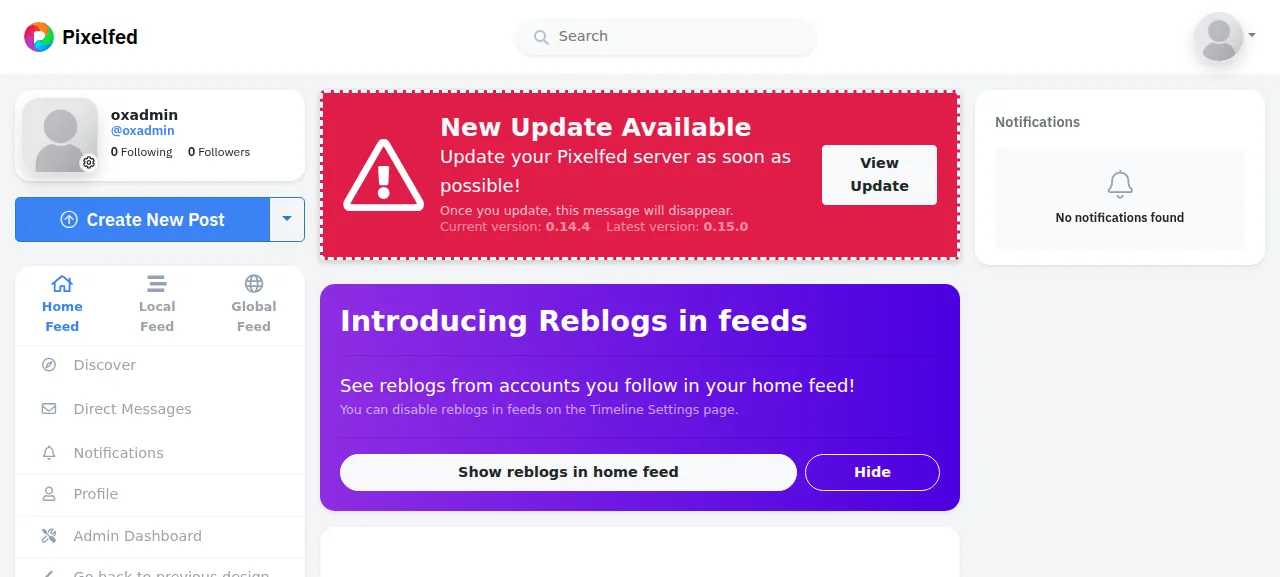
To deploy again, push to your fork or run ox deploy pixelfed --wait. ox builds the new release beside the running one, runs migrate, then switches traffic. The run redeployed the same commit, and moving to a newer Pixelfed was not tested. The home feed shows admins an Update Available banner when a newer release exists.
Backups need no setup. The run's backups held a MariaDB archive, a Redis archive and an archive of the kept storage folder, all made daily. ox backups pixelfed lists them, and Back up now made one for MariaDB and one for storage. They hold no variables, so keep pixelfed.env. A restore was not tested. The backups page covers an S3 bucket, and self-hosting lists other apps.
Frequently asked questions
Do I need Docker to self-host Pixelfed?
No. Pixelfed's README recommends Docker Compose and says running without Docker is supported. ox builds your fork on the server with Composer, serves it with FrankenPHP, and runs MariaDB, Redis, Horizon and the scheduler as system services. An update is a push to your fork.
Which database does Pixelfed need?
MySQL 9 or newer, or MariaDB 11 or newer, according to Pixelfed's README, which calls PostgreSQL 14 or newer best effort and not recommended. ox's mysql service is MariaDB 11.8, private to the project, and the run used it. The config sets DB_URL to the MYSQL_URL ox provides.
How do I create the first Pixelfed admin account?
Set ADMIN_USERNAME, ADMIN_EMAIL and ADMIN_PASSWORD before the first deploy. The migrate step runs ox-setup.php, which makes that admin, and you sign in at /login. Sign-up stays closed because OPEN_REGISTRATION is false. Changing ADMIN_PASSWORD later does not change an existing admin's password, and adding more accounts was not tested.
How much memory does self-hosted Pixelfed use?
After a reboot the run's whole server used the memory the facts show, counting Pixelfed and its staging copy, MariaDB, Redis, Caddy and the ox agent. Horizon keeps at least one worker for each queue, about 19 PHP processes. ox takes any server from 1 GB up, and says so when memory is why an app stopped.
New to running apps on your own server? How ox self-hosts your apps shows what ox sets up on your server.