How to self-host pretalx on your own Ubuntu VPS, no Docker
Run pretalx v2026.2.1, the conference planner, on your own Ubuntu server with ox and no Docker: Postgres, Redis and Celery set up from the config that ran.

To self-host pretalx you need an Ubuntu server, a fork of the pretalx repo with an ox.toml and one Caddyfile added, and 16 variables, most of them references that ox fills in. In our run the first deploy took about 3 minutes, and ox set up Postgres and Redis for it.
How we tested On Oct 17, 2026, ox deployed pretalx v2026.2.1 from commit 454da442 on a fresh DigitalOcean server with 8 vCPUs and 16 GB of memory. The run then redeployed it, backed it up and rebooted the server. Then a separate test agent, one that did not write the config, signed in, created an event, sent a talk proposal through its call for papers, and found the proposal as submitted, and checked the app's services and its backup.
pretalx plans conferences. Organisers open a call for papers, speakers send proposals through it, a review team scores them, and the chosen talks become a public schedule. It is a Django app that needs Python 3.13 or newer. Postgres holds the data, Redis handles caching, locking, rate limiting and sessions, and a Celery worker sends mail and does other background jobs.
The code is under the GNU AGPL version 3 plus additional terms: pretalx's notice stays at the bottom of every page, and offering pretalx to others as a service has conditions. Read the LICENSE file first if that is your plan.
ox deployed pretalx v2026.2.1 (commit 454da442) on Oct 17, 2026 on a fresh DigitalOcean server with 8 vCPUs and 16 GB of memory; the first deploy took 3 minutes and a redeploy took 88 seconds.
- First deploy: 3 minutes, from adding the project until the app passed the run's first checks.
- Redeploy of the same commit: 88 seconds, until the app passed the checks again.
- Server: DigitalOcean, 8 vCPUs and 16 GB of memory (
s-8vcpu-16gb), with this app alone on it. Every one of the 85 apps we deployed ran on this one size, so it was not picked for this app. - Memory in use after the reboot: 2549 MB of 15986 MB, for the whole server: Ubuntu, the app and its staging copy, its services, Caddy and the ox agent. On a server with no apps, ox's tests on real servers hold the agent to 40 MB or less and Caddy to 50 MB or less.
- Services ox runs for it:
postgres,redis. - Background processes:
media-server,worker, each its own systemd unit beside the web process. - Scheduled jobs:
clearsessions,periodic. - Source: github.com/pretalx/pretalx at v2026.2.1, commit
454da442.
What you need
An Ubuntu LTS server where you can run one command as root. The run used the size in the facts above. ox works on any server from 1 GB up.
A GitHub account to fork
pretalx/pretalx, and an ox account, which you open by signing in with GitHub.An SMTP server, if you want pretalx to send mail. In the run, mail went to a test catcher, so a real provider was not tested.
The test agent made an event and sent a proposal. Reviews, a schedule, inviting teammates and file uploads were not tested.
The steps
Start with Add a server in the ox dashboard. It shows one install command that works once. Paste it into a root shell on the machine.
Fork pretalx/pretalx at the tag v2026.2.1, the release the run deployed, and add the ox.toml and ox-media.Caddyfile shown below at the top of the repo. Commit and push. Then write pretalx.env with a line for each of the 16 keys in the variables section, using your own administrator address and a long password. With the ox CLI signed in, run:
ox new <you>/pretalx
ox review pretalx --from-file pretalx.env --wait
The review saves your values and starts the first deploy, and --wait prints the log until it ends.
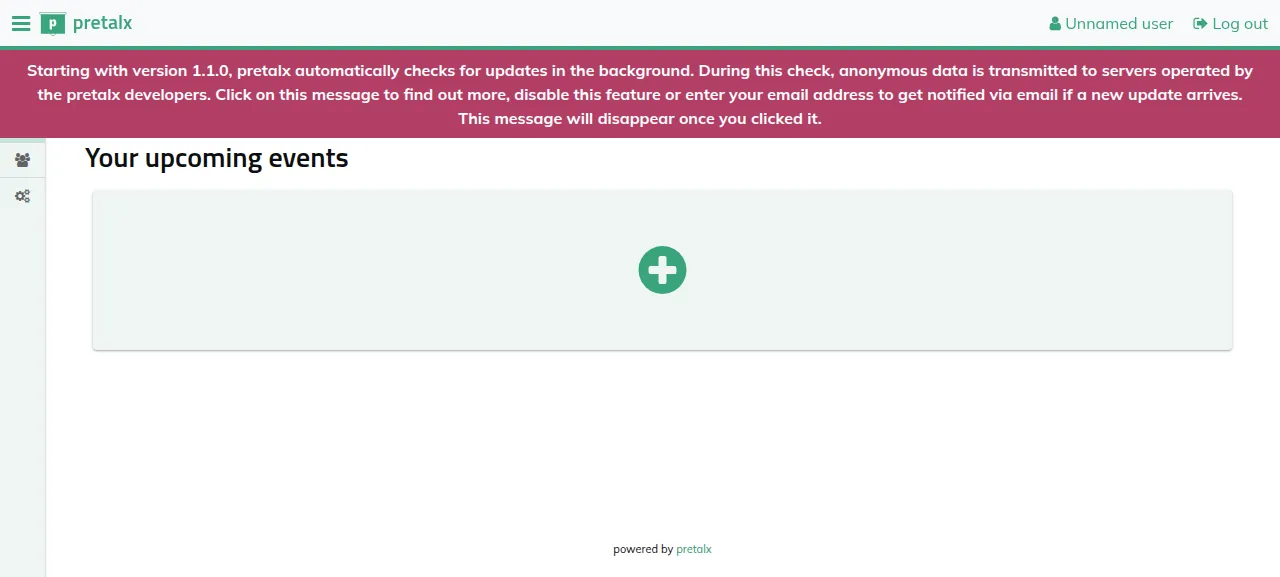
When the deploy is green, open the project's address at /orga/login/ and sign in with the address and password you set. Organisers have no sign-up, so this administrator is the only way in.
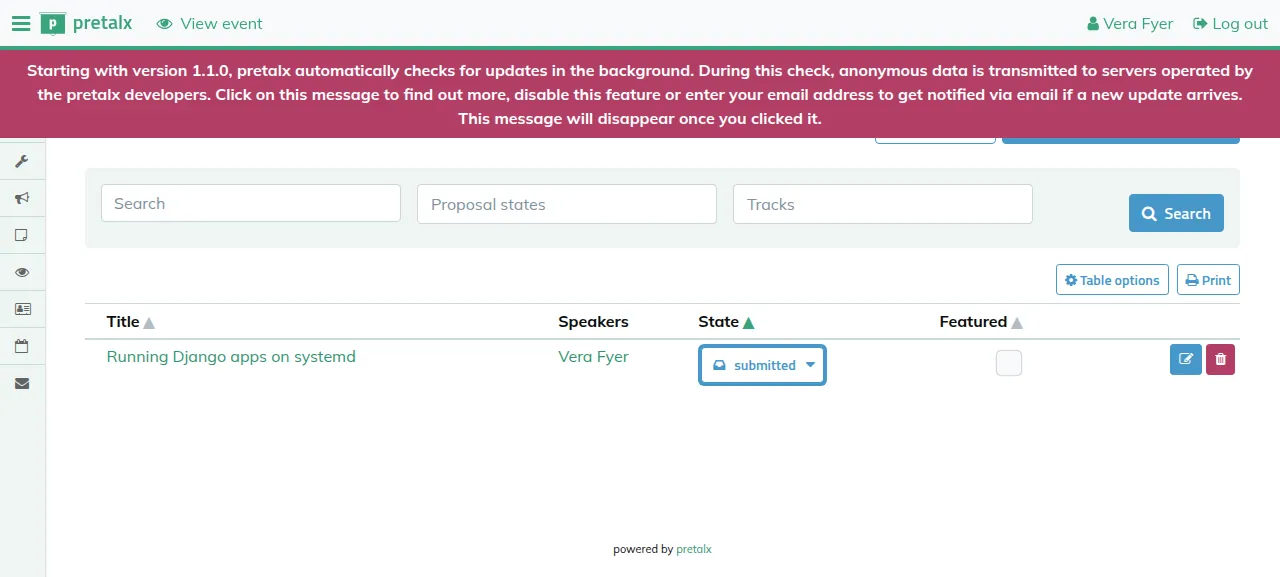
Press New event and go through the wizard's four steps. Open the event's call for papers at /<slug>/cfp, where the slug is the event's Short form, press Submit a proposal, and give a title, a session type, an abstract, a speaker name and a short biography. The test agent did this, and the proposal showed under Proposals in the organiser area as submitted, still there after a reload.
A new event stays private until you press Go live on its dashboard. Until then its public pages, the call for papers included, open only for signed-in team members.
The run used the preview address ox gives a project, so a custom domain was not tested. The domains page shows how ox adds one.
The ox.toml, line by line
# pretalx v2026.2.1 (Django, Celery, PostgreSQL, redis), as
# doc/administrator/installation.rst runs it: gunicorn, a Celery worker,
# `runperiodic` and `clearsessions` on a timer, and `init` for the first
# administrator. Built from the repo at the pinned commit with its lockfile;
# `rebuild` builds the frontend with npm (an editable install ships none),
# compiles the translations and collects the static files WhiteNoise serves.

# gettext: `rebuild` runs compilemessages.
packages = ["gettext"]

# Organisers have no sign-up: init's administrator is the only way in.
required_variables = ["DJANGO_SUPERUSER_EMAIL", "DJANGO_SUPERUSER_PASSWORD"]

[app]
start  = "exec .venv/bin/gunicorn pretalx.wsgi --name pretalx --workers 4 --max-requests 1200 --max-requests-jitter 50 --log-level=info --bind 127.0.0.1:$PORT"
health = "/orga/login/"

[build]
# The postgres extra brings psycopg2; gunicorn is what the install guide
# runs, and pretalx does not depend on it.
install  = "uv sync --frozen --no-dev --extra postgres && uv pip install 'gunicorn==23.0.0'"
commands = [".venv/bin/python -m pretalx rebuild"]
# init makes the administrator, an organiser and its team in one transaction
# and refuses to run twice, so it runs only while no administrator exists.
# The guard prints its answer, so a failing guard stops the deploy instead of
# rerunning init. The organiser's name and slug default to init's own.
migrate  = '''
.venv/bin/python -m pretalx migrate --noinput
admin=$(PRETALX_NO_INITIAL_LOG=1 DJANGO_SETTINGS_MODULE=pretalx.settings .venv/bin/python -c '
import django
django.setup()
from django_scopes import scopes_disabled
from pretalx.person.models import User
with scopes_disabled():
    print("yes" if User.objects.filter(is_administrator=True).exists() else "no")
')
if [ "$admin" != yes ] && [ "$admin" != no ]; then
  echo "could not tell whether pretalx has an administrator: $admin"
  exit 1
fi
if [ "$admin" = no ]; then
  export PRETALX_INIT_ORGANISER_NAME="${PRETALX_INIT_ORGANISER_NAME:-The Conference Organiser}"
  export PRETALX_INIT_ORGANISER_SLUG="${PRETALX_INIT_ORGANISER_SLUG:-conforg}"
  .venv/bin/python -m pretalx init --noinput
fi
'''

[workers]
worker = "exec .venv/bin/celery -A pretalx.celery_app worker -l info"
# pretalx serves uploads only in DEBUG; the install guide has the web server
# serve /media/. Not named `media`: ox would give it MEDIA_URL, which is
# Django's own setting.
media-server = { run = "exec caddy run --adapter caddyfile --config ox-media.Caddyfile", port = true, paths = ["/media"] }

[cron]
# Installation step 8: runperiodic every 5 to 60 minutes, clearsessions about
# once a month.
periodic      = { schedule = "*/10 * * * *", run = ".venv/bin/python -m pretalx runperiodic" }
clearsessions = { schedule = "@monthly", run = ".venv/bin/python -m pretalx clearsessions" }

[services]
postgres = {}
redis    = {}

[storage]
# DATA_DIR defaults to src/data: uploads (media/), HTML exports and the
# secret key pretalx generates on its first start (.secret).
keep = ["src/data"]

[tools]
# `rebuild` runs npm ci and the Vite build itself.
node  = "24"
caddy = "2"
The file follows pretalx's installation guide and builds from the repo's lockfile, not from the wheel on PyPI.
packagesaddsgettext, whichrebuildneeds for the translations.required_variablesnames the two keys the administrator comes from, so ox asks for them before the first deploy starts.startruns gunicorn with the flags of pretalx's systemd unit: four workers, each restarted after about 1200 requests. It listens on loopback at$PORT.healthis the organiser log-in page, and ox moves traffic to a new release only after it answers.installhas uv install whatuv.locklists, with thepostgresextra for the driver, then adds gunicorn 23.0.0, which pretalx does not depend on.rebuildis pretalx's own command: it builds the frontend with npm, compiles the translations and collects the static files that WhiteNoise serves.migratemigrates the database, then runs a short Python snippet that checks whether an administrator exists. Only if none exists does it runinit --noinput, which makes the administrator, an organiser and a team in one transaction and is meant to run once. Any answer but yes or no stops the deploy, so a broken check never rerunsinit.[workers]has the Celeryworkerandmedia-server, a Caddy that serves uploads.paths = ["/media"]sends every request under/mediato it. A worker namedmediawould make ox setMEDIA_URL, which is Django's own setting.[cron]runsrunperiodicevery 10 minutes, the interval in the guide's own cron example, andclearsessionsonce a month, as the guide asks.[services]asks for Postgres and Redis.[storage]keepssrc/data, where pretalx writes uploads, HTML exports and its secret key.[tools]has mise install Node 24 for the frontend build and Caddy 2 for the media server.
ox-media.Caddyfile
# Serves pretalx's uploads (MEDIA_ROOT, src/data/media) at /media/ with the
# headers doc/administrator/installation.rst asks of the web server: as
# attachments, nosniff, and text/plain for any type a browser would run.
{
	admin off
	auto_https off
	persist_config off
}

:{$PORT} {
	bind 127.0.0.1
	root * src/data

	@media path /media/*
	handle @media {
		header Content-Disposition attachment
		header X-Content-Type-Options nosniff
		header Cache-Control "public, max-age=86400"
		@unsafe path *.html *.htm *.xhtml *.shtml *.svg *.svgz *.js *.mjs *.xml *.xsl
		header @unsafe >Content-Type "text/plain; charset=utf-8"
		file_server
	}

	respond 404
}
pretalx serves /media/ itself only in debug mode, so its guide gives that job to the web server. This Caddyfile answers only /media/*, from src/data, as attachments with nosniff and a one-day cache. Types a browser would run, such as HTML, SVG, JavaScript and XML, go out as plain text. Every other path gets a 404.
PRETALX_SITE_URL
PRETALX_DB_TYPE
PRETALX_DB_NAME
PRETALX_DB_USER
PRETALX_DB_PASS
PRETALX_DB_HOST
PRETALX_DB_PORT
PRETALX_REDIS
PRETALX_CELERY_BROKER
PRETALX_CELERY_BACKEND
PRETALX_FILESYSTEM_LOGS
PRETALX_MAIL_FROM
PRETALX_MAIL_HOST
PRETALX_MAIL_PORT
DJANGO_SUPERUSER_EMAIL
DJANGO_SUPERUSER_PASSWORD
Two keys are fixed. PRETALX_DB_TYPE was postgresql, since pretalx uses SQLite without it, and PRETALX_MAIL_FROM was an address at example.com. Ten are references. PRETALX_SITE_URL was ${PUBLIC_URL}, which pretalx uses for links in its mail and to decide which hosts it accepts. The other database keys were ${postgres.database}, ${postgres.user}, ${postgres.password}, ${postgres.host} and ${postgres.port}. PRETALX_REDIS, PRETALX_CELERY_BROKER and PRETALX_CELERY_BACKEND were all ${REDIS_URL}. With the Celery keys unset, pretalx runs every task inside the web request, which its docs call unsupported in production. PRETALX_FILESYSTEM_LOGS was ${OX_DATA_DIR}/logs, which keeps log files out of the kept src/data folder and its backups.
PRETALX_MAIL_HOST and PRETALX_MAIL_PORT pointed at the test catcher, so no mail left the server. The last two keys, DJANGO_SUPERUSER_EMAIL and DJANGO_SUPERUSER_PASSWORD, are yours: Django's own names, which init reads. No secret key is set. pretalx makes one on its first start and saves it as .secret in src/data, which the keep line preserves. If that file is lost, every session ends.
Postgres, Redis and the workers
Postgres is shared with other projects on the server, each with its own database and user. Redis runs only for this project. The run also deployed a staging copy beside production, and the memory figure above counts both. The worker's log showed the task that sends the first mails once the proposal came in, and the periodic job had run and finished.
Updates and backups
To update, merge a newer tag into your fork and push, or run ox deploy pretalx --wait. ox builds the new release beside the running one and migrates the database. pretalx's docs ask for a backup before every upgrade, and ox dumps Postgres before each migrate. The run's redeploy left that dump.
Backups need no setup. The run's server held a Postgres dump and a copy of src/data, both daily and from Back up now on the Backups tab, plus a daily Redis copy, which pretalx's docs say you do not need. List them with ox backups pretalx. A restore was not tested. The backups page covers copies in an S3 bucket.
Frequently asked questions
Do I need Docker to self-host pretalx?
No. pretalx's docs describe a Docker setup and a manual one, and ox follows the manual one without a container. It builds pretalx from your fork with uv, then runs gunicorn, a Celery worker, a small file server and two timed jobs as system services, with Postgres and Redis beside them.
How do I create the first pretalx administrator?
Set DJANGO_SUPERUSER_EMAIL and DJANGO_SUPERUSER_PASSWORD before the first deploy. The migrate step runs pretalx's init command when no administrator exists, which creates that user, an organiser and a team. Then sign in at /orga/login/. Organisers cannot sign up on their own. Speakers register themselves, on the way through the proposal form.
Which database does pretalx need?
pretalx runs on PostgreSQL 16 or newer, or on SQLite, and its docs strongly advise Postgres for production. It also needs Redis for caching, locking and rate limiting. The run used Postgres: PRETALX_DB_TYPE was postgresql, and ox created the database and filled the other database keys. SQLite was not tested.
How much memory does self-hosted pretalx use?
The facts above give the whole server's memory after the reboot. That figure counts production and the staging copy, each with four gunicorn workers and a Celery worker, and everything else on the server. ox takes any server from 1 GB up, and it says so when memory is why an app stopped.
New to running apps on your own server? How ox self-hosts your apps shows what ox sets up on your server.