How to self-host Stirling-PDF without Docker on your VPS
Run Stirling-PDF v3.1.0 on your own Ubuntu server with ox: a Gradle build of the Java app, OCR and office tools from apt, six variables, no Docker.

To self-host Stirling-PDF you need an Ubuntu server, a fork of the Stirling-PDF repo with one ox.toml file in it, and six variables, two of them the first admin's name and password. In our run the first deploy took about 15 minutes, which includes the Gradle build and the install of the PDF tools.
How we tested On Oct 17, 2026, ox deployed Stirling-PDF v3.1.0 from commit b99fa929 on a fresh DigitalOcean server with 8 vCPUs and 16 GB of memory. The run then redeployed it, backed it up and rebooted the server. Then a separate test agent, one that did not write the config, signed in, uploaded a PDF, compressed it, and got a valid PDF back, and checked the app's services and its backup.
Stirling-PDF is a PDF toolbox you run yourself. You upload a PDF in the browser, pick a tool and download the result. Its README counts more than 50 tools, among them merge, split, compress, convert, OCR, sign and redact, with a REST API for nearly all of them. The server is a Spring Boot app in Java. The project calls itself open-core, and the FAQ below covers its license.
ox deployed Stirling-PDF v3.1.0 (commit b99fa929) on Oct 17, 2026 on a fresh DigitalOcean server with 8 vCPUs and 16 GB of memory; the first deploy took 15 minutes and a redeploy took 6 minutes.
- First deploy: 15 minutes, from adding the project until the app passed the run's first checks.
- Redeploy of the same commit: 6 minutes, until the app passed the checks again.
- Server: DigitalOcean, 8 vCPUs and 16 GB of memory (
s-8vcpu-16gb), with this app alone on it. Every one of the 85 apps we deployed ran on this one size, so it was not picked for this app. - Memory in use after the reboot: 1548 MB of 15986 MB, for the whole server: Ubuntu, the app, its services, Caddy and the ox agent. On a server with no apps, ox's tests on real servers hold the agent to 40 MB or less and Caddy to 50 MB or less.
- Source: github.com/Stirling-Tools/Stirling-PDF at v3.1.0, commit
b99fa929.
What you need
An Ubuntu LTS server. The run used the size in the facts above and measured the memory there.
A GitHub account to fork
Stirling-Tools/Stirling-PDF, and an ox account, which you open by signing in with GitHub.A name and a password for the first admin. No outside account is involved. Email invites, single sign-on, phone uploads by QR code and a paid license key were not tested.
The steps
In the ox dashboard, choose Add a server. It prints one command with a single-use token. Paste it into a root shell on the server, which gets only the ox agent and Caddy.
Fork Stirling-Tools/Stirling-PDF on GitHub and make sure your fork's default branch ends at commit b99fa929, the v3.1.0 release the run deployed. A newer commit was not tested. Add the ox.toml shown below at the repo root, then commit and push. No other file is needed.
Write stirling-pdf.env with the six keys from the variables section, one KEY=value per line, and pick the admin's name and a long password. With the ox CLI signed in, run:
ox new <you>/Stirling-PDF
ox review stirling-pdf --from-file stirling-pdf.env --wait
ox lower-cases the repo name, so the project is stirling-pdf. The review saves the values and starts the first deploy, and --wait prints the log until it ends. The quickstart shows the browser version.
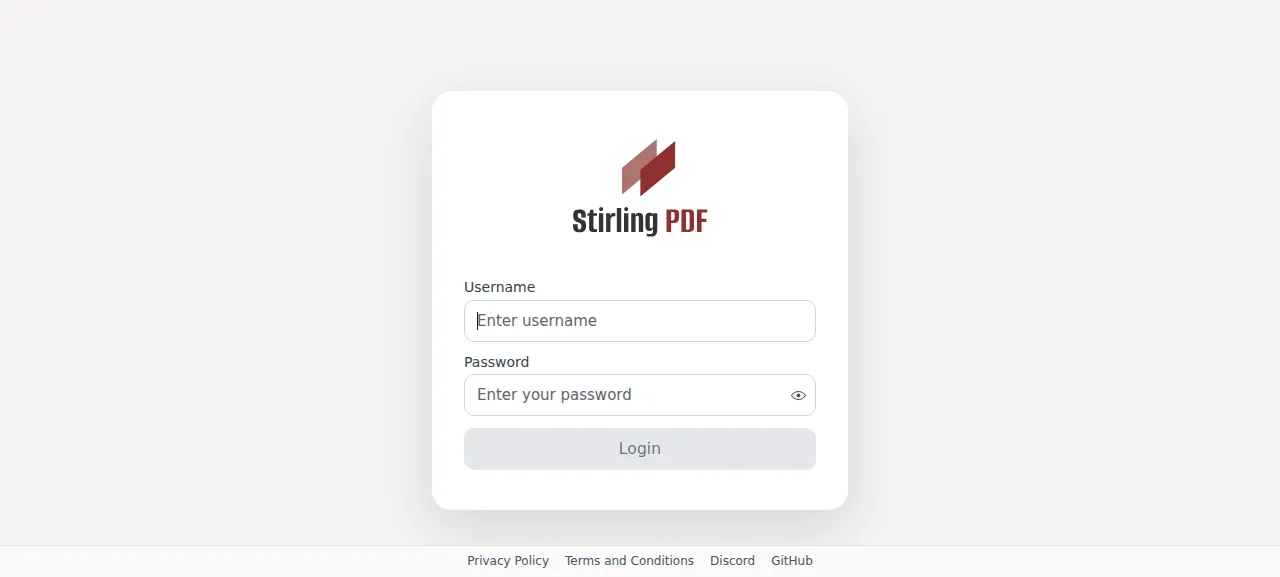
When the deploy is green, ox status stirling-pdf prints the project's address. Open /login there and sign in with the admin name and password from your file. A welcome dialog may open on the first visit. Close it to reach the tool list. After a restart or a reboot, Stirling takes about 45 seconds before the page answers.
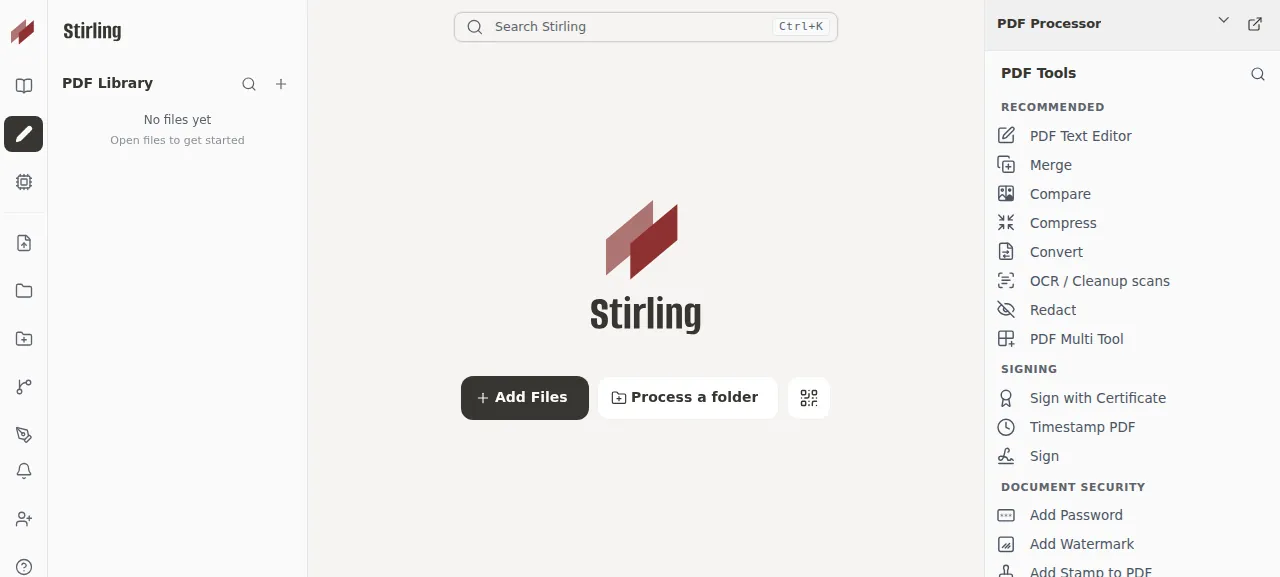
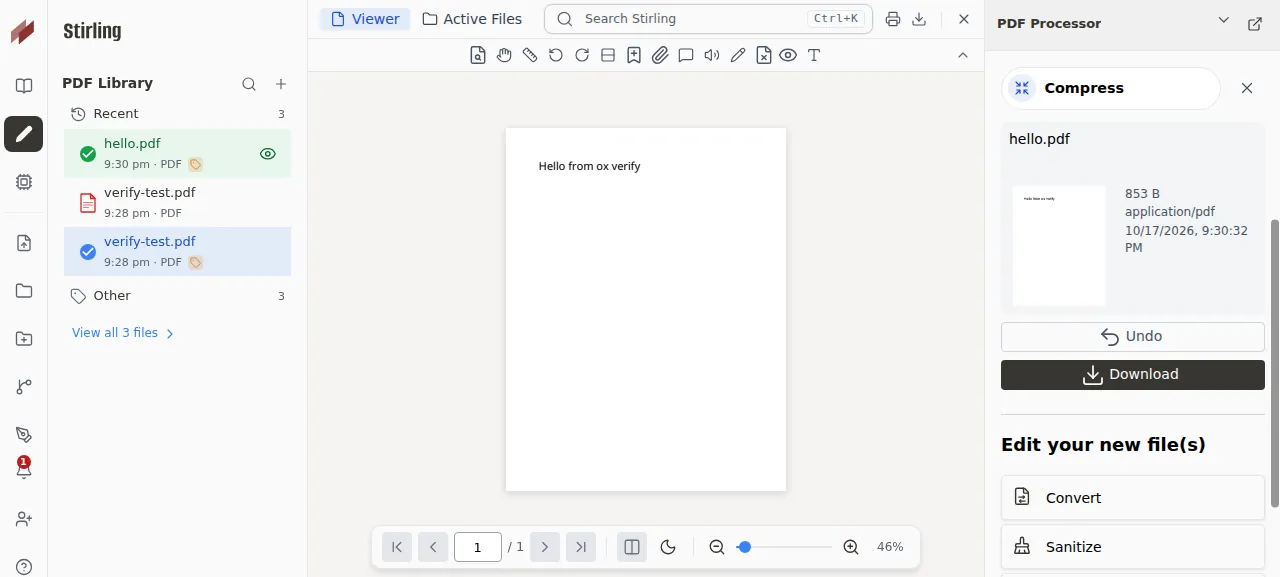
The test agent pressed Add Files to open a one-page PDF, picked Compress in the tool list, kept the default level and pressed Compress. The page called POST /api/v1/misc/compress-pdf, the server answered 200, and the result appeared with Undo and Download. The file was already small, so Stirling's log says the compressed copy came out larger and it returned the original. A wrong password was refused with "Invalid username or password."
The run used the preview address only. A domain of your own was not part of it, and the domains page covers how ox adds one.
The ox.toml, line by line
# Stirling-PDF v3.1.0 without Docker: the build of docker/embedded/Dockerfile
# (the Spring Boot jar with the React frontend inside, proprietary flavor) and
# the PDF tools its base image (docker/base/Dockerfile) ships, from Ubuntu's
# packages. The app finds each tool by name on PATH (RuntimePathConfig) and
# turns off the tools whose command is missing (ExternalAppDepConfig).
packages = [
  # LibreOffice: office files to PDF and back (soffice, one profile per job).
  "libreoffice-writer-nogui", "libreoffice-calc-nogui", "libreoffice-impress-nogui",
  "libreoffice-draw-nogui", "libreoffice-base-nogui", "libreoffice-java-common",
  # OCR: ocrmypdf over tesseract, with the languages the image ships.
  "ocrmypdf", "unpaper", "pngquant",
  "tesseract-ocr", "tesseract-ocr-eng", "tesseract-ocr-deu", "tesseract-ocr-fra",
  "tesseract-ocr-por", "tesseract-ocr-chi-sim", "tesseract-ocr-osd",
  # Compress, repair, HTML and e-book conversion, PDF to HTML.
  "ghostscript", "qpdf", "imagemagick", "weasyprint", "calibre", "poppler-utils", "poppler-data",
  # Fonts the image installs, so converted documents keep their text (ox's
  # java tool brings fontconfig).
  "fontforge", "fonts-dejavu", "fonts-liberation2",
  "fonts-crosextra-caladea", "fonts-crosextra-carlito", "fonts-noto-core", "fonts-noto-mono",
  "fonts-noto-extra", "fonts-noto-cjk", "fonts-freefont-ttf",
]
# The first admin (InitialSecuritySetup): without both, the app makes admin with
# the well-known password "stirling".
required_variables = ["SECURITY_INITIALLOGIN_USERNAME", "SECURITY_INITIALLOGIN_PASSWORD"]

[tools]
java = "temurin-25"
node = "24"
task = "3.54.0"
# The python3 on the app's PATH runs its scripts (static/python: OpenCV, pdf2image).
python = "3.13.8"

[build]
commands = [
  # The form-detection model the image bakes in (pinned commit and checksum, as in the Dockerfile).
  "mkdir -p preinstalled-models && curl -fsSL https://huggingface.co/Frooodle/ffdetr-int8/resolve/ad3223d7c3ae25ce1d1ec8fe972c8ff7630aff45/ffdetr-int8.onnx -o preinstalled-models/ffdetr.onnx && echo 'de43bb39adb08459fe62fa1a7be6bfb4f2d397bb034c46055f3b8fa3d04fc8f4  preinstalled-models/ffdetr.onnx' | sha256sum -c -",
  # The Dockerfile's gradle build; JDK 25 takes the compiler exports only in JDK_JAVA_OPTIONS.
  "JDK_JAVA_OPTIONS='--add-exports=jdk.compiler/com.sun.tools.javac.api=ALL-UNNAMED --add-exports=jdk.compiler/com.sun.tools.javac.file=ALL-UNNAMED --add-exports=jdk.compiler/com.sun.tools.javac.parser=ALL-UNNAMED --add-exports=jdk.compiler/com.sun.tools.javac.tree=ALL-UNNAMED --add-exports=jdk.compiler/com.sun.tools.javac.util=ALL-UNNAMED' STIRLING_FLAVOR=proprietary ./gradlew clean build -PbuildWithFrontend=true -PbuildWithPortal=true -PjpdfiumPlatforms=$([ \"$(uname -m)\" = aarch64 ] && echo linux-arm64 || echo linux-x64) -PprototypesMode=false -PbundleOnnxRuntime=true -x spotlessApply -x spotlessCheck -x test -x sonarqube --no-daemon",
  "cp \"$(ls app/core/build/libs/stirling-pdf-*.jar | grep -v -- -plain | head -n 1)\" stirling-pdf.jar",
  # The image's /opt/venv, first on its PATH: the modules its Python scripts import
  # (static/python: OpenCV, pdf2image; scripts/convert_cff_to_ttf.py: fontTools). The app checks
  # `python3 -c "import cv2"` at start and turns off extract-image-scans without it.
  "python -m venv .venv && .venv/bin/pip install --no-cache-dir opencv-python-headless pdf2image fonttools",
]

[app]
# The image's JVM flags and LibreOffice environment (docker/embedded/Dockerfile,
# scripts/init-without-ocr.sh). The model is read in place from this release, and the PDF
# editor's font converter (pdfEditor.cffConverter) runs the venv's python on the repo's script,
# which the image keeps at /opt/venv/bin/python3 and /scripts.
start = "export PATH=\"$PWD/.venv/bin:$PATH\" FORMDETECTION_PREINSTALLEDMODELDIR=\"$PWD/preinstalled-models\" PDFEDITOR_CFFCONVERTER_PYTHONCOMMAND=\"$PWD/.venv/bin/python3\" PDFEDITOR_CFFCONVERTER_PYTHONSCRIPT=\"$PWD/scripts/convert_cff_to_ttf.py\" SAL_USE_VCLPLUGIN=svp SAL_DISABLE_PRINTERLIST=1 OOO_FORCE_DESKTOP=none MALLOC_ARENA_MAX=2 DBUS_SESSION_BUS_ADDRESS=/dev/null; exec java -XX:+ExitOnOutOfMemoryError -XX:+UseG1GC -XX:+UseCompactObjectHeaders -XX:+UseStringDeduplication -Dspring.threads.virtual.enabled=true -Djava.awt.headless=true -Dfile.encoding=UTF-8 -Dserver.address=127.0.0.1 -Dserver.port=$PORT -jar stirling-pdf.jar"
health = "/api/v1/info/status"
# The embedded H2 database in configs/ is locked by the running copy.
stop_before_start = true

[storage]
# The app's state tree, rooted at its working directory (InstallationPathConfig):
# settings and the H2 database, logs, custom files, pipeline folders, stored files.
keep = ["configs", "logs", "customFiles", "pipeline", "storage"]
The config redoes what two Stirling Dockerfiles do, without an image: docker/embedded/Dockerfile builds the jar, and docker/base/Dockerfile adds the tools around it.
packagesinstalls most of what the image's base Dockerfile ships, from Ubuntu. LibreOffice reads office files. OCRmyPDF and Tesseract do OCR, here in English, German, French, Portuguese and simplified Chinese. Ghostscript, qpdf, ImageMagick, WeasyPrint, Calibre and poppler cover compression, repair and conversion. Outside Docker, Stirling finds each program by its plain name onPATHand switches off a tool whose program is missing. The config leaves outunoconvert, a LibreOffice helper the image has. Stirling's code tries it for office files and falls back to callingsoffice. Converting office files was not tested.required_variablesnames the first admin's two keys. Stirling creates that admin on its first start, while no user exists. With either key empty, its source createsadminwith the passwordstirling, which is public in its source, so ox asks for both before the first deploy starts.[tools]pins the Dockerfile's Java 25 (Temurin), Node 24 and Task 3.54.0, since Gradle callstaskto build the web interface, and Python 3.13.8 for the scripts in Stirling'sstatic/pythonfolder.The build commands follow the Dockerfile. First comes a download of the form-detection model at a pinned commit, checked against its SHA-256. Next is
./gradlew clean buildwith the Dockerfile's flags: the defaultproprietaryflavor, the web interface and its admin portal inside the jar, the native PDF library for x64 or arm64, no tests, no Gradle daemon. TheJDK_JAVA_OPTIONSprefix holds compiler flags that JDK 25 takes only there. The jar is then copied tostirling-pdf.jar, and the last command makes a.venvwith OpenCV, pdf2image and fontTools. At start Stirling runspython3 -c "import cv2"and turns the OpenCV tools off when the import does not work.startputs the.venvfirst onPATH, pointsFORMDETECTION_PREINSTALLEDMODELDIRat the model, and moves the PDF editor's font converter off its defaults, which are Docker paths. TheSAL_andOOO_settings come from Stirling's own start script, where they keep LibreOffice's memory small. Thenexec javaruns the jar with some of the image's JVM flags.-Dserver.addressbinds it to the loopback address, so only Caddy reaches it, and-Dserver.port=$PORTtakes the port ox gives the app.healthis Stirling's status path, and ox switches traffic to a new release once it answers.stop_before_start = truestops the running copy first, because Stirling keeps accounts in an embedded H2 database file underconfigsand a second copy cannot open it. The cost is a short gap in every deploy, with 502 answers until the new release is up.keeplists Stirling's state folders:configsfor settings and the database,logs,customFiles,pipelineandstorage. ox links each to a place that outlives a release.
The config declares no workers and no scheduled jobs. The run found one systemd unit for Stirling-PDF and no timers.
SECURITY_ENABLELOGIN
SECURITY_INITIALLOGIN_USERNAME
SECURITY_INITIALLOGIN_PASSWORD
SYSTEM_BACKENDURL
SYSTEM_FRONTENDURL
SYSTEM_ENABLEANALYTICS
SECURITY_ENABLELOGIN is true and turns the sign-in page on. SECURITY_INITIALLOGIN_USERNAME and SECURITY_INITIALLOGIN_PASSWORD are the first admin. Changing them after the first start changes nothing, because Stirling reads them only while no user exists. SYSTEM_BACKENDURL and SYSTEM_FRONTENDURL are both ${PUBLIC_URL}, a reference ox fills in with the project's address, and Stirling uses them in the links it hands a browser. SYSTEM_ENABLEANALYTICS is false. Per Stirling's settings template, leaving it unset asks the admin on the first launch. See variables for how references work.
Accounts and the database
The config asks ox for no service, so no Postgres was set up. Accounts and settings live in the kept configs folder. Stirling's source sets a default limit of five users until a license adds more, and the run had one admin.
Updates and backups
A new release reaches you when you merge its tag into your fork and push, and ox deploy stirling-pdf --wait deploys the branch again without a push. A newer version was not tested. The config follows two Dockerfiles, so compare them with the new tag first.
Backups need no setup. ox backs up every kept folder daily, and the run's Back up now left one archive each for configs, logs and pipeline. ox backups stirling-pdf lists them. Stirling also exports its own database at midnight by default, into configs. A restore was not tested. The backups page covers copies in an S3 bucket, and self-hosting with ox lists the other proven apps.
Frequently asked questions
Do I need Docker to self-host Stirling-PDF?
No. The README starts with a docker run command, but the app is a Spring Boot jar. ox builds it with Gradle on your server, installs the PDF tools from Ubuntu's packages, and runs it as a system service. There is no image to pull, and an update is a push to your fork or one deploy command.
How do I set the first Stirling-PDF admin?
Set SECURITY_INITIALLOGIN_USERNAME and SECURITY_INITIALLOGIN_PASSWORD before the first deploy, then sign in at /login. If either is empty, Stirling's source creates a user named admin with the password stirling, so fill both. It reads them only on the first start, while no user exists.
How much memory does Stirling-PDF use?
The facts above give what the run used: the whole server, measured after a reboot with the app just started, so it counts Stirling, Caddy and the ox agent. The config sets no Java heap size. ox takes any server from 1 GB up and tells you when memory is why an app stopped.
Is Stirling-PDF free to self-host?
Most of the repo is MIT, and its LICENSE lists folders with their own terms. One is app/proprietary, which holds the sign-in code. Its text allows trial, evaluation or minimal use, and asks for a Stirling PDF User License for production use. Read it before a team depends on the server.
New to running apps on your own server? How ox self-hosts your apps shows what ox sets up on your server.