How to self-host Sonarr without Docker on your own VPS
Run Sonarr v4.0.20.3014 on your own Ubuntu server with ox: a .NET 6 build, the webpack UI, SQLite and two variables, from the config that ran.

To self-host Sonarr you need an Ubuntu server, a fork of the Sonarr repo with an ox.toml and one small Python script added, and two variables for the first admin. In our run the first deploy took about 4 minutes, which covers building the .NET server and its web interface on the server itself, and ox set up no database server, because Sonarr keeps its data in SQLite files.
How we tested On Oct 17, 2026, ox deployed Sonarr v4.0.20.3014 from commit cab419ad on a fresh DigitalOcean server with 8 vCPUs and 16 GB of memory. The run then redeployed it, backed it up and rebooted the server. Then a separate test agent, one that did not write the config, signed in, added a root folder and a series, and saw the series with its episodes after a reload, and checked the app's services and its backup.
Sonarr is a PVR for Usenet and BitTorrent users, in its README's words. You give it the TV series you follow. It watches RSS feeds for new episodes and can grab, sort and rename them, and its README lists SABnzbd and NZBGet among its integrations. The code is under the GNU GPL v3. The server is a .NET 6 program, its web interface is built with webpack, and its data sits in two SQLite files.
ox deployed Sonarr v4.0.20.3014 (commit cab419ad) on Oct 17, 2026 on a fresh DigitalOcean server with 8 vCPUs and 16 GB of memory; the first deploy took 4 minutes and a redeploy took 3 minutes.
- First deploy: 4 minutes, from adding the project until the app passed the run's first checks.
- Redeploy of the same commit: 3 minutes, until the app passed the checks again.
- Server: DigitalOcean, 8 vCPUs and 16 GB of memory (
s-8vcpu-16gb), with this app alone on it. Every one of the 85 apps we deployed ran on this one size, so it was not picked for this app. - Memory in use after the reboot: 685 MB of 15986 MB, for the whole server: Ubuntu, the app, its services, Caddy and the ox agent. On a server with no apps, ox's tests on real servers hold the agent to 40 MB or less and Caddy to 50 MB or less.
- Source: github.com/Sonarr/Sonarr at v4.0.20.3014, commit
cab419ad.
What you need
An Ubuntu LTS server with an x86_64 processor, because the config publishes Sonarr for
linux-x64. The facts above give the size the run used and the memory it measured after a reboot.A GitHub account to fork
Sonarr/Sonarr, and an ox account, which you open by signing in with GitHub.A user name and a password of your choice for the first admin.
Internet access from the server. Sonarr's series search goes to its own lookup service,
skyhook.sonarr.tv, and the run's server reached it.No mail server and no API key. The run set up no indexer and no download client, and it did not try notifications or Library Import.
The steps
The ox dashboard has an Add a server button. It shows one install command with a single-use token. Run it as root on the Ubuntu server, which gets only the ox agent and Caddy.
Fork Sonarr/Sonarr on GitHub and set your fork's default branch to commit cab419ad, the one in the box above. Add the ox.toml at the repo root and distribution/ox/prepare.py, both shown below, then commit and push. Write a file named sonarr.env with the two keys from the variables section, one KEY=value per line. With the ox CLI signed in, run:
ox new <you>/Sonarr
ox review sonarr --from-file sonarr.env --wait
The project is named after the repo in lower case, sonarr. The review saves your two values and starts the first deploy, and --wait prints the log until it ends. The quickstart shows the same steps in the browser.
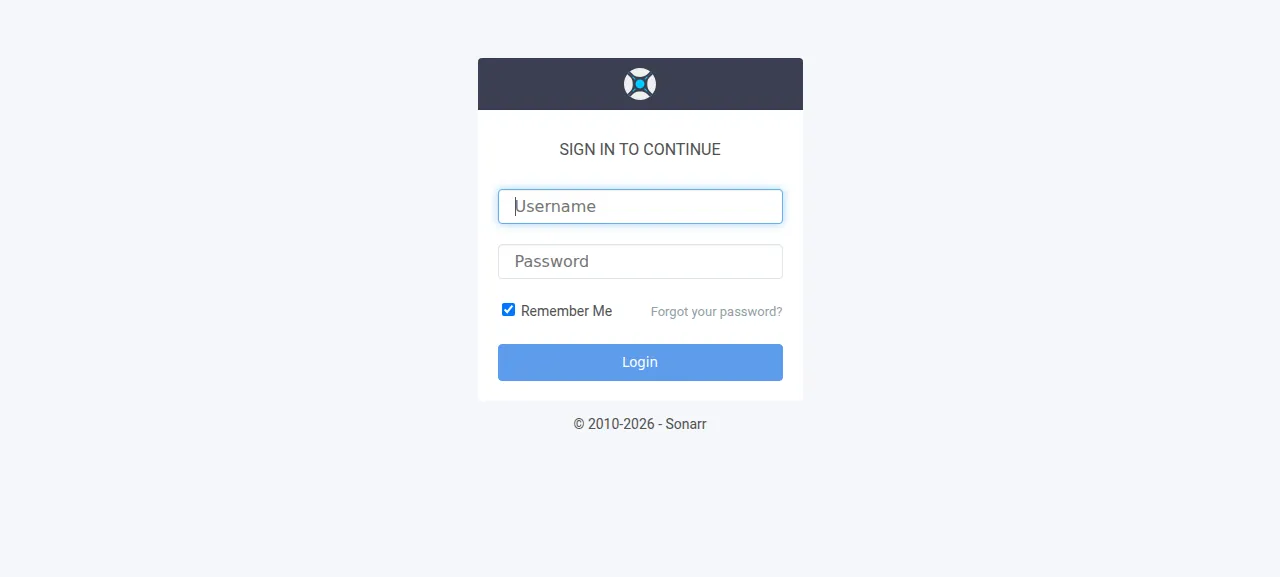
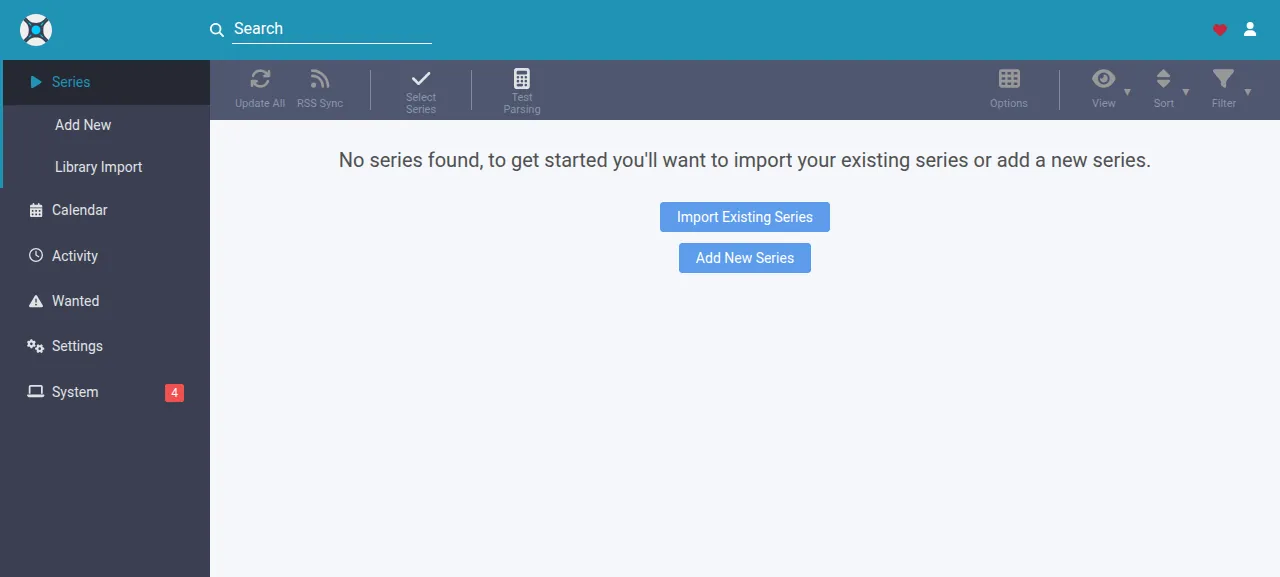
When the deploy is green, ox status sonarr prints the project's address. Open /login on it. The test agent first typed a wrong password and got "Incorrect Username or Password", then signed in with your two values and saw an empty Series list.
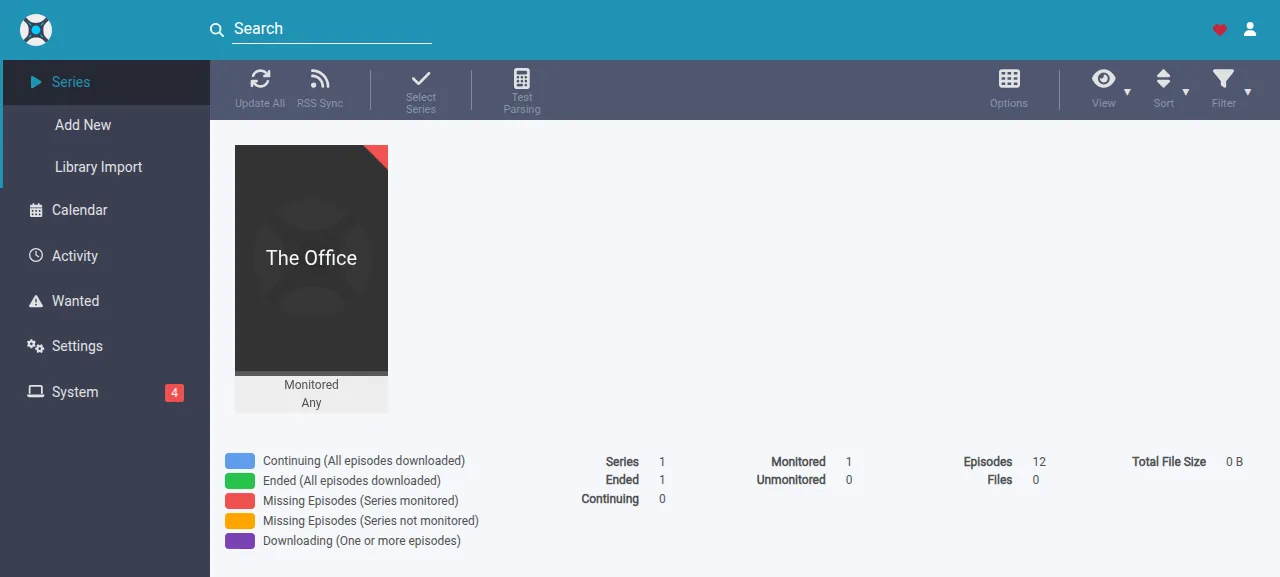
To use it, the agent opened Settings, then Media Management, and added a root folder, /srv/ox/sonarr/data/tv on the run's server, which the deploy makes empty. Under Series it chose Add New, typed "The Office" into the search box, picked the show, chose the root folder and pressed Add. After a fresh page load the show was still listed, with its 12 episodes, all missing because no indexer or download client was set up.
The run served Sonarr on its preview address only, so a domain of your own was not part of it. The domains page covers how ox adds one.
The ox.toml, line by line
# Sonarr v4 (a .NET 6 server with a webpack UI and a sqlite data folder),
# built from source the way its build.sh does for Linux: the install is
# yarn's, which its build uses (ox detects pnpm from the stale
# pnpm-lock.yaml beside yarn.lock, and Volta's yarn pin is not the repo's
# choice); the build runs webpack, publishes the server for linux-x64 and
# puts the UI beside it, where Sonarr looks. The SDK is global.json's pin.
# Sonarr reads Sonarr__Server__* from the environment over its config.xml.

# The first admin. Sonarr has no sign-in until someone sets one, and the
# first visitor would get to set it: before Sonarr's first start,
# distribution/ox/prepare.py names this admin in config.xml, which Sonarr
# adds as a user and then removes from the file.
required_variables = ["ADMIN_USERNAME", "ADMIN_PASSWORD"]

[tools]
dotnet = "6.0.405"
yarn = "1"

[build]
install = "yarn install --frozen-lockfile --production=false"
commands = [
  "yarn run build --env production",
  "dotnet msbuild -restore src/Sonarr.sln -p:Configuration=Release -p:Platform=Posix -p:RuntimeIdentifiers=linux-x64 -t:PublishAllRids",
  "cp -r _output/UI _output/net6.0/linux-x64/publish/UI",
]

[app]
start = "python3 -I distribution/ox/prepare.py && cd _output/net6.0/linux-x64/publish && Sonarr__Server__Port=$PORT Sonarr__Server__BindAddress=127.0.0.1 exec dotnet Sonarr.dll -nobrowser -data=$OX_DATA_DIR"
health = "/ping"
The config repeats the steps of Sonarr's own build.sh for Linux and puts the pieces where Sonarr looks for them.
required_variablesnames the two admin keys. A fresh Sonarr shows its first visitor a dialog to set the login, so whoever found the address first would pick the admin.[tools]installs .NET SDK 6.0.405, the version in the repo'sglobal.json, and Yarn 1, which the web build uses.installrunsyarn install --frozen-lockfile, asbuild.shdoes. The repo has apnpm-lock.yamlbesideyarn.lock, so the config names Yarn outright.--production=falsekeeps the development packages, because webpack is one of them.The first build command runs webpack in production mode and writes the interface to
_output/UI. The second publishes the server forlinux-x64. The third copies the interface into the publish folder asUI, besideSonarr.dll, where Sonarr serves it from.startruns the script, changes to the publish folder and runsdotnet Sonarr.dll. Sonarr readsSonarr__Server__*environment variables over itsconfig.xml.Sonarr__Server__Porttakes the port ox gives the app, andSonarr__Server__BindAddress=127.0.0.1lets only Caddy reach it.-nobrowserstops it from trying to open a browser on the server, and-data=$OX_DATA_DIRputsconfig.xml,sonarr.dbandlogs.dbin the project's data folder, which every release shares.execmakes the .NET process the service's main process.health = "/ping"is Sonarr's own check. It needs no sign-in and answers OK once Sonarr can read its database. ox switches traffic to a new release only after it answers.
There is no [services] table, no [storage] table, no worker and no cron job. Sonarr runs its own tasks inside the one app process.
distribution/ox/prepare.py
"""Runs before Sonarr at each start on ox ([app] start in ox.toml).

The first admin: Sonarr keeps its users in sonarr.db, and at every start,
when that database has no user yet, it adds the user config.xml names in
<Username> and <Password> (hashing the password) and then deletes both
elements from the file (UserService.Handle and the config file's
DeleteOldValues, both on ApplicationStartedEvent). So while sonarr.db holds
no user, this writes ADMIN_USERNAME and ADMIN_PASSWORD there with Forms
sign-in, and Sonarr makes the admin as it starts. Once a user exists it
changes nothing: a password or sign-in method changed in Settings stays.

The TV folder: a series needs a root folder that exists and Sonarr can
write, so $OX_DATA_DIR/tv is made for one. It is not backed up: a TV
library is far too big for the daily backup.

The values are read from the environment, never from a command line, and
the password is never printed.
"""

import os
import pathlib
import sqlite3
import sys
import xml.etree.ElementTree as ET

data = pathlib.Path(os.environ["OX_DATA_DIR"])
db = data / "sonarr.db"
config = data / "config.xml"


def users():
    """The number of users in sonarr.db: 0 before Sonarr's first start."""
    if not db.exists():
        return 0
    con = sqlite3.connect(db.as_uri() + "?mode=ro", uri=True)
    try:
        return con.execute('SELECT COUNT(*) FROM "Users"').fetchone()[0]
    except sqlite3.OperationalError as e:
        # A first start that stopped before its migrations made the table.
        if "no such table" in str(e):
            return 0
        raise
    finally:
        con.close()


def name_admin(username, password):
    """Write the admin and Forms sign-in into config.xml, keeping the rest."""
    if config.exists():
        tree = ET.parse(config)
        root = tree.getroot()
    else:
        root = ET.Element("Config")
        tree = ET.ElementTree(root)
    for key, value in (
        ("AuthenticationMethod", "Forms"),
        ("Username", username),
        ("Password", password),
    ):
        el = root.find(key)
        if el is None:
            el = ET.SubElement(root, key)
        el.text = value
    tmp = config.with_name(config.name + ".ox-new")
    fd = os.open(tmp, os.O_WRONLY | os.O_CREAT | os.O_TRUNC, 0o600)
    with os.fdopen(fd, "wb") as f:
        tree.write(f, encoding="utf-8", xml_declaration=True)
    os.replace(tmp, config)


def main():
    (data / "tv").mkdir(exist_ok=True)
    n = users()
    if n:
        print(f"Sonarr has {n} user(s): the admin exists; ADMIN_USERNAME and ADMIN_PASSWORD are not read")
        return
    username = os.environ.get("ADMIN_USERNAME", "").strip()
    password = os.environ.get("ADMIN_PASSWORD", "")
    if not username or not password:
        project = os.environ.get("OX_PROJECT", "<project>")
        sys.exit(f"Sonarr has no user yet and ADMIN_USERNAME or ADMIN_PASSWORD is empty: set both (ox vars set {project} --generate ADMIN_PASSWORD) and deploy again")
    name_admin(username, password)
    print(f"Sonarr has no user yet: config.xml names {username.lower()} (ADMIN_USERNAME), whom Sonarr adds as it starts; sign in at /login")


main()
This script runs before Sonarr on every start and does two jobs.
It makes the empty
tvfolder in the data folder, so there is a place to add as a root folder. The run's backups left it out, since a TV library is too big for a daily backup.It makes the first admin. It opens
sonarr.dbread-only and counts the users. With none, it writes the Forms sign-in method, the user name and the password intoconfig.xml, a file only the app's user can read. As Sonarr starts, it adds that user with a hashed password and removes the two elements from the file. Once a user exists, the script changes nothing, so a password you change in Settings stays.
The script never prints the password. If either value is empty when a user is needed, the deploy stops and names both keys.
ADMIN_USERNAME
ADMIN_PASSWORD
ADMIN_USERNAME and ADMIN_PASSWORD are the first admin's login, and you choose both. Sonarr stores the user name in lower case. The script reads them only while Sonarr has no user, so changing them later does not change the account. See variables for how ox stores values.
What it runs on
Sonarr needed no service from ox. After the reboot the run found one systemd unit, the app, active with no restarts. sonarr.db is the main database and has the users in it, and logs.db holds Sonarr's log.
Updates and backups
To move to a newer Sonarr, put its commit in your fork and push, or run ox deploy sonarr --wait. The run redeployed the same commit in the time shown above. A newer Sonarr was not tested.
Backups need no setup. The run's backups held a compressed copy of sonarr.db and one of logs.db, both daily and from Back up now. Run ox backups sonarr to list them, or use the Backups tab. A restore was not tested. The backups page covers copies in an S3 bucket.
Frequently asked questions
Do I need Docker to self-host Sonarr?
No. Sonarr's README lists Windows, Linux, macOS and Raspberry Pi as supported platforms and does not mention Docker. ox builds the .NET server and its web interface from your fork on the server and runs the result as a system service. Nothing is pulled as an image, and an update is a push or one deploy command.
Which database does Sonarr use?
By default Sonarr keeps two SQLite files in its data folder, sonarr.db and logs.db, and ox backs up both. The source also reads Sonarr__Postgres__* settings for a Postgres database. The run used SQLite only, so Postgres was not tested here.
How do I create the first Sonarr login?
Set ADMIN_USERNAME and ADMIN_PASSWORD before the first deploy. The start script gives Sonarr that user before the site is reachable, so no stranger can claim the account first. Sign in at /login. Sonarr has a single account and no sign-up page, and later changes to the two variables do not touch it.
How much memory does self-hosted Sonarr use?
The facts above show what the run measured: the whole server after a reboot, with Sonarr, Caddy and the ox agent on it. The build also runs on the server. ox works on any server from 1 GB up and tells you when memory is why an app stopped.
Does Sonarr download episodes as soon as it is installed?
No. Sonarr looks for releases through indexers and hands them to a download client. The run added neither, and Sonarr's System page warned about both, which is normal on a new install. The series was listed with its 12 episodes marked missing. Setting up an indexer and a download client was not tested.
New to running apps on your own server? How ox self-hosts your apps shows what ox sets up on your server.