How to self-host Twenty CRM on your own VPS without Docker
Run Twenty CRM v2.9.0 on your own Ubuntu server with ox: Postgres, Redis, a queue worker and a Node build, from the config that passed its test.

Twenty needs an Ubuntu server, a fork of its repo with an ox.toml and two helper files added, and eight variables. In our run the first deploy took about 21 minutes, and ox set up Postgres and Redis for it.
How we tested On Oct 17, 2026, ox deployed Twenty v2.9.0 from commit b53f1832 on a fresh DigitalOcean server with 8 vCPUs and 16 GB of memory. The run then redeployed it, backed it up and rebooted the server. Then a separate test agent, one that did not write the config, signed in, finished the onboarding, added a company, and saw it listed after a reload, and checked the app's services and its backup.
Twenty is an open-source CRM for tracking companies, people and sales opportunities. It is a TypeScript app in an Nx monorepo: a NestJS server that serves the API and the React front end, and a worker that runs queued jobs. Postgres holds the data, and Redis holds the cache and the BullMQ job queues. Most of the code is under the AGPL v3, and files marked @license Enterprise are not, which the FAQ covers.
ox deployed Twenty v2.9.0 (commit b53f1832) on Oct 17, 2026 on a fresh DigitalOcean server with 8 vCPUs and 16 GB of memory; the first deploy took 21 minutes and a redeploy took 18 minutes.
- First deploy: 21 minutes, from adding the project until the app passed the run's first checks.
- Redeploy of the same commit: 18 minutes, until the app passed the checks again.
- Server: DigitalOcean, 8 vCPUs and 16 GB of memory (
s-8vcpu-16gb), with this app alone on it. Every one of the 85 apps we deployed ran on this one size, so it was not picked for this app. - Memory in use after the reboot: 3785 MB of 15986 MB, for the whole server: Ubuntu, the app and its staging copy, its services, Caddy and the ox agent. On a server with no apps, ox's tests on real servers hold the agent to 40 MB or less and Caddy to 50 MB or less.
- Services ox runs for it:
postgres,redis. - Background processes:
worker, each its own systemd unit beside the web process. - Source: github.com/twentyhq/twenty at v2.9.0, commit
b53f1832.
What you need
An Ubuntu LTS server. The run used the size in the facts above, with Twenty alone on it. ox reads the Node 24.5.0 pin in
.nvmrcand the Yarn 4.13.0 pin inpackage.json.A GitHub account to fork
twentyhq/twenty, and an ox account, which you open by signing in with GitHub.An email address and a password for the first admin. Email, a connected mailbox or calendar, and S3 file storage were not tested.
The steps
Press Add a server in the ox dashboard, copy the install command it shows, and run it as root on the server. It puts the ox agent and Caddy on the machine.
Fork twentyhq/twenty on GitHub and check out the tag v2.9.0, the release the run deployed. Put the ox.toml and the two files shown below at the root of the fork, then commit and push. Write a twenty.env file on your laptop with the eight keys from the variables section. With the ox CLI signed in, run:
ox new <you>/twenty
ox review twenty --from-file twenty.env --wait
ox names the project after the repo. The review saves the values and starts the first deploy, and --wait prints the run until it ends. The console has the same two steps, as the quickstart shows.
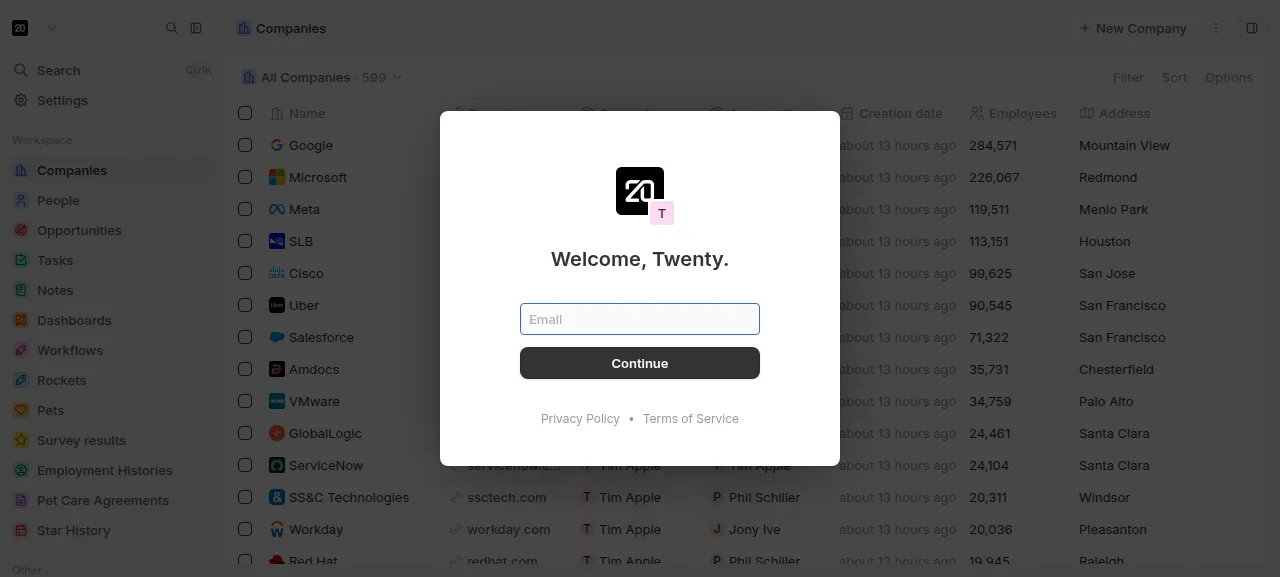
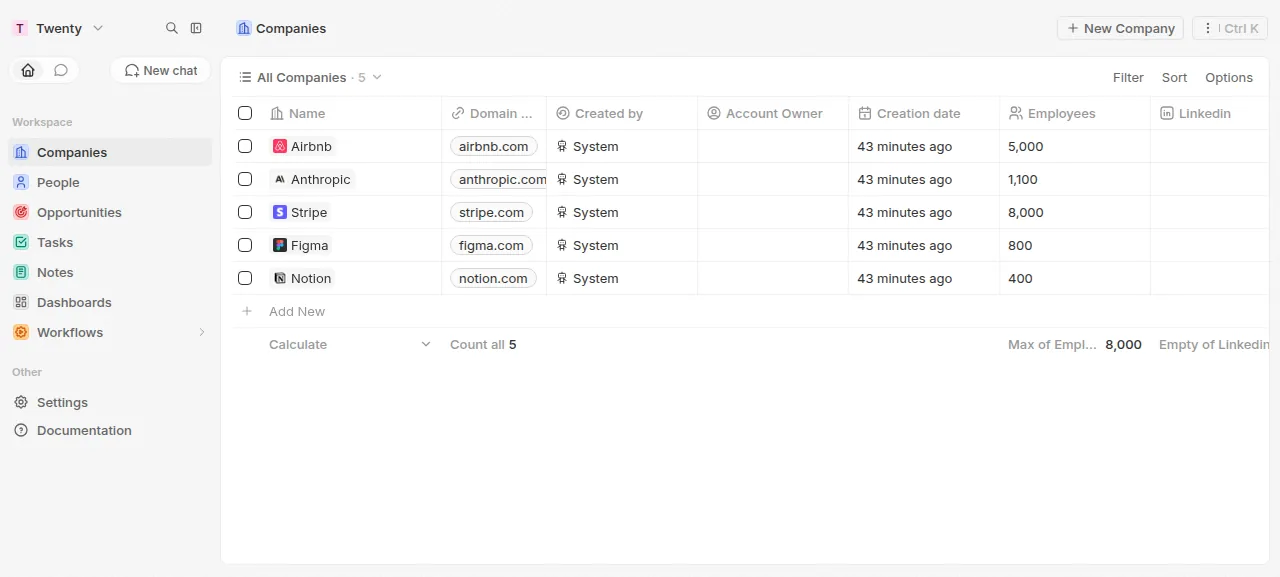
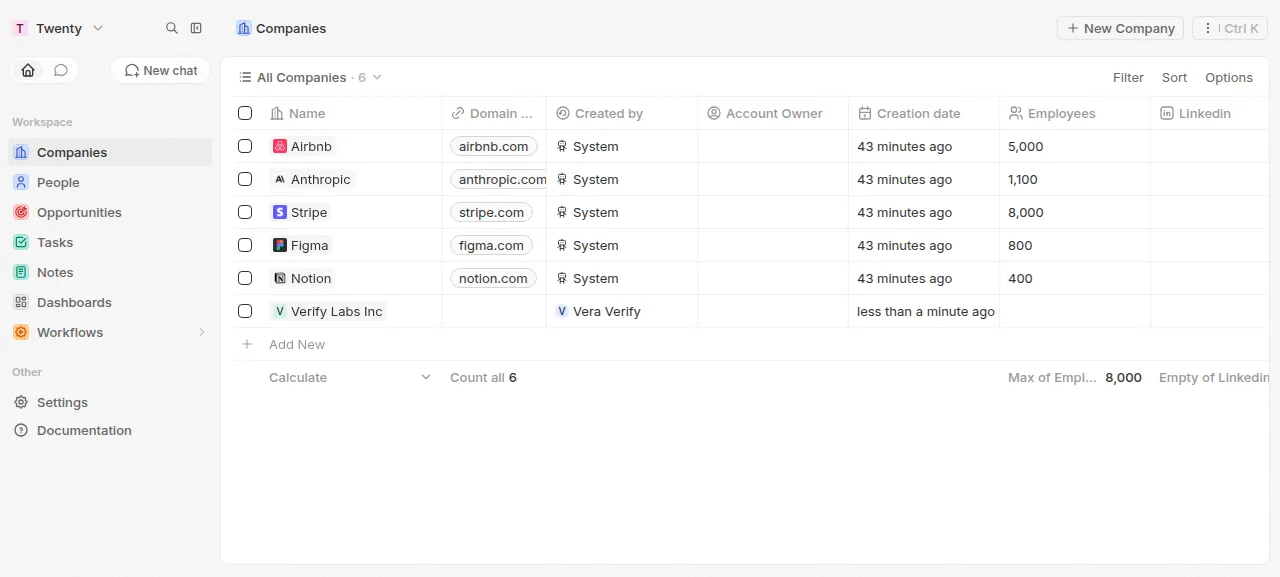
When the deploy is green, open the project's address and sign in with TWENTY_ADMIN_EMAIL and TWENTY_ADMIN_PASSWORD. Twenty refused a wrong password in the run. The first sign-in starts a short onboarding, which the run finished without connecting email, calendar or teammates. Then open Companies, press + Add New, type a name and press Enter. The test agent's company was still listed after a reload.
The run used the preview address only. A domain of your own was not part of it, and the domains page says how ox adds one.
The ox.toml, line by line
# The first workspace's admin, made by migrate (ox-twenty.sh): Twenty's
# sign-up closes once a workspace exists, so these are the only way in.
required_variables = ["TWENTY_ADMIN_EMAIL", "TWENTY_ADMIN_PASSWORD"]

[app]
start = "cd packages/twenty-server && NODE_PORT=$PORT exec node dist/main"
health = "/healthz"

[build]
# packages/twenty-docker/twenty/Dockerfile's build, with its front-end heap.
commands = [
  "npx nx run twenty-server:lingui:extract",
  "npx nx run twenty-server:lingui:compile",
  "npx nx run twenty-emails:lingui:extract",
  "npx nx run twenty-emails:lingui:compile",
  "npx nx run twenty-server:build",
  "npx nx run twenty-front:lingui:extract",
  "npx nx run twenty-front:lingui:compile",
  "NODE_OPTIONS=--max-old-space-size=8192 npx nx build twenty-front",
  "cp -r packages/twenty-front/build packages/twenty-server/dist/front",
]
migrate = "bash ox-twenty.sh"

[workers]
worker = "cd packages/twenty-server && exec node dist/queue-worker/queue-worker"

[services]
postgres = {}
redis = {}

[storage]
# Uploads (avatars, attachments, files): the image's volume, at Twenty's
# default STORAGE_LOCAL_PATH beside the server.
keep = ["packages/twenty-server/.local-storage"]
The build commands follow Twenty's Dockerfile in order, and the migrate step follows its entrypoint script.
required_variablesnames the admin's email and password. Twenty runs one workspace per instance and closes sign-up once it exists, so the first admin has to come from the deploy.startrunsnode dist/mainfrom thepackages/twenty-serverfolder. Twenty reads its port fromNODE_PORT, so the line passes it the$PORTox gives every app.healthis/healthz, the path Twenty's own compose file checks. ox switches to a new release only once it answers.There is no
installline: ox seesyarn.lockandpackageManager, and runs the Yarn install with the frozen lockfile.Of the nine build
commands, six run Lingui, Twenty's translation library, over the server, its email templates and the front end. One builds the server. One builds the front end with Node's heap limit at 8192 MB, the Dockerfile's value for a step it calls memory-intensive. The last copies the front end intodist/front, where the server serves it.[workers]runsnode dist/queue-worker/queue-worker, the command behind Twenty'sworker:prodscript, as its own service beside the web process.[services]asks for Postgres and Redis.[storage]keepspackages/twenty-server/.local-storageacross deploys: uploads such as avatars and attachments, in the folder where Twenty's compose file mounts its volume.
ox-twenty-admin.mjs
// Twenty's first workspace and its admin on ox, made from TWENTY_ADMIN_EMAIL
// and TWENTY_ADMIN_PASSWORD the way the welcome page makes them. Twenty makes
// users only through its running server's API: signUp, signUpInNewWorkspace,
// then activateWorkspace with the workspace's own token. Run from
// packages/twenty-server by ox-twenty.sh.
//   schema          prints "yes" when the database has Twenty's core schema
//                   (entrypoint.sh's test before database:init:prod), else "no"
//   state           prints "yes" when a workspace is set up, "no" when there
//                   is none yet or the last setup stopped before activating it
//   setup PID PORT  waits for the server started as PID to answer on PORT,
//                   then makes the admin and the workspace
import { createRequire } from 'node:module';
import path from 'node:path';

const require = createRequire(path.join(process.cwd(), 'package.json'));
const { Client } = require('pg');

async function query(sql, params) {
  const client = new Client({ connectionString: process.env.PG_DATABASE_URL });
  await client.connect();
  try {
    return (await client.query(sql, params)).rows;
  } finally {
    await client.end();
  }
}

async function schema() {
  const rows = await query(
    "SELECT EXISTS (SELECT 1 FROM information_schema.schemata WHERE schema_name = 'core') AS present",
  );
  console.log(rows[0].present ? 'yes' : 'no');
}

async function workspaceStatuses() {
  const rows = await query('SELECT "activationStatus" AS status FROM core.workspace');
  return rows.map((row) => row.status);
}

async function state() {
  const statuses = await workspaceStatuses();
  if (statuses.some((s) => s !== 'PENDING_CREATION' && s !== 'ONGOING_CREATION')) {
    console.log('yes');
  } else if (statuses.includes('ONGOING_CREATION')) {
    // activateWorkspace refuses a workspace in this state, and nothing
    // moves it on: an earlier setup stopped while Twenty created it.
    throw new Error('the workspace is stuck in ONGOING_CREATION: an earlier setup stopped while Twenty created it');
  } else {
    console.log('no');
  }
}

function alive(pid) {
  try {
    process.kill(pid, 0);
    return true;
  } catch {
    return false;
  }
}

async function setup(pid, port) {
  const email = process.env.TWENTY_ADMIN_EMAIL;
  const password = process.env.TWENTY_ADMIN_PASSWORD;
  const origin = process.env.SERVER_URL;
  if (!email || !password || !origin) {
    throw new Error('TWENTY_ADMIN_EMAIL, TWENTY_ADMIN_PASSWORD and SERVER_URL must be set: the first two are the admin\'s sign-in');
  }
  const base = `http://127.0.0.1:${port}`;

  const deadline = Date.now() + 5 * 60 * 1000;
  let last = 'no answer';
  for (;;) {
    if (!alive(pid)) {
      throw new Error('the server stopped before it answered /healthz, so no admin was made');
    }
    try {
      const res = await fetch(`${base}/healthz`);
      if (res.ok) {
        break;
      }
      last = `${res.status} ${(await res.text()).slice(0, 200)}`;
    } catch (err) {
      last = err.message;
    }
    if (Date.now() > deadline) {
      throw new Error(`the server did not answer /healthz in 5 minutes (last: ${last}), so no admin was made`);
    }
    await new Promise((resolve) => {
      setTimeout(resolve, 1000);
    });
  }

  // gql: one call to the /metadata API, its data, or a throw naming the
  // call and Twenty's own error.
  const gql = async (name, text, variables, token) => {
    const res = await fetch(`${base}/metadata`, {
      method: 'POST',
      headers: {
        'Content-Type': 'application/json',
        ...(token ? { Authorization: `Bearer ${token}` } : {}),
      },
      body: JSON.stringify({ query: text, variables }),
    });
    const body = await res.json().catch(() => ({}));
    if (!res.ok || body.errors?.length || !body.data?.[name]) {
      const why = body.errors?.map((e) => e.message).join('; ') || `status ${res.status}`;
      throw new Error(`${name} failed: ${why}`);
    }
    return body.data[name];
  };

  if ((await workspaceStatuses()).length === 0) {
    const { exists } = await gql('checkUserExists', 'query($e:String!){checkUserExists(email:$e){exists}}', { e: email });
    // A setup that stopped after signUp left the user: it signs in instead.
    const call = exists ? 'signIn' : 'signUp';
    const user = await gql(
      call,
      `mutation($e:String!,$p:String!){${call}(email:$e,password:$p){tokens{accessOrWorkspaceAgnosticToken{token}}}}`,
      { e: email, p: password },
    );
    await gql(
      'signUpInNewWorkspace',
      'mutation{signUpInNewWorkspace{workspace{id}}}',
      {},
      user.tokens.accessOrWorkspaceAgnosticToken.token,
    );
  }

  // The workspace is pending now (made above, or by a setup that stopped
  // before activating it): sign in to it as its admin, then activate it.
  const login = await gql(
    'getLoginTokenFromCredentials',
    'mutation($e:String!,$p:String!,$o:String!){getLoginTokenFromCredentials(email:$e,password:$p,origin:$o){loginToken{token}}}',
    { e: email, p: password, o: origin },
  );
  const tokens = await gql(
    'getAuthTokensFromLoginToken',
    'mutation($l:String!,$o:String!){getAuthTokensFromLoginToken(loginToken:$l,origin:$o){tokens{accessOrWorkspaceAgnosticToken{token}}}}',
    { l: login.loginToken.token, o: origin },
  );
  // The name the welcome page asks for; the admin renames it in Settings.
  await gql(
    'activateWorkspace',
    'mutation($i:ActivateWorkspaceInput!){activateWorkspace(data:$i){id}}',
    { i: { displayName: 'Twenty' } },
    tokens.tokens.accessOrWorkspaceAgnosticToken.token,
  );
  console.log(`ox-twenty: made the admin ${email} and the workspace`);
}

const [mode, pid, port] = process.argv.slice(2);
try {
  if (mode === 'schema') {
    await schema();
  } else if (mode === 'state') {
    await state();
  } else if (mode === 'setup' && Number(pid) > 0 && Number(port) > 0) {
    await setup(Number(pid), Number(port));
  } else {
    throw new Error('usage: ox-twenty-admin.mjs schema | state | setup PID PORT');
  }
} catch (err) {
  console.error(`ox-twenty: ${err.message}`);
  process.exit(1);
}
ox-twenty.sh
#!/usr/bin/env bash
# Twenty's migrate on ox: the Docker image's entrypoint.sh steps, then the
# first workspace and its admin from TWENTY_ADMIN_EMAIL and
# TWENTY_ADMIN_PASSWORD. The entrypoint goes on after a failed step with a
# warning; here a failed step stops the deploy before the switch.
set -euo pipefail
cd packages/twenty-server

# The entrypoint inits the database only while it has no core schema:
# database:init:prod forces its migrations past the version check.
schema=$(node ../../ox-twenty-admin.mjs schema)
case $schema in
  no) yarn database:init:prod ;;
  yes) ;;
  *) echo "ox-twenty: the schema check answered '$schema'" >&2; exit 1 ;;
esac
yarn command:prod cache:flush
yarn command:prod upgrade
yarn command:prod cache:flush
# The worker's cron jobs (calendar and message sync, cleanups): the queue
# runs only what is registered here.
yarn command:prod cron:register:all

# Twenty makes users only through its running server, and its sign-up closes
# once a workspace exists. Done here, not in the start: the first server
# boots, makes the workspace and boots again, past the start's 120s health
# wait, and a failure here stops the deploy before the switch.
state=$(node ../../ox-twenty-admin.mjs state)
case $state in
  yes) exit 0 ;;
  no) ;;
  *) echo "ox-twenty: the workspace check answered '$state'" >&2; exit 1 ;;
esac
# A free port of its own, never $PORT (the start's alone). Twenty listens on
# every address; the host's firewall keeps the port off the internet.
port=$(node -e 'const s=require("net").createServer().listen(0,"127.0.0.1",()=>{console.log(s.address().port);s.close()})')
NODE_PORT=$port node dist/main &
pid=$!
if ! node ../../ox-twenty-admin.mjs setup "$pid" "$port"; then
  kill "$pid" 2>/dev/null || true
  wait "$pid" || true
  exit 1
fi
kill "$pid"
rc=0
wait "$pid" || rc=$?
# 143 is the TERM sent above.
if [ "$rc" -ne 0 ] && [ "$rc" -ne 143 ]; then
  echo "ox-twenty: the setup server exited with $rc" >&2
  exit 1
fi
migrate runs ox-twenty.sh, which follows the steps of Twenty's entrypoint.sh. It creates the schema only when the database has no core schema yet, flushes the cache, runs Twenty's upgrade command, flushes the cache again, and registers the cron jobs. The worker runs only the jobs registered there, such as calendar and message sync. Where the Docker entrypoint carries on after a warning, this script stops the deploy.
Twenty makes users only through its running server, so the first admin needs a running server to talk to. The script asks ox-twenty-admin.mjs state whether a workspace is set up, by reading Twenty's database, and ends if one is. If not, it starts Twenty on a free port of its own, never $PORT, and ox-twenty-admin.mjs setup calls Twenty's API as the welcome page does: it signs the admin up, creates the workspace, signs in and activates it under the name Twenty. Then the script stops that server. An error anywhere stops the deploy before ox switches to the new release.
NODE_ENV
PG_DATABASE_URL
APP_SECRET
SERVER_URL
STORAGE_TYPE
SIGN_IN_PREFILLED
TWENTY_ADMIN_EMAIL
TWENTY_ADMIN_PASSWORD
PG_DATABASE_URL is ${DATABASE_URL}, the address of the Postgres ox set up, and the key Twenty reads its database from. SERVER_URL is ${PUBLIC_URL}, which ox fills in with the project's address. See variables for how references work. REDIS_URL is not listed because ox provides it from the Redis service.
APP_SECRET is Twenty's secret key. While ENCRYPTION_KEY is unset, Twenty uses it to encrypt stored secrets, and its docs warn that losing the encryption key means losing access to them. The docs tell new installs to set a dedicated ENCRYPTION_KEY, made with openssl rand -base64 32. The run set only APP_SECRET, so that key was not tested.
STORAGE_TYPE is local, which puts files in the folder [storage] keeps. SIGN_IN_PREFILLED is false, a development setting that fills the login form with a demo address. NODE_ENV is production. Only ox-twenty-admin.mjs reads TWENTY_ADMIN_EMAIL and TWENTY_ADMIN_PASSWORD, and the run used an example.com address.
Postgres, Redis and the worker
Postgres is shared with other apps on the server, each with its own database and user. Redis is a private instance for this project.
After the reboot the test agent found the app, the worker and Redis running without restarts. In the worker's log it saw UpsertTimelineActivityFromInternalEvent processed on the entity-events-to-db-queue queue, and jobs on cron-queue every minute.
Twenty keeps most settings, SMTP for email included, in its database and edits them under Settings, Admin Panel, Configuration Variables. The run set up no email.
Updates and backups
To move to a new release, merge its tag into your fork and push, or run ox deploy twenty --wait. ox builds the new release beside the running one and switches when it answers. Twenty's upgrade guide says to back up the database first, and ox dumps Postgres before each migrate. The run's redeploy left that dump. It used the same commit, so a move to a newer Twenty version was not tested.
Backups need no setup. The run's backups held a Postgres dump and an archive of the uploads folder, both daily and from Back up now, and a daily archive of Redis. Run ox backups twenty to list them, or open the Backups tab. A restore was not tested. The backups page covers keeping copies in an S3 bucket.
Frequently asked questions
Do I need Docker to self-host Twenty?
No. Twenty's docs describe Docker Compose, but the app is a Node server and a worker. ox builds both from your fork on the server, using the Dockerfile's steps, and runs them as system services beside Postgres and Redis. An update is a push to your fork.
Why can't I sign up for Twenty on my own server?
Twenty runs one workspace per instance and closes sign-up once it exists. On ox the deploy makes that workspace and its admin from TWENTY_ADMIN_EMAIL and TWENTY_ADMIN_PASSWORD, and you sign in with them. Teammates join by invite under Settings, Members. Invites go out by email, which was not tested.
Which databases does Twenty need?
Postgres and Redis. Postgres stores your companies, people and settings. Redis holds the cache and the job queues the worker reads. ox runs both on the server when the config lists them under services, so you need no outside database account.
How much memory does self-hosted Twenty use?
On the run's server, the whole machine used the memory the facts show after the reboot. That counts Twenty, its staging copy, the worker, Postgres, Redis, Caddy and the ox agent. The build compiles the server and front end there. ox takes any server from 1 GB up and says so when memory is why an app stopped.
Is Twenty free to self-host?
Twenty's code is split by license. The repo's LICENSE puts most of it under the AGPL v3. Files that start with an @license Enterprise comment are under a commercial license, which allows production use only under Twenty's terms and with an Enterprise Edition subscription. Read LICENSE in the repo before you run Twenty for your team.
New to running apps on your own server? How ox self-hosts your apps shows what ox sets up on your server.