How to self-host WordPress without Docker on your own VPS
Run WordPress 7.1.3 on your own Ubuntu server with ox: FrankenPHP, MariaDB, a WP-Cron timer and an admin made on deploy, from the config that ran.

To self-host WordPress you need an Ubuntu server, a fork of the WordPress repo with an ox.toml and two small PHP files added, and four variables. In our run the first deploy took about 2 minutes, and ox set up MariaDB for the site and a timer for WordPress's scheduled tasks.
How we tested On Oct 17, 2026, ox deployed WordPress 7.1.3 from commit fc9832be on a fresh DigitalOcean server with 8 vCPUs and 16 GB of memory. The run then redeployed it, backed it up and rebooted the server. Then a separate test agent, one that did not write the config, signed in, published a post and saw it on the blog's home page after a reload, and checked the app's services and its backup.
WordPress is free publishing software for blogs and websites, written in PHP and released under the GPL, version 2 or later. You write in a block editor under /wp-admin/, and visitors read the front of the site. Content, users and settings live in a MySQL-compatible database, and uploaded files go to wp-content/uploads. The commit the run deployed is labelled Tag 7.1.3 and says it was built from that tag in WordPress's own Subversion repository.
ox deployed WordPress 7.1.3 (commit fc9832be) on Oct 17, 2026 on a fresh DigitalOcean server with 8 vCPUs and 16 GB of memory; the first deploy took 2 minutes and a redeploy took 31 seconds.
- First deploy: 2 minutes, from adding the project until the app passed the run's first checks.
- Redeploy of the same commit: 31 seconds, until the app passed the checks again.
- Server: DigitalOcean, 8 vCPUs and 16 GB of memory (
s-8vcpu-16gb), with this app alone on it. Every one of the 85 apps we deployed ran on this one size, so it was not picked for this app. - Memory in use after the reboot: 996 MB of 15986 MB, for the whole server: Ubuntu, the app and its staging copy, its services, Caddy and the ox agent. On a server with no apps, ox's tests on real servers hold the agent to 40 MB or less and Caddy to 50 MB or less.
- Services ox runs for it:
mysql. - Scheduled jobs:
wpcron. - Source: github.com/WordPress/WordPress at 7.1.3, commit
fc9832be.
What you need
An Ubuntu LTS server. The run used the size in the facts above and measured the memory there. WordPress's readme asks for PHP 7.4 and MySQL 5.5.5, each or newer, and names PHP 8.3 or newer and MySQL 8.0 or MariaDB 10.11 or newer as the versions it prefers. ox serves PHP apps with FrankenPHP, which carries PHP 8.5, and its mysql service is MariaDB 11.8.
A GitHub account to fork
WordPress/WordPress, and an ox account, which you open by signing in with GitHub.A site title, plus a name, an email address such as
[email protected]and a password for the first administrator. The run set up no mail, and sending mail was not tested.
The steps
Open Servers in the ox dashboard and press Add server. It shows a one-time install command. Run it as root on your Ubuntu server. It sets up the ox agent and Caddy, and the server then appears in your account.
Fork WordPress/WordPress on GitHub and check out commit fc9832be, the one the run deployed. Add ox.toml, wp-config.php and ox-install.php at the root of your fork, as shown below, then commit and push. Next write a file named wordpress.env on your laptop with one KEY=value line for each of the four variables listed below. The config does not mark them as required, so fill in all four before the review. With the ox CLI signed in (ox login), run:
ox new <you>/WordPress
ox review wordpress --from-file wordpress.env --wait
ox lowercases the repo name for the project, so the project is wordpress. The review saves your values and starts the first deploy, and --wait follows the run until it ends. The console has the same two steps, and the quickstart walks through them.
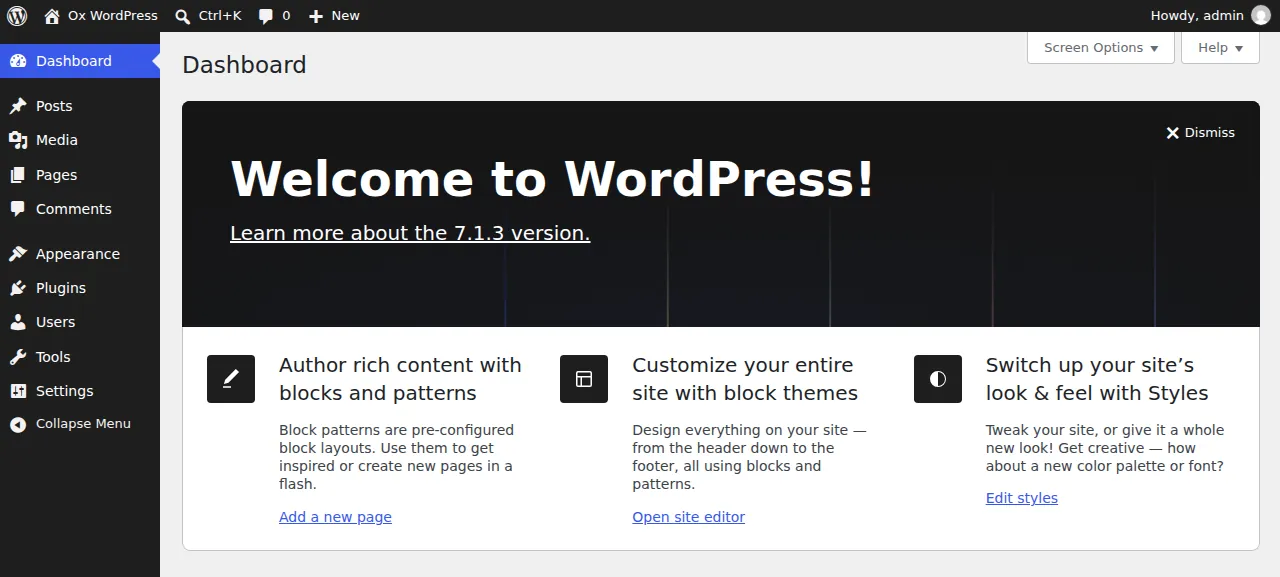
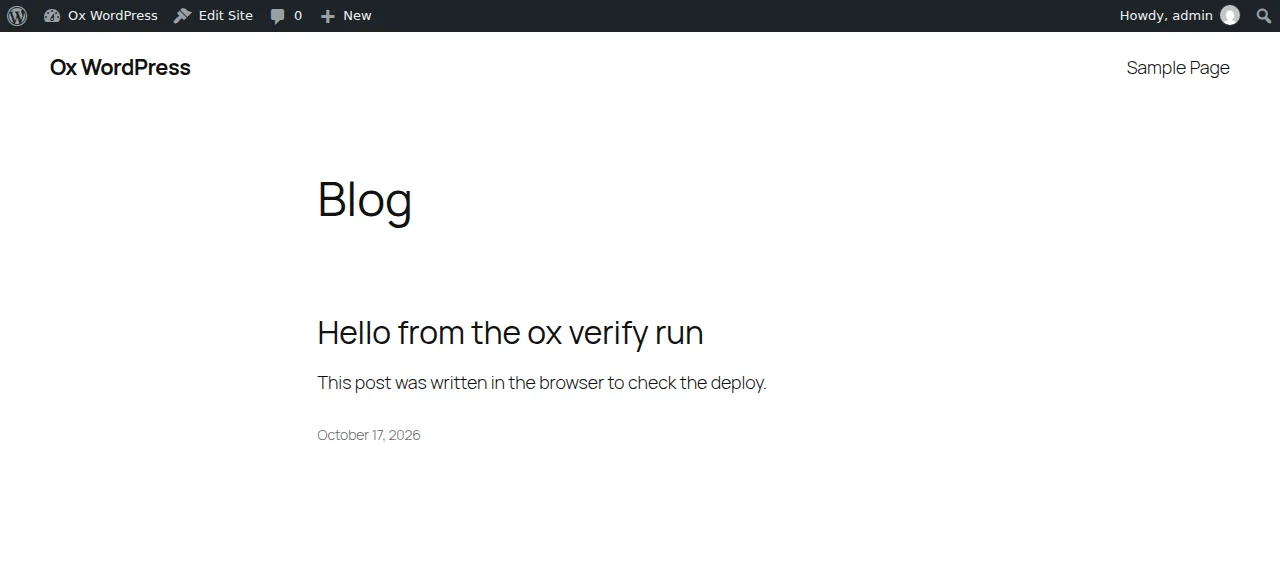
When the deploy is green, open the https address ox shows for the project and go to /wp-login.php. Sign in with WP_ADMIN_USER and WP_ADMIN_PASSWORD, and the dashboard opens at /wp-admin/. The first time the block editor opens, a welcome tip may need closing. To try it, open Posts, press Add New, write a line, and press Publish, then confirm: the post shows on the blog's home page. The run served WordPress on that preview address only, so a domain of your own was not part of it. The domains page covers how ox adds one.
The ox.toml, line by line
# WordPress 7.1.3 (PHP, MySQL), as its operator would write it: ox detects
# FrankenPHP. The overlay adds wp-config.php (reads ox's MYSQL_URL) and an
# installer that does what wp-cli's core install does.

[build]
# Creates the tables and the admin account on the first deploy, and runs the
# database upgrade after a new release. frankenphp has PHP built in, so no
# separate php-cli is needed.
migrate = "frankenphp php-cli ox-install.php"

[services]
mysql = {}

[storage]
# Uploads are the only folder WordPress writes at run time.
keep = ["wp-content/uploads"]

[cron]
# WP-Cron runs when a page loads, which a quiet site never does.
wpcron = { schedule = "*/5 * * * *", run = "frankenphp php-cli wp-cron.php" }
There is no [app] section. ox finds wp-load.php and wp-includes/version.php, knows the repo is WordPress, and starts FrankenPHP with the repo root as the web root.
migraterunsox-install.phpon every deploy, after the build and before traffic switches. FrankenPHP has PHP built in, andphp-cliis its way to run a script, so the server needs no PHP package of its own.mysql = {}under[services]asks for a MariaDB that belongs to this project alone. It runs as a systemd unit under the project's user, with a password ox generates, and gives the app one variable,MYSQL_URL.keep = ["wp-content/uploads"]names the one folder WordPress writes while it runs. A PHP release is read-only, so ox links that folder to the project's data directory, which stays writable and survives deploys.The
wpcronjob runswp-cron.phpevery five minutes, in UTC. WordPress's header in that file says it normally runs when someone visits, and that a site with few visits can call it from a server cron. A quiet site gets no visits, so the timer keeps scheduled tasks running.
ox-install.php
<?php
// Run by the deploy only: the web root is the repository, so a request for
// this file does nothing.
if ( PHP_SAPI !== 'cli' ) {
	http_response_code( 404 );
	exit;
}
// The first run installs WordPress; later runs apply a database upgrade.
define( 'WP_INSTALLING', true );
require __DIR__ . '/wp-load.php';
require_once ABSPATH . 'wp-admin/includes/upgrade.php';

if ( ! is_blog_installed() ) {
	$result = wp_install(
		getenv( 'WP_SITE_TITLE' ),
		getenv( 'WP_ADMIN_USER' ),
		getenv( 'WP_ADMIN_EMAIL' ),
		true,
		'',
		getenv( 'WP_ADMIN_PASSWORD' )
	);
	echo "installed WordPress, admin id " . $result['user_id'] . "\n";
} else {
	global $wp_db_version;
	if ( (int) get_option( 'db_version' ) !== (int) $wp_db_version ) {
		wp_upgrade();
	}
	echo "WordPress already installed\n";
}
wp-config.php
<?php
// ox gives a mysql service one variable, MYSQL_URL (mysql://user:password@host:port/name).
$db = parse_url(getenv('MYSQL_URL') ?: '');
define( 'DB_NAME', ltrim($db['path'] ?? '', '/') );
define( 'DB_USER', $db['user'] ?? '' );
define( 'DB_PASSWORD', $db['pass'] ?? '' );
define( 'DB_HOST', ($db['host'] ?? '127.0.0.1') . ':' . ($db['port'] ?? 3306) );
define( 'DB_CHARSET', 'utf8mb4' );
define( 'DB_COLLATE', '' );

// The salts derive from the database password, which ox generates per project.
foreach ( array( 'AUTH_KEY', 'SECURE_AUTH_KEY', 'LOGGED_IN_KEY', 'NONCE_KEY', 'AUTH_SALT', 'SECURE_AUTH_SALT', 'LOGGED_IN_SALT', 'NONCE_SALT' ) as $name ) {
	define( $name, hash_hmac('sha256', $name, DB_PASSWORD) );
}

$table_prefix = 'wp_';

// A release is read-only while it runs: no theme, plugin or core edits from the dashboard.
define( 'DISALLOW_FILE_MODS', true );
define( 'WP_DEBUG', false );

// Caddy terminates TLS in front of the app.
if ( ($_SERVER['HTTP_X_FORWARDED_PROTO'] ?? '') === 'https' ) {
	$_SERVER['HTTPS'] = 'on';
}
if ( getenv('PUBLIC_URL') ) {
	define( 'WP_HOME', getenv('PUBLIC_URL') );
	define( 'WP_SITEURL', getenv('PUBLIC_URL') );
}

if ( ! defined('ABSPATH') ) {
	define( 'ABSPATH', __DIR__ . '/' );
}
require_once ABSPATH . 'wp-settings.php';
wp-config.php is the file WordPress reads its settings from. The repo ships only wp-config-sample.php, so you add this one. It takes the database host, port, name, user and password from MYSQL_URL. The eight security keys and salts WordPress uses for login cookies and nonces are an HMAC of each name with the database password, which ox generates for the project, so no secret sits in git. DISALLOW_FILE_MODS is on because the release is read-only, so the dashboard cannot edit files, install anything or update core. Caddy ends TLS in front of the app, so when it forwards X-Forwarded-Proto: https the file tells WordPress the request was secure. WP_HOME and WP_SITEURL come from PUBLIC_URL, the address ox gives the project.
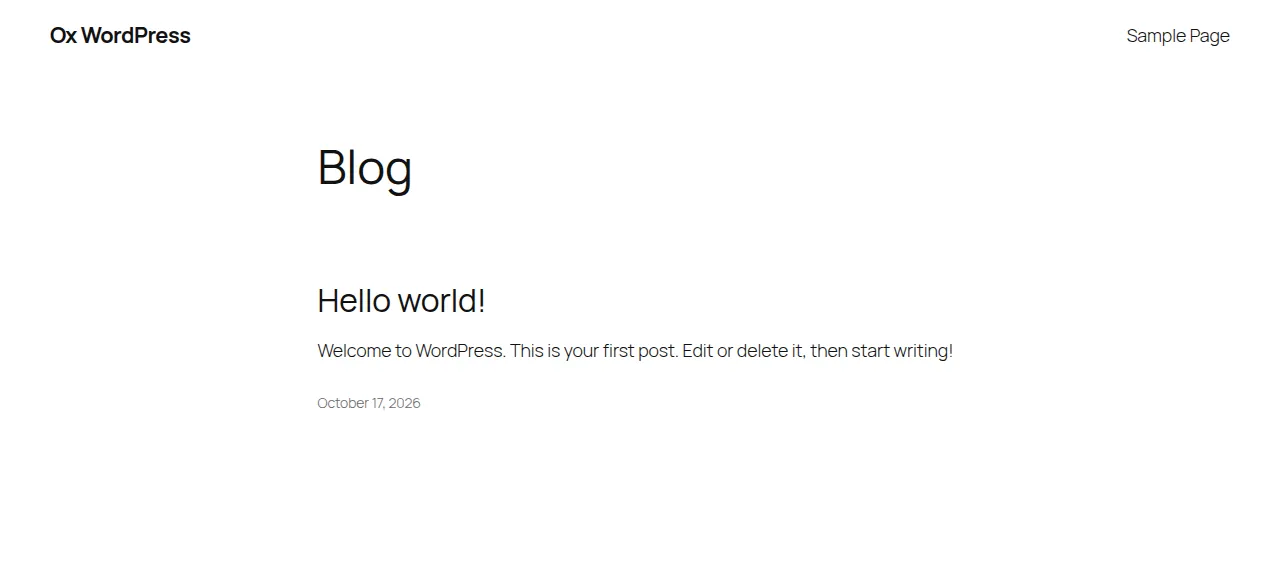
ox-install.php is run by the deploy and nothing else: a request for it over the web gets a 404. If WordPress is not installed yet, it calls wp_install with the site title and the admin's name, email and password, and makes the site visible to search engines. That also creates WordPress's sample post and page, as the first screenshot shows. On a site that is installed, it runs the database upgrade when the database's version differs from the code's. It prints which case it found, which makes it safe on every deploy.
WP_SITE_TITLE
WP_ADMIN_USER
WP_ADMIN_EMAIL
WP_ADMIN_PASSWORD
WP_SITE_TITLE is the site's name. WP_ADMIN_USER, WP_ADMIN_EMAIL and WP_ADMIN_PASSWORD make the first administrator. ox-install.php reads all four only while WordPress is not installed, so changing one later changes nothing. You do not set MYSQL_URL or PUBLIC_URL, because ox provides both. The variables page explains how ox stores and shows values.
MariaDB and WP-Cron
The run also deployed a staging copy beside production, with a second MariaDB and its own cron timer, and the memory figure above counts both. The test agent saw each timer run to success. wp-cron.php prints nothing when it works, so a clean exit is the sign.
Updates and backups
A push to your fork, or ox deploy wordpress --wait, deploys again. The run redeployed the same commit in the time shown above. Moving to a newer WordPress release was not tested, though the migrate step is written to run the database upgrade when the versions differ. The dashboard cannot change files, so updating WordPress means updating the repo your fork deploys.
The run's backup was the mysql one. ox backups wordpress lists backups, and ox backups wordpress now mysql makes one, as Back up now does on the Backups tab. Restoring a backup was not tested, and neither was whether a backup includes the uploads folder. The backups page describes what ox keeps. More apps are on the self-hosting page.
Frequently asked questions
Do I need Docker to self-host WordPress?
No. ox serves WordPress with FrankenPHP, a PHP server that carries its own PHP, and runs MariaDB as a systemd service beside it. Nothing is pulled as an image. The run used a fork of WordPress's repo with an ox.toml and two small PHP files added, and the site came up from that.
Which database does self-hosted WordPress need?
MySQL 5.5.5 or newer, or MariaDB, according to WordPress's readme, which also prefers MySQL 8.0 or newer, or MariaDB 10.11 or newer. ox's mysql service is MariaDB 11.8, private to the project. It gives the app one MYSQL_URL, and the wp-config.php in this guide reads it, so you never type a database password.
How do I create the first WordPress admin without the setup screen?
Put WP_ADMIN_USER, WP_ADMIN_EMAIL and WP_ADMIN_PASSWORD, plus WP_SITE_TITLE, in the env file before the first deploy. The migrate step runs ox-install.php, which installs WordPress and creates that administrator, so the setup screen never appears. Then sign in at /wp-login.php. Changing the values later changes nothing, because the script skips an installed site.
Can I install plugins and themes from the WordPress dashboard?
Not on this setup. The release is read-only while it runs, and wp-config.php sets DISALLOW_FILE_MODS, so installing or updating plugins, themes and core from the admin does not work. Uploading media and adding a plugin through your repo were not tested, though wp-content/uploads is a kept folder.
How much memory does self-hosted WordPress use?
The whole server used the memory shown in the facts after the reboot. That figure counts WordPress, its staging copy, two MariaDB instances, Caddy and the ox agent. The run did not measure memory under real traffic. ox works on any server from 1 GB up and tells you when memory is why an app stopped.
New to running apps on your own server? How ox self-hosts your apps shows what ox sets up on your server.