How to self-host wallabag on your own VPS, without Docker
Run wallabag 2.6.14, the read-it-later app, on your own Ubuntu server with ox: PHP, PostgreSQL and a first admin made on deploy, from the config that ran.

Self-hosting wallabag takes an Ubuntu server, your own fork of the wallabag repo that carries an ox.toml and three PHP files, and seven variables. In our run the first deploy took about 2 minutes, and ox set up the PostgreSQL database for it.
How we tested On Oct 17, 2026, ox deployed wallabag 2.6.14 from commit 74cbfd94 on a fresh DigitalOcean server with 8 vCPUs and 16 GB of memory. The run then redeployed it, backed it up and rebooted the server. Then a separate test agent, one that did not write the config, signed in, saved an article from its link and saw it in the Unread list with its reading time after a reload, and checked the app's services and its backup.
wallabag is a web app for saving web pages to read later. You paste a link, wallabag fetches the page and keeps the article text without pop-ups, and you read it from a list of unread entries. It is a PHP app built on Symfony, under the MIT license, with a browser extension and Android and iOS apps from the project.
ox deployed wallabag 2.6.14 (commit 74cbfd94) on Oct 17, 2026 on a fresh DigitalOcean server with 8 vCPUs and 16 GB of memory; the first deploy took 2 minutes and a redeploy took 33 seconds.
- First deploy: 2 minutes, from adding the project until the app passed the run's first checks.
- Redeploy of the same commit: 33 seconds, until the app passed the checks again.
- Server: DigitalOcean, 8 vCPUs and 16 GB of memory (
s-8vcpu-16gb), with this app alone on it. Every one of the 85 apps we deployed ran on this one size, so it was not picked for this app. - Memory in use after the reboot: 769 MB of 15986 MB, for the whole server: Ubuntu, the app, its services, Caddy and the ox agent. On a server with no apps, ox's tests on real servers hold the agent to 40 MB or less and Caddy to 50 MB or less.
- Services ox runs for it:
postgres. - Source: github.com/wallabag/wallabag at 2.6.14, commit
74cbfd94.
What you need
An Ubuntu LTS server. The run used the size in the facts above and measured the memory there. wallabag's
composer.jsonasks for PHP 7.4 or newer with several extensions, among them intl, gd and tidy. The config adds one system package,php-pgsql.A GitHub account to fork
wallabag/wallabag, and an ox account, which you open by signing in with GitHub.A user name, a password and an email address, such as
[email protected], for the first admin.Outbound internet from the server, which downloads each page you save.
Email was not tested: the run pointed wallabag at a test mail catcher.
The steps
On the ox dashboard choose Add a server and copy the install command it prints. Run it as root on your Ubuntu machine. It installs the ox agent and Caddy.
Fork wallabag/wallabag and start from the tag 2.6.14, commit 74cbfd94, the release the run deployed. Add ox.toml, ox/install.php, ox/parameters.php and web/index.php at the paths shown below, then commit and push. On your laptop write wallabag.env, one KEY=value line for each key in the variables section. wallabag's example settings file asks for a secret that is random, and APP_SECRET fills that setting. With the ox CLI signed in, run:
ox new <you>/wallabag
ox review wallabag --from-file wallabag.env --wait
The project takes its name from the repo. The review saves your values and starts the first deploy, and --wait follows the log to its end. The quickstart shows the browser route.
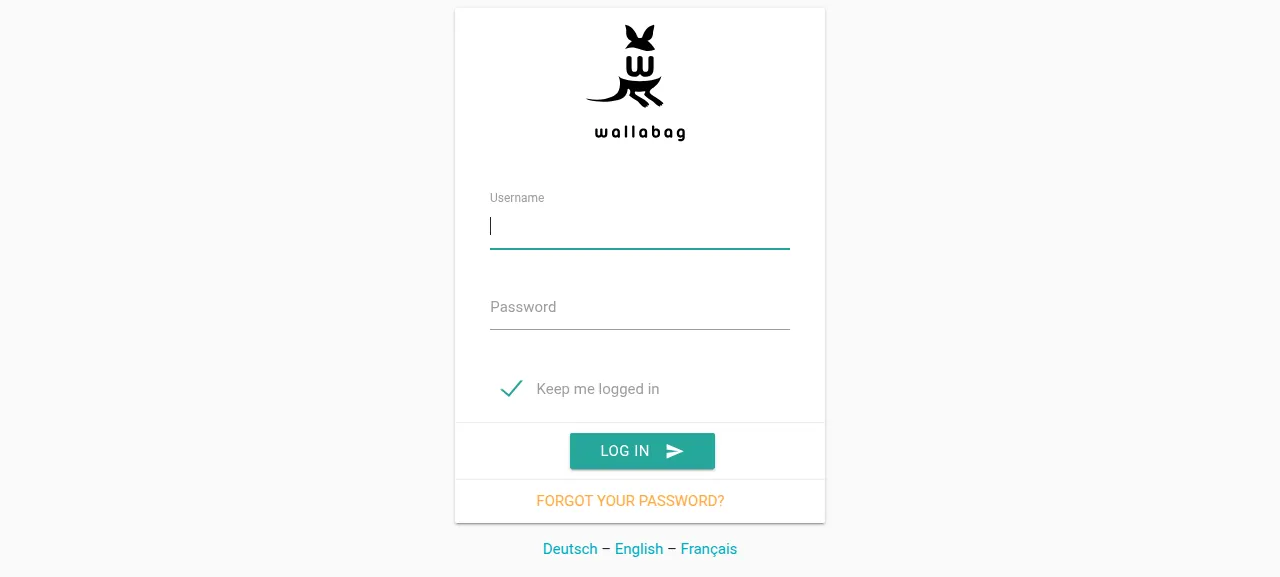
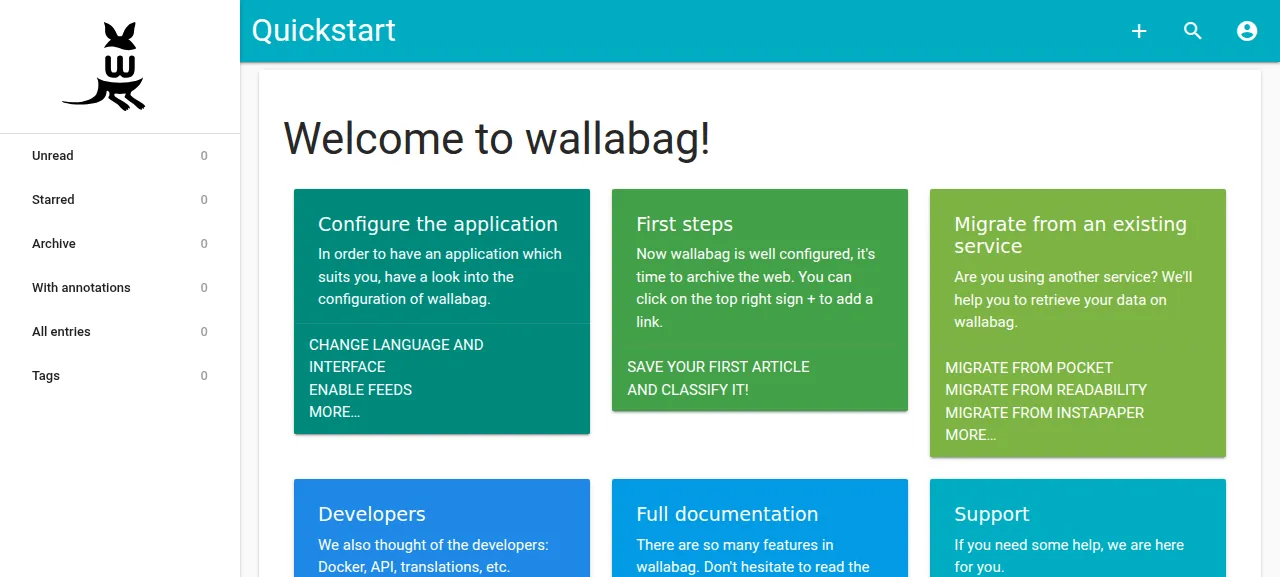
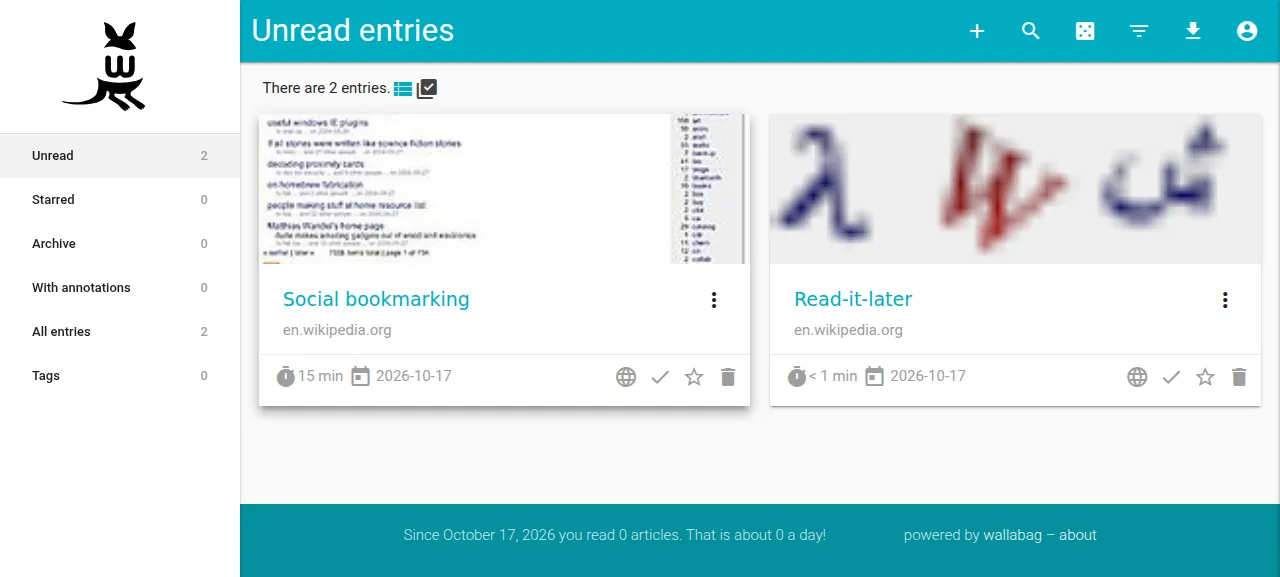
When the deploy is green, open the project's address. It sends you to /login, where a wrong password answers "Invalid credentials." Sign in with WALLABAG_ADMIN_USER and WALLABAG_ADMIN_PASSWORD and wallabag opens its Quickstart page. Press the plus sign in the top bar, paste an article's address and press Enter. After a reload the Unread list shows the article with its title, site and reading time. The run saved a Wikipedia article this way, and it read 15 min.
The run served wallabag on its preview address only. A domain of your own was not part of it, and the domains page covers how ox adds one.
The ox.toml, line by line
# wallabag 2.6 (Symfony 4.4 before Flex) on PostgreSQL, set up the way its
# install guide does it: composer install, the migrations, then
# wallabag:install once. ox's detected start serves web/ with FrankenPHP,
# whose index.php (web/index.php here) trusts ox's proxy and runs app.php.

# The console's PostgreSQL driver; FrankenPHP has its own.
packages = ["php-pgsql"]

# The first admin, made by wallabag:install (ox/install.php) in migrate.
required_variables = ["WALLABAG_ADMIN_USER", "WALLABAG_ADMIN_PASSWORD", "WALLABAG_ADMIN_EMAIL"]

[app]
health = "/login"
# wallabag writes its cache folder while it runs, beyond the pools folder
# ox makes writable: the site settings cache (craue_config) and the article
# fetcher's cookie jar (var/cache/prod/cookiejar.json).
sandbox = "relaxed"

[build]
# ox/parameters.php writes app/config/parameters.yml from the variables
# first: composer's post-install scripts boot the app.
install = "php ox/parameters.php && SYMFONY_ENV=prod composer install --no-dev --no-interaction --prefer-dist --optimize-autoloader"
# The release's index.php is the overlay's, so no link to app.php here.
commands = ["php bin/console cache:warmup --env=prod --no-debug"]
migrate = '''
php bin/console doctrine:migrations:migrate --env=prod --no-debug --no-interaction --allow-no-migration
php ox/install.php
'''

[services]
postgres = {}

[storage]
# data: the key that encrypts saved site credentials; web/assets/images:
# images saved with articles; web/uploads/import: files being imported;
# var/sessions: sign-ins, so a deploy does not sign everyone out.
keep = ["data", "web/assets/images", "web/uploads/import", "var/sessions"]
wallabag 2.6 runs on Symfony 4.4, which predates Symfony's Flex layout. Its front controller is web/app.php, and ox serves the web/ folder through FrankenPHP.
packagesadds the PostgreSQL driver for PHP's command line, where the migrations and the installer run. FrankenPHP has its own.required_variablesnames the three admin keys. wallabag itself never reads them.ox/install.phpdoes, and listing them makes the review ask for them before anything builds.healthis/login, which answers without a session. ox waits for it before moving traffic to a new release.sandbox = "relaxed"is there because the default lets a PHP app write only its data folder and tool caches. wallabag also writes insidevar/cache/prodwhile it runs: its settings cache and its article fetcher's cookie jar. Relaxed lets it write anywhere in the project's home.installrunsox/parameters.phpfirst, because Composer's post-install scripts boot the app and it needs its settings file by then. Then comescomposer installfor production, without dev packages.The one build command warms the production cache. It makes no link from
web/index.phptoapp.php, because the repo gets its ownweb/index.php.migrateruns wallabag's Doctrine migrations, thenox/install.php. With--allow-no-migration, a deploy that has nothing to migrate is not an error.postgres = {}asks for a PostgreSQL database and a role of its own, with its address inDATABASE_URL.keeplists four folders.dataholds the key that encrypts the logins you save for sites,web/assets/imagesholds pictures saved with articles,web/uploads/importholds files waiting to be imported, andvar/sessionsholds sign-ins, so a deploy does not log everyone out.
ox/install.php
<?php

// Runs wallabag's installer (wallabag:install) once, after the migrations
// made the schema: it writes the internal settings and makes the first
// admin. The installer asks its questions on the console, and with
// --no-interaction it makes the admin wallabag/wallabag, so its answers are
// fed in here, the way Symfony's CommandTester does it, and the password
// never rides a command line. A database with a user is installed: the
// installer would delete and rewrite the settings a person may have changed.
// The settings alone say nothing, since the migrations insert them too
// (33 rows on a fresh database).

use Doctrine\DBAL\Connection;
use Symfony\Bundle\FrameworkBundle\Console\Application;
use Symfony\Component\Console\Input\ArrayInput;
use Symfony\Component\Console\Output\ConsoleOutput;
use Wallabag\CoreBundle\Entity\InternalSetting;
use Wallabag\UserBundle\Entity\User;

set_time_limit(0);

$root = dirname(__DIR__);
require $root.'/vendor/autoload.php';

function need(string $key): string
{
    $value = getenv($key);
    if (false === $value || '' === $value) {
        fwrite(STDERR, "ox/install.php: $key is not set\n");
        exit(1);
    }
    if (false !== strpbrk($value, "\r\n")) {
        fwrite(STDERR, "ox/install.php: $key holds a line break\n");
        exit(1);
    }

    return $value;
}

$username = need('WALLABAG_ADMIN_USER');
$password = need('WALLABAG_ADMIN_PASSWORD');
$email = need('WALLABAG_ADMIN_EMAIL');

$kernel = new AppKernel('prod', false);
$kernel->boot();

// The counts go through the connection and table names taken now: the
// installer's cache:clear replaces the cache folder, so the container's
// lazy services cannot load after it (getUserRepositoryService.php).
$em = $kernel->getContainer()->get('doctrine')->getManager();
$db = $em->getConnection();
$tables = [
    $em->getClassMetadata(InternalSetting::class)->getTableName(),
    $em->getClassMetadata(User::class)->getTableName(),
];

function counts(Connection $db, array $tables): array
{
    return array_map(fn (string $t): int => (int) $db->fetchOne('SELECT COUNT(*) FROM '.$db->quoteIdentifier($t)), $tables);
}

[$settings, $users] = counts($db, $tables);
if ($users > 0) {
    echo "ox/install.php: wallabag is installed ($settings settings, $users users): nothing to do\n";
    exit(0);
}

// The installer's questions, in its order: reset the database ox made (no),
// reset the schema the migrations made (no), make an admin (yes), its name,
// password and email. Each answer is read only when its question is asked,
// so a "yes" can never land on a reset question.
$answers = "n\nn\ny\n$username\n$password\n$email\n";
$stream = fopen('php://memory', 'r+');
fwrite($stream, $answers);
rewind($stream);
// Symfony's console reads answers only from an interactive input, which it
// decides from a terminal or this variable.
putenv('SHELL_INTERACTIVE=1');

$application = new Application($kernel);
$application->setAutoExit(false);
$input = new ArrayInput(['command' => 'wallabag:install', '--env' => 'prod', '--no-debug' => true]);
$input->setStream($stream);
$code = $application->run($input, new ConsoleOutput());
if (0 !== $code) {
    exit($code);
}

[$settings, $users] = counts($db, $tables);
if (0 === $settings || 0 === $users) {
    fwrite(STDERR, "ox/install.php: wallabag:install did not finish: $settings settings, $users users\n");
    exit(1);
}
echo "ox/install.php: installed, $users users\n";
ox/parameters.php
<?php

// Writes app/config/parameters.yml, wallabag's settings file, from ox's
// variables. It runs before composer install, whose post-install scripts
// boot the app (cache:clear) and fill every key left out here with
// app/config/parameters.yml.dist's default. Symfony 4.4's doctrine config
// takes no env() placeholder for the database host, so the values are
// written as they are: a changed variable takes effect on the next deploy.

function need(string $key): string
{
    $value = getenv($key);
    if (false === $value || '' === $value) {
        fwrite(STDERR, "ox/parameters.php: $key is not set\n");
        exit(1);
    }

    return $value;
}

// A string value is read by Symfony as a parameter, where % starts a
// reference.
function literal($value)
{
    return is_string($value) ? str_replace('%', '%%', $value) : $value;
}

$db = parse_url(need('DATABASE_URL'));
if (false === $db || !isset($db['host'], $db['user'], $db['path'])) {
    fwrite(STDERR, "ox/parameters.php: DATABASE_URL is not a postgres URL with a host, a user and a database\n");
    exit(1);
}

$parameters = [
    'database_driver' => 'pdo_pgsql',
    'database_host' => $db['host'],
    'database_port' => $db['port'] ?? 5432,
    'database_name' => rawurldecode(ltrim($db['path'], '/')),
    'database_user' => rawurldecode($db['user']),
    'database_password' => rawurldecode($db['pass'] ?? ''),
    // wallabag's own note: PostgreSQL takes utf8, not utf8mb4.
    'database_charset' => 'utf8',
    // The site's address: links in mails and feeds, and the asset URLs.
    'domain_name' => rtrim(need('PUBLIC_URL'), '/'),
    'secret' => need('APP_SECRET'),
    // The admin adds people under Users; an open sign-up page is off.
    'fosuser_registration' => false,
];
// Mail (password reset, two-factor codes): the dist file's smtp://127.0.0.1
// unless MAILER_DSN names a server.
if (false !== getenv('MAILER_DSN') && '' !== getenv('MAILER_DSN')) {
    $parameters['mailer_dsn'] = getenv('MAILER_DSN');
}

// JSON is YAML, so each value is written as JSON.
$out = "# Written by ox/parameters.php from the project's variables.\nparameters:\n";
foreach ($parameters as $key => $value) {
    $out .= '    '.$key.': '.json_encode(literal($value), JSON_UNESCAPED_SLASHES | JSON_UNESCAPED_UNICODE | JSON_THROW_ON_ERROR)."\n";
}
$file = dirname(__DIR__).'/app/config/parameters.yml';
if (false === file_put_contents($file, $out)) {
    fwrite(STDERR, "ox/parameters.php: could not write $file\n");
    exit(1);
}
echo "ox/parameters.php: wrote app/config/parameters.yml\n";
web/index.php
<?php

// The front controller FrankenPHP's php-server runs for every path that is
// not a file. ox's proxy calls the app from loopback with X-Forwarded-*
// headers, and Symfony 4.4 trusts a proxy only when the front controller
// says so (there is no framework.trusted_proxies before 5.2): without it an
// https visit reads as http. Then it runs the app's own web/app.php.

use Symfony\Component\HttpFoundation\Request;

require __DIR__.'/../vendor/autoload.php';

Request::setTrustedProxies(['127.0.0.1', '::1'], Request::HEADER_X_FORWARDED_ALL);

require __DIR__.'/app.php';
ox/parameters.php writes app/config/parameters.yml, the settings file wallabag reads, from your variables. It splits DATABASE_URL into host, port, name, user and password, and sets the character set to utf8, which wallabag's own file asks for on PostgreSQL. PUBLIC_URL becomes the site address wallabag uses in mails, feeds and asset links, and sign-up is switched off. Symfony 4.4 takes no environment placeholder for the database host, so the values are written out, and a changed variable takes effect on the next deploy.
ox/install.php runs wallabag's installer, wallabag:install, once. The installer asks its questions on the console, and left to its defaults it makes an admin named wallabag with the password wallabag. The file answers each question from your three variables, so the password never appears on a command line. When the database already has a user it does nothing, so every deploy can run it.
web/index.php is the front controller FrankenPHP runs. ox's proxy calls wallabag from the same machine and passes the visitor's scheme in X-Forwarded headers. Symfony 4.4 believes a proxy only when the front controller says so, and otherwise an https visit reads as http. The file trusts the local proxy, then runs the app's own app.php.
APP_SECRET
WALLABAG_ADMIN_USER
WALLABAG_ADMIN_PASSWORD
WALLABAG_ADMIN_EMAIL
MAILER_HOST
MAILER_PORT
MAILER_DSN
APP_SECRET is wallabag's secret for security tokens. WALLABAG_ADMIN_USER, WALLABAG_ADMIN_PASSWORD and WALLABAG_ADMIN_EMAIL are the first admin. MAILER_DSN is the address of the mail server wallabag sends through, and ox/parameters.php passes it on when it is set. The run also set MAILER_HOST and MAILER_PORT, which the files above never read. ox provides two more keys itself: DATABASE_URL from the postgres service, and PUBLIC_URL, the address it serves the project on. Variables explains where each kind comes from.
The database and what is not here
wallabag uses one service, PostgreSQL. ox shares it among the projects on a server and gives each its own database and role. You can look inside it from the Services tab or with ox explore wallabag postgres. The config declares no worker, cron job or timer, and the run's server had no process of the project besides the app.
wallabag's example settings file has RabbitMQ and Redis sections for background processing, and this config uses neither. Imports from Pocket or Instapaper, the browser extension and the phone apps were not tested.
Updates and backups
To move to a new release, merge its tag into your fork and push, or run ox deploy wallabag --wait. ox builds the release beside the live one, runs migrate, and moves traffic once /login answers. It dumps PostgreSQL before each migrate, and the run's redeploy left such a dump. The rollback page covers a release that goes wrong.
Backups need no setup. The run's backup, made with Back up now, held a PostgreSQL dump and one archive for each kept folder. List them with ox backups wallabag. A restore was not tested. The backups page covers copies in an S3 bucket, and self-hosting lists the other apps.
Frequently asked questions
Do I need Docker to self-host wallabag?
No. wallabag's repo ships a docker-compose file, but the app is plain PHP on Symfony. ox runs Composer on the server against your fork, serves the result with FrankenPHP as a system service, and installs PostgreSQL beside it. There is no image to pull, and an update is a push or one deploy command.
Which database does wallabag need?
wallabag's example settings file offers MySQL, PostgreSQL and SQLite, and its default driver is MySQL. The run used PostgreSQL, which ox sets up for the project and reaches through DATABASE_URL. ox/parameters.php turns that URL into wallabag's own settings. MySQL and SQLite were not tested here.
What is the default wallabag login?
The installer's own default is the user wallabag with the password wallabag, which anyone can guess. Here it gets your three variables instead, so the one admin it makes has your name and password. Registration is off and the login page has no Register link. Adding more users was not tested.
How much memory does self-hosted wallabag use?
After the reboot, the whole server in the run used the memory the facts show. That covers wallabag, PostgreSQL, Caddy and the ox agent. A deploy also runs Composer on the server. ox works on any server from 1 GB up, and tells you when memory is why an app stopped.
New to running apps on your own server? How ox self-hosts your apps shows what ox sets up on your server.