How to self-host Casdoor on your own VPS without Docker
Run Casdoor v4.20.0, the open-source SSO server, on your own Ubuntu server with ox and no Docker: a Go build, Postgres and Redis, from the config that ran.

To self-host Casdoor you need an Ubuntu server, a fork of the Casdoor repo with an ox.toml added and one config file replaced, and four variables. In our run the first deploy took about 4 minutes, and ox set up the Postgres database and the Redis that Casdoor uses.
How we tested On Oct 17, 2026, ox deployed Casdoor v4.20.0 from commit ef7754b1 on a fresh DigitalOcean server with 8 vCPUs and 16 GB of memory. The run then redeployed it, backed it up and rebooted the server. Then a separate test agent, one that did not write the config, signed in, created an organization with an application and a user, and saw the user listed after a reload, and checked the app's services and its backup.
Casdoor is an identity and access management server. It keeps the users of your organizations and signs them in for your other apps, so those apps never handle a password. It speaks OAuth 2.0, OpenID Connect, SAML 2.0 and CAS, and its web console manages organizations, applications and users. The code is Apache-2.0 licensed: a Go server on Beego, with a React console built by Vite.
ox deployed Casdoor v4.20.0 (commit ef7754b1) on Oct 17, 2026 on a fresh DigitalOcean server with 8 vCPUs and 16 GB of memory; the first deploy took 4 minutes and a redeploy took 74 seconds.
- First deploy: 4 minutes, from adding the project until the app passed the run's first checks.
- Redeploy of the same commit: 74 seconds, until the app passed the checks again.
- Server: DigitalOcean, 8 vCPUs and 16 GB of memory (
s-8vcpu-16gb), with this app alone on it. Every one of the 85 apps we deployed ran on this one size, so it was not picked for this app. - Memory in use after the reboot: 694 MB of 15986 MB, for the whole server: Ubuntu, the app, its services, Caddy and the ox agent. On a server with no apps, ox's tests on real servers hold the agent to 40 MB or less and Caddy to 50 MB or less.
- Services ox runs for it:
postgres,redis. - Source: github.com/casdoor/casdoor at v4.20.0, commit
ef7754b1.
What you need
An Ubuntu LTS server. The run used the size shown in the facts, and its memory was measured after the reboot.
A GitHub account to fork
casdoor/casdoor. You open the ox account by signing in with it.No outside service. Email, SMS and sign-in through providers such as GitHub are Casdoor features that were not set up or tested. The logo, avatars and favicon load from
cdn.casbin.org.
The steps
In the ox dashboard, press Add a server and run the command it shows, as root, on your Ubuntu machine. It puts the ox agent and Caddy on the machine.
Fork casdoor/casdoor on GitHub and check out the tag v4.20.0, the release the run deployed. Add the ox.toml shown below at the top of the repo, and replace conf/app.conf with the file shown further down. Commit and push. Then write casdoor.env with a value for each of the four keys in the variables section. With the ox CLI signed in, run:
ox new <you>/casdoor
ox review casdoor --from-file casdoor.env --wait
The review saves your values and starts the first deploy, and --wait prints the run until it ends. The quickstart shows both steps in the browser.
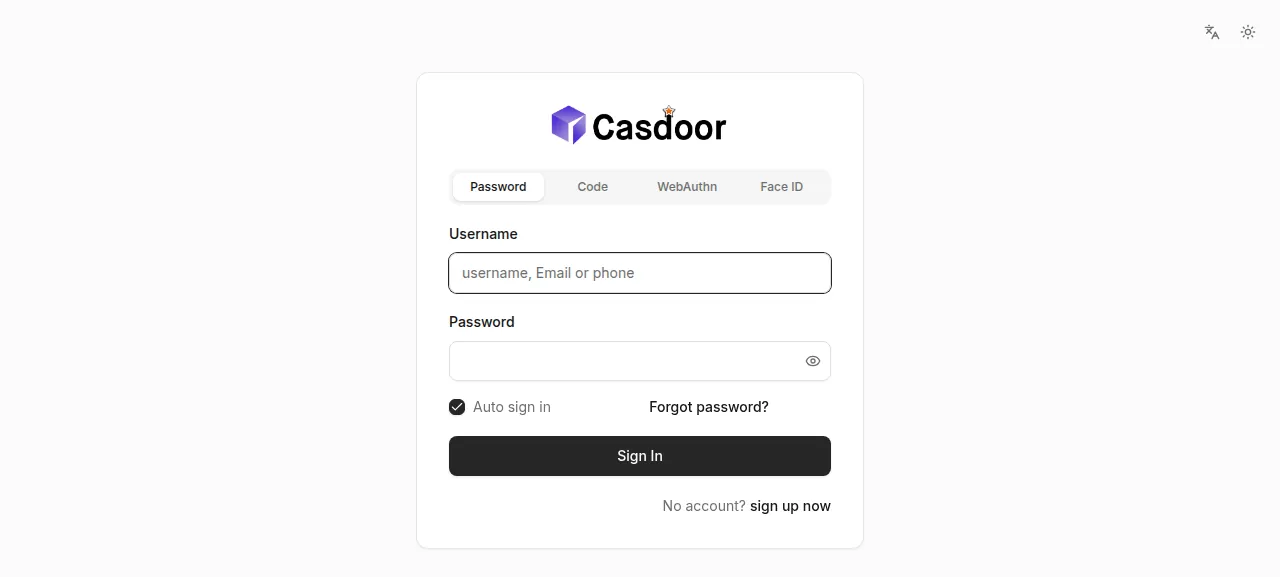
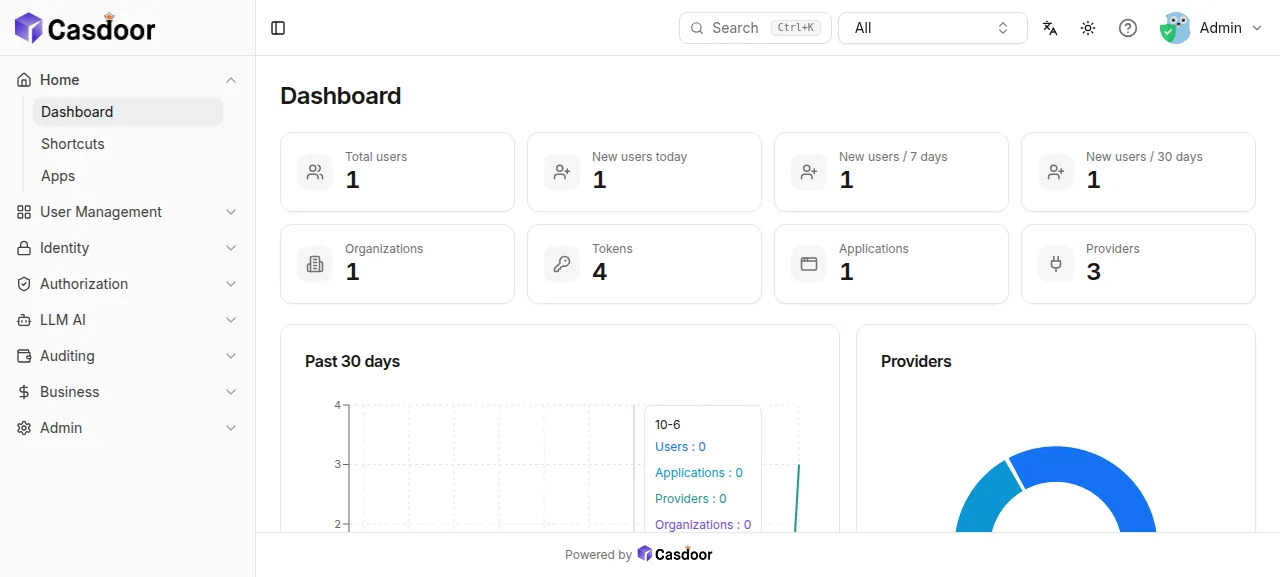
When the deploy is green, open the address ox shows for the project and sign in at /login as admin, with the password you set as initAdminPassword. The run then made an organization with a user in it:
Open User Management, then Organizations, and press Add. Type the name
acmeand the display nameAcme, then press Save & Exit.Open Identity, then Applications, and press Add. Choose the organization Acme, name the application, and press Save & Exit. Casdoor takes users into an organization only once it has an application.
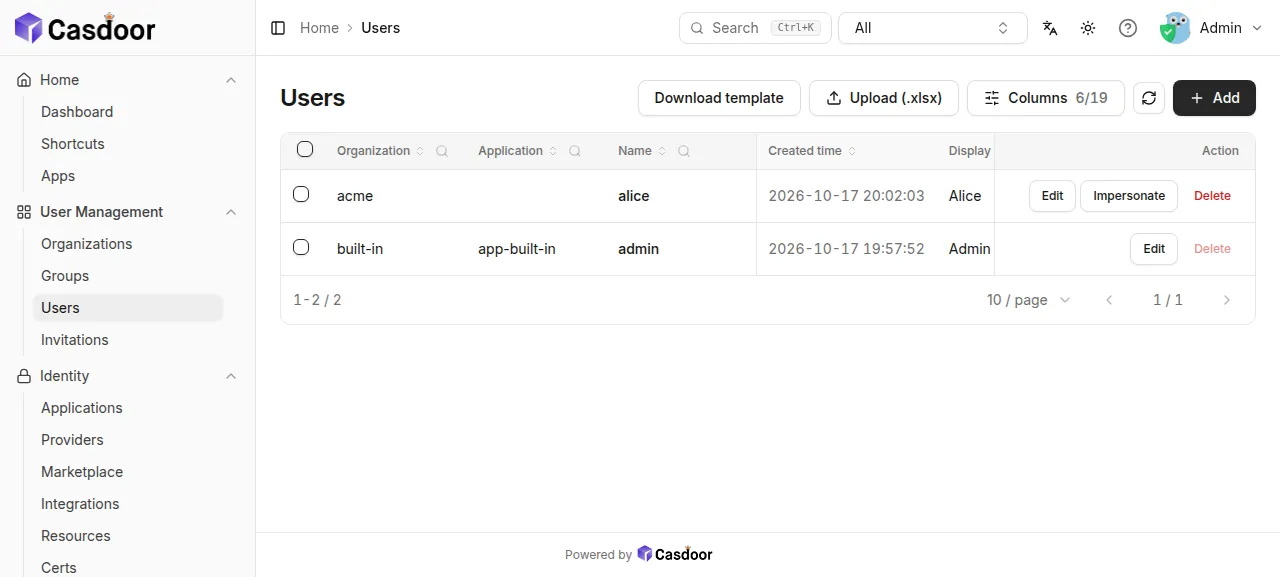
Open User Management, then Users, and close the "User List" tour pop-up with its X. Press Add, choose Acme, set the name
alice, the display nameAliceand a password, and press Save & Exit.Reload the Users page. The row
acme/aliceis still there, besidebuilt-in/admin.
Casdoor ran on its preview address only. A domain of your own was not part of the run, and the domains page covers how ox adds one. Signing in to another app through Casdoor, over OAuth or OpenID Connect, was not tested.
The ox.toml, line by line
# Casdoor v4.20.0: a Go (beego) server that also serves its React frontend
# from web/build, built as the Dockerfile builds it. The settings this deploy
# fixes are in conf/app.conf (port, postgres, origin, logs); Casdoor reads a
# variable of the same name over each of them.
# dataSourceName: the postgres address (Casdoor cannot start without it).
# initAdminPassword: the password built-in/admin gets when Casdoor first
# starts; without it the first visitor of the welcome page would choose it.
required_variables = ["dataSourceName", "initAdminPassword"]

[app]
health = "/api/health"

[build]
# The Dockerfile's frontend stage.
install = "cd web && yarn install --frozen-lockfile --network-timeout 1000000"
# The frontend build, then build.sh's server build for this machine only.
commands = [
  "cd web && yarn run build",
  "CGO_ENABLED=0 go build -ldflags='-w -s' -o .ox/bin/app .",
]
# Casdoor creates and updates its tables itself when it starts.
migrate = ""

[services]
postgres = {}
# Sessions (redisEndpoint): they outlive a deploy, and both copies of a
# deploy's switch share them.
redis = {}

[storage]
# The local file system storage provider writes uploads here (served at /files).
keep = ["files"]

[tools]
# The Dockerfile's frontend stage builds on node:20.20.1.
node = "20"required_variablesnames two keys. Casdoor cannot start withoutdataSourceName, its database address, and withoutinitAdminPasswordthe first visitor of the welcome page would choose the admin password.healthis/api/health, which the Dockerfile's health check calls. Nostartline is needed: the build writes.ox/bin/app, where ox looks for a Go app.installis the Dockerfile's frontend stage: yarn installs exactly whatyarn.locklists. The buildcommandsthen run in order.yarn run buildmakes the React console, which Casdoor serves fromweb/build. The second isbuild.sh's Go build for this machine only:CGO_ENABLED=0needs no C compiler, and-ldflags='-w -s'leaves out debug data.migrate = ""runs nothing, because Casdoor creates and updates its own tables when it starts.[services]asks for Postgres and Redis.[storage]keeps thefilesfolder across deploys: Casdoor's local file storage writes uploads there.[tools]installs Node 20, the Dockerfile's frontend version. Go is not listed, because ox reads it fromgo.mod, which asks for Go 1.25.
There are no workers or scheduled jobs.
conf/app.conf
appname = casdoor
# ox: beego expands ${PORT} in this file. The env var httpport is not enough:
# object.InitFlag reloads this file at start, which drops it.
httpport = ${PORT||8000}
runmode = dev
copyrequestbody = true
# ox: the project's postgres; the variable dataSourceName gives its address.
driverName = postgres
dataSourceName =
dbName = casdoor
tableNamePrefix =
showSql = false
redisEndpoint =
defaultStorageProvider =
isCloudIntranet = false
authState = "casdoor"
# ox: no outbound proxy (upstream names a developer's local one).
socks5Proxy =
verificationCodeTimeout = 10
initScore = 0
logPostOnly = true
isUsernameLowered = false
origin = ${PUBLIC_URL}
originFrontend =
staticBaseUrl = "https://cdn.casbin.org"
isDemoMode = false
batchSize = 100
showGithubCorner = false
forceLanguage = ""
defaultLanguage = "en"
defaultApplication = "app-built-in"
maxItemsForFlatMenu = 7
enableErrorMask = false
enableGzip = true
inactiveTimeoutMinutes =
# ox: no LDAP or LDAPS server (port 0 is off; 389 and 636 need root anyway).
ldapServerPort = 0
ldapsCertId = ""
ldapsServerPort = 0
# ox: the RADIUS server cannot be turned off, and a deploy starts the new release
# beside the running one, so a fixed port would be taken: 0 is a free port each start.
radiusServerPort = 0
radiusDefaultOrganization = "built-in"
radiusSecret = "secret"
quota = {"organization": -1, "user": -1, "application": -1, "provider": -1}
# ox: logs go to the journal.
logConfig = {"adapter":"console"}
initDataNewOnly = false
initDataFile = "./init_data.json"
frontendBaseDir = "../cc_0"
Casdoor reads conf/app.conf at start, and an environment variable of the same name beats each setting. This is the repo's file with the changes below, each marked # ox:. Every other line is upstream's.
httpport = ${PORT||8000}makes Beego listen on the port ox hands out, or 8000 without one. A variable namedhttpportwould not do, since Casdoor reloads this file at start and loses the override.driverName = postgresreplaces upstream's MySQL.dataSourceNamestays empty so the variable supplies it.origin = ${PUBLIC_URL}is the public address the README tells you to set.socks5Proxyis empty, because upstream names a proxy on the developer's own machine.Both LDAP ports are 0, which turns that server off, since ports 389 and 636 need root and ox runs each project as its own user. The RADIUS server cannot be turned off, so
radiusServerPort = 0picks a free port each start. A deploy runs the new release beside the old one, and a fixed port would be taken.logConfiguses the console adapter, so logs go to the journal and not tologs/casdoor.log.
dataSourceName
redisEndpoint
initAdminPassword
radiusSecret
dataSourceName is the Postgres address as key=value pairs, the form of the lib/pq driver Casdoor uses. As the run did, build it from references to the project's Postgres, such as ${postgres.host} and ${postgres.password}, and add sslmode=disable since the database is on the same server. See variables for how references work.
redisEndpoint is the Redis address, pool size and password, joined by commas. Casdoor keeps its sessions there, and the address and password come from references to the project's Redis. initAdminPassword is the password you choose for the user admin of the built-in organization. radiusSecret is the RADIUS server's shared secret, which the file sets to secret and the run replaced with a random value.
Postgres, Redis and organizations
Casdoor gets its own database and user on the server's Postgres, and its Redis runs for this project alone. Casdoor refuses to add a user to the built-in organization until that organization's "Has privilege consent" option is on, because everyone in built-in administers all of Casdoor. That is why the steps above make an organization of their own. "Forgot password" and sign-in by code need an email or SMS provider, which the run did not add.
Updates and backups
To move to a new release, merge its tag into your fork and push, or run ox deploy casdoor --wait. ox builds the new release beside the running one and switches once it answers. Casdoor changes its tables when it starts, so read the release notes first. The README links an upgrade guide for v3 to v4. The run backed up with Back up now before its redeploy.
Run ox backups casdoor to list backups. The run's backup, made with Back up now on the Backups tab, was a Postgres dump, which holds the users, organizations and applications. Whether the kept files folder goes into a backup was not checked, and a restore was not tested. The backups page covers copies in an S3 bucket, and self-hosting with ox lists more apps.
Frequently asked questions
Do I need Docker to self-host Casdoor?
No. Casdoor's README offers Docker, Docker Compose, Helm and a build from source, and ox takes the source path. It builds the console with yarn and the server with go build, then runs the binary as a system service beside Postgres and Redis.
Which database does Casdoor need?
Casdoor supports MySQL, PostgreSQL, SQLite, SQL Server and others through XORM. This setup uses the Postgres that ox sets up for the project and passes its address in one variable, dataSourceName. Casdoor creates and updates its own tables when it starts, so the config has no migrate step.
Does Casdoor need Redis?
Casdoor's README calls Redis optional and says it is needed with more than one replica. This setup still gives Casdoor a Redis through redisEndpoint, to hold sessions, because ox starts a new release beside the old one during a deploy and the two copies share them.
How do I create the first Casdoor admin account?
Set initAdminPassword before the first deploy. Casdoor then creates the user admin in the built-in organization with that password, and you sign in at /login. Without the variable, the first visitor to the welcome page chooses the password. Changing the variable later leaves the password alone, since Casdoor reads it only when it creates the user.
How much memory does self-hosted Casdoor use?
After the run's reboot, the whole machine used the memory the facts show. That counts Casdoor, its Redis, Postgres, Caddy and the ox agent. The yarn and Go builds ran earlier and are not in it. ox takes any server from 1 GB up, and says so when memory is why an app stopped.
New to running apps on your own server? How ox self-hosts your apps shows what ox sets up on your server.