How to self-host Chatwoot without Docker on your own VPS
Run Chatwoot v4.18.0 on your own Ubuntu server with ox: Rails, Sidekiq, Postgres with pgvector and Redis, built from the config that passed its test.

To self-host Chatwoot you need an Ubuntu server, a fork of the Chatwoot repo with one ox.toml file added, and 64 variables, two of them for the first admin. In our run the first deploy took about 9 minutes, and ox set up Postgres with the pgvector extension and Redis and ran Sidekiq beside the web app.
How we tested On Oct 17, 2026, ox deployed Chatwoot v4.18.0 from commit 9f920b54 on a fresh DigitalOcean server with 8 vCPUs and 16 GB of memory. The run then redeployed it, backed it up and rebooted the server. Then a separate test agent, one that did not write the config, signed in, created a website inbox, added the admin as its agent, and saw the inbox after a reload, and checked the app's services and its backup.
Chatwoot is a customer support platform built around a shared inbox. A team answers customers who write from a chat widget on a website, from email, or from channels such as Facebook, Instagram and WhatsApp. The code is MIT licensed, except the enterprise/ folder, which has a license of its own. It is a Rails app with a Vue dashboard. Postgres holds accounts and conversations, Redis holds the job queues and live updates, and Sidekiq runs the background jobs.
ox deployed Chatwoot v4.18.0 (commit 9f920b54) on Oct 17, 2026 on a fresh DigitalOcean server with 8 vCPUs and 16 GB of memory; the first deploy took 9 minutes and a redeploy took 6 minutes.
- First deploy: 9 minutes, from adding the project until the app passed the run's first checks.
- Redeploy of the same commit: 6 minutes, until the app passed the checks again.
- Server: DigitalOcean, 8 vCPUs and 16 GB of memory (
s-8vcpu-16gb), with this app alone on it. Every one of the 85 apps we deployed ran on this one size, so it was not picked for this app. - Memory in use after the reboot: 1949 MB of 15986 MB, for the whole server: Ubuntu, the app and its staging copy, its services, Caddy and the ox agent. On a server with no apps, ox's tests on real servers hold the agent to 40 MB or less and Caddy to 50 MB or less.
- Services ox runs for it:
postgres,redis. - Background processes:
sidekiq, each its own systemd unit beside the web process. - Source: github.com/chatwoot/chatwoot at v4.18.0, commit
9f920b54.
What you need
An Ubuntu LTS server. The run used the size in the facts above. The repo pins Ruby 3.4.4 and Node 24.13.0, and ox installs both, with the pnpm that
package.jsonnames.A GitHub account for the fork of
chatwoot/chatwoot. Signing in to ox with it opens your ox account.An email address and a password for the first admin. Chatwoot's password rule asks for an upper case letter, a lower case letter, a digit and one of
!@#$%^&*()_+-=[]{}|'.
Not tested: real email, the chat widget on a live website, answering a conversation, inviting agents, social channels, the Captain AI assistant, two-factor sign-in, the mobile apps, a custom domain and a restore.
The steps
In the ox dashboard, press Add a server. It prints an install command with a token in it. Run it on your server as root, and it adds only the ox agent and Caddy.
Fork chatwoot/chatwoot and take the v4.18.0 release, the one the run deployed. Put the ox.toml shown below at the root of the fork, commit it and push. Next copy Chatwoot's .env.example to chatwoot.env on your laptop. ox does not copy keys that carry real example values, such as LOG_LEVEL=info, so set every key. Delete the REDIS_URL line, since ox sets that from the Redis service, and add four keys the example lacks: CHATWOOT_ADMIN_EMAIL, CHATWOOT_ADMIN_PASSWORD, POSTGRES_PORT and POSTGRES_DATABASE. The run set the last two to ${postgres.port} and ${postgres.database}. Chatwoot's default database name is chatwoot_production, so without POSTGRES_DATABASE it would look for that name instead of the database ox made. With the ox CLI signed in, run:
ox new <you>/chatwoot
ox review chatwoot --from-file chatwoot.env --wait
The review saves the values and starts the first deploy, and --wait follows the run to its end. The quickstart shows the same two steps in the browser.
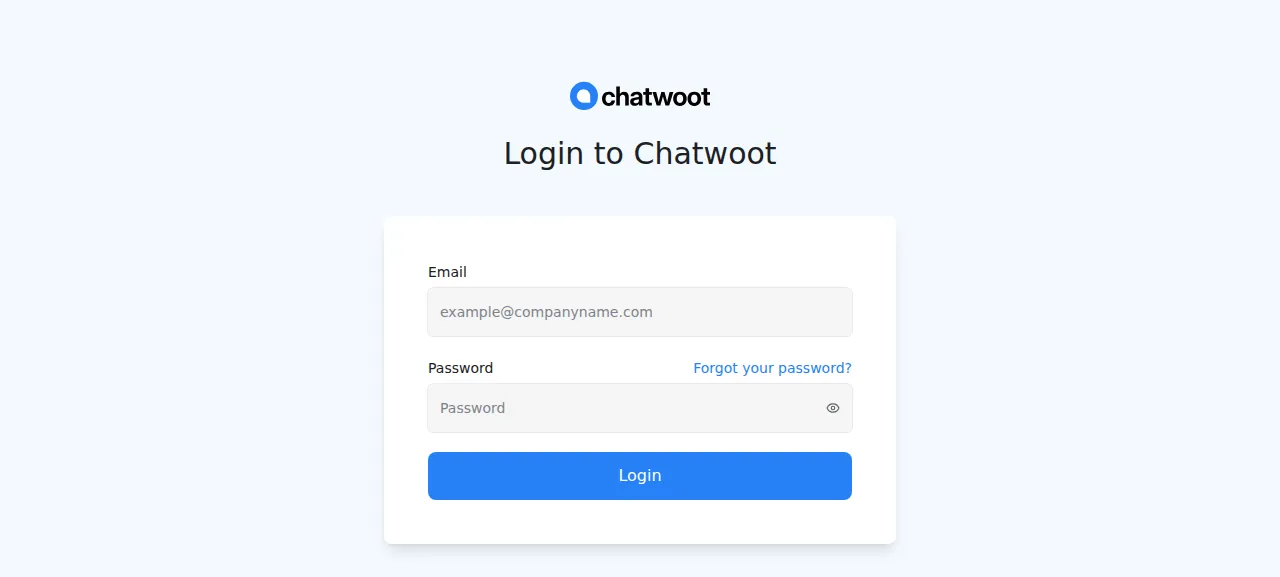
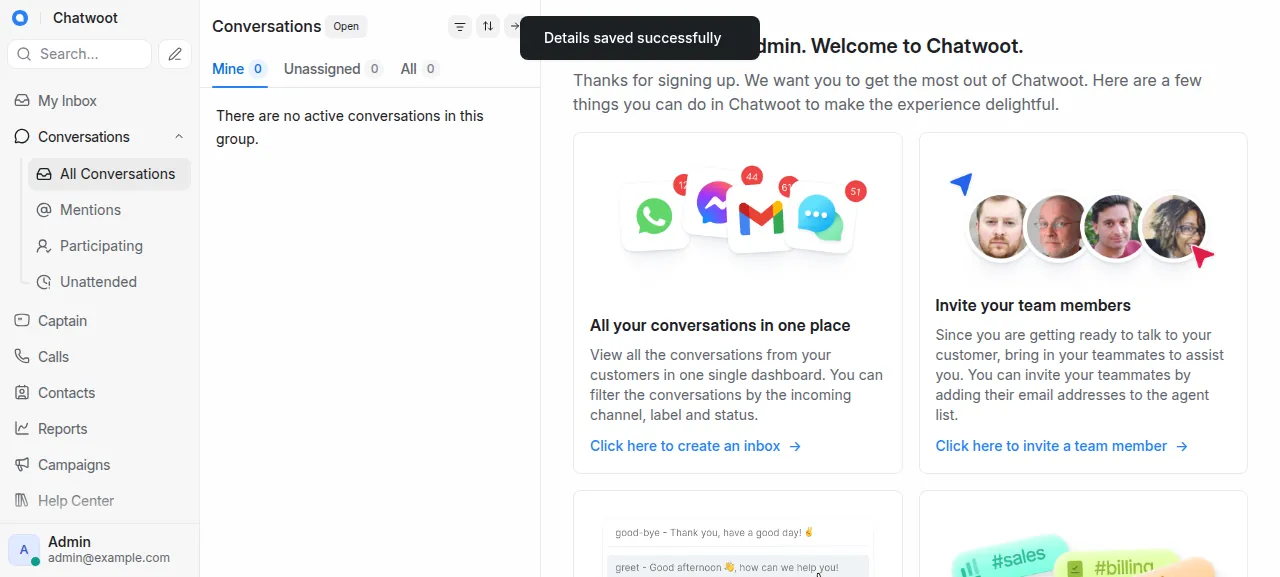
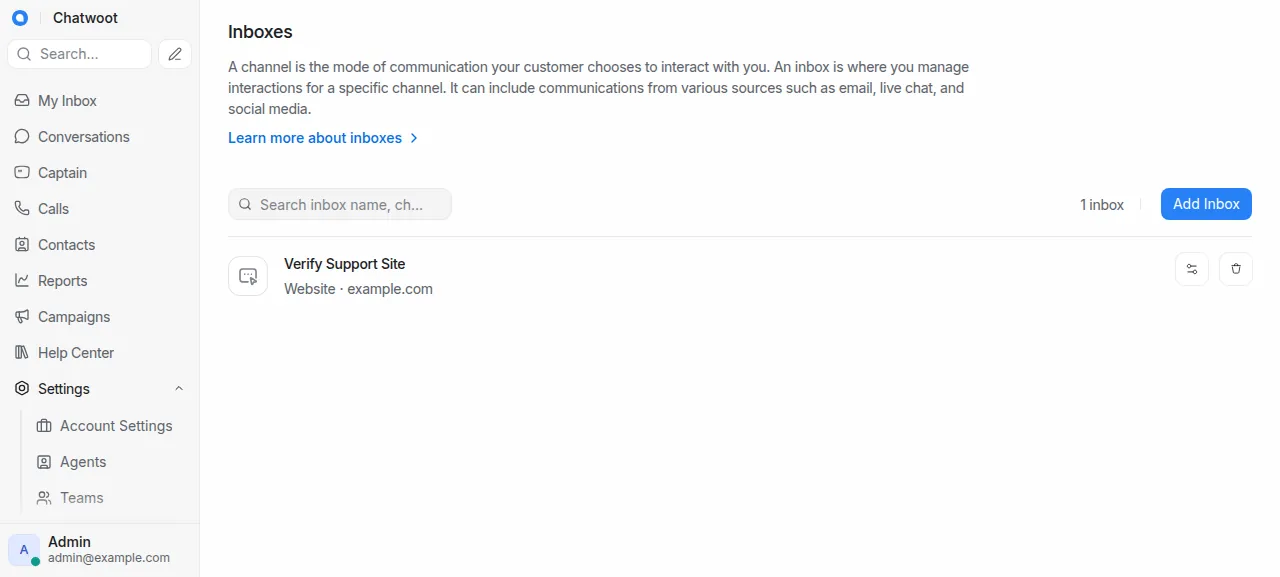
When the deploy is green, open the address ox shows for the project and go to /app/login. Sign in with CHATWOOT_ADMIN_EMAIL and CHATWOOT_ADMIN_PASSWORD. Chatwoot first asks for account details, and its website field is required. Save the form and the dashboard opens. For the first inbox, go to Settings, Inboxes, Add Inbox, choose Website, and give it a name and your site's domain. Then add the admin as its agent. The test agent did this, reloaded, and the inbox was still listed.
The run served Chatwoot on the preview address only. A domain of your own was not part of it, and the domains page shows how ox adds one.
The ox.toml, line by line
# Chatwoot v4.18.0: Rails 7.1 (Puma, with Action Cable in-process) and
# Sidekiq, on PostgreSQL with pgvector and Redis. Ruby, Node, pnpm, the
# installs and assets:precompile (Vite) are detected from the repo.

# The runtime image installs ImageMagick beside libvips (docker/Dockerfile).
packages = ["imagemagick"]

# The first super admin, made by [build] migrate below. Sign-up is off
# (ENABLE_ACCOUNT_SIGNUP=false), so this account is the only way in.
# Chatwoot's password policy asks for an upper and a lower case letter, a
# digit and one of !@#$%^&*()_+-=[]{}|' (config/initializers/secure_password.rb).
required_variables = ["CHATWOOT_ADMIN_EMAIL", "CHATWOOT_ADMIN_PASSWORD"]

[app]
health = "/health"

[build]
# The Procfile's release step (schema load and seed on a fresh database,
# migrations after that), then what /installation/onboarding does: make the
# super admin and their account, and clear the Redis key that sends every
# dashboard page to that form. The admin is made once; a later deploy
# prints that it exists.
migrate = """
POSTGRES_STATEMENT_TIMEOUT=600s RAILS_ENV=production bundle exec rails db:chatwoot_prepare
RAILS_ENV=production bundle exec rails runner '
  if SuperAdmin.exists?
    puts "A super admin exists"
  else
    AccountBuilder.new(
      account_name: "Chatwoot",
      user_full_name: "Admin",
      email: ENV.fetch("CHATWOOT_ADMIN_EMAIL"),
      user_password: ENV.fetch("CHATWOOT_ADMIN_PASSWORD"),
      super_admin: true,
      confirmed: true
    ).perform
    puts "Made the super admin"
  end
  Redis::Alfred.delete(Redis::Alfred::CHATWOOT_INSTALLATION_ONBOARDING)
'
"""

[workers]
# Background jobs (mail, webhooks, automations) and the sidekiq-cron
# schedule (config/schedule.yml).
sidekiq = "RAILS_ENV=production bundle exec sidekiq -C config/sidekiq.yml"

[services]
postgres = { extensions = ["vector"] }
redis = {}

[storage]
# Active Storage's local service (ACTIVE_STORAGE_SERVICE=local) keeps
# uploads and avatars here.
keep = ["storage"]packagesinstalls ImageMagick. Chatwoot's Dockerfile adds it to the image it runs, so the config adds the Ubuntu package of the same name.required_variablesnames the two keys of the first admin. Chatwoot's example file lists neither, because the migrate step below reads them. A missing key stops the first deploy before the long build.health = "/health"is a Chatwoot route that skips sign-in and middleware and answers a small JSON reply,woot. ox moves traffic to a new release only once it answers.There is no
startline. ox reads Ruby, Node and pnpm from the repo, installs the gems and packages, runsassets:precompile, the Vite build of the dashboard, and starts the Rails server on its port. Action Cable, which pushes new messages to open pages, runs in that same process.migratedoes two jobs. First,db:chatwoot_prepare, the release step of Chatwoot's Procfile, loads the schema and seeds on an empty database and runs migrations on later deploys.POSTGRES_STATEMENT_TIMEOUT=600slifts the default query limit of 14 seconds. Second, a shortrails runnerscript does what Chatwoot's onboarding form does.AccountBuildermakes a super admin and an account from the two variables, and the script deletes the Redis key that Chatwoot's seed sets on a fresh install, which would send every dashboard page to/installation/onboarding. ASuperAdmin.exists?check keeps it safe on every deploy: it prints that the admin exists and changes nothing.sidekiqin[workers]runs the background jobs, and the sidekiq-cron schedule inconfig/schedule.ymlwith them.postgresin[services]carriesextensions = ["vector"], because Chatwoot's schema enables thevectorextension for help center and Captain embeddings.redisneeds no options.keep = ["storage"]in[storage]is the folder of Active Storage'slocalservice, which holds uploads and avatars. Each deploy starts a new release from the commit, so ox links that folder to a place that lasts.
SECRET_KEY_BASE
FRONTEND_URL
ASSET_CDN_HOST
FORCE_SSL
ENABLE_ACCOUNT_SIGNUP
REDIS_PASSWORD
REDIS_SENTINELS
REDIS_SENTINEL_MASTER_NAME
POSTGRES_HOST
POSTGRES_USERNAME
POSTGRES_PASSWORD
RAILS_ENV
RAILS_MAX_THREADS
MAILER_SENDER_EMAIL
SMTP_DOMAIN
SMTP_ADDRESS
SMTP_PORT
SMTP_USERNAME
SMTP_PASSWORD
SMTP_AUTHENTICATION
SMTP_ENABLE_STARTTLS_AUTO
SMTP_OPENSSL_VERIFY_MODE
MAILER_INBOUND_EMAIL_DOMAIN
RAILS_INBOUND_EMAIL_SERVICE
RAILS_INBOUND_EMAIL_PASSWORD
MAILGUN_INGRESS_SIGNING_KEY
MANDRILL_INGRESS_API_KEY
ACTION_MAILBOX_SES_SNS_TOPIC
ACTIVE_STORAGE_SERVICE
VIPS_BLOCK_UNTRUSTED
S3_BUCKET_NAME
AWS_ACCESS_KEY_ID
AWS_SECRET_ACCESS_KEY
AWS_REGION
RAILS_LOG_TO_STDOUT
LOG_LEVEL
LOG_SIZE
FB_VERIFY_TOKEN
FB_APP_SECRET
FB_APP_ID
IG_VERIFY_TOKEN
TWITTER_APP_ID
TWITTER_CONSUMER_KEY
TWITTER_CONSUMER_SECRET
TWITTER_ENVIRONMENT
SLACK_CLIENT_ID
SLACK_CLIENT_SECRET
SLACK_SIGNING_SECRET
GOOGLE_OAUTH_CLIENT_ID
GOOGLE_OAUTH_CLIENT_SECRET
GOOGLE_OAUTH_CALLBACK_URL
IOS_APP_ID
ANDROID_BUNDLE_ID
ANDROID_SHA256_CERT_FINGERPRINT
ENABLE_PUSH_RELAY_SERVER
STRIPE_SECRET_KEY
STRIPE_WEBHOOK_SECRET
DIRECT_UPLOADS_ENABLED
AZURE_APP_ID
AZURE_APP_SECRET
POSTGRES_PORT
POSTGRES_DATABASE
CHATWOOT_ADMIN_EMAIL
CHATWOOT_ADMIN_PASSWORDSECRET_KEY_BASEsigns cookies. Chatwoot's example file says to make it withrake secretand to keep symbols out of it.FRONTEND_URLis${PUBLIC_URL}, which ox fills in with the project's address.RAILS_ENVisproduction, where the example file saysdevelopment.ENABLE_ACCOUNT_SIGNUPisfalse, which turns off every sign-up endpoint. The admin from the migrate step is the only way in.The five
POSTGRES_keys are references to the Postgres service, such as${postgres.host}, so you never type a database password.SMTP_ADDRESSandSMTP_PORTpointed at the run's test mail catcher, so no real mail left the server.ACTIVE_STORAGE_SERVICEislocal. The S3, social channel, Slack, Google, Azure and Stripe keys are empty, and every other key keeps the value Chatwoot ships.CHATWOOT_ADMIN_EMAILandCHATWOOT_ADMIN_PASSWORDare the first admin. The run used an address atexample.com.
The example file calls the three ACTIVE_RECORD_ENCRYPTION keys required for two-factor sign-in. The run set none of them and did not test it. Variables explains references.
The services and the workers
Postgres sits on the server's shared cluster, with a database and a user of its own for this project. Redis runs as a unit for this project alone. The web app and Sidekiq are separate units, and the test agent found them and Redis running without a restart. Sidekiq's log showed the job that polls IMAP inboxes every minute, other cron jobs, and the broadcast job for the new inbox. The run also deployed a staging copy beside production, and the memory figure above counts both.
Updates and backups
To update, merge a new release into your fork and push, or run ox deploy chatwoot --wait. ox builds the new release beside the running one, runs the migrate step, which applies new migrations, and switches once /health answers. Before each migrate it dumps Postgres, and the run's redeploy left that dump.
Backups need no setup. The run's backup folder held three Postgres dumps, from the daily job, from Back up now and from before the migrate, and a daily Redis archive. ox backups chatwoot lists them, and ox backups chatwoot now postgres --wait takes one. A restore was not tested, and neither was a backup of uploaded files. The backups page covers copies in your own S3 bucket. The self-hosting page lists the other apps ox has run.
Frequently asked questions
Do I need Docker to self-host Chatwoot?
No. Chatwoot's repo ships Docker Compose files, and Ubuntu setup scripts in its deployment folder, but the app is an ordinary Rails project. With ox it is built on your server from your fork and runs as system services beside Postgres and Redis. There is no image to pull.
How do I create the first Chatwoot admin account?
Set CHATWOOT_ADMIN_EMAIL and CHATWOOT_ADMIN_PASSWORD before the first deploy. The migrate step makes a super admin and its account the way Chatwoot's onboarding form does, while sign-up stays off. Sign in at /app/login and fill in the account details once. The password needs upper and lower case, a digit and a symbol.
Which database does Chatwoot need?
Postgres with the pgvector extension, and Redis. Chatwoot's schema turns on the vector extension and stores embeddings for its help center and Captain assistant. ox sets up both services, creates the extension from one line of ox.toml, and passes the connection details in as variables.
How much memory does self-hosted Chatwoot use?
The facts above give the memory the whole server used after the run's reboot, with Chatwoot, its staging copy, Postgres, Redis, Caddy and the ox agent all counted. ox works on any server from 1 GB up and tells you when memory is why an app stopped.
New to running apps on your own server? How ox self-hosts your apps shows what ox sets up on your server.