How to self-host CTFd on your own VPS, without Docker
Run CTFd 3.8.8, the Capture The Flag platform, on your own Ubuntu server with ox: gunicorn, MariaDB and Redis, from the config that passed its test.

To self-host CTFd you need an Ubuntu server, a fork of the CTFd repo with one ox.toml file added, and ten variables, of which you choose only four. In our run the first deploy took about 2 minutes, and ox set up MariaDB and Redis for it.
How we tested On Oct 17, 2026, ox deployed CTFd 3.8.8 from commit b4a2b319 on a fresh DigitalOcean server with 8 vCPUs and 16 GB of memory. The run then redeployed it, backed it up and rebooted the server. Then a separate test agent, one that did not write the config, signed in, created a challenge, had a new player solve it, and saw the player's points on the scoreboard after a reload, and checked the app's services and its backup.
CTFd runs Capture The Flag contests, the security games where players solve puzzles to find a secret string called a flag. The organizer writes challenges and flags in an Admin Panel, and players earn points on a live scoreboard. The license is Apache 2.0.
CTFd is a Flask app, served by gunicorn with gevent workers. It keeps its data in MariaDB or MySQL and uses Redis as a cache.
ox deployed CTFd 3.8.8 (commit b4a2b319) on Oct 17, 2026 on a fresh DigitalOcean server with 8 vCPUs and 16 GB of memory; the first deploy took 2 minutes and a redeploy took 39 seconds.
- First deploy: 2 minutes, from adding the project until the app passed the run's first checks.
- Redeploy of the same commit: 39 seconds, until the app passed the checks again.
- Server: DigitalOcean, 8 vCPUs and 16 GB of memory (
s-8vcpu-16gb), with this app alone on it. Every one of the 85 apps we deployed ran on this one size, so it was not picked for this app. - Memory in use after the reboot: 1028 MB of 15986 MB, for the whole server: Ubuntu, the app and its staging copy, its services, Caddy and the ox agent. On a server with no apps, ox's tests on real servers hold the agent to 40 MB or less and Caddy to 50 MB or less.
- Services ox runs for it:
mysql,redis. - Source: github.com/CTFd/CTFd at 3.8.8, commit
b4a2b319.
What you need
An Ubuntu LTS server that you can reach as root. The run used the size named in the facts above.
A GitHub account to fork
CTFd/CTFd, and an ox account, which you open by signing in with GitHub.A name, an email address and a password for the admin, and a long random string for
SECRET_KEY.A mail server, only if you want CTFd to send email. The run set none up, so email, including a password reset, was not tested.
The steps
In the ox dashboard, press Add a server and run the install command it shows, as root, on your server. Only the ox agent and Caddy go onto the host.
Fork CTFd/CTFd on GitHub and name the fork ctfd, so the project gets that name. Check out commit b4a2b319, the 3.8.8 code the run deployed, add the ox.toml shown below at the root, then commit and push. No other file was added. Next write ctfd.env on your laptop with the ten keys listed under the variables section. With the ox CLI signed in, run:
ox new <you>/ctfd
ox review ctfd --from-file ctfd.env --wait
The review saves your values and starts the first deploy, and --wait prints the log until it ends. The quickstart shows both steps in the browser.
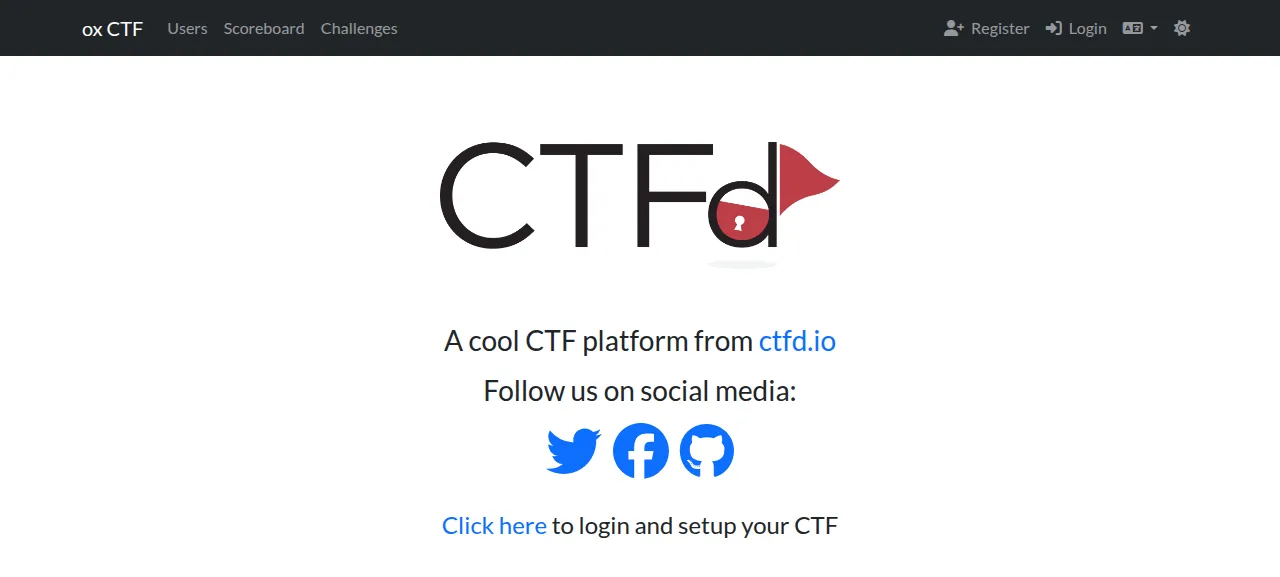
When the deploy is green, open the project's address. A new CTFd sends every page to /setup, its first-run wizard. The run finished the wizard by submitting its form with the event name ox CTF, User Mode, the Core theme, and the same name, email and password it had saved as PRESET_ADMIN_NAME, PRESET_ADMIN_EMAIL and PRESET_ADMIN_PASSWORD. The wizard's own pages were not clicked through. On its Administration tab a box, ticked by default, sends the admin's email to CTFd's newsletter list when you press Finish. The run did not use it.
Sign in at /login with that name or email and the password. The test agent also tried a wrong password and saw "Your username or password is incorrect".
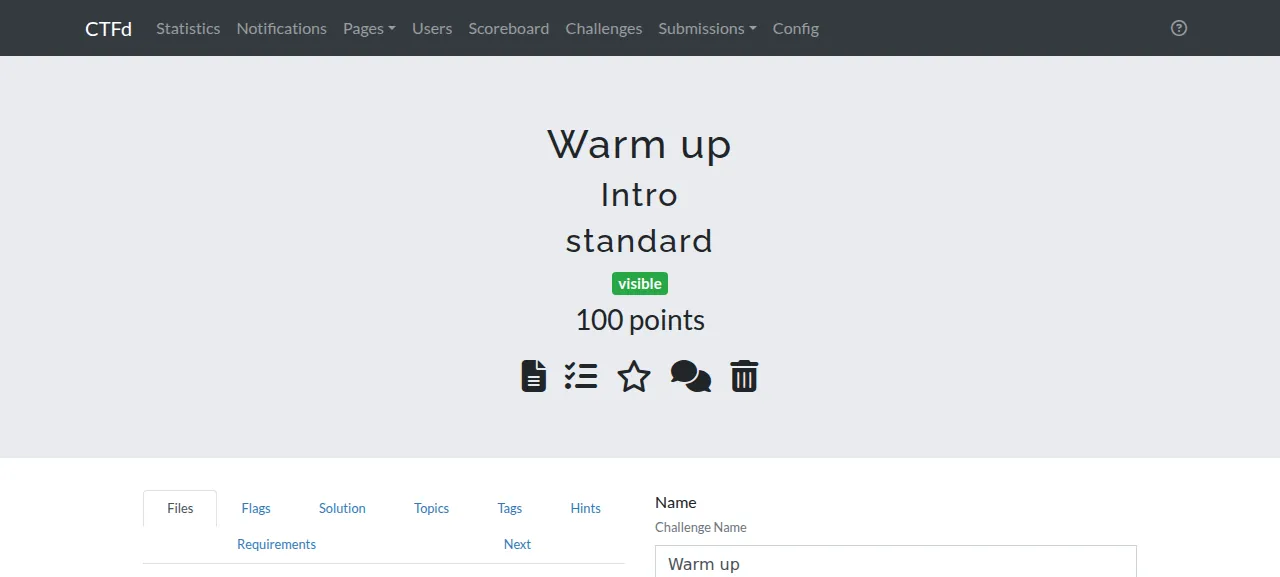
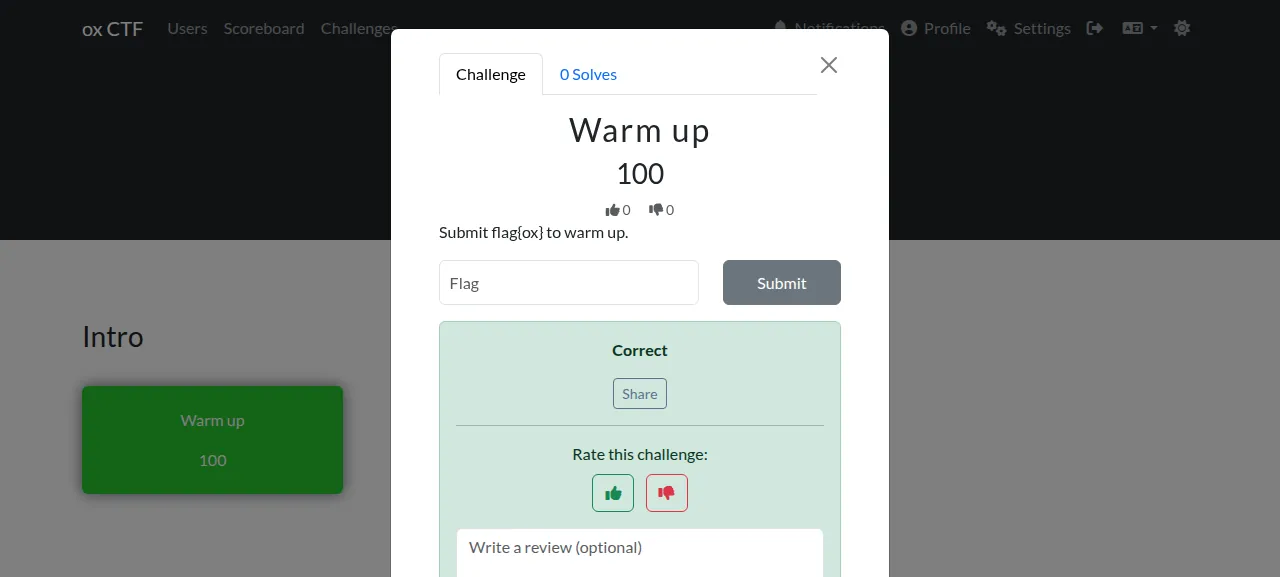
To see CTFd work, repeat the test agent's steps. In the Admin Panel open Challenges, press the plus beside the heading, fill in Name, Category, Message and Value, and press Create. In the Options window type a flag, set State to Visible and press Finish. Then register a player at /register in a private window, open Challenges, click the card, type the flag and press Submit. CTFd says Correct, and after a reload /scoreboard lists the player with the points. The wizard's admin is hidden from the scoreboard, so test a solve as a player.
The run used the preview address ox gives each project. It did not try a domain of your own, and the domains page explains how ox adds one.
The ox.toml, line by line
# CTFd 3.8.8 (Flask, MariaDB, Redis), run the way its Dockerfile and
# docker-entrypoint.sh run it, without Docker.

# With no SECRET_KEY, CTFd writes .ctfd_secret_key into the release, which
# is read-only, so each worker makes a key of its own and every restart
# signs everyone out (CTFd/config.py, gen_secret_key).
required_variables = ["SECRET_KEY"]

[app]
# The entrypoint's server on ox's port: gunicorn on the app factory with
# gevent workers, logs to the journal. One worker, the entrypoint's and
# docker-compose.yml's WORKERS.
start = "exec gunicorn 'CTFd:create_app()' --bind 127.0.0.1:$PORT --workers 1 --worker-class gevent --access-logfile - --error-logfile -"
# OK only when the database exists and the cache answers (views.healthcheck).
health = "/healthcheck"

[build]
# The entrypoint's own step before it starts the server.
migrate = "flask db upgrade"

[storage]
# CTFd's default UPLOAD_FOLDER and LOG_FOLDER (CTFd/config.py): the folders
# docker-compose.yml mounts as volumes.
keep = ["CTFd/uploads", "CTFd/logs"]

[services]
# docker-compose.yml's db (MariaDB) and cache (Redis). CTFd reads REDIS_URL
# as ox provides it; the database comes from the DATABASE_* variables.
mysql = {}
redis = {}
The header comment says the file runs CTFd the way its Dockerfile and docker-entrypoint.sh run it, minus Docker.
required_variablesasks forSECRET_KEYbefore the first deploy. With no key, CTFd tries to save a.ctfd_secret_keyfile in its own folder. ox runs it from a read-only release, so each worker would make a random key of its own and every restart would sign everyone out.startis the entrypoint's server: gunicorn on the app factoryCTFd:create_app(), with gevent workers and logs sent to the journal. It binds127.0.0.1:$PORT, the port ox hands the process, with Caddy in front, where the entrypoint binds0.0.0.0:8000. One worker is the default in the entrypoint and indocker-compose.yml.healthis/healthcheck. CTFd answers OK there only when its database exists and its cache takes a write and returns it. ox switches to a new release once it does.migrateisflask db upgrade, the entrypoint's own step before it starts the server.[storage] keeplistsCTFd/uploadsandCTFd/logs, CTFd's default folders for uploaded files and for its logs of registrations, flag submissions and logins. The compose file mounts both as volumes, and ox keeps them across releases.[services]asks formysqlandredis, which stand where the compose file has itsdbandcache. ox's mysql is MariaDB, like the compose file's.
There is no [tools] section and no install line. CTFd's Dockerfile builds on Python 3.11 and ox takes that version, which matters because config.py imports distutils, a module Python 3.12 removed. For a requirements.txt, ox installs the packages with uv on its own. CTFd runs no separate workers or scheduled jobs, so the file declares none.
SECRET_KEY
DATABASE_HOST
DATABASE_PORT
DATABASE_USER
DATABASE_PASSWORD
DATABASE_NAME
REVERSE_PROXY
PRESET_ADMIN_NAME
PRESET_ADMIN_EMAIL
PRESET_ADMIN_PASSWORD
SECRET_KEY creates sessions and signs strings, and config.ini says to set it to a random string. The run used a generated one. The five DATABASE_ keys are references to the MariaDB service: DATABASE_HOST is ${mysql.host}, and the port, user, password and database take ${mysql.port}, ${mysql.user}, ${mysql.password} and ${mysql.database}. CTFd builds its mysql+pymysql connection URL from the five parts.
REVERSE_PROXY is true, the value the compose file uses. config.ini says to set it behind a proxy such as nginx, so CTFd trusts the proxy's forwarded address, scheme, host and port headers. Caddy is that proxy here. See variables for how references work.
The three PRESET_ADMIN_ keys are CTFd's own preset admin settings. On the login form CTFd compares what you type with them before it looks at stored passwords, so the password in the variable signs in as that admin for as long as the variable is set.
MariaDB and Redis
Both services are private to the project, each its own systemd unit with its own data and password. The run also deployed a staging copy beside production, with its own pair, and the memory figure above counts both.
CTFd uses Redis for its cache and for the live notifications it pushes to players' browsers. By default it also asks versioning.ctfd.io whether a newer release exists, and the request carries anonymous usage numbers: a hash of the event name, the CTFd and Python versions, the database type, and counts of challenges, users and teams, plus the user mode, theme and upload provider. The code says setting UPDATE_CHECK to false turns it off. The run left it on.
Updates and backups
The run redeployed the same commit. ox built a new release beside the running one, ran flask db upgrade and switched when /healthcheck answered. A deploy takes whatever commit your fork's branch holds, from a push or from ox deploy ctfd --wait. A move to a newer CTFd release was not tested.
The run's backup, made with Back up now, held a MariaDB archive and one archive for each kept folder, and the same backups run daily. Run ox backups ctfd to list them. A restore was not tested. The backups page covers keeping copies in an S3 bucket.
Frequently asked questions
Do I need Docker to self-host CTFd?
No. CTFd ships a Dockerfile and a compose file, but the app is an ordinary Python program. ox installs its requirements, runs gunicorn as a system service and sets up MariaDB and Redis beside it. The config copies the entrypoint's two steps, the database upgrade and the gunicorn start, so no image is pulled.
Which database does CTFd need?
With no database set, CTFd writes a SQLite file. Given a host, it uses MariaDB or MySQL, and its compose file runs MariaDB with Redis as the cache. The run used MariaDB, which ox set up from one line of ox.toml. CTFd builds the connection URL from five DATABASE_ variables, so you paste no URL.
How do I create the first CTFd admin?
A new CTFd sends every page to /setup, a wizard whose Administration tab makes the first admin. The run submitted that form with the same name, email and password it had saved as the three PRESET_ADMIN_ variables, then signed in at /login. Players make their own accounts at /register, which is open by default.
How much memory does CTFd use?
On the run's server the whole machine used the memory shown in the facts after the reboot. That counts CTFd and its staging copy, two MariaDB and two Redis instances, Caddy and the ox agent. ox takes any server from 1 GB up, and says so when memory is why an app stopped.
New to running apps on your own server? How ox self-hosts your apps shows what ox sets up on your server.