How to self-host Dify 1.17.1 on your own VPS, no Docker
Run Dify 1.17.1 on your own Ubuntu server with ox: a Flask API, Celery workers, a Next.js app, a plugin daemon, Postgres and Redis, from the real config.

To self-host Dify you need an Ubuntu server, a fork of the Dify repo with one ox.toml and four small files added, and a variables file with 45 values. In our run the first deploy took about 15 minutes, and ox set up two Postgres databases and Redis for it.
How we tested On Oct 17, 2026, ox deployed Dify 1.17.1 from commit 8387590a on a fresh DigitalOcean server with 8 vCPUs and 16 GB of memory. The run then redeployed it, backed it up and rebooted the server. Then a separate test agent, one that did not write the config, signed in, made a knowledge base from a text file and got the file's matching passage back from a retrieval test, and checked the app's services and its backup.
Dify is an open-source platform for building apps on language models. In the browser you design chatbots, agents and workflows, connect model providers, and add a Knowledge base, your documents split and indexed so an app can search them. The code is a Next.js web app, a Flask API, Celery processes for background jobs and a Go plugin daemon, on Postgres and Redis.
The license is Dify's own, Apache 2.0 plus extra conditions. A multi-tenant service without Dify's written permission, or a web front end with the logo and copyright removed, needs a commercial license. Read LICENSE first.
ox deployed Dify 1.17.1 (commit 8387590a) on Oct 17, 2026 on a fresh DigitalOcean server with 8 vCPUs and 16 GB of memory; the first deploy took 15 minutes and a redeploy took 11 minutes.
- First deploy: 15 minutes, from adding the project until the app passed the run's first checks.
- Redeploy of the same commit: 11 minutes, until the app passed the checks again.
- Server: DigitalOcean, 8 vCPUs and 16 GB of memory (
s-8vcpu-16gb), with this app alone on it. Every one of the 85 apps we deployed ran on this one size, so it was not picked for this app. - Memory in use after the reboot: 2051 MB of 15986 MB, for the whole server: Ubuntu, the app, its services, Caddy and the ox agent. On a server with no apps, ox's tests on real servers hold the agent to 40 MB or less and Caddy to 50 MB or less.
- Services ox runs for it:
plugin(postgres),postgres,redis. - Background processes:
api,beat,plugin-daemon,worker, each its own systemd unit beside the web process. - Source: github.com/langgenius/dify at 1.17.1, commit
8387590a.
What you need
An Ubuntu LTS server with root access. The facts list shows the size the run used.
A GitHub account to fork
langgenius/dify. Signing in to ox with GitHub opens your ox account.An email address and a password for the first admin. Dify wants letters and numbers, at least 8 characters.
A model provider's API key, if you want apps to chat. The run set up no provider and no mail, so chat, agents, High Quality indexing and email were not tested.
The steps
In the ox dashboard, press Add a server and run the install command it prints, as root, on your server. It installs only the ox agent and Caddy.
Fork langgenius/dify and check out commit 8387590a, the 1.17.1 code the run deployed. Put the ox.toml shown below at the root and the four files under ox/, then commit and push. Write dify.env on your laptop with the 45 keys from the variables section, plus an unset KEY line for every other key the review asks about. Dify's example files list over 200 more, for storage, vector database, mail and monitoring backends this deploy does not use. With the ox CLI signed in, run:
ox new <you>/dify
ox review dify --from-file dify.env --wait
The project takes the repo's name. The review saves your values and starts the first deploy, and --wait prints the log. ox review dify on its own lists every key it asks for.
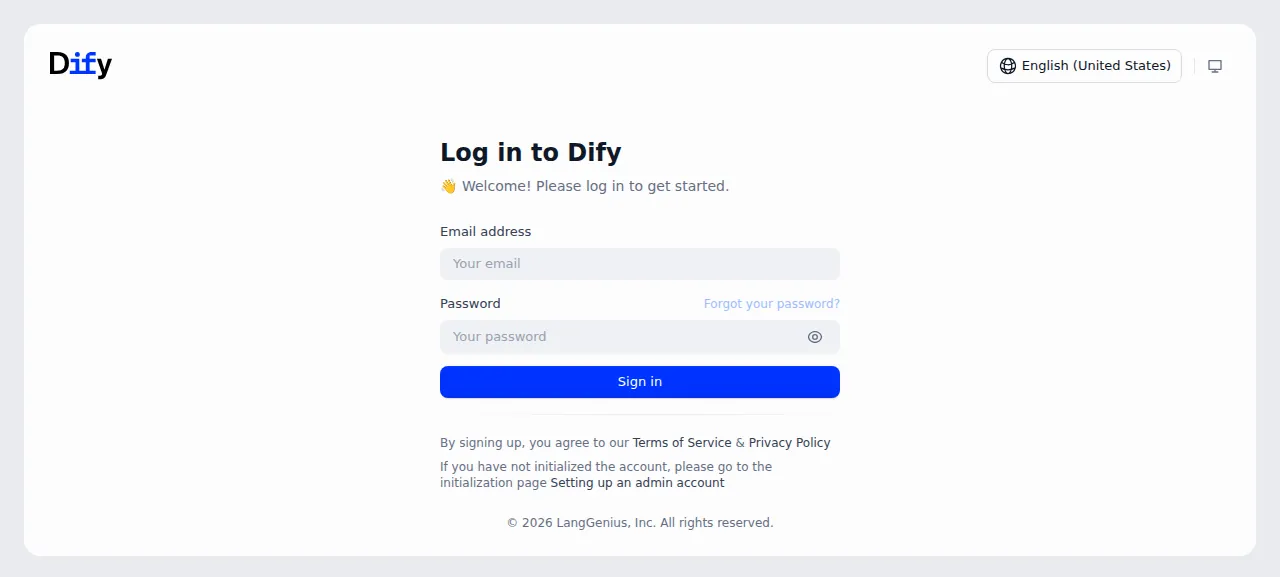
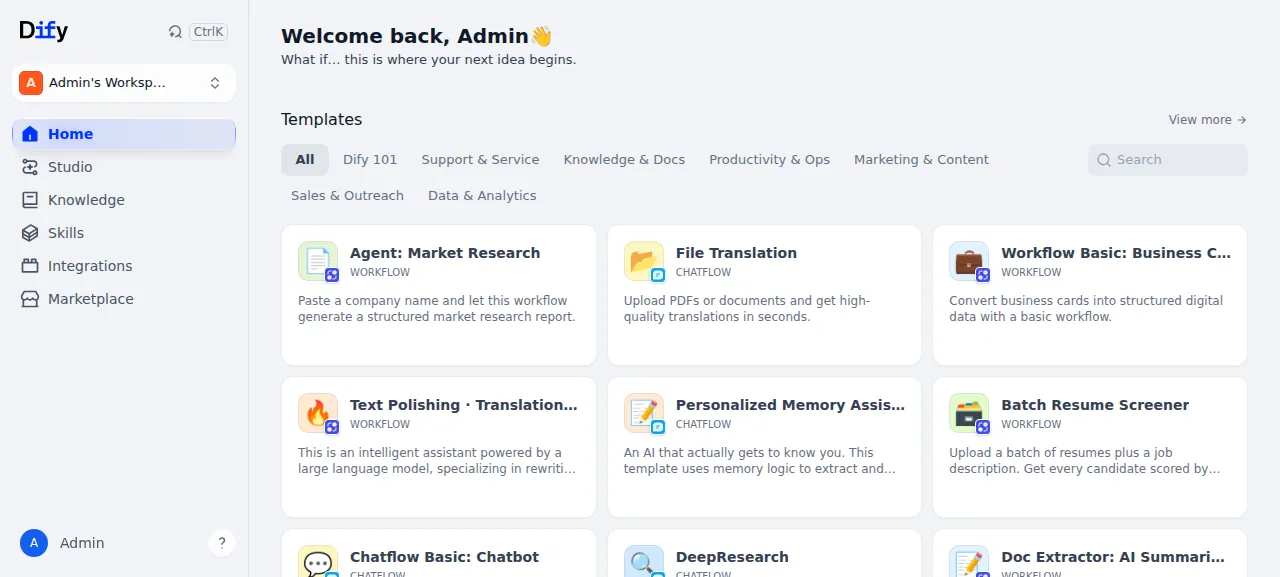
When the deploy is green, open the project's address and sign in at /signin with the admin email and password. The /install page only sends you on to /signin, because the admin already exists.
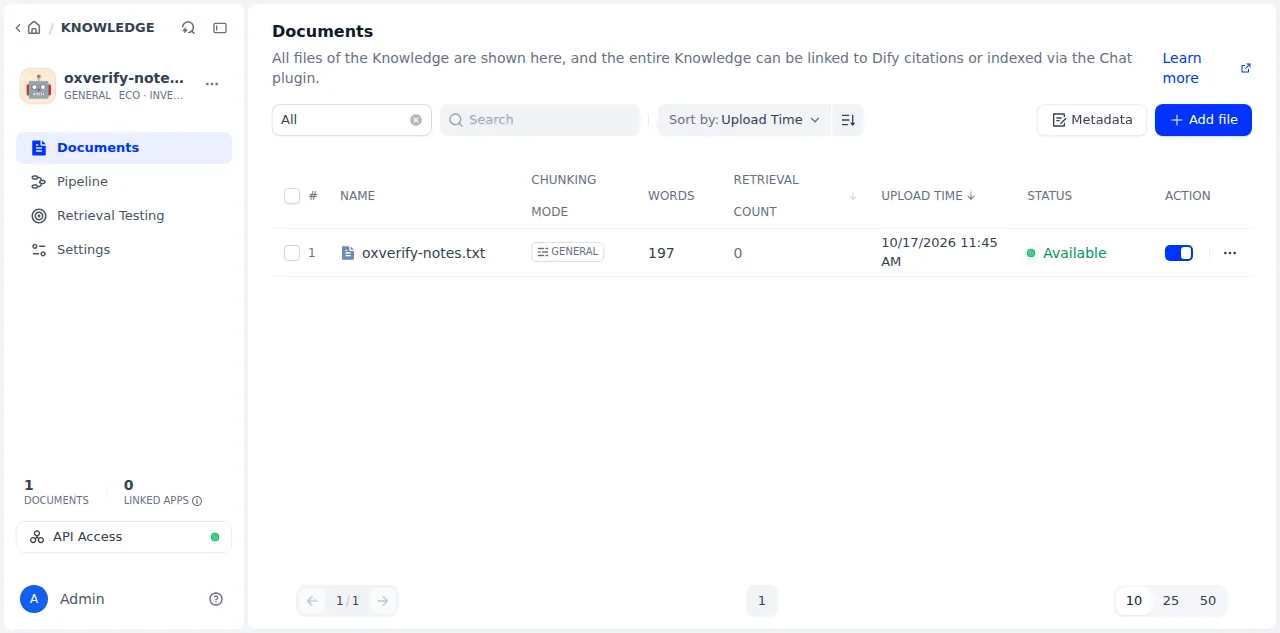
The test agent then opened Knowledge, pressed Create Knowledge, chose Import from file and uploaded a small text file. Under Index Method it picked Economical, which uses keywords and spends no tokens. After Save & Process the document reached Available within seconds, which is the Celery worker's job. Retrieval Testing then returned the file's matching chunk for a couple of its words.
The run served Dify on its preview address only. A domain of your own was not part of it, and the domains page covers how ox adds one.
The ox.toml, line by line
# Dify 1.17.1 on ox: the processes of docker/docker-compose.yaml without Docker.
#   [app]          web: the Next.js standalone server (web/Dockerfile, web/docker/entrypoint.sh)
#   api            the Flask API and its socket.io (api/docker/entrypoint.sh MODE=api), at the paths nginx sends it
#   worker, beat   Celery (MODE=worker, MODE=beat)
#   plugin-daemon  langgenius/dify-plugin-daemon 0.6.10 (the compose image's tag), built from source
# Not run: nginx (ox's proxy routes the paths below), ssrf_proxy, sandbox,
# agent_backend and local_sandbox (Docker or root only; Dify works without them,
# the Code node and Agent v2 aside).

# The first admin: setup_admin.py makes it in migrate, as /install's form does.
required_variables = ["DIFY_ADMIN_EMAIL", "DIFY_ADMIN_PASSWORD"]

# api/Dockerfile's apt packages: gmpy2's headers, CJK fonts, mime types, libmagic.
packages = ["libgmp-dev", "libmpfr-dev", "libmpc-dev", "fonts-noto-cjk", "media-types", "libmagic1t64"]

[app]
start = "exec bash ox/web.sh"

[build]
# web/Dockerfile's workspace install, then api/Dockerfile's venv.
install = "pnpm install --frozen-lockfile --ignore-scripts && cd api && uv sync --frozen --no-dev --no-editable"
commands = [
  # web/Dockerfile: next build with its heap and its skipped deps check, and
  # the standalone layout its production stage copies. --webpack: on 8 CPUs
  # Turbopack's build held 13.2 GiB at its peak, past the 12 GB a build gets
  # on the 16 GB server (killed 3 of 3 times at 12G), and webpack's 6.0 GiB
  # (measured 2026-10-17).
  "cd web && NODE_OPTIONS=--max-old-space-size=4096 pnpm_config_verify_deps_before_run=false pnpm build --webpack && cp -r public .next/standalone/web/public && mkdir -p .next/standalone/web/.next && cp -r .next/static .next/standalone/web/.next/static",
  # api/Dockerfile: the NLTK data and the tiktoken cache the image bakes in (ox/api.sh points at both).
  # -d names the folder: the Dockerfile makes it first, and without either the
  # downloader picks ~/nltk_data. The find fails the build if any is missing.
  "cd api && .venv/bin/python -m nltk.downloader -d \"$PWD/nltk_data\" punkt_tab averaged_perceptron_tagger_eng stopwords && NLTK_DATA=\"$PWD/nltk_data\" .venv/bin/python -c \"import nltk; nltk.data.find('tokenizers/punkt_tab'); nltk.data.find('taggers/averaged_perceptron_tagger_eng'); nltk.data.find('corpora/stopwords')\"",
  "cd api && TIKTOKEN_CACHE_DIR=\"$PWD/.tiktoken_cache\" .venv/bin/python -c \"import tiktoken; tiktoken.encoding_for_model('gpt2')\"",
  # The plugin daemon at the commit of its tag 0.6.10, built as docker/local.dockerfile builds it.
  """
  src=$(mktemp -d)
  git -C "$src" init -q
  git -C "$src" fetch -q --depth 1 https://github.com/langgenius/dify-plugin-daemon.git 1310a18b2f6bc6f18768a0a6265484830891433c
  git -C "$src" checkout -q FETCH_HEAD
  mkdir -p .ox/bin
  (cd "$src" && go build -ldflags "-X 'github.com/langgenius/dify-plugin-daemon/pkg/manifest.VersionX=0.6.10'" -o "$OLDPWD/.ox/bin/plugin-daemon" ./cmd/server \
    && go build -ldflags "-X 'main.VersionX=0.6.10'" -o "$OLDPWD/.ox/bin/plugin-daemon-cli" ./cmd/commandline)
  rm -rf "$src"
  """,
]
# entrypoint.sh's MIGRATION_ENABLED=true (flask upgrade-db), the plugin daemon's
# `commandline migrate`, then the first admin.
migrate = "bash ox/api.sh migrate && bash ox/plugin-daemon.sh migrate && bash ox/api.sh admin"

[workers]
api = { run = "exec bash ox/api.sh api", port = true, health = "/health", paths = ["/console/api", "/api", "/v1", "/openapi", "/files", "/mcp", "/triggers", "/socket.io"] }
worker = { run = "exec bash ox/api.sh worker", stop_timeout = "10m" }
beat = "exec bash ox/api.sh beat"
# Named so ox gives the api PLUGIN_DAEMON_URL, the key it reads. /e is its endpoints' path.
plugin-daemon = { run = "exec bash ox/plugin-daemon.sh", port = true, health = "/health/check", paths = ["/e"] }

[services]
postgres = { extensions = ["vector"] }  # Dify's database, and its pgvector store (VECTOR_STORE=pgvector)
plugin   = { type = "postgres" }        # the plugin daemon's own database (compose's dify_plugin)
redis    = {}

[storage]
# OPENDAL_FS_ROOT=storage is api/storage (uploads, and each workspace's key with
# KEY_PROVIDER_TYPE=local); docker/volumes/plugin_daemon is the daemon's /app/storage.
keep = ["api/storage", "docker/volumes/plugin_daemon"]

[tools]
python = "3.12"  # api/pyproject.toml: requires-python ~=3.12.0
uv     = "0.8.9" # api/Dockerfile's UV_VERSION
go     = "1.26"  # the plugin daemon's go.mod and its Dockerfile's golang:1.26
The header says what the file is: the processes of Dify's own docker-compose.yaml, run without Docker.
required_variablesnames the admin email and password. No example file lists them, and the last migrate step needs both, so ox asks first.packagesare the apt packages fromapi/Dockerfile: headers for gmpy2, CJK fonts, the MIME table and libmagic.[app] startruns the Next.js server, which answers every path no worker claims.installruns pnpm for the web workspace anduv syncfor the Python environment. The build commands make the Next.js bundle, with--webpackin place of Turbopack, a choice the comment above it ties to build memory. They also fetch the NLTK data and tiktoken cache the API image bakes in, and build the plugin daemon with Go from its tag 0.6.10.migrateupgrades Dify's tables, runs the daemon's own migration, then the admin script.The
apiworker is the Flask API, with/healthas its health path. Itspathscopy the routes in Dify's nginx file that lead to the API, so ox's proxy does nginx's job.workerandbeatare the Celery worker and scheduler. The test agent saw the worker finish an indexing task and beat send a workflow task every minute.stop_timeoutlets a stop wait ten minutes for a running task.plugin-daemonhas a port,/health/checkas its health path, and/efor plugin endpoints. Its name is why ox gives the API thePLUGIN_DAEMON_URLit reads.[services]asks for Postgres withvector, a second Postgres entry for the daemon's database, and Redis.[storage]keeps uploads and the daemon's folder across deploys.[tools]pins Python, uv and Go.
Left out: nginx, the SSRF proxy, the code sandbox, agent_backend and local_sandbox. The header says Dify runs without the last four, apart from the Code node and Agent v2. Neither was tested.
ox/api.sh
#!/usr/bin/env bash
# The api image (api/Dockerfile) in one mode: its environment with /app/api as
# the release's api/, then what its entrypoint runs.
#   api, worker, beat  api/docker/entrypoint.sh with that MODE
#   migrate            the entrypoint's MIGRATION_ENABLED step, `flask upgrade-db`
#   admin              the first admin, from DIFY_ADMIN_EMAIL and DIFY_ADMIN_PASSWORD
set -eo pipefail
cd "$(dirname "$0")/../api"
export VIRTUAL_ENV="$PWD/.venv" PATH="$PWD/.venv/bin:$PATH" FLASK_APP=app.py \
  NLTK_DATA="$PWD/nltk_data" TIKTOKEN_CACHE_DIR="$PWD/.tiktoken_cache"
case $1 in
  api) export MODE=api DIFY_BIND_ADDRESS=127.0.0.1 DIFY_PORT="$PORT" ;;
  worker) export MODE=worker ;;
  # Beat's schedule (a Berkeley DB of each task's last run, celerybeat-schedule
  # in its cwd by default) lives in the data dir: in the release a deploy
  # would lose it, and each deploy would restart every interval task's wait.
  # celery reads CELERY_BEAT_SCHEDULE as `beat --schedule` (auto_envvar_prefix).
  beat) export MODE=beat CELERY_BEAT_SCHEDULE="$OX_DATA_DIR/celerybeat-schedule" ;;
  migrate) exec flask upgrade-db ;;
  admin) PYTHONPATH="$PWD" exec python ../ox/setup_admin.py ;;
  *) echo "ox/api.sh: unknown mode '$1'" >&2; exit 2 ;;
esac
unset MIGRATION_ENABLED
exec bash docker/entrypoint.sh
ox/plugin-daemon.sh
#!/usr/bin/env bash
# Dify's plugin daemon (docker-compose.yaml's plugin_daemon) with the compose
# file's environment, /app/storage being the kept docker/volumes/plugin_daemon.
# `migrate` runs its migrations (the image's `commandline migrate`); with no
# argument it serves on $PORT.
# DB_* are Dify's own database, so the daemon's come from the `plugin` entry
# (compose gives it DB_DATABASE=dify_plugin on the same server).
set -eo pipefail
cd "$(dirname "$0")/.."
storage=$(realpath docker/volumes/plugin_daemon)
export PLATFORM=local GIN_MODE=release \
  SERVER_HOST=127.0.0.1 SERVER_KEY="$PLUGIN_DAEMON_KEY" \
  DIFY_INNER_API_URL="$API_URL" DIFY_INNER_API_KEY="$INNER_API_KEY_FOR_PLUGIN" \
  DB_TYPE=postgresql DB_HOST="$PLUGIN_DB_HOST" DB_PORT="$PLUGIN_DB_PORT" DB_USERNAME="$PLUGIN_DB_USERNAME" \
  DB_PASSWORD="$PLUGIN_DB_PASSWORD" DB_DATABASE="$PLUGIN_DB_DATABASE" DB_SSL_MODE=disable \
  PLUGIN_STORAGE_TYPE=local PLUGIN_STORAGE_LOCAL_ROOT="$storage" PLUGIN_WORKING_PATH="$storage/cwd" \
  PLUGIN_INSTALLED_PATH=plugin PLUGIN_PACKAGE_CACHE_PATH=plugin_packages PLUGIN_MEDIA_CACHE_PATH=assets \
  PLUGIN_REMOTE_INSTALLING_ENABLED=false FORCE_VERIFYING_SIGNATURE=true \
  PYTHON_ENV_INIT_TIMEOUT=120 PLUGIN_MAX_EXECUTION_TIMEOUT=600 MAX_PLUGIN_PACKAGE_SIZE=52428800 \
  PYTHON_INTERPRETER_PATH="$(readlink -f api/.venv/bin/python)" UV_PATH="$(command -v uv)"
bin=$PWD/.ox/bin
# The daemon reads a .env in its folder (godotenv): the storage folder has none.
cd "$storage"
if [ "${1:-}" = migrate ]; then
  exec "$bin/plugin-daemon-cli" migrate
fi
export SERVER_PORT="$PORT"
exec "$bin/plugin-daemon"
ox/setup_admin.py
"""Dify's first admin from DIFY_ADMIN_EMAIL and DIFY_ADMIN_PASSWORD (and
DIFY_ADMIN_NAME), made by the service /install's form calls (POST
/console/api/setup), so the first visitor cannot claim the instance. Safe to
rerun: once Dify is set up it changes nothing."""

import os

from app import app
from extensions.ext_application_services import application_services
from libs.password import valid_password
from services.setup_service import SetupAlreadyCompletedError, SetupInput

with app.app_context():
    email = os.environ["DIFY_ADMIN_EMAIL"].strip().lower()
    name = os.environ.get("DIFY_ADMIN_NAME") or email.split("@")[0]
    try:
        application_services().setup.initialize(
            SetupInput(
                email=email,
                name=name,
                password=valid_password(os.environ["DIFY_ADMIN_PASSWORD"]),
                ip_address="127.0.0.1",
                language="en-US",
            ),
            initialization_validated=True,
        )
    except SetupAlreadyCompletedError:
        print("Dify is already set up: the admin is unchanged.")
    else:
        print(f"Made the Dify admin {email}.")
ox/web.sh
#!/usr/bin/env bash
# The web image (web/Dockerfile's production stage): web/docker/entrypoint.sh's
# NEXT_PUBLIC_* exports, then the Next.js standalone server it starts (the
# vinext target, off by default, is not built). Bound to 127.0.0.1 on $PORT
# behind ox's proxy.
set -eo pipefail
cd "$(dirname "$0")/.."
export NODE_ENV=production NEXT_TELEMETRY_DISABLED=1 HOSTNAME=127.0.0.1
# The collaboration socket is the api's /socket.io on this site.
if [ -z "${NEXT_PUBLIC_SOCKET_URL:-}" ]; then
  if [ "$PUBLIC_SCHEME" = https ]; then scheme=wss; else scheme=ws; fi
  export NEXT_PUBLIC_SOCKET_URL="$scheme://$PUBLIC_HOST"
fi
source <(sed '/EXPERIMENTAL_ENABLE_VINEXT/,$d' web/docker/entrypoint.sh)
cd web/.next/standalone/web
exec node server.js
web.sh starts the Next.js server with the socket address taken from the project's address. api.sh runs the API image's entrypoint in each mode. plugin-daemon.sh gives the daemon its compose environment. setup_admin.py makes the first admin through the same call as the /install form, so no visitor can claim the instance first.
SECRET_KEY
CONSOLE_API_URL
CONSOLE_WEB_URL
SERVICE_API_URL
APP_API_URL
APP_WEB_URL
FILES_URL
TRIGGER_URL
ENDPOINT_URL_TEMPLATE
CONSOLE_CORS_ALLOW_ORIGINS
WEB_API_CORS_ALLOW_ORIGINS
SERVER_CONSOLE_API_URL
DEPLOY_ENV
DB_TYPE
DB_HOST
DB_PORT
DB_USERNAME
DB_PASSWORD
DB_DATABASE
REDIS_HOST
REDIS_PORT
REDIS_PASSWORD
REDIS_DB
CELERY_BROKER_URL
STORAGE_TYPE
OPENDAL_SCHEME
OPENDAL_FS_ROOT
VECTOR_STORE
PGVECTOR_HOST
PGVECTOR_PORT
PGVECTOR_USER
PGVECTOR_PASSWORD
PGVECTOR_DATABASE
PLUGIN_DAEMON_KEY
INNER_API_KEY_FOR_PLUGIN
PLUGIN_DB_HOST
PLUGIN_DB_PORT
PLUGIN_DB_USERNAME
PLUGIN_DB_PASSWORD
PLUGIN_DB_DATABASE
MARKETPLACE_URL
MARKETPLACE_API_URL
DIFY_ADMIN_EMAIL
DIFY_ADMIN_NAME
DIFY_ADMIN_PASSWORDSECRET_KEYsigns session cookies. Dify makes its own when it is empty, and the run set one.PLUGIN_DAEMON_KEYandINNER_API_KEY_FOR_PLUGINare secrets the API and the daemon share. Dify's example file ships fixed values for both, so the run set its own.The address keys, from
CONSOLE_API_URLtoTRIGGER_URL, andCONSOLE_CORS_ALLOW_ORIGINSare${PUBLIC_URL}, a reference ox fills in with the project's address.ENDPOINT_URL_TEMPLATEadds/e/{hook_id}to it, andWEB_API_CORS_ALLOW_ORIGINSkeeps Dify's default,*.SERVER_CONSOLE_API_URLis${API_URL}, the API's loopback address.DB_*andPGVECTOR_*reference thepostgresservice, andPLUGIN_DB_*thepluginone. With two Postgres entries, ox cannot guess which one a bareDB_HOSTmeans.REDIS_*andCELERY_BROKER_URLreference Redis.STORAGE_TYPEandOPENDAL_*keep uploads on disk, andVECTOR_STOREispgvector.MARKETPLACE_URLandMARKETPLACE_API_URLpoint at Dify's plugin marketplace, andDEPLOY_ENVis Dify's default,PRODUCTION.DIFY_ADMIN_EMAIL,DIFY_ADMIN_NAMEandDIFY_ADMIN_PASSWORDare the first admin. See variables for how references work.
Postgres, Redis and plugins
Postgres is shared with other apps on the server, and Dify gets a database and login of its own. Redis runs for this project alone. The run kept vectors in Postgres with pgvector, and other vector stores were not tested. Model providers are plugins that Dify installs from its marketplace. Installing one was not tested.
Updates and backups
To update, merge a newer Dify tag into your fork and push, or run ox deploy dify --wait. The run redeployed the same commit, and a newer version was not tested. Before each migrate, ox dumps both databases.
Backups need no setup. The run's backups held a dump of each Postgres database and an archive of the kept api/storage folder, from Back up now, plus the pre-migrate dumps and a daily Redis copy. ox backups dify lists them. A restore was not tested. The backups page covers S3 copies.
Frequently asked questions
Do I need Docker to self-host Dify?
No. Dify's quick start uses Docker Compose, but each image holds an ordinary program. ox built the Next.js app and the Python API from your fork, compiled the plugin daemon with Go, and ran each as a system service beside Postgres and Redis.
How do I create the first Dify admin?
Set DIFY_ADMIN_EMAIL and DIFY_ADMIN_PASSWORD before the first deploy. The migrate step runs setup_admin.py, which makes the admin through the same service call as Dify's install form, so no visitor can claim the instance. Dify has no open sign-up, and inviting people was not tested.
Which databases does Dify need?
Postgres for Dify's data, with a second Postgres database for the plugin daemon, and Redis for the Celery job queue. Dify's example file defaults to Weaviate for vectors. This run set VECTOR_STORE to pgvector, so the knowledge base's embeddings sit in Postgres and no extra vector database runs.
Does Dify work without a model API key?
Partly. The run set up no model provider, and the knowledge base still worked: a text file indexed with the Economical method, which uses keywords and no model, and Retrieval Testing found it. Chat, agents and High Quality indexing call a model and need a provider and its key. They were not tested.
How much memory does Dify use?
The facts above give what the whole server used after the run's reboot, with Dify, Postgres, Redis, Caddy and the ox agent running. The install also builds the Next.js app and compiles Go on the server. ox runs on any server from 1 GB up and names memory when it is why Dify stopped.
New to running apps on your own server? How ox self-hosts your apps shows what ox sets up on your server.