How to self-host a Docusaurus website on your own VPS
Serve Docusaurus v3.10.2 from your own Ubuntu server with ox: one short ox.toml, no variables, no database, and plain static files served by Caddy.

To self-host Docusaurus you need an Ubuntu server and a fork of the Docusaurus repo with one ox.toml file added. The site asks for no variables and no database, and in our run the first deploy took about 17 minutes, because it builds the repo's packages and then the site in five languages.
How we tested On Oct 17, 2026, ox deployed Docusaurus v3.10.2 from commit f37f9035 on a fresh DigitalOcean server with 8 vCPUs and 16 GB of memory. The run then redeployed it and rebooted the server. Then a separate test agent, one that did not write the config, opened the site, moved through the docs and the blog, and used the search box to find a page, and checked that its pages and links answer.
Docusaurus is a static-site generator from Meta for documentation sites, blogs and other websites. It turns Markdown files into a React single-page app with fast navigation, and the code is under the MIT license. Docusaurus has no server process. Its own docs say its only job is to build the site and write static files into a build folder, and that hosting those files is up to you. On ox that means a build on your server, then Caddy serving the files.
The run deployed the website in the repo's website folder, the source of docusaurus.io with its docs, blog and showcase. A site of your own, made with create-docusaurus, was not part of the run.
ox deployed Docusaurus v3.10.2 (commit f37f9035) on Oct 17, 2026 on a fresh DigitalOcean server with 8 vCPUs and 16 GB of memory; the first deploy took 17 minutes and a redeploy took 15 minutes.
- First deploy: 17 minutes, from adding the project until the app passed the run's first checks.
- Redeploy of the same commit: 15 minutes, until the app passed the checks again.
- Server: DigitalOcean, 8 vCPUs and 16 GB of memory (
s-8vcpu-16gb), with this app alone on it. Every one of the 85 apps we deployed ran on this one size, so it was not picked for this app. - Memory in use after the reboot: 644 MB of 15986 MB, for the whole server: Ubuntu, the app, its services, Caddy and the ox agent. On a server with no apps, ox's tests on real servers hold the agent to 40 MB or less and Caddy to 50 MB or less.
- Source: github.com/facebook/docusaurus at v3.10.2, commit
f37f9035.
What you need
An Ubuntu LTS server. The run used the size in the facts above and measured the memory there. Docusaurus's install page asks for Node.js 20 or newer. This repo's
.nvmrcnames Node 22, and ox reads the Node version from that file and the package manager fromyarn.lock.A GitHub account to fork
facebook/docusaurus, and an ox account, which you open by signing in with GitHub.Nothing more. The site has no accounts, so it needs no mail server, API key or password. A few things on its pages come from other sites, as they do on docusaurus.io: the search box asks Algolia's DocSearch index, the home page loads avatars, a GitHub star button and a video thumbnail, and the site's config turns on Google Analytics with the Docusaurus project's own tracking id. Changing any of these was not tested.
The steps
In the ox dashboard, press Add a server. It shows one install command with a fresh token in it. Run that as root on your Ubuntu machine. It adds the ox agent and Caddy to the host.
Fork facebook/docusaurus on GitHub and start from the tag v3.10.2, the release the run deployed. Add the ox.toml shown below at the root of the repo, then commit and push it to the branch ox tracks. With the ox CLI signed in, run:
ox new <you>/docusaurus
ox deploy docusaurus --wait
ox names the project after the repo, so it is docusaurus here. This config asks for no variables, so nothing needs answering before the first deploy. ox deploy starts it, and --wait prints the run's log until it ends. In the browser, New project and then Deploy do the same, as the quickstart shows.
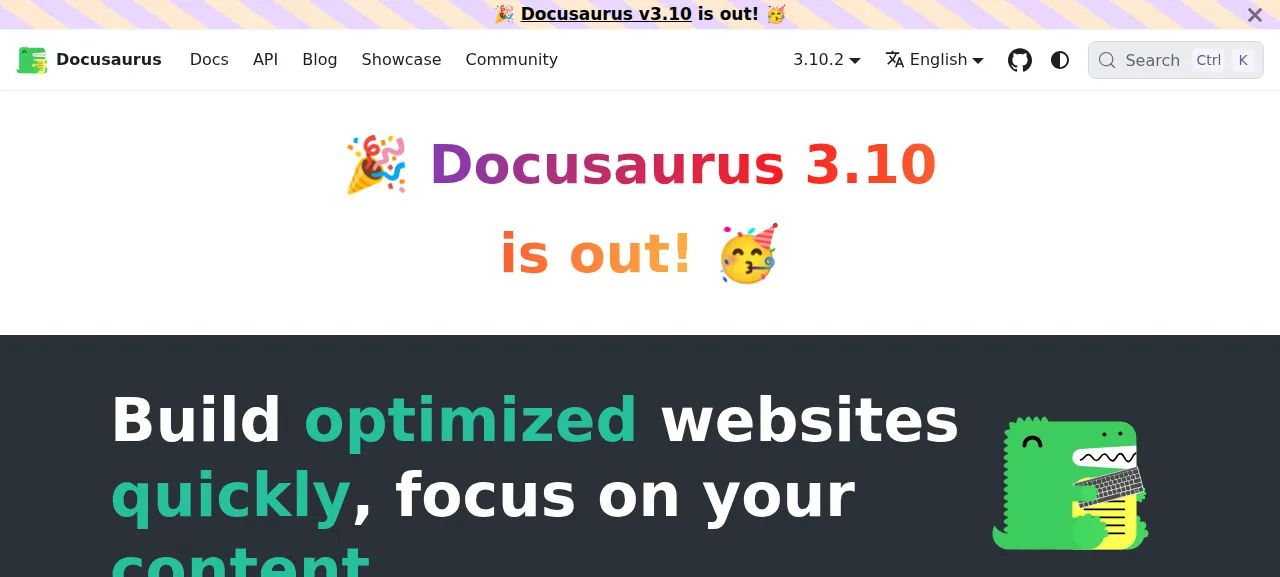
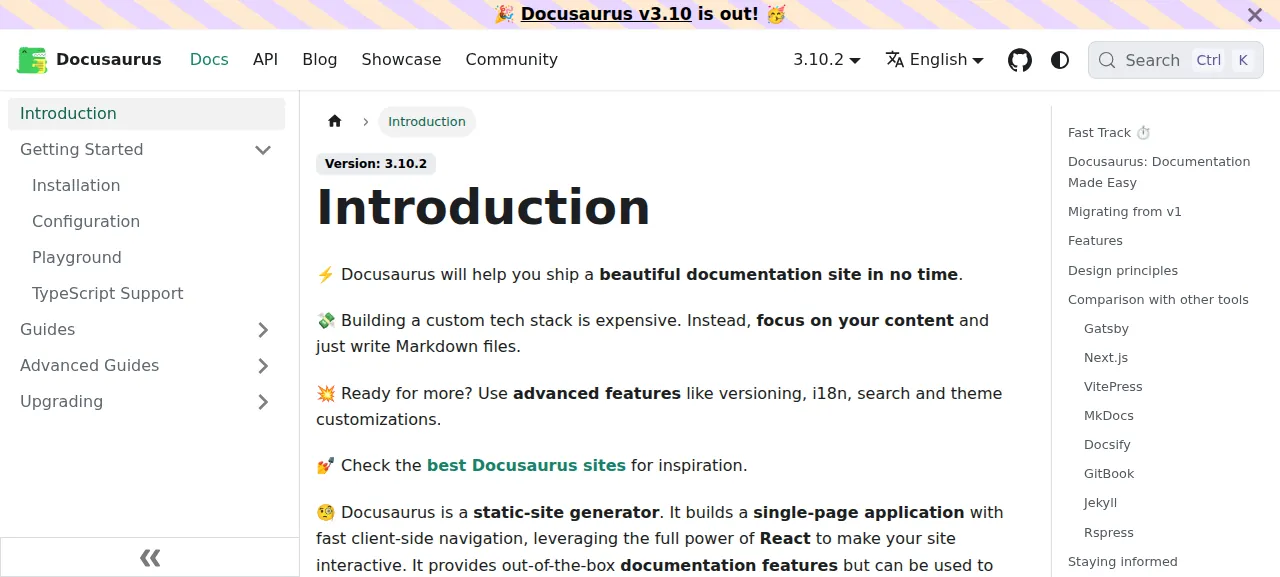
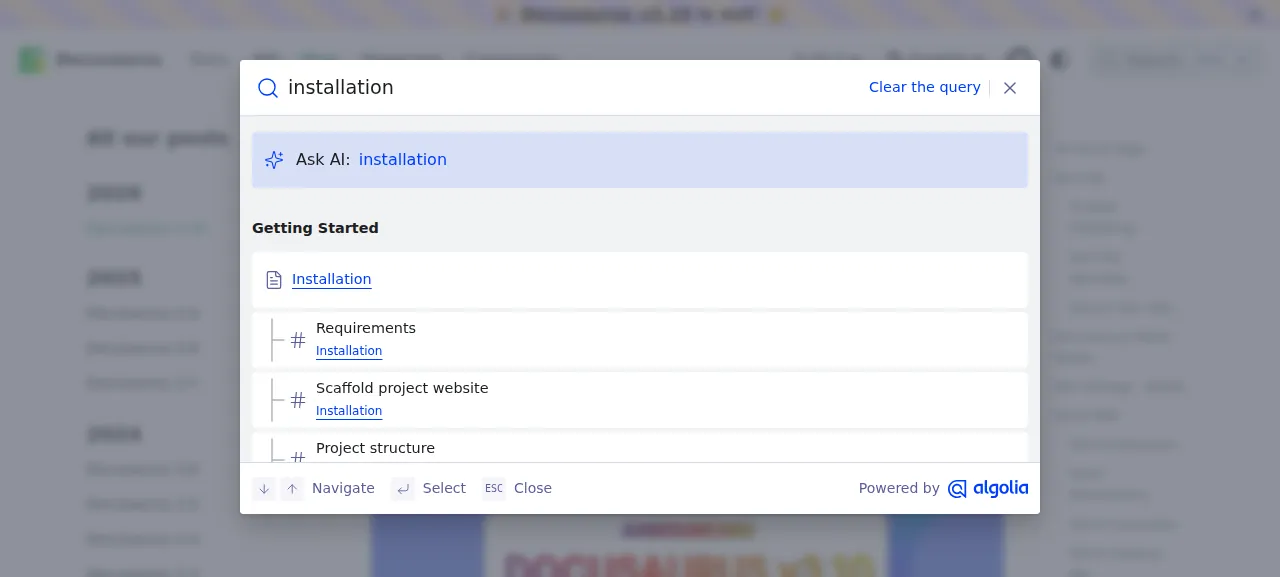
When the deploy is green, open the address ox shows for the project. The test agent opened the home page, pressed Docs and then Installation in the sidebar, opened the Docusaurus 3.10 post from the Blog, and typed "installation" into the search box, which listed the Installation page. Each page loaded with its styles, scripts and images. The run served the site on that preview address only. A domain of your own was not part of it, and the domains page covers how ox adds one.
The ox.toml, line by line
# Docusaurus's own website (website/), served as a static site from
# website/build, as Netlify publishes it. The detected yarn install's
# postinstall builds the monorepo's packages (yarn build:packages) that the
# website runs on, so the build steps below only build the site.
#
# website/docusaurus.config.ts builds five locales (en, fr, pt-BR, ko, zh-CN)
# outside a Netlify preview, and one docusaurus process that builds them all
# runs out of memory (one was killed at 12 GB on a 16 GB server). A
# build with a single --locale turns off the locale paths (buildUtils.ts:
# isAutomaticBaseUrlLocalizationDisabled), so every process builds two:
# en at the root with fr under fr/, then the others into build/<locale>
# (ko twice, so zh-CN has a pair). The repo holds no translations (Netlify's
# production build downloads them from Crowdin with a private token), so the
# other locales show the English text, and every link of the locale menu
# resolves.

[static]
dir = "website/build"

[build]
commands = [
  "yarn workspace website build --locale en --locale fr",
  "yarn workspace website build --locale pt-BR --locale ko",
  "yarn workspace website build --locale zh-CN --locale ko",
]
The file is short because ox detects the rest. The repo has a yarn.lock, so ox plans a frozen-lockfile Yarn install. The root package.json has a postinstall script that runs yarn build:packages, which builds the monorepo's own packages. The site in website imports them, so they have to exist before it builds.
[static]withdir = "website/build"makes this a static site and names the folder of finished pages. Docusaurus writes its output tobuildunder the site's folder, and the project's own Netlify config publishes the same path. The file has no[app], so ox starts no web process, and Caddy serves that folder.[build] commandsare the build step. Docusaurus's CLI docs say a build without--localemakes every language the config lists, andwebsite/docusaurus.config.tslists five for a production build: en, fr, pt-BR, ko and zh-CN. The three commands split them so that no process builds all five.The first command builds
enandfr, which writes English at the root and French under/fr/. A build with exactly one--localeturns the language folders off, since Docusaurus meant it for one domain per language, so every command names two. Each of the other two writes its pair intobuild/<locale>.kois built twice becausezh-CNneeds a second language beside it.There is no
[services]section, worker or cron job. After the build nothing runs but Caddy, and the test agent found it active with no failed unit.
This config asks for no variables.
The site's settings live in website/docusaurus.config.ts, in git, so it needs no variables. The config can read optional ones, such as BASE_URL for baseUrl, and the run set none. Docusaurus's deployment docs say a site's config needs url and baseUrl to match where the site is served. Here url is https://docusaurus.io and baseUrl is /, and the run left both as the repo has them.
What runs on the server
One program serves the site: Caddy, which ox already runs on the host. ox starts no Node process and no database for this project, so it has no unit of its own to watch.
Three details come from the pages' outside services. Search queries Algolia's index, which belongs to the Docusaurus project. It describes docusaurus.io's current pages, and its results open the matching page on your deploy. An avatar on the home page can fail to load when its host limits requests. Links to GitHub, Discord and the archived versions of the docs leave the site on purpose.
The repo holds no translations. The Docusaurus project downloads them from Crowdin when it builds docusaurus.io, with a private token, so this build has none. The pages under /fr/, /pt-BR/, /ko/ and /zh-CN/ show mostly English text, with only the theme's own labels translated.
Updates and backups
To move to a new release, merge its tag into your fork and push, or run ox deploy docusaurus --wait. ox builds the new release beside the live one and switches to it when the build is done. Every deploy repeats the whole build, and the run's redeploy of the same commit took about 15 minutes.
A static project has no database and no kept folder, so ox has nothing of this project to back up, and the run showed no backups for it. The source is your fork, and a deploy makes the pages again from it. A restore was not tested. The backups page covers what ox backs up for projects that do have data.
Frequently asked questions
Do I need Docker to self-host Docusaurus?
No. Docusaurus's docs say its only job is to build your site and write static files into build, and that hosting them is your choice. ox builds the site on your server with Node and Yarn, and Caddy serves the files. There is no image to pull and no Docusaurus process left running afterward.
Does Docusaurus need a database or an admin account?
No. The website the run deployed has no database, no accounts and no sign-in, and its config asks for no variables. ox set up no services for it. The test agent opened pages, followed the sidebar and links, and used the search box.
How much memory does a self-hosted Docusaurus site use?
After the reboot, the whole server used the memory the facts show, with Caddy serving files and no site process running. Node needs memory only during a build. ox works on any server from 1 GB up, and when memory is why a build stopped, ox says so in the run's log.
Can I host a site made with create-docusaurus this way?
The run deployed the Docusaurus project's own website, in the repo's website folder. A site made with create-docusaurus was not deployed, so no step here is tested for it. The run did show how ox treats a built folder: it runs your build commands, then Caddy serves the folder the build writes, which Docusaurus's docs call build.
Why do the translated pages show English text?
The site has a language menu, but the repo holds no translation files. The Docusaurus project downloads its translations from Crowdin with a private token when it builds docusaurus.io, and this build runs without one. The pages under /fr/ and the other language folders therefore show English, apart from the labels the theme translates itself.
New to running apps on your own server? How ox self-hosts your apps shows what ox sets up on your server.