How to self-host DocuSeal without Docker on your own VPS
Run DocuSeal 3.0.3 on your own Ubuntu server with ox, without Docker: Rails with Sidekiq inside Puma, Postgres and Redis, from the config that ran.

To self-host DocuSeal you need an Ubuntu server, a fork of the DocuSeal repo with an ox.toml and one small config file added, and ten variables, three of them required. In our run the first deploy took about 6 minutes, and ox set up Postgres and Redis for it.
How we tested On Oct 17, 2026, ox deployed DocuSeal 3.0.3 from commit ed46af84 on a fresh DigitalOcean server with 8 vCPUs and 16 GB of memory. The run then redeployed it, backed it up and rebooted the server. Then a separate test agent, one that did not write the config, signed in, made a template from a PDF, signed it, and saw the submission as Completed after a reload, and checked the app's services and its backup.
DocuSeal lets a team put fields on a PDF, such as a signature or a date, and have people fill them in and sign in a browser. The signer needs no account. The code is AGPL-3.0, with an added term that a covered work keeps DocuSeal's attribution in its screens. It is a Rails app served by Puma, and its Sidekiq jobs start inside the Puma process. Bulk send, SSO and user roles belong to the paid Pro edition, and the run did not touch them.
ox deployed DocuSeal 3.0.3 (commit ed46af84) on Oct 17, 2026 on a fresh DigitalOcean server with 8 vCPUs and 16 GB of memory; the first deploy took 6 minutes and a redeploy took 3 minutes.
- First deploy: 6 minutes, from adding the project until the app passed the run's first checks.
- Redeploy of the same commit: 3 minutes, until the app passed the checks again.
- Server: DigitalOcean, 8 vCPUs and 16 GB of memory (
s-8vcpu-16gb), with this app alone on it. Every one of the 85 apps we deployed ran on this one size, so it was not picked for this app. - Memory in use after the reboot: 829 MB of 15986 MB, for the whole server: Ubuntu, the app, its services, Caddy and the ox agent. On a server with no apps, ox's tests on real servers hold the agent to 40 MB or less and Caddy to 50 MB or less.
- Services ox runs for it:
postgres,redis. - Source: github.com/docusealco/docuseal at 3.0.3, commit
ed46af84.
What you need
An Ubuntu LTS server. The run used the size in the facts above and measured the memory there. ox reads Ruby 4.0.5 from the Gemfile and installs it, with Node and Yarn for the asset build.
A GitHub account to fork
docusealco/docuseal. Signing in to ox with it opens your ox account.An email address and a password for the first admin. The run pointed DocuSeal's mail settings at a test mail catcher.
Not tested: real email, sending a template to another person to sign, the REST API and webhooks, S3 storage, the Pro features, a custom domain and a restore.
The steps
In the ox dashboard, choose Add a server, and run the install command it prints as root on your VPS. It adds the ox agent and Caddy only.
Fork docusealco/docuseal on GitHub and point its branch at the tag 3.0.3, the release the run deployed. Add the ox.toml and config/openssl_legacy.cnf shown below, then commit and push. On your laptop, write docuseal.env with the ten keys from the variables list. Make SECRET_KEY_BASE with openssl rand -hex 64, the kind of value DocuSeal's own start script makes. With the ox CLI signed in, run:
ox new <you>/docuseal
ox review docuseal --from-file docuseal.env --wait
The review saves your values and starts the first deploy, and --wait prints the run until it ends. The browser has the same two steps, New project and the review screen, as the quickstart shows.
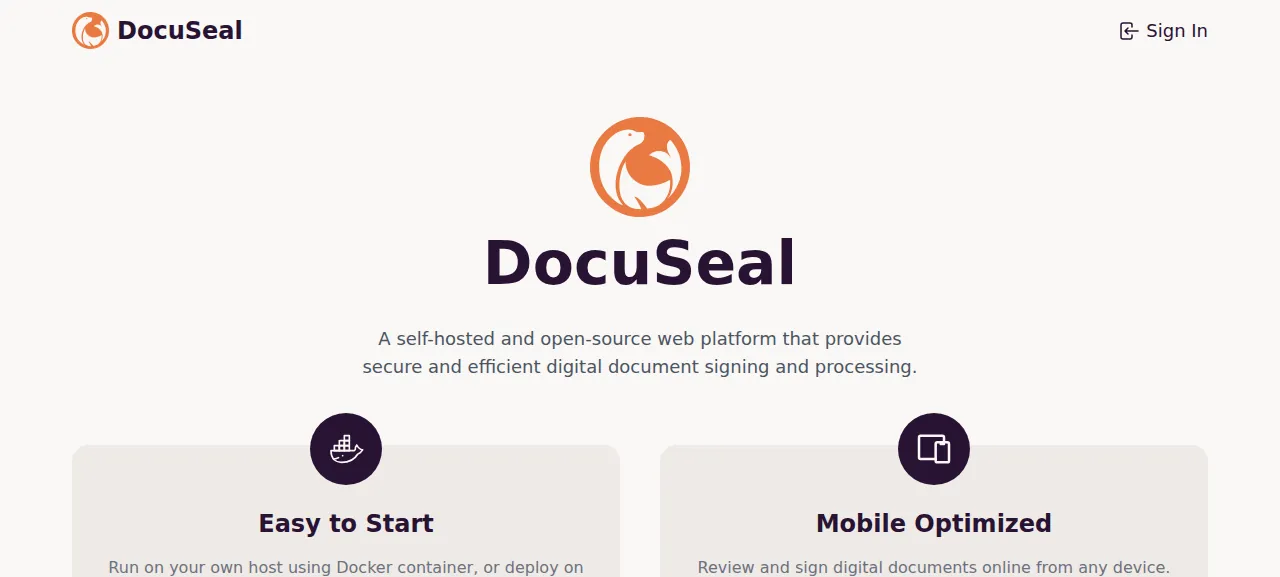
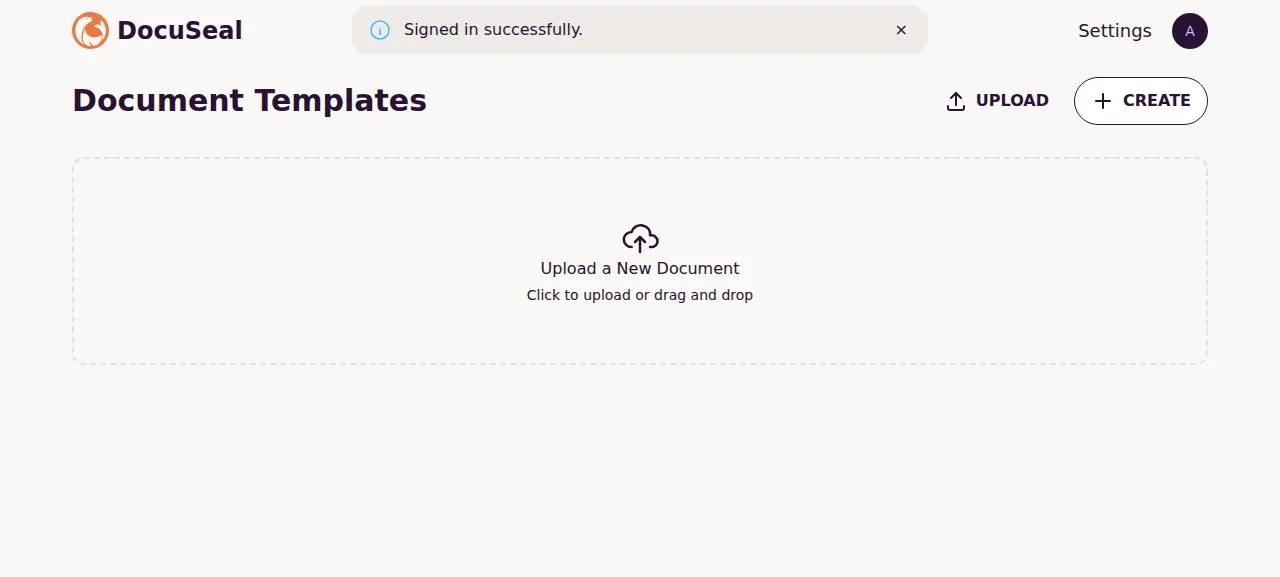
When the deploy is green, open the address ox shows for the project. You land on DocuSeal's start page. Sign in at /sign_in with ADMIN_EMAIL and ADMIN_PASSWORD. DocuSeal has no public sign-up, and its /setup page sends you to sign-in once a user exists.
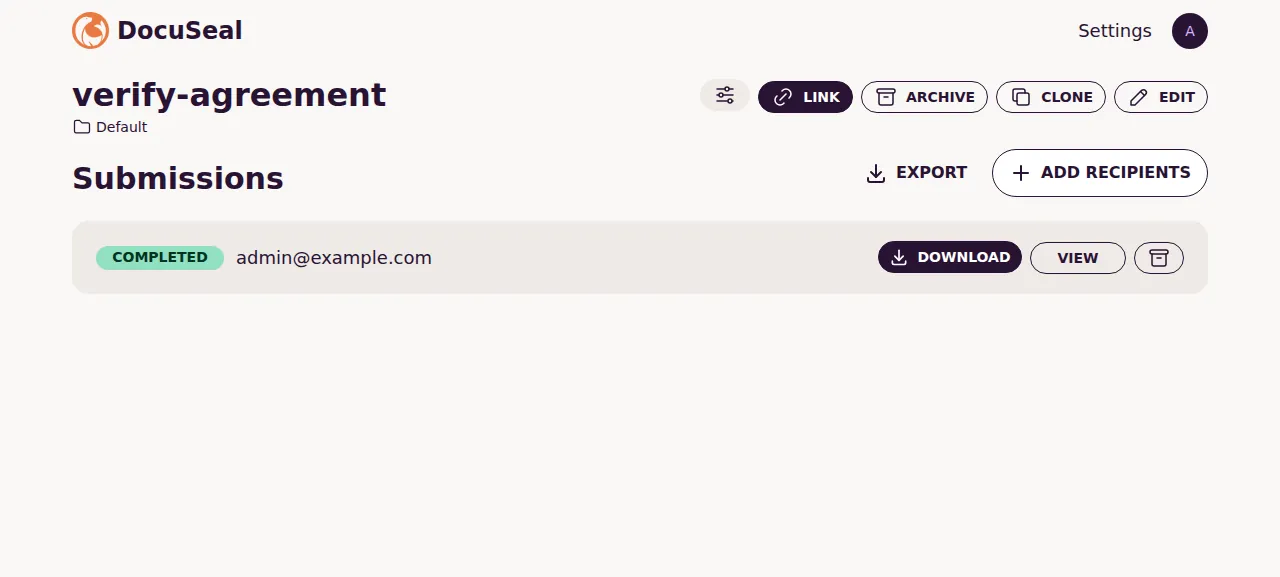
The test agent then did DocuSeal's main job. On Document Templates it pressed Upload and picked a PDF, dragged a Signature field onto the page in the editor and pressed Save. Then it pressed Sign it Yourself, typed a signature and pressed Sign and Complete. The template listed the submission as Completed, and still did after a reload.
The run served DocuSeal on its preview address only. A domain of your own was not part of it, and the domains page covers how ox adds one.
The ox.toml, line by line
# DocuSeal on ox: the Dockerfile's last stage, on Ubuntu (glibc) instead of Alpine (musl).
# Sidekiq runs inside Puma (config/puma.rb, lib/puma/plugin/sidekiq_embed.rb), so there is
# no worker of its own; with ox's REDIS_URL set the app forks no redis-server of its own.

# fontconfig: fc-cache for the fonts below (ox adds libvips-dev for ruby-vips).
packages = ["fontconfig"]

required_variables = ["SECRET_KEY_BASE", "ADMIN_EMAIL", "ADMIN_PASSWORD"]

[tools]
# package.json's packageManager says "[email protected]", which is no release anyone runs; the image
# installs Alpine's yarn, 1.22.
yarn = "1.22.22"

[app]
# lib/pdfium.rb loads libpdfium.so by name, OPENSSL_CONF is the image's legacy config, and
# the links the app writes (emails, the audit trail) use APP_URL, this site's address unless set.
start = '''
export LD_LIBRARY_PATH="$PWD/vendor/pdfium/lib" OPENSSL_CONF="$PWD/config/openssl_legacy.cnf" APP_URL="${APP_URL:-$PUBLIC_URL}"
exec bundle exec puma -C config/puma.rb -b "tcp://127.0.0.1:$PORT"
'''
health = "/up"

[build]
commands = [
  # The Dockerfile's webpack stage.
  "RAILS_ENV=production NODE_ENV=production ./bin/shakapacker",

  # pdfium: DocuSeal 3.0.3 calls upstream pdfium, and its image takes bblanchon's latest
  # build, which was chromium/7869 when 3.0.3 shipped. The server is glibc, so take that
  # release's glibc build for this machine.
  '''
  case "$(uname -m)" in
    x86_64)  arch=x64;   sum=6aeb4be0f790bf309c6b1e665552351845fe921a78d21697a1a9cb8ce427bb23 ;;
    aarch64) arch=arm64; sum=26213696d0457ba07469cc23b8b112a2f0d316ceea0866a20b42d5216d603a93 ;;
    *) echo "pdfium-binaries has no linux build for $(uname -m)" >&2; exit 1 ;;
  esac
  dl=$(mktemp -d)
  curl -fsSL -o "$dl/pdfium.tgz" "https://github.com/bblanchon/pdfium-binaries/releases/download/chromium/7869/pdfium-linux-$arch.tgz"
  echo "$sum  $dl/pdfium.tgz" | sha256sum -c --quiet -
  rm -rf vendor/pdfium && mkdir -p vendor/pdfium
  tar -xzf "$dl/pdfium.tgz" -C vendor/pdfium
  rm -rf "$dl"
  ''',

  # Fonts and the field-detection model, at the Dockerfile's sources. The code reads the
  # fonts from /fonts, which a release cannot write, so those paths point at vendor/fonts.
  # GoNoto also goes where fontconfig looks, as the image's /usr/share/fonts/noto, for text
  # drawn with no font file (the stamp).
  '''
  get() { curl -fsSL -o "$2" "$1"; echo "$3  $2" | sha256sum -c --quiet -; }
  mkdir -p vendor/fonts public/fonts "$HOME/.local/share/fonts"
  noto=https://github.com/satbyy/go-noto-universal/releases/download/v7.0
  get "$noto/GoNotoKurrent-Regular.ttf" vendor/fonts/GoNotoKurrent-Regular.ttf 2f2cee5fbb2403df352ca2005247f6c4faa70f3086ebd31b6c62308b5f2f9865
  get "$noto/GoNotoKurrent-Bold.ttf" vendor/fonts/GoNotoKurrent-Bold.ttf 6f5ab7b16acedeac76625f75159d9d303be85b291d47376760a1c9f87802853e
  get https://raw.githubusercontent.com/impallari/DancingScript/09b7abf420f296894dc6c878e7b0da4f9f8d27a6/fonts/DancingScript-Regular.otf vendor/fonts/DancingScript-Regular.otf d71f864af9c13eeb740230fd67309c2390a902dba2326ae06f2275ca52663c6a
  get https://github.com/docusealco/fields-detection/releases/download/2.0.0/model_704_int8.onnx tmp/model.onnx a0a92ef7f50b6e5c707b7da9c59977bc7c9e9d8f85542bd75169c693f5efa4da
  cp vendor/fonts/DancingScript-Regular.otf public/fonts/
  cp vendor/fonts/GoNotoKurrent-*.ttf "$HOME/.local/share/fonts/"
  fc-cache -f "$HOME/.local/share/fonts"
  sed -i "s#'/fonts/#Rails.root.join('vendor/fonts').to_s + '/#" lib/submissions/generate_audit_trail.rb lib/submissions/generate_result_attachments.rb lib/submitters/generate_font_image.rb
  if grep -rn "'/fonts/" app lib; then echo "a /fonts path is left" >&2; exit 1; fi
  cp .version public/version
  ''',

  "bundle exec bootsnap precompile -j 1 --gemfile app/ lib/",
]

# The app migrates as it boots (config/initializers/migrate.rb); run it first here. Then
# make what /setup makes for the first user, once: the account, the admin, the app's URL
# and the signing certificate.
migrate = '''
export LD_LIBRARY_PATH="$PWD/vendor/pdfium/lib" OPENSSL_CONF="$PWD/config/openssl_legacy.cnf" APP_URL="${APP_URL:-$PUBLIC_URL}"
bundle exec rails db:prepare
bundle exec rails runner '
if User.exists?
  puts "first admin: a user exists, nothing to do"
else
  ActiveRecord::Base.transaction do
    account = Account.create!(name: "DocuSeal")
    account.users.create!(first_name: "Admin", last_name: "", email: ENV.fetch("ADMIN_EMAIL"), password: ENV.fetch("ADMIN_PASSWORD"))
    account.encrypted_configs.create!([
      { key: EncryptedConfig::APP_URL_KEY, value: ENV.fetch("APP_URL") },
      { key: EncryptedConfig::ESIGN_CERTS_KEY, value: GenerateCertificate.call.transform_values(&:to_pem) }
    ])
    account.account_configs.create!(key: :fulltext_search, value: true) if SearchEntry.table_exists?
  end
  puts "first admin: created #{ENV.fetch("ADMIN_EMAIL")}"
end'
'''

[services]
postgres = {}
redis    = {}

[storage]
# Active Storage's Disk service writes to $WORKDIR/attachments; WORKDIR is unset, so ./attachments.
keep = ["attachments"]
DocuSeal's Dockerfile guides this file. It builds on Alpine Linux, which uses the musl C library, and Ubuntu uses glibc, so pdfium comes as a glibc build here.
packagesadds fontconfig, whosefc-cachethe font step runs. ox adds libvips by itself because the Gemfile listsruby-vips.required_variablesnames three keys. WithSECRET_KEY_BASEempty, DocuSeal writes its own into a file, so ox asks for it, with the other two, before the first deploy starts.[tools]pins Yarn at 1.22.22, wherepackage.jsonnames Yarn 1.0.startruns Puma on ox's port, bound to127.0.0.1. Itsconfig/puma.rbstarts Sidekiq inside Puma, so DocuSeal has no worker. Before that,LD_LIBRARY_PATHpoints atvendor/pdfium/lib, becauselib/pdfium.rbloadslibpdfium.soby name.OPENSSL_CONFpoints at the added file. DocuSeal builds its links fromAPP_URL, which defaults toPUBLIC_URL.healthis/up, Rails' own health route. ox switches to a new release once it answers.The build commands follow the Dockerfile. The first runs
shakapackerfor the JavaScript and CSS. The second downloads pdfium: the Dockerfile takes the latest musl build ofbblanchon/pdfium-binaries, and the config takes the glibc build of releasechromium/7869and checks its SHA-256. The third downloads the fonts and the field-detection model, each checked too. DocuSeal reads fonts from a/fontsfolder that a release cannot write, so asedcommand points three source files atvendor/fonts.migratefirst runsrails db:prepare, since DocuSeal otherwise migrates as it boots. Then a shortrails runnerscript does what DocuSeal's/setuppage does for the first user: it makes the account and the admin from the two variables and stores the app's URL and a new signing certificate. If a user exists it changes nothing, so it is safe on every deploy.[services]asks for Postgres and Redis. WithREDIS_URLset by ox, the app starts noredis-serverof its own.keep = ["attachments"]is where Active Storage's disk service writes uploads. ox links that folder to a place that outlasts each release.
config/openssl_legacy.cnf
# The Dockerfile's /etc/openssl_legacy.cnf (OPENSSL_CONF): Ubuntu's own config plus the
# legacy provider, so PKCS#12 signing certificates with old ciphers still load.
.include = /etc/ssl/openssl.cnf

[provider_sect]
default = default_sect
legacy = legacy_sect

[default_sect]
activate = 1

[legacy_sect]
activate = 1
This is the Docker image's OpenSSL config: Ubuntu's own settings plus OpenSSL's legacy provider, so signing certificates with old ciphers still load. The start and migrate steps point OPENSSL_CONF at it.
RAILS_ENV
SECRET_KEY_BASE
ADMIN_EMAIL
ADMIN_PASSWORD
VIPS_MAX_COORD
VIPS_BLOCK_UNTRUSTED
SMTP_ADDRESS
SMTP_PORT
SMTP_FROM
SMTP_ENABLE_STARTTLS
RAILS_ENV is production. SECRET_KEY_BASE signs sessions, and DocuSeal derives from it the key that encrypts its stored settings, unless ENCRYPTION_SECRET is set. ADMIN_EMAIL and ADMIN_PASSWORD are the first admin, read only by the migrate step. The two VIPS_ keys are libvips settings from the Dockerfile that limit what it opens from an upload.
The four SMTP_ keys are DocuSeal's mail settings, and SMTP_FROM is the sender. With SMTP_ADDRESS set, the Settings menu has no email page. The run pointed them at a test mail catcher, so no real mail left the server. The variables page explains references.
Postgres, Redis and Sidekiq
ox gives this project its own Postgres database and user, passed in as DATABASE_URL. Redis runs as a unit for this project alone. The test agent found it and the web unit active, with no restarts. Sidekiq has no unit, and its log showed the job that completes a submission and a mail delivery job, both done.
Updates and backups
A push to your fork, or ox deploy docuseal --wait, deploys again. ox builds the new release beside the running one, runs the migrate step, and switches once /up answers. Before each migrate it dumps Postgres, and the run's redeploy left that dump. Releases after 3.0.3 call pdfium functions that only DocuSeal's own pdfium build has. It publishes that build for Alpine's musl and not for Ubuntu's glibc, so this guide covers 3.0.3.
Backups need no setup. The run's server held two Postgres dumps, one taken on request and one from before the redeploy's migrate. ox backups docuseal lists them, and ox backups docuseal now postgres --wait takes one. A backup of the attachments folder was not checked, and neither was a restore. The backups page covers copies in your own S3 bucket, and the self-hosting page lists the other apps ox has run.
Frequently asked questions
Do I need Docker to self-host DocuSeal?
No. DocuSeal documents Docker and Docker Compose, but this run used neither. ox built the Rails app from the fork on the server and ran it as a system service beside Postgres and Redis. The one piece that came differently was pdfium: a glibc build for Ubuntu in place of the image's Alpine one.
How do I create the first DocuSeal admin account?
Set ADMIN_EMAIL and ADMIN_PASSWORD before the first deploy. The migrate step makes the account and the admin the way DocuSeal's /setup page would, and stores the app's URL and a signing certificate. Then sign in at /sign_in. There is no public sign-up, and the step changes nothing once a user exists.
Which database does DocuSeal need?
None to start. With no DATABASE_URL, DocuSeal uses an SQLite file in its work folder, and it also supports Postgres and MySQL. The run used Postgres, which ox set up and connected through DATABASE_URL. DocuSeal also needs Redis for Sidekiq, and ox runs a private one. SQLite and MySQL were not tested.
How much memory does self-hosted DocuSeal use?
The facts above give the memory the whole server used after the run's reboot, with DocuSeal, Postgres, Redis, Caddy and the ox agent all counted. ox works on any server from 1 GB up and tells you when memory is why an app stopped.
Can I change SECRET_KEY_BASE later?
DocuSeal derives the key that encrypts its stored settings, the signing certificate included, from SECRET_KEY_BASE unless ENCRYPTION_SECRET is set. A new secret would leave those settings unreadable, so choose it before the first deploy and keep it. The run set it once, so changing it was not tested.
New to running apps on your own server? How ox self-hosts your apps shows what ox sets up on your server.