How to self-host Forem without Docker on your own VPS
Run Forem, the software behind DEV, on your own Ubuntu server with ox: Rails, Sidekiq, Postgres with pgvector and Redis, from the config that ran.

Self-hosting Forem takes an Ubuntu server, a fork of the Forem repo with one ox.toml file added, and 12 variables, four of them required before the first deploy starts. In our run the first deploy took about 14 minutes, and ox set up Postgres with pgvector and Redis for it and started a Sidekiq worker next to the app.
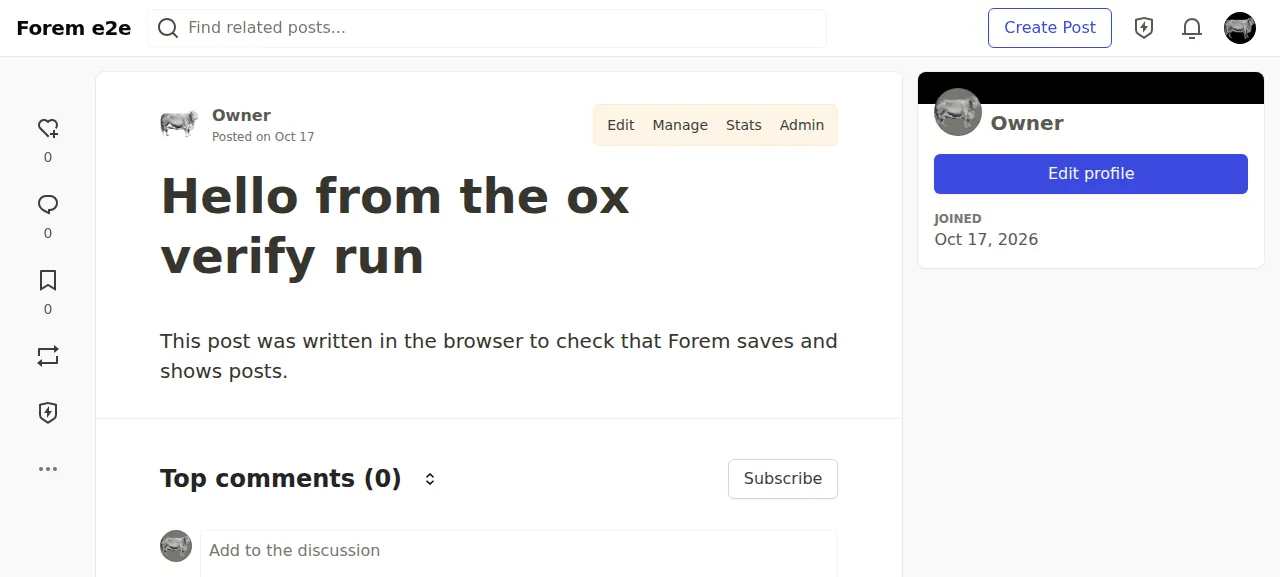
How we tested On Oct 17, 2026, ox deployed Forem from commit d8b2ba5f on a fresh DigitalOcean server with 8 vCPUs and 16 GB of memory. The run then redeployed it, backed it up and rebooted the server. Then a separate test agent, one that did not write the config, signed in, published a post and saw it on its own page and in the latest posts after a reload, and checked the app's services and its backup.
Forem is the open source software that runs DEV (dev.to). It makes a community site where members write posts, comment and react, and an admin runs it from the browser. The code is under the AGPLv3 or any later version. It is a Rails 8 app on Postgres with the pgvector extension, which Forem's README calls a hard requirement for migrating the database. Redis holds the cache, the sessions and the job queue, and Sidekiq runs the background jobs.
ox deployed Forem (commit d8b2ba5f) on Oct 17, 2026 on a fresh DigitalOcean server with 8 vCPUs and 16 GB of memory; the first deploy took 14 minutes and a redeploy took 12 minutes.
- First deploy: 14 minutes, from adding the project until the app passed the run's first checks.
- Redeploy of the same commit: 12 minutes, until the app passed the checks again.
- Server: DigitalOcean, 8 vCPUs and 16 GB of memory (
s-8vcpu-16gb), with this app alone on it. Every one of the 85 apps we deployed ran on this one size, so it was not picked for this app. - Memory in use after the reboot: 1571 MB of 15986 MB, for the whole server: Ubuntu, the app, its services, Caddy and the ox agent. On a server with no apps, ox's tests on real servers hold the agent to 40 MB or less and Caddy to 50 MB or less.
- Services ox runs for it:
postgres,redis. - Background processes:
sidekiq, each its own systemd unit beside the web process. - Source: github.com/forem/forem, commit
d8b2ba5f.
What you need
An Ubuntu LTS server. The run used the size in the facts above. The repo pins Ruby 3.3.0 in
.ruby-version, Node 20 in.nvmrcand Yarn 4.1.0 inpackage.json, and ox reads all three.A GitHub account to fork
forem/forem. Signing in to ox with it opens your ox account.An email address and a password of 8 to 72 characters for the first admin.
Not tested: real email (the run set up no mail server), sign-up for other people, comments and reactions, image uploads, the Admin pages, the optional Gemini key, a custom domain and a restore.
The steps
In the ox dashboard, press Add a server and copy the install command, which carries a token. Run it as root on your server. It installs only the ox agent and Caddy.
Fork forem/forem on GitHub and take its commit d8b2ba5f, the one the run deployed. Add the ox.toml shown below at the root, commit it and push. The run added no other file. Forem's sample file, .env_sample, is written for a laptop (APP_DOMAIN is localhost:3000), so the run used its own 12 keys. Write them one per line to forem.env on your laptop, with APP_DOMAIN set to ${PUBLIC_HOST} and APP_PROTOCOL set to ${PUBLIC_SCHEME}://, as the run did. With the ox CLI signed in, run:
ox new <you>/forem
ox review forem --from-file forem.env --wait
Saving the review starts the first deploy, and --wait prints the run until it ends. In the browser the same steps are New project and the review screen, which the quickstart shows.
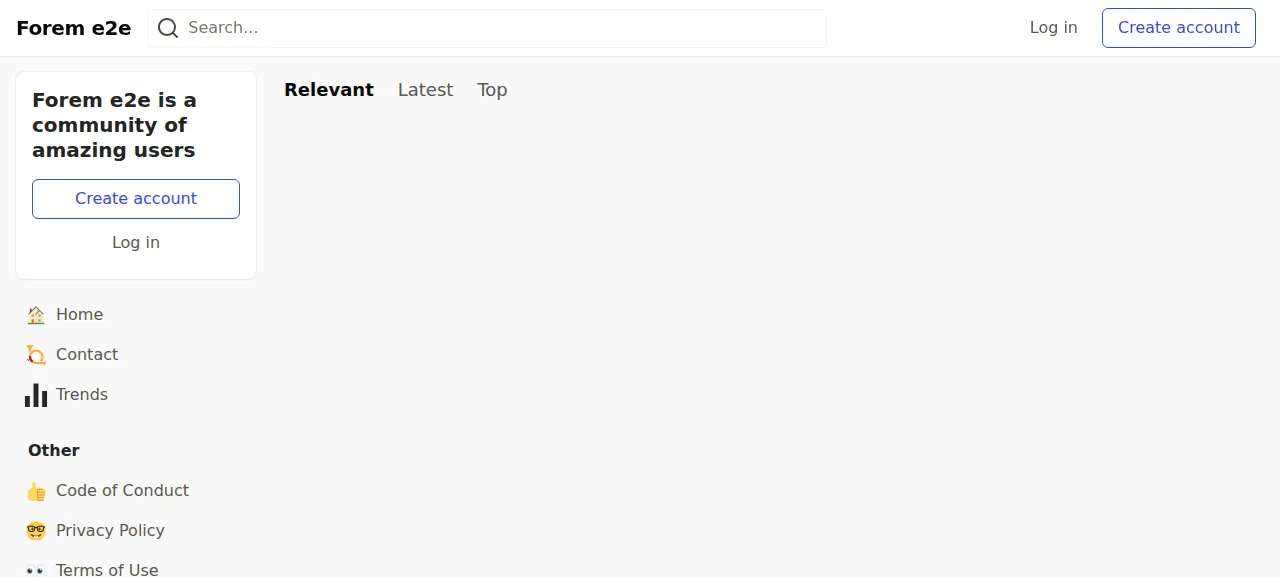
When the deploy is green, open the address ox shows for the project and go to /enter. Sign in with FOREM_ADMIN_EMAIL and FOREM_ADMIN_PASSWORD. The first sign-in opens Forem's welcome steps at /onboarding. The test agent pressed Continue on the profile step, skipped the next ones and pressed Finish. Until then, other pages may send you back there, or to /admin/creator_settings/new, which wants the code of conduct and terms boxes ticked.
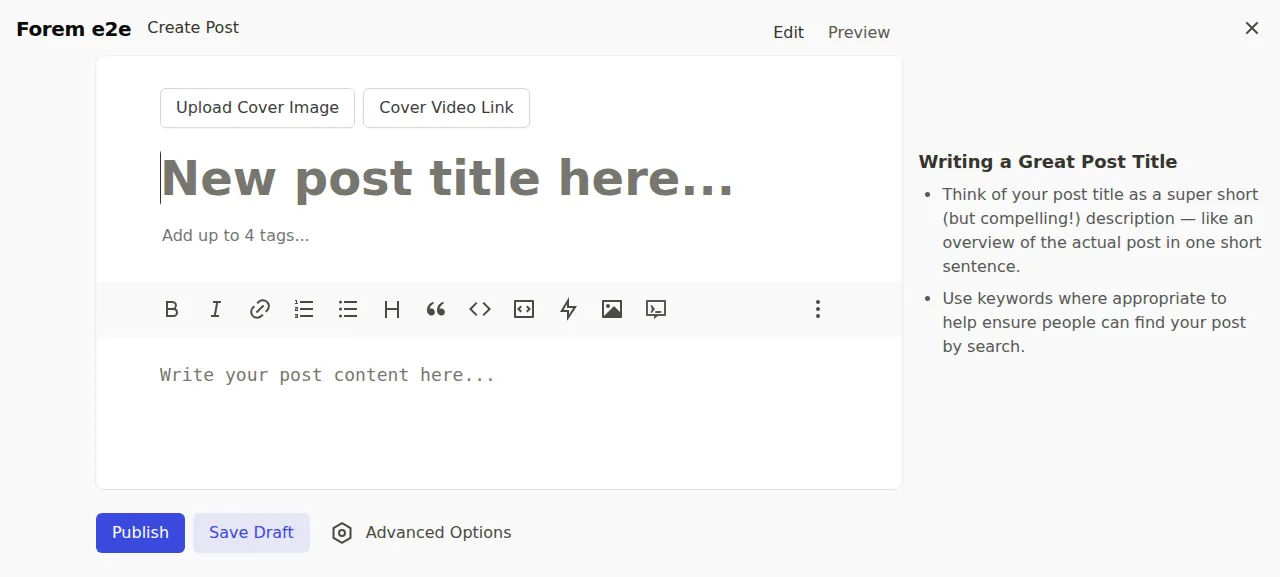
Then press Create Post at the top right, or open /new, write a title and some text, and press Publish. The post opens at its own page, /<username>/<title-slug>, and shows under Latest for signed-out visitors. The test agent reloaded and the post was still there. The run served Forem on its preview address only. A domain of your own was not part of it, and the domains page covers how ox adds one.
The ox.toml, line by line
# Forem: Rails 8 (Puma) and Sidekiq on PostgreSQL with pgvector and Redis,
# run as its Containerfile, Procfile and release-tasks.sh run it. Ruby,
# Node, Yarn, the installs, assets:precompile (esbuild through
# jsbundling-rails) and the start are detected from the repo.

# SECRET_KEY_BASE signs the sessions. APP_DOMAIN is the name Forem serves:
# without it config/environments/production.rb boots as an asset build and
# swaps the secret for a dummy one. The first admin, made by [build]
# migrate below, signs in with FOREM_ADMIN_EMAIL and FOREM_ADMIN_PASSWORD
# (8 to 72 characters): Forem opens sign-up only to its first user, so that
# admin is the only way in. Forem's own sample is .env_sample, which ox does
# not read.
required_variables = ["SECRET_KEY_BASE", "APP_DOMAIN", "FOREM_ADMIN_EMAIL", "FOREM_ADMIN_PASSWORD"]

[build]
# release-tasks.sh's own step (db:prepare, data migrations, navigation
# links, the health check token), then what the sign-up page does for
# Forem's first user (RegistrationsController#create): an admin with the
# creator, super_admin and trusted roles, confirmed, and the mascot
# account. The fastly:update_configs step does nothing without Fastly's
# keys, and Discover::RegisterWorker, which lists the site on
# discover.forem.com, is left to the admin. The admin is made once; a later
# deploy prints that it exists.
migrate = """
RAILS_ENV=production STATEMENT_TIMEOUT=4500000 bundle exec rails app_initializer:setup
RAILS_ENV=production bundle exec rails runner '
  if User.with_role(:super_admin).exists?
    puts "A super admin exists"
  else
    password = ENV.fetch("FOREM_ADMIN_PASSWORD")
    user = User.new(
      name: ENV.fetch("FOREM_ADMIN_NAME", "Owner"),
      username: ENV.fetch("FOREM_ADMIN_USERNAME", "owner"),
      email: ENV.fetch("FOREM_ADMIN_EMAIL"),
      password: password,
      password_confirmation: password,
      confirmed_at: Time.current,
      registered_at: Time.current,
      profile_image: Images::ProfileImageGenerator.call
    )
    user.build_setting(editor_version: "v2")
    user.save!
    user.add_role(:creator)
    user.add_role(:super_admin)
    user.add_role(:trusted)
    Settings::General.waiting_on_first_user = false
    Users::CreateMascotAccount.call unless Settings::General.mascot_user_id
    puts "Made the super admin #{user.username}"
  end
'
"""

[workers]
# The Procfile's sidekiq_worker: background jobs and the sidekiq-cron
# schedule (config/schedule.yml).
sidekiq = "RAILS_ENV=production exec bundle exec sidekiq -t 25"

[services]
postgres = { extensions = ["vector"] }
redis = {}

[storage]
# CarrierWave's local storage (no AWS_ID): profile images, article images
# and the logo, under public/uploads, a folder the Containerfile makes.
keep = ["public/uploads"]required_variableslists four keys.APP_DOMAINis the name Forem serves: without it,config/environments/production.rbboots as an asset build and swaps the secret for a dummy one. Email sign-up is off by default, so the admin thatmigratemakes is the only way in. A missing key stops the deploy before the long build.There is no
install,commandsorstartline. ox installs the gems and packages, runsassets:precompile, which builds the JavaScript with esbuild through jsbundling-rails, and starts the Rails server on the port it gives the app.migratehas two parts. The first is the step thatrelease-tasks.shruns,app_initializer:setup. It prepares the database, applies pending migrations, runs Forem's setup tasks and data updates, and sets the health check token. Forem limits a database query to 2.5 seconds by default, andSTATEMENT_TIMEOUT=4500000lifts that to 75 minutes for this step. The config skips that file'sfastly:update_configs, which does nothing without Fastly's keys.The second part is a short
rails runnerscript that does what Forem's sign-up page does for the first user. If a super admin exists, it prints that and stops, so it is safe on every deploy. Otherwise it makes a confirmed user from the variables with the creator, super admin and trusted roles, tells Forem it no longer waits for its first user, and makes Forem'smascotaccount. The sign-up page also registers the community with discover.forem.com, and the script does not.sidekiqunder[workers]is thesidekiq_workerline of Forem's Procfile. It runs the background jobs, and the sidekiq-cron schedule inconfig/schedule.ymlwith them. The command setsRAILS_ENV=productionitself, because that is not one of the variables.postgresunder[services]carriesextensions = ["vector"], since Forem's schema turns onvectorfor the embeddings of posts.redisneeds no options.keep = ["public/uploads"]under[storage]is where CarrierWave writes profile and article images whenAWS_IDis not set. Each deploy starts a new release from the commit, so ox links that folder to a place that lasts.
SECRET_KEY_BASE
APP_DOMAIN
APP_PROTOCOL
COMMUNITY_NAME
DEFAULT_EMAIL
SESSION_KEY
RAILS_LOG_TO_STDOUT
LOG_LEVEL
FOREM_ADMIN_EMAIL
FOREM_ADMIN_PASSWORD
FOREM_ADMIN_NAME
FOREM_ADMIN_USERNAMESECRET_KEY_BASEis a long random value. Rails signs its cookies with it, and Devise, Forem's sign-in library, uses it as its key.APP_DOMAINandAPP_PROTOCOLare references that ox fills in with the project's address. Forem builds its mail links from them and uses the domain for its image host and cookies.COMMUNITY_NAMEandDEFAULT_EMAILare the starting values of the community's name and of its contact and sender address. The run used an address atexample.com.SESSION_KEYis the name of the session cookie.RAILS_LOG_TO_STDOUTmakes Forem write its production log to standard output, whereox logsreads it.LOG_LEVELisinfo, where Forem's own default iserror.FOREM_ADMIN_EMAILandFOREM_ADMIN_PASSWORDare the first admin's sign-in.FOREM_ADMIN_NAMEandFOREM_ADMIN_USERNAMEdefault toOwnerandownerin the script, and the run set both.
The list has no DATABASE_URL or REDIS_URL, because ox answers both from the two services. See variables for how references work.
Postgres, Redis and Sidekiq
Forem's posts and accounts live in a Postgres database that ox made for this project. Redis runs as a unit of its own for this project only. The test agent found the web app, Sidekiq and Redis active with no restarts. After it published its post, Sidekiq's log showed the job that scores the new article finished.
Updates and backups
To update, merge newer commits from forem/forem into your fork and push, or run ox deploy forem --wait. ox builds the new release beside the running one, runs migrate, and switches only once the new release answers. Before each migrate it dumps Postgres, and the run's redeploy left that dump.
Backups need no setup. The run's backup folder held three Postgres dumps (daily, from Back up now and from before the migrate) and an archive of public/uploads from Back up now. ox backups forem lists them, and ox backups forem now postgres --wait takes a Postgres one. A restore was not tested. The backups page covers copies in your own S3 bucket, and the self-hosting page lists the other apps.
Frequently asked questions
Do I need Docker to self-host Forem?
No. Forem's repo ships a Containerfile, Compose files and a Kamal deploy that needs Docker and a registry, and its README also links Linux and macOS guides without containers. With ox, Forem is built on your server from your fork and runs as system services beside Postgres and Redis, with no image to pull.
How do I create the first Forem admin?
Set FOREM_ADMIN_EMAIL and FOREM_ADMIN_PASSWORD, 8 to 72 characters, before the first deploy. The migrate step makes that user already confirmed, with the creator, super admin and trusted roles, and you sign in at /enter. Email sign-up for other people is off by default until an admin turns it on. Turning it on was not tested.
Which database does Forem need?
Postgres with the pgvector extension, plus Redis. Forem's README calls pgvector a hard requirement for running its database migrations, while the Gemini key that makes the embeddings is optional. ox creates the extension from one line of ox.toml, runs Redis for this project alone and passes both addresses in as variables.
How much memory does self-hosted Forem use?
The facts above give the memory in use on the whole server after the run's reboot. It counts Forem, its Sidekiq worker, Postgres, Redis, Caddy and the ox agent. ox works on any server from 1 GB up and tells you when memory is why an app stopped.
New to running apps on your own server? How ox self-hosts your apps shows what ox sets up on your server.