How to self-host Invoice Ninja on your own Ubuntu VPS
Run Invoice Ninja v5.13.47 on your own Ubuntu server with ox: Laravel, MariaDB, Redis, a queue worker and the scheduler, from the config that ran.

To self-host Invoice Ninja you need an Ubuntu server, a fork of its repo with one ox.toml added, and 48 variables, 19 of them optional keys left empty. In our run the first deploy took about 6 minutes, and ox set up MariaDB, Redis, a queue worker and the scheduler beside the web app.
How we tested On Oct 17, 2026, ox deployed Invoice Ninja v5.13.47 from commit 493c3884 on a fresh DigitalOcean server with 8 vCPUs and 16 GB of memory. The run then redeployed it, backed it up and rebooted the server. Then a separate test agent, one that did not write the config, signed in, created a client and an invoice for it, and saw the invoice listed after a reload, and checked the app's services and its backup.
Invoice Ninja is an invoicing app for freelancers and small businesses, with clients, quotes, invoices, payments, recurring invoices, expenses and a portal where clients open their invoices. It is a Laravel app in PHP with a React admin app. Its source is available under the Elastic License 2.0.
ox deployed Invoice Ninja v5.13.47 (commit 493c3884) on Oct 17, 2026 on a fresh DigitalOcean server with 8 vCPUs and 16 GB of memory; the first deploy took 6 minutes and a redeploy took 2 minutes.
- First deploy: 6 minutes, from adding the project until the app passed the run's first checks.
- Redeploy of the same commit: 2 minutes, until the app passed the checks again.
- Server: DigitalOcean, 8 vCPUs and 16 GB of memory (
s-8vcpu-16gb), with this app alone on it. Every one of the 85 apps we deployed ran on this one size, so it was not picked for this app. - Memory in use after the reboot: 1065 MB of 15986 MB, for the whole server: Ubuntu, the app, its services, Caddy and the ox agent. On a server with no apps, ox's tests on real servers hold the agent to 40 MB or less and Caddy to 50 MB or less.
- Services ox runs for it:
mysql,redis. - Background processes:
queue,scheduler, each its own systemd unit beside the web process. - Source: github.com/invoiceninja/invoiceninja at v5.13.47, commit
493c3884.
What you need
An Ubuntu LTS server. The run used the size in the facts above and measured the memory there.
A GitHub account to fork
invoiceninja/invoiceninja, and an ox account, which you open by signing in with GitHub.An email address such as
[email protected]and a password for the first admin. The run used no key or account of an outside service. Real email, payment gateways, bank feeds and Microsoft or Apple sign-in were not tested.
The steps
In the ox dashboard, press Add a server and run the install command it shows, as root on your server.
Fork invoiceninja/invoiceninja and check out the tag v5.13.47, commit 493c3884, which the run deployed. Add the ox.toml shown below at the root, then commit and push. The deploy added no other file. Write invoiceninja.env with one KEY=value line for each of the 48 keys in the variables section. With the ox CLI signed in, run:
ox new <you>/invoiceninja
ox review invoiceninja --from-file invoiceninja.env --wait
ox names the project after the repo. The review saves your values and starts the first deploy, and --wait prints the run until it ends. The console does the same, as the quickstart shows.
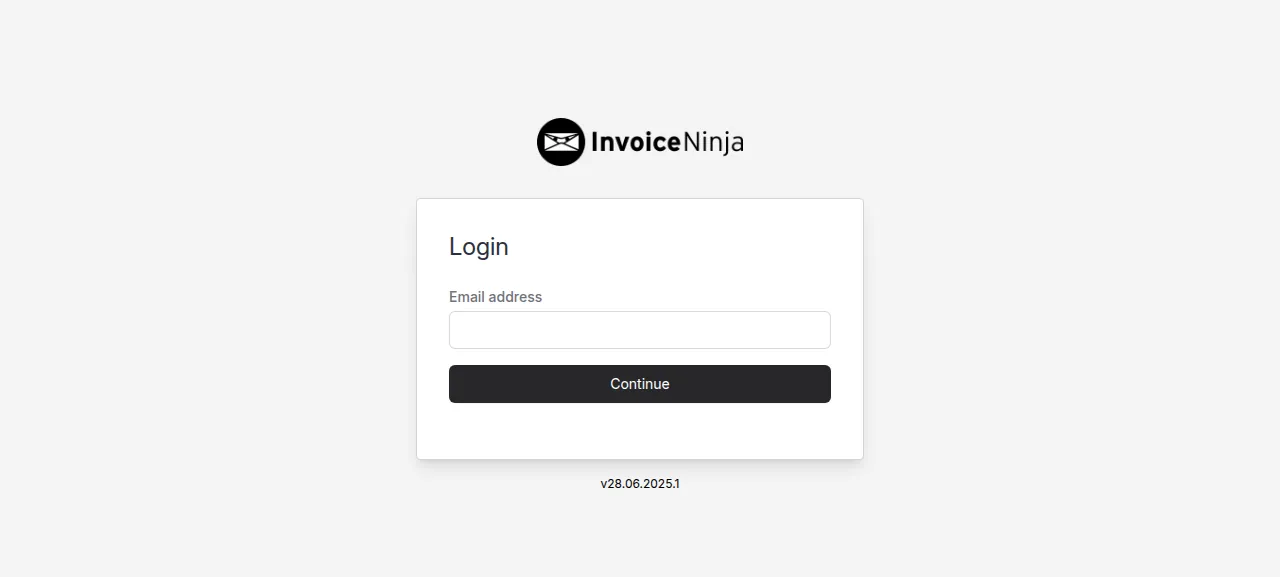
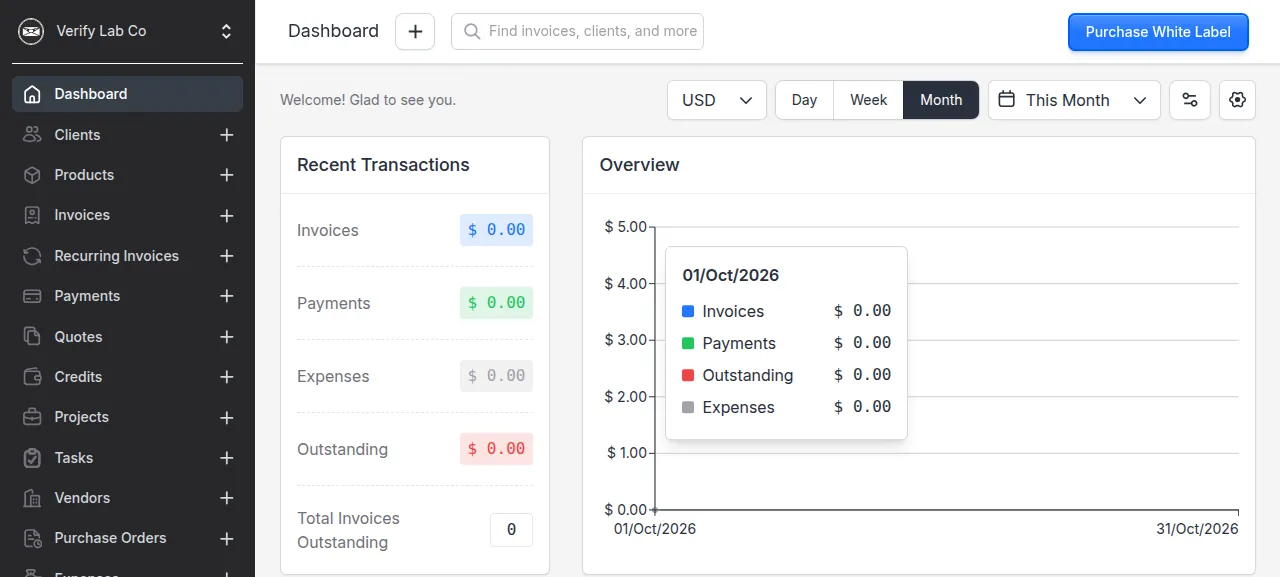
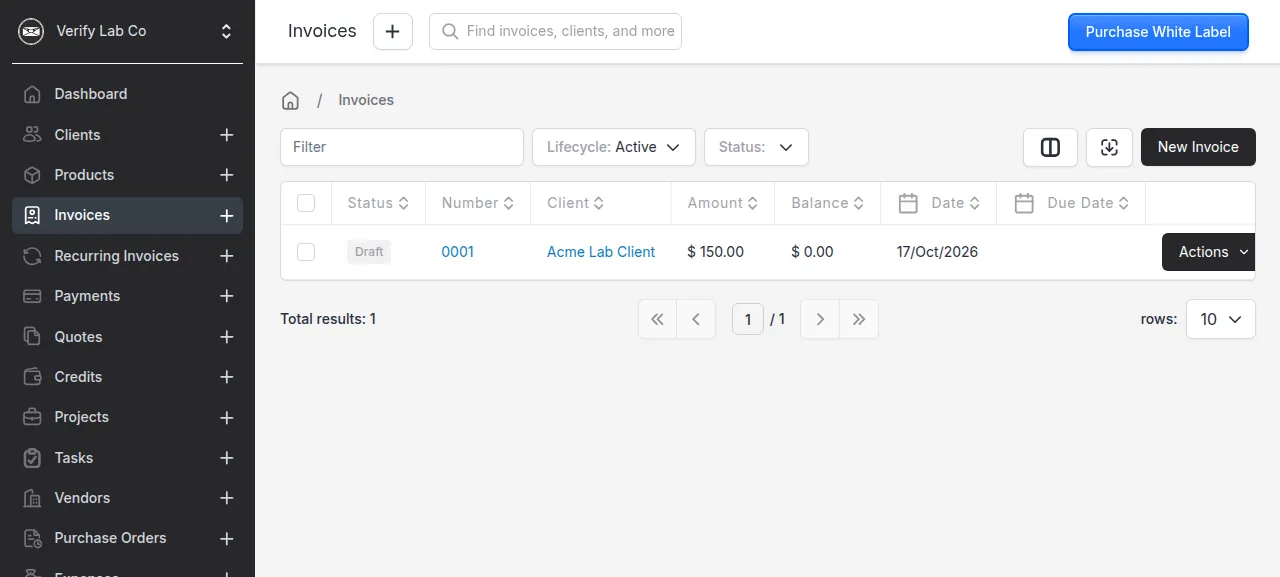
When the deploy is green, open the address ox shows. The form asks for the email first: type IN_USER_EMAIL, press Continue, then type IN_PASSWORD and press Login. A Welcome to Invoice Ninja box asks for a company name, a language and a currency. Fill it in and press Save. The test agent then added a client, and an invoice for it with one item at a unit cost of 150. The invoice got number 0001 and a total of $150.00, and it was in the list after a reload.
The run used the preview address only. A domain of your own was not part of it, and the domains page covers how ox adds one.
The ox.toml, line by line
# Invoice Ninja v5 (Laravel, MySQL) on ox. The build follows the release
# workflow (.github/workflows/react_release.yml), which makes the tarball the
# official images ship; the start follows the Docker image (invoiceninja/
# dockerfiles, debian): its init (migrate, designs, first admin), a queue
# worker, the scheduler, and Redis for cache, queue and sessions.

# The first admin, made by the image's init from IN_USER_EMAIL and
# IN_PASSWORD (it refuses to start without them). The other way in, the
# /setup page, writes the repo's .env, which a read-only PHP release cannot,
# and it is open to whoever reaches it first.
required_variables = ["IN_USER_EMAIL", "IN_PASSWORD"]
# The image's PHP extensions that composer.json does not name (intl, soap,
# imagick), for php-cli, which runs the queue and the scheduler; FrankenPHP
# has them built in.
packages = ["php-intl", "php-soap", "php-imagick"]

[build]
# The workflow's `composer install --no-dev -o`, then its root `npm i`:
# package-lock.json at v5.13.47 is out of step with package.json, so npm ci
# refuses it (esbuild, yaml and @emnapi missing from the lock), and npm i is
# what the release runs.
install = "composer install --no-dev --no-interaction --prefer-dist --optimize-autoloader && npm install"
# Accounts open the React admin app (CreateAccount sets
# set_react_as_default_ap), and git holds only a placeholder page for it:
# the release builds it from invoiceninja/ui, here at 0bb8f506, the develop
# commit the v5.13.47 release (2026-10-10) built, with the workflow's steps.
# Its lockfile is in step, so npm ci. Its prepare script runs `husky
# install`, which fails in a folder with no .git of its own inside the
# release's checkout (the workflow clones the ui repo): HUSKY=0 is husky's
# own switch to skip installing the git hooks. Then the root Vite assets.
commands = [
  """
  rm -rf .ox-ui && mkdir .ox-ui \
  && curl -fsSL https://codeload.github.com/invoiceninja/ui/tar.gz/0bb8f506b39c4906b82c67e85465d25021250c54 | tar -xz --strip-components=1 -C .ox-ui \
  && cd .ox-ui \
  && sed -i 's/VITE_IS_TEST=true/VITE_IS_TEST=false/' .env.example \
  && echo VITE_PUSHER_APP_KEY=f0111a02782708da651f >> .env.example \
  && cp .env.example .env \
  && cp ../vite.config.ts.react ./vite.config.js \
  && HUSKY=0 npm ci \
  && npm run build \
  && cp -r dist/* ../public/ \
  && mv ../public/index.html ../resources/views/react/index.blade.php \
  && cd .. && rm -rf .ox-ui
  """,
  "npm run production",
]
# The image's init: migrate, clear the cache, refresh the invoice designs,
# and on a database with no account yet seed the constant tables
# (currencies, countries) and make the first admin with the app's own
# ninja:create-account. It takes the password only as an option, so php -r
# calls it through Artisan::call with the values from the environment: the
# password is on no command line, and the exit code is the command's.
migrate = """
php artisan migrate --force \
&& php artisan cache:clear \
&& php artisan ninja:design-update \
&& state=$(php artisan tinker --execute='echo App\\Models\\Account::count() > 0 ? "yes" : "no";' | tail -n 1) \
&& if [ "$state" = no ]; then \
     php artisan db:seed --force \
     && php -r 'require "vendor/autoload.php"; $app = require "bootstrap/app.php"; $app->make(Illuminate\\Contracts\\Console\\Kernel::class)->bootstrap(); exit(Illuminate\\Support\\Facades\\Artisan::call("ninja:create-account", ["--email" => getenv("IN_USER_EMAIL"), "--password" => getenv("IN_PASSWORD")], new Symfony\\Component\\Console\\Output\\ConsoleOutput()));'; \
   elif [ "$state" != yes ]; then echo "could not tell whether an account exists: $state" >&2; exit 1; fi
"""

[workers]
# The image's supervisor programs: the queue (emails, PDFs, imports) and the
# scheduler (recurring invoices, reminders, auto-billing). A job may run up
# to the hour --max-time gives it, as the image's stopwaitsecs.
queue     = { run = "exec php artisan queue:work --sleep=3 --tries=3 --max-time=3600", stop_timeout = "1h" }
scheduler = "exec php artisan schedule:work"

[services]
mysql = {}
redis = {}

[storage]
# storage/ holds logs, documents and compiled views; the default "public"
# disk writes logos and exports to public/storage.
keep = ["storage", "public/storage"]required_variablesnames the first admin's email and password, which the image's init uses. The other way in, the/setuppage, writes a.envfile that a read-only PHP release cannot, and it is open to whoever reaches it first.packagesadds the intl, soap and imagick extensions for the queue worker and scheduler, which run on Ubuntu's PHP command line.installis the workflow'scomposer install --no-devand thennpm install, sincenpm cirefuses this tag's out-of-steppackage-lock.json.The first build command makes the React admin app, which the tag holds only as a placeholder page. It downloads
invoiceninja/uiat the commit the v5.13.47 release was built from, runsnpm ciandnpm run build, copies the result intopublic/and moves itsindex.htmlto the Blade view.HUSKY=0turns off husky's git-hook install, which needs a.gitfolder. The second command builds Laravel's own assets.migrateruns the migrations, clears the cache and refreshes the invoice designs. On a database with no account it seeds currencies and countries and makes the first admin withninja:create-account. That command takes the password only as an option, so a shortphp -rpasses it from the environment and it never reaches a command line. Where an account exists, nothing more runs.queueruns Laravel's queue worker, for emails, PDFs and imports, andstop_timeoutlets ox wait an hour for a running job.schedulerruns reminders, recurring invoices and recurring expenses. Each starts withexecso ox's stop signal reaches the worker.[services]asks for MariaDB and Redis.keepnames the two folders the app writes,storageandpublic/storage, which ox links to the project's writable data directory.
APP_KEY
APP_ENV
APP_DEBUG
APP_URL
REACT_URL
DB_CONNECTION
DB_HOST
DB_PORT
DB_DATABASE
DB_USERNAME
DB_PASSWORD
DB_URL
REDIS_HOST
REDIS_PORT
REDIS_PASSWORD
CACHE_DRIVER
QUEUE_CONNECTION
SESSION_DRIVER
TRUSTED_PROXIES
REQUIRE_HTTPS
NINJA_ENVIRONMENT
PDF_GENERATOR
IN_USER_EMAIL
IN_PASSWORD
MAIL_MAILER
MAIL_HOST
MAIL_PORT
MAIL_FROM_ADDRESS
MAIL_FROM_NAME
POSTMARK_API_TOKEN
GOOGLE_MAPS_API_KEY
ERROR_EMAIL
PHANTOMJS_KEY
PHANTOMJS_SECRET
UPDATE_SECRET
GOOGLE_PLAY_PACKAGE_NAME
APPSTORE_PASSWORD
MICROSOFT_CLIENT_ID
MICROSOFT_CLIENT_SECRET
MICROSOFT_REDIRECT_URI
APPLE_CLIENT_ID
APPLE_CLIENT_SECRET
APPLE_REDIRECT_URI
NORDIGEN_SECRET_ID
NORDIGEN_SECRET_KEY
GOCARDLESS_CLIENT_ID
GOCARDLESS_CLIENT_SECRET
OPENEXCHANGE_APP_IDIN_USER_EMAILandIN_PASSWORDare the first admin's login.APP_KEYencrypts the app's data, and the README says that if you lose it you cannot run the app, so keep a copy. It isbase64:and 32 random bytes in base64. The example file's key is public, so make your own.APP_ENVandAPP_DEBUGare production mode with debug off, andNINJA_ENVIRONMENTisselfhost, the example file's value.APP_URLandREACT_URLare the project's address, the reference${PUBLIC_URL}that ox fills in. Variables explains references.DB_CONNECTIONsays mysql. The five otherDB_keys and threeREDIS_keys point at the project's own services through references such as${mysql.host}, and ox answers those usual names itself too, as the configuration page says.DB_URLis empty, since the app has no URL setting.CACHE_DRIVER,QUEUE_CONNECTIONandSESSION_DRIVERput cache, queue and sessions in Redis. The example file's sync queue would run jobs inside the web request.TRUSTED_PROXIESnames the local proxy, since Caddy calls the app from the same machine.REQUIRE_HTTPSdefaults to true, and the run turned it off because ox's proxy ends TLS and calls the app over plain http.PDF_GENERATORis the example'shosted_ninja, so an invoice's content goes to Invoice Ninja's renderer atpdf.invoicing.coto be drawn. Viewing a PDF was not part of the test agent's work.The
MAIL_keys sent mail to the test mail catcher. The last 19 keys are the example file's optional ones, such as Postmark, Google Maps, bank feeds and Microsoft or Apple sign-in. ox asks for each because the example lists it empty or with a placeholder. The run left them empty, so those features were not tested.
MariaDB, Redis and the two workers
The database is MariaDB 11.8, which ox calls mysql, and Redis holds the cache, queue and sessions. Each runs for this project alone. The test agent found all five units running with no restarts. After it saved the invoice, the queue log showed the job done, and the scheduler logged "No scheduled commands are ready to run." each minute.
The queue worker leaves on purpose once an hour, because of --max-time=3600, as in the Docker image. ox starts it again, so its restart count in ox status rises by about one an hour.
The company's time zone starts as (GMT-11:00) Midway Island, the app's own default, so an invoice made before 11:00 UTC gets the day before's date. Settings, Localization changes it.
Updates and backups
To move to a new release, merge its tag into your fork and push, or run ox deploy invoiceninja --wait. ox builds the new release beside the running one and switches traffic once it answers. The ui commit in the build belongs to v5.13.47, and moving to a newer release was not tested.
Backups need no setup. The run's backups held a MariaDB archive, a Redis archive and one archive for each kept folder, all made daily. ox backups invoiceninja lists them, and Back up now on the Backups tab makes one on demand. They held no variables, so keep your env file. A restore was not tested. The backups page covers an S3 bucket, and self-hosting lists other apps.
Frequently asked questions
Do I need Docker to self-host Invoice Ninja?
No. The project ships Docker images, but the app is a Laravel project with a React build. ox builds it from your fork on the server and runs the web app, a queue worker and the scheduler as system services, with MariaDB and Redis beside them. An update is a push or one command.
Is Invoice Ninja free to self-host?
The README says the source-available code has all the Pro and Enterprise features of the hosted app. The Elastic License 2.0 lets you run it yourself but bars offering it to others as a hosted service, so read it first. The paid white-label license, $40 a year in the README, only removes the branding clients see.
How do I create the first Invoice Ninja admin?
Set IN_USER_EMAIL and IN_PASSWORD before the first deploy. The migrate step makes that admin on an empty database, and you sign in at the project's address. The app has no sign-up page, and the /setup page writes a file that a read-only release cannot. Adding more users was not tested.
How much memory does self-hosted Invoice Ninja use?
After the reboot, the whole server in the run used the memory the facts show. That counts the web app, MariaDB, Redis, the queue worker, the scheduler, Caddy and the ox agent. The build runs Composer and npm on the server too. ox takes any server from 1 GB up, and says so when memory is why an app stopped.
New to running apps on your own server? How ox self-hosts your apps shows what ox sets up on your server.