How to self-host Jellyfin media server on your own VPS
Run Jellyfin v12.2 on your own Ubuntu server with ox: a .NET build, ffmpeg, the web client, a SQLite library and two variables, from the config that ran.

To self-host Jellyfin you need an Ubuntu server, a fork of the Jellyfin server repo with an ox.toml and one start script added, and two variables for the first admin. In our run the first deploy took about 8 minutes, which covers building the .NET server and the web client on the server itself, and ox set up no database server, because Jellyfin keeps its library in a SQLite file.
How we tested On Oct 17, 2026, ox deployed Jellyfin v12.2 from commit ca0f16eb on a fresh DigitalOcean server with 8 vCPUs and 16 GB of memory. The run then redeployed it, backed it up and rebooted the server. Then a separate test agent, one that did not write the config, signed in, added a video library, played a sample clip from it, and saw both after a reload, and checked the app's services and its backup.
Jellyfin is a free media server. You point it at folders of movies, shows, music or home videos, and it organizes them and streams them to a browser or to Jellyfin's apps on other devices. Its README calls it an alternative to Emby and Plex with no premium features, and the code is under the GPL 2.0 license. The server is a .NET program that uses ffmpeg to inspect and transcode media. Its web client lives in a separate repository, jellyfin-web.
ox deployed Jellyfin v12.2 (commit ca0f16eb) on Oct 17, 2026 on a fresh DigitalOcean server with 8 vCPUs and 16 GB of memory; the first deploy took 8 minutes and a redeploy took 6 minutes.
- First deploy: 8 minutes, from adding the project until the app passed the run's first checks.
- Redeploy of the same commit: 6 minutes, until the app passed the checks again.
- Server: DigitalOcean, 8 vCPUs and 16 GB of memory (
s-8vcpu-16gb), with this app alone on it. Every one of the 85 apps we deployed ran on this one size, so it was not picked for this app. - Memory in use after the reboot: 749 MB of 15986 MB, for the whole server: Ubuntu, the app, its services, Caddy and the ox agent. On a server with no apps, ox's tests on real servers hold the agent to 40 MB or less and Caddy to 50 MB or less.
- Source: github.com/jellyfin/jellyfin at v12.2, commit
ca0f16eb.

What you need
An Ubuntu LTS server. The facts above give the size the run used and the memory it measured after a reboot.
A GitHub account to fork
jellyfin/jellyfin, and an ox account, which you open by signing in with GitHub.A user name and a password for the first admin. The run used no mail server and no API key, and Jellyfin's online metadata lookups were not tested.
The steps
On the ox dashboard, Add a server gives you a one-line install command with a fresh token in it. Run it as root on the Ubuntu server. It installs only the ox agent and Caddy.
Fork jellyfin/jellyfin and start from the 12.2 release commit, ca0f16eb in the box above. Add the ox.toml at the root and the deployment/ox/start.sh file shown below, then commit and push. Write a file named jellyfin.env with one KEY=value line for each key under the variables heading. With the ox CLI signed in, run:
ox new <you>/jellyfin
ox review jellyfin --from-file jellyfin.env --wait
The project takes the repo's name. The review saves the two values and starts the first deploy, and --wait prints the run until it ends. In the browser the same steps are New project and the review screen, as the quickstart shows.
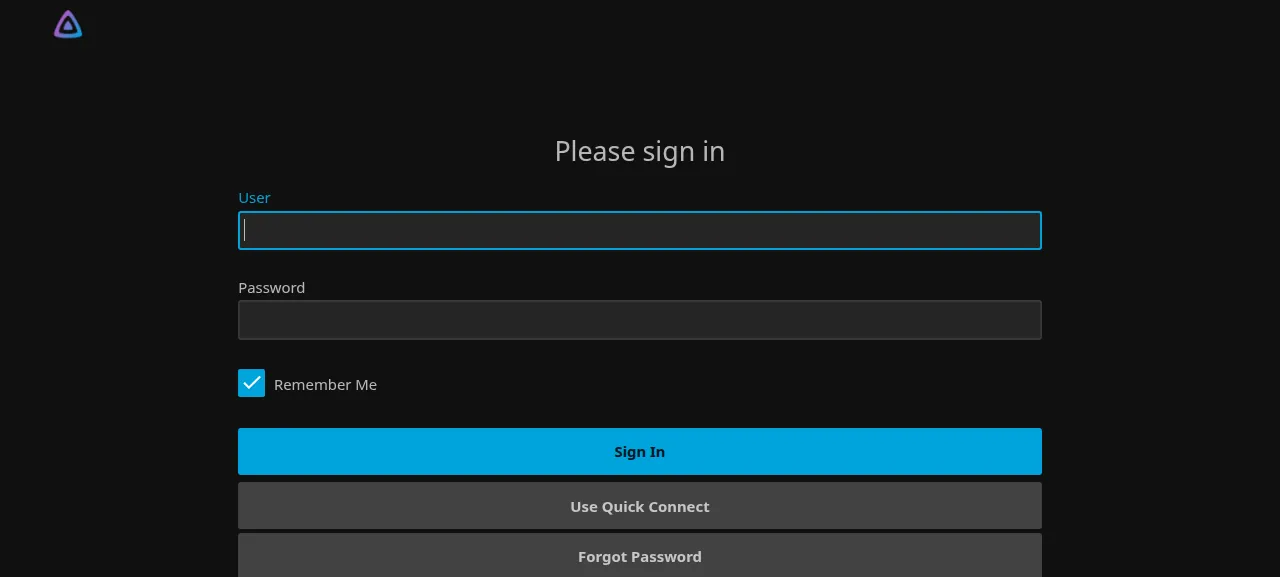
When the deploy is green, ox status jellyfin shows the project's address. The web client is under /web/ on it. The test agent first tried a wrong password and got "Invalid username or password. Please try again." Then it signed in with the two values from your file.
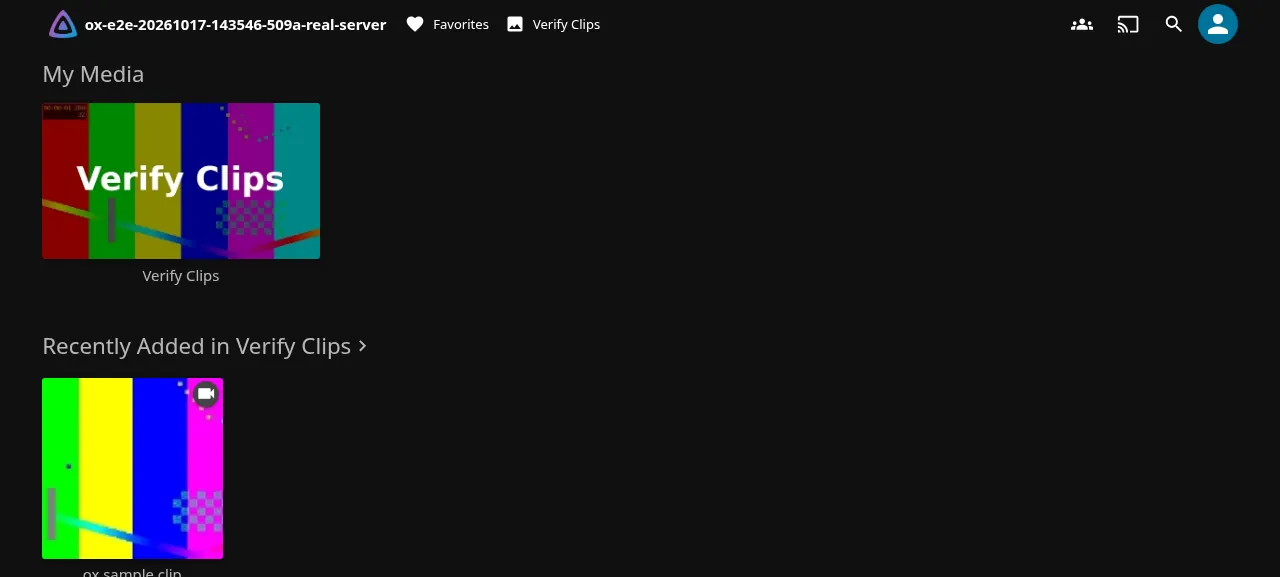
To see something play, the agent opened Dashboard, Libraries, Add Media Library, chose Home Videos and Photos, named the library and typed the media folder, /srv/ox/jellyfin/data/media on the run's server. "ox sample clip" then showed under Recently Added, and Play started it in the browser. After a reload both were still there. Copying your own files into that folder was not tested.
The run served Jellyfin on the preview address only, so a domain of your own was not part of it; the domains page covers adding one. Jellyfin's TV, phone and desktop apps were not tested.
The ox.toml, line by line
# Jellyfin, the media server: the .NET server published from Jellyfin.Server,
# and its web client, which lives in a repository of its own, built into
# out/jellyfin-web, the folder the server serves it from by default.
# ffmpeg probes and transcodes media; SkiaSharp (images) needs fontconfig;
# the start script talks to the setup API with curl and jq.
packages = ["ffmpeg", "libfontconfig1", "curl", "jq"]
# The first admin, made on the first start (deployment/ox/start.sh).
required_variables = ["ADMIN_USERNAME", "ADMIN_PASSWORD"]

[app]
start = "exec bash deployment/ox/start.sh"
# Only the full server answers it. While Jellyfin migrates its database it
# serves a startup page on the same port, which answers 200 on /health and
# /System/Info/Public too.
health = "/System/Ping"
# One SQLite library and its scheduled tasks: two copies cannot share it.
stop_before_start = true

[build]
commands = [
  "dotnet publish Jellyfin.Server/Jellyfin.Server.csproj --configuration Release --output out",
  # jellyfin-web v12.2, the client release that matches this server (12.2.0).
  '''
rm -rf .ox-web && git init -q .ox-web && cd .ox-web
git fetch -q --depth 1 https://github.com/jellyfin/jellyfin-web.git 61b1f890365ad15138e943e694af723c1d47df2a
git checkout -q FETCH_HEAD
npm ci --include=dev && npm run build:production
rm -rf ../out/jellyfin-web && mv dist ../out/jellyfin-web
cd .. && rm -rf .ox-web
''',
]

[storage]
# var/config and var/data: settings, the SQLite library, metadata and
# plugins. The media itself goes in $OX_DATA_DIR/media (see start.sh).
keep = ["var"]
Jellyfin's README says the web client is not in the server repo and must be built or copied in. The config builds the server and the client.
packagesinstalls four Ubuntu packages. Jellyfin refuses to start without a valid ffmpeg.libfontconfig1is for SkiaSharp, the server's image library.curlandjqare for the start script's calls to Jellyfin's setup API.required_variablesnames the first admin's two keys, which ox asks for before the first deploy.health = "/System/Ping"is a path only the full server answers. While Jellyfin migrates its database, a startup page on the same port answers 200 on/healthand/System/Info/Public, so either would pass too early.stop_before_start = truestops the running Jellyfin before the new one starts, because both would open the same SQLite library and each runs scheduled tasks. The cost is a short gap in every deploy, when the address answers 502.The first build command is
dotnet publishonJellyfin.Serverintoout. There is no[tools]table: ox readsglobal.json, which asks for .NET SDK 10.0, and installs it.The second fetches the commit of the
jellyfin-web12.2 release into a scratch folder, builds it withnpm ci --include=devandnpm run build:production, and movesdisttoout/jellyfin-web, where the server looks for it by default. Because a build command runs npm, ox installs Node, 24 by default, and the client'spackage.jsonasks for 24 or newer.keep = ["var"]carries the folder across deploys. It holds settings invar/config, and the library, users, metadata and plugins invar/data.
There are no workers and no cron jobs. Jellyfin's own scheduled tasks run inside the app, and the test agent saw a library scan finish in its log.
deployment/ox/start.sh
#!/usr/bin/env bash
# Starts Jellyfin on ox (ox.toml's [app] start). Jellyfin reads its port only
# from network.xml, so the port is written there before each start. On the
# first start, before anyone can reach the setup wizard, the wizard's own API
# makes ADMIN_USERNAME the admin, as Jellyfin makes users only through its
# running server.
set -euo pipefail

# The kept folder at its place under $OX_DATA_DIR: Jellyfin stores these
# paths in its database, and the release folder changes on every deploy.
var=$(realpath var)
config="$var/config"
data="$var/data"
# Image caches, transcodes and logs: rebuilt as needed, so not backed up.
cache="$OX_DATA_DIR/cache"
log="$OX_DATA_DIR/log"
# Movies, shows and music go here, added as a library in the dashboard. Not
# a kept folder: a media collection is far too big for the daily backup.
media="$OX_DATA_DIR/media"
mkdir -p "$config" "$data" "$cache" "$log" "$media"

net="$config/network.xml"
# set_port N: the port Jellyfin listens on at its next start.
set_port() {
  if [ -f "$net" ]; then
    sed -i "s|<InternalHttpPort>[0-9]*</InternalHttpPort>|<InternalHttpPort>$1</InternalHttpPort>|" "$net"
    return
  fi
  # Listen on loopback only, behind ox's proxy, and trust its forwarded
  # client address; no UPnP or LAN discovery on a server.
  cat >"$net" <<EOF
<?xml version="1.0" encoding="utf-8"?>
<NetworkConfiguration xmlns:xsi="http://www.w3.org/2001/XMLSchema-instance" xmlns:xsd="http://www.w3.org/2001/XMLSchema">
  <InternalHttpPort>$1</InternalHttpPort>
  <LocalNetworkAddresses>
    <string>127.0.0.1</string>
  </LocalNetworkAddresses>
  <KnownProxies>
    <string>127.0.0.1</string>
  </KnownProxies>
  <AutoDiscovery>false</AutoDiscovery>
  <EnableUPnP>false</EnableUPnP>
</NetworkConfiguration>
EOF
}

jellyfin=(dotnet out/jellyfin.dll --datadir "$data" --configdir "$config"
  --cachedir "$cache" --logdir "$log" --ffmpeg "$(command -v ffmpeg)")

# make_admin: runs Jellyfin in the background, finishes the setup wizard
# through its API, and stops it again. It listens on a free port of its own,
# not on $PORT, where ox's health check would take it for the started
# release and send visitors to a wizard that is still open.
make_admin() {
  local port pid code rc=0
  port=$(python3 -I -c 'import socket; s = socket.socket(); s.bind(("127.0.0.1", 0)); print(s.getsockname()[1])')
  set_port "$port"
  "${jellyfin[@]}" &
  pid=$!
  local base="http://127.0.0.1:$port"
  # The startup page Jellyfin serves while it migrates answers 503 here; the
  # full server answers 200 and makes the first user, which the next call
  # names and gives its password.
  until curl -fs -o /dev/null "$base/Startup/User"; do
    if ! kill -0 "$pid" 2>/dev/null; then
      echo "Jellyfin exited during its first start" >&2
      exit 1
    fi
    sleep 1
  done
  # The body goes through stdin, so the password is never on a command line.
  code=$(jq -n '{Name: env.ADMIN_USERNAME, Password: env.ADMIN_PASSWORD}' |
    curl -sS -o /dev/null -w '%{http_code}' -H 'Content-Type: application/json' \
      --data-binary @- "$base/Startup/User")
  # 403: an earlier first start set the password and stopped before the end.
  if [ "$code" != 204 ] && [ "$code" != 403 ]; then
    echo "Making the admin $ADMIN_USERNAME failed: Jellyfin answered HTTP $code" >&2
    kill "$pid"
    exit 1
  fi
  curl -fsS -X POST "$base/Startup/Complete"
  kill "$pid"
  wait "$pid" || rc=$?
  if [ "$rc" != 0 ]; then
    echo "Jellyfin ended with status $rc when stopped after the setup" >&2
    exit 1
  fi
  echo "Setup finished: the admin is $ADMIN_USERNAME; add $media as a library"
}

if ! grep -qs '<IsStartupWizardCompleted>true</IsStartupWizardCompleted>' "$config/system.xml"; then
  # A short test clip, so a new library shows an item before your own media
  # is copied in. Its name matches no film, so a Movies library's internet
  # lookup leaves it alone ("Test Pattern" is also a 2019 film).
  sample="$media/ox sample clip/ox sample clip.mp4"
  if [ ! -e "$sample" ]; then
    mkdir -p "${sample%/*}"
    ffmpeg -nostdin -loglevel error -y \
      -f lavfi -i testsrc2=duration=10:size=640x360:rate=25 \
      -f lavfi -i sine=frequency=440:duration=10 \
      -c:v libx264 -pix_fmt yuv420p -c:a aac -movflags +faststart \
      "$sample.part.mp4"
    mv "$sample.part.mp4" "$sample"
  fi
  make_admin
fi

set_port "$PORT"
exec "${jellyfin[@]}"
Until Jellyfin's setup wizard is finished, its setup endpoints answer any visitor, so the first person to arrive would choose the admin's name and password. This script finishes the wizard from your two variables before the site is reachable, and sets Jellyfin up to run behind ox:
It resolves
varto its real path, because Jellyfin stores paths in its database and the release folder changes on every deploy. The cache, logs and media folder go under$OX_DATA_DIR, outside the kept folder, so none is backed up.Jellyfin reads its port only from
network.xml, so before each start the script writes$PORTthere. On the first start it also makes Jellyfin bind to the loopback address, so only Caddy reaches it, and trust that address as a proxy.On the first start it makes a 10 second test clip with ffmpeg, a color pattern with a tone, so a new library has something to show. It then runs Jellyfin on a free port of its own, not
$PORT, so ox's health check cannot mistake a server whose setup is unfinished for the release.On that port it sends the name and password through stdin, so the password never appears on a command line, posts
/Startup/Completeand stops Jellyfin. An unexpected status stops the deploy with the number printed. Last, it writes$PORTand runs the real server withexec.
ADMIN_USERNAME
ADMIN_PASSWORD
ADMIN_USERNAME and ADMIN_PASSWORD are the first admin's name and password, and you choose both. The script reads them on the first start only, so changing them later does not change the account. See variables for how ox stores values.
What it runs on
Jellyfin needed no service from ox. The run found one systemd unit, the app, with no restarts. Its library is the SQLite file jellyfin.db.
Updates and backups
To move to a new release, put its commit in your fork, update the jellyfin-web commit in the build command, and push, or run ox deploy jellyfin --wait. A newer version was not tested.
Backups need no setup. The run's backup, made with Back up now, held two files: a tar of the var folder and a compressed copy of jellyfin.db. Run ox backups jellyfin to list them, or press Back up now on the Backups tab. The media folder is left out. A restore was not tested. For copies off the server, see the backups page.
Frequently asked questions
Do I need Docker to self-host Jellyfin?
No. The Jellyfin project publishes Docker images, and its README also shows how to build and run the server from source. ox does the second: it publishes the .NET server and builds the web client on your server, then runs both as a system service. An update is a push to your fork.
How do I create the first Jellyfin admin account?
Set ADMIN_USERNAME and ADMIN_PASSWORD before the first deploy. The start script finishes Jellyfin's setup wizard with them before anyone can reach the site, and you sign in at /web/ with the same two values. Adding more users in the Dashboard was not tested.
Which database does Jellyfin need?
None that you install. Jellyfin keeps its library in a SQLite file named jellyfin.db inside its data folder, so ox set up no Postgres or other service. ox backs the file up as its own entry. Two copies cannot share one SQLite library, so each deploy stops the old release first.
How much memory does self-hosted Jellyfin use?
The facts above give what the run used: the whole server after a reboot, counting Jellyfin, Caddy and the ox agent, before the test agent added its library. Streaming and transcoding were not measured. ox takes any server from 1 GB up and says so when memory stopped an app.
New to running apps on your own server? How ox self-hosts your apps shows what ox sets up on your server.