How to self-host the Jenkins CI server on your own VPS
Run Jenkins 2.586 on your own Ubuntu server with ox: Java 21, a Maven build of the WAR file, no database and no variables, from the config that ran.

To self-host Jenkins you need an Ubuntu server and a fork of the Jenkins repo with one ox.toml file in it. The config asks for no variables and no database. In our run the first deploy took about 11 minutes, most of it Maven building the WAR file.
How we tested On Oct 17, 2026, ox deployed Jenkins 2.586 from commit 8534fcc9 on a fresh DigitalOcean server with 8 vCPUs and 16 GB of memory. The run then redeployed it, backed it up and rebooted the server. Then a separate test agent, one that did not write the config, signed in, created a job with one shell step, ran it, and saw it finish with SUCCESS, and checked the app's services and its backup.
Jenkins is an open-source automation server. You define jobs, such as a build, a test run or a deploy script, and Jenkins runs them on demand or on a schedule and keeps each run's console output and result. It is written in Java, has a plugin system, and uses the MIT license. Its project publishes a weekly release line and a long-term support (LTS) line. The run deployed 2.586.
ox deployed Jenkins 2.586 (commit 8534fcc9) on Oct 17, 2026 on a fresh DigitalOcean server with 8 vCPUs and 16 GB of memory; the first deploy took 11 minutes and a redeploy took 77 seconds.
- First deploy: 11 minutes, from adding the project until the app passed the run's first checks.
- Redeploy of the same commit: 77 seconds, until the app passed the checks again.
- Server: DigitalOcean, 8 vCPUs and 16 GB of memory (
s-8vcpu-16gb), with this app alone on it. Every one of the 85 apps we deployed ran on this one size, so it was not picked for this app. - Memory in use after the reboot: 1111 MB of 15986 MB, for the whole server: Ubuntu, the app, its services, Caddy and the ox agent. On a server with no apps, ox's tests on real servers hold the agent to 40 MB or less and Caddy to 50 MB or less.
- Source: github.com/jenkinsci/jenkins at 2.586, commit
8534fcc9.
What you need
An Ubuntu LTS server. The run used the size in the facts above. ox takes any server from 1 GB up, and says so when memory is why an app stopped.
A GitHub account to fork
jenkinsci/jenkins, and an ox account, which you open by signing in with GitHub.No outside accounts. Jenkins can send mail and fetch plugins from its update center, but neither was tested.
The steps
In the ox dashboard, press Add a server. It shows one install command with a fresh token in it. Run that on the server as root. It installs only the ox agent and Caddy.
Fork jenkinsci/jenkins on GitHub and put the 2.586 release commit, 8534fcc9 in the box above, at the tip of your fork's default branch. A fork taken from Jenkins' latest commit is a newer version than the run deployed, and that was not tested. Add the ox.toml shown below at the root of the repo, then commit and push. This app needs no other file. With the ox CLI signed in, run:
ox new <you>/jenkins
ox deploy jenkins --wait
ox names the project after the repo, so it is jenkins here. --wait prints the run until it ends. With no variables there is no values file to write. The same steps in the browser are New project and Deploy, as the quickstart shows.
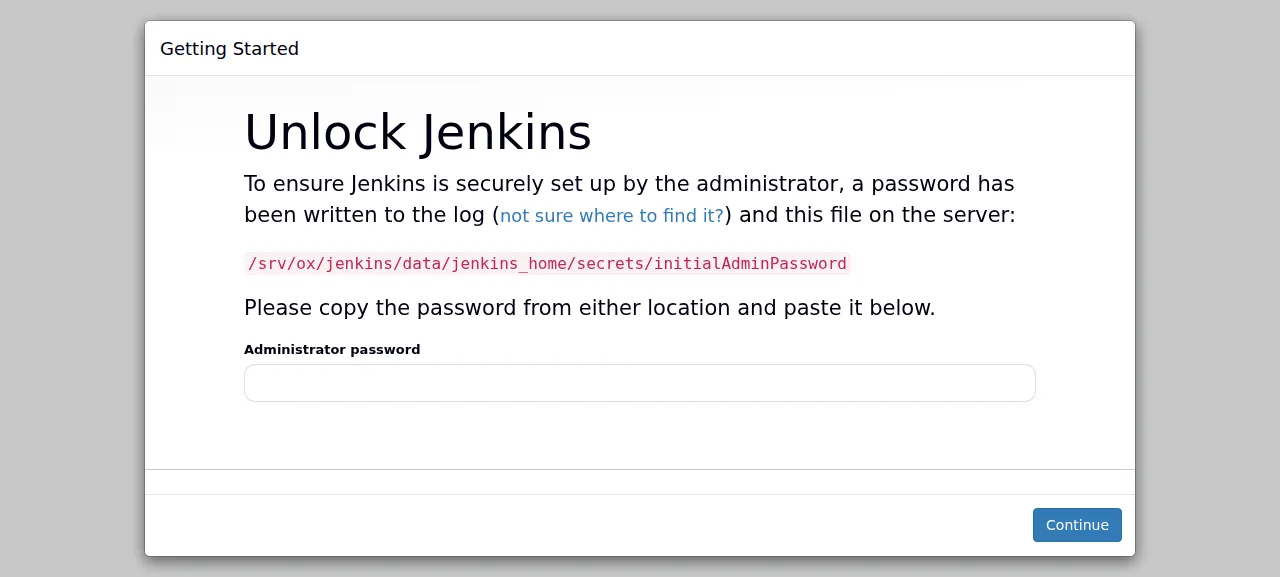
When the deploy is green, ox status jenkins shows the project's address. Open it. For 10 to 30 seconds after every start Jenkins answers "Please wait while Jenkins is getting ready to work", so reload if you see that. Then Unlock Jenkins, its first-run page, appears. The run served Jenkins on that preview address only. A domain of your own was not part of it, and the domains page covers how ox adds one.
Jenkins makes the unlock password on its first start, for a user named admin. Find it with ox logs jenkins, or on the Logs tab, in the block of asterisks after "Please use the following password to proceed to installation". Add -n 500 if it has scrolled out of the newest lines. Jenkins also keeps it in secrets/initialAdminPassword.
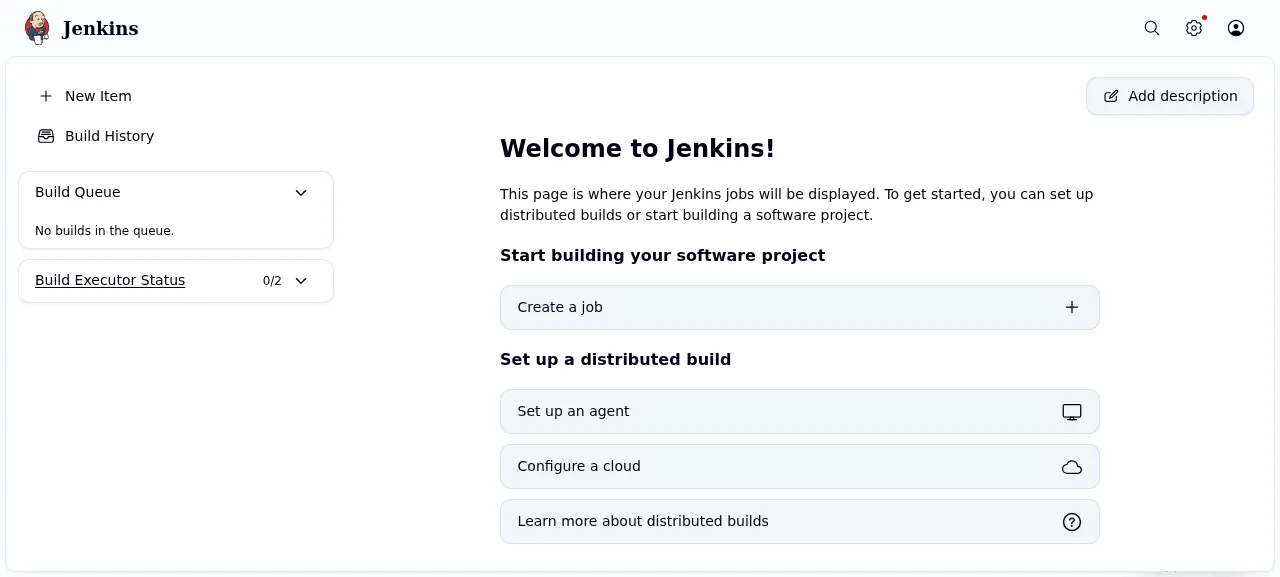
Paste the password and Jenkins' setup wizard starts. It asks which plugins to install, then for your first admin user, then to confirm the Jenkins URL. The test agent made its own user and signed in with it. Plugin installs were not tested. If you skip making a user and continue as admin, the one-time password stays that user's password, so keep it.
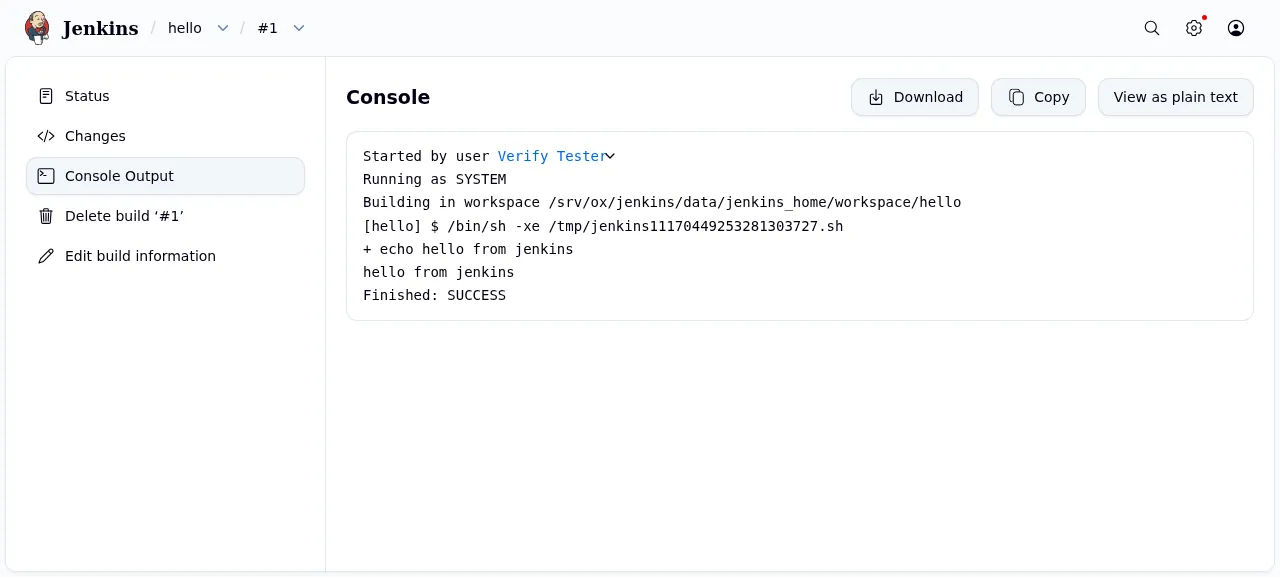
The test agent then pressed New Item, named a Freestyle project hello, added an Execute shell step with echo hello from jenkins, saved it and pressed Build Now. The console output of build #1 ended with Finished: SUCCESS, and the job and its run were still there after a reload.
The ox.toml, line by line
# Jenkins 2.586 built from source as CONTRIBUTING.md says ("Building the WAR
# file") and run as the official packages run it: java -jar jenkins.war on
# its bundled Winstone, with JENKINS_HOME in a kept folder.

# Jenkins needs fontconfig beside the JRE (its Linux install guide, the
# official image): without it Jenkins stops at boot with "Fontconfig head is
# null" (hudson.util.AWTProblem). ox's java tool brings it.

[tools]
java = "temurin-21"   # CONTRIBUTING.md: JDK 21 or 25 (the Jenkinsfile tests both)
maven = "3.9"         # CONTRIBUTING.md: Maven 3.9.6 or above

[build]
# Maven fetches every dependency; the frontend-maven-plugin installs its own
# Node and Yarn (corepack) into the release for the war's JS bundles.
install = ""
commands = ["mvn -B -ntp -am -pl war,bom -Pquick-build clean install"]
migrate = ""

[app]
# JENKINS_HOME (config, users, jobs, builds, plugins, secrets) is the kept
# folder, by its real path so it stays the same across releases. The war
# unpacks into a cache folder in the project's home, as the Debian package
# unpacks it into /var/cache/jenkins/war, so it is not in the backups.
# A fresh home starts Jenkins' own setup: the user admin with a one-time
# password in its log and in jenkins_home/secrets/initialAdminPassword.
start = "export JENKINS_HOME=\"$(realpath jenkins_home)\"; exec java -Djava.awt.headless=true -jar war/target/jenkins.war --webroot=\"$HOME/.cache/jenkins/war\" --httpListenAddress=127.0.0.1 --httpPort=\"$PORT\""
# /login answers once Jenkins is up (503 while it loads).
health = "/login"
# Two Jenkins on one JENKINS_HOME would both run builds and overwrite each
# other's config files.
stop_before_start = true

[storage]
keep = ["jenkins_home"]
The config builds Jenkins as its CONTRIBUTING.md says to build the WAR file, then runs that file as the official packages do: java -jar jenkins.war on Winstone, the web server bundled in the WAR.
java = "temurin-21"follows CONTRIBUTING.md, which asks for JDK 21 or 25 and names Eclipse Temurin. Jenkins also stops at boot when no fontconfig package sits beside the Java runtime. ox's java tool installs it, so the config needs nopackagesline.maven = "3.9"follows the same file, which asks for Maven 3.9.6 or above.installis empty because Maven fetches every dependency during the build. Itsfrontend-maven-pluginalso installs its own Node and Yarn into the release, for the WAR's web bundles.The build command is CONTRIBUTING.md's, with
-B(batch mode) and-ntp(no download progress lines) added to keep the log short.-am -pl war,bombuilds the war and bom modules and what they need.-Pquick-buildskips the tests. The result iswar/target/jenkins.war.migrateis empty, since Jenkins has no database schema.startsetsJENKINS_HOMEto the real path of the keptjenkins_homefolder, which is the same in every release. It runs the WAR withexec, so systemd's signals reach Java.--httpPorttakes the port ox gives the app, and--httpListenAddressbinds Jenkins to the loopback address, so only Caddy reaches it.--webrootunpacks the WAR into a cache folder in the project's home, outside the kept folder, so the backup holds data only.health = "/login"answers once Jenkins is up, and gives a 503 while it loads. ox counts a release as up only when it answers.stop_before_start = truestops the running Jenkins before the new one starts, because two Jenkins on one home folder would both run builds and overwrite each other's config files. The cost is a short gap in every deploy, where the address answers 502 until the new release is up.keep = ["jenkins_home"]keeps Jenkins' config, users, jobs, builds, plugins and secrets across deploys. An empty folder is what makes Jenkins start its own setup.
The config leaves the setup wizard on, and the FAQ says why. It has no workers or scheduled jobs: Jenkins runs builds on its built-in executors inside the app's own process.
This config asks for no variables.
There are no variables to set. The one value Jenkins makes for itself is the one-time admin password, and it is not a variable.
Services and builds
Jenkins keeps its state as files in its home folder, so ox set up no Postgres or other service for it. The run's checks found one systemd unit, the app itself. Builds run on the built-in node, which has two executors, as the app's own user inside jenkins_home/workspace. Manage Jenkins may warn about that. It is Jenkins' standard advice to add agents, and the run added none.
Updates and backups
To move to a newer release, put its commit in your fork and push, or run ox deploy jenkins --wait. Read the Jenkins changelog first, or the LTS changelog on the long-term line. The run redeployed the same commit in the time shown above. A move to a newer version was not tested.
Backups need no setup. ox backs the jenkins_home folder up daily, and the run's backup, made with Back up now, was a .tar.gz of it. Run ox backups jenkins to list it. The folder holds users, jobs and secrets, so keep a downloaded copy private. A restore was not tested. The backups page covers keeping copies in an S3 bucket.
Frequently asked questions
Do I need Docker to self-host Jenkins?
No. The Jenkins project publishes Docker images and also the WAR file and native packages. With ox, Maven builds the WAR from your fork on the server and a systemd service runs it with java -jar. There is no image and no container, and an update is a push to your fork or one deploy command.
How do I get the first Jenkins admin account?
Jenkins makes a user named admin with a one-time password on its first start. Read it with ox logs jenkins, paste it on the Unlock Jenkins page, and the wizard lets you create your own user. No variable sets this password, so you choose nothing before the first deploy.
Can I turn off the Jenkins setup wizard?
The config does not. In Jenkins' source, setting jenkins.install.runSetupWizard to false skips the initial security setup, the step that creates admin and locks the site down. The config leaves the wizard on, so Jenkins is locked down from its first start. Turning it off was not tested.
How much memory does self-hosted Jenkins use?
The facts above give what the run used: the whole server, measured after a reboot, so Jenkins had just started. Builds you run add their own memory, and the first deploy compiles Jenkins on the server with Maven. ox takes any server from 1 GB up and says so when memory is why an app stopped.
New to running apps on your own server? How ox self-hosts your apps shows what ox sets up on your server.