How to self-host Joplin Server without Docker on a VPS
Run Joplin Server, the sync server for the Joplin apps, on your own Ubuntu VPS with ox and Postgres: the ox.toml and twelve variables that ran.

To self-host Joplin Server you need an Ubuntu server, a fork of the Joplin repo with one ox.toml file added, and twelve variables, of which ox requires only the admin password. In our run the first deploy took about 4 minutes, and ox set up Postgres for it.
How we tested On Oct 17, 2026, ox deployed Joplin Server v3.7.21 from commit e41516e6 on a fresh DigitalOcean server with 8 vCPUs and 16 GB of memory. The run then redeployed it, backed it up and rebooted the server. Then a separate test agent, one that did not write the config, signed in, added a user, then signed in as that user, whose welcome e-mail arrived, and checked the app's services and its backup.
Joplin Server is the server for the Joplin note-taking apps. In an app you pick Joplin Server as the synchronisation target, and it keeps the notes and other items your devices sync. It is a Node.js and TypeScript app that uses Postgres or SQLite. Its web pages cover accounts and administration, and you write notes in the Joplin apps.
Most of the repository is AGPL-3.0-or-later, but packages/server has its own license, the Joplin Server Personal Use License, for non-commercial use. It lets you run the server on cloud virtual machines you control.
ox deployed Joplin Server v3.7.21 (commit e41516e6) on Oct 17, 2026 on a fresh DigitalOcean server with 8 vCPUs and 16 GB of memory; the first deploy took 4 minutes and a redeploy took 2 minutes.
- First deploy: 4 minutes, from adding the project until the app passed the run's first checks.
- Redeploy of the same commit: 2 minutes, until the app passed the checks again.
- Server: DigitalOcean, 8 vCPUs and 16 GB of memory (
s-8vcpu-16gb), with this app alone on it. Every one of the 85 apps we deployed ran on this one size, so it was not picked for this app. - Memory in use after the reboot: 824 MB of 15986 MB, for the whole server: Ubuntu, the app, its services, Caddy and the ox agent. On a server with no apps, ox's tests on real servers hold the agent to 40 MB or less and Caddy to 50 MB or less.
- Services ox runs for it:
postgres. - Source: github.com/laurent22/joplin at v3.7.21, commit
e41516e6.
What you need
An Ubuntu LTS server. The run used the size in the facts above, with Joplin Server alone on it.
A GitHub account to fork
laurent22/joplin, and an ox account, which you open by signing in with GitHub.A password for the built-in admin. Joplin mails each new user a welcome message, which needs an SMTP server. The run pointed it at a test mail catcher, so real delivery was not tested.
A Joplin app, to sync notes. Syncing an app to the server was not tested.
The steps
In the ox dashboard, press Add a server. It shows an install command with a fresh token in it. Run it as root on your server.
Fork laurent22/joplin and check out commit e41516e6, the one the run deployed. It is the commit of the desktop release v3.7.21, the version the facts show. The server's own package.json says 3.7.1. Add the ox.toml shown below at the root of the fork, then commit and push. Write joplin.env on your laptop with one KEY=value line for each of the twelve keys in the variables list. With the ox CLI signed in, run:
ox new <you>/joplin
ox review joplin --from-file joplin.env --wait
The review saves the values and starts the first deploy, and --wait prints the run until it ends. The quickstart shows the console's version.
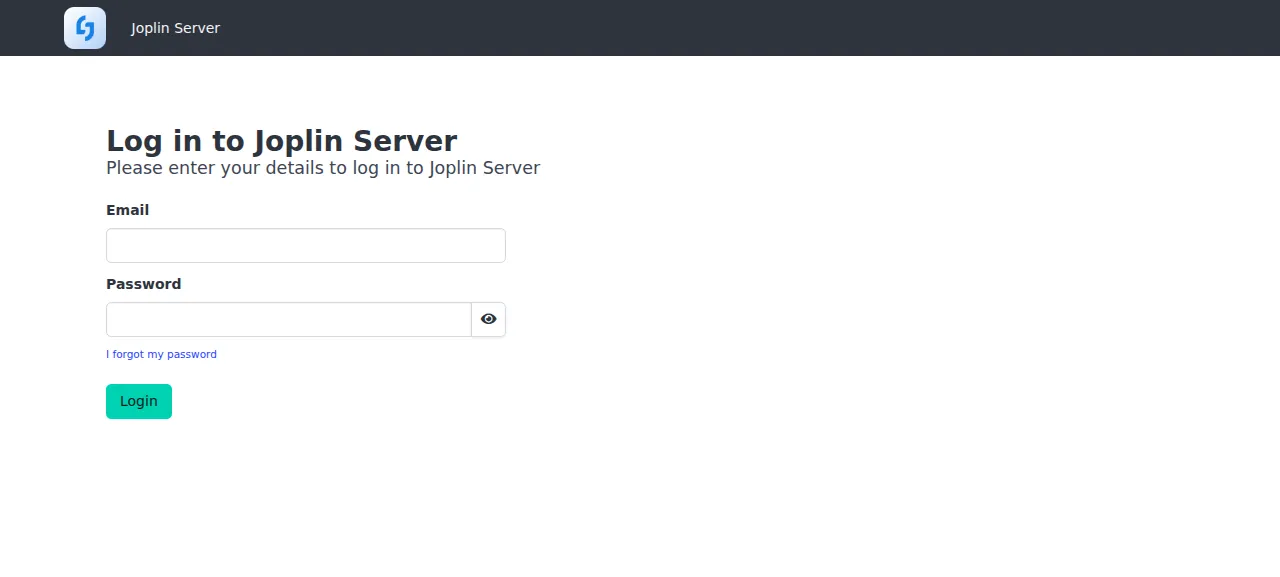
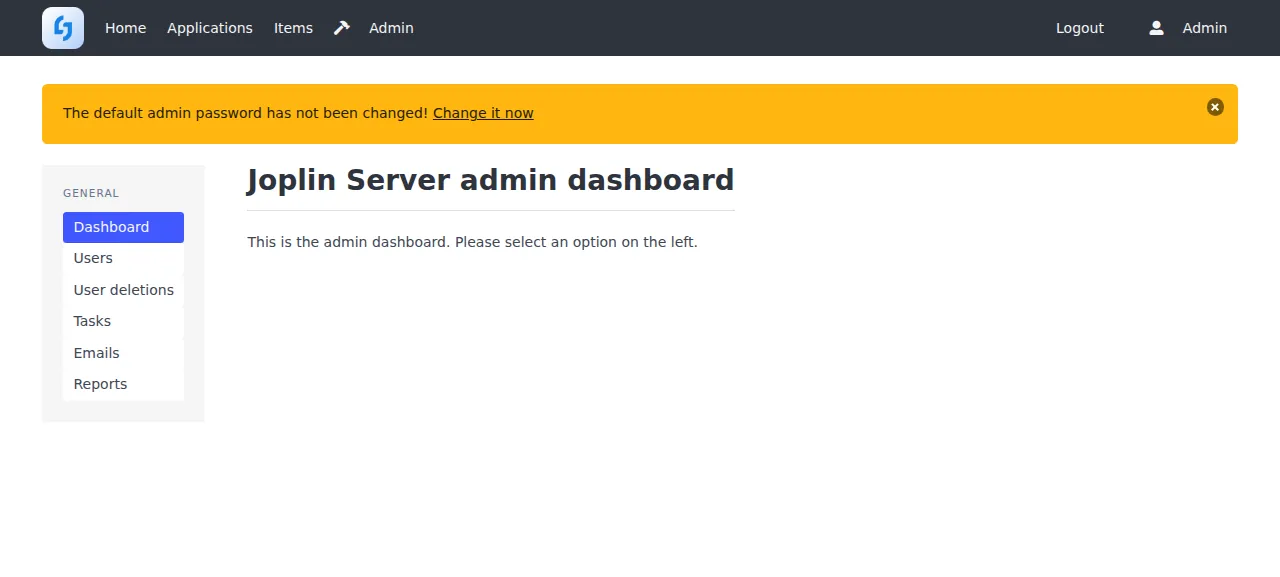
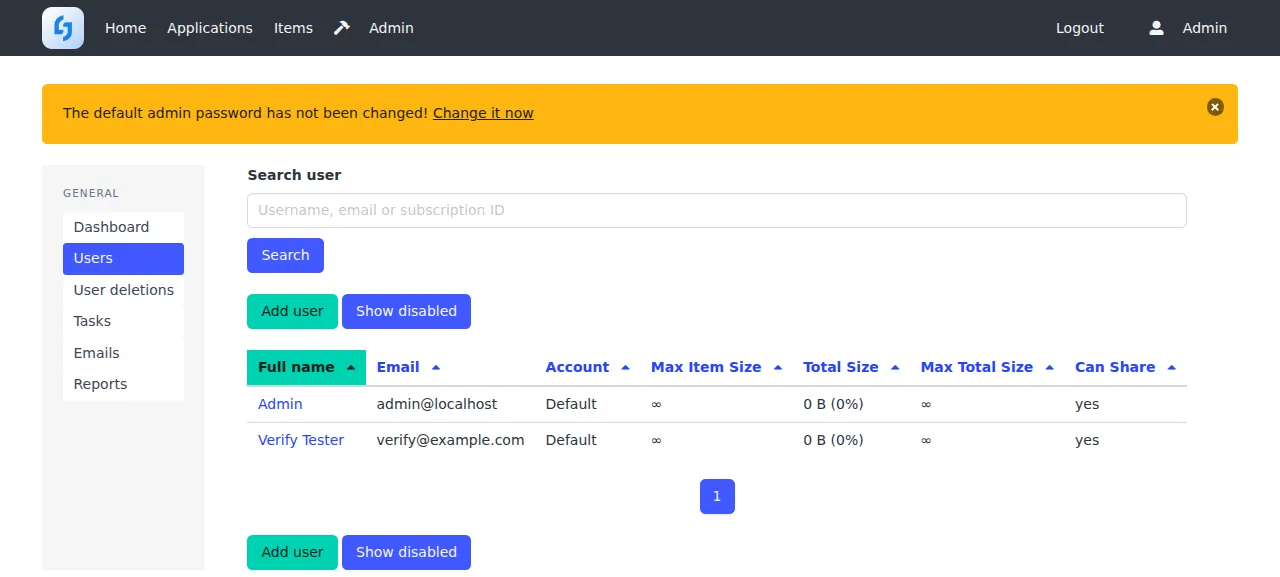
When the deploy is green, open the address ox shows and go to /login. Sign in as admin@localhost with the password you set. The test agent first typed a wrong password and Joplin answered "Invalid email or password". With the right one it reached the admin dashboard, then opened Admin, Users and Add user, and saved a name, an email and a password. The user showed in the list after a reload, and signing in as that user opened its home page.
The run served Joplin on its preview address only. A domain of your own was not part of it, and the domains page says how ox adds one.
The ox.toml, line by line
# Joplin Server (packages/server), built as Dockerfile.server builds it.
# Joplin makes its first admin, admin@localhost, in its first migration with
# this password; unset it would be "admin" on a public address.
required_variables = ["DEFAULT_ADMIN_PASSWORD"]

[app]
# The image runs `yarn start-prod`, which is pm2 over dist/index.js; systemd
# replaces pm2. APP_PORT is the port Joplin listens on.
start  = "cd packages/server && APP_PORT=$PORT exec node dist/index.js"
health = "/api/ping"

[build]
# Dockerfile.server keeps only the workspaces the server needs and drops
# onenote-converter (a Rust build the server never uses); the root
# postinstall (gulp build, sequential with BUILD_SEQUENCIAL) then builds them.
install = """
find packages -mindepth 1 -maxdepth 1 -type d \
  ! -name turndown ! -name turndown-plugin-gfm ! -name fork-htmlparser2 ! -name fork-sax ! -name fork-uslug \
  ! -name htmlpack ! -name renderer ! -name tools ! -name utils ! -name lib ! -name server \
  -exec rm -rf {} + \
&& sed --in-place '/onenote-converter/d' packages/lib/package.json \
&& BUILD_SEQUENCIAL=1 yarn install --inline-builds
"""
commands = []
# The server would migrate as it starts (DB_AUTO_MIGRATION); its own command
# runs them first, and the first one makes the admin.
migrate = "cd packages/server && node dist/index.js migrate latest"

[services]
postgres = {}

[storage]
# The server opens packages/server/temp/joplin.sqlite to render shared notes.
keep = ["packages/server/temp"]

[tools]
# Dockerfile.server builds on node:24.
node = "24"
The config follows Joplin's Dockerfile.server, with ox in place of Docker.
required_variablesnames the admin password, which ox asks for before the first deploy. Joplin createsadmin@localhostin its first database migration, with theDEFAULT_ADMIN_PASSWORDvalue. With none set the password isadmin, so asking first keeps a public address from starting with it.startrunsnode dist/index.jsfrompackages/server. Joplin's image runs pm2 around that file, and systemd takes its place.APP_PORTis Joplin's listening port, set to the$PORTox gives it.healthis/api/ping, Joplin's public status route. ox switches to a new release only once it answers.installtrims the repo as the Dockerfile does. Thefinddeletes every folder underpackagesbut the ones the server uses, and thesedremovesonenote-converter, which the server never uses, frompackages/lib/package.json. Thenyarn install --inline-buildsruns withBUILD_SEQUENCIAL=1. The rootpackage.jsonpins Yarn 4.16.0 inpackageManager, which ox reads.commands = []adds no build step. The rootpostinstallrunsgulp buildduring the install, which builds each package in dependency order.migraterunsnode dist/index.js migrate latest. Running it here puts the migrations before the new release takes traffic, with a Postgres dump just before.[services]asks forpostgres.[storage]keepspackages/server/temp, where Joplin opens a small SQLite file,joplin.sqlite, to render shared notes. It recreates that file at every start, and your notes live in Postgres.[tools]pins Node 24, the version Joplin's Dockerfile builds and runs on.
There are no workers or cron jobs. Joplin runs its scheduled tasks inside the web process, and its Process emails task sent the new user's welcome mail.
APP_BASE_URL
DB_CLIENT
POSTGRES_CONNECTION_STRING
DEFAULT_ADMIN_PASSWORD
NODE_ENV
SUPPORT_EMAIL
MAILER_ENABLED
MAILER_HOST
MAILER_PORT
MAILER_SECURITY
MAILER_NOREPLY_NAME
MAILER_NOREPLY_EMAILAPP_BASE_URLis the address people open Joplin at, which it builds its links from. It is${PUBLIC_URL}, a reference ox fills in with the project's address.NODE_ENVisproduction, as in Joplin's image.DB_CLIENTpicks the database. Joplin defaults to SQLite, andpgselects Postgres.POSTGRES_CONNECTION_STRINGis${DATABASE_URL}, the address of the database ox made for the project.DEFAULT_ADMIN_PASSWORDis the password ofadmin@localhost. Joplin reads it only when the first migration creates that user, so changing it later does not change the password.SUPPORT_EMAILis the contact address on Joplin's privacy page and the sender of its support mails. Its default is the literal textSUPPORT_EMAIL, a reminder to set it.MAILER_ENABLEDturns mail on, and it is off by default.MAILER_HOSTandMAILER_PORTname the SMTP server.MAILER_SECURITYisnone,tlsorstarttls, and the run usednonefor its catcher.MAILER_NOREPLY_NAMEandMAILER_NOREPLY_EMAILare the name and address on the mails. A server that wants a login also takesMAILER_AUTH_USERandMAILER_AUTH_PASSWORD, which the run left unset.
Postgres, and what to expect in the app
Joplin will not create its own database or user, so ox does and gives Joplin the address. Joplin keeps item contents in the database by default, so Postgres holds your notes. STORAGE_DRIVER can send them to disk or S3 instead, which the run left alone.
After you sign in as the admin, a banner says the default admin password has not been changed. Joplin's install notes say to change it from the Profile button, and the run did not. There is no public sign-up page, since SIGNUP_ENABLED defaults to false, so the admin adds every user. Joplin queues each mail and sends the queue once a minute, and Admin, then Emails, lists it.
Updates and backups
To move to a newer Joplin, merge its commit into your fork and push, or run ox deploy joplin --wait. ox builds the new release beside the running one, runs the migrations, and switches once /api/ping answers. The run redeployed the same commit, so a newer Joplin Server was not tested.
Backups need no setup. Back up now made a Postgres dump and a compressed copy of the kept SQLite file, and the redeploy left a Postgres dump taken just before its migration. ox backups joplin lists them, and so does the Backups tab. A restore was not tested. The backups page covers the daily schedule and S3 copies.
Frequently asked questions
Do I need Docker to self-host Joplin Server?
No. Joplin's install notes assume Docker, and its image starts the server under pm2. The server itself is a Node.js app. ox builds it from your fork on the server with Yarn and runs it as a system service next to Postgres. There is no image to pull, and an update is a push or one deploy command.
Which database does Joplin Server need?
It defaults to SQLite, which Joplin's notes describe as a way to try it out. For real use you point it at Postgres. ox starts Postgres from one line of ox.toml, and you set DB_CLIENT to pg and POSTGRES_CONNECTION_STRING to the address ox provides. Joplin then keeps your notes in that database by default.
How do I sign in to a new Joplin Server?
Use admin@localhost with the password in DEFAULT_ADMIN_PASSWORD. Joplin's first migration creates that user, and there is no public sign-up page. Open Admin, then Users, then Add user to make an account for each person who will sync. Changing the variable later leaves the admin's password alone.
How much memory does Joplin Server use?
After the run's reboot, the whole server used the memory the facts show, with Joplin Server, Postgres, Caddy and the ox agent on it, and that is what this one run used. The build also runs Yarn and compiles TypeScript on the server. ox takes any server from 1 GB up and says so when memory stopped an app.
Can I use Joplin Server for a business?
Joplin Server is under the Joplin Server Personal Use License, which covers non-commercial use. The repo's README sends organizations to Joplin Server Business, which comes with a commercial license. Read packages/server/LICENSE.md before you host it for anyone but yourself, because it limits who may get access and why.
New to running apps on your own server? How ox self-hosts your apps shows what ox sets up on your server.