How to self-host Kaneo on your own VPS without Docker
Run Kaneo v2.41.1, the open-source project board, on your own Ubuntu server with ox: a Postgres database, a pnpm build, and the config that ran.

To self-host Kaneo you need an Ubuntu server, a fork of the Kaneo repo with one ox.toml file added, and 21 variable names, of which three hold a value and the rest are saved empty. In our run the first deploy took about 4 minutes, and ox set up Postgres for it.
How we tested On Oct 17, 2026, ox deployed Kaneo v2.41.1 from commit 44327a80 on a fresh DigitalOcean server with 8 vCPUs and 16 GB of memory. The run then redeployed it, backed it up and rebooted the server. Then a separate test agent, one that did not write the config, signed in, made a workspace and a project, added a task, and saw it on the board after a reload, and checked the app's services and its backup.
Kaneo is an open-source project management tool under the MIT license. You make a workspace, add projects, and plan the work on a board, a list, a calendar or a Gantt chart. The repo is a pnpm workspace, and the app has two parts: a Hono API on Node.js that keeps its data in Postgres, and a React client built with Vite.
ox deployed Kaneo v2.41.1 (commit 44327a80) on Oct 17, 2026 on a fresh DigitalOcean server with 8 vCPUs and 16 GB of memory; the first deploy took 4 minutes and a redeploy took 2 minutes.
- First deploy: 4 minutes, from adding the project until the app passed the run's first checks.
- Redeploy of the same commit: 2 minutes, until the app passed the checks again.
- Server: DigitalOcean, 8 vCPUs and 16 GB of memory (
s-8vcpu-16gb), with this app alone on it. Every one of the 85 apps we deployed ran on this one size, so it was not picked for this app. - Memory in use after the reboot: 834 MB of 15986 MB, for the whole server: Ubuntu, the app, its services, Caddy and the ox agent. On a server with no apps, ox's tests on real servers hold the agent to 40 MB or less and Caddy to 50 MB or less.
- Services ox runs for it:
postgres. - Source: github.com/usekaneo/kaneo at v2.41.1, commit
44327a80.
What you need
An Ubuntu LTS server. The run used the size in the facts above, with Kaneo alone on it. ox reads Node 24.19.0 from Kaneo's Dockerfile and pnpm 10.32.1 from
package.json.A GitHub account to fork
usekaneo/kaneo, and an ox account, which you open by signing in with GitHub.No outside account. Kaneo's docs describe optional ones: SMTP for email, a GitHub OAuth App for GitHub sign-in, an S3-compatible bucket for uploads, and Redis for several API processes. None was set up, so none was tested.
The steps
Press Add a server in the ox dashboard and paste the command it shows into a root shell on the VPS. It installs the ox agent and Caddy only.
Fork usekaneo/kaneo and check out the tag v2.41.1, the release the run deployed. Put the ox.toml shown below at the repo's root, then commit and push. Write kaneo.env on your laptop with one line for each of the 21 names in the variables list. The run gave KANEO_CLIENT_URL, KANEO_API_URL and AUTH_SECRET a value and left the other 18 empty, written as NAME=. With the ox CLI signed in, run:
ox new <you>/kaneo
ox review kaneo --from-file kaneo.env --wait
The project takes the repo's name, so it is kaneo. The review saves the values and starts the first deploy, and --wait prints the run until it ends. The browser route is New project and the review screen, as the quickstart shows.
When the run is green, open the project's address. Sign-up is open on a new Kaneo, and its docs say the first account becomes the instance administrator, so create yours first.
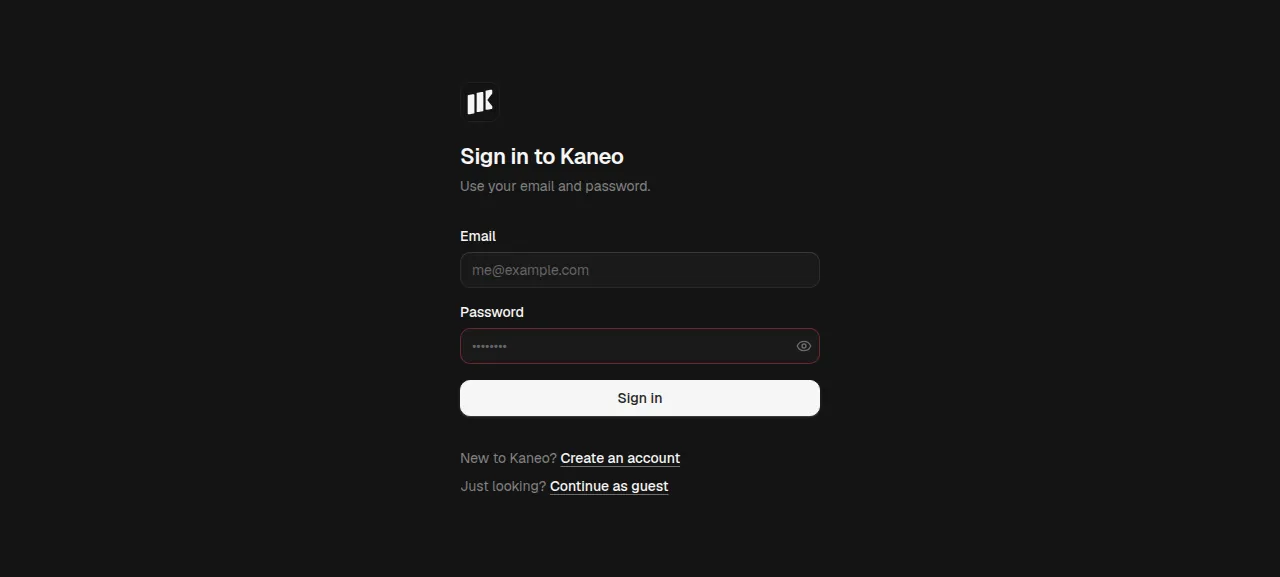
Click "Create an account" under the sign-in form and give a name, an email and a password.
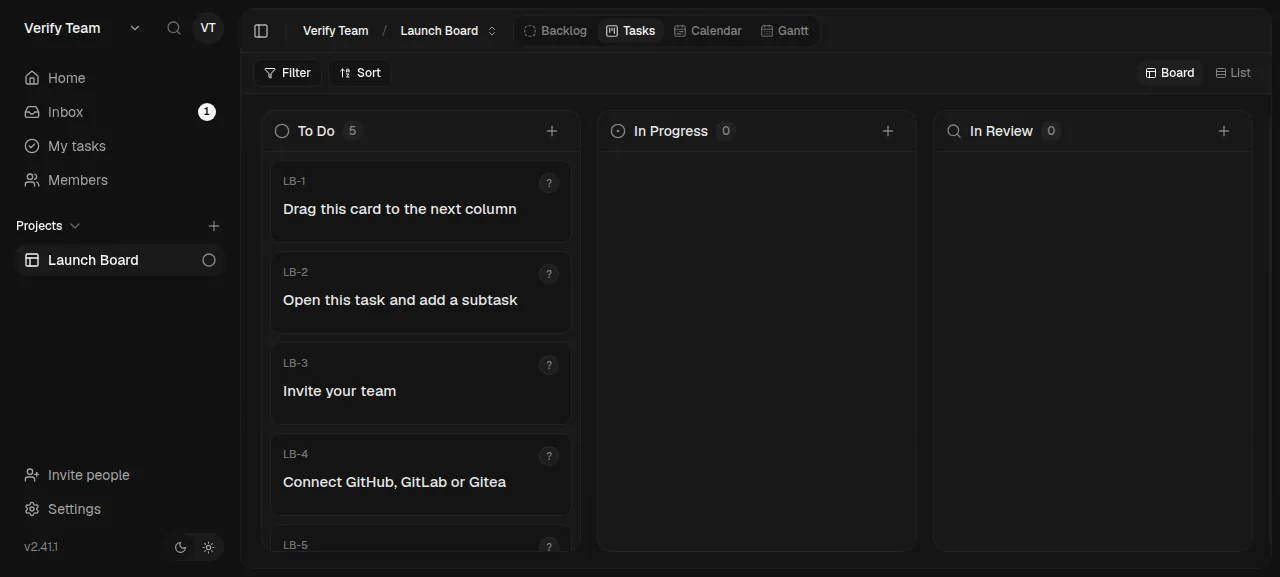
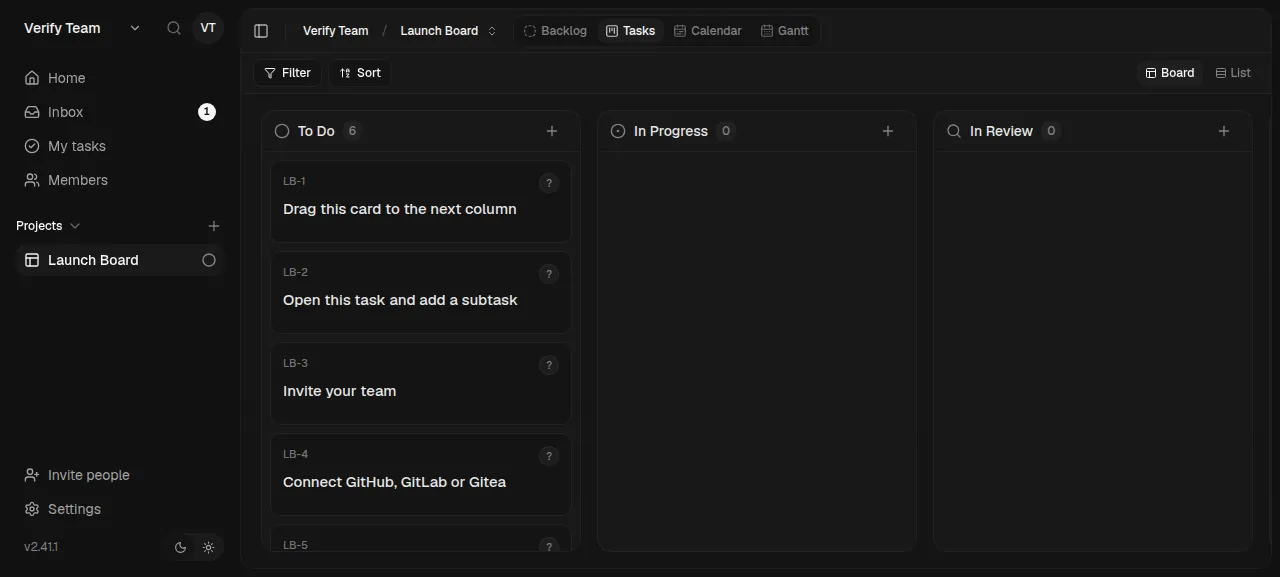
Kaneo asks you to name a workspace and a first project. The test agent named them Verify Team and Launch Board. The new board holds a few starter tasks.
Click the + beside a column title and add a task. After a reload, the task is still on the board.
The test agent also typed a wrong password at the sign-in form, and Kaneo refused it. Everything above used Kaneo's preview address, so a domain of your own was not tested. The domains page covers how ox adds one.
The ox.toml, line by line
# Kaneo: a Hono API (apps/api, bundled by esbuild, applies its own
# migrations at start) and a Vite client (apps/web) in a pnpm workspace. The
# root has no start script and its build also builds the docs and the
# marketing site, so the operator names the two parts: Caddy serves the
# client and sends the API's paths to the API, as nginx.kaneo.conf does in
# the image (Dockerfile.kaneo).
[app]
start  = "cd apps/api && node dist/index.js"
health = "/api/health"
# The API listens on 1337 and never reads PORT.
port   = 1337

[static]
dir = "apps/web/dist"
spa = true
# The image's nginx sends /api and the two MCP OAuth discovery paths to the
# API.
api = [
  "/api",
  "/.well-known/oauth-protected-resource/api/mcp",
  "/.well-known/oauth-authorization-server/api",
]

[build]
commands = [
  # "..." builds each app's workspace packages first.
  "pnpm --filter '@kaneo/api...' run build",
  "pnpm --filter '@kaneo/web...' run build",
  # The client is built with placeholders (apps/web/.env.production:
  # KANEO_API_URL, KANEO_CLIENT_URL, KANEO_TURNSTILE_SITE_KEY), and the
  # image's env.sh writes the real values over them at start with
  # apps/web/env.awk. The build here has the variables, so the same awk runs
  # once on the built files; with no KANEO_TURNSTILE_SITE_KEY the sign-in
  # pages show no captcha. The image deletes the source maps too.
  "find apps/web/dist -type f -name '*.map' -delete",
  "find apps/web/dist -type f -name '*.js' -exec sh -euc 'for f do LC_ALL=C awk -v mode=bundle -f apps/web/env.awk \"$f\" >\"$f.ox\"; mv \"$f.ox\" \"$f\"; done' sh {} +",
]
# The API migrates as it starts, with its own fixes before and after
# Drizzle's migrations (runStartupTasks in apps/api/src/index.ts), as the
# image's entrypoint does; a bare drizzle-kit migrate would skip those fixes.
migrate = ""

[services]
# Redis is optional: one API process fans WebSocket events out in memory.
postgres = {}
Kaneo's root has no start script, and its root build also builds the docs and marketing sites. Without this file, ox check stops with "nothing to run", so the config names the API and the client.
[app]runs the API's bundle fromapps/api. The API listens on port 1337 and never readsPORT, so the config pins that port. Itshealthpath answers{"status":"ok"}, and a new release gets traffic only after it does.[static]serves the client's built files. Withspa = true, a path with no file getsindex.html, because the client routes its pages in the browser. Theapilist sends three paths to the API instead:/api, and two/.well-knownpaths its MCP endpoint uses for OAuth discovery. They match the routes in the nginx file of Kaneo's image.The first two build commands build the API and the client with the workspace packages they need, which the
...in each filter asks for.The last two give the client its addresses. Kaneo builds the client with placeholder text where its two addresses and an optional captcha key go, and in Docker a script swaps in real values at every container start with Kaneo's own
env.awk. Under ox the build runs that same awk over the built scripts, with the variables ox sets during a build, after deleting the source maps as the image does.KANEO_TURNSTILE_SITE_KEYis unset, so the sign-in pages show no captcha. A new address therefore needs a new build.migrate = ""runs no migration step. Without it, ox finds Kaneo's Drizzle config and would run a baredrizzle-kit migrate. The API migrates its own database as it starts, with fixes of its own before and after Drizzle's migrations, as Kaneo's image does.[services]asks for Postgres, which ox hands over asDATABASE_URL. Kaneo reads that name ahead of anyPOSTGRES_*name. Redis is left out, and Kaneo then passes live updates in memory.
The config declares no workers or scheduled jobs. The test agent found one Kaneo unit on the server, ox-kaneo-app-a, active with no restarts.
KANEO_CLIENT_URL
KANEO_API_URL
AUTH_SECRET
POSTGRES_DB
POSTGRES_USER
POSTGRES_PASSWORD
GITHUB_OAUTH_CLIENT_ID
GITHUB_OAUTH_CLIENT_SECRET
GITHUB_CLIENT_ID
GITHUB_CLIENT_SECRET
GITHUB_APP_ID
GITHUB_WEBHOOK_SECRET
GITHUB_PRIVATE_KEY
GITHUB_APP_NAME
SMTP_HOST
SMTP_PORT
SMTP_SECURE
SMTP_USER
SMTP_PASSWORD
SMTP_FROM
SMTP_REQUIRE_TLSKANEO_CLIENT_URLis${PUBLIC_URL}andKANEO_API_URLis${PUBLIC_URL}/api. These references take the project's address, and the build writes them into the client. Kaneo's image derives the second from the first; here both are set. Variables explains references.AUTH_SECRETis a random value of 64 hex characters. Kaneo's docs ask for at least 32 characters, make theirs withopenssl rand -hex 32, and say to keep it in your config backup, so keep a copy ofkaneo.env.POSTGRES_DB,POSTGRES_USERandPOSTGRES_PASSWORDare settings of Kaneo's Compose file. They are empty becauseDATABASE_URLwins over them.The
GITHUB_OAUTH_*andGITHUB_CLIENT_*keys turn on Sign in with GitHub. The other four GitHub names (app id, webhook secret, private key, app name) belong to Kaneo's GitHub App, which syncs repositories. Empty keeps both off, and neither was tested.The
SMTP_*keys set up email, which Kaneo sends only whenSMTP_HOSTandSMTP_FROMare both set. Empty means no email, and sign-in takes an email and a password.
Updates and backups
For a newer release, merge its tag into your fork and push, or run ox deploy kaneo --wait. The API applies its migrations when it starts. Kaneo's upgrade notes say to read the release notes and back up first, since an upgrade can change the database as well as the app. The run redeployed the same commit. A newer Kaneo release was not tested.
Postgres was backed up with Back up now, and the test agent found the dump on the server and checked that it was not empty. ox backups kaneo and the Backups tab list it. Kaneo's backup notes count uploaded files as part of a full backup, and none were stored. A restore was not tested. The backups page covers the daily schedule and your own S3 bucket.
Frequently asked questions
Do I need Docker to self-host Kaneo?
No. Kaneo's install guide and compose file use Docker images, but the app is a Node.js API and a static client. ox builds both from your fork on the server, runs the API as a system service beside Postgres, and lets Caddy serve the client. There is no image to pull, and an update is a push.
How do I create the first Kaneo account?
No variable sets it. Open the project's address, click Create an account, and give a name, an email and a password. Kaneo's docs say the first account on a new instance becomes an instance administrator. Sign-up is open by default, so make yours first. The docs describe DISABLE_REGISTRATION to close it, which the run did not use.
How much memory does Kaneo use?
After the reboot, the whole server used the memory the facts above show. That counts Kaneo, Postgres, Caddy and the ox agent. The build runs on the server too, as a pnpm install and two builds. ox takes any server from 1 GB up and says so when memory is why an app stopped.
Does Kaneo need Redis or email?
Only Postgres is required. Redis matters only when you run several API processes, since Kaneo otherwise passes live updates in memory. Email is optional too: with no SMTP settings, people sign in with an email and a password. Neither Redis nor email was set up, so neither was tested.
Is Kaneo free to self-host?
Yes. Kaneo's README says it is open source under the MIT license, and the repo's LICENSE file is the MIT text. The project also runs a hosted Kaneo Cloud, but the run needed no account there. See self-hosting for what ox runs on your own server.
New to running apps on your own server? How ox self-hosts your apps shows what ox sets up on your server.