How to self-host Keycloak single sign-on on your own VPS
Run Keycloak 26.8.1 on your own Ubuntu server with ox: Java 21, a Maven build, Postgres and seven variables, from the config that ran, step by step.

To self-host Keycloak you need an Ubuntu server, a fork of the Keycloak repo with one ox.toml file in it, and seven variables. In our run the first deploy took about 7 minutes, which includes building the server with Maven on the server itself, and ox set up Postgres for it.
How we tested On Oct 17, 2026, ox deployed Keycloak 26.8.1 from commit 24ed1dad on a fresh DigitalOcean server with 8 vCPUs and 16 GB of memory. The run then redeployed it, backed it up and rebooted the server. Then a separate test agent, one that did not write the config, signed in, created a realm and a user, then signed in as that user, and checked the app's services and its backup.
Keycloak is an open-source identity and access management server. Your other apps send their sign-ins to it, with OpenID Connect or SAML, and it keeps the users, groups and roles. It is a Java server built on Quarkus, under the Apache License 2.0, and it keeps its data in a relational database.
ox deployed Keycloak 26.8.1 (commit 24ed1dad) on Oct 17, 2026 on a fresh DigitalOcean server with 8 vCPUs and 16 GB of memory; the first deploy took 7 minutes and a redeploy took 4 minutes.
- First deploy: 7 minutes, from adding the project until the app passed the run's first checks.
- Redeploy of the same commit: 4 minutes, until the app passed the checks again.
- Server: DigitalOcean, 8 vCPUs and 16 GB of memory (
s-8vcpu-16gb), with this app alone on it. Every one of the 85 apps we deployed ran on this one size, so it was not picked for this app. - Memory in use after the reboot: 1159 MB of 15986 MB, for the whole server: Ubuntu, the app, its services, Caddy and the ox agent. On a server with no apps, ox's tests on real servers hold the agent to 40 MB or less and Caddy to 50 MB or less.
- Services ox runs for it:
postgres. - Source: github.com/keycloak/keycloak at 26.8.1, commit
24ed1dad.
What you need
An Ubuntu LTS server. The run used the size in the facts above and measured the memory there. ox takes any server from 1 GB up, and says so when memory is why an app stopped.
A GitHub account to fork
keycloak/keycloak, and an ox account, which you open by signing in with GitHub.No outside accounts. Keycloak sends mail through the SMTP settings under Realm settings, Email, and a new realm has none, so Forgot password has nothing to send with. Email was not tested.
The steps
In the ox dashboard, press Add a server. It shows an install command with a fresh token in it. Run it on the server as root. The command puts only the ox agent and Caddy on the host.
Fork keycloak/keycloak on GitHub and make the commit titled "Set version to 26.8.1", the one in the box above, the tip of your fork's default branch. A newer commit is another version, and that was not tested. Add the ox.toml shown below at the repo root, then commit and push. This app needs no other file.
Next write a file named keycloak.env with the seven values from the variables section, and a long random value for the admin password. With the ox CLI signed in, run:
ox new <you>/keycloak
ox review keycloak --from-file keycloak.env --wait
ox names the project after the repo, so it is keycloak here. The review saves the values and starts the first deploy, and --wait prints the run until it ends. The browser version is New project and the review screen, as the quickstart shows.
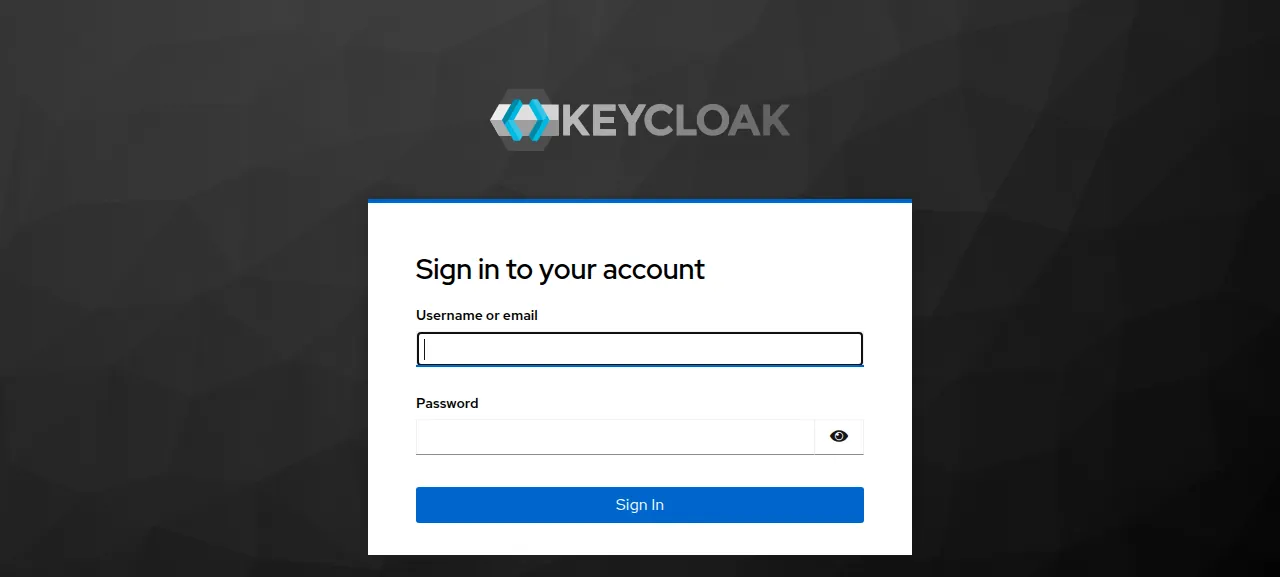
When the deploy is green, ox status keycloak shows the project's address. Open it and you land on the admin console at /admin/. Use the https address: Keycloak's master realm refuses sign-in over plain http from outside, and the run's address was https. Sign in with the two bootstrap values. A banner says you are a temporary admin user, which is Keycloak's mark for an admin made from variables. After a restart, the first page can take 15 to 20 seconds.
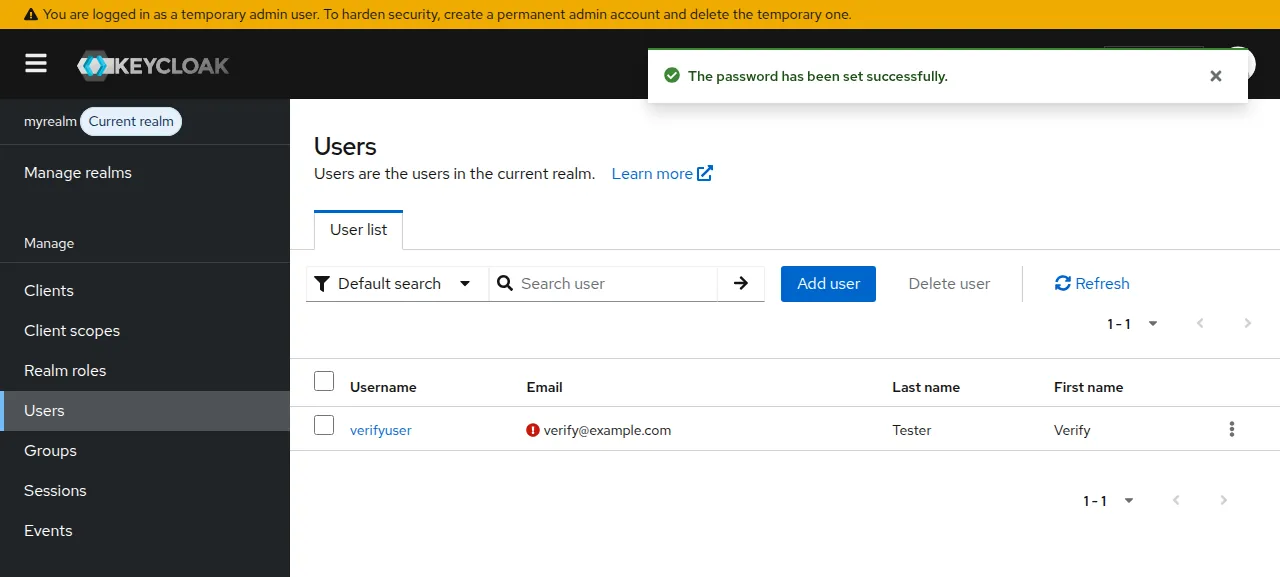
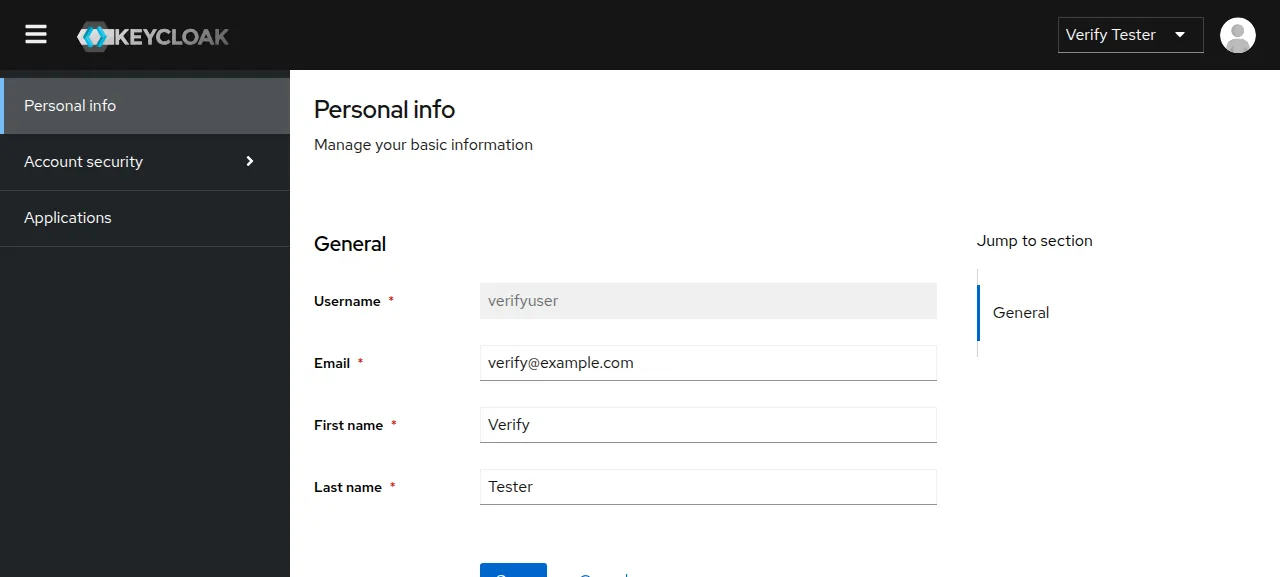
The test agent then followed Keycloak's getting-started guide. It pressed Create realm under Manage realms and named it myrealm, made a user under Users, and set a password on the Credentials tab with Temporary off. After a reload both were still there. It then signed in as that user at /realms/myrealm/account. A wrong password on the admin page showed "Invalid username or password."
The run served Keycloak on its preview address only. A domain of your own was not part of it, and the domains page covers how ox adds one.
The ox.toml, line by line
# Keycloak 26.8.1 (Java, Quarkus) on ox's postgres, as docs/building.md and
# the server guides describe it: build the server distribution with Maven,
# unpack it, and run kc.sh's build step for postgres before the start.
# The first administrator is the bootstrap admin from the two variables.
required_variables = ["KC_BOOTSTRAP_ADMIN_USERNAME", "KC_BOOTSTRAP_ADMIN_PASSWORD"]

[tools]
# The container image runs Java 21; 17, 21 and 25 are supported.
java = "temurin-21"

[build]
# Maven fetches its own dependencies, and the admin UI's node and pnpm.
install = ""
commands = [
  "./mvnw -B --no-transfer-progress -pl quarkus/deployment,quarkus/dist -am -DskipTests clean install",
  "rm -rf .ox/keycloak && mkdir -p .ox/keycloak && tar -xzf quarkus/dist/target/keycloak-*.tar.gz -C .ox/keycloak --strip-components=1",
  # The database vendor is a build-time option.
  ".ox/keycloak/bin/kc.sh build --db=postgres",
]
# Keycloak updates its own schema at start.
migrate = ""

[app]
# Behind Caddy on ox's port; the public address is ox's PUBLIC_URL.
# One server, so the local cache (caching guide; a run-time option in 26.8,
# so kc.sh build ignores it): the default stack, jdbc-ping, listens on the
# private network at 7800 and on every address at 57800, beyond ox's port.
start  = "exec .ox/keycloak/bin/kc.sh start --optimized --cache=local --http-enabled=true --http-host=127.0.0.1 --http-port=$PORT --proxy-headers=xforwarded --hostname=$PUBLIC_URL"
health = "/realms/master"

[services]
postgres = {}required_variablesnames the two bootstrap admin keys. Keycloak has no default admin user, and these let it make one at its first start. ox asks for them before the first deploy.java = "temurin-21"picks Java 21. The building guide accepts 17, 21 or 25, and the container image runs 21.installis empty. The repo carries the Maven wrappermvnw, which fetches Maven and every dependency, and the admin console's build downloads its own Node and pnpm.The first build command is the guide's "build only the server" line, plus
-Band--no-transfer-progressfor a short log.-DskipTestsskips the tests, which the guide says can take several hours. The second unpacks the tarball into.ox/keycloak. The third runskc.sh build --db=postgres: the database vendor is a build-time option, and build options are saved in plain text, so no password goes into the build.migrateis empty because Keycloak creates and updates its own tables when it starts.startrunskc.shthroughexec, so systemd's signals reach Java, and--optimizedskips the build check. TLS ends at Caddy, so--http-enabled=truelets Keycloak serve plain http, and--http-hostand--http-portkeep it on the loopback address and the port ox gives the app.--proxy-headers=xforwardedmakes it read the address and scheme the proxy forwards; without it, Keycloak's reverse proxy guide says, proxied requests that check the origin get a 403.--hostname=$PUBLIC_URLsets the address in Keycloak's links and OpenID documents, since it does not work out its own URL from a request.--cache=localturns off the distributed cache. The file's comment says why: the default stack,jdbc-ping, opens a cluster port on the private network and another on every address, beyond the one port ox gives the app. In 26.8 it is a run-time option, so it sits on the start line. Keycloak's caching guide calls local mode meant for development and testing. This config runs one node, and a second node was not tested.health = "/realms/master"is a page the master realm serves once Keycloak is up. ox switches traffic to a new release only when it answers.[services]asks for Postgres. No folder is kept across deploys, because realms and users are rows in the database.
The config declares no workers and no scheduled jobs.
KC_BOOTSTRAP_ADMIN_USERNAME
KC_BOOTSTRAP_ADMIN_PASSWORD
KC_DB_URL_HOST
KC_DB_URL_PORT
KC_DB_URL_DATABASE
KC_DB_USERNAME
KC_DB_PASSWORD
KC_BOOTSTRAP_ADMIN_USERNAME and KC_BOOTSTRAP_ADMIN_PASSWORD are the first admin, made in the master realm. Keycloak reads them only while that realm does not exist yet, so changing them later does not change the password. If the admin exists and the variables are still set, its configuration guide says the log shows a failed creation and Keycloak starts normally.
The other five point Keycloak at its database: KC_DB_URL_HOST, KC_DB_URL_PORT, KC_DB_URL_DATABASE, KC_DB_USERNAME and KC_DB_PASSWORD. In the run they were the references ${postgres.host}, ${postgres.port}, ${postgres.database}, ${postgres.user} and ${postgres.password}, which ox fills in from its Postgres. Keycloak reads them at start, so none is saved in the build. See variables for how references work.
Postgres
Postgres is shared with other apps on the server, each with its own database and user. The checks found one systemd unit, Keycloak, active with no restarts, checked twice a few minutes apart after the run's reboot.
Updates and backups
To move to a newer release, put its commit in your fork and push, or run ox deploy keycloak --wait. The run redeployed the same commit in the time shown above. A newer Keycloak version was not tested. Keycloak's upgrade guide says the schema stops fitting the old server after an upgrade and that database changes are not rolled back, so press Back up now first, and read the release notes.
Backups need no setup. ox backs Postgres up every day, and the run's backup, made with Back up now, was a Postgres dump on the server. Run ox backups keycloak to list it. The dump holds your realms, users and their credentials, so keep a downloaded copy private. A restore was not tested. The backups page covers S3 copies.
Frequently asked questions
Do I need Docker to self-host Keycloak?
No. Keycloak's own guides cover containers, Kubernetes and a plain download that runs on Java. With ox, Maven builds that download from your fork on the server and a system service runs it, with Postgres beside it. There is no image to pull, and an update is a push to your fork or one deploy command.
How do I create the first Keycloak admin?
Set KC_BOOTSTRAP_ADMIN_USERNAME and KC_BOOTSTRAP_ADMIN_PASSWORD before the first deploy. Keycloak makes that user in the master realm at its first start, and you sign in at /admin/ over https. The console marks it as a temporary admin until you add a permanent one. Changing the variables afterward does not change the password.
Which database does Keycloak need?
Keycloak supports several relational databases. Without one it uses a built-in development file database, which its docs say is not for production. This config sets Postgres at build time with kc.sh build --db=postgres, and ox installs the Postgres, with five KC_DB variables pointing Keycloak at it. Other databases were not tested.
How much memory does self-hosted Keycloak use?
The facts above give what the run used: the whole server, measured after a reboot, so it counts Keycloak, Postgres, Caddy and the ox agent. The first deploy also compiles Keycloak on the server. ox takes any server from 1 GB up and says so when memory is why an app stopped.
New to running apps on your own server? How ox self-hosts your apps shows what ox sets up on your server.