How to self-host Label Studio on your own Ubuntu VPS
Run Label Studio 1.23.2, the open-source data labeling tool, on your own Ubuntu server with ox: Postgres and uWSGI, from the config that ran.

To self-host Label Studio you need an Ubuntu server, a fork of the Label Studio repo with one ox.toml file added, and 14 variables, of which only two are yours to choose. In our run the first deploy took about 11 minutes, and ox set up the Postgres database the app uses.
How we tested On Oct 17, 2026, ox deployed Label Studio 1.23.2 from commit df96d791 on a fresh DigitalOcean server with 8 vCPUs and 16 GB of memory. The run then redeployed it, backed it up and rebooted the server. Then a separate test agent, one that did not write the config, signed in, made a project from a text file, labeled a sentence, and saw the task as done after a reload, and checked the app's services and its backup.
Label Studio is a data labeling tool. People open a task in the browser, such as a sentence, a picture or an audio clip, and tag it to make training data for a machine learning model. The code is open source under the Apache License 2.0.
This guide deploys the Community Edition: a Django app with a React front end built from the web/ folder. The project's own image runs it under uWSGI behind nginx, and the config copies that. In this edition every user sees every project.
ox deployed Label Studio 1.23.2 (commit df96d791) on Oct 17, 2026 on a fresh DigitalOcean server with 8 vCPUs and 16 GB of memory; the first deploy took 11 minutes and a redeploy took 6 minutes.
- First deploy: 11 minutes, from adding the project until the app passed the run's first checks.
- Redeploy of the same commit: 6 minutes, until the app passed the checks again.
- Server: DigitalOcean, 8 vCPUs and 16 GB of memory (
s-8vcpu-16gb), with this app alone on it. Every one of the 85 apps we deployed ran on this one size, so it was not picked for this app. - Memory in use after the reboot: 826 MB of 15986 MB, for the whole server: Ubuntu, the app, its services, Caddy and the ox agent. On a server with no apps, ox's tests on real servers hold the agent to 40 MB or less and Caddy to 50 MB or less.
- Services ox runs for it:
postgres. - Source: github.com/HumanSignal/label-studio at 1.23.2, commit
df96d791.
What you need
An Ubuntu LTS server where you can run one command as root. The run used the size listed in the facts above, with Label Studio alone on it. ox works on any server from 1 GB up.
A GitHub account to fork
HumanSignal/label-studio, and an ox account, which you open by signing in with GitHub.An email address and a password for the first user. The log-in form asks for an email, so use one rather than a plain name. No outside service is needed. Email sent by the app was not tested.
The steps
In the ox dashboard, press Add a server and run the command it shows as root on your server. It installs the ox agent and Caddy.
Fork HumanSignal/label-studio and check out the commit named in the facts above, release 1.23.2. Add the ox.toml shown below at the root, then commit and push. The run added no other file. Write label-studio.env on your laptop with the 14 keys from the variables section. The run used [email protected] and a random password. With the ox CLI signed in, run:
ox new <you>/label-studio
ox review label-studio --from-file label-studio.env --wait
The review saves your values and starts the first deploy, and --wait prints the run's log to its end. The quickstart shows these steps in the browser.
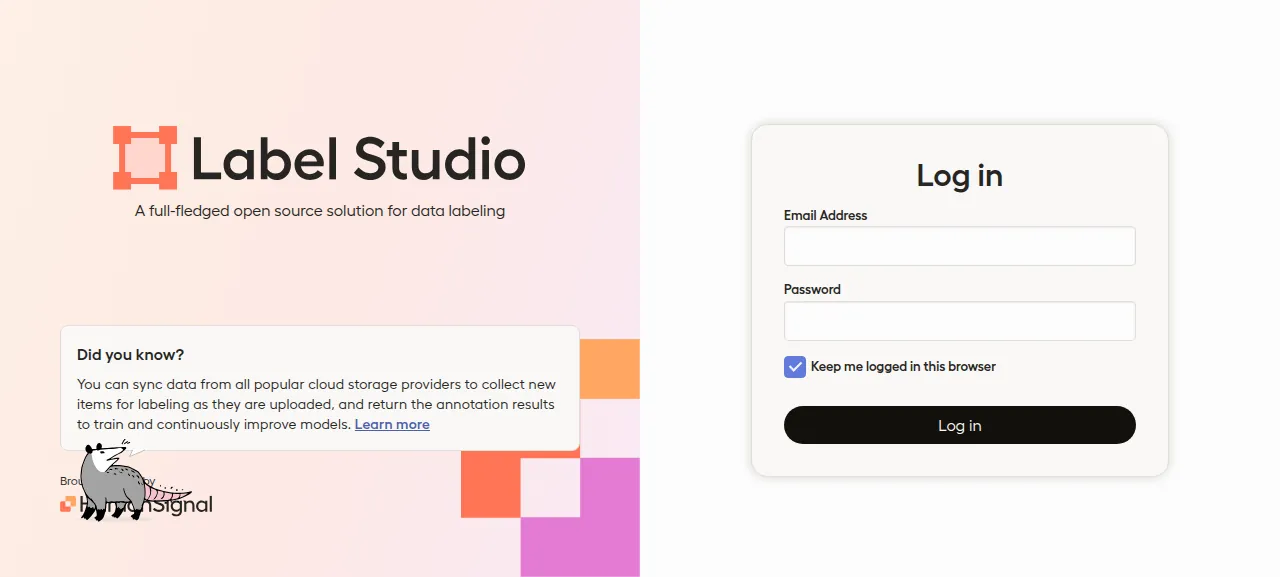
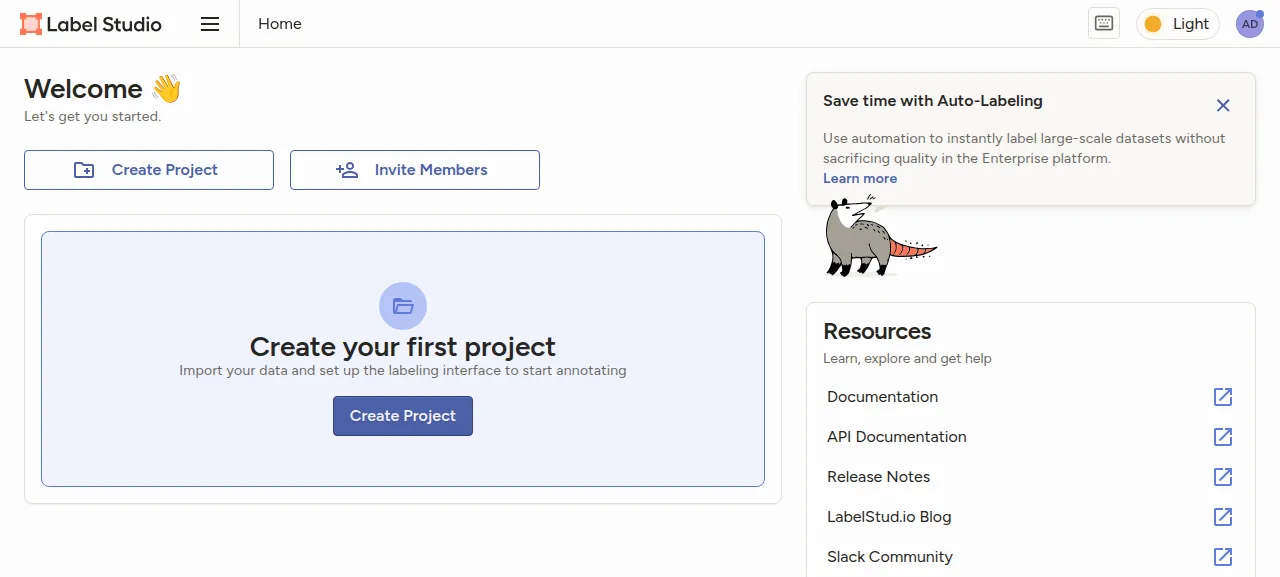
When the deploy is green, open the address ox shows, which lands on /user/login/. Sign in with the email and password from your env file. A wrong password is turned away with "The email and password you entered don't match." A Welcome page follows.
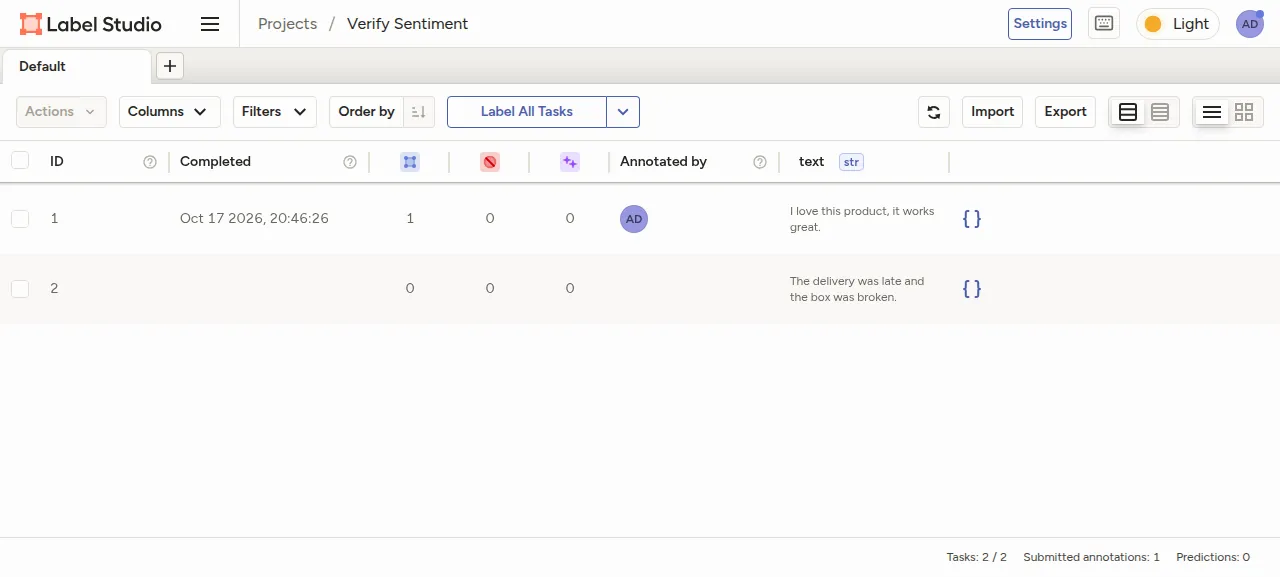
The test agent made a project named "Verify Sentiment", uploaded a text file of two sentences on the Data Import tab, and picked the Text Classification template under Natural Language Processing on the Labeling Setup tab. Label All Tasks opened the first task, the agent chose Positive and pressed Submit, and after a reload task 1 showed as completed, with Submitted annotations: 1 in the footer.
Only that text file was imported. Images, audio, export, machine learning backends and the REST API were not tested. The run used the preview address. For a domain of your own, see the domains page.
The ox.toml, line by line
# Label Studio on ox, as its production image runs it (Dockerfile, deploy/):
# the frontend built from web/, uWSGI with deploy/uwsgi.ini's settings, nginx's
# two static folders, and the entrypoint's locked_migrate and `label-studio init`.

# The image installs these for opencv-python-headless (mesa-gl, glib, expat).
packages = ["libgl1", "libglib2.0-0t64", "libexpat1"]

# docs/source/guide/signup.md, "Restrict signup for cloud deployments": with
# LABEL_STUDIO_DISABLE_SIGNUP_WITHOUT_LINK the sign-up page is closed, and
# `label-studio init` makes the first user from these two, an email and its
# password. They are the only way in.
required_variables = ["LABEL_STUDIO_USERNAME", "LABEL_STUDIO_PASSWORD"]

[app]
# deploy/uwsgi.ini's settings on ox's port; its fixed :8000, stats port and
# pidfile cannot run under ox's unit. The data folder holds uploads, exports
# and the app's own SECRET_KEY (data/.env), as the image's /label-studio/data.
start = """
export LABEL_STUDIO_BASE_DATA_DIR="$PWD/data"
exec uwsgi --http 127.0.0.1:$PORT --chdir label_studio --module core.wsgi:application \
  --master --cheaper 1 --processes "${UWSGI_PROCESSES:-4}" --single-interpreter \
  --enable-threads --thunder-lock --lazy-apps --need-app --die-on-term --vacuum \
  --buffer-size 65535 --http-timeout 300 --post-buffering 4096 \
  --ignore-sigpipe --ignore-write-errors --disable-write-exception \
  --disable-logging --log-5xx --skip-atexit-teardown \
  --reload-on-rss 1024 --max-worker-lifetime 1200 --max-worker-lifetime-delta 60 \
  --harakiri 91 --reload-mercy 3 --worker-reload-mercy 3 --env APP_WEBSERVER=uwsgi
"""
health = "/health/"

[static]
# deploy/default.conf serves these two folders itself.
paths = { "/static" = "label_studio/core/static_build", "/react-app" = "web/dist/apps/labelstudio" }

[build]
# The image's venv: `poetry install --without test --extras uwsgi`, the root
# package included (it is the `label-studio` command).
install = "poetry install --without test --extras uwsgi"
commands = [
  "cd web && yarn install --pure-lockfile --frozen-lockfile --ignore-engines --non-interactive --production=false",
  "cd web && BUILD_NO_SERVER=true BUILD_NO_HASH=true BUILD_NO_CHUNKS=true BUILD_MODULE=true yarn run build",
  "LABEL_STUDIO_BASE_DATA_DIR=\"$PWD/data\" python label_studio/manage.py collectstatic --no-input",
]
# The entrypoint's 30-run-db-migrations.sh and 31-run-label-studio-init.sh;
# init makes the first user once and answers "already exists" after.
migrate = "export LABEL_STUDIO_BASE_DATA_DIR=\"$PWD/data\" && python label_studio/manage.py locked_migrate && label-studio init -q"

[services]
postgres = {}

[storage]
keep = ["data"]

[tools]
python = "3.13"
node = "22"
The file follows the project's Dockerfile and its deploy/ folder, without the container.
packagesinstalls three system libraries the image adds foropencv-python-headless, a Python dependency.required_variablesis the first user's email and password. The app's docs for cloud deployments close sign-up and make the first user from them, so without them nobody could get in.startpointsLABEL_STUDIO_BASE_DATA_DIRat thedatafolder in the project, then runs uWSGI. The image'sdeploy/uwsgi.inihard-codes port 8000, a stats port and a pidfile, so the command repeats its other settings and listens on the local address and the port ox gives it in$PORT. It allows 4 workers unlessUWSGI_PROCESSESsays otherwise.The other flags carry the image's values. A worker that holds 1 GB of memory, runs for about 20 minutes or serves one request for 91 seconds is replaced. Only server errors are logged, not every request.
healthis/health/, Label Studio's own health view. A new release gets traffic only after it answers.[static]has Caddy serve/staticand/react-appfrom disk, the two folders the image's nginx serves.[tools]pins Python 3.13 and Node 22, the Dockerfile's versions.installruns Poetry without the test group and with theuwsgiextra, and installs the project too, which gives thelabel-studiocommand.The build
commandsinstall the front end's packages from its lock file, build it with the four switches the Dockerfile sets, and runcollectstatic, which gathers Django's static files into the folder[static]serves.migraterunslocked_migrate, the project's Django migrate that holds a Postgres advisory lock so two copies cannot run at once. Thenlabel-studio init -qmakes the first user, and later runs only print that it exists.[services]asks for Postgres, and[storage]keepsdataacross deploys. That folder holds uploads, exports and the app'sSECRET_KEY, written todata/.envon first start. The key signs sessions, so losing the folder signs everyone out.
The config declares no workers, cron jobs or Redis.
DJANGO_SETTINGS_MODULE
DJANGO_DB
POSTGRE_HOST
POSTGRE_PORT
POSTGRE_USER
POSTGRE_PASSWORD
POSTGRE_NAME
JSON_LOG
LABEL_STUDIO_HOST
CSRF_TRUSTED_ORIGINS
LABEL_STUDIO_DISABLE_SIGNUP_WITHOUT_LINK
LABEL_STUDIO_USERNAME
LABEL_STUDIO_PASSWORD
USE_NGINX_FOR_UPLOADS
DJANGO_SETTINGS_MODULE was core.settings.label_studio, as in the Dockerfile. DJANGO_DB was default: without it the app uses SQLite, and with it the five POSTGRE_ keys apply. They were references to the Postgres service: ${postgres.host}, ${postgres.port}, ${postgres.user}, ${postgres.password} and ${postgres.database}. JSON_LOG was 1, as in the project's Compose file, so logs are JSON.
LABEL_STUDIO_HOST and CSRF_TRUSTED_ORIGINS were both ${PUBLIC_URL}, which ox fills in with the project's address. The app builds links and asset paths from the first, and ignores it unless it starts with http:// or https://. The second is Django's list of origins trusted for form posts. The settings do not set a proxy's https header, so the log-in form's https origin is listed there.
LABEL_STUDIO_USERNAME and LABEL_STUDIO_PASSWORD are the first user. LABEL_STUDIO_DISABLE_SIGNUP_WITHOUT_LINK was true. /user/signup/ still draws a form, but it makes no account without an invite link, and the log-in page has no sign-up link. USE_NGINX_FOR_UPLOADS was false: the default hands uploaded files to nginx, and with none here the app serves them itself. See variables for how references work.
Postgres, and what the app sends out
ox sets up a Postgres database and user for this project, and the app's migrations create two extensions in it, pg_trgm and btree_gin. The app's docs favor Postgres over SQLite for many tasks or many people labeling at once.
The app's security page says Label Studio collects usage statistics unless COLLECT_ANALYTICS is False, and while it is on the log-in page loads a Google Analytics script. The default settings also point error reports at the maker's Sentry project. The run changed neither, so a browser may show blocked requests to those sites.
Updates and backups
To move to a newer release, merge its commit into your fork and push, or run ox deploy label-studio --wait. ox dumps Postgres before the migrate step, and the run's redeploy left that dump. The 1.23.2 build reports itself as 1.23.0, so its log may offer an update to 1.23.2. Read the project's release notes first.
Backups need no setup. The run's backups held a Postgres dump and an archive of data, both daily and from Back up now on the Backups tab. List them with ox backups label-studio. A restore was not tested. The backups page covers keeping copies in an S3 bucket.
Frequently asked questions
Do I need Docker to self-host Label Studio?
No. The README shows Docker, Docker Compose, pip, Poetry and Anaconda installs. ox takes the Poetry route on your server: it builds the React front end, installs the Python packages and runs uWSGI as a system service, with Postgres beside it. Nothing is pulled as an image, and you update by pushing to your fork.
Which database does Label Studio use?
SQLite by default, in a file under the data folder, and Postgres when you set DJANGO_DB=default with the POSTGRE_ keys. The run used Postgres, which ox sets up and backs up. The project's docs suggest Postgres for projects with many tasks or many people labeling.
How do I create the first Label Studio account?
Set LABEL_STUDIO_USERNAME to an email and LABEL_STUDIO_PASSWORD before the first deploy. The migrate step runs label-studio init, which makes that user, and you sign in at /user/login/. Sign-up stays closed without an invite link, because the config sets LABEL_STUDIO_DISABLE_SIGNUP_WITHOUT_LINK. Inviting people from Organization, Add Members was not tested.
How much memory does self-hosted Label Studio use?
After the run's reboot, the whole machine used the memory the facts show, counting Label Studio, Postgres, Caddy and the ox agent. uWSGI allows 4 workers by default, and the build runs yarn and Poetry on the server too. ox works on any server from 1 GB up and tells you when memory is why an app stopped.
New to running apps on your own server? How ox self-hosts your apps shows what ox sets up on your server.