How to self-host Langflow on your own VPS, no Docker
Run Langflow v1.12.6 on your own Ubuntu server with ox: a Python and React build on Postgres, from the config that ran, with no Docker image.

To self-host Langflow you need an Ubuntu server, a fork of the Langflow repo with one ox.toml file added, and seven variables. You pick only two of them: the admin's user name and password. In our run the first deploy took about 9 minutes, and ox set up the Postgres database Langflow uses.
How we tested On Oct 17, 2026, ox deployed Langflow v1.12.6 from commit 20456860 on a fresh DigitalOcean server with 8 vCPUs and 16 GB of memory. The run then redeployed it, backed it up and rebooted the server. Then a separate test agent, one that did not write the config, signed in, built a small flow, sent it a message in the Playground and got it back, and saw the flow after a reload, and checked the app's services and its backup.
Langflow is a visual builder for AI agents and workflows. You drag components such as inputs, prompts, models and tools onto a canvas, wire them together, and try the flow in a Playground chat. A finished flow can be called over an API or served as an MCP server. The backend is Python on FastAPI, the editor is a React app, and the license is MIT.
ox deployed Langflow v1.12.6 (commit 20456860) on Oct 17, 2026 on a fresh DigitalOcean server with 8 vCPUs and 16 GB of memory; the first deploy took 9 minutes and a redeploy took 6 minutes.
- First deploy: 9 minutes, from adding the project until the app passed the run's first checks.
- Redeploy of the same commit: 6 minutes, until the app passed the checks again.
- Server: DigitalOcean, 8 vCPUs and 16 GB of memory (
s-8vcpu-16gb), with this app alone on it. Every one of the 85 apps we deployed ran on this one size, so it was not picked for this app. - Memory in use after the reboot: 1937 MB of 15986 MB, for the whole server: Ubuntu, the app, its services, Caddy and the ox agent. On a server with no apps, ox's tests on real servers hold the agent to 40 MB or less and Caddy to 50 MB or less.
- Services ox runs for it:
postgres. - Source: github.com/langflow-ai/langflow at v1.12.6, commit
20456860.
What you need
An Ubuntu LTS server with root access. The facts above name the size the run used and its memory after the reboot. The deploy installs the Python packages and builds the React front end on the server itself.
A GitHub account to fork
langflow-ai/langflow, and an ox account, which you open by signing in with GitHub.No model provider account. The run connected none, so the flow the test agent built has no AI model in it. A flow that calls a model was not tested.
The steps
Open the ox dashboard and choose Add a server. It shows one install command with a token in it. Run that as root on your server. It installs only the ox agent and Caddy.
Fork langflow-ai/langflow and check out the tag v1.12.6, the release the run deployed. Add the ox.toml shown below to the root of the fork, then commit and push. Write a file named langflow.env on your laptop with the seven keys from the variables section. With the ox CLI signed in, run:
ox new <you>/langflow
ox review langflow --from-file langflow.env --wait
The review saves your values and starts the first deploy, and --wait prints the log until it ends. The browser has the same two steps, as the quickstart shows.
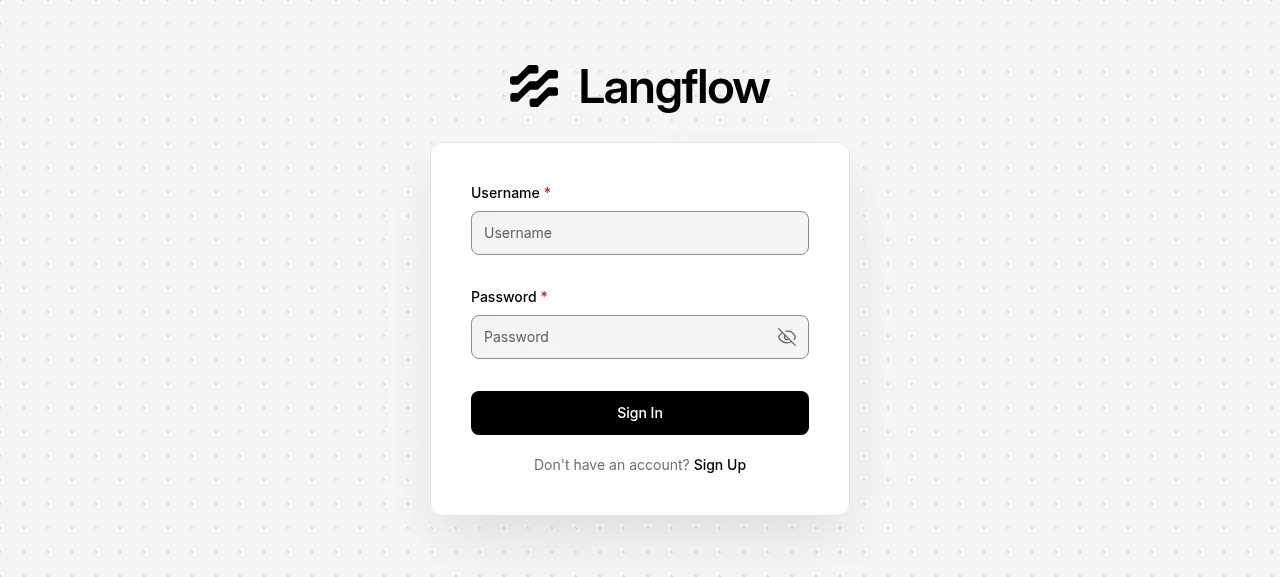
When the deploy is green, open the address ox shows for the project. Langflow loads every component when it starts, so sign-in can take 30 to 45 seconds to work after a deploy or a reboot. Sign in with the user name and password from your env file. A wrong password is refused. The browser's network tab shows a 403 from /api/v1/auto_login on each page load, which is how the page learns that auto-login is off.
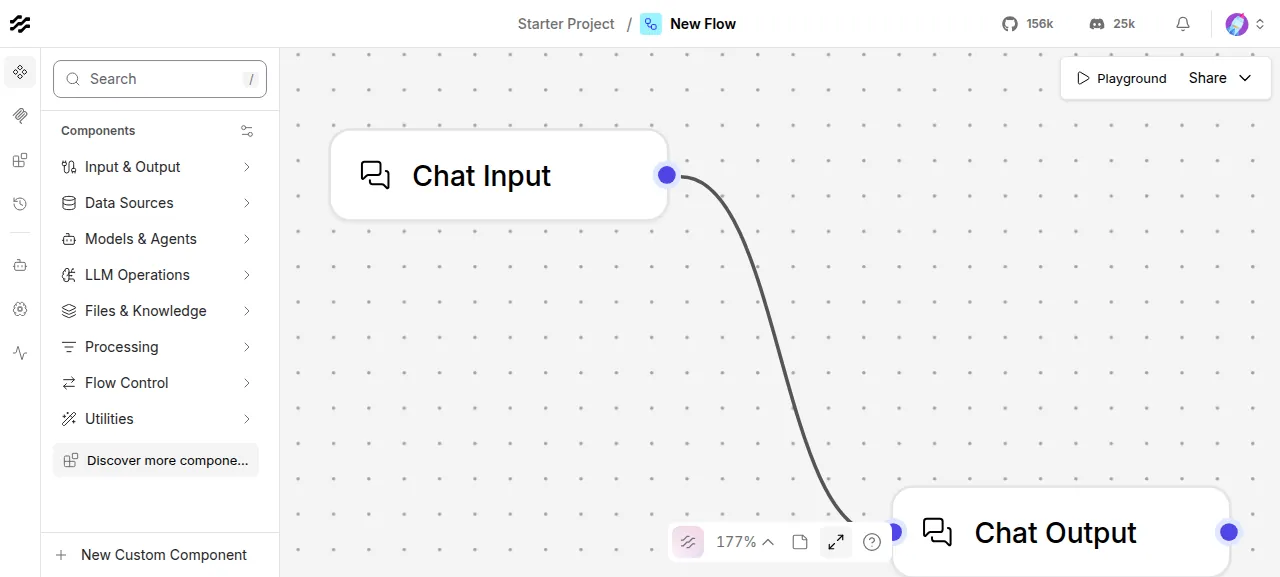
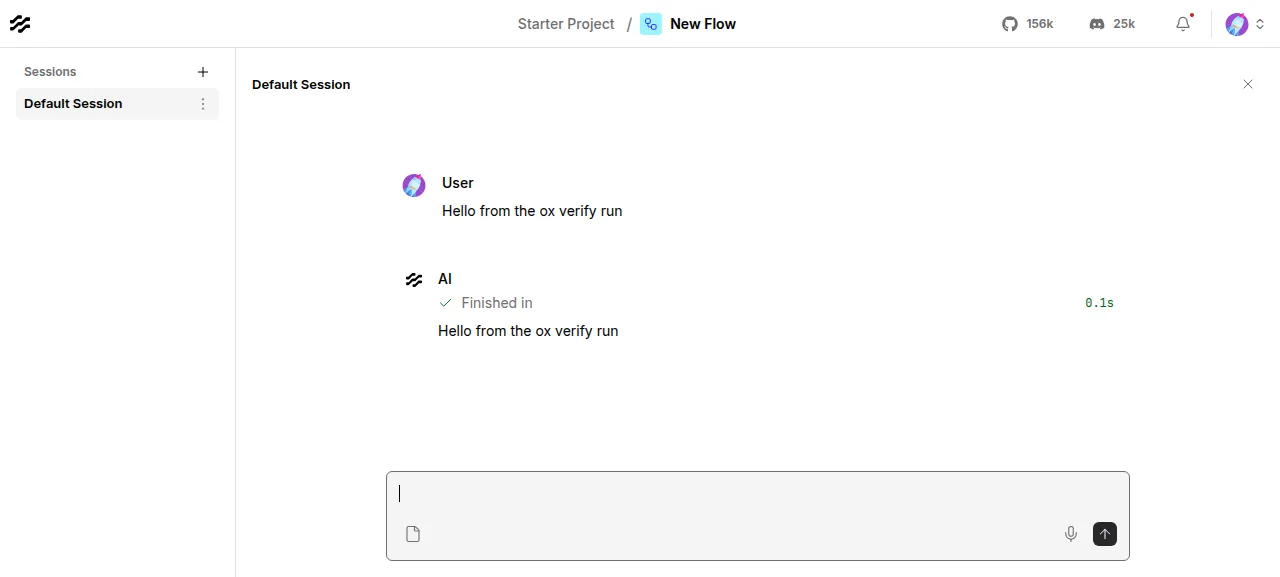
The test agent then built a flow. Click New Flow, or Create first flow on an empty account, choose Blank Flow if a template picker shows, and close the welcome overlay. In the Components panel open Input & Output and add Chat Input and Chat Output. Drag from the dot on the right of Chat Input to the dot on the left of Chat Output. Press Playground, type a message and send it, and the same text comes back.
After a reload of the home page, the flow is listed under Starter Project, and opening it shows the two connected components. The run served Langflow on its preview address only. A domain of your own was not part of it, and the domains page covers how ox adds one.
The ox.toml, line by line
# Mirrors the default "full" target of docker/build_and_push.Dockerfile:
# the workspace with the postgresql extra and no dev groups, the React UI
# built into the langflow package, and one `langflow run` on PostgreSQL.

[app]
start  = "exec langflow run --host 127.0.0.1 --port \"$PORT\""
# /health answers from uvicorn before Langflow has started; /health_check
# answers only once the database and the cache are up.
health = "/health_check"

[build]
install  = "uv sync --frozen --extra postgresql --no-default-groups"
# The recipe's frontend-builder stage. The install is editable, so the
# package serves the UI copied into its source folder.
commands = [
  "cd src/frontend && npm ci && npm run build",
  "mkdir -p src/backend/base/langflow/frontend && cp -a src/frontend/build/. src/backend/base/langflow/frontend/",
]
# Alembic migrations and the superuser from LANGFLOW_SUPERUSER, before the
# switch, so the start does not spend its health wait on them.
migrate  = "langflow migration --no-test"

[services]
postgres = {}

[storage]
# LANGFLOW_CONFIG_DIR and LANGFLOW_KNOWLEDGE_BASES_DIR: uploads, logs, caches
# and knowledge bases.
keep = ["data"]

[tools]
# The recipe's python-314 image; nothing in the repo names a version.
python = "3.14"
The config follows the default "full" target of Langflow's docker/build_and_push.Dockerfile, the build behind the project's own image.
[app] startrunslangflow runon the loopback address and the port ox gives it, with Caddy in front. Theexecmakes Langflow the service's own process.healthis/health_check. Uvicorn also serves/health, so it answers before Langflow is up, while/health_checkanswers once the database and the chat cache respond. ox switches traffic to a new release only when it passes.[build] installisuv sync --frozen --extra postgresql --no-default-groups. It installs the versions inuv.lock, adds the Postgres driver, and leaves out the development groups. The install is editable, so the server runs the UI that the next step copies into the source folder.The build
commandsmake that UI. The first runsnpm ciandnpm run buildinsrc/frontend, which writes the React app tosrc/frontend/build. The second copies it into thefrontendfolder of the Python package, where the server finds it.migrateislangflow migration --no-test. It applies the database migrations, which the command's default only tests, and sets up the admin from the variables. It runs before ox switches releases, so the start does not spend its health wait on it.[services]asks for Postgres, and ox hands the app aDATABASE_URLfor it.[storage] keeplinks thedatafolder to the project's data directory, so uploads, logs, caches and knowledge bases survive every deploy.[tools]pins Python 3.14, the Dockerfile's base image version. The README lists 3.10 to 3.14, and no file in the repo pins one. Node and uv come from ox's defaults.
There are no workers or cron jobs. The app is the only process ox runs for the project, and no file besides ox.toml was added to the repo.
LANGFLOW_AUTO_LOGIN
LANGFLOW_SUPERUSER
LANGFLOW_SUPERUSER_PASSWORD
LANGFLOW_DATABASE_URL
LANGFLOW_CONFIG_DIR
LANGFLOW_KNOWLEDGE_BASES_DIR
LANGFLOW_RATE_LIMIT_TRUST_PROXYLANGFLOW_AUTO_LOGINisfalse, which turns the sign-in page on. Langflow's source says auto-login bypasses authentication and belongs in development only.LANGFLOW_SUPERUSERandLANGFLOW_SUPERUSER_PASSWORDare the admin you choose. Langflow has no first-run wizard: the migrate step creates this user, and Langflow refuses its old default password.LANGFLOW_DATABASE_URLis the Postgres address. Without it Langflow uses a SQLite file. The run set it to${DATABASE_URL}, the address ox provides.LANGFLOW_CONFIG_DIRisdata, the kept folder, where Langflow stores logs, file storage, monitor data and secret keys.LANGFLOW_KNOWLEDGE_BASES_DIRis a folder inside it, replacing the default~/.langflow/knowledge_bases.LANGFLOW_RATE_LIMIT_TRUST_PROXYistrue. Langflow allows 5 sign-in attempts a minute per client address, and with Caddy in front every visitor would otherwise share one local address and one limit. With the setting on, it readsX-Forwarded-For. Its env example says to enable this only behind a proxy you trust.
The run set no LANGFLOW_SECRET_KEY. With a config folder set, Langflow makes its own on the first start and saves it as secret_key in that folder, so the migrate step and every release share it. See variables for how ox stores values.
Postgres
Langflow keeps its flows and users in a database. ox runs one Postgres for the server and gives the project its own database and user. Look inside it from the Services tab, or with ox explore langflow postgres.
Updates and backups
To update, merge a new tag into your fork and push, or run ox deploy langflow --wait. ox builds the new release beside the running one, applies the migrations, and switches once /health_check answers. It dumps Postgres before each migrate, and the run's server held one of those dumps.
Backups need no setup. The run's on-demand backup, the one Back up now makes, produced a Postgres dump and an archive of the data folder. Flows live in the database, so the dump holds them. Run ox backups langflow to list them. A restore was not tested, and the backups page covers keeping copies in an S3 bucket.
Frequently asked questions
Do I need Docker to self-host Langflow?
No. The README offers Docker as one option and a Python install with uv as another. ox uses the repo's own build: uv installs the locked Python packages, npm builds the React interface, and langflow run runs as a system service with Postgres beside it. There is no image to pull.
How do I create the first Langflow admin account?
Set LANGFLOW_AUTO_LOGIN to false and give LANGFLOW_SUPERUSER and LANGFLOW_SUPERUSER_PASSWORD before the first deploy. The migrate step creates that user, and you sign in at the project's address. The Sign Up link works too, but a new account stays inactive until the admin turns it on in the Admin Page.
Which database does self-hosted Langflow need?
Langflow's env example defaults to a SQLite file. The run used Postgres through LANGFLOW_DATABASE_URL, which came from the database ox creates for the project. Redis is an optional cache and the run used none. ox backs Postgres up with a dump, and makes another before every migrate.
How much memory does self-hosted Langflow use?
On the run's server, the whole machine used the memory the facts show after a reboot. That counts Langflow, Postgres, Caddy and the ox agent. ox takes any server from 1 GB up, and says so when memory is why the app stopped.
Do I need an OpenAI key to run Langflow?
No key is needed to start Langflow or to run a flow of only Chat Input and Chat Output, the flow the test agent ran. Langflow offers Configure Model Providers on a new flow, and it is optional. A flow with an AI model in it was not tested.
New to running apps on your own server? How ox self-hosts your apps shows what ox sets up on your server.