How to self-host Misskey on your own VPS without Docker
Run Misskey 2026.10.0 on your own Ubuntu server with ox: Postgres, Redis and a pnpm build, with the first admin made at deploy. The config that ran.

To self-host Misskey you need an Ubuntu server, a fork of the Misskey repo with an ox.toml and two helper files added, and two variables: the administrator's username and password. In our run the first deploy took about 6 minutes, and ox set up Postgres and Redis for it.
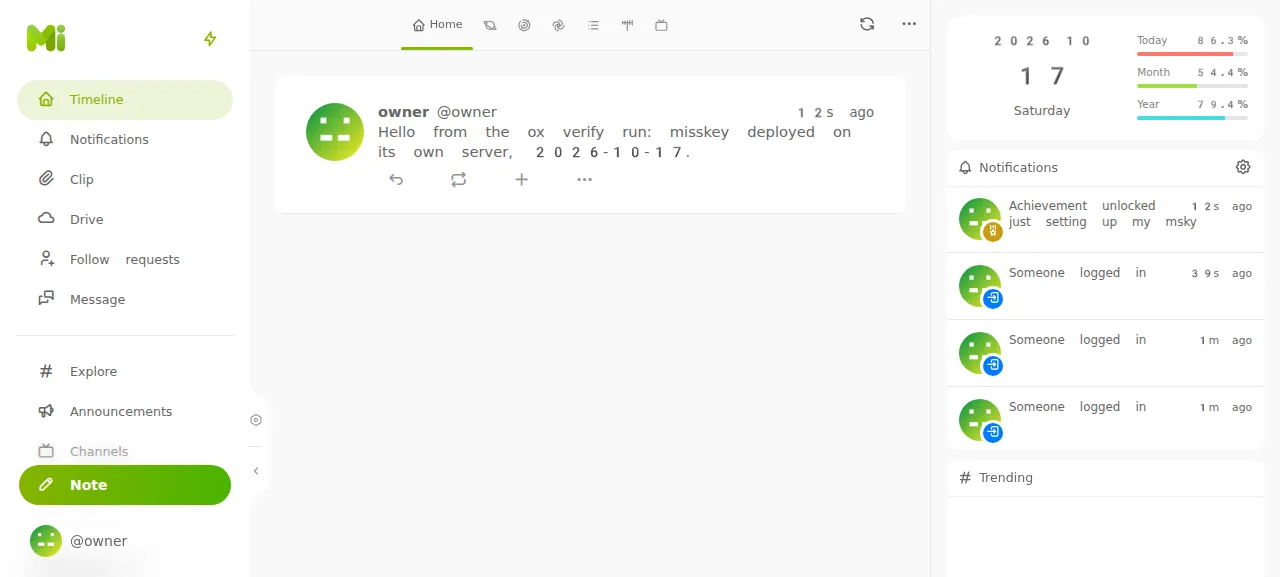
How we tested On Oct 17, 2026, ox deployed Misskey 2026.10.0 from commit de89118a on a fresh DigitalOcean server with 8 vCPUs and 16 GB of memory. The run then redeployed it, backed it up and rebooted the server. Then a separate test agent, one that did not write the config, signed in, posted a note and saw it on the home timeline after a reload, and checked the app's services and its backup.
Misskey is an open-source, federated social media platform under the AGPLv3. People write notes on timelines, react to them and keep files in a drive, and the server talks to other servers over ActivityPub. The backend is a Node.js app that also serves the Vue web client. Accounts and notes live in Postgres, and Redis serves pub/sub, the job queue, timelines and reactions.
ox deployed Misskey 2026.10.0 (commit de89118a) on Oct 17, 2026 on a fresh DigitalOcean server with 8 vCPUs and 16 GB of memory; the first deploy took 6 minutes and a redeploy took 79 seconds.
- First deploy: 6 minutes, from adding the project until the app passed the run's first checks.
- Redeploy of the same commit: 79 seconds, until the app passed the checks again.
- Server: DigitalOcean, 8 vCPUs and 16 GB of memory (
s-8vcpu-16gb), with this app alone on it. Every one of the 85 apps we deployed ran on this one size, so it was not picked for this app. - Memory in use after the reboot: 1009 MB of 15986 MB, for the whole server: Ubuntu, the app, its services, Caddy and the ox agent. On a server with no apps, ox's tests on real servers hold the agent to 40 MB or less and Caddy to 50 MB or less.
- Services ox runs for it:
postgres,redis. - Source: github.com/misskey-dev/misskey at 2026.10.0, commit
de89118a.
What you need
An Ubuntu LTS server. The run used the size in the facts above and measured the memory there.
A GitHub account to fork
misskey-dev/misskey, and an ox account, which you open by signing in with GitHub.A username and a password for the first administrator. No outside account was used. Misskey can send email through an SMTP server you set in its admin settings, but email was not tested.
The steps
Open the ox dashboard and press Add a server. Paste the install command it shows into a root shell on your VPS, and the server joins your account.
Fork misskey-dev/misskey on GitHub and check out the commit the run deployed, the 2026.10.0 release (the facts above give its short hash). Put ox.toml and ox-config.mjs at the root of the fork and ox-admin.mjs in packages/backend. Commit and push. Then write misskey.env on your laptop with one KEY=value line for each of the two keys in the variables list. With the ox CLI signed in, run:
ox new <you>/misskey
ox review misskey --from-file misskey.env --wait
The project takes the repo's name, so the commands call it misskey. The review saves your values and starts the first deploy, and --wait prints the run until it ends. The quickstart shows the same two steps in the console.
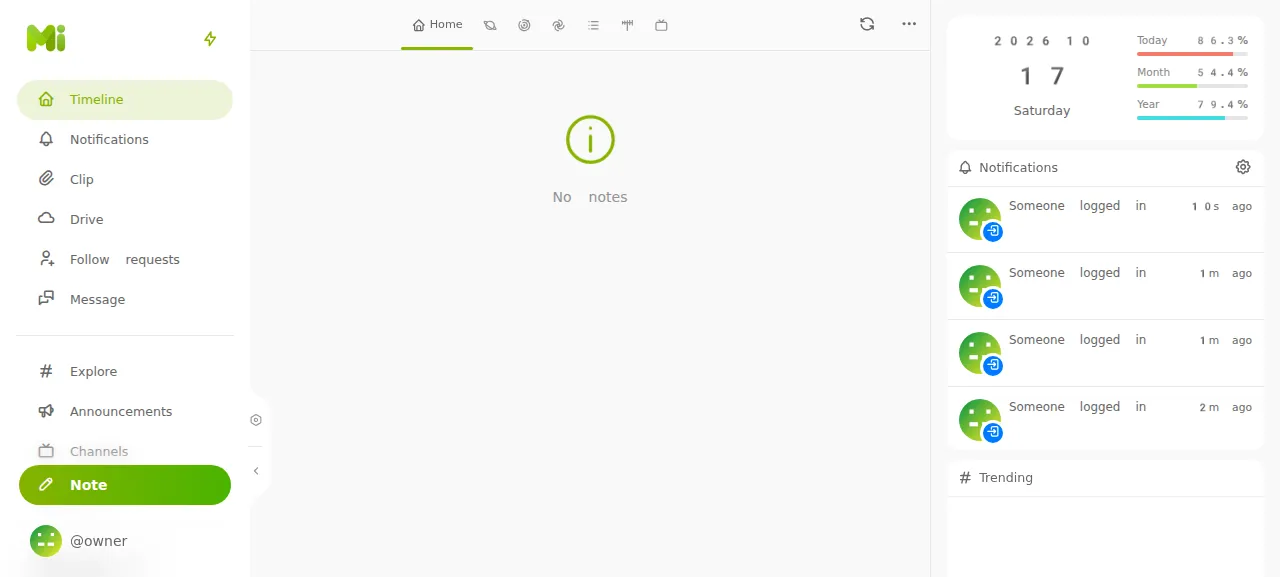
When the deploy is green, open the project's address and press Sign In. Type the username, then the password, and close any welcome tour that opens. The test agent reached the home timeline, pressed Note, posted a note, and after a reload the note was still there. Misskey allows one sign-in attempt a second and ten an hour for each address, so a string of wrong passwords locks you out for a while.
The run served Misskey on its preview address only, so a domain of your own was not tested; the domains page says how ox adds one. Misskey's example config says never to change the url once the instance has started, and the comment at the top of the ox.toml says to add your domain before the first deploy.
The ox.toml, line by line
# Misskey: a pnpm monorepo (a Fastify backend that serves the Vue frontend),
# with postgres and redis. The Dockerfile is the recipe: `pnpm i`,
# `pnpm build`, then `pnpm run migrateandstart`, split here into migrate and
# start. Node 26.4.0 and pnpm 11.25.0 come from .node-version and
# packageManager; the compilers re2 builds with come from its lockfile.
#
# Misskey's address is its identity once it federates: add your domain
# before the first deploy (domains = ["misskey.example.com"]), since the
# config takes PUBLIC_URL.

# Video thumbnails (the Dockerfile's runner installs ffmpeg).
packages = ["ffmpeg"]

# The administrator the first start makes (packages/backend/ox-admin.mjs).
# Sign-up is closed on a new Misskey, so this account is the only way in.
required_variables = ["MISSKEY_ADMIN_USERNAME", "MISSKEY_ADMIN_PASSWORD"]

[app]
# `pnpm start` less its compile-config, which the build already ran, after
# ox-admin.mjs makes the administrator when there is none: Misskey makes users
# only through its running server. NODE_ENV only here: Misskey's rate limits
# and its private-address guard need it, and as a variable the build's
# install would see it too.
start  = "cd packages/backend && export NODE_ENV=production && node ox-admin.mjs && exec node ./built/entry.js"
health = "/healthz"

[build]
commands = [
  "pnpm run build",
  "node ox-config.mjs",
  "pnpm run compile-config",
]
migrate = "pnpm run migrate"

[services]
postgres = {}
redis    = {}

[storage]
# The drive's uploads: InternalStorageService writes <root>/files (the
# compose file's ./files volume).
keep = ["files"]
Misskey's Dockerfile is the recipe: install with pnpm, build, then migrate and start. The config splits the last step in two. It has no install line: ox reads the Node version from .node-version and pnpm from packageManager, and adds the compilers that the native module re2 builds with.
packagesadds ffmpeg, which Misskey uses for thumbnails of uploaded videos. Uploads were not tested.required_variablesnames the administrator's username and password, which ox asks for before the first deploy. A new Misskey keeps sign-up closed (disableRegistrationdefaults to true), so this is the only way in.startruns inpackages/backend. It setsNODE_ENV=production, runsox-admin.mjs, then replaces the shell withnode ./built/entry.js. It is Misskey'spnpm startminus compile-config, which the build ran. Misskey enables its rate limits and its refusal to call private addresses only whenNODE_ENVis production. It is set in the start command, not as a variable, so the build never sees it.healthis Misskey's own/healthz. It answers 200 once the server is ready and Postgres and every Redis connection reply, and ox moves traffic to a new release only after that.The build
commandsrun in order:pnpm run buildbuilds the backend and the web client,node ox-config.mjswrites Misskey's config, andpnpm run compile-configturns it into the JSON Misskey reads at run time.migrateruns Misskey's database migrations on every deploy.[services]asks for a Postgres and a Redis with their defaults.[storage]keeps thefilesfolder across deploys, where Misskey's internal storage writes uploads.
ox-config.mjs
// Writes Misskey's config, .config/default.yml (git-ignored), from ox's
// variables, as .config/example.yml lays it out. JSON is valid YAML. `port`
// is left out, so Misskey listens on $PORT.
import { mkdirSync, writeFileSync } from 'node:fs';

const env = process.env;
for (const key of ['PUBLIC_URL', 'DATABASE_URL', 'REDIS_URL']) {
	if (!env[key]) {
		console.error(`ox-config: ${key} is not set`);
		process.exit(1);
	}
}

const db = new URL(env.DATABASE_URL);
const rd = new URL(env.REDIS_URL);
const redis = { host: rd.hostname, port: Number(rd.port || 6379) };
if (rd.password) redis.pass = decodeURIComponent(rd.password);
if (rd.pathname.length > 1) redis.db = Number(rd.pathname.slice(1));

const config = {
	// The instance's identity: other servers know its users by this address.
	url: env.PUBLIC_URL,
	db: {
		host: db.hostname,
		port: Number(db.port || 5432),
		db: decodeURIComponent(db.pathname.slice(1)),
		user: decodeURIComponent(db.username),
		pass: decodeURIComponent(db.password),
	},
	dbReplications: false,
	redis,
	fulltextSearch: { provider: 'sqlLike' },
	// The id scheme; it must never change once the instance has data.
	id: 'aidx',
	proxyBypassHosts: ['api.deepl.com', 'api-free.deepl.com', 'www.recaptcha.net', 'hcaptcha.com', 'challenges.cloudflare.com'],
};

mkdirSync('.config', { recursive: true });
writeFileSync('.config/default.yml', JSON.stringify(config, null, 2) + '\n', { mode: 0o600 });
console.log('ox-config: wrote .config/default.yml for', config.url);
packages/backend/ox-admin.mjs
// Makes Misskey's first administrator from MISSKEY_ADMIN_USERNAME and
// MISSKEY_ADMIN_PASSWORD, once. Misskey makes users only through its running
// server (its CLI has no user command), so while the instance has no root
// user this boots a server-only copy on a spare loopback port, which neither
// Caddy nor ox's health check dials, asks /api/admin/accounts/create (open
// without a sign-in only until the root user exists), and stops it. It sits in
// packages/backend, where pnpm puts `pg`.
import { spawn } from 'node:child_process';
import { once } from 'node:events';
import { createServer } from 'node:net';
import { setTimeout as sleep } from 'node:timers/promises';
import pg from 'pg';

const env = process.env;
for (const key of ['DATABASE_URL', 'MISSKEY_ADMIN_USERNAME', 'MISSKEY_ADMIN_PASSWORD']) {
	if (!env[key]) {
		console.error(`ox-admin: ${key} is not set`);
		process.exit(1);
	}
}

const db = new pg.Client({ connectionString: env.DATABASE_URL });
await db.connect();
const { rows } = await db.query('SELECT 1 FROM meta WHERE "rootUserId" IS NOT NULL LIMIT 1');
await db.end();
const exists = rows.length > 0;
console.log(`ox-admin: administrator exists: ${exists ? 'yes' : 'no'}`);
if (exists) process.exit(0);

const probe = createServer().listen(0, '127.0.0.1');
await once(probe, 'listening');
const port = probe.address().port;
probe.close();
await once(probe, 'close');

const server = spawn(process.execPath, ['./built/entry.js'], {
	env: { ...env, PORT: String(port), MK_DISABLE_CLUSTERING: '1', MK_ONLY_SERVER: '1', MK_NO_DAEMONS: '1' },
	stdio: ['ignore', 'inherit', 'inherit'],
});
let exited = null;
server.on('exit', (code, signal) => { exited = code ?? signal; });

async function stop() {
	if (exited !== null) return;
	const gone = once(server, 'exit');
	server.kill('SIGTERM');
	await gone;
}

async function fail(message) {
	console.error(`ox-admin: ${message}`);
	await stop();
	process.exit(1);
}

const base = `http://127.0.0.1:${port}`;
const deadline = Date.now() + 60_000;
for (;;) {
	if (exited !== null) await fail(`the setup server exited (${exited}) before it answered ${base}/healthz`);
	const ok = await fetch(`${base}/healthz`).then(r => r.ok, () => false);
	if (ok) break;
	if (Date.now() > deadline) await fail(`the setup server did not answer ${base}/healthz within 60s`);
	await sleep(1000);
}

const res = await fetch(`${base}/api/admin/accounts/create`, {
	method: 'POST',
	headers: { 'content-type': 'application/json' },
	body: JSON.stringify({ username: env.MISSKEY_ADMIN_USERNAME, password: env.MISSKEY_ADMIN_PASSWORD }),
});
// The success body carries the account's token, so only an error is printed.
if (!res.ok) await fail(`making the administrator answered ${res.status}: ${await res.text()}`);
console.log(`ox-admin: made the administrator @${env.MISSKEY_ADMIN_USERNAME}`);
await stop();
ox-config.mjs writes Misskey's config file, .config/default.yml, from three values ox provides: PUBLIC_URL, DATABASE_URL and REDIS_URL. It follows Misskey's .config/example.yml and stops with a named error if one of them is missing. It writes JSON, which is valid YAML, and leaves port out so Misskey listens on the PORT ox gives it. Search stays on the default SQL matching, and the id scheme stays aidx, which Misskey says never to change once the instance has data. The file is readable by its owner only, because it holds the database password.
Misskey's command line has no command to make a user, and its account endpoint is open without a sign-in only until the first administrator exists. ox-admin.mjs uses that window. It asks Postgres whether an administrator exists and prints ox-admin: administrator exists: yes or no. On yes it exits. On no it starts a server-only copy of Misskey on a spare loopback port that neither Caddy nor ox's health check uses, waits for its /healthz, posts the username and password to /api/admin/accounts/create, and stops the copy. Any other answer fails the deploy with its status and message. The success reply carries the account's token, so the script prints only errors. The first start boots Misskey twice, and every later start boots it once.
MISSKEY_ADMIN_USERNAME
MISSKEY_ADMIN_PASSWORD
MISSKEY_ADMIN_USERNAME is the administrator's username: letters, digits and underscores, up to 20 characters. MISSKEY_ADMIN_PASSWORD is the password, and Misskey itself requires only one character, so choose a long one. ox provides PUBLIC_URL, DATABASE_URL and REDIS_URL, so they are not in the list. See variables for how ox treats each kind of key.
Postgres, Redis and the job queue
Redis runs for this project alone, as its own systemd unit. Postgres is the server's shared one, which gives each project a database and a role of its own. Browse either from the Services tab.
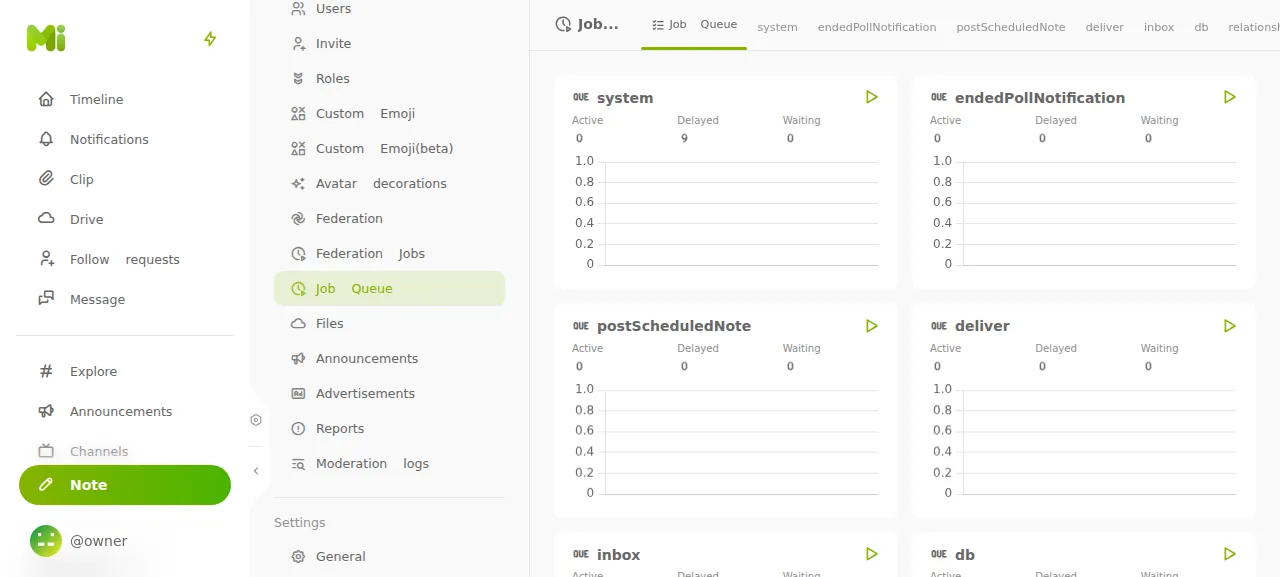
Misskey runs its job queue inside the app process, so the config has no worker. The test agent found the log lines Start worker process and All workers started, and opened the Job Queue page of the admin Control Panel, where no queue had a job waiting.
Updates and backups
To move to a new release, merge it into your fork and push, or run ox deploy misskey --wait. ox builds the new release beside the running one, migrates, and switches only when /healthz answers. Misskey's CHANGELOG.md lists what each release changes, so read it first.
Backups need no setup. The ones the test agent checked were Postgres dumps: one from Back up now, one taken before the redeploy's migrate, and a daily one. ox backups misskey lists them. Accounts and notes are in Postgres, so a dump holds them. Uploads sit in the kept files folder, which the backups page lists as backed up too, though the run did not check that one. A restore was not tested. The same page covers copies in your own S3 bucket.
Frequently asked questions
Do I need Docker to self-host Misskey?
No. Misskey ships a Dockerfile and a Compose file, but it is a Node.js app that builds with pnpm. ox builds it on your server from your fork and runs it as a systemd service beside Postgres and Redis, so no container image is involved. To update, push to your fork or run ox deploy.
How do I make the first Misskey administrator?
A new Misskey keeps sign-up closed and has no command that creates a user. The ox-admin.mjs script makes the account from your two variables, once, while the instance has none. After the deploy, press Sign In and give that username and password. Opening sign-up to other people was not tested.
Which database does Misskey need?
Postgres for accounts, notes and settings, and Redis for pub/sub, the job queue, timelines and reactions. ox sets up both and passes their addresses as DATABASE_URL and REDIS_URL. Search stays on Misskey's default SQL matching, so Meilisearch and pgroonga are not needed, and the run used neither.
How much memory does Misskey use?
The facts above give the memory in use after the reboot on the run's server, counted for the whole machine: Misskey, Postgres, Redis, Caddy and the ox agent. ox takes any server from 1 GB up, and says so when memory is why the app stopped.
New to running apps on your own server? How ox self-hosts your apps shows what ox sets up on your server.