How to self-host Moodle without Docker on your own VPS
Run Moodle v5.3.0 on your own Ubuntu server with ox: FrankenPHP, PostgreSQL, a one-minute cron timer and an admin made on deploy, from the config that ran.

To self-host Moodle you need an Ubuntu server, a fork of the Moodle repo with one ox.toml file added, and two required variables for the first admin. In our run the first deploy took about 5 minutes, and ox set up PostgreSQL for the site and a one-minute timer for Moodle's cron.
How we tested On Oct 17, 2026, ox deployed Moodle v5.3.0 from commit 42622298 on a fresh DigitalOcean server with 8 vCPUs and 16 GB of memory. The run then redeployed it, backed it up and rebooted the server. Then a separate test agent, one that did not write the config, signed in, created a course, uploaded a file to it, and opened the file after a reload, and checked the app's services and its backup.
Moodle is an open source learning platform. Teachers build courses from pages, files, quizzes, assignments and forums, and students work through them in a browser. It is written in PHP and licensed under version 3 of the GNU General Public License. A site keeps its records in a database and its uploaded files in a folder Moodle calls moodledata. In this release the web files sit in a public/ folder, and ox serves that folder.
ox deployed Moodle v5.3.0 (commit 42622298) on Oct 17, 2026 on a fresh DigitalOcean server with 8 vCPUs and 16 GB of memory; the first deploy took 5 minutes and a redeploy took 53 seconds.
- First deploy: 5 minutes, from adding the project until the app passed the run's first checks.
- Redeploy of the same commit: 53 seconds, until the app passed the checks again.
- Server: DigitalOcean, 8 vCPUs and 16 GB of memory (
s-8vcpu-16gb), with this app alone on it. Every one of the 85 apps we deployed ran on this one size, so it was not picked for this app. - Services ox runs for it:
postgres. - Scheduled jobs:
moodle. - Source: github.com/moodle/moodle at v5.3.0, commit
42622298.
What you need
An Ubuntu LTS server. The run used the size in the facts above. Moodle's
composer.jsonasks for PHP 8.3 or newer. ox serves PHP apps with FrankenPHP, which carries PHP 8.5, and runs Composer and Moodle's command-line scripts on Ubuntu's PHP 8.5.A GitHub account to fork
moodle/moodle, and an ox account, which you open by signing in with GitHub.An email address such as
[email protected]and a password for the first admin.Outgoing mail is optional. Moodle sends forum notifications from its cron tasks. The run pointed its two SMTP variables at a test mail catcher, and sending real email was not tested.
The steps
In the ox dashboard, go to Servers and press Add server. The card shows a one-time install command. Run it as root on your Ubuntu server. It puts the ox agent and Caddy on the machine and nothing else.
Fork moodle/moodle on GitHub and start from commit 42622298, the one the run deployed, whose message is "Moodle release 5.3". Add the ox.toml shown below at the root of your fork, commit it and push. Moodle needs no other added file. Next write moodle.env on your laptop, one KEY=value line for each of the five keys in the variables section. With the ox CLI signed in (ox login), run:
ox new <you>/moodle
ox review moodle --from-file moodle.env --wait
The project takes its name from the repo, so it is moodle here. The review saves your values and starts the first deploy, and --wait follows the run until it ends. The console does the same with New project, as the quickstart shows.
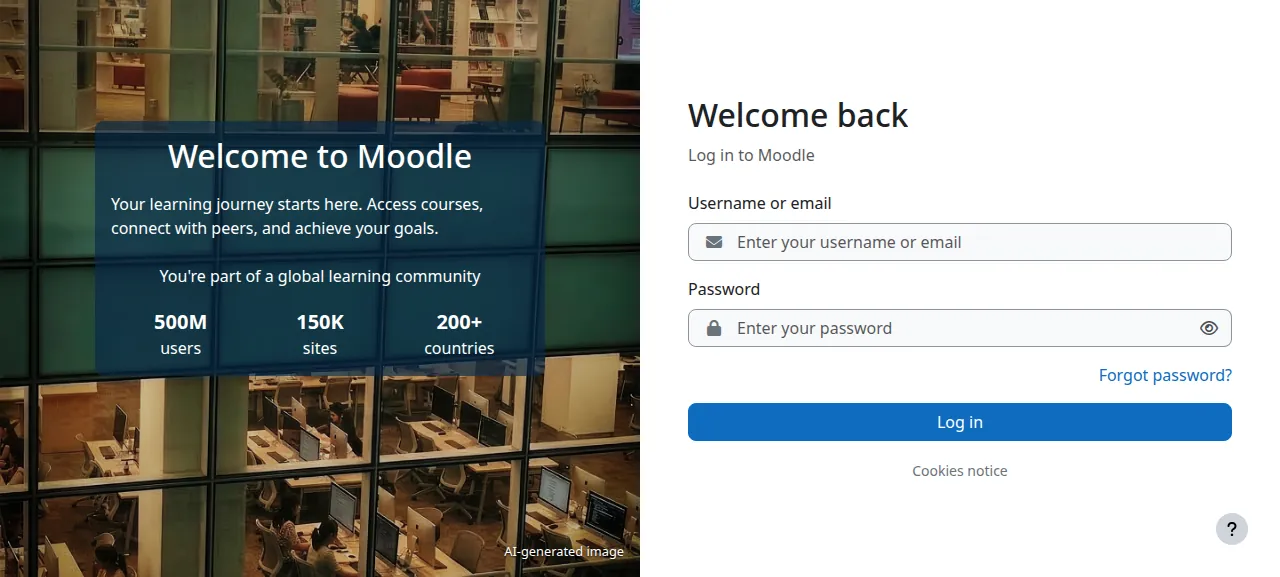
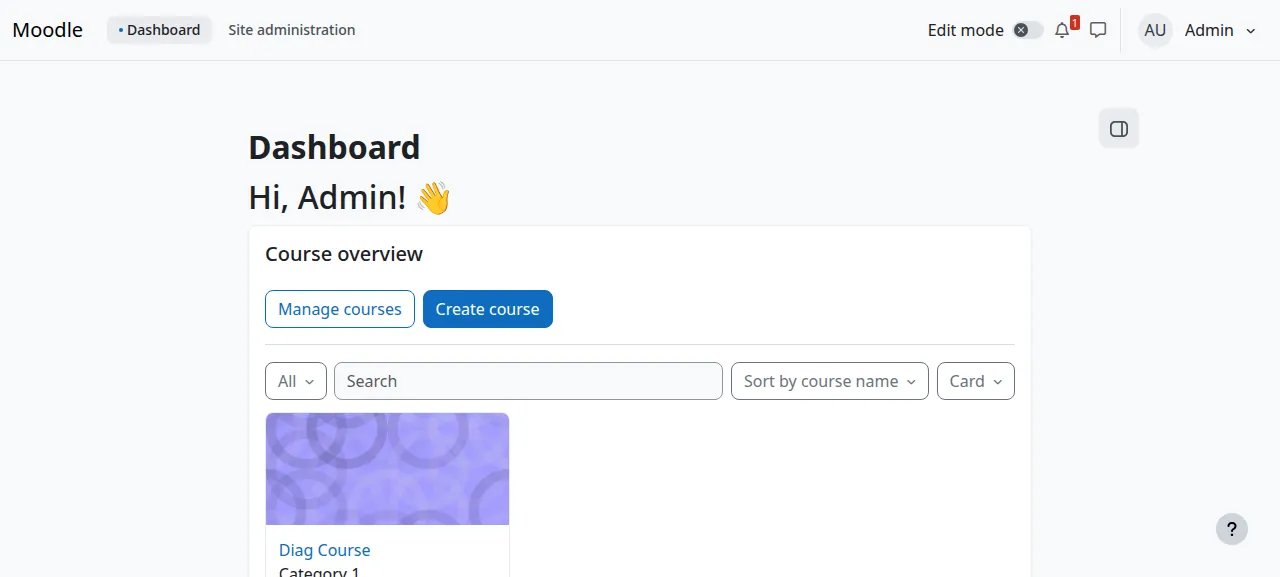
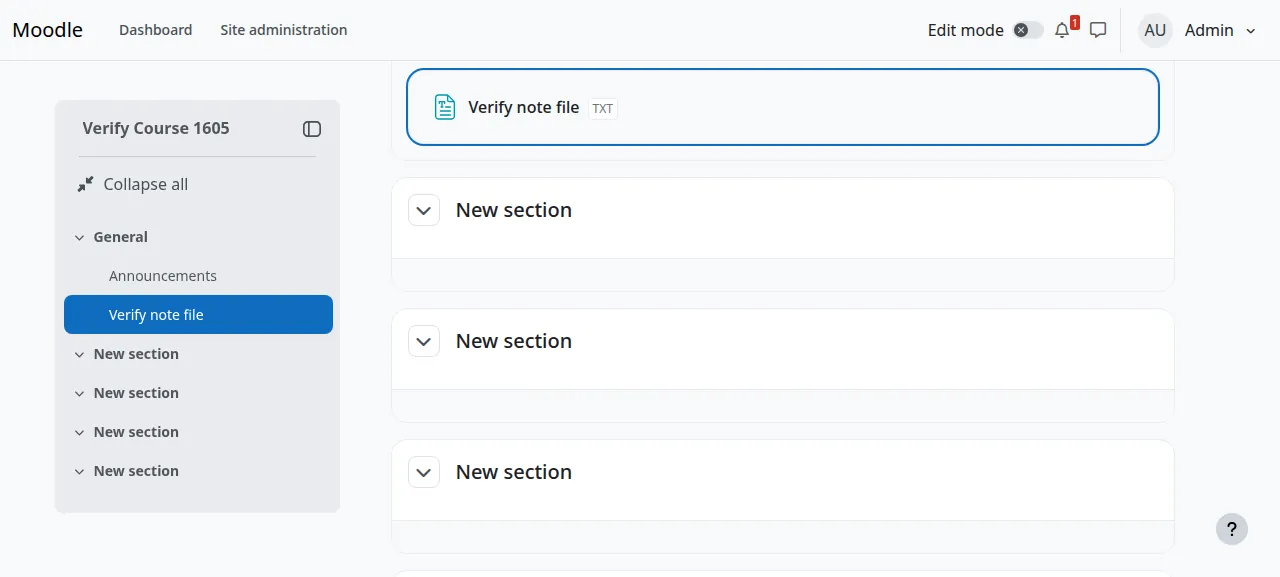
When the deploy is green, open the address ox shows for the project and go to /login/index.php. Log in with MOODLE_ADMIN_USER and MOODLE_ADMIN_PASSWORD, and the dashboard opens. The test agent then went to Site administration, Courses, Add a new course, gave it names and chose Save and display. It switched Edit mode on, chose Add an activity or resource, picked File, and uploaded a small text file with the picker's Add button. After a reload the course still listed the file, and opening it returned the same text.
The run served Moodle on its preview address only, so a domain of your own was not part of it. The domains page covers how ox adds one.
The ox.toml, line by line
# Moodle 5 on ox: FrankenPHP serves public/ (detected), PostgreSQL holds the
# site, moodledata (uploads, sessions, everything Moodle stores outside its
# web root) is a kept, backed-up folder, and Moodle's cron runs every minute.
# ox sets max_input_vars = 5000 by itself (Moodle's CI does; its installer
# refuses less).
#
# Optional variables: MOODLE_ADMIN_USER (the first admin's login, default
# admin), MOODLE_SITE_NAME (default Moodle), and outgoing mail:
# MOODLE_SMTP_HOST, MOODLE_SMTP_PORT (default 587), MOODLE_SMTP_USER,
# MOODLE_SMTP_PASSWORD, MOODLE_SMTP_SECURE (tls or ssl). Without
# MOODLE_SMTP_HOST, mail is set up in Site administration > Server > Email.

# php-cli runs the installer, upgrades and cron: Moodle's PostgreSQL driver.
packages = ["php-pgsql"]

# The installer's first admin is the only way in, and Moodle sends a user
# with no email to the profile form before any other page.
required_variables = ["MOODLE_ADMIN_PASSWORD", "MOODLE_ADMIN_EMAIL"]

[app]
health = "/login/index.php"

[build]
# config.php is git-ignored upstream, so the build writes it; every value
# comes from ox's variables at run time. Then the detected composer install.
install = '''
cat > config.php <<'PHP'
<?php
unset($CFG);
global $CFG;
$CFG = new stdClass();

$db = parse_url(getenv('DATABASE_URL'));
$CFG->dbtype    = 'pgsql';
$CFG->dblibrary = 'native';
$CFG->dbhost    = $db['host'];
$CFG->dbname    = ltrim($db['path'], '/');
$CFG->dbuser    = rawurldecode($db['user']);
$CFG->dbpass    = rawurldecode($db['pass'] ?? '');
$CFG->prefix    = 'mdl_';
$CFG->dboptions = ['dbpersist' => false, 'dbsocket' => false, 'dbport' => $db['port'] ?? ''];

$CFG->wwwroot  = rtrim(getenv('PUBLIC_URL'), '/');
// ox's proxy ends TLS and calls the app over http on 127.0.0.1.
$CFG->sslproxy = getenv('PUBLIC_SCHEME') === 'https';
// The kept folder (ox.toml [storage]).
$CFG->dataroot = __DIR__ . '/moodledata';
// Caches and temporary files stay out of the backed-up dataroot.
$CFG->cachedir      = getenv('OX_DATA_DIR') . '/moodle-cache/cache';
$CFG->localcachedir = getenv('OX_DATA_DIR') . '/moodle-cache/localcache';
$CFG->tempdir       = getenv('OX_DATA_DIR') . '/moodle-cache/temp';
// The web server, cron and the CLI all run as the project's user.
$CFG->directorypermissions = 0750;

if (getenv('MOODLE_SMTP_HOST')) {
    $CFG->smtphosts = getenv('MOODLE_SMTP_HOST') . ':' . (getenv('MOODLE_SMTP_PORT') ?: '587');
    if (getenv('MOODLE_SMTP_SECURE')) {
        $CFG->smtpsecure = getenv('MOODLE_SMTP_SECURE');
    }
    if (getenv('MOODLE_SMTP_USER')) {
        $CFG->smtpuser = getenv('MOODLE_SMTP_USER');
        $CFG->smtppass = getenv('MOODLE_SMTP_PASSWORD') ?: '';
    }
}

require_once(__DIR__ . '/lib/setup.php');
PHP
composer install --no-dev --no-interaction --prefer-dist --optimize-autoloader
'''
# An empty database is installed with the admin from the variables; a site
# is upgraded. The guard prints its answer, so a database it cannot read
# stops the deploy instead of running the installer again. Caches go on
# every deploy: they hold the previous release's paths.
migrate = '''
state=$(php <<'PHP'
<?php
$c = pg_connect(getenv('DATABASE_URL'));
if (!$c) { exit(1); }
$r = pg_query($c, "SELECT to_regclass('mdl_config') IS NOT NULL");
if (!$r) { exit(1); }
echo pg_fetch_row($r)[0] === 't' ? 'yes' : 'no';
PHP
)
if [ "$state" = no ]; then
  php admin/cli/install_database.php --agree-license \
    --adminuser="${MOODLE_ADMIN_USER:-admin}" --adminpass="$MOODLE_ADMIN_PASSWORD" \
    --adminemail="$MOODLE_ADMIN_EMAIL" \
    --fullname="${MOODLE_SITE_NAME:-Moodle}" --shortname="${MOODLE_SITE_NAME:-Moodle}"
elif [ "$state" = yes ]; then
  php admin/cli/upgrade.php --non-interactive
else
  echo "could not tell whether Moodle is installed: $state" >&2
  exit 1
fi
php admin/cli/purge_caches.php
'''

[cron]
# Moodle's task runner, every minute as its docs ask; each run ends when its
# due tasks are done instead of polling for three minutes.
moodle = { schedule = "* * * * *", run = "php admin/cli/cron.php --keep-alive=0" }

[services]
postgres = {}

[storage]
keep = ["moodledata"]packagesasks Ubuntu forphp-pgsql, the PostgreSQL driver for thephpcommand that runs the installer, the upgrades and the cron job.required_variablesnames the admin password and email. The installer's first admin is the only way in, and Moodle sends a user without an email to the profile form before any other page.ox reviewlists a missing one before the first deploy starts.There is no start command. ox finds
composer.jsonand apublic/folder with anindex.php, and starts FrankenPHP on that folder.healthis the page ox asks for before it moves traffic to a new release.The
installstep writesconfig.php, because Moodle's own.gitignoreleaves it out of the repo. The database comes fromDATABASE_URL, andwwwroot, the one address Moodle serves, fromPUBLIC_URL. ox's proxy ends TLS and calls Moodle over plain http on the same machine, sosslproxyis on whenPUBLIC_SCHEMEis https. Thedatarootis the keptmoodledata. Cache and temp folders go inOX_DATA_DIRinstead, so backups skip them. The SMTP lines run only whenMOODLE_SMTP_HOSTis set. The step ends withcomposer install.migrateasks PostgreSQL whether the tablemdl_configexists. If not, it runsadmin/cli/install_database.phpwith the license accepted, the admin from the variables and the site name. If so, it runsadmin/cli/upgrade.php --non-interactive. Any other answer stops the deploy, so an unreadable database never gets a second install. Caches are cleared on every deploy, since they hold the old release's paths.The
moodlejob under[cron]runsphp admin/cli/cron.php --keep-alive=0every minute, as Moodle's INSTALL.txt asks. With--keep-alive=0each run ends once its due tasks are done.postgres = {}asks ox for a PostgreSQL database for this project and gives the appDATABASE_URL.keep = ["moodledata"]names the folder Moodle writes to: uploads, sessions and the rest of what it stores outside the web root. A PHP app writes only to its data directory, so ox links the folder there, where it survives deploys and goes into backups.
One setting is not in the file. Moodle's installer refuses a max_input_vars below 5000, and its own CI workflow sets 5000. ox reads that from the repo's workflow, and ox check shows it as a php.ini row.
MOODLE_ADMIN_USER
MOODLE_ADMIN_PASSWORD
MOODLE_ADMIN_EMAIL
MOODLE_SMTP_HOST
MOODLE_SMTP_PORT
MOODLE_ADMIN_USER is the first admin's login, admin when left out, and MOODLE_ADMIN_PASSWORD and MOODLE_ADMIN_EMAIL finish that account. The installer reads all three only while the database is empty, so changing one later does not change the admin. MOODLE_SMTP_HOST and MOODLE_SMTP_PORT say where outgoing mail goes, with port 587 when only the host is set. The file also reads MOODLE_SITE_NAME, MOODLE_SMTP_USER, MOODLE_SMTP_PASSWORD and MOODLE_SMTP_SECURE, which the run did not set. ox provides DATABASE_URL, PUBLIC_URL and PUBLIC_SCHEME itself. The variables page explains how values work.
Cron and Moodle's own pages
The test agent read the cron job's log and saw "Cron run completed correctly" after it ran scheduled tasks.
After the first admin login, Moodle may open its site registration form once, since a public site is asked to register with moodle.org. The Skip link under the form goes on. Every deploy clears the caches, so the first page after one takes a few seconds while the theme builds again. Moodle has no sign-up page here: its self-registration setting is empty by default, so you add people under Site administration, Users. The run added none.
Updates and backups
To deploy again, push to your fork or run ox deploy moodle --wait. A redeploy runs migrate, finds the site installed and runs the upgrade script. Moving to a newer Moodle release was not tested. Before each migrate ox dumps PostgreSQL, and the run's redeploy left that dump.
The run's backups held a PostgreSQL dump and a moodledata archive, both daily and from Back up now on the Backups tab. ox backups moodle lists them. Restoring was not tested. The backups page covers keeping copies in an S3 bucket, and the self-hosting page lists more apps.
Frequently asked questions
Do I need Docker to self-host Moodle?
No. Moodle is a PHP app with a database, and ox runs it without containers. FrankenPHP serves the pages, PostgreSQL runs as a system service, and a timer runs the cron. Nothing is pulled as an image. The run built Moodle from a fork of its repo with one added file, and an update is a push.
Which database does Moodle need?
Moodle's sample config lists PostgreSQL, MariaDB, MySQL, Aurora MySQL and SQL Server. The run used PostgreSQL, which ox starts from postgres = {} in ox.toml and hands to config.php as DATABASE_URL. Moodle on MariaDB or MySQL under ox was not tested, so this guide covers PostgreSQL only.
How do I create the first Moodle admin account?
Set MOODLE_ADMIN_PASSWORD and MOODLE_ADMIN_EMAIL, and MOODLE_ADMIN_USER for a login other than admin, before the first deploy. The migrate step finds an empty database and runs Moodle's command-line installer with them. Then log in at /login/index.php. Changing the values later does not change the account.
How do I run Moodle's cron on a VPS?
Moodle asks for its cron to run every minute. In this config a job named moodle under [cron] runs php admin/cli/cron.php with --keep-alive=0 on that schedule, as a timer on the server. The run's test agent read its log and saw "Cron run completed correctly" after the scheduled tasks ran.
How much memory does Moodle use?
The run did not measure memory, so this guide gives no figure. It used the server size shown in the facts above, with Moodle alone on it. ox works on any server from 1 GB up and tells you when memory is why an app stopped.
New to running apps on your own server? How ox self-hosts your apps shows what ox sets up on your server.