How to self-host NetBox without Docker on your own VPS
Run NetBox v4.7.3, the open-source source of truth for network infrastructure, on your own Ubuntu server with ox: Postgres, Redis and a worker.

To self-host NetBox you need an Ubuntu server, a fork of the NetBox repo with an ox.toml and one small settings file added, and seven variables, of which you choose the values of five. In our run the first deploy took about 17 minutes, and ox set up the Postgres and Redis that NetBox needs.
How we tested On Oct 17, 2026, ox deployed NetBox v4.7.3 from commit 3cd2c1d6 on a fresh DigitalOcean server with 8 vCPUs and 16 GB of memory. The run then redeployed it, backed it up and rebooted the server. Then a separate test agent, one that did not write the config, signed in, added a site and saw it listed as Active after a reload, and checked the app's services and its backup.
NetBox is where a network team records what its network is meant to look like: sites, racks, devices, cables, IP addresses, VLANs, circuits and power. Its README calls it a source of truth. NetBox does not talk to network devices itself, and other tools read its data through a REST or GraphQL API. The code is open source under the Apache 2.0 license.
This guide deploys the Community edition, a Django app. Gunicorn answers web requests, an rqworker process runs background jobs, PostgreSQL holds the data, and Redis is the cache and job queue. Here ox builds it on the server and runs each part as a system service.
ox deployed NetBox v4.7.3 (commit 3cd2c1d6) on Oct 17, 2026 on a fresh DigitalOcean server with 8 vCPUs and 16 GB of memory; the first deploy took 17 minutes and a redeploy took 2 minutes.
- First deploy: 17 minutes, from adding the project until the app passed the run's first checks.
- Redeploy of the same commit: 2 minutes, until the app passed the checks again.
- Server: DigitalOcean, 8 vCPUs and 16 GB of memory (
s-8vcpu-16gb), with this app alone on it. Every one of the 85 apps we deployed ran on this one size, so it was not picked for this app. - Memory in use after the reboot: 1598 MB of 15986 MB, for the whole server: Ubuntu, the app, its services, Caddy and the ox agent. On a server with no apps, ox's tests on real servers hold the agent to 40 MB or less and Caddy to 50 MB or less.
- Services ox runs for it:
postgres,redis. - Background processes:
rqworker, each its own systemd unit beside the web process. - Source: github.com/netbox-community/netbox at v4.7.3, commit
3cd2c1d6.
What you need
An Ubuntu LTS server where you can run one command as root. The run used the size in the facts above, with NetBox alone on it.
A GitHub account to fork
netbox-community/netbox, and an ox account, which you open by signing in with GitHub.No outside service. Email, LDAP and single sign-on were not set up, so none was tested.
The steps
Press Add a server in the ox dashboard and run the install command it shows, as root on your server.
Then fork netbox-community/netbox and check out the tag v4.7.3, the release the run deployed. Add the ox.toml shown below at the root, and the settings file under it at netbox/netbox/ox_configuration.py. Commit and push. Next write netbox.env on your laptop with the seven keys listed in the variables section. You choose the secret key, the API token pepper, and the first admin's name, address and password. The other two keys take the values explained there. NetBox's docs ask for at least 50 characters for the key and the pepper, and the run used random values. With the ox CLI signed in, run:
ox new <you>/netbox
ox review netbox --from-file netbox.env --wait
The project takes the repo's name. The review saves the values and starts the first deploy, and --wait prints the run's log until it ends. The quickstart shows the same steps in the browser.
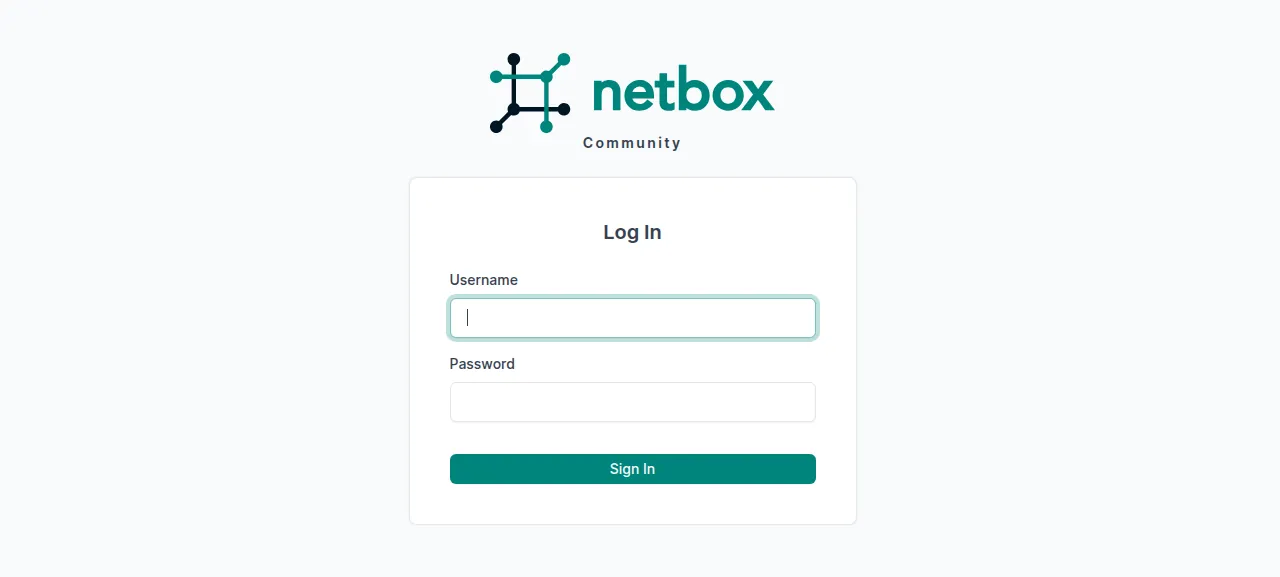
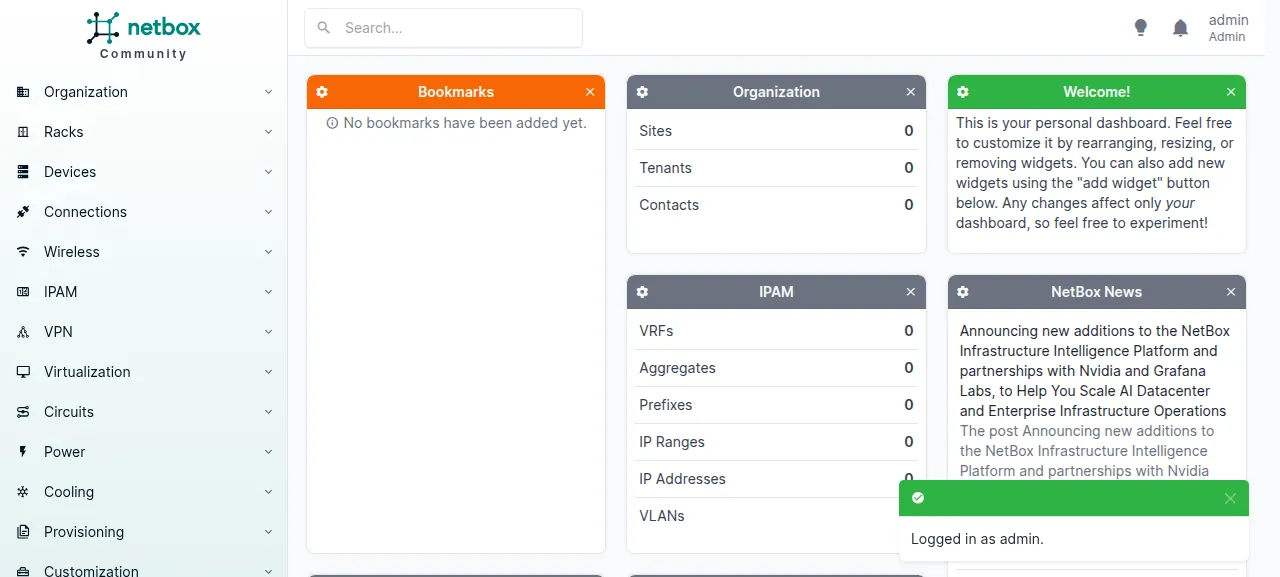
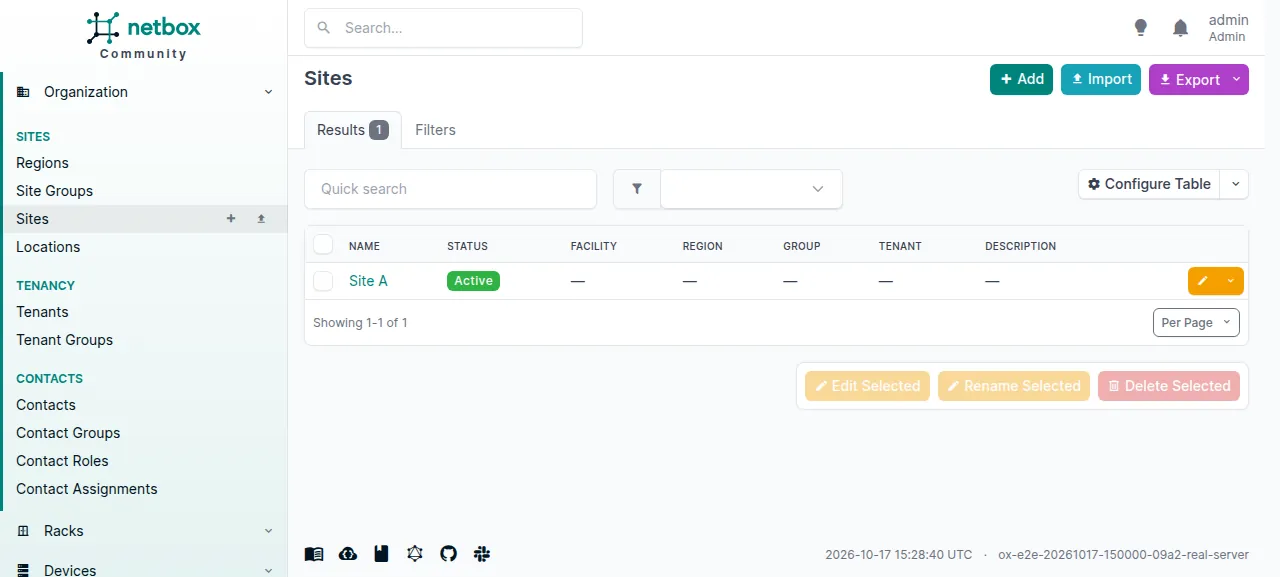
When the deploy is green, open the address ox shows and sign in at /login/. A new install holds no data, so every count on the dashboard is zero. The test agent first tried a wrong password and was refused. Then it signed in, opened Organization and then Sites, pressed Add, and saved a site named Site A with the slug site-a. After a reload the Sites list showed it as Active.
The run served NetBox on its preview address only. A domain of your own was not part of it, and the domains page covers adding one.
The ox.toml, line by line
# NetBox v4.7.3 (Django + postgres + redis, with an RQ worker), run outside
# Docker the way docs/installation names it: gunicorn behind a proxy, and
# `manage.py rqworker` for the background jobs. The Django project sits in
# netbox/, not at the repo root, so the commands say so.

# What the app cannot start or be signed in to without, and no example file
# lists: what configuration_example.py asks a new install to set (the
# overlay's ox_configuration.py reads them, and NETBOX_CONFIGURATION names
# that module), and the first administrator's login.
required_variables = [
  "NETBOX_CONFIGURATION",
  "ALLOWED_HOSTS",
  "SECRET_KEY",
  "API_TOKEN_PEPPER",
  "DJANGO_SUPERUSER_USERNAME",
  "DJANGO_SUPERUSER_EMAIL",
  "DJANGO_SUPERUSER_PASSWORD",
]

[app]
start  = "cd netbox && exec gunicorn --pythonpath . --bind 127.0.0.1:$PORT --workers 3 --threads 3 --timeout 120 netbox.wsgi"
health = "/login/"

[static]
# NetBox has no static file server; collectstatic writes netbox/static.
paths = { "/static" = "netbox/static" }

[build]
# upgrade.sh's file steps: the local documentation the pages' help links
# open (/static/docs), then the static files, which take it in.
commands = [
  "zensical build",
  "cd netbox && python manage.py collectstatic --no-input",
]
# upgrade.sh's database steps (`manage.py upgrade` runs migrate, trace_paths,
# remove_stale_contenttypes, reindex --lazy and clearsessions), its config
# context cache, then the first administrator. NetBox has no sign-up page:
# its docs make the first user with `createsuperuser`, which reads
# DJANGO_SUPERUSER_USERNAME, _EMAIL and _PASSWORD without a prompt. It runs
# only while no superuser exists, and the guard and the command are one
# process, so a failing guard stops the deploy instead of making a second one.
migrate = '''
cd netbox
python manage.py upgrade --no-input --skip-static
python manage.py rebuild_config_context_cache
python manage.py shell -c '
from django.contrib.auth import get_user_model
from django.core.management import call_command
if get_user_model().objects.filter(is_superuser=True).exists():
    print("An administrator exists; none made.")
else:
    call_command("createsuperuser", interactive=False)
'
'''

[workers]
# contrib/netbox-rq.service: the queues in priority order.
rqworker = "cd netbox && exec python manage.py rqworker high default low"

[services]
postgres = {}
redis    = {}

[storage]
# MEDIA_ROOT, SCRIPTS_ROOT and REPORTS_ROOT: uploaded images and
# attachments, and the custom scripts and reports a user uploads.
keep = ["netbox/media", "netbox/scripts", "netbox/reports"]
The config follows NetBox's install pages and its upgrade.sh, without nginx, systemd files or a virtual environment. The Django project lives in the repo's netbox/ folder, so each command begins with cd netbox.
required_variableslists the keys ox asks for before the first deploy. NetBox's install page says a new install must defineALLOWED_HOSTS,API_TOKEN_PEPPERS,DATABASES,REDISandSECRET_KEY. The two services answer the database and Redis. These keys cover the rest.startruns gunicorn on the loopback address and the port ox gives it in$PORT, with Caddy in front.execmakes gunicorn the unit's main process. NetBox'scontrib/gunicorn.pysets 5 workers, 3 threads and a 120 second timeout, and the config runs 3 workers.healthis/login/, which answers without an account. ox moves traffic to a new release once it does.[static]servesnetbox/staticat/static, the job nginx has in NetBox's install pages. The stylesheets and scripts come from there.The build
commandsare two steps ofupgrade.sh.zensical buildrenders NetBox's own documentation, which its help links open under/static/docs.collectstaticthen gathers the static files intonetbox/static, documentation included. ox installsrequirements.txtbefore both.migrateruns on every deploy.manage.py upgradeis NetBox's command for whatupgrade.shdoes after the packages: migrations, a cable path check, removing stale content types, a lazy search reindex, and clearing expired sessions.--skip-staticleaves static files to the build, andrebuild_config_context_cacheis one moreupgrade.shstep.The rest of
migratemakes the first admin. NetBox's install page uses Django'screatesuperuser, which asks questions. Run without prompts, it reads the threeDJANGO_SUPERUSER_variables. A short Python check runs it only while no superuser exists, in the same process, so an error in the check stops the deploy.[workers]runsrqworker high default low, as NetBox'scontrib/netbox-rq.servicedoes, taking its three queues in that order. NetBox's docs say a change queues a search index update, and the worker's log showed a finished Search cache update job.[services]asks for Postgres and Redis.[storage]keepsnetbox/media,netbox/scriptsandnetbox/reportsacross deploys: NetBox'sMEDIA_ROOTfor uploaded images,SCRIPTS_ROOTfor custom scripts andREPORTS_ROOTfor custom reports.
netbox/netbox/ox_configuration.py
# NetBox's configuration, the file docs/installation/3-netbox.md has the
# operator copy from configuration_example.py and edit, reading the
# values from the environment instead. NetBox finds it through
# NETBOX_CONFIGURATION (a variable of the project); the name is not
# configuration.py because NetBox's .gitignore ignores that one.
import os
from urllib.parse import unquote, urlparse

ALLOWED_HOSTS = os.environ["ALLOWED_HOSTS"].split(",")
SECRET_KEY = os.environ["SECRET_KEY"]
API_TOKEN_PEPPERS = {1: os.environ["API_TOKEN_PEPPER"]}

db = urlparse(os.environ["DATABASE_URL"])
DATABASES = {
    "default": {
        "NAME": db.path.lstrip("/"),
        "USER": unquote(db.username),
        "PASSWORD": unquote(db.password),
        "HOST": db.hostname,
        "PORT": db.port or "",
        "CONN_MAX_AGE": 300,
    }
}

redis = urlparse(os.environ["REDIS_URL"])
REDIS = {
    name: {
        "HOST": redis.hostname,
        "PORT": redis.port,
        "PASSWORD": unquote(redis.password or ""),
        "DATABASE": database,
        "SSL": False,
    }
    for name, database in (("tasks", 0), ("caching", 1))
}
This is NetBox's configuration file, which its install page has you copy from configuration_example.py and edit, rewritten to read the environment. It is not named configuration.py because NetBox's .gitignore lists that path, so git would skip it.
NetBox finds it through NETBOX_CONFIGURATION, a dotted module path. The file splits ALLOWED_HOSTS at commas, makes API_TOKEN_PEPPER pepper number 1, and reads the database from DATABASE_URL and Redis from REDIS_URL, both provided by ox. One Redis serves both of the two databases NetBox wants, tasks as 0 and caching as 1.
ALLOWED_HOSTS
SECRET_KEY
API_TOKEN_PEPPER
NETBOX_CONFIGURATION
DJANGO_SUPERUSER_USERNAME
DJANGO_SUPERUSER_EMAIL
DJANGO_SUPERUSER_PASSWORD
ALLOWED_HOSTS is ${PUBLIC_HOST}, a reference ox fills in with the project's host name. Django refuses a request for any other host. NETBOX_CONFIGURATION is netbox.ox_configuration, the file above. SECRET_KEY is a salt for hashing.
API_TOKEN_PEPPER feeds the checksums NetBox keeps of its API tokens, and its docs say to define one before making a v2 token. Making a token was not tested. DJANGO_SUPERUSER_USERNAME, DJANGO_SUPERUSER_EMAIL and DJANGO_SUPERUSER_PASSWORD are the first admin. See variables for how references work.
Postgres and Redis
Postgres is shared with other apps on the server, each with its own database and user. Redis runs only for this project, as its own unit. Look inside Postgres from the Services tab, or with ox explore netbox postgres.
Updates and backups
To move to a new release, merge its tag into your fork and push, or run ox deploy netbox --wait. The migrate step runs manage.py upgrade on every deploy, and ox dumps Postgres before it. NetBox's upgrade page says to read the release notes first. The run redeployed the same commit, so a newer release was not tested.
Backups need no setup. The run's backups held a Postgres dump and a small archive of each kept folder, made with Back up now. They did not include Redis, which NetBox uses as a cache and job queue. ox backups netbox lists them. A restore was not tested. The backups page covers copies in an S3 bucket.
Frequently asked questions
Do I need Docker to self-host NetBox?
No. NetBox's own install pages set it up straight on Ubuntu, with PostgreSQL, Redis, gunicorn and a web server, and its docs mention a community Docker image only as an alternative. ox builds NetBox from your fork and runs it as system services, so there is no image to pull.
How do I create the first NetBox admin?
NetBox has no predefined users and no sign-up page. Set the three DJANGO_SUPERUSER variables before the first deploy. The migrate step runs Django's createsuperuser only while no superuser exists, and you then sign in at /login/ with that name and password.
Which database does NetBox need?
PostgreSQL, plus Redis. NetBox's docs say MySQL and other relational databases are not supported, and Redis holds its cache and its background job queue. With ox, two lines under [services] give the project both, and the settings file reads their addresses from DATABASE_URL and REDIS_URL.
How much memory does self-hosted NetBox use?
On the run's server, the whole machine used the memory shown in the facts after a reboot. That counts gunicorn, the worker, Postgres, Redis, Caddy and the ox agent. ox works from 1 GB up and says so when memory is why an app stopped.
Why does NetBox need an API token pepper?
NetBox hashes its v2 API tokens with a pepper, a long random string. Its docs ask for at least one, numbered from 1, of 50 or more characters, and say to treat it as sensitive. The config reads it from API_TOKEN_PEPPER. Making an API token was not tested.
New to running apps on your own server? How ox self-hosts your apps shows what ox sets up on your server.