How to self-host New API on your own VPS without Docker
Run New API v1.0.0-rc.44, the open-source AI gateway, on an Ubuntu server with ox and no Docker: a Go build, Postgres and Redis, from the config that ran.

To self-host New API you need an Ubuntu server, a fork of the New API repo with two small files added, and ten variables. In our run the first deploy took about 6 minutes, and ox set up the Postgres database and the Redis cache that New API uses.
How we tested On Oct 17, 2026, ox deployed New API v1.0.0-rc.44 from commit 633b4c5b on a fresh DigitalOcean server with 8 vCPUs and 16 GB of memory. The run then redeployed it, backed it up and rebooted the server. Then a separate test agent, one that did not write the config, signed in, created an API key and saw it listed as enabled after a reload, and checked the app's services and its backup.
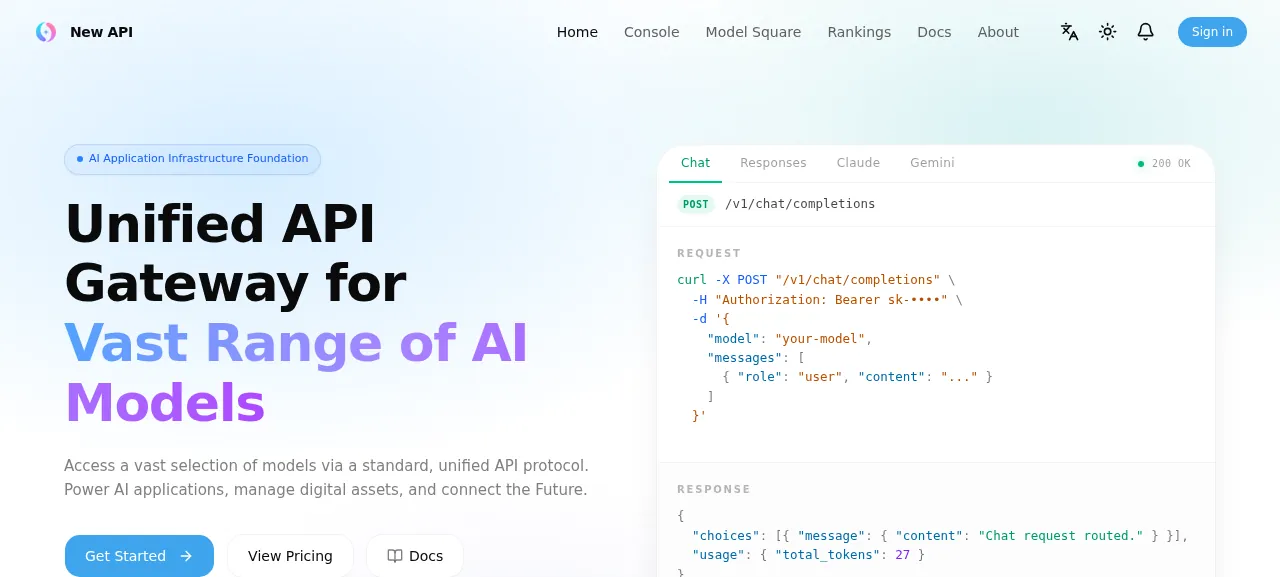
New API is an AI gateway you run yourself. You add the model providers you have accounts with (OpenAI, Anthropic, Google Gemini and others) as channels and create API keys for your apps and teammates. Each caller uses one OpenAI-style API with their own key, and New API routes the call to a channel and records the usage. It is a Go server with a React console that the binary embeds. The license is AGPL-3.0 plus extra terms: a modified version must keep the attribution notice and a visible link to the original project.
ox deployed New API v1.0.0-rc.44 (commit 633b4c5b) on Oct 17, 2026 on a fresh DigitalOcean server with 8 vCPUs and 16 GB of memory; the first deploy took 6 minutes and a redeploy took 76 seconds.
- First deploy: 6 minutes, from adding the project until the app passed the run's first checks.
- Redeploy of the same commit: 76 seconds, until the app passed the checks again.
- Server: DigitalOcean, 8 vCPUs and 16 GB of memory (
s-8vcpu-16gb), with this app alone on it. Every one of the 85 apps we deployed ran on this one size, so it was not picked for this app. - Memory in use after the reboot: 730 MB of 15986 MB, for the whole server: Ubuntu, the app, its services, Caddy and the ox agent. On a server with no apps, ox's tests on real servers hold the agent to 40 MB or less and Caddy to 50 MB or less.
- Services ox runs for it:
postgres,redis. - Source: github.com/QuantumNous/new-api at v1.0.0-rc.44, commit
633b4c5b.
What you need
An Ubuntu LTS server. The run used the size in the facts above.
A GitHub account to fork
QuantumNous/new-api, and an ox account, which you open by signing in with GitHub.A provider key for each channel you add. The run added no channel, so a request to a real model was not tested. New API's README asks you to use only keys you obtained lawfully and to follow each provider's terms.
No mail server. The run set up none, so email was not tested.
The steps
In the ox dashboard press Add a server and copy the install command it prints. Run it as root on the server. It installs the ox agent and Caddy.
Fork QuantumNous/new-api on GitHub and check out the tag v1.0.0-rc.44, the release the run deployed. Put the ox.toml and ox-new-api-admin.mjs shown below at the root of the repo, then commit and push. Write new-api.env, outside the repo, with a value for each of the ten keys in the variables section. With the ox CLI signed in, run:
ox new <you>/new-api
ox review new-api --from-file new-api.env --wait
The review saves your values and starts the first deploy, and --wait prints the run until it ends. The quickstart shows both steps in the browser.
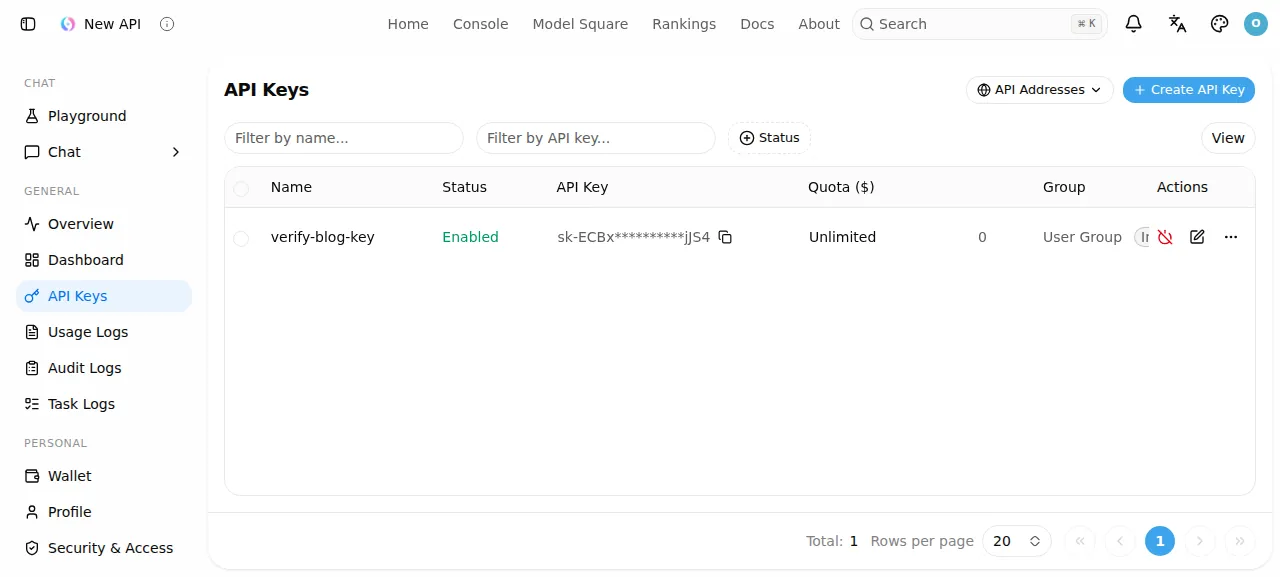
When the deploy is green, open the address ox shows and press Sign in. Use ADMIN_USERNAME and ADMIN_PASSWORD. The test agent typed a wrong password, which New API refused, then signed in and reached the dashboard overview. It then did the app's main job:
Open API Keys in the left sidebar.
Press Create API Key, name the key and save it.
Reload the page. The key is still listed, marked Enabled, its value masked and starting
sk-.
New API's README says a client uses the key by pointing its base URL at the site's /v1 path. A request through the gateway with that key is not part of the proof. The run served New API on its preview address only. A domain of your own was not part of it, and the domains page covers how ox adds one.
The ox.toml, line by line
# New API, built as its Dockerfile builds it: bun builds the React console
# into web/dist (the makefile's build-web), then a static Go build with the
# profile the moejs module ships, which embeds web/dist. It runs as the
# image and new-api.service run it, with PostgreSQL and redis as in
# docker-compose.yml (SQL_DSN and REDIS_CONN_STRING in ox.vars).
# make runs the build-web target.
packages = ["make"]
# The root admin is made from these in migrate, so no first visitor can
# claim the setup wizard. SESSION_SECRET signs sessions (new-api refuses
# its sample value) and CRYPTO_SECRET encrypts stored secrets.
required_variables = ["ADMIN_USERNAME", "ADMIN_PASSWORD", "SESSION_SECRET", "CRYPTO_SECRET"]

[app]
# new-api reads PORT before its --port flag; the compose file's log folder.
start  = "exec .ox/bin/new-api --log-dir logs"
# The compose file's healthcheck.
health = "/api/status"

[build]
commands = [
  "make build-web",
  # The Dockerfile's settings: no workspace, a static binary, its GC.
  "GOWORK=off go mod download",
  "GOWORK=off CGO_ENABLED=0 GOEXPERIMENT=greenteagc go build -pgo=\"$(GOWORK=off go list -m -f '{{.Dir}}' github.com/Calcium-Ion/moejs)/default.pgo\" -ldflags \"-s -w -X 'github.com/QuantumNous/new-api/common.Version=$(cat VERSION)'\" -o .ox/bin/new-api .",
]
# new-api migrates its schema as it boots and makes its first user only
# through its setup wizard's API call: the script boots the new build on a
# loopback port of its own, completes the setup from ADMIN_USERNAME and
# ADMIN_PASSWORD when it is not done yet, and stops it.
migrate = "bun ox-new-api-admin.mjs"

[services]
postgres = {}
redis    = {}

[storage]
# --log-dir: the app's own log files.
keep = ["logs"]

[tools]
# The Dockerfile's bun; web/ has no packageManager pin for detection.
bun = "1.4.0"
New API's Dockerfile builds the console with bun and then compiles the Go binary. This file repeats those two stages on your server.
packagesinstallsmake, which the first build command needs.required_variablesnames the admin's name and password, which the migrate step uses, and the two secrets. The review asks for all four before the first deploy.startruns the binary the build leaves in.ox/bin. New API readsPORTbefore its--portflag, so the line needs no port.--log-dir logsis the flag from the repo's compose file.execlets ox's stop signal reach New API itself.healthis/api/status, the path in the compose file's health check. ox switches traffic once it answers.make build-webinstalls the console's packages with bun and builds it intoweb/dist. The Go program embeds that folder, so the console goes first.The Go commands copy the Dockerfile.
CGO_ENABLED=0makes a static binary, andGOEXPERIMENT=greenteagcpicks the Dockerfile's garbage collector.-pgouses the optimization profile inside themoejsmodule, and-ldflagsstrips symbols and stamps the version from theVERSIONfile.migraterunsox-new-api-admin.mjswith bun, after the build and before traffic switches. ox dumps Postgres first.[services]asks for Postgres and Redis, the pair in the compose file.[storage]keeps thelogsfolder, where--log-dirpoints, across deploys.[tools]pins bun to 1.4.0, the Dockerfile's version. Go is not listed, because ox reads it from thegoline ofgo.mod, which says 1.26.
There are no workers or scheduled jobs: New API runs its periodic tasks inside the one process.
ox-new-api-admin.mjs
// Make New API's root admin from ADMIN_USERNAME and ADMIN_PASSWORD. New API
// makes its first user only through its setup wizard's API call
// (POST /api/setup, controller/setup.go), so this boots the new build on a
// free loopback port of its own, never $PORT (ox's health check would take
// it for the started release), asks whether the setup is done, completes it
// when it is not, and stops the server. Booting it also migrates the schema.
// Safe on every deploy: a done setup is left as it is.
import { spawn } from "node:child_process";
import { mkdtempSync } from "node:fs";
import { createServer } from "node:net";
import { tmpdir } from "node:os";
import { join } from "node:path";

const say = (line) => console.log(`ox-new-api: ${line}`);

function need(key) {
  const value = process.env[key];
  if (!value) throw new Error(`${key} is not set`);
  return value;
}

function freePort() {
  return new Promise((resolve, reject) => {
    const s = createServer();
    s.on("error", reject);
    s.listen(0, "127.0.0.1", () => {
      const { port } = s.address();
      s.close(() => resolve(port));
    });
  });
}

const username = need("ADMIN_USERNAME");
const password = need("ADMIN_PASSWORD");
const port = await freePort();
const base = `http://127.0.0.1:${port}`;
const env = { ...process.env };
delete env.PORT; // new-api reads PORT before --port
const logDir = mkdtempSync(join(tmpdir(), "new-api-logs-"));
const server = spawn(".ox/bin/new-api", ["--port", String(port), "--log-dir", logDir], {
  env,
  stdio: ["ignore", "inherit", "inherit"],
});
let ended = null;
const exited = new Promise((resolve) => {
  server.on("exit", (code, signal) => {
    ended = signal ?? code;
    resolve();
  });
});

async function waitReady() {
  const deadline = Date.now() + 300_000;
  while (Date.now() < deadline) {
    if (ended !== null) throw new Error(`new-api ended (${ended}) before it answered /api/status`);
    try {
      const body = await (await fetch(`${base}/api/status`)).json();
      if (body?.success === true) return;
    } catch {
      // not listening yet
    }
    await new Promise((r) => setTimeout(r, 1000));
  }
  throw new Error("new-api did not answer /api/status within 300 s");
}

async function stop() {
  if (ended !== null) return;
  server.kill("SIGTERM");
  const timer = setTimeout(() => server.kill("SIGKILL"), 30_000);
  await exited;
  clearTimeout(timer);
}

async function setup() {
  await waitReady();
  const state = await (await fetch(`${base}/api/setup`)).json();
  if (state?.success !== true || typeof state?.data?.status !== "boolean") {
    throw new Error(`GET /api/setup answered ${JSON.stringify(state)}`);
  }
  if (state.data.status) {
    say("setup already done, the admin is kept");
    return;
  }
  const res = await fetch(`${base}/api/setup`, {
    method: "POST",
    headers: { "Content-Type": "application/json" },
    body: JSON.stringify({
      username,
      password,
      confirmPassword: password,
      // The wizard's default usage mode.
      SelfUseModeEnabled: false,
      DemoSiteEnabled: false,
    }),
  });
  const body = await res.json();
  if (body?.success !== true) throw new Error(`POST /api/setup answered ${res.status}: ${body?.message}`);
  say(`made the root admin ${username}`);
}

try {
  await setup();
} catch (err) {
  console.error(`ox-new-api: ${err.message}`);
  await stop();
  process.exit(1);
}
await stop();
if (ended !== 0 && ended !== "SIGTERM") {
  console.error(`ox-new-api: new-api ended with ${ended} after the setup`);
  process.exit(1);
}
On a fresh database, New API shows a setup wizard to whoever opens the site first, and that visitor makes the root account. This file closes that gap. It boots the new build on a free loopback port of its own, never $PORT, which ox's health check would take for the live release. It asks whether setup is done, completes the wizard with your admin name and password if not, and stops the server. Booting also migrates the schema. A finished setup is left alone, so the file is safe on every deploy. If New API refuses the request, the file exits with an error and the deploy stops.
ADMIN_USERNAME
ADMIN_PASSWORD
SQL_DSN
REDIS_CONN_STRING
SESSION_SECRET
CRYPTO_SECRET
ERROR_LOG_ENABLED
BATCH_UPDATE_ENABLED
NODE_NAME
TRUSTED_PROXIESADMIN_USERNAMEandADMIN_PASSWORDmake the root account. New API's setup takes a username of up to 12 characters and a password of 8 to 128.SQL_DSNis the main database address, and New API uses a SQLite file when it is unset. The run set it to${DATABASE_URL}, the address of the Postgres ox set up, andREDIS_CONN_STRINGto${REDIS_URL}. See variables for how references work.SESSION_SECRETsigns logins. Unset, New API makes a random one at every start and signs everyone out, and it refuses its sample valuerandom_string. Changing it also signs everyone out.CRYPTO_SECRETdefaults to the session secret. The run set both to random values, and New API's README generates one withopenssl rand -hex 32.ERROR_LOG_ENABLEDlogs a relayed request that ends in an error,BATCH_UPDATE_ENABLEDwrites quota and usage updates to the database in batches, every 5 seconds by default, andNODE_NAMEnames this server in audit logs. The compose file sets the first two totrue.TRUSTED_PROXIESlists the proxies whose client addresses New API believes. Unset, it trusts loopback and private ranges and logs a warning. The run listed the loopback address, where Caddy runs.
New API's README also tells an HTTPS console to set SESSION_COOKIE_SECURE and SESSION_COOKIE_TRUSTED_URL. The run set neither, and that mode was not tested.
Postgres and Redis
New API gets its own database and user on the server's Postgres, and a Redis that runs only for this project. Browse them in the Services tab.
Updates and backups
New API's README advises reading a release's upgrade notes and backing up first. To move to a newer tag, merge it into your fork and push, or run ox deploy new-api --wait. ox builds the new release beside the running one, runs the migrate step and switches once /api/status answers.
The run's manual backup, the kind Back up now makes on the Backups tab, held a Postgres dump and an archive of the logs folder, and the daily backups also covered Redis. Run ox backups new-api to list them. A restore was not tested. The backups page covers copies in an S3 bucket, and self-hosting with ox lists more apps.
Frequently asked questions
Do I need Docker to self-host New API?
No. New API's README leads with docker run and Docker Compose, but the app is one Go binary with its console inside. ox builds it from your fork on the server, runs it as a system service beside Postgres and Redis, and updates it when you push or run one deploy command.
Which database does New API need?
New API runs on SQLite until you set SQL_DSN, and it also supports MySQL 5.7.8 or newer and PostgreSQL 9.6 or newer. Redis is optional. This setup follows the compose file with Postgres and Redis, both made by ox for the project, and the run's backups covered both.
How do I create the first New API admin account?
Set ADMIN_USERNAME and ADMIN_PASSWORD before the first deploy. The migrate step runs ox-new-api-admin.mjs, which completes New API's setup wizard with them, so no visitor can claim the site first. The username can be up to 12 characters, and the password 8 to 128.
How much memory does self-hosted New API use?
After the run's reboot, the whole server used the memory in the facts above, with New API, Postgres, Redis, Caddy and the ox agent on it. That figure is what this run used. The builds run on the server too. ox takes any server from 1 GB up, and says so when memory is why an app stopped.
New to running apps on your own server? How ox self-hosts your apps shows what ox sets up on your server.