How to self-host NodeBB on your own VPS without Docker
Run NodeBB v4.16.2 on your own Ubuntu server with ox: Node 24 and Postgres, with the first admin made at deploy. The config that ran is below.

To self-host NodeBB you need an Ubuntu server, a fork of the NodeBB repo with one ox.toml file added, and five variables. In our run the first deploy took about 5 minutes, and ox set up Postgres for the forum.
How we tested On Oct 17, 2026, ox deployed NodeBB v4.16.2 from commit 66c3f49a on a fresh DigitalOcean server with 8 vCPUs and 16 GB of memory. The run then redeployed it, backed it up and rebooted the server. Then a separate test agent, one that did not write the config, signed in, posted a new topic and saw it first in its category after a reload, and checked the app's services and its backup.
NodeBB is open-source forum software. It has categories, topics and replies, local user accounts and live updates over web sockets, and plugins add the rest. It is a Node.js app under the GPL v3 that stores its data in Redis, MongoDB or PostgreSQL. The run used PostgreSQL.
ox deployed NodeBB v4.16.2 (commit 66c3f49a) on Oct 17, 2026 on a fresh DigitalOcean server with 8 vCPUs and 16 GB of memory; the first deploy took 5 minutes and a redeploy took 3 minutes.
- First deploy: 5 minutes, from adding the project until the app passed the run's first checks.
- Redeploy of the same commit: 3 minutes, until the app passed the checks again.
- Server: DigitalOcean, 8 vCPUs and 16 GB of memory (
s-8vcpu-16gb), with this app alone on it. Every one of the 85 apps we deployed ran on this one size, so it was not picked for this app. - Memory in use after the reboot: 2121 MB of 15986 MB, for the whole server: Ubuntu, the app and its staging copy, its services, Caddy and the ox agent. On a server with no apps, ox's tests on real servers hold the agent to 40 MB or less and Caddy to 50 MB or less.
- Services ox runs for it:
postgres. - Source: github.com/NodeBB/NodeBB at v4.16.2, commit
66c3f49a.
What you need
An Ubuntu LTS server. The run used the size in the facts above. NodeBB 4 needs Node.js 22 or newer, and the config below asks ox for Node 24, so there is nothing to install by hand.
A GitHub account to fork
NodeBB/NodeBB, and an ox account, which you open by signing in with GitHub.A username, an email address and a password for the first admin. NodeBB sends mail through sendmail, or through SMTP once you turn that on under Settings, Email in its admin panel. The run set up neither, so email was not tested.
The steps
In the ox dashboard, press Add a server. It shows one install command with a fresh token in it. Run it as root on the server, and the server shows up in your account.
Fork NodeBB/NodeBB on GitHub and check out the tag v4.16.2, the release the run deployed. Add the ox.toml shown below at the root of the fork, then commit and push. NodeBB needs no other added file. On your laptop, write nodebb.env with one KEY=value line for each of the five keys in the variables list, and make NODEBB_SECRET a long random string. With the ox CLI signed in, run:
ox new <you>/NodeBB
ox review nodebb --from-file nodebb.env --wait
ox lowercases the repo name, so the project is nodebb. The review saves your values and starts the first deploy, and --wait prints the run until it ends. The console's New project and review screen do the same (see the quickstart).
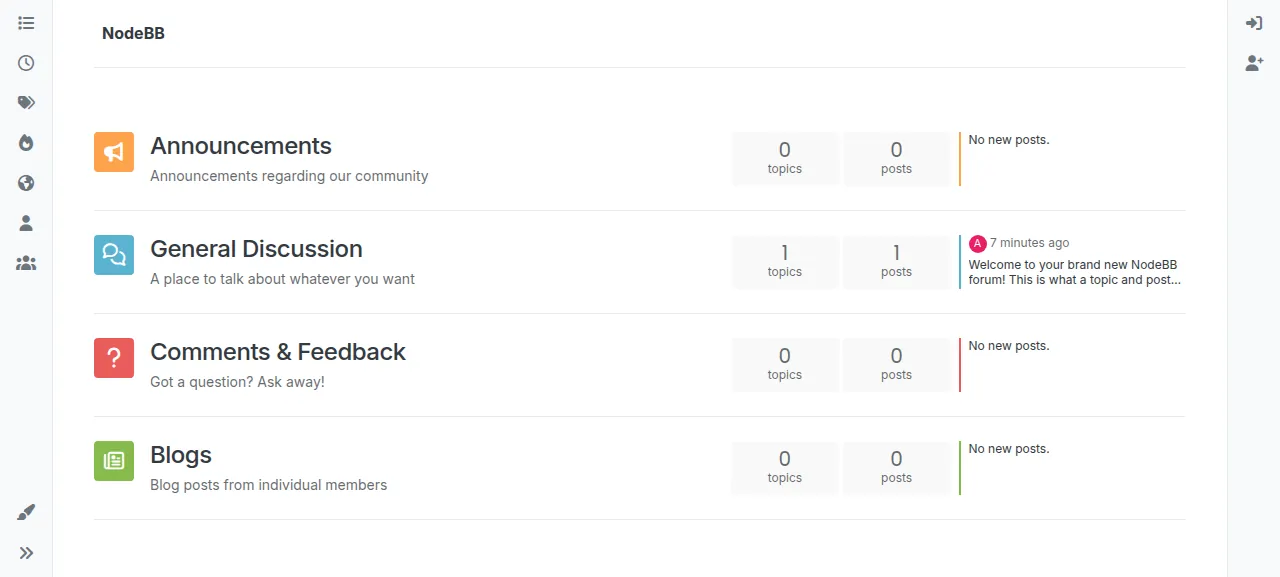
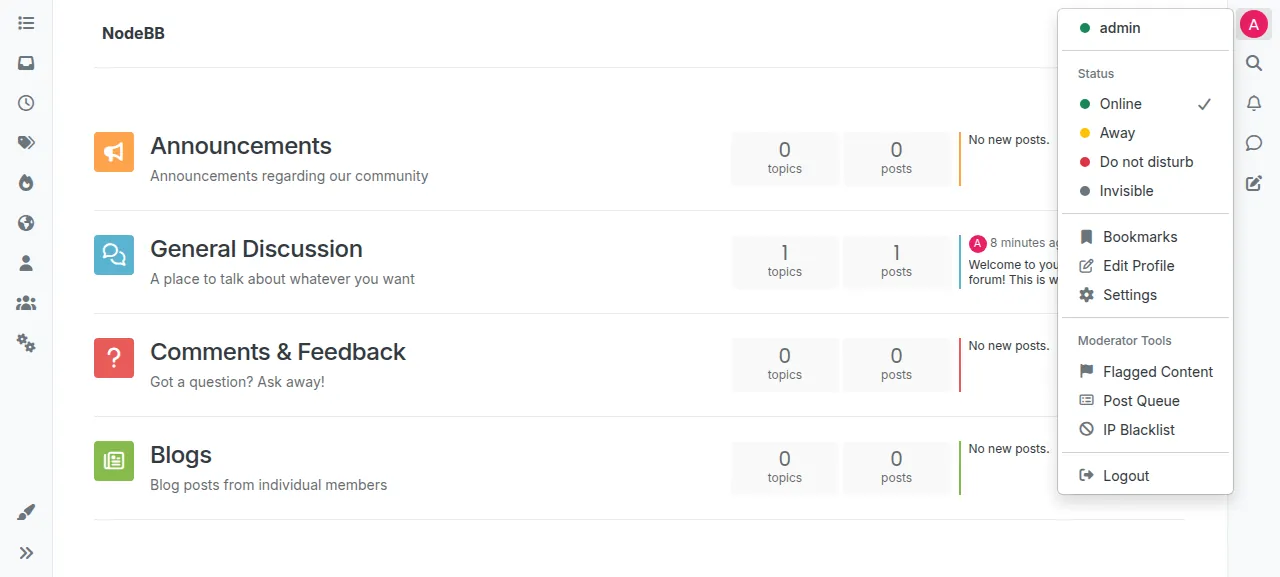
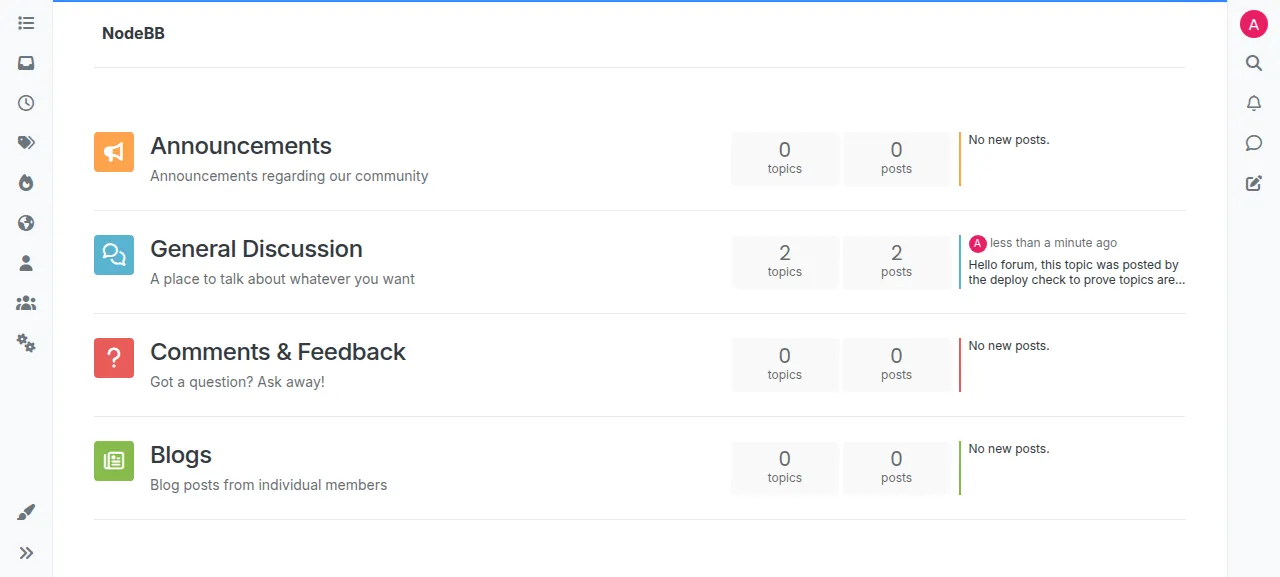
When the deploy is green, open the address ox shows for the project and go to /login. The test agent first typed a wrong password, and NodeBB answered "Login Unsuccessful". With the admin's own password it landed on the home page, signed in. A new forum holds four categories and a welcome topic. The agent opened General Discussion, pressed New Topic, wrote a title and a short message, and posted it. After a reload it stood first in its category and was the latest post on the home page.
The run served the forum on ox's preview address, so a domain of your own was not part of it. The domains page says how ox adds one.
The ox.toml, line by line
# NodeBB on ox, following the repo's Dockerfile and install/docker/entrypoint.sh:
# install/package.json is copied to the root and installed without dev
# packages, the forum is set up once (first admin from NODEBB_ADMIN_*), and
# every later deploy runs the schema upgrade and rebuilds the assets.

# `nodebb setup` reads the admin from NODEBB_ADMIN_* and quietly exits 0
# without setting up when one is missing (src/install.js checkSetupFlagEnv).
required_variables = ["NODEBB_SECRET", "NODEBB_ADMIN_USERNAME", "NODEBB_ADMIN_PASSWORD", "NODEBB_ADMIN_EMAIL"]

[app]
# As the Docker image: the loader in the foreground (no pid file), so the
# admin panel's "restart" and "rebuild & restart" re-fork app.js. It reads PORT.
start  = "exec node loader.js --no-daemon --no-silent"
health = "/api/config"
# NodeBB expects a writable app folder (its Docker image mounts build/ and
# node_modules as volumes): the emoji plugin rebuilds its tables inside
# node_modules at every start, and the admin panel installs plugins there.
sandbox = "relaxed"

[build]
install  = "cp install/package.json package.json && npm install --omit=dev"
# config.json is gitignored: write it from ox's variables. trust_proxy lets
# NodeBB see the https of ox's proxy, so its session cookie (Secure on an
# https url) is set and a sign-in passes the CSRF check; without it every
# POST answers 403. `nodebb setup` later merges its own keys into this file.
commands = [
  '''node -e '
const need = (k) => { const v = process.env[k]; if (!v) throw new Error(k + " is not set"); return v; };
const db = new URL(need("DATABASE_URL"));
const conf = {
  url: need("PUBLIC_URL").replace(/\/$/, ""),
  secret: need("NODEBB_SECRET"),
  database: "postgres",
  postgres: {
    host: db.hostname,
    port: db.port || "5432",
    username: decodeURIComponent(db.username),
    password: decodeURIComponent(db.password),
    database: decodeURIComponent(db.pathname.slice(1)),
  },
  bind_address: need("HOST"),
  trust_proxy: "loopback",
};
require("fs").writeFileSync("config.json", JSON.stringify(conf, null, 4), { mode: 0o600 });
' ''',
]
# First deploy: `nodebb setup` (tables, defaults, admin, asset build). It ends
# by recording every upgrade script in the schemaLog sorted set, so a non-empty
# schemaLog means a finished setup. Later deploys: what the entrypoint runs on
# an update, the schema upgrade and the asset build.
migrate = '''
state=$(node -e '
const { Client } = require("pg");
(async () => {
  const c = new Client({ connectionString: process.env.DATABASE_URL });
  await c.connect();
  let n = 0;
  const t = await c.query("SELECT to_regclass($1) IS NOT NULL AS ok", ["legacy_zset"]);
  if (t.rows[0].ok) {
    const r = await c.query("SELECT count(*)::int AS n FROM legacy_zset WHERE _key = $1", ["schemaLog"]);
    n = r.rows[0].n;
  }
  await c.end();
  console.log(n > 0 ? "yes" : "no");
})().catch((e) => { console.error(e); process.exit(1); });
')
echo "nodebb set up already: $state"
case "$state" in
  no) ./nodebb setup ;;
  yes) ./nodebb upgrade --schema --build ;;
  *) echo "unexpected answer from the setup check: $state" >&2; exit 1 ;;
esac
'''

[tools]
# ox finds no node here (no root package.json); NodeBB 4 needs 22 or newer.
node = "24"

[storage]
keep = ["public/uploads"]

[services]
postgres = {}
This config repeats the steps of NodeBB's Dockerfile and entrypoint.sh without the image.
required_variableslists the secret and the three admin values.nodebb setupreads the admin fromNODEBB_ADMIN_USERNAME,NODEBB_ADMIN_PASSWORDandNODEBB_ADMIN_EMAIL. When one is missing it prints an error and exits with code 0, as if it had worked, so ox asks for all of them before the first deploy.startrunsloader.js, the program NodeBB's own./nodebb startlaunches.--no-daemonkeeps it in the foreground with no pid file, and--no-silentsends its output to the console instead oflogs/output.log. It listens on thePORTox sets.healthis/api/config, a JSON route of NodeBB's. ox switches to a new release only once it answers.sandbox = "relaxed"lets the app write anywhere in the project's home. NodeBB writes inside its own folder: its Dockerfile listsnode_modules,buildandpublic/uploadsas volumes.[tools]asks for Node 24. The repo keeps its package list ininstall/package.json, not at the root, so ox detects no Node version, and that file'senginesfield says 22 or newer.installthen does what the Dockerfile does: copy that file to the root and runnpm install --omit=dev.The build
commandshold one short Node script. NodeBB readsconfig.json, which Git ignores, so the script writes it from ox's variables: the address fromPUBLIC_URL, the secret,postgresas the database with its host, port, user, password and name taken fromDATABASE_URL, andbind_addressfromHOST. The script also setstrust_proxytoloopback. NodeBB marks its session cookie Secure when the address is https, and behind a proxy it believes the request was https only if it trusts the proxy's headers. Withouttrust_proxy, sign-in would not hold a session behind ox's proxy. Loopback trusts only a proxy on the same machine.migrateasks Postgres whether NodeBB'sschemaLoglist has rows. NodeBB fills that list at the end ofsetup, so an empty one means a first deploy. That deploy runs./nodebb setup, which makes the tables, the four categories, the welcome topic and the admin, and builds the assets. Later deploys run./nodebb upgrade --schema --build, which updates the schema and rebuilds the assets. Any other answer stops the deploy.[storage]keepspublic/uploads, the folder for uploaded files, across deploys.[services]asks for Postgres. ox makes a database and a role for the project and fills inDATABASE_URL.
There are no workers or cron jobs. The test agent found NodeBB runs its jobs inside the app process.
NODEBB_SECRET
NODEBB_ADMIN_USERNAME
NODEBB_ADMIN_PASSWORD
NODEBB_ADMIN_EMAIL
NODE_ENVNODEBB_SECRETbecomes thesecretinconfig.json. NodeBB signs session cookies and the tokens in its emails with it, so choose it once and keep it.NODEBB_ADMIN_USERNAME,NODEBB_ADMIN_PASSWORDandNODEBB_ADMIN_EMAILmake the first admin. Only the first deploy runssetup, so editing them afterwards changes nothing.NODE_ENVis the mode NodeBB runs in. Useproduction, the value its Dockerfile sets.app.jsalso treats an empty value asproduction, and any other value turns on verbose logging.
The address, the database and the bind address come from ox's own variables, so none is in your list. Variables explains them.
Postgres, and what else runs
Postgres is one instance shared by the projects on the server, and NodeBB gets its own database and role in it. NodeBB keeps everything there, in tables whose names start with legacy_, and its sessions too. The run used no Redis.
The run also deployed a staging copy beside production, and the memory figure above counts both. After the reboot the test agent found production, staging and Postgres active with no restarts, and still active minutes later.
Updates and backups
To move to a newer release, merge its tag into your fork and push, or run ox deploy nodebb --wait. ox builds the release beside the running one, runs migrate, and switches when /api/config answers. It dumps Postgres before each migrate. The run's redeploy used the same commit, so a move to a newer NodeBB version was not tested. NodeBB's own upgrade instructions cover its side of an update.
Backups need no setup. The run's list held a Postgres dump, a compressed archive of public/uploads, and two dumps ox took before a migrate. The dump and the archive came from Back up now. ox backups nodebb lists them, and the Backups tab shows the same list. The backups page says every entry is also backed up daily. A restore was not tested.
Frequently asked questions
Do I need Docker to self-host NodeBB?
No. NodeBB ships a Dockerfile and compose files, and its README lists Docker as optional. ox skips the image. It installs the packages with npm, builds the assets on your server, and runs NodeBB as a system service beside Postgres. An update is a push to your fork or one deploy command.
Which database does NodeBB need?
NodeBB supports Redis, MongoDB and PostgreSQL. The run used PostgreSQL: the config asks ox for a Postgres service, and the build writes its connection into config.json. Redis and MongoDB were not tested. Per its README, NodeBB needs Redis when you cluster several processes.
How do I make the first NodeBB admin account?
Put the username, email and password in the three NODEBB_ADMIN_* variables before the first deploy. The migrate step runs nodebb setup, which creates that user, and you sign in at /login. It runs once, so later edits to the variables change nothing. Confirmation mail was not tested.
How much memory does NodeBB use?
On the run's server, the whole machine used the memory the facts show after a reboot, counting NodeBB, its staging copy, Postgres, Caddy and the ox agent. The deploy also runs npm and the asset build on the server. ox takes any server from 1 GB up, and says so when memory is why an app stopped.
New to running apps on your own server? How ox self-hosts your apps shows what ox sets up on your server.