How to self-host nopCommerce online store on your own VPS
Run nopCommerce 4.90.8 on your own Ubuntu server with ox: a .NET 9 build, PostgreSQL, a scripted first install and three variables, from the real config.

To self-host nopCommerce you need an Ubuntu server, a fork of the nopCommerce repo with an ox.toml and two small scripts added, and three variables: a database connection and the first admin's e-mail and password. In our run the first deploy took about 6 minutes, which covers building the whole .NET solution on the server and installing the store, and ox set up PostgreSQL for it.
How we tested On Oct 17, 2026, ox deployed nopCommerce 4.90.8 from commit 91844477 on a fresh DigitalOcean server with 8 vCPUs and 16 GB of memory. The run then redeployed it, backed it up and rebooted the server. Then a separate test agent, one that did not write the config, signed in, added a product in the admin and found it on the storefront with its price, and checked the app's services and its backup.
nopCommerce is a free, open-source online shop. Shoppers use a storefront, and the shop owner manages products, orders and settings in an administration area at /admin. It runs on .NET 9 and supports SQL Server, PostgreSQL and MySQL. The license is the GNU AGPL v3 plus a "powered by nopCommerce" text on every page.
ox deployed nopCommerce 4.90.8 (commit 91844477) on Oct 17, 2026 on a fresh DigitalOcean server with 8 vCPUs and 16 GB of memory; the first deploy took 6 minutes and a redeploy took 4 minutes.
- First deploy: 6 minutes, from adding the project until the app passed the run's first checks.
- Redeploy of the same commit: 4 minutes, until the app passed the checks again.
- Server: DigitalOcean, 8 vCPUs and 16 GB of memory (
s-8vcpu-16gb), with this app alone on it. Every one of the 85 apps we deployed ran on this one size, so it was not picked for this app. - Memory in use after the reboot: 1091 MB of 15986 MB, for the whole server: Ubuntu, the app, its services, Caddy and the ox agent. On a server with no apps, ox's tests on real servers hold the agent to 40 MB or less and Caddy to 50 MB or less.
- Services ox runs for it:
postgres. - Source: github.com/nopSolutions/nopCommerce at 4.90.8, commit
91844477.
What you need
An Ubuntu LTS server. The facts above give the size the run used and the memory it measured after a reboot.
A GitHub account to fork
nopSolutions/nopCommerce, and an ox account, which you open by signing in with GitHub.An e-mail address and a password for the first admin. Store mail, such as an order confirmation, needs an e-mail account under Configuration, Email accounts in the admin. The run set none up, so mail was not tested.
The steps
In the ox dashboard, press Add a server and run the install command it shows, as root, on the server. It puts only the ox agent and Caddy on the host.
Fork nopSolutions/nopCommerce and make the commit in the box above, 91844477, the tip of your fork's default branch. A newer commit was not tested. Add the three files shown below: ox.toml at the root, and install.sh and serve.sh in a new deploy/ox folder. Commit and push. Then write nopcommerce.env with the three values from the variables section, using a long random password. With the ox CLI signed in, run:
ox new <you>/nopCommerce
ox review nopcommerce --from-file nopcommerce.env --wait
ox names the project after the repo, in lower case. The review saves the values and starts the first deploy, and --wait prints the run until it ends. The quickstart shows the browser version.
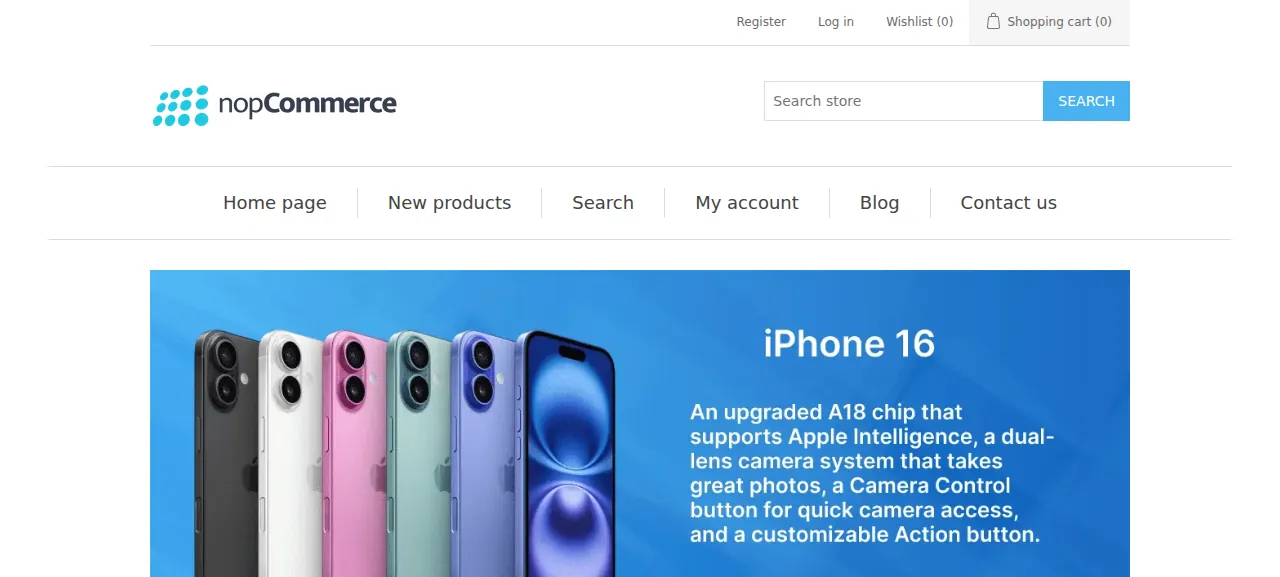
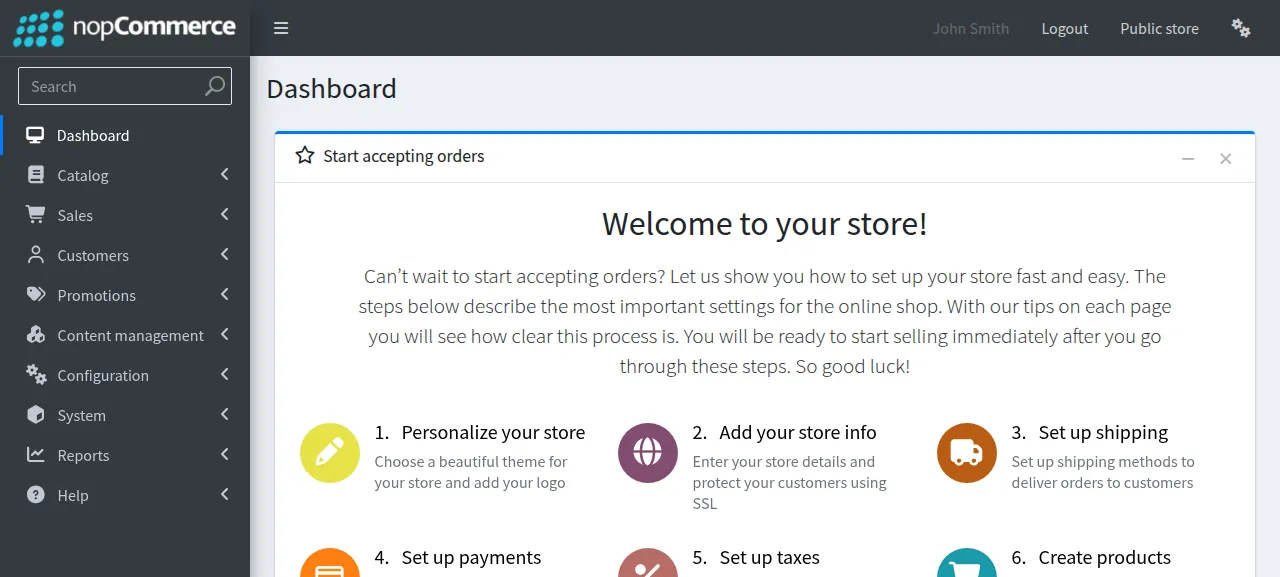
When the deploy is green, ox status nopcommerce shows the project's address. Open it, press Log in, and use the e-mail and password from your env file. The first page after a deploy or reboot takes a few seconds while the .NET app warms up. The test agent checked that a wrong password is refused ("The credentials provided are incorrect") and that the right one reaches the administration dashboard, where nopCommerce shows its first admin as John Smith.
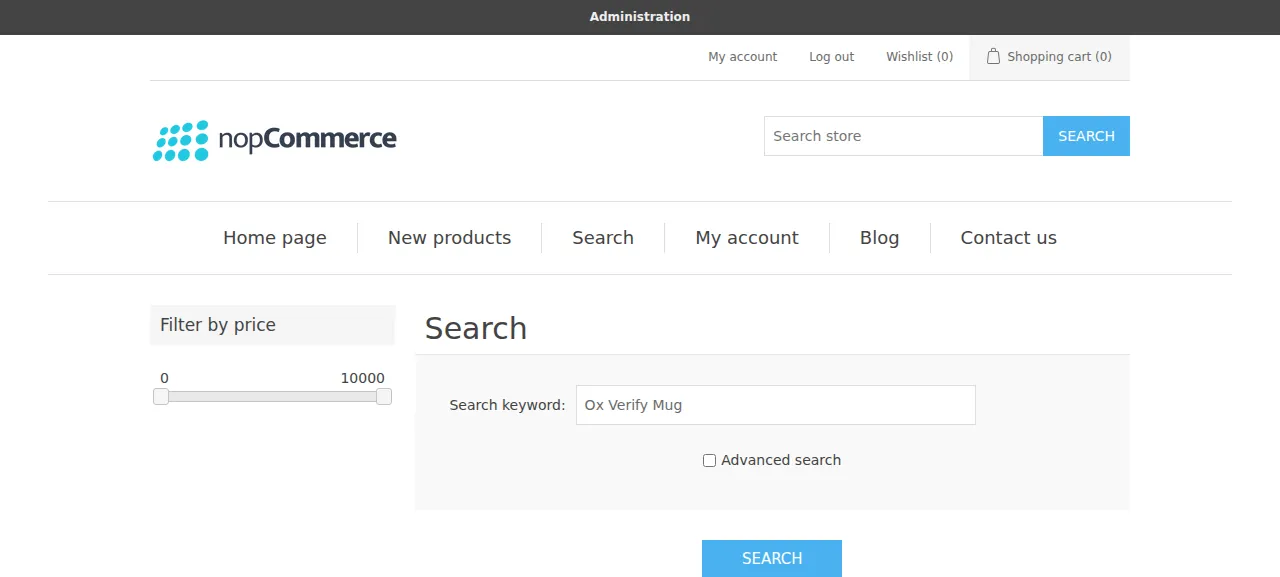
The test agent then did the shop owner's main job: in the admin it opened Catalog, then Products, pressed Add new, gave a product a name and a price of $19.99, and saved. A fresh search on the storefront found it with its price. Checkout, payment and shipping, and shopper accounts were not tested.
The run served the store on its preview address only. A domain of your own was not part of it; the domains page covers adding one.
The ox.toml, line by line
# nopCommerce on ox: the Dockerfile's build (the whole solution, so the
# plugins land in Nop.Web/Plugins, then a publish of Nop.Web) on PostgreSQL.

# ICU because the Dockerfile turns globalization on; libgdiplus as the
# Dockerfile installs it; curl drives the installer in deploy/ox/install.sh.
packages = ["curl", "libicu78", "libgdiplus"]

# deploy/ox/install.sh installs the store from these on the first deploy:
# nopCommerce makes its database schema and first admin only through its
# /install form.
required_variables = ["NOP_CONNECTION_STRING", "NOP_ADMIN_EMAIL", "NOP_ADMIN_PASSWORD"]

[app]
start = "exec bash deploy/ox/serve.sh"

[build]
commands = [
  "cd src && dotnet build NopCommerce.sln --no-incremental -c Release",
  "cd src/Presentation/Nop.Web && dotnet publish Nop.Web.csproj -c Release -o ../../../published",
  "mkdir -p published/logs published/bin",
]
# Installs the store once (the form, then the first start that installs the
# plugins); later deploys find it installed and do nothing, and the store
# applies its own upgrades as it starts.
migrate = "bash deploy/ox/install.sh"

[services]
# The installer fills the existing database, so it skips the CREATE EXTENSION
# its own database creation runs (PostgreSqlDataProvider.CreateDatabase).
postgres = { extensions = ["citext", "pgcrypto"] }

[storage]
# App_Data: appsettings.json (the database the installer chose),
# plugins.json (the installed plugins) and DataProtectionKeys (sign-in
# cookies). The rest: pictures stored on disk, favicons, and export files.
keep = [
  "published/App_Data",
  "published/wwwroot/images",
  "published/wwwroot/icons",
  "published/wwwroot/files",
]

[tools]
dotnet = "9"packagesadds ICU andlibgdiplus, which the Dockerfile installs, andcurlfor the install script.required_variablesnames the three keys the first install needs, because nopCommerce makes its tables and first admin only through the form at/install. A missing key stops the deploy before the build.The build
commandsfollow the Dockerfile: build the whole solution, so the plugins land inNop.Web/Plugins, publish the web project intopublished, and make itslogsandbinfolders.[app] startrunsserve.sh.migraterunsinstall.sh, which installs the store on the first deploy. Later deploys find it installed and do nothing, and nopCommerce applies its own upgrades as it starts.[services]asks for Postgres with thecitextandpgcryptoextensions. nopCommerce makes both when it creates its own database. Here ox makes the database, so ox makes the extensions.[storage] keeplists the folders that outlive a release.App_Dataholdsappsettings.json(the database the installer chose),plugins.json(the installed plugins) and the sign-in cookie keys. The threewwwrootfolders hold pictures stored on disk, favicons and export files.[tools] dotnet = "9"asks for the .NET 9 SDK, which the repo'sglobal.jsonand the Dockerfile both name.
With no health line, the app must answer GET / before traffic switches. There are no workers and no cron jobs: nopCommerce runs its scheduled tasks, such as sending queued e-mail, inside the web process.
deploy/ox/install.sh
#!/usr/bin/env bash
# Installs nopCommerce on the first deploy (ox runs it as [build] migrate).
#
# nopCommerce has no install command: its /install form saves the database to
# App_Data/appsettings.json (kept by [storage]), fills the database and makes
# the first admin, and its next start installs the plugins. Left to a browser,
# the first visitor would choose the database and the admin. So this starts
# the published store on a loopback port before the release goes live and
# posts the form as ox's proxy would send it (the public Host and
# X-Forwarded-Proto): the store saves the address and scheme it was installed
# at and sends every visitor there (serve.sh moves them with later releases).
# Then it starts the store once more, so the plugins are installed before
# ox's health check, and stops it.
set -euo pipefail

settings=published/App_Data/appsettings.json
if [ -f "$settings" ] && grep -Eq '"ConnectionString": *"[^"]+"' "$settings"; then
  echo "nopCommerce is installed (App_Data/appsettings.json names its database): nothing to install"
  exit 0
fi
echo "nopCommerce is not installed (App_Data/appsettings.json names no database): installing it at $PUBLIC_SCHEME://$PUBLIC_HOST"

: "${NOP_CONNECTION_STRING:?set NOP_CONNECTION_STRING}"
: "${NOP_ADMIN_EMAIL:?set NOP_ADMIN_EMAIL}"
: "${NOP_ADMIN_PASSWORD:?set NOP_ADMIN_PASSWORD}"

work=$(mktemp -d)
app=
stop_store() {
  if [ -n "$app" ]; then
    kill "$app" 2>/dev/null || true
    wait "$app" 2>/dev/null || true
    app=
  fi
}
trap 'stop_store; rm -rf "$work"' EXIT

# ask PATH [CURL ARGS...]: a request to the store as ox's proxy sends it.
ask() {
  local path=$1
  shift
  curl -sS -H "Host: $PUBLIC_HOST" -H "X-Forwarded-Proto: $PUBLIC_SCHEME" "$@" "http://127.0.0.1:$port$path"
}

# start_store PATH: starts the store on a free loopback port and waits until
# PATH answers 200. A redirect means the store does not take the request as
# the proxy sent it, so it fails at once with where it pointed.
start_store() {
  local path=$1 code i
  port=
  for _ in $(seq 1 50); do
    i=$((20000 + RANDOM % 40000))
    if ! (exec 3<>"/dev/tcp/127.0.0.1/$i") 2>/dev/null; then
      port=$i
      break
    fi
  done
  [ -n "$port" ] || { echo "no free loopback port to start nopCommerce on" >&2; exit 1; }
  bash deploy/ox/serve.sh "$port" >"$work/app.log" 2>&1 &
  app=$!
  for _ in $(seq 1 900); do
    code=$(ask "$path" -o /dev/null -D "$work/wait.headers" -w '%{http_code}' 2>/dev/null || true)
    case $code in
    200) return 0 ;;
    3*)
      echo "nopCommerce answered $path with $code to $(sed -n 's/^[Ll]ocation: *//p' "$work/wait.headers" | tr -d '\r')" >&2
      exit 1
      ;;
    esac
    if ! kill -0 "$app" 2>/dev/null; then
      echo "nopCommerce stopped before it answered $path; its last lines:" >&2
      tail -n 80 "$work/app.log" >&2
      exit 1
    fi
    sleep 1
  done
  echo "nopCommerce did not answer $path in 15 minutes (last answer: ${code:-none}); its last lines:" >&2
  tail -n 80 "$work/app.log" >&2
  exit 1
}

start_store /install
ask /install -o "$work/form.html" -D "$work/form.headers"
token=$(sed -n 's/.*name="__RequestVerificationToken" type="hidden" value="\([^"]*\)".*/\1/p' "$work/form.html" | head -n 1)
[ -n "$token" ] || { echo "the /install page has no antiforgery token" >&2; exit 1; }
# curl drops a Secure cookie on a plain http address, and the store sets its
# antiforgery cookie Secure for an https request: carry it by hand.
printf 'Cookie: %s\n' "$(sed -n 's/^[Ss]et-[Cc]ookie: *\([^;]*\).*/\1/p' "$work/form.headers" | tr -d '\r' | paste -sd';' -)" >"$work/cookie"
# The password and the connection string go to curl from files, never argv.
printf '%s' "$NOP_ADMIN_PASSWORD" >"$work/password"
printf '%s' "$NOP_CONNECTION_STRING" >"$work/connection"

echo "posting the install form (database schema, required data, admin $NOP_ADMIN_EMAIL)"
code=$(ask /install -o "$work/result.html" -w '%{http_code}' --max-time 3600 -H "@$work/cookie" \
  --data-urlencode "__RequestVerificationToken=$token" \
  --data-urlencode "AdminEmail=$NOP_ADMIN_EMAIL" \
  --data-urlencode "AdminPassword@$work/password" \
  --data-urlencode "ConfirmPassword@$work/password" \
  --data-urlencode "DataProvider=PostgreSQL" \
  --data-urlencode "ConnectionStringRaw=true" \
  --data-urlencode "ConnectionString@$work/connection" \
  --data-urlencode "CreateDatabaseIfNotExists=false" \
  --data-urlencode "InstallSampleData=false" \
  --data-urlencode "SubscribeNewsletters=false" || true)
# A failed install re-renders the form with its errors and clears the saved
# database, so both are checked.
if [ "$code" != 200 ] || grep -q 'validation-summary-errors' "$work/result.html" ||
  ! grep -Eq '"ConnectionString": *"[^"]+"' "$settings"; then
  echo "the install form answered $code and nopCommerce is not installed:" >&2
  sed -n 's/.*<li>\(.*\)<\/li>.*/\1/p' "$work/result.html" >&2
  tail -n 80 "$work/app.log" >&2
  exit 1
fi
stop_store
echo "installed; starting nopCommerce once to install its plugins"
start_store /
stop_store
echo "nopCommerce is installed and answers / at $PUBLIC_SCHEME://$PUBLIC_HOST"
deploy/ox/serve.sh
#!/usr/bin/env bash
# Runs the published store on loopback, on the port given or ox's $PORT.
# ox's proxy on this host ends https and sends X-Forwarded-Proto: nopCommerce
# reads it only with its own HostingConfig.UseProxy, and without it the store
# takes every visit for plain http and sends https visitors to http.
set -euo pipefail
cd "$(dirname "$0")/../../published"

# An installed store keeps its address and SSL switch in the database
# (Store.Url, Store.SslEnabled), and HttpsRequirementAttribute sends any GET
# whose scheme differs to the other one. The installer saves the scheme the
# release had then, and ox's address moves from http to https once the
# certificate exists: so each start points the store at this
# release's PUBLIC_URL (else a redeploy after the certificate
# answers https with a 301 to http). With more than one store the admin
# owns the addresses (Configuration > Stores) and this leaves them alone.
if grep -Eq '"ConnectionString": *"[^"]+"' App_Data/appsettings.json 2>/dev/null; then
  (
    IFS=';' read -ra parts <<<"$NOP_CONNECTION_STRING"
    for kv in "${parts[@]}"; do
      case ${kv%%=*} in
        Host) export PGHOST=${kv#*=} ;;
        Port) export PGPORT=${kv#*=} ;;
        Database) export PGDATABASE=${kv#*=} ;;
        Username) export PGUSER=${kv#*=} ;;
        Password) export PGPASSWORD=${kv#*=} ;;
      esac
    done
    ssl=false
    [ "$PUBLIC_SCHEME" = https ] && ssl=true
    psql -X -v ON_ERROR_STOP=1 -qAt -v url="$PUBLIC_URL/" -v ssl="$ssl" <<'SQL'
UPDATE "Store" SET "Url" = :'url', "SslEnabled" = :'ssl'
 WHERE (SELECT count(*) FROM "Store") = 1
RETURNING 'nopCommerce store address: ' || "Url" || CASE WHEN "SslEnabled" THEN ' (SSL on)' ELSE ' (SSL off)' END;
SQL
  )
fi

export HostingConfig__UseProxy=true HostingConfig__KnownProxies=127.0.0.1
export ASPNETCORE_URLS="http://127.0.0.1:${1:-$PORT}"
exec dotnet Nop.Web.dll
install.sh does what a person does in the browser, once. It stops if App_Data/appsettings.json already names a database. Otherwise it starts the published store on a free loopback port and posts the install form: admin e-mail and password, PostgreSQL as the provider, the connection string, sample data off. It sends the project's public host and scheme as headers, so the store saves its public address and not the loopback one it was reached on. A failed install fails the deploy with the form's errors. Last, it starts the store once more so the plugins install before ox's health check.
serve.sh is the one start, used by the app and the installer. It listens on loopback on the port ox gives, and turns on nopCommerce's proxy setting, with the loopback address as the known proxy, so the store reads the scheme Caddy forwards. Before each start it runs a short psql update. nopCommerce keeps its address and an SSL switch in its Store table and sends a visitor to the other scheme when it differs. A preview address is https when ox finds its free certificate and http when it does not, so each start sets both from PUBLIC_URL.
NOP_ADMIN_EMAIL
NOP_ADMIN_PASSWORD
NOP_CONNECTION_STRING
NOP_CONNECTION_STRING is a PostgreSQL connection string in the usual Key=value; form. In the run it was Host=${postgres.host};Port=${postgres.port};Database=${postgres.database};Username=${postgres.user};Password=${postgres.password}, where ox fills in each reference from its Postgres. NOP_ADMIN_EMAIL and NOP_ADMIN_PASSWORD are the first admin, used only by the first install. See variables for how references work.
Postgres and a new store
Postgres is shared with other apps on the server, each with its own database and user.
The store starts with no products and no categories, only nopCommerce's default topics, because the install script turns sample data off. A client that names itself curl, or any crawler, counts as a search engine and stays a guest after signing in, so use a browser for the admin. Each visit without a cookie makes a guest customer row, and nopCommerce's own Delete guests task clears them.
Updates and backups
To move to a newer release, put its commit in your fork and push, or run ox deploy nopcommerce --wait. A newer version was not tested. The repo's upgrade notes say upgrades run as migrations on the first start and ask for a backup first, so press Back up now before a new version.
Backups need no setup. The run's backup, made with Back up now, held a Postgres dump and an archive of each kept folder. List them with ox backups nopcommerce. The App_Data archive holds the connection string, so keep a downloaded copy private. A restore was not tested. The backups page covers copies in an S3 bucket.
Frequently asked questions
Do I need Docker to self-host nopCommerce?
No. The repository ships a Dockerfile and compose files, and its README says Docker works out of the box, but the store is an ordinary .NET 9 program. ox builds it from your fork on the server and runs it as a system service, with PostgreSQL beside it.
Which database does nopCommerce need?
Its README lists SQL Server 2012 or higher, with PostgreSQL and MySQL also supported. The run used PostgreSQL, which ox installs. The install script picks it as the data provider, and ox creates the two extensions the schema asks for, citext and pgcrypto. SQL Server and MySQL were not tested.
How do I create the first nopCommerce admin?
Set NOP_ADMIN_EMAIL and NOP_ADMIN_PASSWORD before the first deploy. The install script posts nopCommerce's own install form with them, so there is no setup wizard to finish. Sign in at /login with that e-mail, then open /admin. The password is used once, at install, and later changes to the variable do nothing.
How much memory does nopCommerce use?
The facts above give the figure the run measured: the whole server after a reboot, which counts the store, Postgres, Caddy and the ox agent. The first deploy also compiles the whole .NET solution on the server. ox works on any server from 1 GB up and tells you when memory is why an app stopped.
Can I remove the "Powered by nopCommerce" text?
The open-source license is the AGPL v3 with an added rule: that text must show on every page, linked to nopcommerce.com. The license file and a comment in the footer template both point to the copyright removal key page for removing it. The run left the footer as it ships.
New to running apps on your own server? How ox self-hosts your apps shows what ox sets up on your server.