How to self-host OpenProject on your own Ubuntu VPS
Run OpenProject v17.9.2 on your own Ubuntu server with ox: a Rails app, a GoodJob worker and Postgres, built from the config that ran, no Docker.

To self-host OpenProject you need an Ubuntu server, a fork of the OpenProject repo with one ox.toml file added, and ten variables. In our run the first deploy took about 11 minutes, and ox set up Postgres and started OpenProject's background worker beside the web app, with no Docker.
How we tested On Oct 17, 2026, ox deployed OpenProject v17.9.2 from commit a87c835d on a fresh DigitalOcean server with 8 vCPUs and 16 GB of memory. The run then redeployed it, backed it up and rebooted the server. Then a separate test agent, one that did not write the config, signed in, created a project with a task and saw the task listed after a reload, and checked the app's services and its backup.
OpenProject is open source project management software from OpenProject GmbH. A team plans work in the browser as projects and work packages, its word for tasks, bugs and features, with boards, Gantt charts, meetings, time tracking and a REST API at /api/v3. The code is under the GPL version 3. The README lists a free Community edition and an Enterprise edition with add-ons, and the run deployed the repo's code unchanged, with one file added. It is a Rails app with an Angular front end, and Postgres holds its data.
ox deployed OpenProject v17.9.2 (commit a87c835d) on Oct 17, 2026 on a fresh DigitalOcean server with 8 vCPUs and 16 GB of memory; the first deploy took 11 minutes and a redeploy took 7 minutes.
- First deploy: 11 minutes, from adding the project until the app passed the run's first checks.
- Redeploy of the same commit: 7 minutes, until the app passed the checks again.
- Server: DigitalOcean, 8 vCPUs and 16 GB of memory (
s-8vcpu-16gb), with this app alone on it. Every one of the 85 apps we deployed ran on this one size, so it was not picked for this app. - Memory in use after the reboot: 2379 MB of 15986 MB, for the whole server: Ubuntu, the app, its services, Caddy and the ox agent. On a server with no apps, ox's tests on real servers hold the agent to 40 MB or less and Caddy to 50 MB or less.
- Services ox runs for it:
postgres. - Background processes:
worker, each its own systemd unit beside the web process. - Source: github.com/opf/openproject at v17.9.2, commit
a87c835d.
What you need
An Ubuntu LTS server. The run used the size in the facts above and measured the memory there.
A GitHub account to fork
opf/openproject. Signing in to ox with it opens your ox account.A password for the first admin, who signs in with the login
admin.
Not tested: real email, attachment uploads and the search inside them, OpenProject's own backup in Administration, real-time collaborative editing, the Enterprise add-ons, a custom domain and a restore.
The steps
In the ox dashboard press Add a server and run the command it shows, as root, on your VPS. That command puts only the ox agent and Caddy on the machine.
Fork opf/openproject and point your fork's default branch at the tag v17.9.2, the release the run deployed. Add the ox.toml shown below at the repo root, then commit and push. OpenProject needs no other added file. On your laptop, write openproject.env with one KEY=value line for each of the ten keys in the variables list. With the ox CLI signed in, run:
ox new <you>/openproject
ox review openproject --from-file openproject.env --wait
ox names the project after the repo, so it is openproject here. The review saves your values and starts the first deploy, and --wait prints the run's log until it ends. The browser has the same two steps, New project and the review screen, as the quickstart shows.
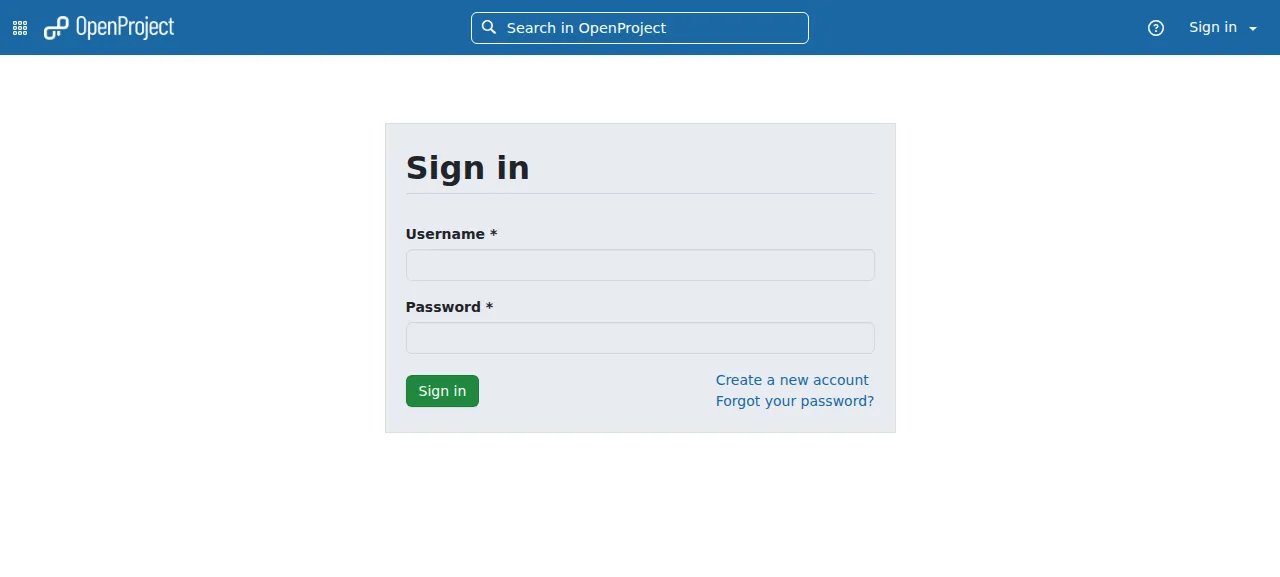
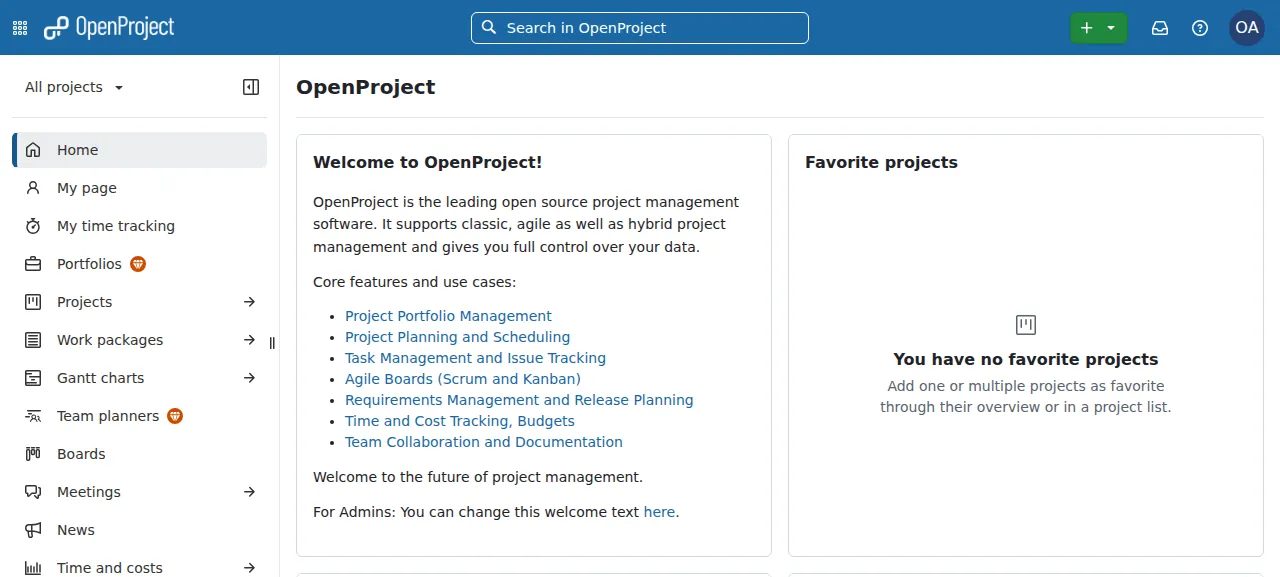
When the deploy is green, open the address ox shows for the project. Sign in as admin with the password you put in OPENPROJECT_SEED__ADMIN__USER__PASSWORD. After the password, OpenProject sends you through a two-factor request page to the home page. With no two-factor device set up, that is its normal path.
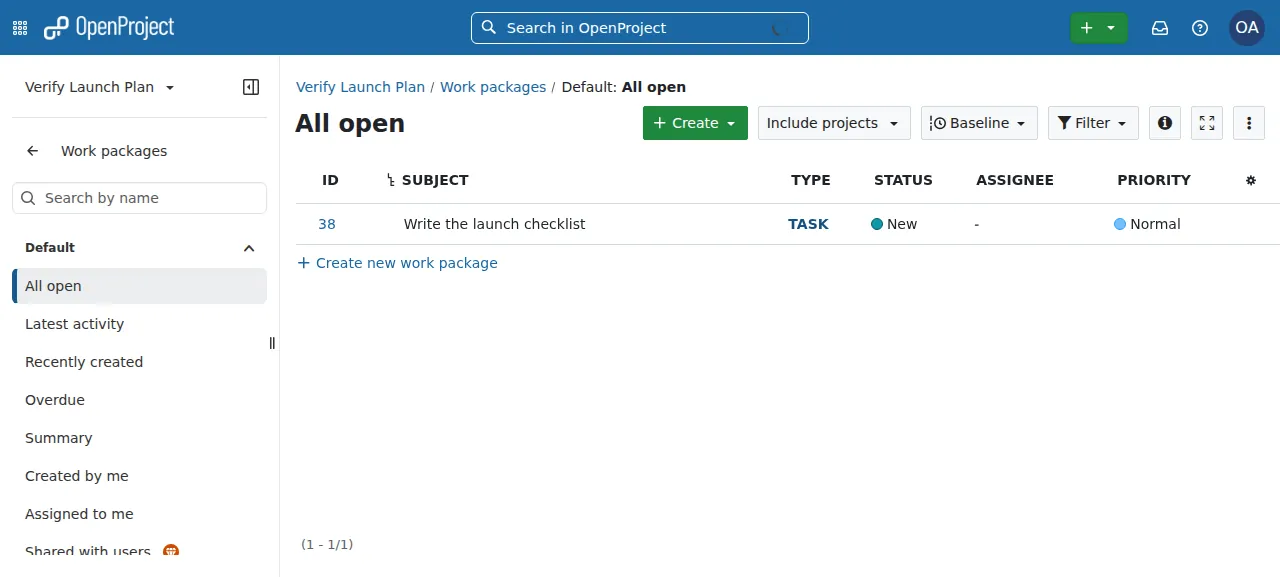
Then the test agent did OpenProject's main job. It made a blank project, opened the project's Work packages, and created a task named Write the launch checklist. After a reload the All open list still showed it, as a Task with the status New. ox served OpenProject on its preview address during the run, so a domain of your own was not part of it. The domains page covers how ox adds one.
The ox.toml, line by line
# OpenProject v17.9.2 (Rails 8.1, Ruby 4.0, an Angular frontend, PostgreSQL,
# GoodJob), as its own production image runs it (docker/prod: Dockerfile,
# web, worker, seeder), on ox's Ruby, Node and Postgres. ox detects the
# tools, the bundle install and npm's.

# The image's runtime tools: text extraction for the attachment search
# (unrtf, tesseract, poppler, catdoc) and pg_dump for the admin's backup.
# The build adds the headers its build stage installs.
packages = ["unrtf", "tesseract-ocr", "poppler-utils", "catdoc", "postgresql-client", "libpq-dev", "libyaml-dev"]

[app]
# docker/prod/web with its BIND on loopback: Puma serves the compiled
# assets too (the internal assets server). OPENPROJECT_HTTPS is a boolean
# (force_ssl, secure cookies, the links in mails), so it follows the scheme
# the release is served on; a reference cannot cast "http" to false. The
# pid file goes to the unit's own /tmp, so no stale one survives a reboot
# (the image removes tmp/pids/* for that).
start = "export OPENPROJECT_HTTPS=$([ \"$PUBLIC_SCHEME\" = https ] && echo true || echo false) OPENPROJECT_ENABLE__INTERNAL__ASSETS__SERVER=true; exec bundle exec rails server -u puma -b 127.0.0.1 -p $PORT -P /tmp/server.pid"
# OpenProject's own web check (the web process and the database).
health = "/health_check"

[build]
# docker/prod/setup/precompile-assets.sh: register the plugins' frontend
# modules, build Angular, precompile, all against nulldb, so the build
# needs no database.
commands = ["SECRET_KEY_BASE=\"$(openssl rand -hex 64)\" RAILS_ENV=production DATABASE_URL=nulldb://db bin/rails openproject:plugins:register_frontend assets:precompile"]
# The image loads a schema dump it makes at build time (db/structure.sql is
# not in git), so a fresh database runs the migrations. The seed is its own
# process, as docker/prod/seeder runs it: in the migration's process it
# aborts. OpenProject runs the seed on every start of its image,
# so it is safe again.
migrate = "bundle exec rake db:migrate && bundle exec rake db:seed"

[workers]
# docker/prod/worker: GoodJob runs the jobs and the cron (mails,
# notifications, attachment text extraction).
worker = "export OPENPROJECT_HTTPS=$([ \"$PUBLIC_SCHEME\" = https ] && echo true || echo false); QUIET=true exec bundle exec good_job start"

[services]
postgres = {}

[storage]
# Attachments: the image keeps them in a volume
# (OPENPROJECT_ATTACHMENTS__STORAGE__PATH); the default is files/.
keep = ["files"]
The file follows docker/prod, the folder of OpenProject's own production image, with its web, worker and seeder scripts. It has no install line. ox reads Ruby 4.0.6 from .ruby-version and Node from engines in package.json, installs both, and runs bundle install and the npm install itself.
packageslists what the image installs.unrtf,tesseract-ocr,poppler-utilsandcatdocpull text out of attachments,postgresql-clientbrings thepg_dumpthat the app's backup job calls, andlibpq-devandlibyaml-devare headers for building the gems.startruns Puma as the image's web script does, but bound to127.0.0.1on ox's port, because Caddy sits in front. WithOPENPROJECT_ENABLE__INTERNAL__ASSETS__SERVERon, Puma also serves the compiled assets.OPENPROJECT_HTTPScontrols HTTPS redirects, secure cookies and the links in mail, and it defaults to true. The command sets it fromPUBLIC_SCHEME, since a reference cannot turn the wordhttpinto false. The pid file sits in the unit's own/tmp, so a reboot leaves no stale one.healthis/health_check, OpenProject's check of the web process and the database. The host check thatOPENPROJECT_HOST__NAMEturns on skips this path, so ox can ask on127.0.0.1.The one build command is the image's
precompile-assets.sh. It registers the plugins' front end modules and precompiles the assets, which builds the Angular app. It runs againstnulldb://db, a stand-in database, with a throwawaySECRET_KEY_BASE, so the build needs no database.migrateruns the migrations, then the seed, each as its own Rake process, as the image's seeder does. The repo has nodb/structure.sql, which the image builds, so a fresh database starts from the migrations. The seed adds the basic data, the admin and two demo projects, and makes the admin only when none exists, so it is safe on every deploy.[workers]has one entry, the image's worker script:good_job start. OpenProject runs GoodJob's jobs outside the web process, so mail, notifications and text extraction run here. It gets the sameOPENPROJECT_HTTPSline as the web app, since it builds the links in mail.[services]asks for Postgres, and[storage]keeps thefilesfolder across deploys. OpenProject writes attachments there unlessOPENPROJECT_ATTACHMENTS__STORAGE__PATHsays otherwise.
RAILS_ENV
SECRET_KEY_BASE
OPENPROJECT_HOST__NAME
OPENPROJECT_SEED__ADMIN__USER__PASSWORD
OPENPROJECT_SEED__ADMIN__USER__PASSWORD__RESET
EMAIL_DELIVERY_METHOD
SMTP_ADDRESS
SMTP_PORT
SMTP_DOMAIN
SMTP_AUTHENTICATION
RAILS_ENV puts Rails in production mode, and OpenProject's own web script defaults to development without it. SECRET_KEY_BASE signs sessions, and OpenProject's docs say to reuse one value on every start. OPENPROJECT_HOST__NAME is the host name OpenProject accepts. Any other name gets a 400 error, so it must match the address you open. ox gives that address as PUBLIC_HOST, and the variables page explains references. The two OPENPROJECT_SEED__ keys set the admin's password and whether OpenProject forces a new one at the first sign-in. The run set the reset to false, and did not set the admin's email, so the account kept OpenProject's default. The other five keys are OpenProject's mail settings. The run pointed them at a test mail catcher, so no real mail left the server.
Postgres and the worker
ox gives the project its own Postgres database and user, and hands the address to Rails as DATABASE_URL. OpenProject's docs name three extensions it needs, pg_trgm, btree_gist and unaccent, and the run's migrations finished on ox's Postgres. The config has no Redis, because GoodJob keeps its queue in Postgres.
The test agent found the web and worker units running with no restarts, and still so minutes later. The worker's log showed GoodJob starting its cron with 20 jobs, then a work package job right after the agent saved the task.
Updates and backups
A push to your fork, or ox deploy openproject --wait, starts a deploy. ox builds the release first, runs migrate, and moves traffic only after /health_check answers. ox dumps Postgres before each migrate, and the run's redeploy left that dump. The run redeployed the same commit, so a move to a newer release was not tested. OpenProject's upgrade notes ask for a backup first and allow one major version at a time, so a jump of two means installing the one between.
Backups need no setup. The run's server held daily and on-request Postgres dumps, and daily and on-request tar.gz archives of the files folder. ox backups openproject lists them, and ox backups openproject now postgres --wait takes a Postgres dump on request. A restore was not tested. The backups page covers copies in your own S3 bucket, and the self-hosting page lists the other apps ox has run.
Frequently asked questions
Do I need Docker to self-host OpenProject?
No. OpenProject documents packages, Docker, Kubernetes and a manual install, and this run used none of them. ox built the Rails app and its Angular front end from the fork on the server, then ran the web app and the worker as system services beside Postgres.
What is the default OpenProject admin login?
The login is admin. The seed makes that user during the first deploy, and its password comes from OPENPROJECT_SEED__ADMIN__USER__PASSWORD. Without that variable the password is admin, and OpenProject forces a change at the first sign-in unless the reset variable is false. A login name is blocked for 30 minutes after more than 20 attempts in one minute.
Which database does OpenProject need?
PostgreSQL. OpenProject's docs support version 16 or newer and list the extensions pg_trgm, btree_gist and unaccent. The run used the Postgres ox installs, with a database and user of its own. It ran no Redis or memcached, because GoodJob keeps the job queue in Postgres.
How much memory does self-hosted OpenProject use?
The facts above show the memory the whole server used after the run's reboot. That counts OpenProject's web app and worker, Postgres, Caddy and the ox agent. The build compiles the Angular app on the server as well. ox takes any server from 1 GB up, and says so when memory is why an app stopped.
New to running apps on your own server? How ox self-hosts your apps shows what ox sets up on your server.