How to self-host the Orchard Core CMS on your own VPS
Run Orchard Core v3.0.1 on your own Ubuntu server with ox: a yarn and .NET 10 build, Postgres, auto setup and nine variables, from the config that ran.

To self-host Orchard Core you need an Ubuntu server, a fork of the Orchard Core repo with one ox.toml file in it, and nine variables that set up the first site and its admin. In our run the first deploy took about 6 minutes, which covers the yarn asset build and the .NET publish on the server, and ox set up Postgres for it.
How we tested On Oct 17, 2026, ox deployed Orchard Core v3.0.1 from commit b9c4b2f2 on a fresh DigitalOcean server with 8 vCPUs and 16 GB of memory. The run then redeployed it, backed it up and rebooted the server. Then a separate test agent, one that did not write the config, signed in, published a page and opened it on the public site, and checked the app's services and its backup.
Orchard Core is an open-source, modular, multi-tenant application framework and content management system for ASP.NET Core, under the BSD 3-Clause license. The repo holds the framework and the CMS built on top of it, and the run deployed the CMS. The run set up a blog from Orchard Core's Blog recipe: a public front page, and an Admin area at /Admin where editors work.
ox deployed Orchard Core v3.0.1 (commit b9c4b2f2) on Oct 17, 2026 on a fresh DigitalOcean server with 8 vCPUs and 16 GB of memory; the first deploy took 6 minutes and a redeploy took 3 minutes.
- First deploy: 6 minutes, from adding the project until the app passed the run's first checks.
- Redeploy of the same commit: 3 minutes, until the app passed the checks again.
- Server: DigitalOcean, 8 vCPUs and 16 GB of memory (
s-8vcpu-16gb), with this app alone on it. Every one of the 85 apps we deployed ran on this one size, so it was not picked for this app. - Memory in use after the reboot: 972 MB of 15986 MB, for the whole server: Ubuntu, the app and its staging copy, its services, Caddy and the ox agent. On a server with no apps, ox's tests on real servers hold the agent to 40 MB or less and Caddy to 50 MB or less.
- Services ox runs for it:
postgres. - Source: github.com/OrchardCMS/OrchardCore at v3.0.1, commit
b9c4b2f2.

What you need
An Ubuntu LTS server. The facts above give the size the run used and the memory it measured after the reboot.
A GitHub account to fork
OrchardCMS/OrchardCore, and an ox account, which you open by signing in with GitHub.A username, an e-mail address and a password for the first admin. Orchard Core can send e-mail through SMTP, but the run set up none, so mail was not tested.
The steps
Open the ox dashboard and press Add a server. It shows an install command with a fresh token. Run it as root on your server. It installs only the ox agent and Caddy.
Fork OrchardCMS/OrchardCore on GitHub and start from the commit in the box above, b9c4b2f2, the 3.0.1 release. Add the ox.toml shown below at the root of your fork, then commit and push. The deploy needed no other file, and a newer commit was not tested. Next write orchardcore.env with the nine values from the variables section, and give the admin a long password. With the ox CLI signed in, run:
ox new <you>/OrchardCore
ox review orchardcore --from-file orchardcore.env --wait
ox names the project after the repo in lower case, so it is orchardcore. The review saves the values and starts the first deploy, and --wait prints the run until it ends. The browser does the same in New project and the review screen, as the quickstart shows.
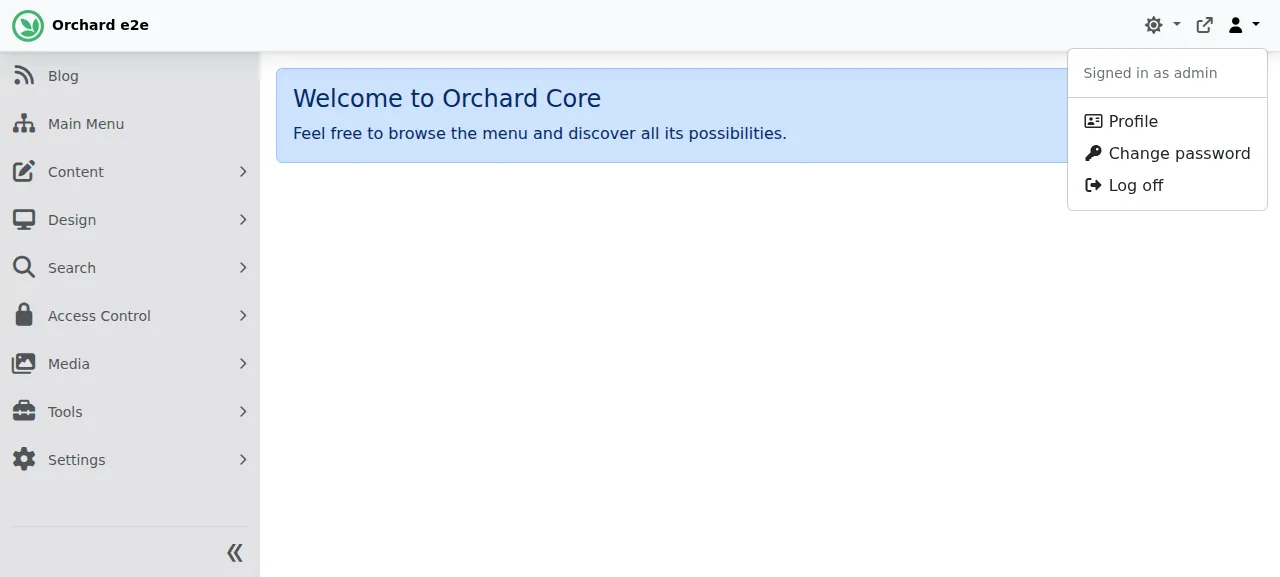
When the deploy is green, ox status orchardcore shows the project's address. The first request to it sets the site up: Orchard Core creates its tables in Postgres and runs the Blog recipe, which can take a minute or more. Later pages are fast. Then open /Login and sign in with the admin username and password from your env file.
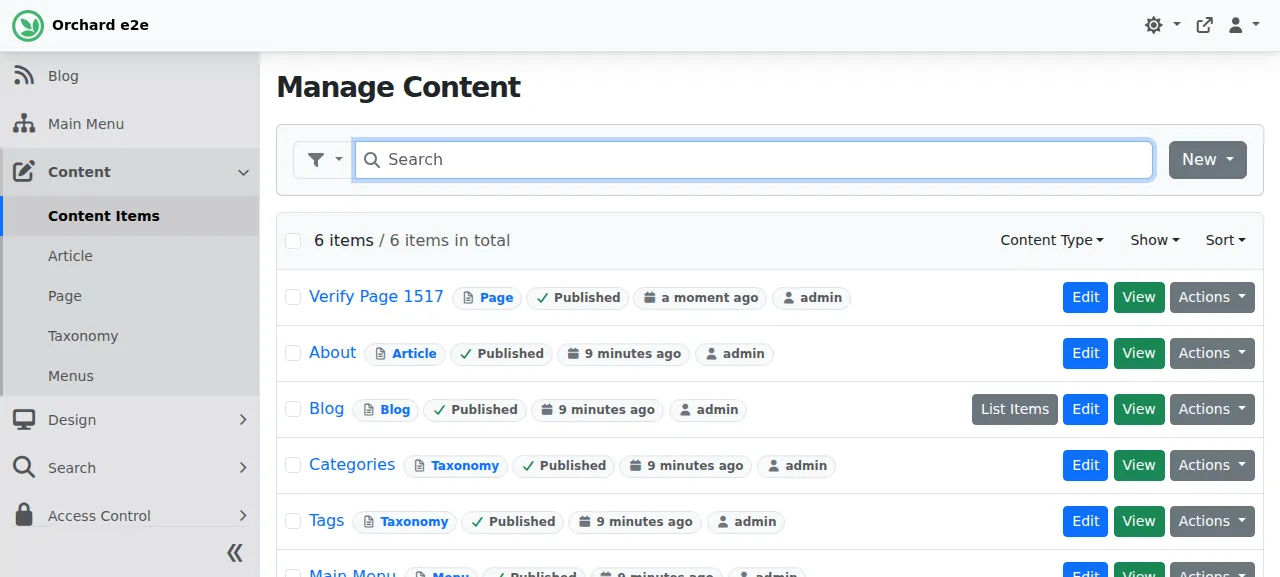
The test agent checked that a wrong password gets "Invalid login attempt." and the right one reaches the Admin. It then did an editor's main job: under Content, Content Items it pressed New, chose Page, typed a title and pressed Publish. Orchard Core answered "Your Page has been published.", the page led the list after a reload, and it opened at an address made from its title. Other themes and recipes, media uploads and extra tenants were not tested.
The run used the site's preview address and no domain of your own. Adding one is covered on the domains page.
The ox.toml, line by line
# Orchard Core v3.0.1, as its operator would write it: the repo holds two
# web apps (the CMS and an MVC sample), so the overlay names the CMS one.
[tools]
dotnet = "10.0.200"   # global.json pins it (a later band than Ubuntu's SDK); its target is a property ox cannot resolve
node = "24.16.0"   # the asset build; .node-version pins it
yarn = "4.13.0"    # packageManager in package.json
[build]
install = "yarn install --immutable"
commands = [
  # The modules' scripts and styles are built from the workspace into
  # their wwwroot folders before the CMS project publishes them.
  "yarn build",
  # The project lists TargetFrameworks (plural), so publish needs one.
  "dotnet publish src/OrchardCore.Cms.Web/OrchardCore.Cms.Web.csproj -c Release -f net10.0 -o out",
]
[app]
# The app's data folder (tenants, uploads, logs) leaves the read-only release.
start = "cd out && ORCHARD_APP_DATA=$OX_DATA_DIR/App_Data ASPNETCORE_URLS=http://127.0.0.1:$PORT exec dotnet OrchardCore.Cms.Web.dll"
[services]
postgres = {}
[storage]
# The CMS's web root holds no file in the repo, so publish writes none,
# and the image cache writes under it (wwwroot/<tenant>/is-cache).
keep = ["out/wwwroot"]
The repo holds two web projects, the CMS and an MVC sample, so the config names the CMS project in its build command.
[tools]installs the three toolchains. The repo'sglobal.jsonasks for .NET SDK 10.0.200,.node-versionsays Node 24.16.0, andpackage.jsonnames Yarn 4.13.0. That SDK is a later feature band than the one Ubuntu packages, and the project's target framework comes from a property ox cannot read, so the config names the SDK.installrunsyarn install --immutable, which installs exactly whatyarn.locklists and stops if the lock would change.yarn buildruns the repo's asset manager. It reads each module's and theme'sAssets.jsonand builds their scripts and styles intowwwrootfolders for the publish step.dotnet publishthen builds the CMS project in Release mode intoout. The project lists its target frameworks in the plural, so-f net10.0picks one.[app] startentersoutand runsOrchardCore.Cms.Web.dll.ORCHARD_APP_DATAis Orchard Core's own setting for whereApp_Datalives. Pointing it into the project's data folder keeps tenant settings, uploads and logs out of the release, which is read-only while the app runs.ASPNETCORE_URLSbinds the app to loopback at the port ox gives it.[services]asks for Postgres, and the variables below hand it to the app.[storage] keeplistsout/wwwroot. The repo holds no file under the CMS project'swwwroot, so publish makes none, and the image cache writes there while the site runs. ox keeps the folder across releases.
There is no health line, so the site must answer GET / before ox switches traffic to a new release, and no migrate line, because auto setup creates the tables on the first request. A second .NET app with its own ox.toml is in the nopCommerce guide.
OrchardCore__OrchardCore_AutoSetup__Tenants__0__ShellName
OrchardCore__OrchardCore_AutoSetup__Tenants__0__SiteName
OrchardCore__OrchardCore_AutoSetup__Tenants__0__SiteTimeZone
OrchardCore__OrchardCore_AutoSetup__Tenants__0__AdminUsername
OrchardCore__OrchardCore_AutoSetup__Tenants__0__AdminEmail
OrchardCore__OrchardCore_AutoSetup__Tenants__0__AdminPassword
OrchardCore__OrchardCore_AutoSetup__Tenants__0__RecipeName
OrchardCore__OrchardCore_AutoSetup__Tenants__0__DatabaseProvider
OrchardCore__OrchardCore_AutoSetup__Tenants__0__DatabaseConnectionString
All nine keys belong to Orchard Core's auto setup module, which installs a tenant on its first request. In OrchardCore__OrchardCore_AutoSetup__Tenants__0__ the double underscores are ASP.NET Core's separator in environment variable names, and 0 is the first entry of the Tenants list. Orchard Core's sample config says to use environment variables for auto setup in production.
ShellName is Default, the name the docs give for the default tenant. SiteName and SiteTimeZone are the site's title and time zone. AdminUsername, AdminEmail and AdminPassword make the super user. RecipeName is the recipe the site starts from, here Blog. DatabaseProvider is Postgres, and DatabaseConnectionString is a Key=value; string the run built from ox's Postgres references: ${postgres.host}, ${postgres.port}, ${postgres.database}, ${postgres.user} and ${postgres.password}. See variables for how references work.
Postgres, App_Data and background tasks
ox creates a database and a user for the project on the server's Postgres. The run also deployed a staging copy beside production, and the memory figure above counts both. Orchard Core keeps content items and users in that database, and tenant settings and uploaded media in App_Data, which sits in the project's data folder and survives deploys.
Orchard Core runs its own background tasks inside the web process, so the run had no worker, cron job or timer. The test agent read the app and its staging copy twice, minutes apart, and both were active with no restarts.
Updates and backups
To move to a newer release, bring its commit into your fork and push, or run ox deploy orchardcore --wait. ox builds it next to the running release and switches once the new one answers. A newer Orchard Core was not tested.
Backups need no setup. The run's two backups, the daily one and the one from Back up now, were Postgres dumps that ox backups orchardcore lists. They hold the content and users, and not App_Data, where Orchard Core keeps tenant settings and uploaded media: the backup listing had no archive of that folder. A restore was not tested. The backups page covers copies in an S3 bucket.
Frequently asked questions
Do I need Docker to self-host Orchard Core?
No. The repo has a Dockerfile, and the docs show a docker run command as the easiest way to try it, but the CMS is an ordinary ASP.NET Core program. ox builds it from your fork on the server and runs it as a system service behind Caddy, with Postgres beside it. There is no image to pull.
Which database does Orchard Core need?
It supports SQL Server, SQLite, MySQL and Postgres, and SQLite is the default. The run used Postgres, which ox installs on the server and hands to the app through the DatabaseProvider and DatabaseConnectionString variables. The other three databases were not tested.
How do I create the first Orchard Core admin?
Set the AdminUsername, AdminEmail and AdminPassword variables of the Default tenant before the first deploy. Orchard Core's auto setup module reads them on the first request, creates the tables and the Blog recipe's content, and makes that admin. There is no setup wizard and no sign-up page. Sign in at /Login, then open /Admin.
How much memory does Orchard Core use?
The facts above give what the run measured: the whole server after a reboot, counting Orchard Core, its staging copy, Postgres, Caddy and the ox agent. The first deploy also builds the yarn assets and the .NET project on the server. ox works on any server from 1 GB up and tells you when memory is why an app stopped.
New to running apps on your own server? How ox self-hosts your apps shows what ox sets up on your server.