How to self-host Outline (team wiki) on your own VPS
Run Outline v1.11.0, a team wiki, on your own Ubuntu server with ox: Node.js, Postgres, Redis, a worker and e-mailed sign-in links, from the real config.

To self-host Outline you need an Ubuntu server, a fork of the Outline repo with an ox.toml and one small script added to it, and thirteen variables. In our run the first deploy took about 4 minutes, and ox set up Postgres and Redis for it.
How we tested On Oct 17, 2026, ox deployed Outline v1.11.0 from commit cb020720 on a fresh DigitalOcean server with 8 vCPUs and 16 GB of memory. The run then redeployed it, backed it up and rebooted the server. Then a separate test agent, one that did not write the config, signed in, created a collection with a document, and found the document by search after a reload, and checked the app's services and its backup.
Outline is a wiki and knowledge base for teams. Documents live in collections, several people can edit one at once, and a search box finds them again. It is a Node.js and TypeScript server with a React front end. Postgres holds its data, and Redis holds its job queues.
Outline's code is under the Business Source License 1.1, which its license file calls not an open source license. You may run it yourself, but not as a Document Service.
ox deployed Outline v1.11.0 (commit cb020720) on Oct 17, 2026 on a fresh DigitalOcean server with 8 vCPUs and 16 GB of memory; the first deploy took 4 minutes and a redeploy took 3 minutes.
- First deploy: 4 minutes, from adding the project until the app passed the run's first checks.
- Redeploy of the same commit: 3 minutes, until the app passed the checks again.
- Server: DigitalOcean, 8 vCPUs and 16 GB of memory (
s-8vcpu-16gb), with this app alone on it. Every one of the 85 apps we deployed ran on this one size, so it was not picked for this app. - Memory in use after the reboot: 1377 MB of 15986 MB, for the whole server: Ubuntu, the app, its services, Caddy and the ox agent. On a server with no apps, ox's tests on real servers hold the agent to 40 MB or less and Caddy to 50 MB or less.
- Services ox runs for it:
postgres,redis. - Background processes:
worker, each its own systemd unit beside the web process. - Source: github.com/outline/outline at v1.11.0, commit
cb020720.
What you need
An Ubuntu LTS server. The run used the size in the facts above, with Outline alone on it. ox installs the Node and Yarn versions the build needs.
A GitHub account to fork
outline/outline, and an ox account, which you open by signing in with GitHub.An e-mail address for the first admin, and a mail server Outline can send through. Outline signs people in with an e-mailed link, or through providers such as Slack, Google, Microsoft Entra, Discord or OpenID Connect. The run used e-mailed links, sent to a test mail catcher. Mail through a real provider and the other sign-in providers were not tested.
The steps
Open the ox dashboard and press Add a server. Run the install command it shows, with its one-time token, as root on the server. It installs the ox agent and Caddy.
Fork outline/outline. Put the code of the tag v1.11.0, the release the run deployed, on your fork's default branch, which is the branch ox deploys. Add ox.toml and ox-make-admin.js at the repo root, as shown below, and push.
Write outline.env with the thirteen values explained under the variables. Outline's sample file names 56 more keys that need an answer, for integrations and options such as Slack, Google, S3 and a CDN, and ox asks for each before the first deploy. The run marked them all not needed, and Outline kept its own defaults. ox check lists them, and a line unset KEY in the env file marks one not needed. With the ox CLI signed in, run:
ox new <you>/outline
ox review outline --from-file outline.env --wait
The project takes the repo's name. The review saves your values and starts the first deploy, and --wait prints the run until it ends. The browser has the same two steps, New project and the review screen, in the quickstart.
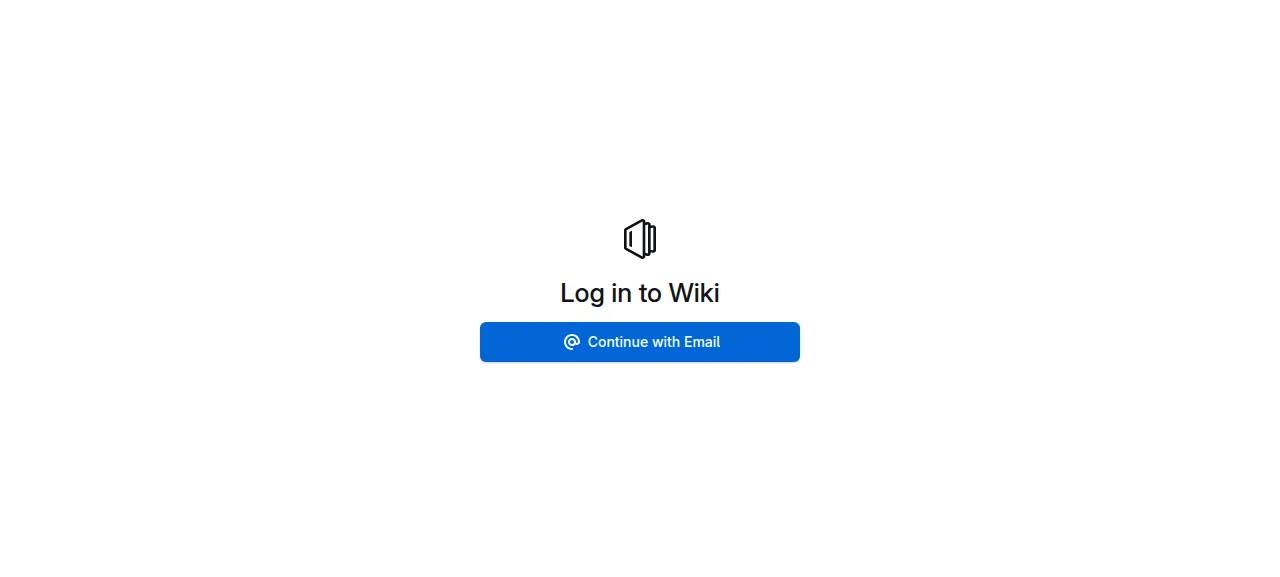
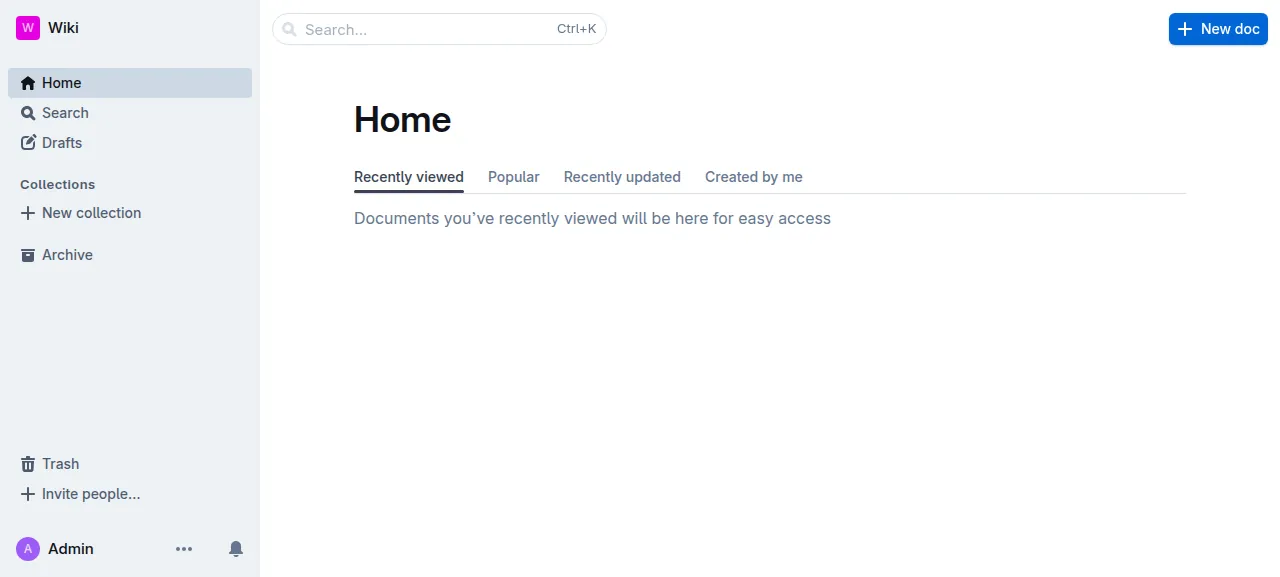
When the deploy is green, open the project's address. The login page says "Log in to Wiki", the name the deploy gave the workspace. Press Continue with Email, type the ADMIN_EMAIL address, and open the "Magic Sign-in Link" message it sends. The link opens the home page with Admin in the sidebar.
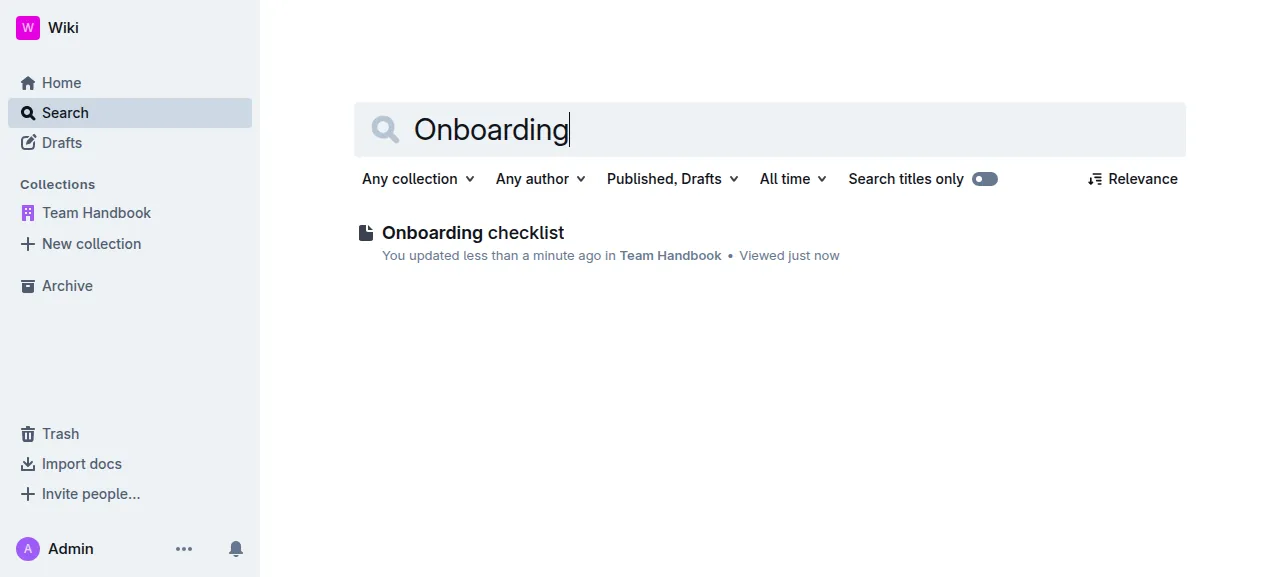
A new workspace has no collections, so press New collection first. The run made one called Team Handbook, wrote a document titled Onboarding checklist in it, reloaded the page, and found the document through search. The run served Outline on its preview address, so a domain of your own was not tested. The domains page covers how ox adds one.
The ox.toml, line by line
# Outline as its Dockerfile, Procfile and app.json run it.
# The first workspace's admin: ox-make-admin.js, in migrate.
required_variables = ["ADMIN_EMAIL"]

[app]
# The cron service rides the web process: started alone, Outline forks one
# process per CPU and each schedules every task (server/index.ts), while
# collaboration without REDIS_COLLABORATION_URL keeps this one at 1.
start = "exec node build/server/index.js --services=web,websockets,collaboration,cron --no-migrate"
health = "/_health"

[build]
# The vite build outgrows Node's default heap (Dockerfile.base raises it
# for the build only).
commands = ["NODE_OPTIONS=--max-old-space-size=6144 yarn build"]
# app.json's postdeploy; the `production` env forces SSL on the database.
migrate = "yarn db:migrate --env=production-ssl-disabled && node ox-make-admin.js"

[workers]
worker = "exec node build/server/index.js --services=worker --no-migrate"

[services]
postgres = {}
redis = {}

[storage]
# Uploads (FILE_STORAGE_LOCAL_ROOT_DIR), the Dockerfile's VOLUME.
keep = ["data"]

[tools]
node = "26.3.0"required_variableslistsADMIN_EMAIL, which Outline's sample file leaves out. The script below reads it, so ox asks for it before the first deploy.startruns the web, websockets and collaboration services in one process, as the Procfile does, and addscron. A cron service started alone forks one process per CPU, each scheduling every task. Beside collaboration, with noREDIS_COLLABORATION_URL, Outline runs one process, so one scheduler runs.--no-migratemakes a pending migration stop the start with an error, so the migrate step runs them first.healthis/_health, the path Outline's Dockerfile checks for the word OK. ox switches traffic to a new release only once it answers.There is no install line. ox sees
yarn.lockand runsyarn install --frozen-lockfile, with the Yarn version inpackage.json.The build
commandsrunyarn build, which builds the front end and the server. They raise Node's heap limit for that command only, as Outline'sDockerfile.basedoes for its build.migrateruns Outline's migrations, then the script below.--env=production-ssl-disabledpicks the database setting that does not insist on SSL, which suits a Postgres on the same machine.[workers]runs Outline's worker service as a unit of its own. Outline's docs say at least one worker must run to process its queues. The test agent saw it send the sign-in mail and run scheduled tasks.[services]asks for Postgres and Redis, and ox starts both.[storage]keeps thedatafolder across deploys. Outline writes uploaded files there whenFILE_STORAGEislocal.[tools]pins Node 26.3.0, the version in Outline's Dockerfile.
ox-make-admin.js
// Makes the first workspace and its admin from ADMIN_EMAIL with the code of
// the first-run setup page (POST /api/installation.create: teamCreator, then
// User.createWithCtx as admin, in one transaction). Outline has no command
// for it, and once a workspace exists the setup page is closed. Safe on
// every deploy: it does nothing when a workspace exists.
require("./build/server/scripts/bootstrap");
const { Team, User } = require("./build/server/models");
const { sequelize } = require("./build/server/storage/database");
const { createContext } = require("./build/server/context");
const { globalEventQueue } = require("./build/server/queues");
const teamCreator = require("./build/server/commands/teamCreator").default;

async function main() {
  if ((await Team.count()) > 0) {
    console.log("ox-make-admin: a workspace exists, nothing to make");
    return;
  }
  const name = process.env.WORKSPACE_NAME || "Wiki";
  await sequelize.transaction(async (transaction) => {
    const ctx = createContext({ ip: "127.0.0.1", transaction });
    const team = await teamCreator(ctx, {
      name,
      subdomain: name,
      authenticationProviders: [],
    });
    await User.createWithCtx(ctx, {
      name: process.env.ADMIN_NAME || "Admin",
      email: process.env.ADMIN_EMAIL,
      teamId: team.id,
      role: "admin",
    });
  });
  // The commit queued the events (the welcome mail); closing sends them.
  await globalEventQueue().close();
  console.log("ox-make-admin: made the workspace and its admin from ADMIN_EMAIL");
}

main().then(
  () => process.exit(0),
  (err) => {
    console.error(err);
    process.exit(1);
  }
);
On a fresh install, Outline's login page shows a Create workspace form to whoever arrives first. This script does the form's job during the deploy, with the code behind the form, so the admin is the address you chose and nobody else can claim the workspace. It names the workspace Wiki and the admin Admin unless WORKSPACE_NAME or ADMIN_NAME is set, and the run set neither. A workspace that already exists is left alone, so a redeploy changes nothing.
URL
SECRET_KEY
UTILS_SECRET
ADMIN_EMAIL
FORCE_HTTPS
PGSSLMODE
FILE_STORAGE
FILE_STORAGE_LOCAL_ROOT_DIR
MALLOC_ARENA_MAX
SMTP_HOST
SMTP_PORT
SMTP_SECURE
SMTP_FROM_EMAIL
URL is ${PUBLIC_URL}, a reference ox fills in with the project's address. SECRET_KEY must be exactly 64 hexadecimal characters, and Outline's sample file says to make it with openssl rand -hex 32. UTILS_SECRET is a second random value whose format does not matter. Make both yourself, once. ADMIN_EMAIL is the first admin's address, one at example.com in the run.
FORCE_HTTPS was false, because Outline redirects to https itself by default and ox's Caddy already serves the address over https. PGSSLMODE was disable, which the sample file allows when the database and the app share a machine. FILE_STORAGE was local and FILE_STORAGE_LOCAL_ROOT_DIR was data, the folder the config keeps. MALLOC_ARENA_MAX was 2, the value from Outline's Dockerfile, which limits glibc's malloc arenas.
The four SMTP keys name the mail server, and Outline turns e-mail on when SMTP_HOST is set. The run pointed host and port at the mail catcher, set SMTP_SECURE to false (TLS only if the server offers STARTTLS), and sent from [email protected]. See variables for how references work.
Postgres and Redis
ox ran one Postgres for the server, with a database and a role for Outline, and a Redis for Outline alone. You set neither address: ox writes DATABASE_URL and REDIS_URL.
Updates and backups
To move to a newer release, merge its tag into your fork and push, or run ox deploy outline --wait. ox builds the new release and runs the migrate step. Before each migrate it dumps Postgres, and the run's redeploy left that dump.
The run's Postgres backups were three dumps: one from Back up now, one taken before the migration, and the daily one. ox backups outline lists them. A restore was not tested, and neither was a backup of uploaded files, since the test agent attached none. The backups page covers copies in an S3 bucket.
Frequently asked questions
Do I need Docker to self-host Outline?
No. Outline's repo has a Dockerfile and a compose file, but the app is a Node.js server built with Yarn. ox installs Node and Yarn, builds Outline from your fork on the server, and runs the web process, the worker and Redis as system services beside Postgres. No image is pulled.
How do I make the first admin in Outline?
Outline's own way is a Create workspace form that any first visitor can fill. With ox, set ADMIN_EMAIL and the deploy makes the workspace and its admin before anyone visits. Then ask for a sign-in link on the login page and open it from the e-mail. That needs working SMTP settings, and real mail delivery was not tested.
How much memory does self-hosted Outline use?
After the reboot, the facts above show what the run's whole server used: Outline's web process and worker, Redis, Postgres, Caddy and the ox agent. The build compiles the front end on the server too, with a higher Node heap limit. ox takes any server from 1 GB up, and says so when memory is why an app stopped.
Is Outline free to self-host?
Outline's license file grants use of the code as long as you do not run a Document Service, a commercial offering where outside parties create teams and documents. It calls the Business Source License not an open source license, and says this release becomes Apache 2.0 on 2030-10-12. Read the file for your own case.
New to running apps on your own server? How ox self-hosts your apps shows what ox sets up on your server.