How to self-host Paperless-ngx on your own Ubuntu VPS
Run Paperless-ngx v2.20.15 without Docker on your own Ubuntu server with ox: Postgres, Redis, Celery workers and local OCR, from the config that ran.

To self-host Paperless-ngx you need an Ubuntu server, a fork of the Paperless-ngx repo with one ox.toml file added, and 13 variables, of which only three are yours to choose. In our run the first deploy took about 8 minutes, and ox set up Postgres and Redis beside the app.
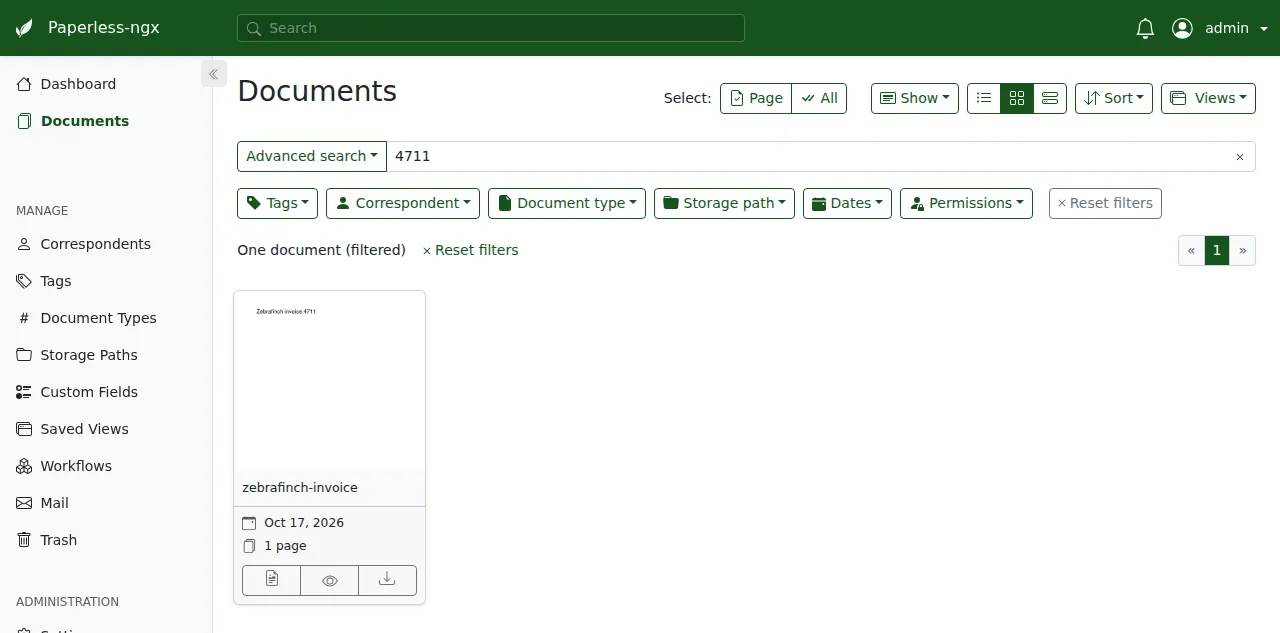
How we tested On Oct 17, 2026, ox deployed Paperless-ngx v2.20.15 from commit 05e48b23 on a fresh DigitalOcean server with 8 vCPUs and 16 GB of memory. The run then redeployed it, backed it up and rebooted the server. Then a separate test agent, one that did not write the config, signed in, uploaded a PDF and found it by a word inside its text after a reload, and checked the app's services and its backup.
Paperless-ngx is a document archive. You upload scans and PDFs, it reads their text with OCR, and you find a document later by searching a word inside it. It keeps your original file next to a searchable PDF/A copy, and it can use machine learning to suggest tags, correspondents and document types. The code is open source under the GNU GPL version 3.
It is a Django app with an Angular web interface. A Celery worker and a Celery scheduler run the background jobs, a consumer process watches an inbox folder, Redis passes messages between them, and Postgres holds the data.
ox deployed Paperless-ngx v2.20.15 (commit 05e48b23) on Oct 17, 2026 on a fresh DigitalOcean server with 8 vCPUs and 16 GB of memory; the first deploy took 8 minutes and a redeploy took 6 minutes.
- First deploy: 8 minutes, from adding the project until the app passed the run's first checks.
- Redeploy of the same commit: 6 minutes, until the app passed the checks again.
- Server: DigitalOcean, 8 vCPUs and 16 GB of memory (
s-8vcpu-16gb), with this app alone on it. Every one of the 85 apps we deployed ran on this one size, so it was not picked for this app. - Memory in use after the reboot: 1675 MB of 15986 MB, for the whole server: Ubuntu, the app and its staging copy, its services, Caddy and the ox agent. On a server with no apps, ox's tests on real servers hold the agent to 40 MB or less and Caddy to 50 MB or less.
- Services ox runs for it:
postgres,redis. - Background processes:
beat,consumer,worker, each its own systemd unit beside the web process. - Source: github.com/paperless-ngx/paperless-ngx at v2.20.15, commit
05e48b23.
What you need
An Ubuntu LTS server where you can run one command as root. The run used the size listed in the facts above, with Paperless-ngx alone on it. ox works on any server from 1 GB up and tells you when memory is why an app stopped.
A GitHub account to fork
paperless-ngx/paperless-ngx, and an ox account, which you open by signing in with GitHub.No outside service. OCR runs on the server with Tesseract. Paperless can also pull attachments from an e-mail account through its mail rules, which was not tested.
The steps
In the ox dashboard press Add a server. It shows one install command with a fresh token in it. Run that as root on the server. It installs the ox agent and Caddy.
Fork the repo on GitHub and check out the tag v2.20.15, the release the run deployed. Add the ox.toml shown below at the root, then commit and push. The run added no other file. Next write a file named paperless.env on your laptop with the 13 keys from the variables section. You choose the admin's name, the admin's password and the secret key. The run used admin and two random values. With the ox CLI signed in, run:
ox new <you>/paperless-ngx
ox review paperless-ngx --from-file paperless.env --wait
ox names the project after the repo. The review saves the values and starts the first deploy, and --wait prints the run until it ends. In the browser the same two steps are New project and the review screen, as the quickstart shows.
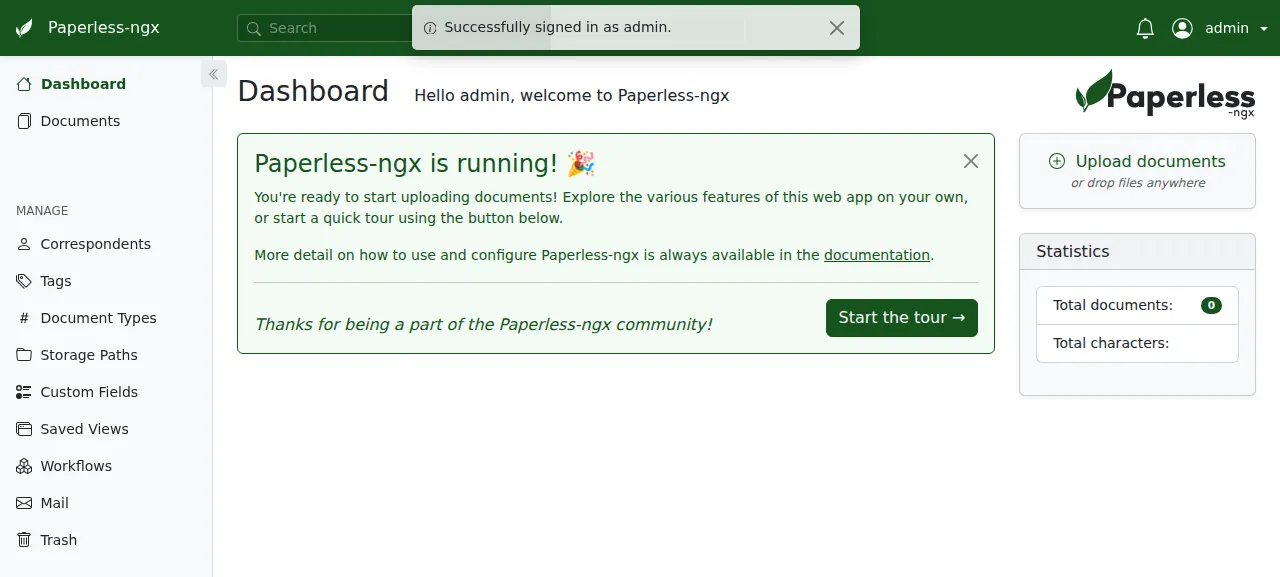
When the deploy is green, open the address ox shows for the project and sign in with the admin's name and password. The dashboard may offer a short tour. Press Upload documents and pick a PDF. The background worker reads the text, so the document takes several seconds to appear under Documents. The test agent uploaded a one-page PDF, reloaded the page and found it by a word that was only in its text. Office files, which Paperless reads through Tika and Gotenberg, were not tested.
The run served Paperless-ngx on its preview address only. A domain of your own was not part of it, and the domains page covers how ox adds one.
The ox.toml, line by line
# Paperless-ngx v2.20.15 (Django + Celery + an Angular UI), run outside
# Docker the way its Dockerfile and s6 services (docker/rootfs/etc/
# s6-overlay/s6-rc.d) build and run it.

# The secret key has a public fallback in settings.py; the admin's login
# is the only way in, since a fresh install with no user opens sign-up to
# the first visitor (paperless/adapter.py) and manage_superuser makes it.
required_variables = ["PAPERLESS_SECRET_KEY", "PAPERLESS_ADMIN_USER", "PAPERLESS_ADMIN_PASSWORD"]

# The Dockerfile's RUNTIME_PACKAGES by their Ubuntu 26.04 names, less the
# container's own (curl, gosu, the database clients): OCR and PDF work
# (tesseract with the image's five languages, ghostscript, unpaper,
# pngquant, qpdf, poppler), ImageMagick's convert, thumbnails of text
# files (fonts-liberation), mime detection (libmagic), barcodes (zbar),
# gettext for compilemessages, and libpq for psycopg's C build.
packages = [
  "tzdata",
  "fonts-liberation",
  "gettext",
  "ghostscript",
  "gnupg",
  "icc-profiles-free",
  "imagemagick",
  "tesseract-ocr",
  "tesseract-ocr-eng",
  "tesseract-ocr-deu",
  "tesseract-ocr-fra",
  "tesseract-ocr-ita",
  "tesseract-ocr-spa",
  "unpaper",
  "pngquant",
  "jbig2dec",
  "libxml2-16",
  "libxslt1.1",
  "qpdf",
  "file",
  "libmagic1t64",
  "media-types",
  "zlib1g",
  "libzbar0t64",
  "poppler-utils",
  "libpq5",
]

[app]
# svc-webserver: granian on the ASGI app, from src/.
start = "cd src && exec granian --interface asginl --ws --loop uvloop --host 127.0.0.1 --port $PORT paperless.asgi:application"

[build]
# The postgres and webserver extras of the Dockerfile's --all-extras
# (mariadb's needs a MySQL client this app does not use).
install = "uv sync --frozen --no-dev --extra postgres --extra webserver"
# The Dockerfile's frontend stage (the UI builds into src/), its NLTK data
# (read from PAPERLESS_NLTK_DIR), then its collectstatic and compilemessages.
commands = [
  "cd src-ui && pnpm install --frozen-lockfile && ./node_modules/.bin/ng build --configuration production",
  "python -W ignore::RuntimeWarning -m nltk.downloader -d nltk_data snowball_data stopwords punkt_tab",
  "cd src && python manage.py collectstatic --clear --no-input",
  "cd src && python manage.py compilemessages",
]
# init-migrations, init-superuser (a no-op once a superuser exists), and
# init-search-index (rebuilds the index when its version changes).
migrate = "cd src && python manage.py migrate --skip-checks --no-input && python manage.py manage_superuser && if [ \"$(cat ../data/.index_version 2>/dev/null || true)\" != 9 ]; then python manage.py document_index reindex --no-progress-bar && echo 9 > ../data/.index_version; fi"

[workers]
# svc-worker, svc-scheduler and svc-consumer.
worker   = "cd src && exec celery --app paperless worker --loglevel INFO --without-mingle --without-gossip"
beat     = "cd src && exec celery --app paperless beat --loglevel INFO"
consumer = "cd src && exec python manage.py document_consumer"

[storage]
# The image's data (index, classifier, logs), media (documents) and
# consume (inbox) volumes, which settings.py puts beside src/.
keep = ["data", "media", "consume"]

[tools]
# The Docker image's Python (the locked psycopg-c wheels are 3.12) and
# its frontend stage's node, with src-ui's packageManager pnpm.
python = "3.12"
node   = "20"
pnpm   = "10.17.1"

[services]
postgres = {}
redis    = {}
The config follows the project's Dockerfile and s6 service files, without the container.
required_variablesnames the three values you choose. Paperless's settings file has a public fallback for the secret key, and its docs say to change it. A fresh install with no user also opens sign-up to the first visitor, so the admin has to exist before the app answers.packagesis the Dockerfile's run-time list under Ubuntu's names. Tesseract comes with English, German, French, Italian and Spanish. Ghostscript, unpaper, pngquant, qpdf, poppler and ImageMagick handle OCR and PDFs, and libmagic, zbar, gettext, fonts and libpq cover file types, barcodes, translations, thumbnails and the Postgres driver. Paperless's docs say a bare metal install adds each OCR language as a Tesseract package.startruns Granian, an ASGI server, fromsrc/on the loopback address and the port ox gives it in$PORT. Caddy sits in front.installinstalls the locked Python packages without the dev tools, plus thepostgresandwebserverextras. The MariaDB extra is left out.The build
commandsrun in order: the Angular interface is built intosrc/, the NLTK language data that automatic tagging reads is downloaded, static files are collected, and translations are compiled.migratedoes what the image's init scripts do. It migrates the database, runs Paperless'smanage_superusercommand to make the admin, and rebuilds the search index when the version stored indatais not the one the config names. It makes no user when one exists, so every deploy can run it.[workers]runs the Celery worker, the Celery scheduler and the document consumer, each as its own unit beside the web process.[storage]keepsdata(the search index, the classifier and logs),media(your documents) andconsume(the inbox) across deploys.[tools]pins Python 3.12, the version the locked Postgres driver wheels are built for, with Node 20 and the pnpm version the web interface names.[services]asks for Postgres and Redis.
PAPERLESS_DBHOST
PAPERLESS_DBPORT
PAPERLESS_DBNAME
PAPERLESS_DBUSER
PAPERLESS_DBPASS
PAPERLESS_REDIS
PAPERLESS_URL
PAPERLESS_SECRET_KEY
PAPERLESS_ADMIN_USER
PAPERLESS_ADMIN_PASSWORD
PAPERLESS_PROXY_SSL_HEADER
PAPERLESS_SCRATCH_DIR
PAPERLESS_NLTK_DIR
The five PAPERLESS_DB keys are references to the Postgres service: ${postgres.host}, ${postgres.port}, ${postgres.database}, ${postgres.user} and ${postgres.password}. Paperless uses SQLite when PAPERLESS_DBHOST is unset, so setting it turns Postgres on. PAPERLESS_REDIS is ${REDIS_URL}. PAPERLESS_URL is ${PUBLIC_URL}, which Paperless turns into its allowed hosts and trusted origins, so it follows the address when that changes.
PAPERLESS_SECRET_KEY signs sessions. PAPERLESS_ADMIN_USER and PAPERLESS_ADMIN_PASSWORD are the first admin, and Paperless never changes the password of a user that exists. PAPERLESS_PROXY_SSL_HEADER was ["HTTP_X_FORWARDED_PROTO", "https"], the value in Paperless's docs, so Django sees https behind Caddy. Its docs warn that this setting has security effects, so read them first.
PAPERLESS_SCRATCH_DIR was ${OX_DATA_DIR}/scratch. The web process saves an upload there and the worker reads it. PAPERLESS_NLTK_DIR was ../nltk_data, the folder the build fills, since every process starts in src/. See variables for how references work.
Postgres and Redis
Postgres is shared with other apps on the server, each with its own database and user. Redis runs only for this project. The run also kept a staging copy beside production, and the memory figure above counts both. No other Paperless variable was set, so the OCR language is the default, English.
Updates and backups
To move to a new release, merge its tag into your fork and push, or run ox deploy paperless-ngx --wait. The migrate line runs on every deploy, and ox dumps Postgres before it. The run's redeploy left such a dump. Read Paperless's changelog first.
Backups need no setup. The run's backups held a Postgres dump, an archive of data, one of media and one of Redis, both daily and from Back up now. List them with ox backups paperless-ngx. A restore was not tested. The backups page covers keeping copies in an S3 bucket.
Frequently asked questions
Can I run Paperless-ngx without Docker?
Yes. Paperless's docs call Docker the best option for most users and also document a bare metal install. ox builds the web interface and installs the Python packages on your server, then runs the web process, worker, scheduler and consumer as system services. There is no image to pull, and an update is a push.
How do I create the first Paperless-ngx user?
Set PAPERLESS_ADMIN_USER and PAPERLESS_ADMIN_PASSWORD before the first deploy. The migrate step runs manage_superuser, which makes that user, so you sign in at /accounts/login/, and sign-up stays closed by default. Without those two variables a fresh Paperless would let its first visitor register, and ox lists them as required.
Which database does Paperless-ngx need?
It runs on SQLite, Postgres or MariaDB, and it always needs Redis for its scheduled tasks. The run used Postgres, which ox sets up and backs up, and a Redis instance for this project alone. Setting PAPERLESS_DBHOST is what switches Paperless away from SQLite, so the config sets it from the Postgres service.
Does Paperless-ngx send my documents to an outside service?
No. Paperless reads scans with Tesseract on your own server, and its docs say your data stays there. The config installs Tesseract and five language packs, and the run needed no account or API key. Mail fetching and Office files use other services, and neither was tested.
Why does the config set PAPERLESS_SCRATCH_DIR?
The web process saves an upload in that folder, and the worker picks it up from there. ox gives every process its own private /tmp, so the worker would not see a file the web process left under /tmp. Pointing the setting into the project's data folder gives both processes the same files.
New to running apps on your own server? How ox self-hosts your apps shows what ox sets up on your server.