How to self-host PeerTube (video platform) on your own VPS
Run PeerTube v8.3.1, a federated video platform, on your own Ubuntu server with ox: Node.js, Postgres, Redis and ffmpeg, from the config that ran.

To self-host PeerTube you need an Ubuntu server, a fork of the PeerTube repo with one ox.toml file added, and 35 variables, two of them secrets that ox can generate for you. In our run the first deploy took about 5 minutes, and ox set up Postgres and Redis for it.
How we tested On Oct 17, 2026, ox deployed PeerTube v8.3.1 from commit 3324876a on a fresh DigitalOcean server with 8 vCPUs and 16 GB of memory. The run then redeployed it, backed it up and rebooted the server. Then a separate test agent, one that did not write the config, signed in, uploaded a short video, saw it transcoded and published, and saw it after a reload, and checked the app's services and its backup.
PeerTube is a video platform you run yourself, developed by Framasoft. People upload videos to channels, the server turns each upload into HLS streams with ffmpeg, and viewers watch in the browser without an account. Instances can follow each other over ActivityPub. It is a Node.js server written in TypeScript with an Angular front end, under the GNU AGPL v3. Its data lives in Postgres and its job queues run through Redis.
ox deployed PeerTube v8.3.1 (commit 3324876a) on Oct 17, 2026 on a fresh DigitalOcean server with 8 vCPUs and 16 GB of memory; the first deploy took 5 minutes and a redeploy took 3 minutes.
- First deploy: 5 minutes, from adding the project until the app passed the run's first checks.
- Redeploy of the same commit: 3 minutes, until the app passed the checks again.
- Server: DigitalOcean, 8 vCPUs and 16 GB of memory (
s-8vcpu-16gb), with this app alone on it. Every one of the 85 apps we deployed ran on this one size, so it was not picked for this app. - Memory in use after the reboot: 865 MB of 15986 MB, for the whole server: Ubuntu, the app, its services, Caddy and the ox agent. On a server with no apps, ox's tests on real servers hold the agent to 40 MB or less and Caddy to 50 MB or less.
- Services ox runs for it:
postgres,redis. - Source: github.com/Chocobozzz/PeerTube at v8.3.1, commit
3324876a.
What you need
An Ubuntu LTS server. The run used the size shown in the facts, with PeerTube alone on it, and the build, the database, Redis and ffmpeg all ran there.
A GitHub account to fork
Chocobozzz/PeerTube, and an ox account, which you open by signing in with GitHub.An SMTP server for PeerTube's mail. The run used a test mail catcher, so no real mail went out, and a real provider was not tested.
The steps
In the ox dashboard press Add a server and run the command it shows, as root, on the new machine. It carries a fresh token and installs the ox agent and Caddy.
Fork Chocobozzz/PeerTube. Put the code of the tag v8.3.1, the release the run deployed, on your fork's default branch, which is the branch ox deploys. Add the ox.toml shown below at the repo root and push. The run added no other file.
Next write peertube.env with the 33 values that are not secrets, which the variables section goes through. With the ox CLI signed in, run:
ox new <you>/PeerTube
ox review peertube --generate PEERTUBE_SECRET --generate PT_INITIAL_ROOT_PASSWORD --from-file peertube.env --wait
ox lowercases the repo name, so the project is peertube. The review saves your values, makes the two secrets and starts the first deploy, and --wait prints the run. The browser has the same two steps in the quickstart.
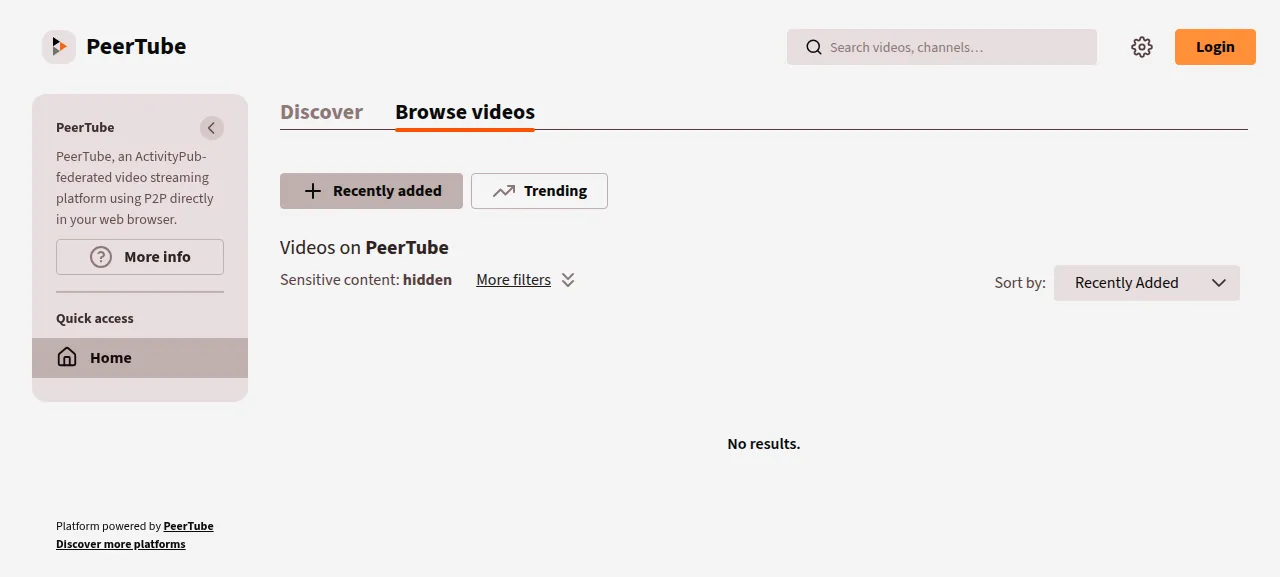
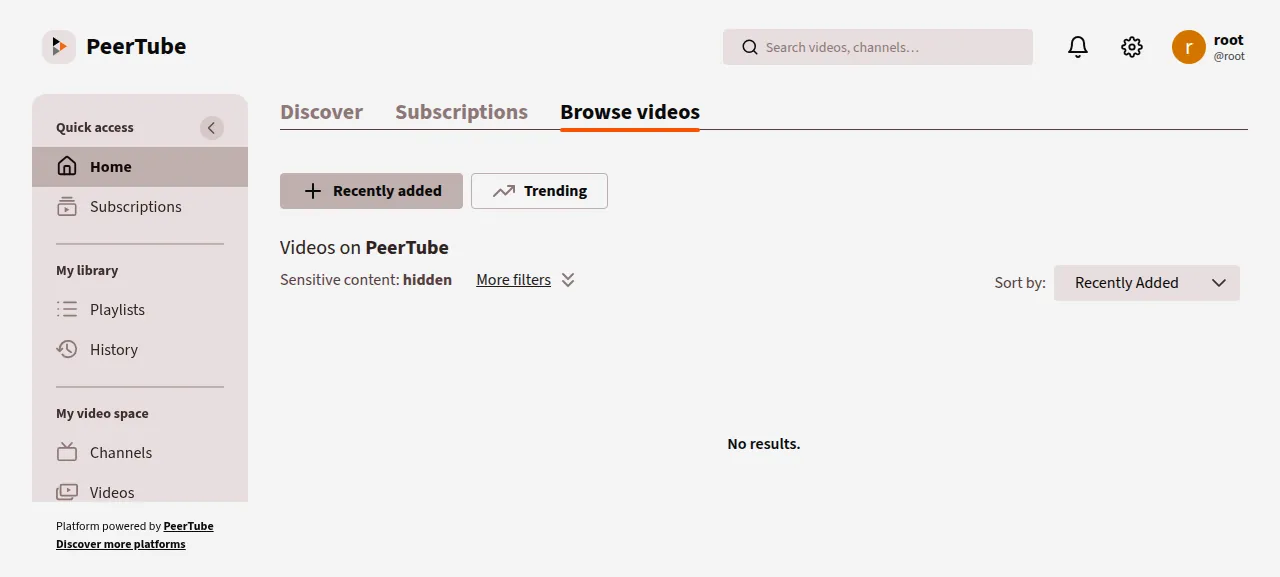
When the deploy is green, read root's password with ox vars peertube --reveal, which ox records in its audit log. Open the address ox shows for the project, press Login and sign in as root. A welcome window for the administrator opens first, and Remind me later closes it.
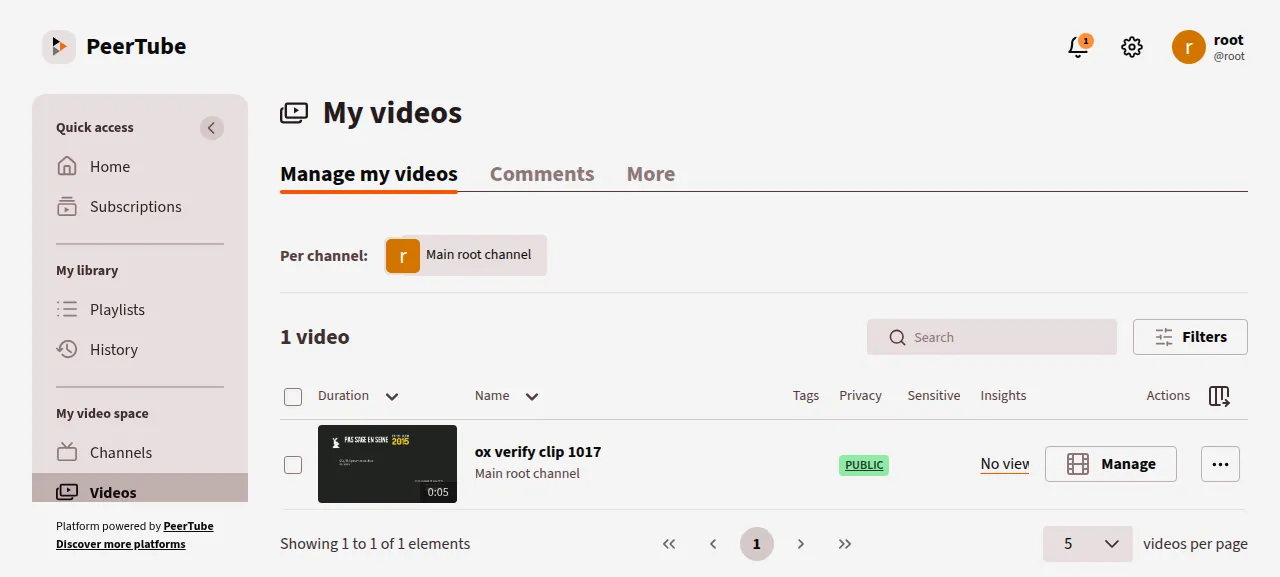
To publish, press Publish in the side menu, choose a file, give the video a title, set Privacy to Public and press Publish. The test agent uploaded a 5-second clip. PeerTube made a 720p HLS stream from it within seconds, and after a reload the clip was still listed under My videos.
The run served PeerTube on its preview address, so a domain of your own was not tested; the domains page covers how ox adds one. PeerTube's production guide says it does not support a change of web server host, so settle on the address you will keep before the instance holds real videos.
The ox.toml, line by line
# PeerTube on ox, following support/docker/production (the recipe the project
# ships): its Dockerfile's apt packages, `npm run install-node-dependencies`
# (ox's detected pnpm install), `npm run build` (server, then the Angular
# client), and `node dist/server`. Configuration is config/default.yaml, then
# config/production.yaml made from the example as support/doc/production.md
# says, then the image's PEERTUBE_* environment mapping, which the variables
# fill (the image's own production.yaml points storage at ../data and the
# database at a "postgres" container, so it is left out).

# The image installs openssl, ffmpeg (transcoding, thumbnails), python3 (it
# runs yt-dlp for video imports) and build-essential for native modules,
# here the C compilers ox check names in its place on Ubuntu 26.04.
packages = ["ffmpeg", "python3", "openssl", "gcc", "g++", "make", "libc6-dev", "libcrypt-dev"]

# The instance secret and root's first password: PeerTube refuses to start
# without the first, and the second is how the first account signs in.
required_variables = ["PEERTUBE_SECRET", "PT_INITIAL_ROOT_PASSWORD"]

[app]
# NODE_ENV is set here, as the image sets it after its build, so the build
# never runs with it. Edits made in the admin pages go to
# local-production.json in PEERTUBE_LOCAL_CONFIG, which is inside the kept
# storage folder so they survive deploys, and node-config reads that folder
# after config/. PEERTUBE_WEBSERVER_HTTPS is a JSON boolean, so it follows the
# scheme the release is served on. The database is created and migrated as
# the server starts (server/server.ts: migrate, then installApplication).
start = """
mkdir -p "$OX_DATA_DIR/storage/config"
export NODE_ENV=production \
  NODE_CONFIG_DIR="$PWD/config:$OX_DATA_DIR/storage/config" \
  PEERTUBE_LOCAL_CONFIG="$OX_DATA_DIR/storage/config" \
  PEERTUBE_LISTEN_PORT="$PORT" \
  PEERTUBE_WEBSERVER_HTTPS=$([ "$PUBLIC_SCHEME" = https ] && echo true || echo false)
exec node dist/server
"""
health = "/api/v1/ping"
# PeerTube runs as one process per database: a second copy would run the same
# job queues and schedulers beside the first, and the live (RTMP) server binds
# the fixed port 1935 once live is turned on in the admin pages.
stop_before_start = true

[build]
commands = [
  "cp config/production.yaml.example config/production.yaml",
  "cp support/docker/production/config/custom-environment-variables.yaml config/",
  "npm run build",
]

[services]
# PeerTube creates both extensions as it starts (server/core/initializers/database.ts).
postgres = { extensions = ["pg_trgm", "unaccent"] }
redis = {}

[storage]
# Videos, previews, avatars, logs, plugins and the rest: the PEERTUBE_STORAGE_*
# variables point each one into this folder under $OX_DATA_DIR, outside the
# release, as PeerTube asks of a production instance.
keep = ["storage"]

[tools]
# The image is node:22, and CI runs Node 22.
node = "22"packagestakes what PeerTube needs from the apt list of its Docker image. ffmpeg makes the HLS streams and thumbnails, and python3 runs yt-dlp for video imports, which were not tested. The image also installsbuild-essentialfor native Node modules, a name ox refuses on Ubuntu 26.04, so the five compiler packages stand in for it.required_variablesnames the instance secret and root's first password. PeerTube stops at start when the secret is empty. Without the password, root gets a random one that only PeerTube's log shows.startmakes a config folder inside the kept storage and setsNODE_ENV=production, here and not in the build, as the Docker image does.NODE_CONFIG_DIRlists the release'sconfigfolder and then the kept one, andPEERTUBE_LOCAL_CONFIGnames the kept one, so settings saved in PeerTube's admin pages (it writes them tolocal-production.json) survive deploys. The port is ox's$PORT, and HTTPS follows the address's scheme. PeerTube migrates its database as it starts, so there is no migrate line.healthis PeerTube's ping route, which must answer before ox moves traffic to a new release.stop_before_startistruebecause PeerTube should run as one process per database: a second copy would run the same job queues and schedulers, and with live streaming on it would want the fixed port 1935 too. A deploy stops the running copy first, so the site answers 502 for a short gap each time.There is no install line. ox sees
pnpm-lock.yamland runs the pnpm install with a frozen lockfile, using the pnpm versionpackage.jsonnames.The build
commandscopyproduction.yaml.exampletoproduction.yaml, as PeerTube's production guide says, and copy the Docker image'scustom-environment-variables.yamlintoconfig/, which mapsPEERTUBE_variables onto config keys.npm run buildbuilds the server and then the Angular client.[services]asks for Postgres with the extensionspg_trgmandunaccent, which PeerTube checks for at start and creates when they are missing, and for Redis.[storage]keeps thestoragefolder across deploys, so videos, previews, avatars, logs and plugins stay outside the release.[tools]pins Node 22, the major version of PeerTube's Docker image.
PEERTUBE_SECRET
PT_INITIAL_ROOT_PASSWORD
PEERTUBE_DB_HOSTNAME
PEERTUBE_DB_PORT
PEERTUBE_DB_NAME
PEERTUBE_DB_USERNAME
PEERTUBE_DB_PASSWORD
PEERTUBE_REDIS_HOSTNAME
PEERTUBE_REDIS_PORT
PEERTUBE_REDIS_AUTH
PEERTUBE_WEBSERVER_HOSTNAME
PEERTUBE_WEBSERVER_PORT
PEERTUBE_SMTP_HOSTNAME
PEERTUBE_SMTP_PORT
PEERTUBE_SMTP_TLS
PEERTUBE_SMTP_DISABLE_STARTTLS
PEERTUBE_STORAGE_TMP
PEERTUBE_STORAGE_TMP_PERSISTENT
PEERTUBE_STORAGE_BIN
PEERTUBE_STORAGE_AVATARS
PEERTUBE_STORAGE_WEB_VIDEOS
PEERTUBE_STORAGE_STREAMING_PLAYLISTS
PEERTUBE_STORAGE_ORIGINAL_VIDEO_FILES
PEERTUBE_STORAGE_REDUNDANCY
PEERTUBE_STORAGE_LOGS
PEERTUBE_STORAGE_PREVIEWS
PEERTUBE_STORAGE_THUMBNAILS
PEERTUBE_STORAGE_STORYBOARDS
PEERTUBE_STORAGE_TORRENTS
PEERTUBE_STORAGE_CAPTIONS
PEERTUBE_STORAGE_CACHE
PEERTUBE_STORAGE_PLUGINS
PEERTUBE_STORAGE_WELL_KNOWN
PEERTUBE_STORAGE_UPLOADS
PEERTUBE_STORAGE_CLIENT_OVERRIDES
PEERTUBE_SECRET signs login tokens and two-factor codes. PT_INITIAL_ROOT_PASSWORD is root's first password. PeerTube's default settings accept 8 to 50 characters, and the one ox generates is 32.
The PEERTUBE_DB_* and PEERTUBE_REDIS_* keys point PeerTube at its services. ox fills in the usual names, such as DB_HOST, but not PeerTube's own, so the run wrote references such as ${postgres.host}, ${postgres.password}, ${redis.port} and ${redis.password}. See variables for how references work.
PEERTUBE_WEBSERVER_HOSTNAME and PEERTUBE_WEBSERVER_PORT were ${PUBLIC_HOST} and ${PUBLIC_PORT}, the address ox serves the project on. PeerTube's front end gets its client credentials only from a request whose Host header matches them, so sign-in works only on that address.
The four PEERTUBE_SMTP_* keys name the mail catcher's host and port, with TLS off and STARTTLS disabled because the catcher speaks plain SMTP. Settings for a real provider were not tested.
The 19 PEERTUBE_STORAGE_* keys each name one folder, such as web videos, previews, thumbnails and logs. PeerTube's default.yaml puts them under storage/ in the release, and its production check warns about that, so each points into ${OX_DATA_DIR}/storage/, inside the kept folder.
Postgres and Redis
ox ran one Postgres for the server, with a database and a role for PeerTube, and a Redis for PeerTube alone with its own password. You can read the database from the Services tab, or with ox explore peertube postgres.
PeerTube runs its job queues, transcoding included, inside the web process, so the project has no worker units. The test agent saw the clip's HLS transcoding job finish in the app's log.
Updates and backups
To move to a newer release, merge its tag into your fork and push, or run ox deploy peertube --wait. The run redeployed the same release, and an upgrade was not tested. PeerTube's changelog has IMPORTANT NOTES for some releases, and v8.3.0's asked for a migration script to run after the upgrade, so read them before you move up.
Backups need no setup. The run's backups held a Postgres dump and an archive of the storage folder, both from Back up now, and the test agent found both not empty. ox backups peertube lists them. A large video library and a restore were not tested. The backups page covers keeping copies in an S3 bucket.
Frequently asked questions
Do I need Docker to self-host PeerTube?
No. PeerTube documents a Docker install and a classic one with Node, Postgres, Redis and ffmpeg on the host. ox follows the Docker image's recipe without running Docker: it builds PeerTube from your fork on the server and runs it as a system service beside Postgres and Redis.
How do I sign in to a new PeerTube instance?
The first account is the administrator root. PeerTube makes it on its first start with the password in PT_INITIAL_ROOT_PASSWORD, and without that variable it prints a random one in its log. Sign-up is off by default, so the page has no Create an account link. Making more accounts and sending invites by mail were not tested.
How much memory does PeerTube use?
After the reboot, the facts above show what the run's whole server used, which counts PeerTube, Redis, Postgres, Caddy and the ox agent, before any video was uploaded. Transcoding a long video was not measured. ox works on any server from 1 GB up, and says so when memory is why an app stopped.
Is PeerTube free to self-host?
PeerTube's code is under the GNU Affero General Public License, version 3, which lets you run it yourself at no charge. If you change it and let others use your changed copy over a network, the license asks you to offer them that source. Read the license file for your own case.
New to running apps on your own server? How ox self-hosts your apps shows what ox sets up on your server.