How to self-host PhotoPrism on your own VPS without Docker
Run PhotoPrism 261007-65faaae5d, the open-source photo library, on your own Ubuntu server with ox and no Docker: its Linux package and MariaDB, as it ran.

To self-host PhotoPrism you need an Ubuntu server, a fork of the PhotoPrism repo with one ox.toml file added, and 22 variables, of which the admin password is the only secret you choose. In our run the first deploy took about 5 minutes, because the build unpacks PhotoPrism's ready-made Linux package instead of compiling the app, and ox set up the MariaDB database for it.
How we tested On Oct 17, 2026, ox deployed PhotoPrism 261007-65faaae5d from commit 65faaae5 on a fresh DigitalOcean server with 8 vCPUs and 16 GB of memory. The run then redeployed it, backed it up and rebooted the server. Then a separate test agent, one that did not write the config, signed in, uploaded a photo and saw it with its camera, date and place after a reload, and checked the app's services and its backup.
PhotoPrism is a private photo library that you run yourself, a bit like a self-hosted Google Photos. You upload pictures and videos, and it makes thumbnails, reads each file's metadata and labels pictures by what they show. The code is AGPL-3.0, written in Go with a Vue frontend. PhotoPrism also sells memberships that add features such as interactive world maps, and the run used none.
ox deployed PhotoPrism 261007-65faaae5d (commit 65faaae5) on Oct 17, 2026 on a fresh DigitalOcean server with 8 vCPUs and 16 GB of memory; the first deploy took 5 minutes and a redeploy took 59 seconds.
- First deploy: 5 minutes, from adding the project until the app passed the run's first checks.
- Redeploy of the same commit: 59 seconds, until the app passed the checks again.
- Server: DigitalOcean, 8 vCPUs and 16 GB of memory (
s-8vcpu-16gb), with this app alone on it. Every one of the 85 apps we deployed ran on this one size, so it was not picked for this app. - Memory in use after the reboot: 851 MB of 15986 MB, for the whole server: Ubuntu, the app, its services, Caddy and the ox agent. On a server with no apps, ox's tests on real servers hold the agent to 40 MB or less and Caddy to 50 MB or less.
- Services ox runs for it:
mysql. - Source: github.com/photoprism/photoprism at 261007-65faaae5d, commit
65faaae5.
What you need
An Ubuntu LTS server. The run used the size in the facts above. Its memory was measured after the reboot, before any photo was uploaded. The package's README asks for glibc 2.35 or newer and names Ubuntu 22.04 as meeting it.
A 64-bit Intel or AMD CPU, which is what the run's server had. PhotoPrism also publishes an ARM package, and the config carries its checksum, but that line was not run.
A GitHub account to fork
photoprism/photoprism. You open the ox account by signing in with it.The run used no outside service. Email, WebDAV sync, the phone app, face recognition, RAW and HEIC files, video and the Places map were not tested.
The steps
Press Add a server in the ox dashboard and run the command it shows as root on your Ubuntu machine. It puts the ox agent and Caddy on the machine.
Fork photoprism/photoprism on GitHub. On your fork's default branch, use commit 65faaae5, the release tagged 261007-65faaae5d, which the run deployed. Add the ox.toml shown below at the top of the repo, commit and push. Then write photoprism.env on your laptop, one line for each of the 22 keys in the variables section, with the values described there. With the ox CLI signed in, run:
ox new <you>/photoprism
ox review photoprism --from-file photoprism.env --wait
The project takes the repo's name. The review stores your values and begins the first deploy, and --wait follows the run to its end. The quickstart shows both steps in the browser.
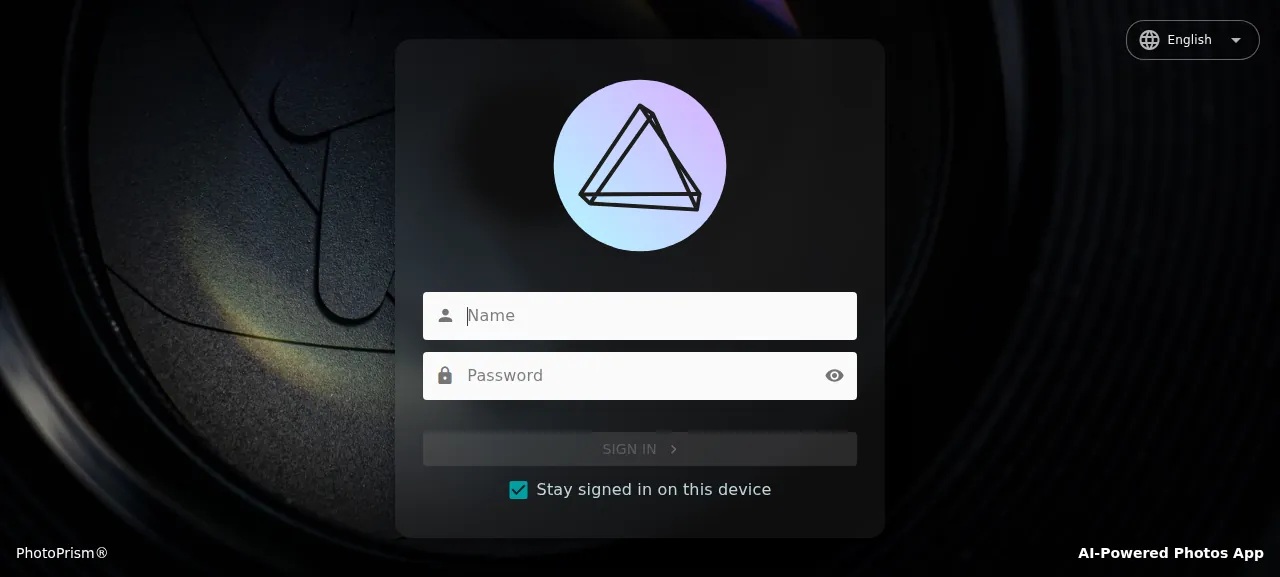
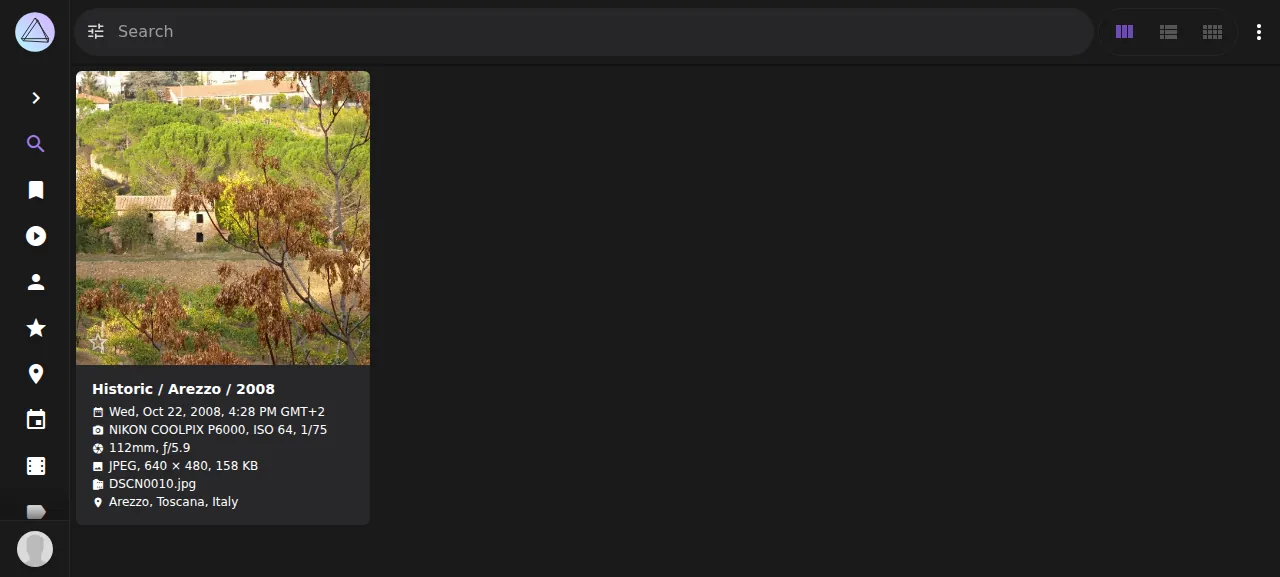
When the deploy is green, open the address ox shows for the project. The sign-in page is /library/login, and you sign in with PHOTOPRISM_ADMIN_USER and PHOTOPRISM_ADMIN_PASSWORD. A new library is empty. Open the menu at the top right, choose Upload (or press Ctrl-U), pick a photo with Choose Files and press Upload. The test agent used a camera JPEG. PhotoPrism indexed it within seconds and showed a card with the camera, date and place, which was still there after a reload. The run used the preview address only, so a domain of your own was not part of it. The domains page covers how ox adds one.
The ox.toml, line by line
# ox deploy manifest (https://deploywithox.com). PhotoPrism's install without Docker
# (setup/pkg/linux/README.md): its Linux package of this commit's release, the folder
# "make all install" builds (bin, lib with TensorFlow and ONNX Runtime, assets with the models),
# run on MariaDB with the media tools the resolute-slim image installs.

# The package's required runtime packages and recommended extras, as the resolute-slim image
# installs them, and curl for the download.
packages = [
  "curl",
  "libvips42t64", "ffmpeg", "libimage-exiftool-perl", "imagemagick", "rawtherapee", "darktable",
  "libheif-examples", "libjxl-tools", "librsvg2-bin", "ghostscript", "libmagic-mgc",
  "mariadb-client", "sqlite3", "yt-dlp", "tzdata",
]

# Without it the admin account has no password and nobody can sign in.
required_variables = ["PHOTOPRISM_ADMIN_PASSWORD"]

[app]
# The paths come from PHOTOPRISM_*_PATH variables, as the image's ENV lines give them.
start = "exec .ox/photoprism/bin/photoprism --http-host 127.0.0.1 --http-port \"$PORT\" start"
health = "/api/v1/status"

[build]
# The release 261007-65faaae5d of the pinned commit, from its GitHub release with the checksum
# GitHub lists for it. A source build fetches TensorFlow, ONNX Runtime and the models (about
# 300 MB) from dl.photoprism.app, one server that sends most connections 20 to 60 KB/s from
# DigitalOcean, so it took hours; the package holds the same files.
install = ""
commands = [
  """
  case "$(dpkg --print-architecture)" in
    amd64) sum=03dd5d319eeee7f1dfb51a1628ee598a33c9d94299a323b7083e9c65ed2d8f52 ;;
    arm64) sum=eb2c3451d4e983548231c808bc70c17fc8db6afbff4a807f013f1ad24e2ee83a ;;
    *) echo "PhotoPrism publishes no Linux package for $(dpkg --print-architecture)" >&2; exit 1 ;;
  esac
  pkg="photoprism_261007-65faaae5d-linux-$(dpkg --print-architecture).tar.gz"
  mkdir -p .ox/photoprism
  curl -fsSL --retry 3 -o ".ox/$pkg" "https://github.com/photoprism/photoprism/releases/download/261007-65faaae5d/$pkg"
  echo "$sum  .ox/$pkg" | sha256sum -c -
  tar -xzf ".ox/$pkg" -C .ox/photoprism
  rm ".ox/$pkg"
  """,
]
# Creates the admin from PHOTOPRISM_ADMIN_USER and PHOTOPRISM_ADMIN_PASSWORD on the first run.
migrate = ".ox/photoprism/bin/photoprism migrate"

[services]
mysql = {}

[storage]
keep = ["data/originals", "data/import", "data/storage"]
The file builds no PhotoPrism source. It follows the package README's install without Docker: a Linux package that holds the program, its TensorFlow and ONNX Runtime libraries and the models.
packageslists Ubuntu tools. ox installs packages without their recommended extras, so the list names them. The README requireslibvips42t64for thumbnails,ffmpegfor video,libimage-exiftool-perlfor metadata,sqlite3andtzdata, and suggestsimagemagick,darktable,rawtherapee,librsvg2-binand libheif. The rest match PhotoPrism's own Ubuntu 26.04 image, pluscurlfor the download.mariadb-clientbringsmariadb-dump, which PhotoPrism uses to back up its database.required_variablesnamesPHOTOPRISM_ADMIN_PASSWORD. Without it PhotoPrism cannot set up the admin account, so nobody can sign in. Listed, the key is asked for before the first deploy.startruns the unpacked program.--http-host 127.0.0.1keeps it where only Caddy reaches it, and--http-port "$PORT"swaps PhotoPrism's usual port 2342 for the one ox hands out.execlets the stop signal reach PhotoPrism itself.healthis/api/v1/status, which answers "operational". ox moves traffic to a new release once it answers.install = ""runs no install step, since the package holds everything. The build command picks the package for the server's CPU, downloads that release from GitHub, checks its SHA-256 sum, unpacks it into.ox/photoprismand deletes the archive. On any other CPU it stops with a message.migraterunsphotoprism migratebefore traffic switches. It moves the database schema forward and, on the first run, sets up the admin account from the two admin variables.[services]asks formysql, which in ox is MariaDB 11.8 started only for this project.[storage]keepsdata/originals,data/importanddata/storage. Each deploy starts a fresh release folder, so ox links these three to the project's data directory.
There are no workers or scheduled jobs, because PhotoPrism indexes inside its own process. ox showed two units for the project, the app and MariaDB.
PHOTOPRISM_ASSETS_PATH
PHOTOPRISM_ORIGINALS_PATH
PHOTOPRISM_IMPORT_PATH
PHOTOPRISM_STORAGE_PATH
PHOTOPRISM_UPLOAD_NSFW
PHOTOPRISM_DETECT_NSFW
PHOTOPRISM_AUTO_INDEX
PHOTOPRISM_AUTO_IMPORT
DO_NOT_TRACK
ORT_DISABLE_TELEMETRY
TF_CPP_MIN_LOG_LEVEL
TF_ENABLE_ONEDNN_OPTS
MALLOC_ARENA_MAX
PHOTOPRISM_DATABASE_DRIVER
PHOTOPRISM_DATABASE_SERVER
PHOTOPRISM_DATABASE_NAME
PHOTOPRISM_DATABASE_USER
PHOTOPRISM_DATABASE_PASSWORD
PHOTOPRISM_SITE_URL
PHOTOPRISM_DISABLE_TLS
PHOTOPRISM_ADMIN_USER
PHOTOPRISM_ADMIN_PASSWORD
Four keys point PhotoPrism at its folders. PHOTOPRISM_ASSETS_PATH is where the package left the models and icons, here the unpacked assets folder. PHOTOPRISM_ORIGINALS_PATH holds your uploads, PHOTOPRISM_IMPORT_PATH is the base folder for imports, and PHOTOPRISM_STORAGE_PATH is the writable folder for sidecar and cache files. Those last three point at the kept data folders.
Nine keys carry the values of PhotoPrism's own Docker image. PHOTOPRISM_UPLOAD_NSFW and PHOTOPRISM_DETECT_NSFW decide whether uploads skip the check for offensive pictures and whether suspect new pictures turn private. PHOTOPRISM_AUTO_INDEX and PHOTOPRISM_AUTO_IMPORT are delays in seconds for files that arrive by WebDAV, and -1 turns one off. The rest quiet telemetry, set TensorFlow's log and CPU optimizations, and cap glibc's memory arenas.
PHOTOPRISM_DATABASE_DRIVER is sqlite by default, and the run set it to mysql, which also speaks to MariaDB. The server, name, user and password keys are references ox fills from its MariaDB, such as ${mysql.host}, so nobody types a database password. See variables for how references work.
PHOTOPRISM_SITE_URL is the address people open, set to ${PUBLIC_URL}/. PHOTOPRISM_DISABLE_TLS stops PhotoPrism starting HTTPS of its own, so Caddy alone serves it. PHOTOPRISM_ADMIN_USER was admin, and PHOTOPRISM_ADMIN_PASSWORD is the one you choose, at least 8 characters.
MariaDB and your first photos
The MariaDB belongs to this project alone. You can look inside it on the Services tab, or with ox explore photoprism mysql. A camera or phone JPEG goes straight into the library, but an image that does not look like a photo, such as a screenshot, waits under Review in the left sidebar until you approve it.
Updates and backups
A push to your fork, or ox deploy photoprism --wait, deploys again. Each release unpacks the package into its own folder, and the photos live in the kept folders outside it. The config pins release 261007-65faaae5d with a checksum for each CPU, so a newer one needs a new download line and sums. A newer release and a rollback were not tested.
The kept folders and MariaDB are backed up each day, and on demand with Back up now on the Backups tab. The run's backup, made before the test agent uploaded its photo, held an archive of the MariaDB data and one of the kept folders. Run ox backups photoprism to list them. A backup with photos in it was not tested, and neither was a restore. The backups page covers copies in an S3 bucket, and self-hosting with ox lists more apps.
Frequently asked questions
Do I need Docker to self-host PhotoPrism?
No. PhotoPrism's README leads with Docker, but it also publishes a Linux package of each release, with the TensorFlow and ONNX Runtime libraries and the models inside. ox downloads it, checks its checksum and runs it as a system service beside MariaDB. PhotoPrism's notes say the package is for experienced users and its team cannot support custom installs.
How much memory does self-hosted PhotoPrism use?
After the run's reboot, the whole server, PhotoPrism and MariaDB included, used the memory the facts show, with no photos uploaded yet. Memory while indexing a library was not measured. ox takes any server from 1 GB up, and says so when memory is why an app stopped.
How do I create the first PhotoPrism admin account?
Set PHOTOPRISM_ADMIN_USER and PHOTOPRISM_ADMIN_PASSWORD before the first deploy. The migrate step sets that account up, and you sign in at /library/login. PhotoPrism has no sign-up page. The test agent signed in with those two values. PhotoPrism's code sets the password only while the account has none, so a later edit of the variable leaves it alone.
Which database does PhotoPrism use?
PhotoPrism defaults to SQLite and also supports MariaDB and MySQL through its database driver setting. This setup uses the MariaDB that ox runs for the project, and the database keys take their address, name, user and password from that service. A restore of its backup was not tested.
New to running apps on your own server? How ox self-hosts your apps shows what ox sets up on your server.